At Home with Tech

Unlock the power of all your technology and learn how to master your photography, computers and smartphone.

Category: Tech How To

How Many Family Members Does It Take to Fix a School Chromebook?
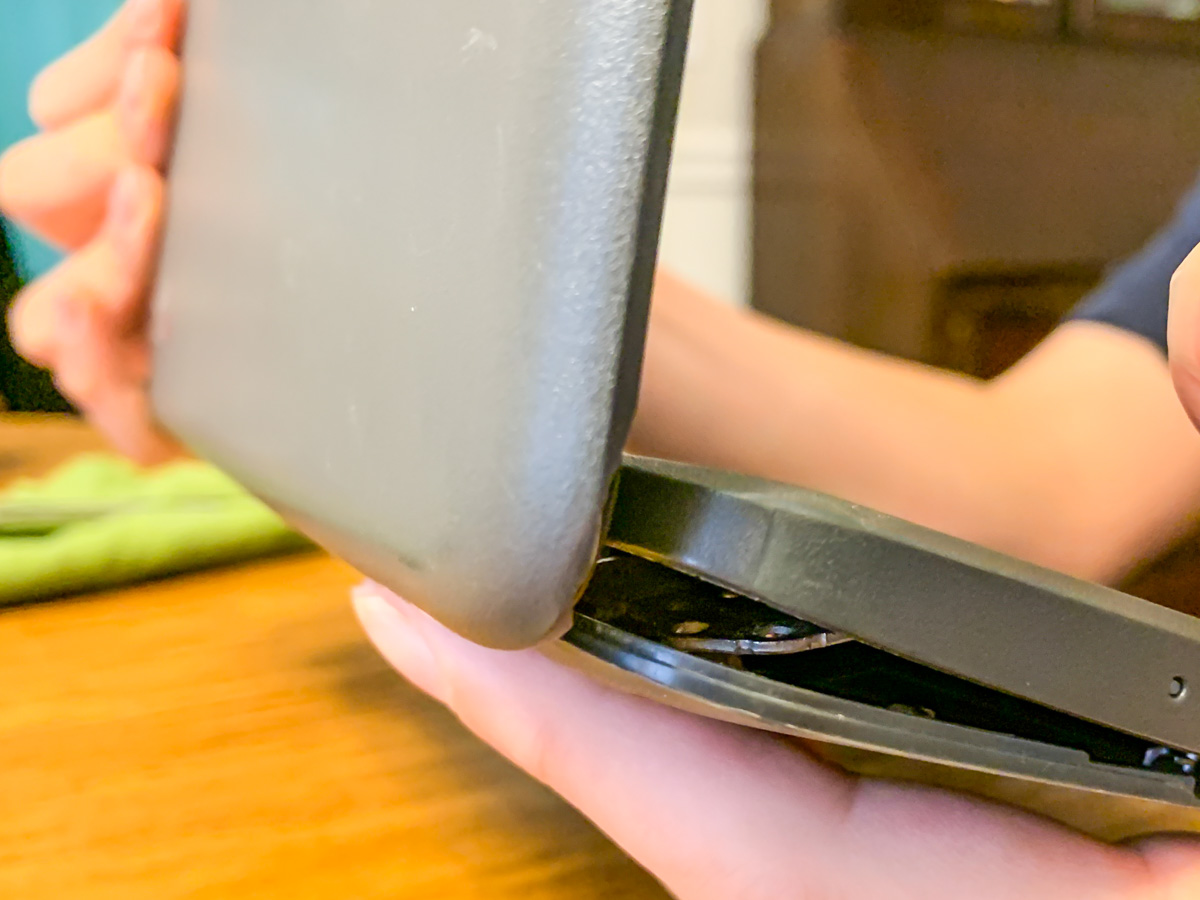
Screws are falling out of my son’s middle-school Chromebook, and this is the result. Help! What’s a dad to do? It’s time to find my inner MacGyver!

My 7th grader casually informed me the other day that he was missing a couple screws on the bottom of his school Chromebook, and the casing was beginning to separate. (Both holes were in the same corner.)

When I took a look, I realized the problem was more than just a little separation. The entire body and screen misaligned when I tried to flip it open, and the guts of the laptop almost spilled out from the hideous opening like a fresh gunshot wound. I couldn’t even close the screen for fear that I would snap off the hinges.

My son had been dealing with this?!

No Amazon to the Rescue
So I immediately looked up “Chromebook replacement screws” online. There had a be a quick fix for this. But in fact, there wasn’t.

I found that screws dropping out of Chromebooks was a well-documented problem, but there was no one-stop solution to buy a replacement screw for 20 cents. Sure, I could buy hundreds of different-sized laptop screws on Amazon and hope that one of them would work. But that looked like a painful needle in a haystack scenario.

Really?

Time to Get Creative
I turned my head and looked at the calendar: Two weeks to go until the end of the school year. Hmmm…Then it hit me.

I just had to keep that computer together for another few days!

Duct tape? No, that’s a silly idea (though I’m sure I wouldn’t be the first to attempt it).

Did I have another old laptop lying around that I could grab a screw from?
Nope… not one that would fit. (I tried.)

Wait! Maybe I could move out one of the other screws on the back of the Chromebook to fill in one of the corner holes. And then I would keep my fingers crossed that the band-aid maneuver would be a sufficient fix to reseal the body.

Does the Chromebook Survive?
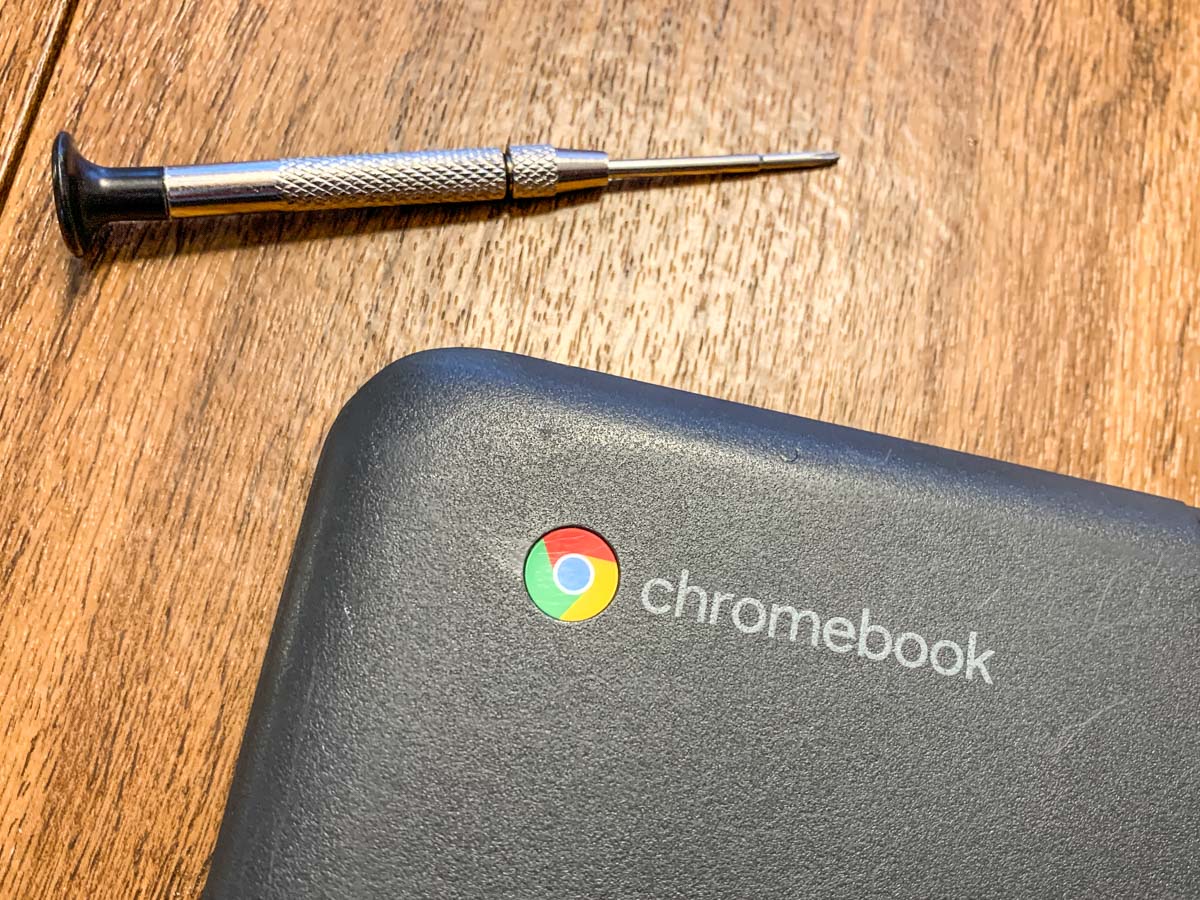
So right before breakfast, my son and I cleared off the dining room table and began the surgery. I let him play the role of Dr. Strange. (This would take a delicate touch and a good dose of magic.)

And guess what? It worked!

The body held shut, and the screen opened up and closed like nothing was ever wrong (though the computer was still missing 2 screws).

For good measure, my son then tightened up a few of the other screws that were loose and also about to fall out. (Whoa!)

Yes, the operation was a success. My boy treated it like an easy homework assignment, and I was slightly stunned that we had seemingly just opened up a Lester father-and-son computer repair business.

A Good Lesson
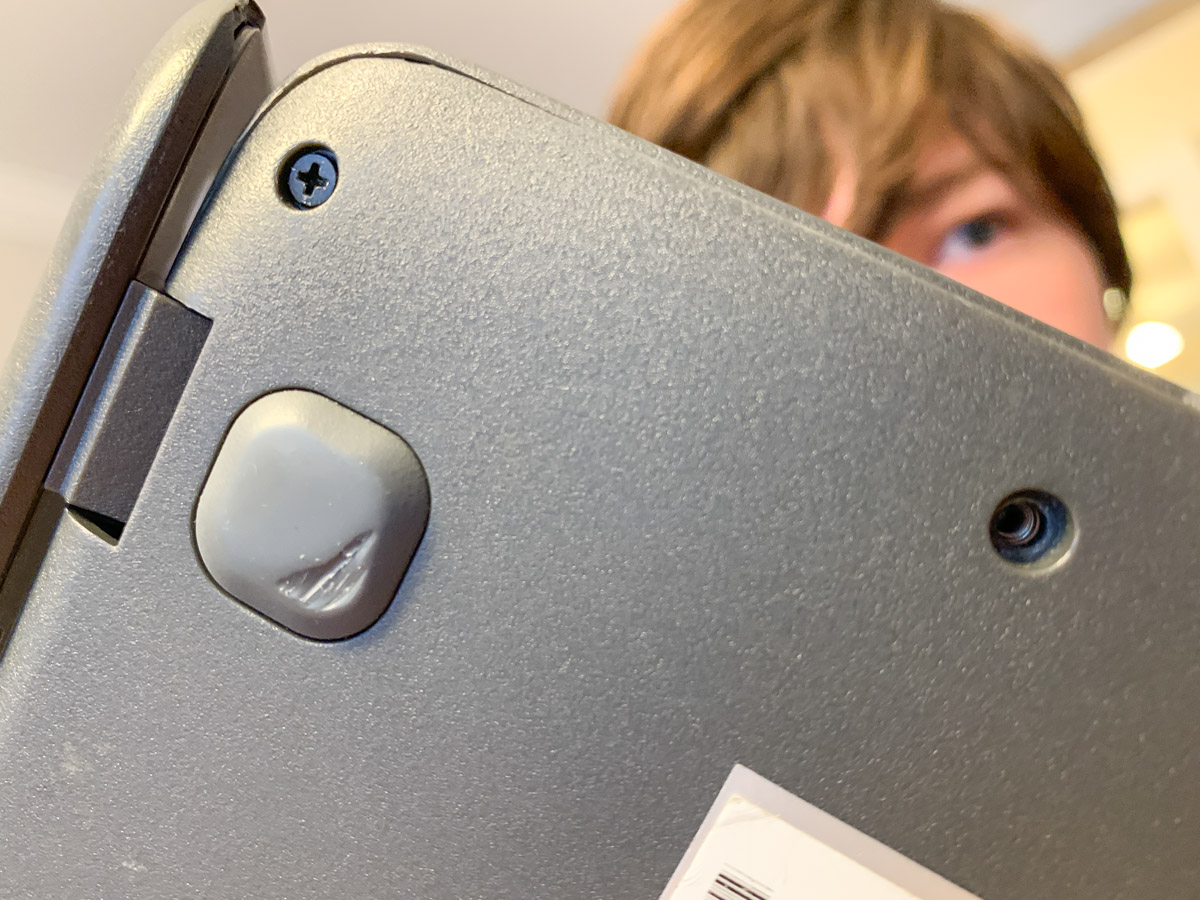
Sure, he had just moved one screw to a different location on the laptop’s back. You might think this to be an obvious fix. And in hindsight, it was.

But in this computer-centric world we all live in with AI on the cusp of changing everything, just the idea that we can still fix a computer at home with a screwdriver feels refreshingly analog.

And it’s an important reminder of who still runs this planet… for now.

How to Make a Bar Mitzvah Video

Here’s an outtake from the video I created to celebrate our son’s bar mitzvah. I followed a process that prioritized keeping it simple. Here’s how I did that.

Over the years, I think I’ve recorded hundreds (thousands?) of little family video clips. So if you’re wondering, yes, of course I created a video to celebrate our son’s bar mitzvah.

It was a highlights reel of sorts, containing some of his greatest hits to date… at least the ones that I happened to capture on video.

Fortunately, I’ve been diligent over these past thirteen years to label each of my family video clips and organize them into folders by month and year. (That’s a lot of folders!)

Over time, I’ve also created a variety of little ‘finished’ family videos that reflected different moments in our family’s story (birthday parties, vacation trips). These particular videos were especially useful to identify the clips I needed for the bar mitzvah video.

Not a Documentary
So years of good digital organization set me up nicely to begin my project. (I’ve got all of my video files stored in an external G-RAID drive.)

But really, any way I looked at my task, it was still absolutely overwhelming. (And I wasn’t even considering using any photos.)

So instead of trying to accomplish the impossible and somehow jam in every perfect clip to tell the ‘total’ story, I decided instead to enjoy my trip into the past and simply use what I uncovered in my digital archives over the course of several hours during three separate research sessions.

Capture the Spirit
Sure, there were a few video moments that I had specifically remembered and searched for. (My wife also had a few clip requests.) But for the most part, my process of rediscovery organically led me to the clips I used. If I had repeated my exercise the following month, I could have easily collected an entirely different grouping of clips that were just as delightful.

I realized as I went along that the video would mostly reflect these three factors:

  • Our son’s growth across the years
  • His family and friends
  • Some fun moments

It would never be a complete reflection on his life to date. And that was fine.

Keep a Simple Structure
This understanding freed me to focus on creating a video that was simply enjoyable to watch. And it was ‘relatively’ simple to make.

It ran seven and a half minutes. Each clip was 10 to 15 seconds long. And I organized them chronologically (using Final Cut Pro on my iMac) with a date stamp graphic in the bottom of the frame. I think the dates were useful to show the passage of time. I used a couple of his favorite pieces of music to support sections that were more visually oriented. And I popped in a title at the top and a ‘congratulations’ graphic at the back.

Finally, my wife and I recorded a short video message to our son that I included towards the end of the video.

Make a Few Drafts
That was it. I made three drafts before locking the final cut.

The first draft was a just a long string of clips in the right order. The second draft was a shorter version. (Everything can’t make it in. Always remember that less is more.) The third draft added a few more clips that my wife had remembered. (Don’t forget to collaborate!) And the final cut was where I polished it all up.

There are any number of ways to make a bar mitzvah video. This was the path I took.

A Video for the Past and the Future
We showed my finished video to our son, and I think he enjoyed it. He did smile a few times. To be fair, I can understand how he may not be as excited to see his toddler clips as we were. (My wife and I were delighted with the trip down memory lane.)

But beyond celebrating an important milestone for our son, I also see this video as a piece of family history that reflects our son’s first thirteen years. And I hope it’s something he can return to years into the future and enjoy.

My wife and I certainly will!

How a Bio Site can Unify your Personal Brand

If there are multiple versions of your personal brand online, maybe it’s time to bring it all together. Here’s how to do that with a Bio Site.

In addition to my At Home with Tech blog, which I host on WordPress, I also have a more professional presence at barrettlester.com. I built that website using Squarespace. (Of course, I’ve also got LinkedIn for my professional life.)

My thinking has always been to have two parallel but separate paths for my online branding. One for weekdays… the other for weekends.

There is Only One True Version of You
That said, I’m acutely aware that there really isn’t separation when it comes to anyone’s personal brand. So, I’m mindful to ensure my home technology blog stories as a dad are complementary to my professional presence as corporate video production leader.

And whether it’s LinkedIn, Facebook, Instagram, Twitter or TikTok, everything we post online molds our identity. So why even try to separate it?

Instead, perhaps we should try to bring it all together with the links in one place. That unification is what Squarespace has offered me.

Build your Bio Site
In fact, Squarespace has been bugging me for quite a while to do this by setting up something called a Bio Site. It’s a free option that creates a new mobile-first, one-page website where you can aggregate all of your social media links and website links.

Think of it as a link-centric, ‘everything you’ profile. (And yes, there are other bio services out there.)

But since Squarespace’s free offer was right in front of me, I decided to go ahead and stand up my new ‘All Barrett’ destination at biosites.com:

My new Bio Site is bio.site/barrettlester.

My Bio Site is Live!
You can see that I’m still organizing my existence into two pieces. My work life is on the top, and my home life inhabits the bottom half the page. (I’ll continue to work on better integrating a more holistic identity.)

Yes, my Bio Site was easy to create. Yes, the design is flexible. Yes, I can change and add to it as I go along.

But do I really need this?

The Total You
Well, I can certainly add the link to my email signature. It’s also intended to be useful in places like Instagram, where you can only post one clickable link.

It feels a bit like a digital business card, but it’s really more of a digital ‘life’ card to share.

It’s everything that’s you.

Bring It Together
I like the simplicity. It’s one-stop shopping.

Sure, you can unify your online identity in other ways, but if you’ve already scattered your existence across the web, a Bio Site can be a good way to bring it all together!