At Home with Tech

Unlock the power of all your technology and learn how to master your photography, computers and smartphone.

Category: Tech How To

Why I Paired this Hard Drive Brand with my New Mac Studio
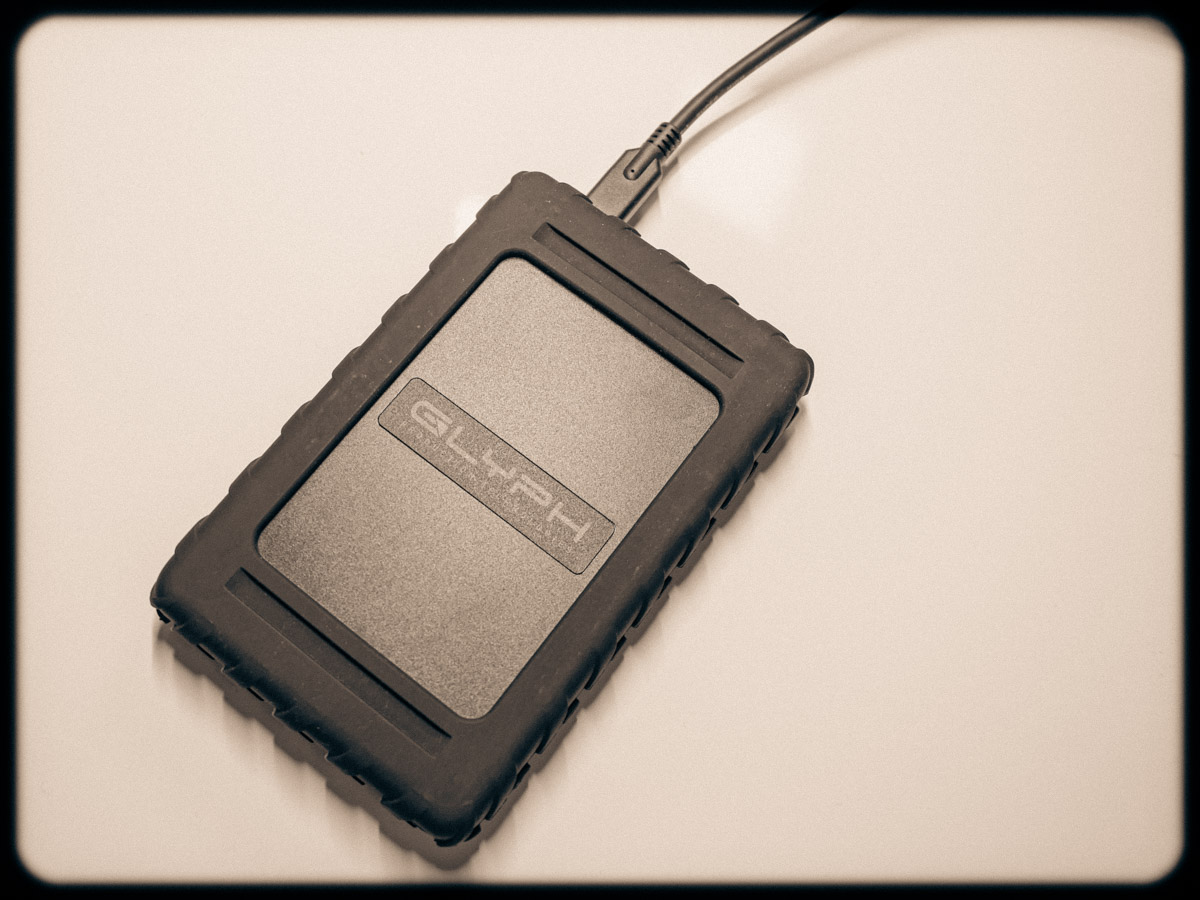
When you buy a new Mac, it’s always a good idea to get a new external hard drive to go with it to handle and back up your files. I decided to go with a new brand, and here’s the drive I chose.

I’ve been a big fan of G-Technology external hard drives for years. I’ve always used G-Tech drives for my iMacs’ Time Machine backups. Plus, I’ve got a G-Raid drive to handle my important video and photo files.

You can’t store everything on your computer’s internal hard drive. So, it’s important to have a reliable external drive solution in place.

Many computer geeks swear by one brand of drives. Mine was always G-Tech.

Goodbye G-Technology
Then G-Technology was bought by Western Digital. And now the G-Tech brand itself is being discontinued in favor of “SanDisk Professional.” Plus, the specific drives I’m looking for are recently hard to find. More importantly, I just logged on to B&H’s website, and some of them are getting terrible reviews (gulp).

Maybe it’s time to find a new best friend in hard drives. I don’t want to be the one to give you a cautionary tale.

Hello Glyph Production Technologies
A few weeks back, I wanted to buy a new external drive to go along with my new Mac Studio. (Yay… Barrett’s new computer!)

And coincidentally, a work colleague happened to tell me about a digital data storage manufacturer that he likes for his MacBook Pro drives. The company is called Glyph Production Technologies.

Yes, Glyph. (I hadn’t heard of them either.)

So, I looked it up, and Glyph has been around for 29 years making lots of external hard drives.

I opened a new window and went back to B&H to review the various Glyph drives.

Glyph Blackbox Plus
I came upon the 4TB SSD Glyph Blackbox Plus for $299.95.

Sure, that’s kind of pricey, but don’t forget it’s an SSD, which makes it faster and supposedly more durable/long lasting. (Yes, I sometimes say a prayer to the computer-protection gods to look kindly over my backups.)

Why not give Glyph a shot, right? (It comes well recommended, and the B&H reviews are good.)
Click.

As I write this, B&H is now temporarily out of stock on its Glyph Blackbox Plus SSD drives, but if you can use the 1TB version, you can find it on Amazon for $99.95.

My New G Drive is a Glyph
Happily, my new Glyph Blackbox Plus has been working just fine (though I would expect it to in its early months/years). The more important factor is to buy into a brand I trust. That of course will also take some time, though I feel I’m off to a good start.

And it doesn’t hurt that I’m apparently in good company.

Ultimately, I’m pleased to report that Glyph is the ‘G’ in my new G Drive relationship.

Why an Overcast Day can Offer the Best Conditions for Nature Shots

Cloudy conditions at the Prydden Brook Falls in Connecticut can still offer a photographer great imagery to capture. Here’s what I humbly learned…

Last summer, my family and I went on a beautiful hike along with friends up to the Prydden Brook Falls in Newtown, Connecticut. For me, the waterfall was the highlight of our eight-mile hike through the Paugussett State Forest on the Zoar trail.

I focused on capturing silky smooth photos of the rushing water with my small Panasonic Lumix LX10 camera. That, of course, took slowing down my camera’s shutter speed.
This effect is the opposite of freezing fast motion. Instead it blurs it, while the surroundings remain crystal clear.

Packing my Gear
This year, we returned to our Zoar trail hike. (It’s actually the fourth time… We started during our series of ‘pandemic hikes’ back in 2021.)

On this trek, I brought my beefier Panasonic Lumix GH5 II with me. I had it stashed comfortably in the bottom of my Peak Design V2 Everyday Backpack designed for camera gear. I also carried my compact Manfrotto Befree Live carbon-fiber video travel tripod vertically in the other side of my Peak Design backpack. (It has adjustable internal compartments that enable this kind of trick.)

My goal was to capture more 4K video along with some additional stills.

Discovering the Beauty in Darker Conditions
Unfortunately, the conditions weren’t optimal. it was overcast when we arrived at the falls that afternoon. (And the sun came out as soon as we left.)

Of course, the darker environment gave the space an entirely different feel. The water wasn’t sparkling in the sunlight. The rocks didn’t glisten.

I was disappointed, but I still proceeded to get my shots. But when we returned home and I reviewed my videos and photos, I was surprised by what I saw…
I liked the darker imagery after all.

It has a moody energy. But the water is still bright… coursing through the darker scene. There’s plenty of contrast. Dark doesn’t have to mean murky.

I often feel the creative urge to brighten up my shots. But mother nature forced me down a different path this time. And it was a great lesson that I humbly learned.

My Waterfall Video Montage Continues
Last year, I created a little video montage of my Prydden Brook Falls shots. So I happily decided to update it with my newer and moodier clips.


Weather Conditions are Irrelevant

As our Zoar trail hike has become an annual event, I’ll plan on capturing and adding more clips to my little video montage in the future.

Nature’s beauty displays itself in countless ways… through sunny or cloudy conditions. The next time, I’ll try to remember that and simply show up to appreciate the unique magic that’s on display that particular day.

How Many Family Members Does It Take to Fix a School Chromebook?

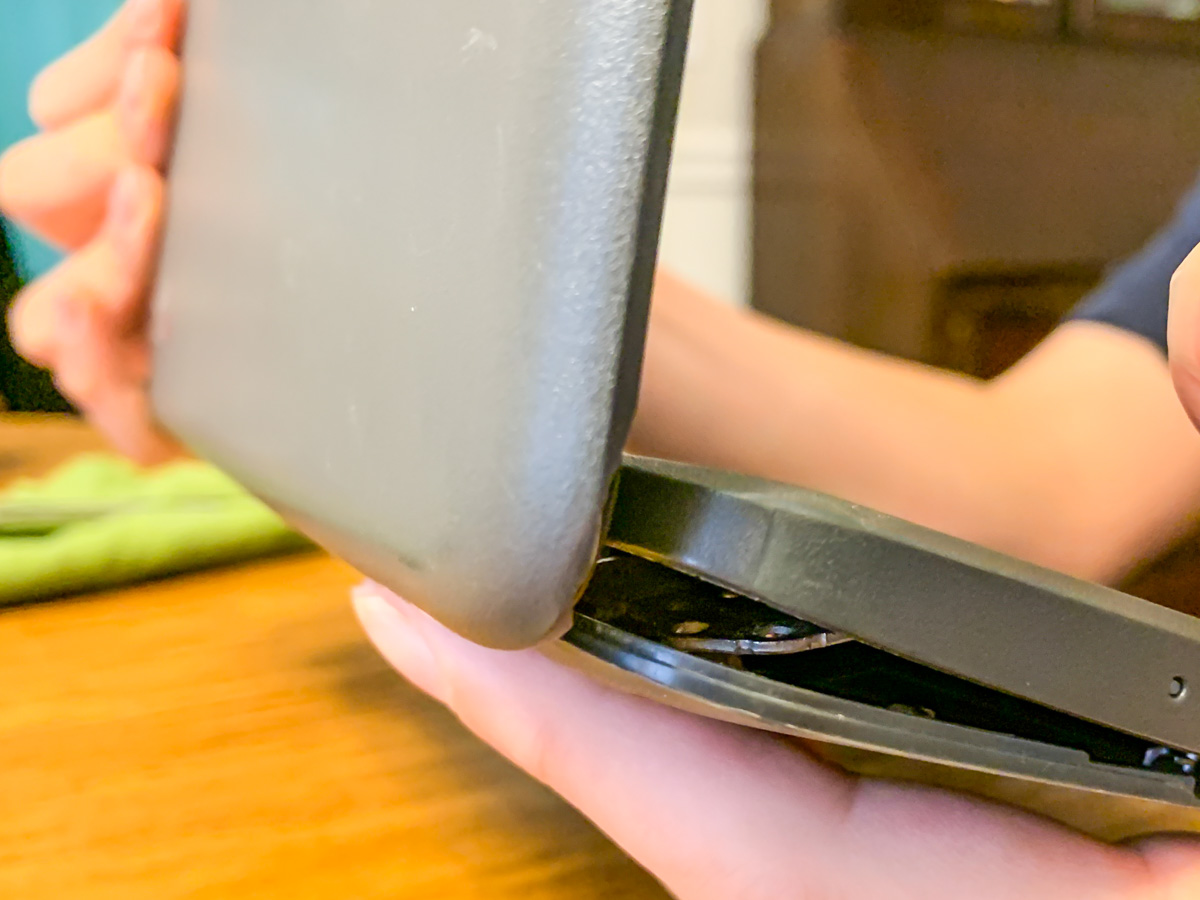
Screws are falling out of my son’s middle-school Chromebook, and this is the result. Help! What’s a dad to do? It’s time to find my inner MacGyver!

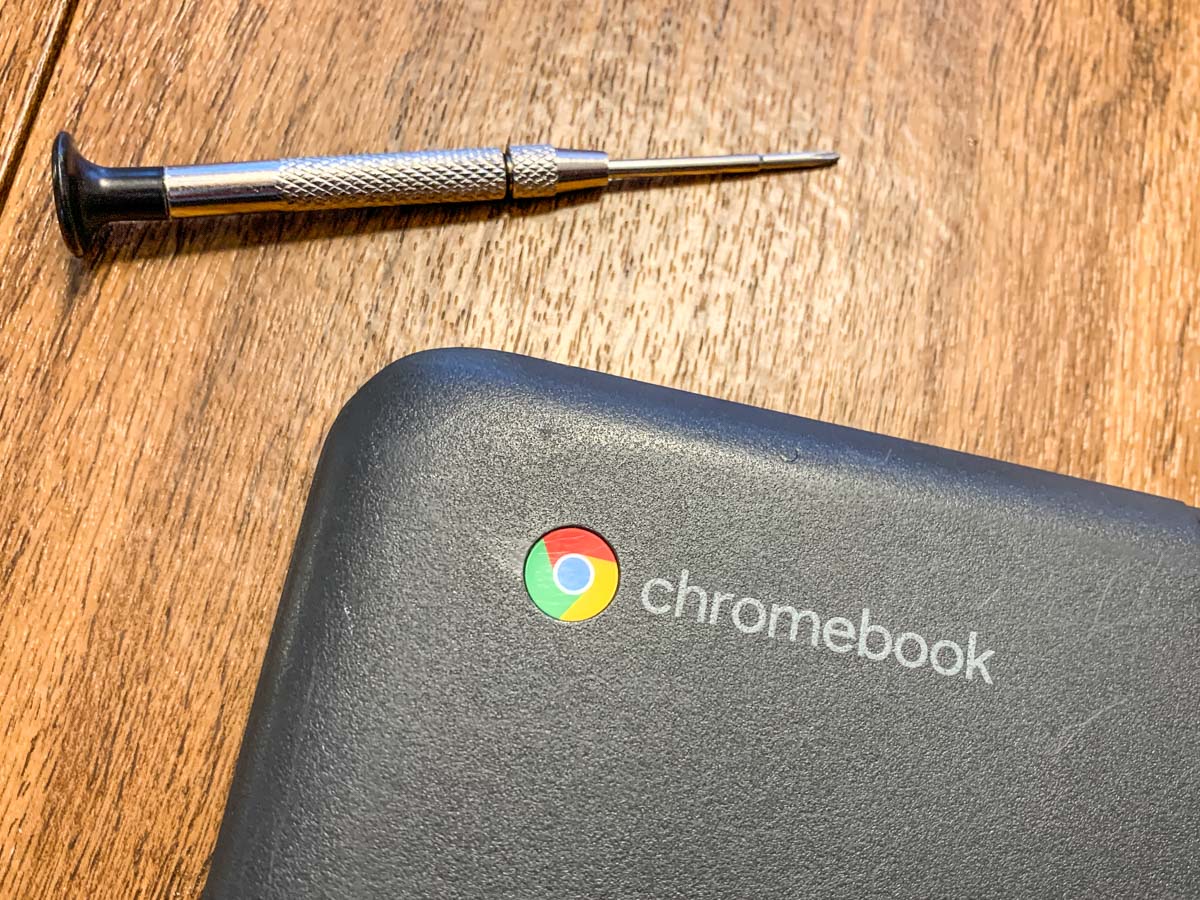
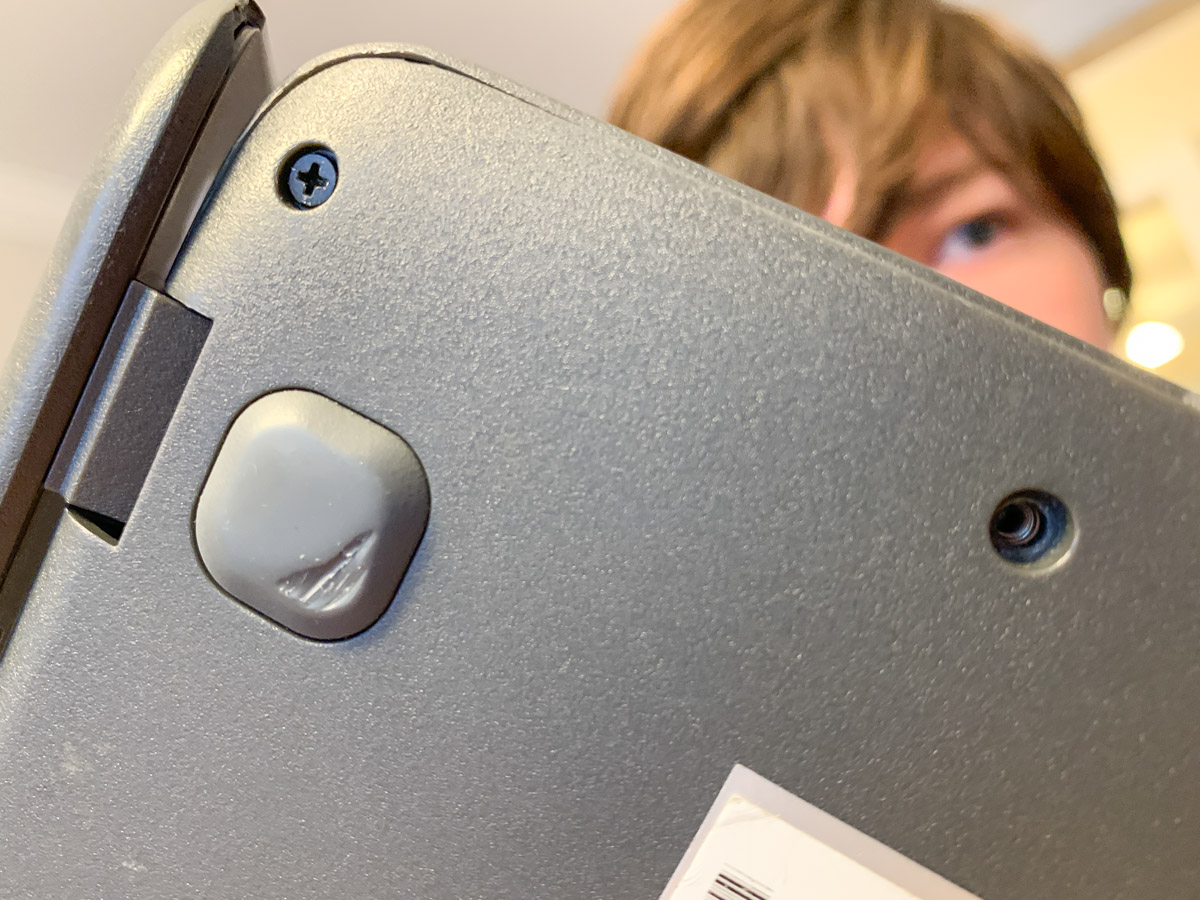
My 7th grader casually informed me the other day that he was missing a couple screws on the bottom of his school Chromebook, and the casing was beginning to separate. (Both holes were in the same corner.)

When I took a look, I realized the problem was more than just a little separation. The entire body and screen misaligned when I tried to flip it open, and the guts of the laptop almost spilled out from the hideous opening like a fresh gunshot wound. I couldn’t even close the screen for fear that I would snap off the hinges.

My son had been dealing with this?!

No Amazon to the Rescue
So I immediately looked up “Chromebook replacement screws” online. There had a be a quick fix for this. But in fact, there wasn’t.

I found that screws dropping out of Chromebooks was a well-documented problem, but there was no one-stop solution to buy a replacement screw for 20 cents. Sure, I could buy hundreds of different-sized laptop screws on Amazon and hope that one of them would work. But that looked like a painful needle in a haystack scenario.

Really?

Time to Get Creative
I turned my head and looked at the calendar: Two weeks to go until the end of the school year. Hmmm…Then it hit me.

I just had to keep that computer together for another few days!

Duct tape? No, that’s a silly idea (though I’m sure I wouldn’t be the first to attempt it).

Did I have another old laptop lying around that I could grab a screw from?
Nope… not one that would fit. (I tried.)

Wait! Maybe I could move out one of the other screws on the back of the Chromebook to fill in one of the corner holes. And then I would keep my fingers crossed that the band-aid maneuver would be a sufficient fix to reseal the body.

Does the Chromebook Survive?
So right before breakfast, my son and I cleared off the dining room table and began the surgery. I let him play the role of Dr. Strange. (This would take a delicate touch and a good dose of magic.)

And guess what? It worked!

The body held shut, and the screen opened up and closed like nothing was ever wrong (though the computer was still missing 2 screws).

For good measure, my son then tightened up a few of the other screws that were loose and also about to fall out. (Whoa!)

Yes, the operation was a success. My boy treated it like an easy homework assignment, and I was slightly stunned that we had seemingly just opened up a Lester father-and-son computer repair business.

A Good Lesson
Sure, he had just moved one screw to a different location on the laptop’s back. You might think this to be an obvious fix. And in hindsight, it was.

But in this computer-centric world we all live in with AI on the cusp of changing everything, just the idea that we can still fix a computer at home with a screwdriver feels refreshingly analog.

And it’s an important reminder of who still runs this planet… for now.