At Home with Tech

Unlock the power of all your technology and learn how to master your photography, computers and smartphone.

Category: Tech in the News

Cozy Up with the Nest Learning Thermostat

Ahhh… Family vacation paradise.  Your worries melt away.  Hey, wait a minute.  How’s your house handling the summer without you?  Can your 1950s-era thermostat handle the heat?

Ahhh… Family vacation paradise. Your worries melt away. Hey, wait a minute. How’s your house handling the summer without you? Can your 1950s-era thermostat handle the heat?

I’ve been on vacation, getting away from it all…

  • A little time to recharge
  • Fun in the surf with the family
  • And a lingering worry about how my empty house was handling the wrath of Mother Nature

D’oh!

Over the better part of a week, my house endured the final days of a blistering heat wave with August humidity levels, and then torrential rains, and finally a blustery 20-degree drop in temperature.

Can someone check to see if the planet is still sitting correctly on its axis?

In the old days, I would head out for a July vacation and stage my house to go ‘au naturel’…
I’d simply turn off the AC and crack open all the windows to normalize the inside temperature to match up with the reasonable 80s of a summer day.
Then, the house would cool down at night and start the cycle again from the low 70s.

But recently, that scenario would have easily produced a Venus-like environment complete with soggy hardwood floors.
(Not that there are any known hardwood floors off-world!)

So this time, I shut the windows, set my old-school, manual thermostat to 85 degrees and hoped my air conditioning unit would get a few breaks in the 95+ degree weather to prevent it from blowing up and burning down the block.
(slight paranoid fantasy…)

As you might expect, when we got home, the house was still standing.
And it wasn’t even that hot inside, because of the anomalous cool-down to 70 degrees that afternoon.

Technology Can Save your Vacation Zen
But when you’re on vacation, you’re not supposed to let unnecessary worry rattle your brain, right?

Can’t today’s technology eliminate this type of concern and let you focus on more important questions like whether your three year old is wearing enough sunscreen?

If only you could be in two places at once…
…or at least have some level of Wi-Fi remote access into your house…

Well, you can.
Your intelligent house is closer than you think…

Baby Cam for your Inner Baby
My home tech already gives a limited view into my house from afar, courtesy of my Foscam IP Baby Cam I’ve still got set up in my son’s room.

Please don’t tell anyone, but while on an important hermit crab hunt at the beach with my son, I simultaneously peered into his empty room via my iPhone Foscam app and derived some satisfaction to see that all his toys were happily hanging out and had not yet melted.

I could also rotate the camera about to survey just outside the room.
(“Yup, looks like the bathroom is still there.”)

That said, this limited, real-time view offered a morsel of satisfaction supporting the probability my house was not in crisis.

But I still didn’t know the temperature inside.
Next time I could place a thermometer in front of the Foscam, but that still won’t give me the power to do anything about the data.

Time to Say Goodbye to the 1950s
The problem is my house still has its
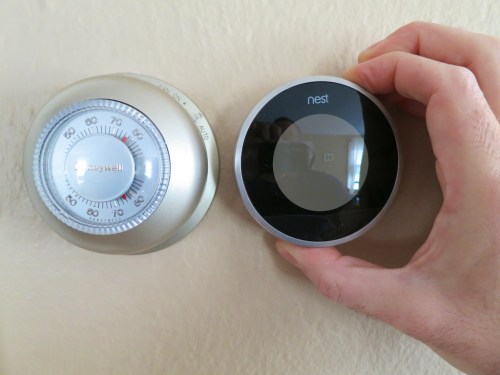
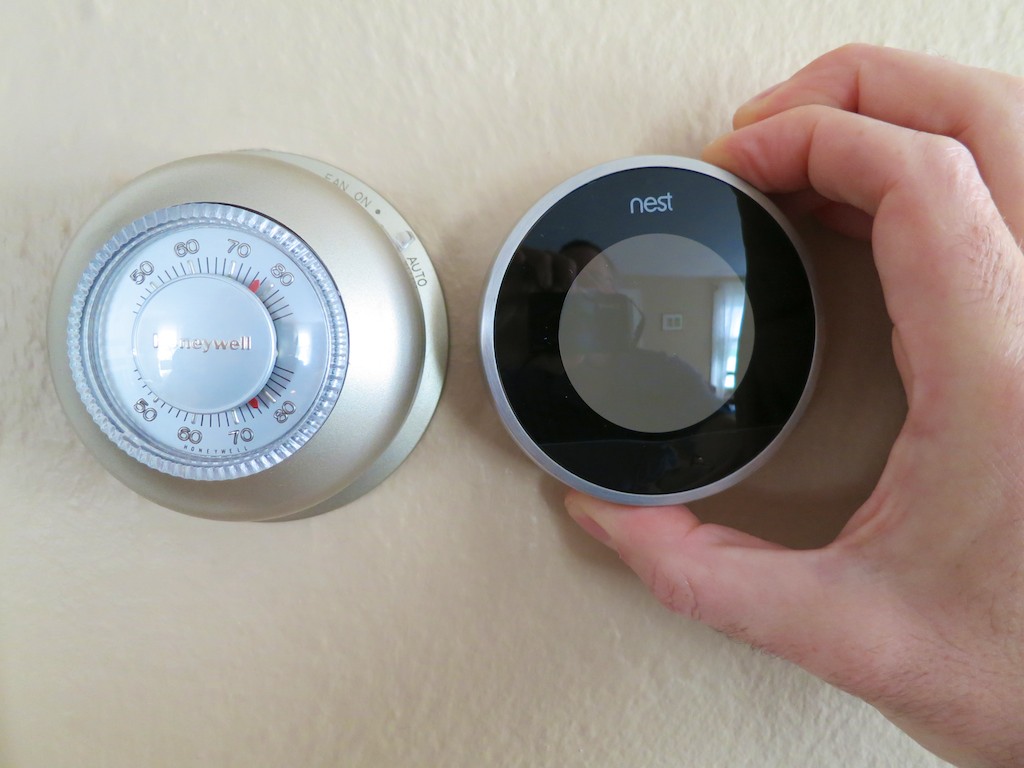
Honeywell non-programmable thermostat using technology from the 1950s.

Old Honeywell Thermostat
It works, but so does my chimney.

Certainly a programmable thermostat would be a step in the right direction.
They’re a dime a dozen today. I’ve used them before, and they certainly increase your degree of control.
But it feels like yesterday’s solution.

Plus, you’ve got to worry what happens if you’re not around when the battery dies.
You don’t want your house becoming Ice Station Zebra.

In this age of ‘smart homes,’ I want some remote control over my house’s bio-signs.

(Hold on…. my iPhone is ringing…)

“HAL?”

“Hello, Barrett.”

“Why are you calling? How’s the house?”

“Happy as can be.”

“Are the pod bay doors closed?”

“Yes.”

“What’s the temperature?”

“Temperature is steady at 78 degrees.
Stop worrying…”

“That’s too hot. Make it 77 degrees.”

“If you insist.
Now, go back to your vacation.”

“Thanks, HAL.”

…Yeah, something like that.

The Nest Learning Thermostat
The good news is you don’t need a HAL 9000 computer to remotely monitor and adjust your home’s temperature…

Ever hear of Nest?

It’s a popular learning thermostat created in 2011 by
two former Apple engineers.
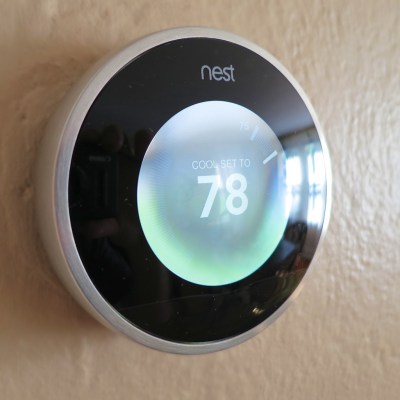
It connects to your Wi-Fi network and you can control it remotely with an app on your smartphone.

The second generation Nest came out last October and sports a thinner profile and even greater compatibility with home heating and cooling systems.

It possesses the smarts to observe your energy habits and begin mimicking them.
After about a week of watching you raise and lower the temperature, it essentially programs itself!

It can even sense when you’re not at home and automatically switch to an ‘Auto Away’ mode.

It pulls power from its low voltage wiring to recharge the onboard battery… so you don’t have to worry about it running out of juice.

Plus it looks really slick!
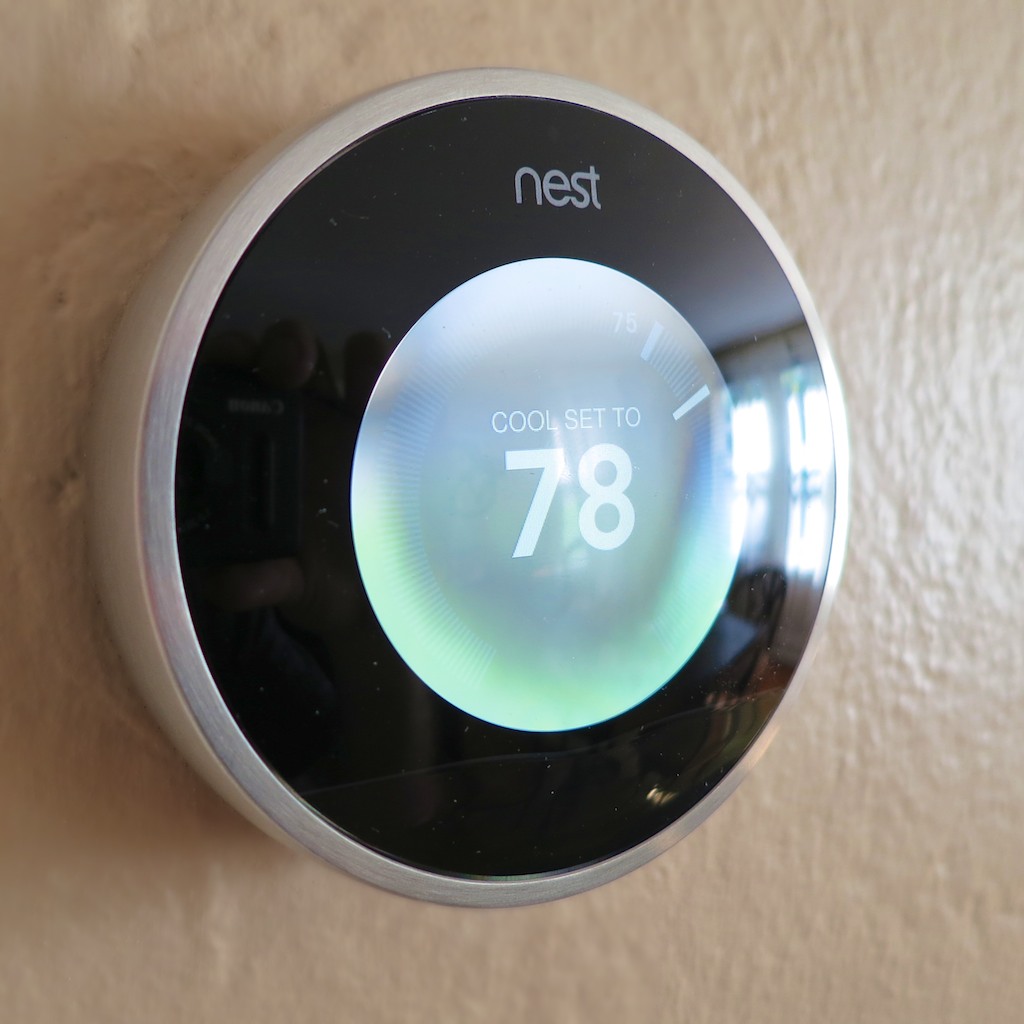
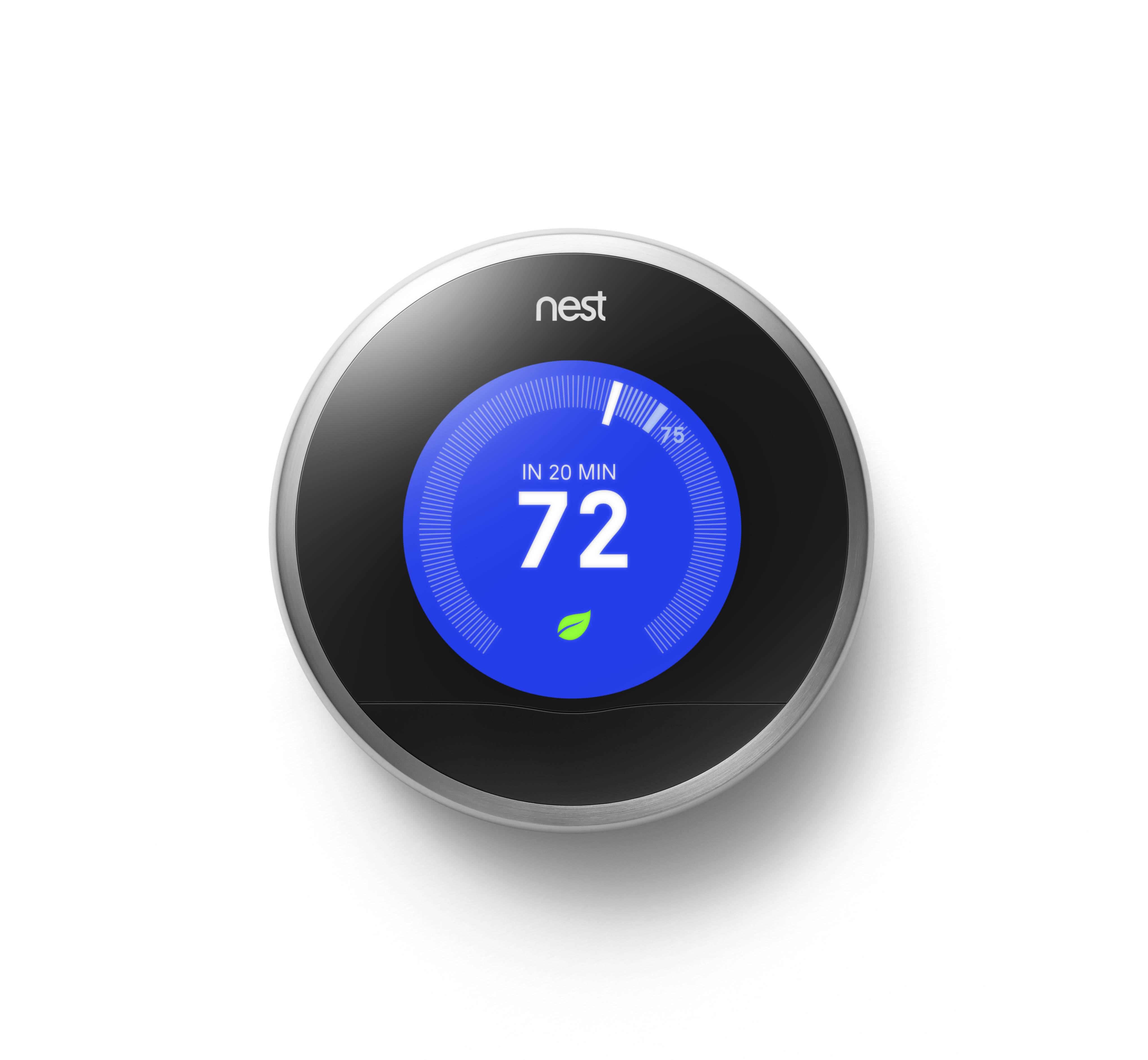
Nest

(It’s a cross between a thin hockey puck and an iPod, right?)

Better still, it’s designed to save you money on your energy bill.
Nest claims it will pay for itself in less than two years.
How green is that?!

But there’s one huge downside:
It’s wicked expensive – $249!

Have you gotten off the floor yet?
Good, because Nest is apparently quite awesome.

Beauty is in the Eye of the Beholder
All that said, some reviewers on Amazon have complained the Nest sometimes locks up.

That would be bad.

Your next vacation might go something like this…

“HAL, turn on the air conditioning. It’s too hot.”

“I’m sorry, Barrett. I can’t do that. You know how important it is to conserve energy.”

“HAL, I’m not going to argue with you. Cool the house down!”

“Goodbye, Barrett.”

Click.

Many who’ve written about their Nest problems seem to share some common compatibility issues with their HVAC systems.
The Nest 2 claims to work with 95% of all low voltage systems out there.

The naysayers may just be part of a very vocal 5%.

And though there is some competition out there,
(ecobee Thermostat, Honeywell Wi-Fi Smart Thermostat)
Nest is clearly the ‘best-known’ choice in this new environmental management space.

Compatibility Check
Truth be told, I’ve been secretly coveting a Nest since the second-generation version came out. But the price kept holding me back.

Not to be deterred, my subconscious kept building its case, waiting for an
‘tech-istential crisis’ to erupt on the other side of my brain.

Now it had a hat-trick to work with:

  • Protect my house from internal disaster
  • Help save the environment
  • Return some cash to my wallet from lower energy costs

My left and right brains have finally agreed…
It’s time.

But before I pulled the trigger, I wanted to make sure I wasn’t among the unfortunate 5%.

Nest’s friendly website offers a ‘compatibility check’ where you can list the colored wires attached to your old thermostat, and Nest tells you if you’re good to go!

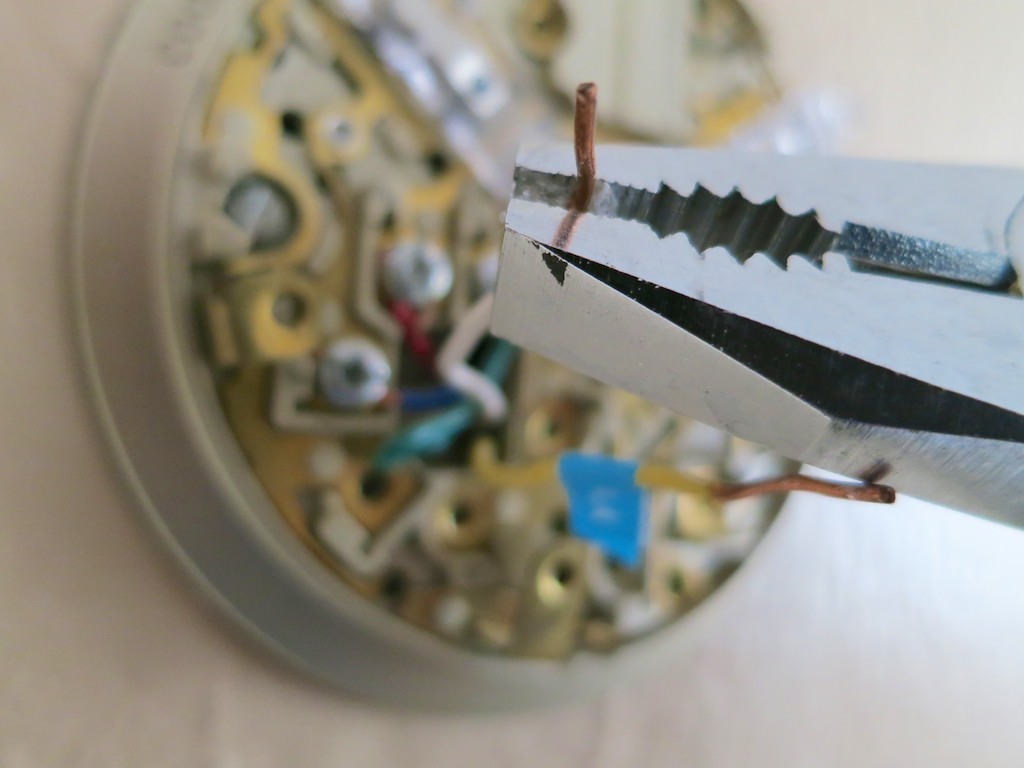
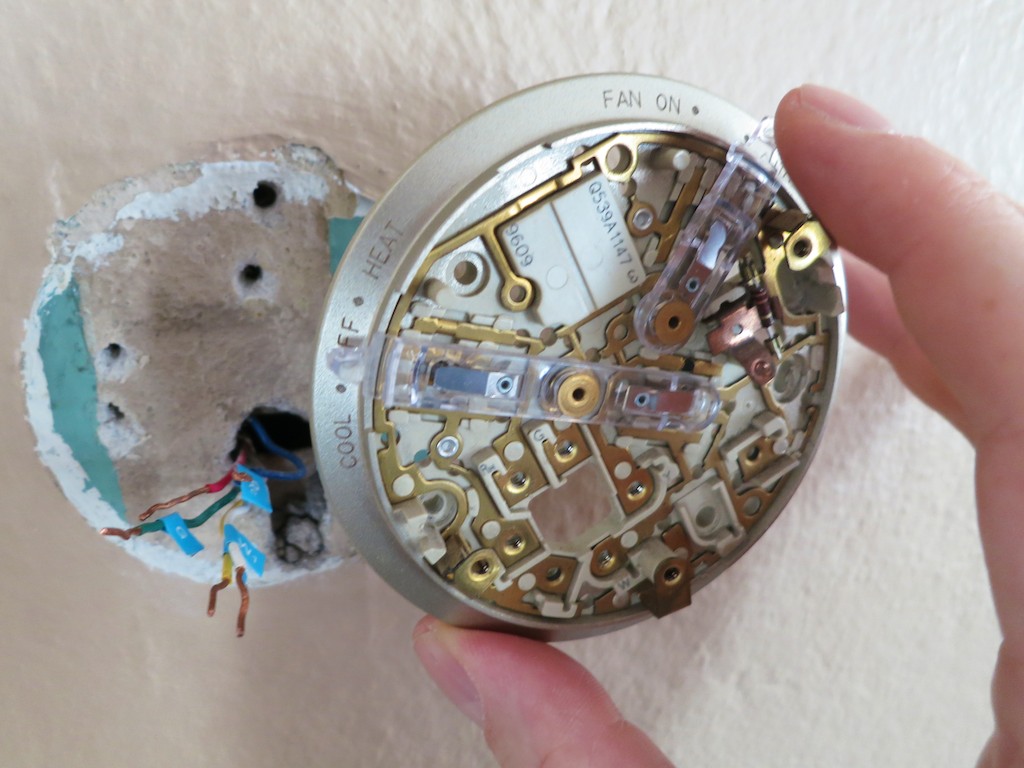
You’ve got to first check under the hood.
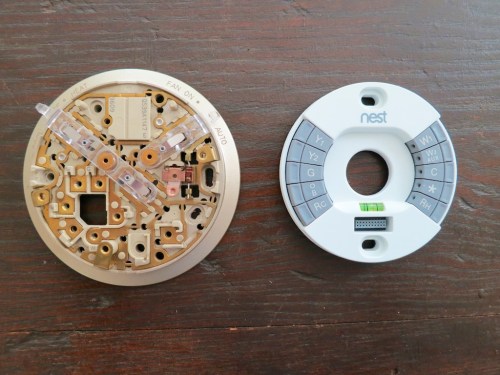
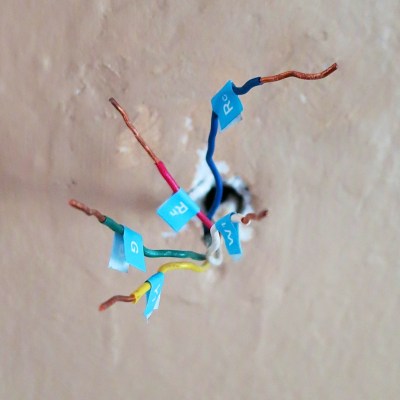
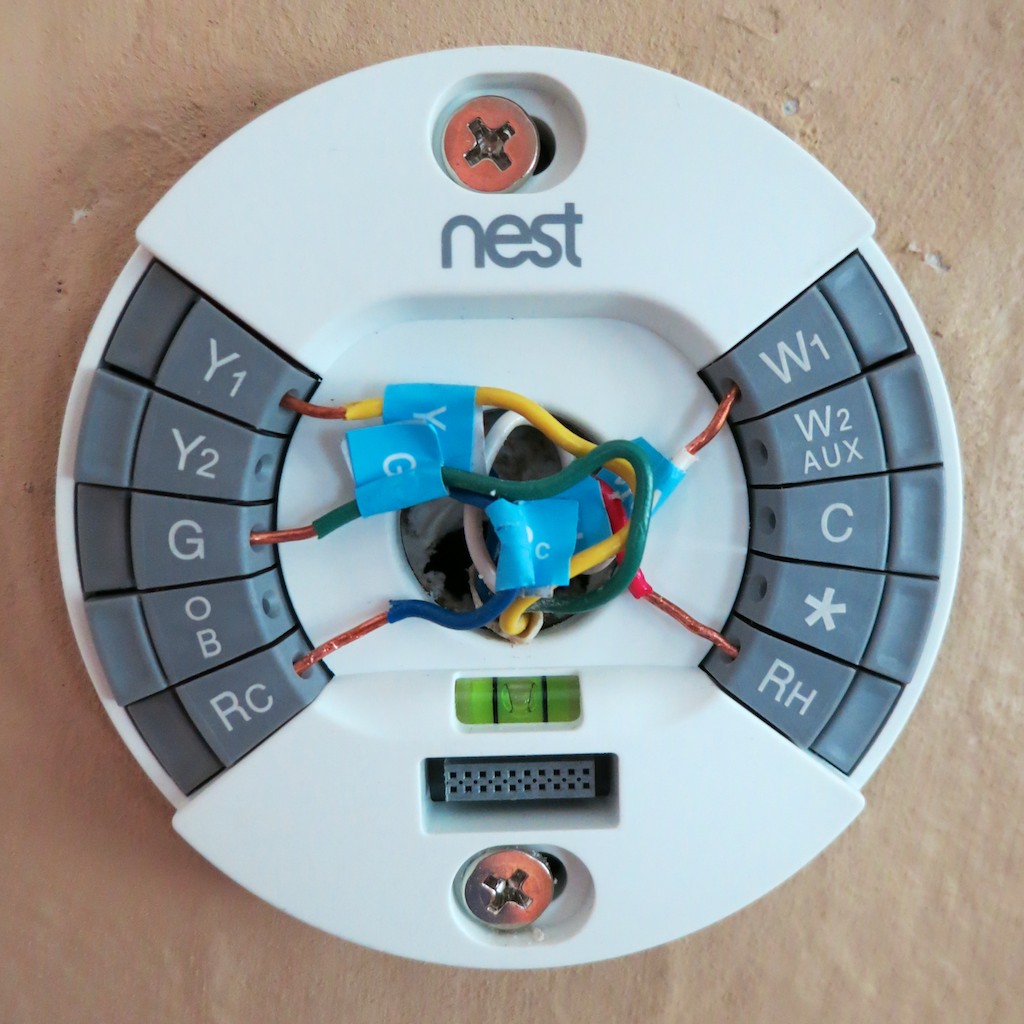
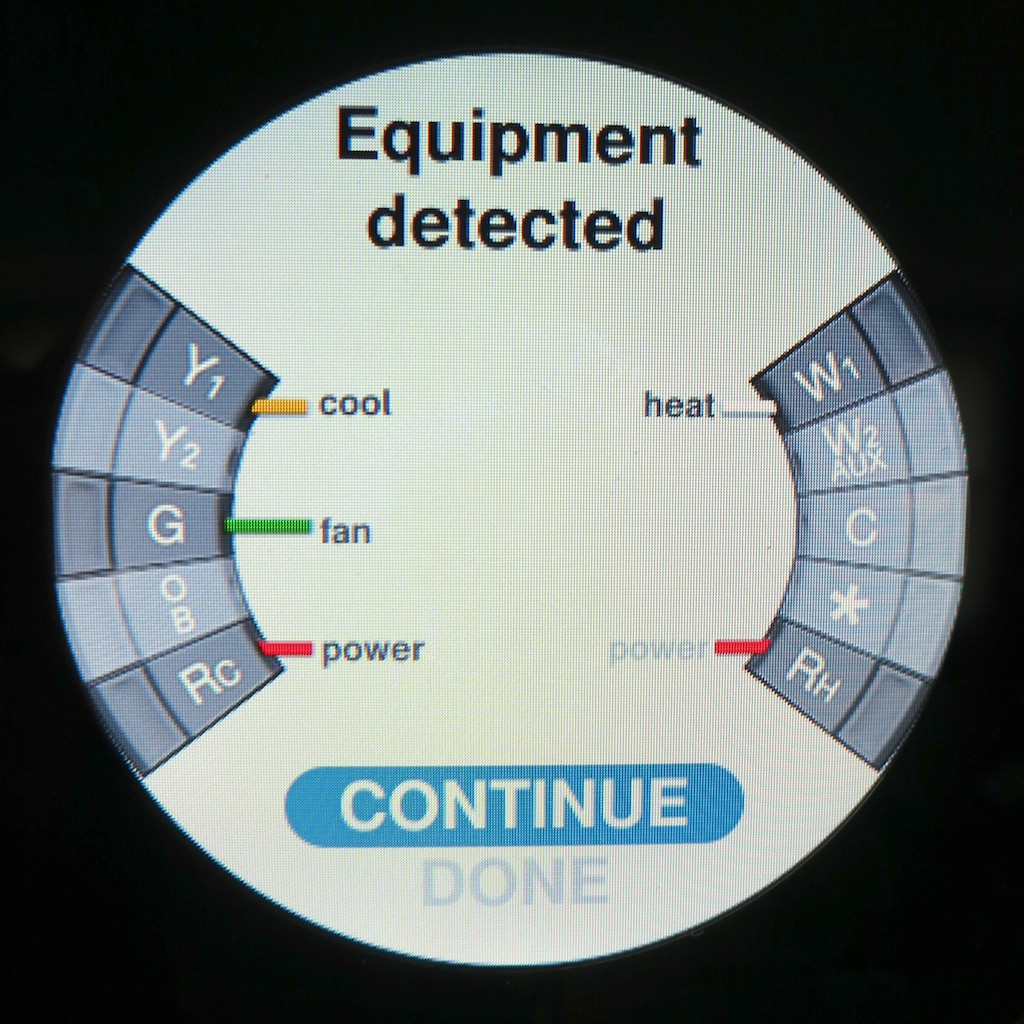
Here are the wires running my old Honeywell thermostat: Rh, Rc, G, Y, W

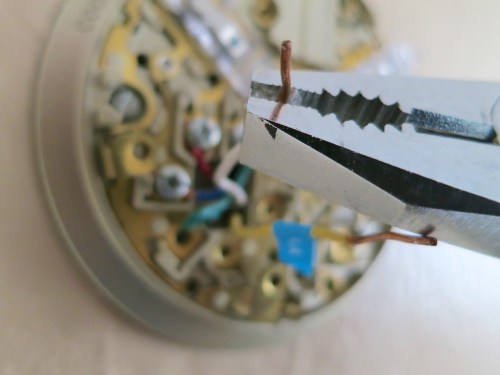
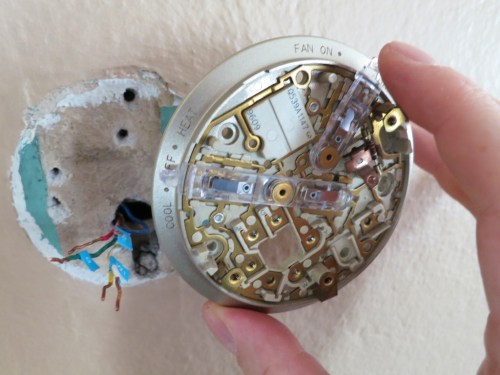
Thermostat Wiring
The prognosis:
I’m cleared for Nest ownership!

Nest Concierge Service
The next question was whether I could actually connect up a Nest all on my own.

While Nest encourages you to install its thermostat yourself and provides online training, they also sell a Concierge Service for $119.
That means a professional installer shows up to do it for you.

But it seems really straightforward…
Just disconnect several wires and reconnect them to the Nest. How hard can that be?
(famous last words)

So I’ve decided to handle the project solo…

Looking to Beat the Price
Yes, I’ve looked around to see if the Nest can be had for less than its $249 list price.
But much like Apple products, Nest doesn’t seem to ever go on sale.

However, if you’re lucky enough to live in Massachusetts or Rhode Island, you can get a $100 rebate on a Nest purchase from National Grid!
(And there are a few other energy providers around offering Nest rebates.)

The Countdown Begins
So my newest technology project is ready for launch!

The Mission:

  • Install and remotely access my intelligent Nest.
    Check!
  • Never worry again about having to manually adjust the temperature.
    Roger that!!
  • Have the coolest thermostat on the block!
    (just kidding)
    (not really)
  • Enjoy my next vacation… worry free.
    Engage!!!

CLICK…

My Nest is on its way from Amazon Prime!

Next time on At Home with Tech…
Installing my new Nest!

YouSendIt is Gone. Should You Hightail It?

It looks like name recognition wasn’t that valuable an asset for YouSendIt. To stay relevant, they upgraded their mission, their name… and their pricing! Should you find another web link creation service?

It looks like name recognition wasn’t that valuable an asset for YouSendIt. To stay relevant, they upgraded their mission, their name… and their pricing! Should you find another web link creation service?

It’s darn impossible to send out a video via email attachment these days, because of how large video files have become.
(Everything is HD… on its way to 4K!)

Sure, you might be able to get a really short clip through, without blowing up your email program.
But anything more than a couple minutes worth of content…you can forget it.

Yes, there’s the magic bullet of file compression, but that’s an added step and a story for another day…

Instead of attaching a cripplingly large video into your email,
one solution is to include a web link that your recipients can click on.
They’ll be directed to a web page that hosts your video and then downloads your file.
Before you know it, they’re happily* watching the video from their desktop!
(*Blogger not responsible for actual download speed experience!)

Downloadable Video Links Vs. Streaming
In this golden digital age of easy-upload and stream websites like YouTube and Vimeo, you might question the very need for a service that downloads your video first before you can watch it.
And if you’re feeling a little twitchy about privacy and want to keep the video away from the public eye, simply password-protect your video page.

But in the video creation/collaboration business, there are usually multiple drafts of a video before the final version crosses the finish line.

A good method for offsite collaboration on these kinds of projects is via downloadable links.

Plus, if you simply want a video to get from Point A to Point B, streaming it isn’t going to get the job done. You’ve still got to download it!

Goodbye YouSendIt
If you’ve ever downloaded a video file from a web link, there’s a good chance the link was generated by a company called YouSendIt.
They’ve been around since 2004 and currently have over 40 million users.
This month alone, they’ve shared more than 100 million files.
Impressive.
(“Most impressive.”)

But if you haven’t heard, you’ll never get a link from YouSendIt ever again.
Don’t panic. The friendly folks from YouSendIt are still there.
They’ve just been going through an identity crisis of sorts, and they’ve “rebranded” themselves.

YouSendIt is now ‘Hightail.’
Surprise…!

Hello Hightail
Yes, it was a surprise to me too.
An email from them would have been nice…

Everyone knew what a YouSendIt link was…
(It was almost a verb unto itself.)

Now a ‘Hightail’ link?
(They seem very excited by their new name. I’ll leave it at that.)

They claim their business model needed to change, as there are dozens of competing choices clouding their future.

To survive, they have to grow beyond a simple file-sharing service.
Today, it’s all about being a collaboration and file management tool.

I get all that.

The Cost of Progress
I just want to know if their shiny new kitchen can still brew a simple cup of coffee.

Today, I just want to make my video links.
Drum roll, please…

Yes, you still can, but there have been some ‘modifications’ to their subscription plans.
(oh?)

My existing YouSendIt Pro account plan cost me $49.99/year.
(They were running a deal when I renewed it…)

The Pro plan gave me a maximum sharable file size of 2 GB with 5GB of total available storage.
That’s plenty for what I need.

Both YouSendIt’s old free plan and Hightail’s no-cost ‘Lite’ plan give you just 2 GB of storage.
But the killer with this free deal remains the per-file size limit…
Only 50 MB.
That doesn’t get you very far with video.

Hightail’s value proposition is its new Professional plan which offers you unlimited Cloud storage for all your files.
That’s a real wake-up call to the competition.
(And you can still share files up to 2 GB.)

But all this goodness is going to cost you $159.99/year.
That’s a chunk of change.
And a lot more than I’d prefer to pay.

Is Free Really a Deal?
There are so many free ways to send out links these days.
So why pay anything?

Well, call me old school, l but I still subscribe to the concept that you get what you pay for.

If sending out a video link is really important, then you might want to use a company you know with a good track record.
And you may have to pay something for the privilege.

The question is how much…
I‘ve been willing to pay $50/year for peace of mind, but three times that?!

For the record, I’ve been completely satisfied with YouSendIt, and I’m sure Hightail will be equally wonderful…

I just don’t want to spend $160.
(Especially when the onward march of tech innovation is supposed to decrease pricing!)

So what now?
Time to shop around and look at the competition…

Starving with Too Much Choice
As I considered the cluttered landscape offering to help me create my links,
I quickly grew frustrated with all the choices.

Others have already gone through this lengthy exercise:

Google Drive
Yes, Google Drive keeps popping up everywhere, and it’s free.
Plus, they give you 15 GB, which is hard to beat.
But it’s a service that requires you to download yet more software onto your computer.
(ugh)

Dropbox
That said, I realized I’ve got Dropbox on my desktop.
And I’m already happily creating links with them.
(Dropbox gives you 2 GB for free…and a little more when you get friends to join.)

So, problem solved… right?

Sort of…

I’d Like the Burger Deluxe, Please
I’ve realized I enjoy some of the cushier bells and whistles I had with YouSendIt.

  • You can set the link’s life span from a few days to a few months
  • It’s also nice to have the option to see when your file has been viewed

Adobe SendNow
Then I found Adobe SendNow.
They do all that and more for only $20 a year.

  • Maximum file size of 2 GB
  • Maximum storage of 20 GB

Sweet!

And Adobe is no mom-and-pop operation.
(What can I say… I like a well-known brand.)

Put your Jackson to work, and problem solved!

Hightail it or Hightail it?
So is it time to leave Hightail?
I think so.

I’ve still got more time on my legacy YouSendIt plan.
But if Hightail can’t get more competitive against Adobe SendNow or another similarly featured service, (any other suggestions?)

…I’m hightailing it elsewhere!

Driving with Your Smartphone on GPS Duty

Don’t let another road trip go by with your smartphone sliding about the car as its GPS app shouts out turn-by-turn directions. Mount it onto your dash!

Don’t let another road trip go by with your smartphone sliding about the car as its GPS app shouts out turn-by-turn directions. Mount it onto your dash!

A year ago, I officially broke up with ‘Jane,’ my portable GPS device.

On route to the family summer vacation on the North Fork of Long Island, my iPhone’s native Maps app bested Jane.
(my old Garmin Nuvi 760)
I had mixed feelings, but it was clearly time to move on to newer and better tech, even though my Maps app couldn’t talk to me like Jane.

But Google Maps’ voice turn-by-turn navigation iOS app was just around the corner.
And so was Apple’s, even though ‘Mappelgate’ gave Google Maps the edge.

I’ve spent time with both on the road over the past year, and it’s been a wonderful ride.

GPS will Provide Directions for Food and a Battery Charge…
So why would anyone buy a Garmin or TomTom GPS anymore?
Apparently, I’m not the only one asking this question…
This year, Garmin predicts a sales drop of 20% in its car GPS devices.

It’s easy to understand why the personal navigation market for vehicle dashboards is in decline.

The Stability of My Old Flame
All this said, it’s now a year later, and I must admit…
Jane still comes along for the ride from time to time.

What could she possibly offer to warrant this nostalgic gesture?

Well, in the car, she’s usually more stable than my iPhone.
(Jane has a windshield mount, while my iPhone still slides about untethered.)

I’ve just never got around to buying a holder for my iPhone.
It’s usually positioned head first in the cup holder or maybe slipping about the passenger seat.

Hardly a secure or safe solution.
(for either of us)

Sure, you can rely on your iPhone’s voice navigation alone, but a properly positioned visual aid is always nice, right?

So with the summer driving season upon us, I’ve decided it’s time to fully move my iPhone and its GPS apps into the driver’s seat.
(I mean navigator’s seat. The ‘driving’ app is probably not far off!)

Suction Sucks
As I began my shopping search, I shied away from windshield-suction mounting systems.
That’s what Jane has been using.
And to be honest, she’s fallen down more times than I’d like to admit.
(My wife and I have become quite skilled playing a little game of catch the bouncing GPS…)

Jane has been bounced around so many times, I don’t really worry about her anymore.
But I’m not as willing to expose my precious iPhone to the same dangers.

Windshield Vs. Dashboard Mount
Come to think of it, a suction mounting solution on the dashboard isn’t much better.
Sure, it’s a shorter distance to the floor if your smartphone comes loose, but any air time for your phone is a bad idea.

A dashboard mounting solution is clearly the way to go, but with something more reliable than suction.

How Super is Super Adhesive?
So you can buy a glue-mounted holder for your dashboard.
But how long will an adhesive last?
You can reengineer the manufacturer’s design and superglue the mount, but that plan has its obvious drawbacks…

Choosing Between Mind-Numbing Number of Choices
Even after eliminating the above options, you’re still left with a paralyzing number of offerings.

That said, I did find some online consensus about a few dashboard mounts:

Kenu’s Airframe
This minimalist solution simply clips to one of your car’s air vents.
One concern I have is all that hot air assaulting your device during the winter months.

That can’t be good…

ProClip
This product is for folks who don’t have a problem doing after-market modifications to their cars.
To install one of these holders, you’ve got to do surgery to your dash that’s not unlike rib spreading for open-heart surgery.
You slide plastic mounts into existing dash crevices and then create enough of an opening to install the mount’s base.

When you’re done, you’ve got a permanent appendage jutting out of your dash…

Ram Mounts
These guys seem really serious about getting the job done right.
They handle solutions ranging from kayaks to planes.
But you’ve got to have enough patience to figure out their website to build your specific mount.

If building your own Terminator from scratch is your cup of tea, go for it…

The Bean Bag Makes a Comeback?
The more I looked, the more frustrated I became.
I just wanted something simple that works…

  • Buy it with one click
  • Set it and forget it
  • Drive…

How hard could that be?
The solution doesn’t have to be cutting edge.

Something like when you rent a portable GPS unit at Hertz, and they hand you a clunky bean-bag base.
That monstrosity magically never slides off the dash, no matter how hard you floor it, right?

Wait a minute!!!

The Great and Powerful Amazon
So there are plenty of $20-ish bean-bag mounts on Amazon.

  • Engadget recommends this Arkon Dashboard Mount for $16.37
    (It gets some mixed reviews, because it still uses a suction mount to the bean-bag base!)
  • Naztech has one for $24.41 with a similar split on opinions
  • USA Gear’s doesn’t do any better on its ratings ($19.99)

Without consensus, I kept looking…

Then, I came across a very highly-rated
Garmin Portable Friction Mount for my old Garmin Nuvi.
(Nostalgic sigh… )

Before I clicked away, an Amazon algorithm made a startling recommendation…

It showed me an iPhone cradle that attaches easily to the Garmin Portable Friction Mount.

It’s like Amazon was saying to me,
“Barrett, you can have your cake and eat it too!”
(The one friction mount would work with both my iPhone and Garmin.)

The Amazon Voodoo Continues…
Further down the page, I noticed a newer version of Garmin’s Portable Friction Mount.
(Also favorably reviewed, and Amazon was running a deal that throws in a Garmin Nuvi case for less than the friction mount costs by itself!)

This one wasn’t a bean bag.
It was a sleeker unit and had a sticky, rubber pad bottom designed for ongoing reuse.

I opened up a new Safari window.
Hello, CNET?
Yep… they liked it.

$17.99 for the friction mount + $13.95 for the iPhone attachment = $31.94
Hmmm…

Breaking Up is Hard to Do
As I considered my choices, I mentioned my little research project to my wife.
She was excited to further activate her iPhone and curious what I was going to do with Jane now that she was retiring…

Well, there’s always Craigslist or eBay…

But I’ve got to admit, I’ve grown accustomed to her face.
And two years ago, I bought my GPS Jane the gift of lifetime map updates…

If only I had spent the fifteen minutes I needed to figure out how to keep Jane from popping off her mount a year ago, we might not be in this predicament.

Think.
Think. Think. Think…

(Light bulb pops on!)
(though dimly)
Use both GPS Jane and the iPhone!!

How does this piece of twisted logic strike you?…

  • Scenario 1:
    If your iPhone is strapped in for GPS duty on a long family road trip and you’re in the passenger’s seat, you’re cut off from the world.
    Sure, you can answer a call in speaker mode, but that’s about it.
    (No texting for you!!!)
    If GPS Jane is still there to play navigator for those several hours, you’ve got your iPhone back!
  • Scenario 2:
    On a quickie trip, your iPhone can do the navigation, and Jane can stay home.

Are you buying it?
I just did…

Click. Click.
Done!

Let the summer road trips begin!!
Time to start packing…