At Home with Tech

Unlock the power of all your technology and learn how to master your photography, computers and smartphone.

Category: Tech Trends

Rest in Peace RadioShack
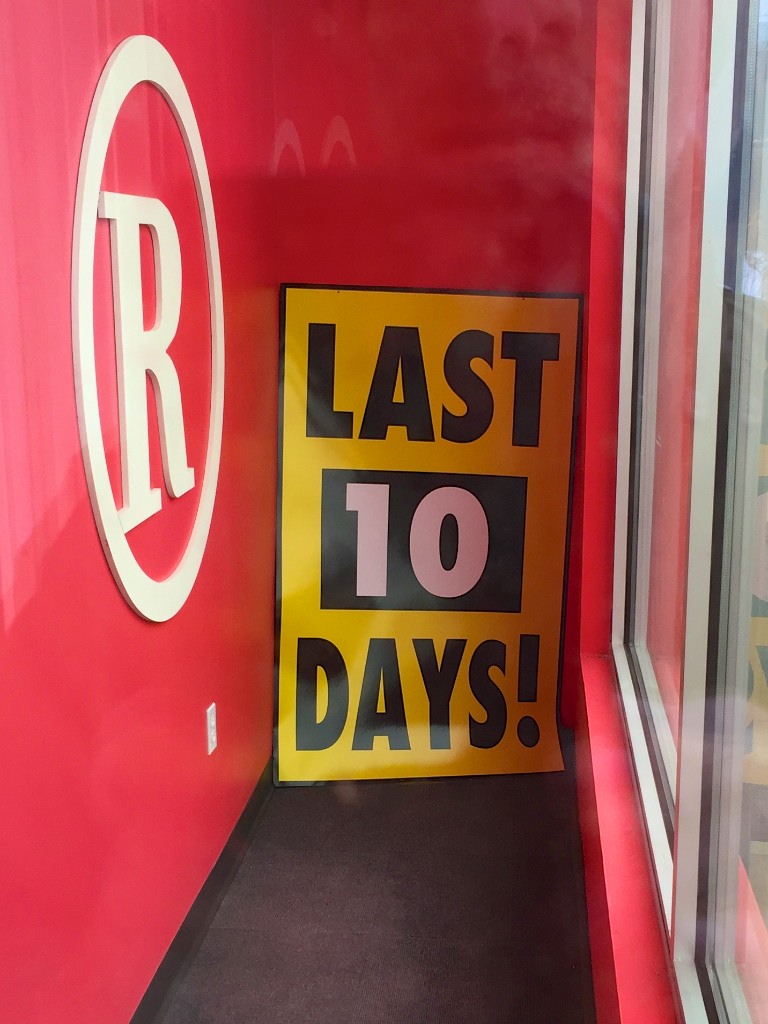
The end is near for this RadioShack store and many others. If you want to pay your respects, you’d better hurry…

The end is near for this RadioShack store and many others. If you want to pay your respects, you’d better hurry…

It isn’t as if we didn’t see this coming. The last time I gave a thought to RadioShack was a year ago when I watched its clever Superbowl commercial. The retro spot was a great Hail Mary pass. Still, I can’t remember the last time I actually stepped foot in a RadioShack.

You don’t have to follow the news to know RadioShack was in trouble. And last week, the ailing electronics retail chain finally filed for bankruptcy protection. (Sprint will be picking up some of the stores as co-branded retail spaces.)

The New York Times recently ran a feature chronicling RadioShack’s slow train wreck over the years…

For me, RadioShack’s implosion felt a lot like losing a long-time friend who moved away from the neighborhood.

Once upon a time, RadioShack was always there whenever I had an immediate tech need. Where else were you going to go to get some speaker wire? Or headsets for your walkie-talkie? Or size D batteries?

But my RadioShack abandonment story is easy to explain:

  • I never went there expecting to buy quality tech
  • Their nerdy tech vibe wasn’t cool
  • My needs move from wired to wireless
  • There were other stores that carried the same stuff

You Get What You Pay For
You can’t argue that RadioShack carried items at a certain ‘accessible’ price point. But invariably, inexpensive items don’t hold up.
The price was right, but the tech I bought often broke or stopped working prematurely.
(So I went there mostly as an emergency measure.)

It’s hard to build a brand on merchandise that doesn’t last…

Who Wants to Feel Uncool?
Consumer tech is supposed to be cool, right?
But I don’t think you could ever have called RadioShack cool.
It was for nerds who liked to tinker.
(I should know.)

Image is everything, and even as a tech nerd, if I didn’t need to go to Radio Shack, I wouldn’t.

Who Wants More Cables?
A lot of what I bought from RadioShack over the years were the cables that connected all my tech together. But as Wi-Fi and Bluetooth technologies took center stage, I didn’t really have to buy many cables anymore.

RadioShack didn’t stock much else that compelled me to come back…

Numerous Shopping Options
This was a time before Best Buy, Staples, Amazon and of course… the Apple Store.
Radio Shack had something of a monopoly on certain kinds of tech.

But now, there are plenty of places that can serve up all your technology solutions.

R.I.P.
So Radio Shack couldn’t keep up and kicked the bucket.
Nothing lasts forever…
Plus, there’s really no loss to the consumer here.

All that said, I guess I still feel a little sad.
Yes, RadioShack was there for me… literally over the course of decades.
But I simply outgrew it. And so did everyone else…

Goodbye, old friend.
Yikes! Vimeo Says I’m Wasting My Time with 60 FPS

Shooting action videos at 60 frames per second with your iPhone 6 can generate great shots.  But there’s a price to pay…

Shooting action videos at 60 frames per second with your iPhone 6 can generate great shots. But there’s a price to pay…

I was expecting three feet of snow outside my front door last week during our ‘almost-snowmageddon.’ If we lost power, I planned to blog about the wonders (…or failures) of my still-unused Generac LP5500 portable generator.  Instead, the predicted snowpocalypse was just an average half-foot snow event.
(Our Boston neighbors up north got the full serving.)

So I had the opportunity to record a few magical moments of my son playing in the barely-adequate snowdrifts. Using my iPhone 6 Plus, I captured some great action shots in our sloped back yard of my four year old sliding down on his dark blue snow saucer.
(Fortunately not at rocket speeds…there’s a wooden fence abruptly positioned right at the end of our ‘sled run.’)

Later, we enjoyed some hot cocoa, and then I stitched together my four snow clips in iMovie on my iMac.
(Yes, I could also have done the job using iMovie on my iPhone…)

And then I uploaded my two-minute flick to my Vimeo page to share with family and friends.

Case closed.

Uh Oh. I’m Almost Out of Storage.
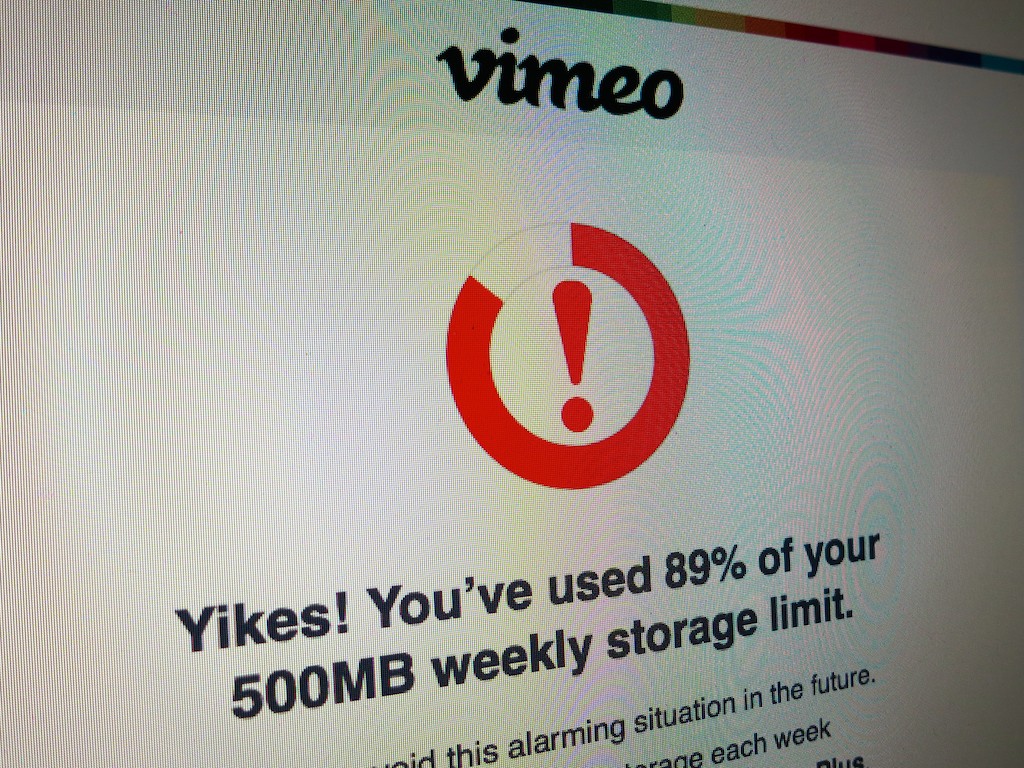
The next day, I received a worrisome email from Vimeo warning me that my weekly upload limit of 500MB for my ‘basic’ account had almost been gobbled up.
(And, of course, I could upgrade to a higher Vimeo tier if I wanted.)

What?

This was a tiny 120-second video. Why was it so huge?
And then I looked more closely at the file size.

In fact, it was a whopping 477MB!

What?!

Alarming Situation
That’s right. I almost blew through my half-gigabyte Vimeo limit on my free account with one little upload.

So I went back to my original video clips and took a closer look at their specs via QuickTime Player on my iMac:

  • I opened up the .mov file
  • Then, I went to the ‘Window’ drop down on the menu bar
  • Next, I clicked on ‘Show Movie Inspector’

Movie Inspector is a little black box that pops up and includes a bunch of geeky technical info about your video clip.

Within a few seconds, I honed in on the culprit…
The problem was the frame rate.

I had unknowingly shot my snow videos at 60 frames per second… as opposed to the standard 30 fps.

And remember, these are glorious 1080 high definition iPhone videos we’re talking about.

So it’s the 60 fps that created the significantly larger files.

How to Get Back to 30 FPS
I think I had left my iPhone on 60 fps quite by accident from an earlier experiment to see how 60 fps would handle action shots.
(And in fact, 60 fps is a wondrous feature to capture crisper action and prevent your moving subjects from looking blurry.)

I quickly pulled my iPhone 6 Plus out of my pocket (yes, it fits) and touched the Camera icon. I swiped the shoot setting to ‘Video’ and spotted the ’60 fps’ noted on the bottom right. I tapped it assuming it would toggle back to 30 fps. But it didn’t.

Instead I had to go back to the ‘Settings’ icon and drill down to adjust the video frame rate back to 30 fps:

  • General
  • Photos & Camera
  • Record Video at 60 FPS – On/Off (swipe)

30 FPS Vs. 60 FPS
In the moment, when you need to capture a priceless video, it’s not the easiest of settings to adjust. So you should decide which will be your ‘standard’ frame rate.

Typically, I don’t think you need all those extra frames and the massive files 60 fps generates. Plus, you should remember that 60 fps creates that ‘hyper’ clear look, which may not be what you want.
(Especially if you’re a fan of the softer ‘film’ look)

30 frames per second is often just fine, and its motion usually feels ‘normal.’

Is 60 FPS a Drag?
But is it such a huge problem to always leave the 60 fps mode on?
(Apparently Apple doesn’t think so…)
Well, not immediately, and not if you don’t shoot lots of videos on your iPhone 6.

But I wouldn’t simply set it and forget it.
Yes, 60 fps has its place, but I’d use this feature sparingly and only when the moment calls for it…

Otherwise, you’re going to find yourself running out of space on your iPhone pretty quickly.

Just do the math…

Let’s say you’ve got the entry-level 16GB iPhone 6, and you shoot just a few minutes of family videos every weekend at 60 fps. That means you’re probably creating about 2 GB of content a month. At that rate, unless you transfer/delete the files from your iPhone, you’re not going make it to the summer before your iPhone runs out of memory.

Generating huge video files is simply a drag. It’s a burden on your technology and by association an extra load on your life to keep your tech happy.

Vimeo Says No
And get this…
If you’re a basic account Vimeo user, you’re allowed to create one HD video per week… and only at 720p. Trying to upload a 1080p file at 60 fps still just gets you a 720p video at 30 fps. Any extra quality is wasted.

Even a Vimeo Plus membership (costing $60/year) doesn’t play your videos back at any higher frame rates than 30 fps.

Yes, you can certainly compress your advanced video files to something more digestible for Vimeo, but that’s an extra step for a busy parent of a four year old.

I should also freely admit that the iMovie app for iPhones/iPads can send your videos directly to Vimeo and compresses them as part of the export. Yes, it’s an easier process, but it assumes all your video clips are being generated by your iPhone.
(Don’t forget… I also like to take videos with my Canon PowerShot camera.)

Don’t Let 60 Frames Destroy Your Digital Life
60 frames per second is like warp drive…
Use it only when you need it.
Otherwise, one day soon… your universe may start to unravel.

The VHS Twilight Zone

This is not the fifth dimension.  But be forewarned… This represents the final moments of a cautionary tech tale.

This is not the fifth dimension. But be forewarned… This represents the final moments of a cautionary tech tale.

Imagine recording all of your favorite TV shows on your trusty VCR for over a decade. Some of the episodes you’d actually watch as a time-shifting technique. Others, you’d never get to, because life is too busy.

And then you’d hold onto these bulky VHS tapes, believing some long evaporated rationale that you like ‘owning’ some of those episodes and would eventually get to the unwatched ones.

Yes, you’ve just entered the VHS Twilight Zone.

It’s Not a Bad Dream
Consider this evolving dimension:
Along the way to growing your media library you’d also get into the VHS movie-buying game. Here and there, you’d buy a few flicks you really enjoyed in the theater, because you were certain you would watch these movies over and over again.
(And by a few, I mean a couple dozen.)

And then you’d proudly position all of these tapes on your crowded bookshelves like they were part of some sort of family heirloom collection.

Eventually, the march of time and new DVD technology would force your VHS tapes to retreat into boxes that lived in the back of your closet or deep into your basement.

You’d consider throwing them all away, but still hold onto the entirely unreasonable belief that you would still find the time to consume the hundreds of unwatched hours. And you’d ignore the reality that your shows are now long cancelled and forgotten in pop culture zeitgeist.

Instead, you got married and had a family.

The Great Conversion Project that Failed
And when DVD recorders are invented, you’d have the misguided notion that you could transfer your favorite shows over to DVDs to save your media collection from oblivion.

But before you could make a serious dent in your conversion project, DVD recorders will encounter a premature extinction.

And those hideous rectangular black blocks would still remain….

HDTV and VCRs Can’t Live Together
When you’d buy your first HDTV, you would hook up your old VCR but never use it. The analog machine would just sit there… sucking power in its ‘phantom off mode.’

And then it would finally hit you:
Why would you even want to watch anything on VHS anymore? It’s mediocre resolution and old-school 4:3 aspect ratio is an insult to the eyes.

The haze would lift, but family life would distract you from taking action against the evil tapes. The boxes would then conveniently slip into the fifth dimension… into the middle ground between light and shadow.
(Dissolve to an image of a spinning clock…)

The VHS Tapes that Time Forgot
If you haven’t already guessed, yes, I’m liberally stealing language from
“The Twilight Zone,” and yes, this is my story.

So the other day, I ran across these forgotten boxes of ancient VHS tapes in the back of my basement.
(I felt a bit like Rip Van Winkle.)

It must have been over a hundred tapes!
Okay… two hundred.
(I’m not proud.)

And guess what?
I searched my soul, looking for that inscrutable pull that forced me to tether these boxes to almost half of my life.
It was gone.
(I guess there is an expiration date on irrational tech hoarding.)

And then I sneezed.
(The boxes were dusty.)

It was finally time!
Time to purge these VHS tapes from my life.
(Even if I still wanted to save the content on any of these tapes, some over twenty years old, the magnetic coating on the tapes had probably entirely deteriorated.)

And now I’m happy to report my home is VHS free.

VHS is Not Cool
I know some of you are probably thinking, “What’s a VHS tape?”

The real irony here is there are other folks still using this dead technology.
(You can actually still buy a VCR and VHS tapes on Amazon.)

Look, I know I’ve suffered from some sort of undocumented VHS-hoarding syndrome. But why would someone choose to actively use VHS technology today?
(Let it go…!)

Avoid Your Own Tech Twilight Zone
There’s nothing wrong with wanting to retain your video content over the course of your life. You’ve just got to keep future-proofing it. And you can’t put this ongoing project off.

Technology is moving at such a fast clip, all your media… especially your family videos… is at risk.

DVDs used to be my media archiving solution. Now, they’re probably becoming drink coasters. And so it’s another race against time to transfer all of that content to my external hard drives. (Which won’t last forever either)

Maybe the whole notion of owning any media content in physical form over any extended length of time is indeed a flawed one. The whole cloud-based storage solution is finally making a lot more sense… something more than the media conglomerates exercising total control over their own content.

But the cloud is going to cost you a pretty penny as a decades-long solution.
(Still…. remember that people used to spend ten bucks on a single blank VHS tape.)

That’s the Signpost Up Ahead…
There’s always going to be a price to maintaining your video collection.
It would hurt to stress test your need to hold onto so much content.
Because at the end of the day, you can’t.

A cautionary tale in the Tech Twilight Zone…