At Home with Tech

Unlock the power of all your technology and learn how to master your photography, computers and smartphone.

Category: Tech Trends

Holiday Gift Guide for Home Tech
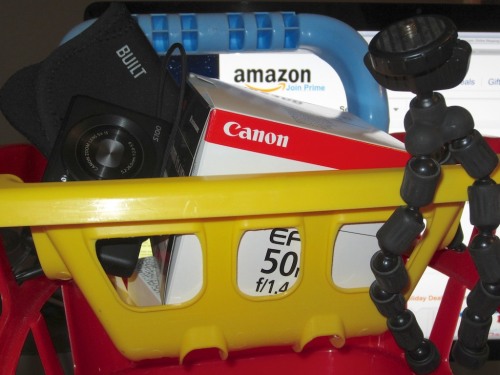
What home tech do you have in your shopping cart? Here are nine winners that can get you to the finish line!

What home tech do you have in your shopping cart? Here are nine winners that can get you to the finish line!

Let’s face it. If you’re like me, you’re hard to buy gifts for.

Not to stereotype, but I think we likely share certain similarities:

  • We handle the home IT problems.
  • We manage the family’s photo and movie archive.
  • In general, we’re the senior geek in the relationship.

How is someone supposed to know how to get you a great tech gift when they are blissfully unaware what it is you actually do to keep your happy little home tech bubble operating day in and day out?

Exactly.

So I thought I’d share a few items on my own home tech wish list, and perhaps along the way provide a few useful suggestions for our “better halves” to use as a gift guide.

Think of it as a kinder and gentler form of “Inception.”

ACCESSORIZE

It’s hard enough figuring out the right tech to buy.
It ends up being a very personal decision.
In fact, you never want someone else making your big tech purchasing decisions… right?

But if you stick to that logic, you’re getting a lump of coal in your stocking.

The good news is there are plenty of supporting accessories people can get for your existing tech…

Camera Case for Your Pocket Camera
Point-and-shoots never come with one, and every camera needs some protection.

So this could be a really easy choice for you.
There’s nothing wrong with heading right for the case made by the camera’s manufacturer.

You may recall I bought the Canon PowerShot S100.
Canon’s case is their PSC-900 Deluxe Semi-Hard Leather Case –
$25.49 at Adorama.

Going this route is always more expensive, but it’s a sure bet to fit the camera correctly.

Or you can go off-brand, especially if you want a softer case, but it’s sometimes hard to know the fit.

I’ve had success buying cases from these two manufacturers:

As you shop around for cases, you’ll come across a myriad of styles with an assortment of options for size/zippers/velcro/pockets.
That’s great news for the gift giver, because there’s nothing wrong with having more than one case in a camera’s tool kit.

Mini Tripod for Your Pocket Camera
It’s amazing how one of these can really help out a little camera.
(especially during a spontaneous group self-portrait)

There are seemingly dozens of these on the market.
Here’s a starter list from B&H Photo.

And I’m pretty excited about the Tiltpod Camera Stand- $15.00
This mini tripod breaks all the rules by not having any feet at all!
It clips onto your keychain for the ultimate in portability.

Extra Battery Power When You’re on the Go
Who hasn’t had their mobile devices run low on power during a busy day?
It would be great to have a portable charging station always available to keep your tech alive while you’re on the go:
Here are two choices:

-Anker Astro E1 5200mAh Portable Charger – $15.99 on Amazon.
-Anker PowerCore 10,000mAh Portable Charger – $31.99 on Amazon

Sweet!

Portable Storage
Some people can never have enough shoes.
Others like to collect sports memorabilia.
I like lots of storage choices for my media, and there’s always a use for another portable drive.

G-Technology makes awesome drives.
I own a few of these cool little portable drives:
G-Technology 1TB G-Drive Mobile USB-C – $78.95 on Amazon

It’s a no brainer. Let’s move on.

Multiply your USB Port Capacity
If you need extra USB capacity, and really, what self-respecting geek doesn’t, here’s a nice aluminum chasis to match your Apple gear:
Satechi USB 3.0 Hub and Card Reader – $29.99 on Amazon

Done.

NEW TWIST ON TERRIBLE GIFTS

If you’re falling into a generic gift-giving vortex and are resigned to giving something as uninspired as gloves or a winter hat, don’t despair.
180s has their own clever tech spin on these typical gift clunkers:

Gloves that work with touch technology!
You’ll feel positively James Bond-like with this!

The 180s Glove with Tec Touch Technology allows you to use your smart phone while your finger stay toasty inside the glove:
180s QuantumHeat Foundation glove – $30

Ear warmers with built-in headphones?!
You can listen to your tunes or make a call while visiting Ice Station Zebra without freezing off your ears:
180s Degrees Men’s Bluetooth Ear Warmer with Mic and Speakers – $40 on Amazon

TAKE A CHANCE

Wi-Fi Connected Digital Photo Frame
I know I said earlier that big tech decisions should be left to the senior geek in the house. But that doesn’t mean you can’t do a little research on your own and just go for it!

Today, let’s discuss the digital photo frame, which really isn’t so cutting edge.
This tech has been out for years. But the Wi-Fi option still isn’t widespread.

Wi-Fi connected units are cool, because you can add and manage photos remotely within the digital frame in someone else’s home, no matter where they are in the world.

You’d think this would be a no brainer by now, but this advanced functionality hasn’t really caught on. Maybe it’s too complicated for the average bear to figure out.
But this year, I’m hoping to be smarter than the average bear.
(We’ll see.)

According to CNET’s Rick Broida, Kodak had the best Wi-Fi digital photo frame- the Kodak Pulse,
But, of course, Kodak has gone belly-up.

Ceiva makes two good models, but if you want to use their PicturePlan photo delivery tool for the frame, you’ve got to pony up $9.95/month (or $99.95/year) for a subscription after the first year.
(Yuck.)

After doing a little more research, I found a company named Pix-Star.
They make three web-connected frames with good reviews.
However, Pix-Star isn’t really a household name.
(I’ve heard of Pixar.)

And I’m not a big fan of buying products directly from companies online I don’t know.
But Pix-Star conveniently has one of their digital frames selling on Amazon.
(Ahhh…cozy Amazon.)

It’s the Pix-Star PXT510WR02 10.4 Inch FotoConnect XD Digital Picture Frame.

Sure, $157 is steep for a digital photo frame, though it’s 10.4” screen is relatively large.
(It’s the Wi-Fi that jacks up the cost.)

While I could definitely use this digital frame to help me rescue the glut of trapped family photos in my computer, I have another use in mind for it right now.

I’m referring to my father.

Now I’ll deny this if you say anything to my dad, but I’ve been planning to buy him a Wi-Fi picture frame, so I can regularly get him fresh photos of his grandson.
(There are so many!)

How convenient.
Click.
(Let us speak no more of this.)

TAKE CARE OF YOURSELF

Caffeinate with Great Coffee
Finally, before you find yourself staying up late past midnight making your last- minute holiday purchases, (and doesn’t it always come down to this?)

Go to:
counterculturecoffee.com

And buy some amazing coffee for yourself. (really)
You won’t be disappointed.

Don’t Give Up
I know time is short, but remember, the web made 24/7 shopping possible.
Use it to your advantage.
(Especially now that you’ve got your coffee to keep you awake!)

For other tech gift ideas, here are a few unique websites you’ll enjoy checking out:

thinkgeek.com

uncommongoods.com

coolmomtech.com

So there you have it.
Remember, none of this was your idea.
They came up with it on their own.
Inception!

What’s on your home tech holiday gift wish list?
And if you’ve made some of your own cool tech gifting discoveries, please let me know!
Best Digital Cameras to Capture Your Speedy Toddler

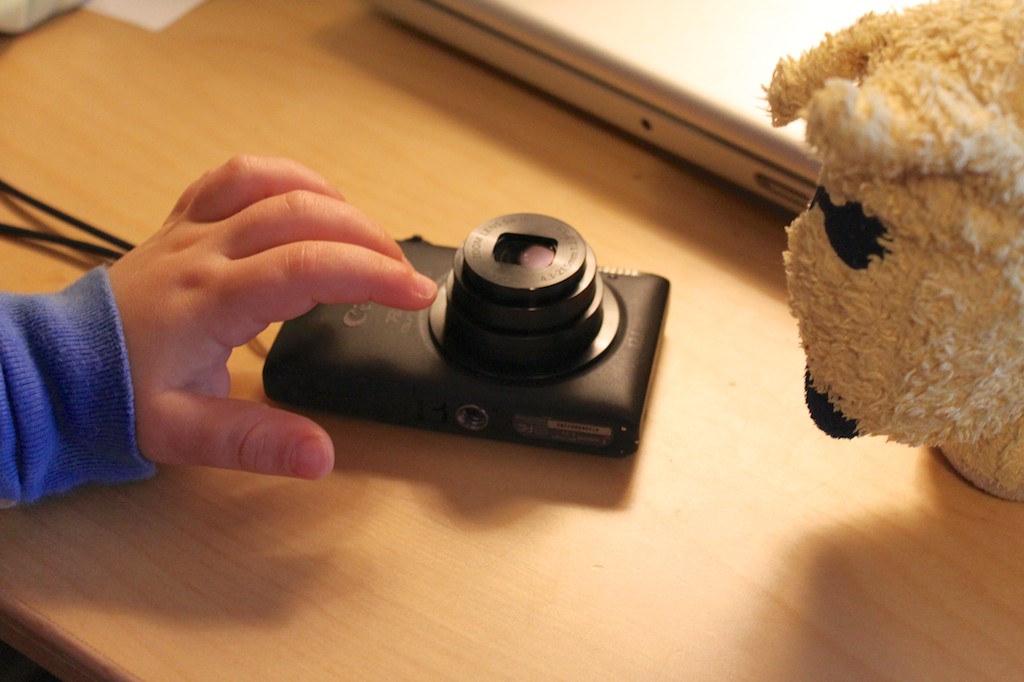
My Canon PowerShot Elph 300 is no longer up to the task of keeping pace with my action-packed son. Time to upgrade and look for holiday shopping deals.

My two-year-old son moves fast.
He runs everywhere.
Unless he’s marching.

Sometimes he’s not moving forward.
But then he’s bouncing.

The good news is I can still keep up.
The bad news is my digital camera gear can’t.

Why Your Camera Isn’t Good Enough
Any of your child’s various activities present you the opportunity to take amazing photographs. But the action is often hard to capture.
Here are two reasons why:

  • If you’re trying to use natural light at home, your pictures can end up looking blurry. Unless you’re shooting outdoors, most pocket cameras don’t have lenses that let in enough light or big enough CCD (charge-coupled device) image sensors to freeze the action.
  • And if you use your camera’s flash, then you’ve only got one shot at the shot. (unless you’ve got a DSLR)
    In the few seconds it takes for your pocket camera to prep for the next photo, your child is already in the next room.

Look, I’m no pro photographer, but I know enough that one camera cannot possibly meet the needs of all situations. So I’ve got more than one.
The problem is I feel I’m still not getting it done.
Sure, people tell me what great shots I take of my son, and I do get some.
But only I see the many shots I still can’t get right.

And as we pass through Black Friday and Cyber Monday and all the other ‘shopping deals’ through the end of the year, I got the itch to upgrade my camera arsenal, which covers three main categories:

Point-and-Shoot Pocket Cameras
Those magic photo moments present themselves when you least expect it.
You need a camera you can whip out, quickly turn on and snap.
The pocket camera I’m currently using is a
2011 Canon PowerShot Elph 300 HS.
(The new model on the market is the Elph 320 HS.)

I like my tiny Elph.
It takes great pictures and has a nice 24mm wide-angle lens, which lets me capture more of my son, when he’s playing right next to me.
(It’s also great for group self portraits of up to four by simply stretching your arm out while holding the camera in reverse.)

But it can’t handle that action moment unless you’re outdoors.

The Camera in Your Smartphone
Sure, like much of the planet, you’ve also got a smartphone in your pocket that can take pictures. So you may feel like you don’t need another bulge in your pocket, but your phone is even less capable at capturing action shots.

It’s good for taking a posed photo, and that’s about it.

DSLR Cameras
I know. I know.
Doesn’t everyone understand if you’re serious about getting great photos of your kids, you’re going to need a Digital SLR with a big CCD sensor and a decent lens?

Sure it’s going to cost you some coin, but the price of entry into the DSLR world isn’t as high as it used to be.
Consumer DSLRs these days start at only a few hundred dollars more than their point-and-shoot cousins.
(Prosumer models still live in the $1-2K range.)

I’m currently using a 2009 Canon EOS Rebel T1i.
(The new model out there is the T41)

But the big problem with a big DSLR is…
It’s big!

It’s tough to carry around all the time.
And when you’re schlepping the diaper bag, the toy bag and the stroller, you end up leaving your DSLR behind more often than you’d like.

But it remains your only hope to consistently capturing great low-light action photos.
Except…

The Bundled Kit Lens
One reason why entry-level DSLRs are so affordable is they typically come bundled with inexpensive kit lenses that are simply not that great.
Still, these lenses are better than the lenses in your little pocket camera.

So it’s still a decent choice for the price-conscious consumer who wants to take better pictures, right?

Up to a point.

Any article you read about these bundled kit lenses say they’re good to learn with. After a while, some photographers see the limitations and find themselves wanting more.

And I’ve reached that point.

Married to Canon
I’ve been using Canon cameras for years and have been generally happy with my compact point-and-shoot cameras and my DSLR.
My frustrations have surrounded the elusive toddler photo, and as I documented above, this problem simply lies with the limitations of the tools I’ve chosen.

And as I look to expand my photographic capabilities, it’s a hard move to choose another partner.

There’s a certain coziness that has set in by using a common Canon user interface. Each camera generally operates the same way.

Plus, it’s just about the only camera maker that’s using QuickTime H.264 files for capturing movie clips. (which I also shoot a lot of!)
I like H.264 movie files, because they are better to edit with in Final Cut Pro.
And in Final Cut Pro X, you don’t have to first transcode these movies to a friendlier codec like ProRes to edit with.
FCP X will work natively with the H.264 files, saving me tons of time, duplicated media and extra file storage.

You can’t go wrong sticking with Canon.

Sony Rocks Your World
But in studying recent reviews of Canon’s non-DSLR camera line up, Canon has slipped from grace a bit against the competition.

Currently, The Sony Cyber-shot DSC-RX100 is universally regarded as the best compact point and shoot out there.
A major reason for that is the large, one-inch DSLR sensor they’ve somehow crammed into it.

Yes, it’s really expensive at $650, but everyone is absolutely crazy about it:
CNET loves it.
Gizmodo says it’s a “significant achievement.”
David Pogue calls it “the best pocket camera ever made.”

I would leave Canon in a heartbeat for this.
Except…
The RX100 shoots movies with the silly HVCHD codec, which won’t work with Final Cut Pro.
So I would have to return to transcoding my movie files, which I simply can’t bear, now that I’ve tasted freedom from that unspoken tech burden.

Sony- please call me when your movie codec starts to play nice with Apple.
I’m be waiting…

The Choice in Canon Cameras
So what’s a demanding amateur photographer to do if he wants to go with a Canon?
There are thirty-five options, which can quickly get confusing.
One way to sort through all the choices is on sortable.com, which allows you to compare the specs and reviews between two cameras.

But by my count, there are really only five ways to go in attempting to
capture your child’s elusive low-light highlights.
(And they’re not inexpensive!)

#1
Canon PowerShot G15 ($500)

The G series is a tank of a camera. (I used to use the G9.)
Reviews agree that this camera is a solid choice and does well in low light.
But tanks are big. You’re never going to stuff this one in your pants pocket. Maybe your jacket…
However, it’s no longer the darling it once was with Sony’s RX100 out there.

#2
Canon PowerShot S110 ($450)

This is a newer version of the S95 and S100, both of which are still on the market.
It’s the best pocket camera Canon has, but it’s not as good as the G15.
So you’ve got a dilemma. Should you go with the better, bulkier camera you’re not going to take with you all the time, or keep something not quite as good with you all the time in your pocket?

#3
Canon PowerShot SX260 HS ($200)

This has a 20x super zoom lens, which I once thought would solve all my problems.
I bought the Canon PowerShot SX230 during the summer of 2011, and quickly realized that zooming into the action from far away doesn’t necessarily make the action any clearer.
Then, the flash stopped working, and the battery wouldn’t hold a charge.
Maybe it didn’t help that the camera took a nasty four-foot spill onto a cement sidewalk on its maiden voyage.
(Let’s speak no more of this.)

I haven’t repaired the SX230, because I’d rather put that money towards my toddler action-shot solution.
And the SX260 probably isn’t going to help there.

#4
Canon EF 50mm f/1.4 USM Lens ($339)

So none of the above choices really attack my problem sufficiently.
(And by the way, if you’re thinking about Canon’s new PowerShot G1 X for a whopping $800, put your wallet away.
All the reviews agree it’s not worth it. That’s DSLR pricing!)

And speaking of DSLRs, my older Canon T1i can’t even do the job the way I want.  Is it time to buy the brand new model- EOS T4i? (drool)

Nope. That’s just putting money in the wrong place.
I need to graduate to the prosumer camera world, and just buy a better lens for my old T1i.

I have a friend I work with who is also a professional still photographer.
When I told him my story, he suggested I buy the Canon EF 50mm f/1.4 USM lens.
This professional 50mm lens would be a good first glass purchase outside the kit lens world.
(‘Glass’ is what the pros call their lenses.)

It’s a prime lens, which means it doesn’t zoom.
But prime lenses generally give you a better picture for the price.
He said this 50mm lens would give me a little bit of reach… so I wouldn’t have to be on top of my toddler. My feet would have to do the rest.

Glass Isn’t Cheap
This lens costs $339, including a $60 Canon discount as I write this.
(Really.)
Good zoom lenses easily go into the thousands!

Do professional photographers spend more money on their glass than their cameras sometimes?
Yup.

At these price points, you can see why the typical amateur photographer isn’t playing in this sandbox.

All I know is when my toddler is happily playing in his sandbox, I just want to take a good picture!

#5
Buy Last Year’s Model!

By now, digital camera technology has reached a certain maturity. Buying last year’s model of a good camera is a great idea, because by now it’s heavily discounted.

Don’t feel like spending $820 on the new Canon T4i DSLR, with 18-55mm kit lens? (drool)
Buy the Canon T3i. (some drool)
Amazon had it on sale over Black Friday weekend for $500 with the 18-55mm lens. And don’t fret on missed discounts. There’s always another Amazon or other web deal waiting in the wings. Just keep looking…

My Decision
So there’s really no perfect solution.
The G15 is too big for your pocket.
The S110 isn’t as good as the G15.
The big zoom of the SX260 isn’t going to make the blurs go away.
Buying last year’s DSLR at a discount is a deal, but I need glass.
And good glass is expensive!

So what did I do?

I pulled the trigger and bought the Canon 50mm lens.
I bought it online from Adorama, because they threw in a lens UV filter and cleaning kit for the same price.

But I wasn’t done…
Option #5 came in particularly handy on Black Friday at the Lester household.

It just so happens that Amazon was offering the Canon PowerShot S100 as a ‘Gold Box’ daily deal for only $229. (That’s almost half the price of the slightly newer S110.)

The S100 would do a much better job in my pocket than my still decent Elph 300.
I couldn’t resist.

Click.

I know it seems like an indulgence, since the new glass is my solution.
But I quickly created a bulletproof rationale to back up my impulse purchase-

After replacing my Elph 300 with the new S100 in my pocket, I would move the Elph into the kitchen for the rest of my family to use, replacing our old Canon SD960 from 2009.

This retiring PowerShot is the Dorean Grey of my camera fleet.
It’s really taken a beating over the years and has kept on ticking, although its photos now look kind of muddy.
Plus, its faceplate is being held on with duct tape!
(My son has taken a few self-portraits with it.)

Ready for Action!
So there you have it.
I bought some glass and upgraded my pocket camera.
It’s a win-win. Yes?

Now, there’s always a sharp picture around the corner…
No matter how fast he’s moving!
Problem solved.

But I’ve clearly blown my holiday shopping budget on tech gear for myself.
Oops.

Time to focus on my son, and the rest of my family!

All I Want is to Have my Peace of Mind and Cloud Storage

It’s time to fly your data to the Cloud. Now boarding at Gate B9… all your precious files selected for Cloud storage!

Okay, Cloud.
Show me your stuff.

I need a bulletproof digital storage solution.
Why?
I’ve got a wonderful two-year-old son.
And he’s proudly running about the house like a Tasmanian devil.

My home tech is afraid.
He took down my sturdy Epson printer in 3.7 seconds with a shiny penny.

And he loves to climb.
(Anyone know of a good indoor rock-climbing program for toddlers?)

Nothing is safe.
I worry about my iMac.

Yes, I back it up with Apple’s Time Machine and an external drive,
but really… So what?
Nothing is totally safe…especially in close proximity to a toddler.

These days, everyone is opining about the magic of the Cloud, and how you can safely and cheaply store all your digital files there.

So, problem solved?

This is what I have to say to the Cloud-
Put up or shut up.
Bring it on!

Archive the Family Photos and Videos
I began this project with the singular goal of simply backing up two massive sets of files on my iMac:

  • My always-growing home video archive
  • And my bulging photo collection, which lives in Apple’s Aperture (the beefier cousin to iPhoto)

I figured in the unlikely scenario of total calamity, I would at least have these precious memories safely backed up to the Cloud.
(Where nothing could ever go wrong.)

Who Gets to Go in the Life Boat?
But when you consider what digital content you absolutely can’t lose, the issue gets cloudier.

My life merged with my home computer sometime around Y2K.
Since then, most everything that’s happened to me has some digital footprint on my computer. Unless you’re a Luddite, you’re probably in the same boat.

Think about it.
Remnants of the past decade of your life live all over your computer’s hard drive.
Talk about baggage.

Pop quiz:
If you woke up one morning, and a voice said you had to leave home forever, and you had one hour to take only what you could carry, would you be ready?

Well, if you’d been dutifully doing your annual spring-cleaning, you might be up to the task.

Well, have you?

I think the same story goes for many personal computers out there
…and their flawed users.
How organized is all the data on your computer?
If you had to immediately select just 10% of your content to save, would you know where to start?

I certainly wouldn’t.

Now is every megabyte of my digital life absolutely critical to save for posterity?
I don’t think so.

Remember, my plan was just to back up my videos, photos and home movies.
All the unused footage I left on the cutting room floor could go, right?

The problem is, I’ve fallen a tad behind in my home editing.
My boy is almost two-and-a-half, and I’m still working on some of his precious video moments from last year.

Now that’s an entirely separate problem, but you can see where I’m going.

Forget the spring-cleaning analogy.
Life is messy.
Your computer follows your life.
Get used to it.

So where does that leave you?
You’re gonna need a bigger boat.

Mind-Numbing Number of Cloud Solutions
There are plenty of companies out there in the cloud storage business.
You even can even pick up some free storage from some of them, but you’ll hit a cap quickly.

Free Cloud Storage:

The best free deal out there I’ve found is 50 gigs from MediaFire.
The only catch is the per file limit is 200 megs, which severely limits video archiving.

But none of these free choices will handle the storage needs of a long-term media file archiving plan.

Fifty Bucks Can Save Your Digital World
At the $50/year price point though, things start to get interesting-

$50 – $100 Plans:

For the uber-organized individual, this could be enough storage to do the job.

Affordable Unlimited Storage Plans?!
There are also a few companies out there offering unlimited Cloud storage at similar price points.

What?! Unlimited? That sounds crazy!
Yes, it seems counter intuitive, but the all-you-can-eat plans are far more economical.

These loss leader deals are baked into full service back-up strategies as opposed to a simple Cloud rental. They work much like Time Machine.
Set it and forget it, and they’re automatically updating your files in the background to Cloud servers.

Here are some popular ones I uncovered for both Macs and PCs:

Unlimited Storage Plans:

I’m not sure how these companies pull a profit with this pricing, but they must know what they’re doing.

Unlimited Storage is Hard to Beat
So for me, it really came down to two choices:

  • Rent 50 GB or 100 GB for long term archiving for something under $100/year
  • Or buy an unlimited back up Cloud plan for the same amount or less

You do the math.

But as wonderful as these unlimited plans appeared, I didn’t really want the complication of downloading some third-party software and then have it running in the background, syncing files 24/7 on my computer for the next…
Well, forever.

Forced to Choose
But, I realized if I chose a limited Cloud storage plan,
I’d find myself with sort of a digital Sophie’s Choice.

With that scenario, I’d be forced to take the time to select which precious files get rescued.

And that process would require me to undertake the dreaded decade’s worth of digital spring-cleaning. And how much time does that take?

I don’t know.
Because I pressed the button that says,
“Don’t worry about it. You’ve got unlimited back up.”

Yep, it’s all going up to the Cloud.

CrashPlan+ Unlimited or Bust
So I made my move and pulled the trigger with a company called Code 42 Software.
I chose their CrashPlan+ Unlimited one-year plan with downloadable software and a convenient desktop interface.

In addition to receiving universally good reviews, CrashPlan’s value proposition was really compelling.

Plus, a recent CNET post pointed me to a particularly good CrashPlan promotion.
When you read it, you’ll notice you may not meet the one requirement to get the deal, but CNET recommends you still go for it.

So do I.

(The key word I’m not mentioning here rhymes with tree.
We’ll speak no more of this.)

The Cloud’s Achilles’ Heel
CrashPlan’s software download and set-up were super simple.
(My concerns were unfounded.)
I was ready to begin backing up in ten minutes.

But as I sat staring at CrashPlan’s control panel to confirm the selection of my files to encrypt and send to the Cloud, I remembered one problem inherent with using the Cloud:

It’s the limitation of your own network’s upload/download speeds.
You’re never going to come close to the speed of transferring your files to a physical drive via a FireWire or USB cable.

And then I viewed CrashPlan’s time prediction to complete the job.
It said, “Time to backup – 39 days.”
(I’m not kidding.)
I have close to a terabyte of data, because of all the video I’ve collected over the years.
And this assumes my computer is awake 24/7.

I opened my movies folder and realized I had 519 gigs of video waiting to blast off.
And that month-long estimate is at a 2.1Mbps upload speed.
(Individual mileage may vary.)

Good Things Come to Those Who Wait
So my brilliant plan had one big hiccup.
My data isn’t getting to the Cloud until sometime next month.

I hope Mr. Disaster isn’t waiting around the corner.

For those who don’t have the patience, there’s a shortcut.
CrashPlan offers a service called “Seeding.”
For $125, they’ll send you a one-terabyte hard drive in the mail. You put your massive files on it and mail it back. Then, they’ll load it up to your Cloud account within five to ten days.

Snail mail beating the speed of the Internet?
How wonderfully analog.

I considered the seeding solution but decided I should probably attack the real problem and finally face some digital spring-cleaning.

So I committed a precious hour of my free time.
(Parenthood and work consume much of the rest.)
I organized a portion of my video and photo files and brought my digital mountain down to 572 GB and only 25 days of uploading.
Not a bad return on a one-hour investment.
(Maybe there is something to this quaint custom called ‘organization.’)

Unlimited Peace of Mind?
I wanted peace of mind, and I got a ‘set it and forget it’ solution.
That fits the bill, right?

But you can never just set it and forget it.
You can’t just pack up your digital mess and ship it to the Cloud every year.
No matter how much the cost of digital storage continues to drop, any attic is only so big.

I think I’ll try to extend my “Digi-Org” to keep my Cloud files in check.

So today, I got a really good deal. But that’s only for the next 365 days.
What’s my future cost to maintain a personal terabyte in the Cloud?
How about ten terabytes?
Sure the sky’s the limit, but it’s going to cost you!

I originally imagined I would simply rent some Cloud space for years to come and create my little digital archive, kind of like a safety deposit box.

It would seem that’s still an idea slightly ahead of its time.

Plus, you’ve got to wonder which companies are going to be around in the upcoming decades. (no disrespect intended)
But the expectation that you’ll never have to move your archive to a different provider is probably unrealistic.

28 Days Later
So how do I like CrashPlan?
I’ll let you know next month.
(As I write this, I’m only 29.6 GB into the upload. 542.3 GB to go…)
For now, I’ve got Time Machine and my external G-Tech backup drive watching my digital back.

As if my own fears surrounding the safety of my home media files aren’t enough, don’t forget the world apocalypse is just around the corner.
(The Mayan Calendar Ends on December 21st.)

Well, look on the bright side.
The planet may be gone, but all my critical data will be living safely in the Cloud.