At Home with Tech

Unlock the power of all your technology and learn how to master your photography, computers and smartphone.

Category: Tech Trends

The Carnival

When the carnival comes to town, are you giddy, or do you roll your eyes? I’ve just changed my perspective on this communal experience. Here’s why I’m no longer rocking my grumpy pants. 

I have a complicated relationship with carnivals. When I was in college, I worked on a short video called “Carnival Closed.” It was about the cruel irony behind the facade of fun. We shot our faux-documentary at the sight of a packed-up carnival. The rides weren’t exactly abandoned, but they could have been. Our narrative for this little piece admittedly was over the top and intentionally absurd. But our little doc had its point. And it’s stayed with me all these years.

Fast forward to the early days of my career in Massachusetts. I again found myself attached to a video production surrounding the life of a traveling carnival. It wasn’t my project, but I went on a couple of video shoots for this documentary. It was more grounded in reality. Or it tried to be.

How real is any carnival? Projecting the pretense of fun, it’s designed to deceive, shake you till you throw up, sell you food that should kill anyone in sufficient quantities and take as much of your money as possible. And in the rare instance, you could have the misfortune of getting injured or worse.

What a deal.

But in today’s 21st century world of slick tech and shrinking social, in-person interaction, the creaky, in-person world of carnivals, is seemingly going strong.

The siren song of the carnival still pulls in its crowds. Why is that?

Norwalk Oyster Festival
I think a big piece is the social aspect. It’s still a fun, analog way to spend an afternoon with family and friends in your own town.

After a number of years away, I recently attended the Norwalk Oyster Festival with my wife and teenage son. And against the long odds I’ve attached to this experience, I surprisingly had a fabulous time.

So, what happened? Well, I think the question is what happened to me.

How Much Does It Really Cost?
After we walked through the gates and paid the $15 per person admission fee, I was confronted with arithmetic confusion. We tried to figure out how many tickets we needed to buy for the rides we wanted to go on. It was a baffling process, as none of the rides posted how many tickets were required. Our son helpfully suggested that we could probably use any unused tickets at next year’s festival. 

I shot back that I highly doubted that. He asked why.

I said, “It doesn’t fit the Pirate Code.”

Pirate for a Day
So yes, I have bias here. And while my thoughts are not especially supportive of the carnival business model, I also feel they’re a back-handed compliment.

Because deep down, don’t we all want to be a pirate, if only for a few hours?

That sense of freedom without following any rules. The hope that with a little luck, you can win your big treasure… and beat the system. Yes, that’s part of what any carnival sells.

And its arguably more attractive today than ever.

Who cares if you have few extra tickets left over? What’s more important is the fun.

The Weather Clears
I used to scoff at the required spend for a few hours at a carnival. But now, with more perspective, I see that it’s actually not such a bad deal compared with the cost of spectator events like baseball or a concert.

And as always, this is mostly about mindset. That’s what really frames anyone’s experience.

We decided to attend the last few hours on the final day of the Norwalk Oyster Festival. It had been raining for the past 24 hours, and the skies were finally clearing. That’s when we headed out.As we arrived, the sun started to break through as if to welcome us. 

Later, we watched a brilliant sunset as the storm front continued to depart. The colors of the clouds were spectacular, and the cool edge of a September evening felt wonderful.

Communal Joy
We went on a few rides, and my wife and I rode the Ferris wheel, which was surprisingly romantic. 

Yes, we ended up with a couple extra tickets, and we happily handed them over to a mother and daughter who were short a few. Then, we walked over to the line of food vendors and had a yummy dinner. We enjoyed the fresh air, and we listened to a bit of music from the live band under a tent.

Not bad for a late Sunday afternoon.Microsoft Copilot tells me that “the carnival remains an enduring symbol of communal joy, creative expression, and the age-old human desire to celebrate life’s abundance before the solemnity of fasting and reflection.”

Yep.

We’re All Children at Heart
So, I no longer view the carnival with the same lens of caution as my younger self used. 

Sure, my original concerns are relevant. But my fresh Norwalk Oyster Festival experience reminds me how much fun it is to join a pirate crowd on a late Sunday afternoon. 

Said another way, visiting a carnival can always be a good way to feed your inner kid, no matter your age.

As I consider my own evolution and change of heart, I’m happy to report that I would title my next documentary on this topic, “Carnival Open.”

How to Hear Important Texts on a Muted iPhone with Emergency Bypass

I’m embarrassed to report that my iPhone almost interrupted a video shoot at work recently. My device inexplicably projected a singular text ping during the recording. I was standing in the back of our studio, but it was loud enough for the video producer ten feet in front of me to notice.

He shot over a slightly concerned glance. (Yes, of all people, I’m supposed to know better.) I rolled my eyes in apology. Fortunately, we were between takes, and nobody else noticed. (We both smiled.) 

No real damage was done (other than to my tech ego). But how could I make this 101-tech-mistake that any kid can easily avoid?

Yes, of course, my producer had previously reminded everyone in the studio to silence their phones before we started. But I took no action, because I believed my iPhone was already muted. In fact, I had already taken steps to permanently silence it. So, I proudly thought I was way ahead of this moment.

And yet, I wasn’t.

Do You Really Know How to Silence Your iPhone?
So, how did I find myself in the center of this tech embarrassment? How does anyone for that matter? It’s not like it’s hard to mute your phone. 

But isn’t there’s always someone in the room who can’t seemingly do that? 
(present company included) 

Well, this kind of mistake is often less about tech failure (I mean… human failure) and more about good intentions.

As I mentioned, I had already set up my iPhone to operate in a totally muted state. I took those steps long ago… I just couldn’t handle all the disruptive sounds my phone projected (however cute or lyrical).

But more recently, I made one other iPhone setting change. I selectively activated the ‘Emergency Bypass’ mode for our teenage son’s texts to me.

What is that exactly? 

Text Tone: Emergency Bypass

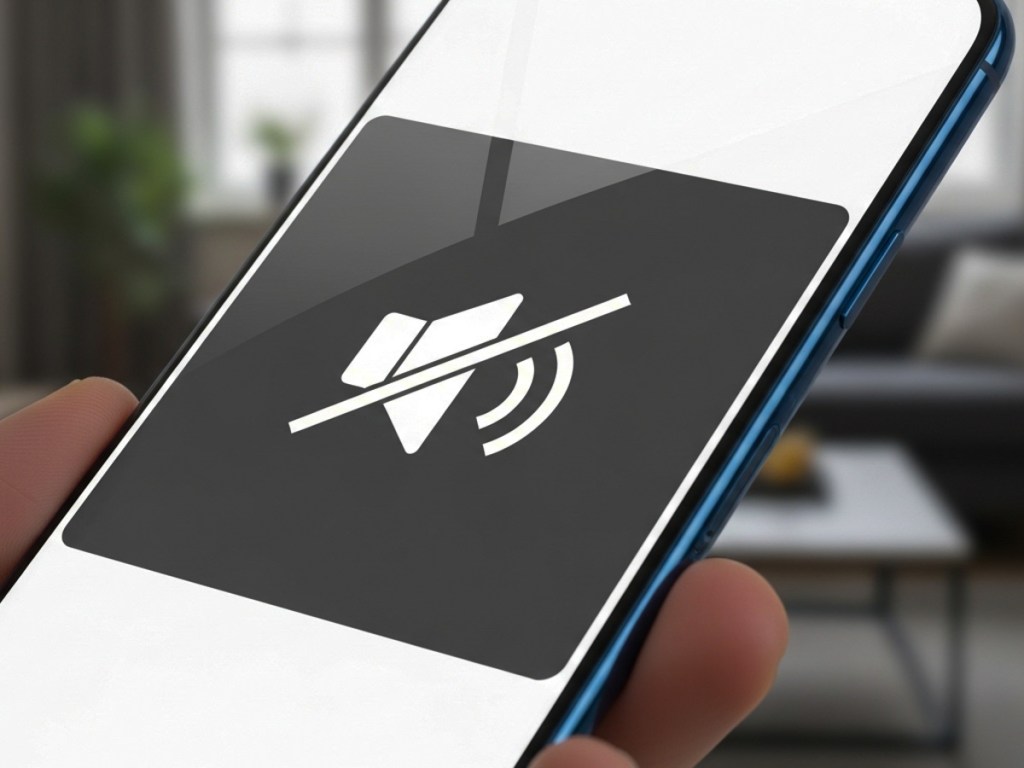
This setting disables audio restrictions regarding how your phone reacts to certain people in your Contacts app. If you don’t want to miss an incoming text from someone, Emergency Bypass helps to ensure you’ll hear it, even if your iPhone is muted.

Our son doesn’t text us all that much, and when he does reach out, I want him to get through. It’s usually important, requiring a timely ‘parental’ response. 

Here’s how to set up Text Tone: Emergency Bypass on your iPhone:

  • Open the Contacts app
  • Select your important person
  • Go to Text Tone
  • Turn Emergency Bypass to ‘On’

This hack is amazing. I did the same for my wife’s phone number (more on this later). Now, whenever I hear a text come in from my otherwise silenced iPhone, I know it’s either from my wife or our son.

I think you can see where this is going.

Ringtone and Alerts – Change with Buttons

Yes, the Text Tone: Emergency Bypass setting is a powerful setting to help you stay connected to those who matter most. But it can still expose you to an embarrassing moment if you need to entirely lock down your phone’s sounds and forget that you really haven’t.

So, I realized after my little ‘ping-gate’ episode that I needed to adjust one more iPhone setting to quiet my phone further, even when my son or wife reach out. 

Here’s the fix to the fix:

  • Go to Settings
  • Sounds and Haptics
  • Ringtone and Alerts
  • Change with Buttons- Tap to Green

Now, with this ‘Change with Buttons’ setting activated for ‘Ringtone and Alerts,’ you can easily toggle down (and then back up) the volume from your iPhone’s pings and rings with the side buttons.

The manual control enables you to temporarily shut off the sounds from your emergency bypass list.

Only then can you be sure your iPhone will really behave in the quietest of moments. (Just don’t forget to turn up the volume again after your mandatory session of silence!)

One Ping Short

Yes, despite my advanced solutioning for how my iPhone’s little speakers operate, I had still fallen one ping short. But I’ve learned from my mistake and made the appropriate patch in my iPhone’s Settings.

I later texted my wife about my little audio incident at work. (It was, in fact, her own text to me that had broken through.) She wrote back and asked helpfully if I knew how to silence the notifications on my phone. 

I blinked a couple times as I took in the layers of irony surrounding this last chapter of my story. 

And then I smiled.

Silence is Golden
My cautionary tale is just another reminder that you can’t always set it and forget it when it comes to your tech. And maybe when someone tells you to mute your phone… you simply do that.

Still, with your iPhone running completely silent 24/7, that emergency-bypass sound setting can be essential. I still highly recommend trying it out. 

You just need to remember how to control it. 

How to Turn Your iPhone into a Microscope for Incredible Close-Ups

Sure, the cameras in iPhones are remarkable. They’re so good, in fact, that they’ve effectively destroyed the compact camera market. Who needs to carry around another device, when your iPhone (or any smartphone for that matter) can do it all? They’re built with multiple lenses with different focal lengths. They’ve got software magic to digitally add in bokeh (blurry background). And you can instantly share your photos everywhere. What more could you possibly want?

As it turns out, the camera sensors in newer phones are even more powerful than those amazing little lenses. What if you could attach an even better lens on top of the phone’s lens (like a pair of distance or reading glasses)?

Well, you’d capture an even better image. And would that really matter to anyone?

Attach an Add-On Lens to Your iPhone
So, yes, our phones may have rendered all consumer-grade point-and-shoot cameras obsolete. But there’s still the mirrorless/DSLR camera market with premium lenses costings thousands of dollars. Can phones compete with that kind of gear? 

No, not quite yet. Not for the professionals. (Well, not for all professionals.)

There are some who’ve decided to pressure-test my question. They’ve explored optional upgrades to their iPhones with add-on lenses to create a more cinematic image.

And you can too.

Use an iPhone Case with Special Lens Mounts
When you read a story about a movie shot exclusively with an iPhone, it’s never just the iPhone doing all the work. 

If an iPhone were a Star Trek filmmaking device assimilated by the evil Borg, there would be numerous metallic attachments awkwardly bolted into each corner to enhance every capability. Fortunately, reality offers a more elegant solution that begins with a slickly-modified iPhone case.

Last time, I searched for a new iPhone case to better protect the camera lenses on my iPhone. I chose the SANDMARC iPhone Pro case, because it nestled the three lenses under an aluminum frame built into the case. (This offers much better protection than most iPhone cases out there that leave that space wide open, save for a little raised lip.) 

But wait. There’s more….

This aluminum frame also doubles as a screw-in lens mount for a variety of add-on lenses that you can buy to enhance you’re iPhone’s camera skills.

SANDMARC Microscope Lens
Though I wasn’t originally looking to explore extra lenses for my iPhone, curiosity, of course, got the better of me once I decided on my new case. (If you’re shopping, there are also other brands in this market.)

SANDMARC offers a variety of add-on lens: 3 telephoto lenses, an anamorphic (for filmmakers), wide, fisheye, macro, and microscopic.

I was originally focused on the macro lens to enhance my flower photography, but my old Panasonic Lumix LX-10 camera can already focus in relatively tight. So, I took a closer look at SANDMARC’s 40x Microscope Lens.

It’s compact and screws easily onto the mount for the 1X iPhone lens.

You Have to Get the Lens Really Close
You need to place this lens literally on top of the object you’re shooting. So close, in fact, that the lens rim has to actually touch it, blocking out most ambient light. Because of this limitation, the lens is built with a little circular (rechargeable) LED to illuminate the shot. Clever.

I figured that since this type of photography is an area I haven’t been able to explore with my current gear, I embraced my inner Ant-Man and decided to buy this cute microscope lens.

A Whole New World is Revealed
So, I screwed my new lens into my iPhone Pro Case from SANDMARC and went to work. 

The results were instantly remarkable. It’s amazing what this little lens can capture. It revealed a whole new world as it peered deep into both natural and man-made objects. This lens has a narrow, fixed focus range. So, you just have to keep that in mind as you frame your shots. Here are some examples I just shot.

10 iPhone Photos Using My Microscope Lens

Game-Changing Photos for a Fraction of the Cost
Whether you go microscopic, macro or telephoto, most of these add-on lenses range between $100-$200. That’s a totally different price point than many lenses for mirrorless/DSLR cameras. Those more traditional lenses range from hundreds to thousands of dollars for ‘good glass.’

These iPhone lenses may not be quite as good, but they do offer a whole lot. (My new microscope lens is a game-changer.) And for the price point, it’s a great value.

Back to the Future
For most of us, iPhones offer the perfect camera solution for our daily needs. But you can still level up your shots if you strap on a better lens.

There’s a certain irony to all this, as we’re effectively building back to what we already had before wafer-thin iPhones… a bulkier camera with a protruding lens.

I still think that’s okay, and this is all rather ingenious.

iPhone camera magic can only take you so far. Sometimes, you’ve still got to go old school to get the shot with a better lens.

And this is a cost-effective way to do exactly that without having to leave your iPhone ecosystem.

Brilliant.