At Home with Tech

Unlock the power of all your technology and learn how to master your photography, computers and smartphone.

Category: Tech Trends

A Tale of Three Headsets to Get through Fifth Grade
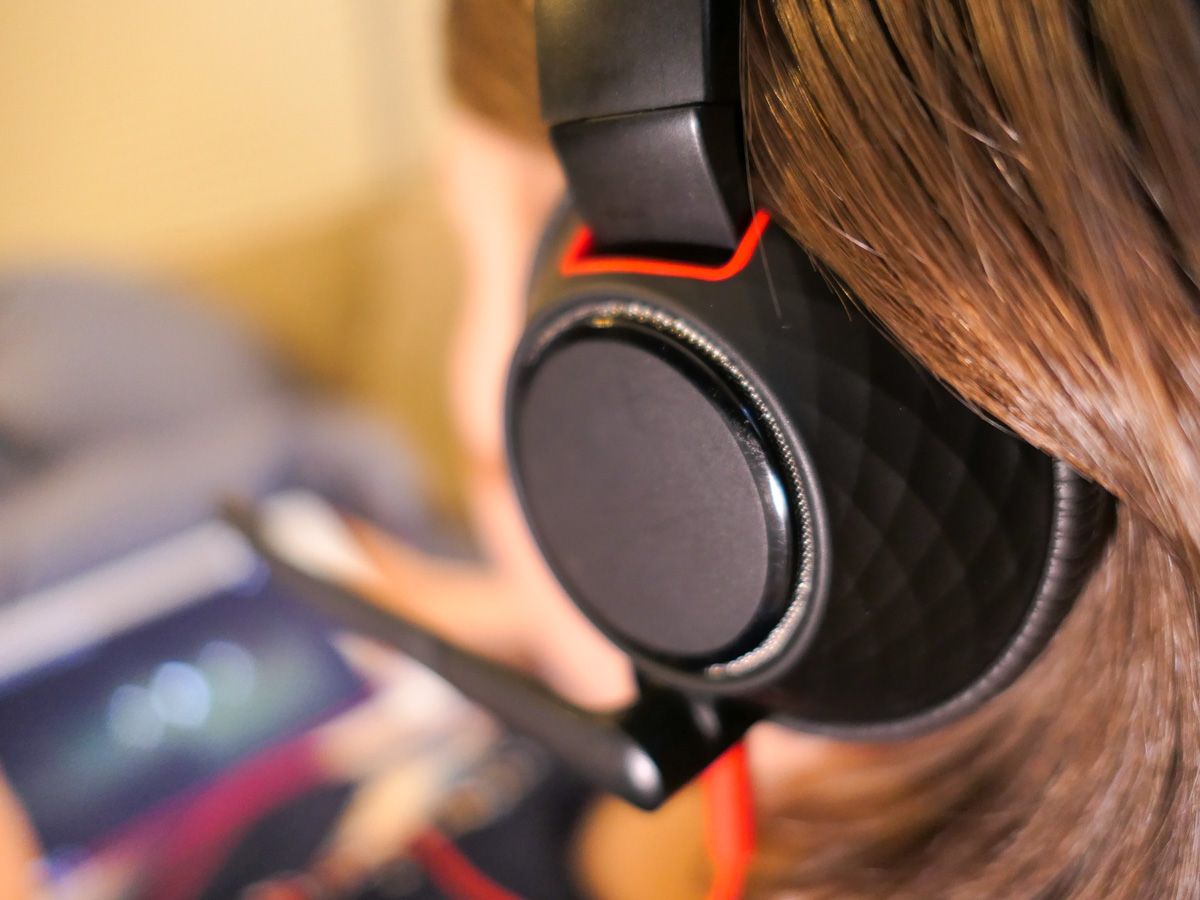
If you’re concerned about getting the right headset for virtual learning that will help protect your child’s hearing, you’re not alone. Here are the results of my shopping journey to date.

It’s not like my son has never worn a headset before. But over the past year of Zooms and virtual learning, our fifth grader has seemingly had one fused to his head. (Haven’t we all?)

And I’ve been concerned about the level of audio streaming into his ears. Is it too loud? What about the risk of long-term hearing loss?

So I’ve wanted him to wear a headset with volume-limiting capabilities. And I’ve got to tell you, strangely, there’s not a lot of choices out there.

POWMEE is for Younger Kids
I originally landed on a pair of POWMEE P10 Kids Headphones with a built-in microphone on the cord.

The POWMEE worked well, and they were only ten bucks. But the headphones were a little tight on his head. Four months later, they gave out. That may not seem like a long time, but I imagine the designers didn’t assume so many hours of daily use and cable twisting by little hands.

When I realized the POWMEE were small, I immediately initiated a new search to find a bigger headset designed for tween/teen heads.

Even fewer options with volume limiting capabilities exist for that age group. I suppose the idea is a real buzzkill from a marketing perspective.

PuroGamer Barely Got out of the Box
I finally landed on the PuroGamer Volume Limited Gaming Headset, which is targeted for teens. I bought it for $29.99 on Amazon, although it’s now gone up in price.

I got it and threw the box in the back of the closet. I knew the PuroGamer could be called to action at any time.

And the day came when boy my walked into my home office to see me. He had a stricken look on his face. Had Old Yeller gone to the doggy pasture in the clouds? (Actually we have a cat.) Nope. His POWMEE had died.

When I instantly pulled out the replacement, his shock and instant glee were priceless. (I felt like a hero.) And off he scampered with his PuroGamer.

But I didn’t have much time to take my parental victory lap.

The PuroGamer lasted about 2 weeks before the sound in one ear started to fizzle. (The USB connector gave out shortly after that.)

The cable was seemingly the culprit. It couldn’t handle all of the bending and ‘action’ a child will likely offer. Perhaps a gaming teenager wouldn’t give the PuroGamer cable the same workout?

Maybe the fault was mine getting the PuroGamer for a ten year old. Or perhaps I’m just making excuses, and the PuroGamer should be more durable.

Either way, it was back to the drawing board.

Time for an Adult Headset
I eventually decided my mistake had been limiting my search to headsets designed just for kids and teens. It was time to look for adult headsets.

Yes, shopping in the adult aisle is inevitably going to cost more. But I’ve already crossed that line for his sneakers and summer sandals. (He’s growing up fast!)

And unfortunately, technology for kids is often marred with inferior gear that won’t hold up. Yes, it may be cheaper, but you get what you pay for.

I’m certainly seeing that now.

Go with What You Know
As I puzzled over how to attack this new shopping challenge, I took a look at what I had fused to my own skull throughout much of my work day.

I was wearing a Plantronics (Poly) Blackwire C5210T single-ear headset.

My Blackwire headset had been great. It was comfortable, and sported two interface options. (3.5mm and USB connectors)

Like father, like son?

Another Blackwire
So I Googled the Blackwire headset and looked at the specs. And guess what?

Yes, it’s got built-in hearing protection. I didn’t even know!
(The SoundGuard DIGTAL technology protects against sound levels over 118 dBA, and Time-Weighted Average prevents average daily noise exposure from exceeding 85 dBA.)

There’s also a dual-ear design that would be perfect for my son.

Before I made my decision, I called my boy over to try on my headset. Within seconds, I saw that big smile.

Research complete.
Click.

If at First You don’t Succeed
Yes… this headset purchase was expensive. But sometimes you’ve got pay for what you really need. (And by the way, I purposely avoided going down a Bluetooth headset rabbit hole.)

It’s been almost a month, and my boy’s Blackwire headset has been holding up. (Fingers crossed.)

No, I’m not especially excited that it’s taken three headsets to get him through fifth grade, but if that’s the biggest technical glitch through this year of virtual learning, I’ll take it!

More importantly, I’m trying to do what I can to protect his hearing.
How to Fix your Ceiling Shot Problem during Zoom Meetings

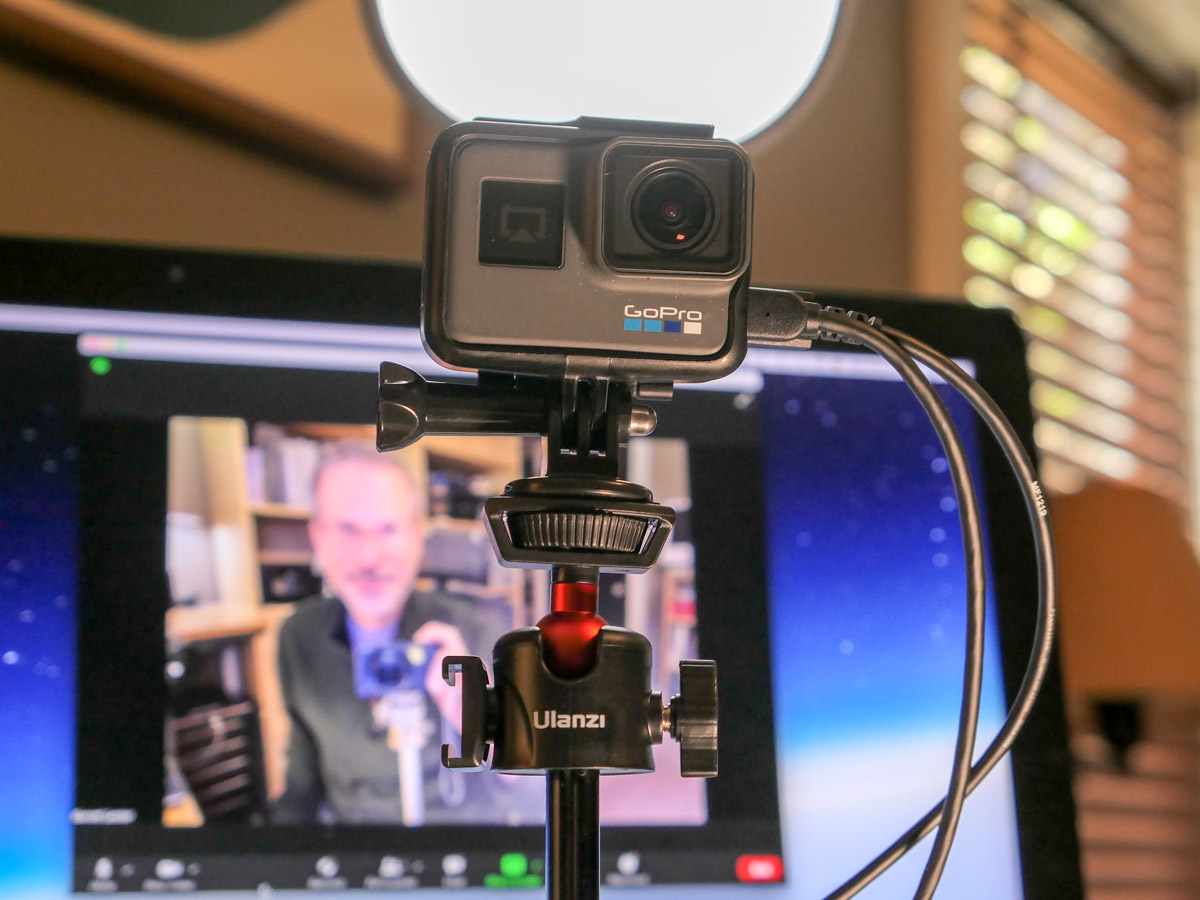
Using a tabletop tripod to elevate your webcam shot is a great way to help your Zoom viewers experience you eye to eye.

It’s been over a year since the Zoom revolution took over so many parts of our lives. The good news is many of us have mastered the basics of video production while video conferencing from home. But there’s one mistake I see plenty of people still struggling with. To be fair, it’s not entirely their fault. Some blame has to be shared with laptop manufacturers who insist on putting webcams down at the bottom of the laptop screen.

The Evil Ceiling Shot
The resulting problem is your webcam pointing up at your face with the ceiling as the background. The shot is incredibly unflattering. Who wants their viewers staring at their chin or peering up their nostrils?

The fix is not an easy one. You’ve got to find a way to bring your webcam up to a more level position with your eyes. That will create the balanced visual you need.

Stacking a few hardcover books under your laptop can help. If you’ve got a standing desk, it’s time to raise it up all the way. Anything you can do to elevate your webcam will reduce the evil ceiling shot.

You also might want to consider investing in a little more gear to improve the Zoom experience for both you and your viewers.

Time to Buy a Tabletop Tripod
To move your shot high enough to make your webcam parallel with your eyes, you may need to invest in a standalone webcam. And then, most critically, you absolutely have to perch that webcam on a tabletop tripod.

A good tripod that can fit on your desk will be your unsung hero to help create a great video shot for your next Zoom.

The trick is making sure the mini tripod is tall enough to meet your eyes.

There are plenty of inexpensive tabletop tripods out there for webcams and portable LED lights. The problem is many of them are too short, only coming up a few inches. You really need a mini tripod that telescopes up 15 inches or more.

And you should also make sure you don’t choose a model that will take over your desk. It needs to be compact.

In looking to improve my own desk setup with a new tabletop tripod, I found these options to consider:

  • Lume Cube Desktop Light Stand
    30” max height
    $34.95 on Amazon
    The tallest option if you need it, but it’s also more expensive.
  • OrangeMonkie Tripod50
    19.7” max height
    $44.99 on Amazon Prime
    I love this little tripod. Even though it’s the most expensive of the group, it’s a great value. Unfortunately it’s overkill, made for heavier gear. The design will also take up more space on your desk.
  • Neewer Photography Mini Table Top Stands (2)
    20” max height
    $19.99 on Amazon Prime
    The price is right, but you can’t tilt the mount.
  • Ulanzi MT-16 Tripod
    15” max height
    $22.95 on Amazon Prime
    Just tall enough. Comes with a standard 1/4” screw mount and a GoPro mount.

Ulanzi MT-16
So, I ended up going with the Ulanzi MT-16 tripod. It’s great to support my portable Genaray Powerbank 96 Pocket LED light. It’s also a perfect choice to hold up my GoPro when using it as a webcam.

Yes, GoPros can be repurposed as webcams. To do that trick, you just need an HDMI-out to USB 3.0-in adapter. That interface will connect your GoPro’s video feed to your computer. (I use the Elgato Cam Link 4K.) Once attached, your GoPro is ready to live stream.

Elevate your Zoom Game
Remember, to create your best video shot for your next Zoom, you have to bring your webcam up high enough to meet your eyes. And stacking books under your laptop can only take you so far.

A separate webcam on a desktop tripod can really elevate your Zoom game. (The same goes for portable LED lights. You want your soft light source hitting your face at eye level.)

Using a little tripod will make a big difference!

The Real Reason to Buy an Ad in your Child’s School Yearbook

Does the first day of kindergarten seem like yesterday, and now graduation is just around the corner? It’s time to mark the occasion with your own yearbook ad. Here’s why it contains more value than you may realize…

If your child is graduating this year, congratulations. Have you thought about purchasing a parent ad in the school’s yearbook? You know, the kind of ad where parents send congratulatory messages to their kids (for all to see).

Beyond the immediate impact of the ad when your student opens the book for the first time, your ad will likely bring a smile to your child’s face for decades to come when that dusty book is revisited.

Our son will be graduating elementary school, and we just finished our online ad-generation project for his yearbook.

Unexpectedly, my experience completely changed my perspective on parent yearbook ads. I realized that what you include can really impact the ad’s enduring value into the future. Here’s how to tap into that opportunity.

A More Complete Story
School yearbooks cannot possibly capture the complete story of every student.

I remember as a kid looking through my yearbooks for the first time and sometimes being disappointed that I wasn’t being properly represented in the overall story of the school year. Translation: I felt there weren’t enough pictures of me.

Perhaps that says more about my personality than the visual balance of my yearbook, but there will be inevitable imbalance in any school yearbook.

Back then, in the predigital age, it felt like ads were mostly confined to small businesses. So parents couldn’t normally impact a yearbook’s content.

But with today’s easy-to-upload online ad creation tools, parent-generated ads can offer the huge opportunity to rebalance the equation.

And just as importantly, your ad is a place for your content to likely live through posterity. (Everyone generally holds onto his or her yearbook.)

Sponsored Content
Beyond the option to simply congratulate your kid, you can also think of your ad as a place to document a few highlights of your child’s accomplishments and journey.

You probably don’t want to overdo it by writing five hundred words in a full-page ad. But there’s a definite opportunity to include some details that the yearbook editors may miss or wouldn’t know.

A Time Capsule for a Few Photos
The photos you include are probably what your child will immediately appreciate the most, but these included pics are special for another reason. That’s because yearbooks are time capsules of a sort, as they’re more likely to survive over time.

Among the many thousands of photos you take of your children, the truth is only a small fraction of them will likely last into the future decades. That’s because it’s difficult to maintain an endlessly expanding digital database of thousands of family photos.

I understand that now, and our son is only ten years old.

You’ve got to ruthlessly choose just a few pics as the ones you want to endure into the distant future. Then, ensuring they’re printed into a book is a solid way to protect their ongoing existence. (How ironic.)

So think of these school yearbook photos as possibly the only images of your child (as a kid) that future generations will ever see. (No pressure.)

On the bright side, you can also create a larger lifeboat for more of your digital photos. Simply generate your own annual family photo books to document your children’s stories.

There’s Always Next Year
It’s become clear to me that parent ads can be so much more than simple congratulatory messages. These ads should do their part to help encapsulate your child’s school experience.

If you’re feeling deflated that you didn’t maximize the potential of your ad this year, or even worse… you didn’t create one, don’t despair.

You’ll get another chance next year.

It’s Time to Create the Next Chapter
Capturing your children’s stories through photos and the written form is a gift for posterity.

Think of each school yearbook ad that you create as the next chapter in your child’s story.

Enjoy it!