At Home with Tech

Unlock the power of all your technology and learn how to master your photography, computers and smartphone.

Category: Technology

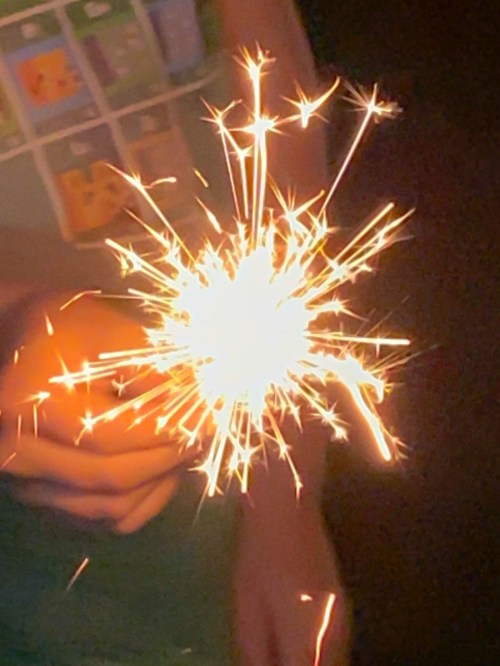
Why It’s Time to Create your Own Fireworks

Another holiday weekend during COVID-19, altered by the requirements of social distancing. But that doesn’t mean we had to cancel the fun.

So, my ten-year-old son and I broke out our camping gear (and related tech) and had a spontaneous overnight in our backyard to celebrate our nation’s independence.

No, it’s not quite as independent as roughing it out in the middle of nowhere, but my boy and I had a great mini-adventure anyway.

#FatherandSonTime

And even though there were no city fireworks to watch, it’s always nice to review some imagery from past years (courtesy of a ‘holidays’ photo folder I maintain in my Adobe Lightroom library).

What immediately becomes apparent in these moments is the pattern. The repeating episodes that structure our lives…both in work and in play. Going to see our city’s fireworks at the beach had been a fun activity we’ve grown accustomed to over the years (although not so much the hour-long parking lot back up after it’s over).

This summer is the perfect time to create new enjoyable family rituals. (It’s not like there’s a whole lot of choice!) It’s a great opportunity to build new traditions.

Our July 4th backyard camping extravaganza was a great start for me.

Today is always a good day to create some new fireworks in your life.

Which Portable Projector for your Backyard Movie Night?

If you’re thinking of inviting friends over during this summer of COVID-19, staying outside is a good idea. Setting up a backyard movie night is one easy way to maximize the visit. But choosing the right projector can be difficult. Here’s what I bought…

I expect we’re probably into this for the long haul. So, I’ve made the decision to partially release myself from seclusion (to my wife’s great joy). I know that some have seemingly forgotten about COVID-19, but I’m not in that group… believe me.

In fact, I’m still having all of our groceries delivered from FreshDirect and Peapod. The fact that I no longer feel like I’m playing the lottery to find an open delivery slot is a good indication that more people are shopping for themselves again. I should mention that we live in Connecticut, which is currently not a hot spot. And that’s certainly good news. And maybe reason enough for me to take advantage of the relative calm and take care of some business… like getting a haircut! Who knows what the future will bring.

The Limits of Social Distancing
I think it’s fair to say that I’ve been particularly conservative about navigating in our new COVID-19 world. But you really can’t entirely isolate your family for an entire summer and prevent all outside social interactions beyond Zoom chatting.

And it’s not even just the summer we’re talking about… it could be another year… or two!

People need some social connection!

Expanding your Safe Circle
So we are now ‘interacting’ with a few other families we know who are also ‘being careful.’ We’re trying to follow social distancing rules, but of course it’s imperfect when there are fifth graders in the equation.

Yes, it’s increasing the risk, but I have to develop a long-term plan that’s reasonable. Sheltering at home for two weeks is easy. Four months is hard. How about asking your family to continue on for some unspecified future?!

Turn Your Backyard into an Outdoor Movie Theater
As we thought about the Lesters’ ‘reopening plan,’ we considered how we would handle playdates. Clearly, those interactions should be outside.

We brainstormed about what they might look like, and we came upon one quaint option of hosting outdoor family movie nights in our backyard.

That’s a perfect idea, right?!

And, of course, it’s the newest challenge for Mr. At Home with Tech…

Looking for a Needle in a Haystack (Again)
As I Googled through what seems like a complicated and vastly oversaturated market of portable projectors that range from $90-$2,000 (really), I immediately felt overwhelmed.

First off, you’ve got to decide exactly what you’re looking for. This tech category can have a variety of names:

  • Pocket projectors
  • Portable projectors
  • Pico projectors
  • Mini projectors
  • Battery-powered projectors

They mostly refer to the same general product line. So, I tried to focus on several key needs:

  • Battery power
    (No extension cords stretched across my backyard, please)
  • An image of at least 720P HD
    (Come on… I’ve got standards!)
  • Bright enough to do its job at dusk
  • Sufficient onboard sound so I wouldn’t also want to use a separate speaker
    (Less clutter)

Everything I found in the sub $200 price bracket didn’t really seem cut out for the job.

My spending cap was $500. Anything more felt too expensive for just a fun outdoor activity. Sure, it would certainly be a big help during this ‘Summer of COVID,’ but you’ve got to draw the line somewhere.

Facing the True Cost
The biggest challenge I created for myself was the need for battery power. That requirement really limited my choices.

And my options dwindled even further as I looked for bright enough projection chops to handle a twilight screening as well as a strong enough battery to make it through an entire movie.

And then the killer: My $500 price point.

The truth is, you’ve got to spend more (sometimes a lot more) to get a bright-enough projector that gives you any flavor of HD, runs long enough on its battery and projects decent sound.

Hello, Nebula Mars II Pro
It’s ironic that with so many supposed choices, only one projector came close to meeting my requirements:

Nebula Mars II Pro
by Anker
$549 on Amazon

It’s effectively an all-in-one solution to launch our movie-night series:

  • 720P Video
  • 3-hour battery
  • 500 lumens (which isn’t the brightest, but is at the top this category)
  • Dual 10-watt speakers (a huge differentiator)
  • Horizontal and vertical keystoning (important to get a squared image)
  • Some cool streaming options through its Android 7.1 OS
  • Can also hard connect through USB and HDMI

And it didn’t hurt that both Wirecutter and Rolling Stone called out the Nebula Mars II Pro as a top pick.

Plus, I already have solid brand loyalty to Anker.

Budget Friendly Choices have Limits
There are more powerful options to consider if you’ve got a bigger budget, but I kept my research focused on more affordable choices. I found a couple contenders, but they couldn’t match the Mars II Pro’s specs:

The price is right, but this AAXA not as bright as the Nebula and the sound output is weak.

  • Viewsonic M1+
    $299.99 on Amazon
    854×480 (WVGA)
    300 lumens
    6 hour battery
    3W (x2) speakers

Good price and great battery, but it’s not true HD and this Viewsonic is even dimmer than he AAXA. The speakers are better than some, but the M1+ still can’t compete with the Mars II Pro.

The Right Tool for the Job
So, I’m going with the Nebula! Yes, it broke my budget cap, but it’s also worth it to have confidence in your choice.

Click.

I could have spent less, but then I’d be setting myself up for disappointment with gear that’s not powerful enough to handle an outdoor environment.

Dealing with the Great Outdoors
When designing a backyard movie-night experience, you should always remember that you’re not trying to create a ‘home-theater’ equivalent. Otherwise, you’ll need to spend a whole lot more.

And your event is inevitably going to be rough around the edges. (I’m only planning on using a white sheet hung from my backyard fence.)

And who knows if our guests will quickly lose interest in our outdoor movie in favor of chasing fireflies? Maybe a swarm of mosquitos will tank the whole screening.

There can be any number of variables that may prevent this investment from finding true success. But, if you’re going to go for it, don’t skimp too much on the oomph of your visual and audio projection.

Open for Business?
I’m excited to have my Nebula Mars II Pro for our Lester backyard movie nights.
Come on over… But don’t get too close.

For me, this is real progress during this Summer of COVID.

Summer Activity Ideas for Kids: How to Read Library Books on a Kindle

If you find that the FreeTime Unlimited reading app on your child’s Kindle isn’t quite as robust as you’d like, here’s how to transfer library e-books from OverDrive.

How many of you have received more screen-time requests from your kids this summer? Yes… we have as well. With most everything out of whack, there’s obviously a lot more time for our ten year old to fill during COVID-19.

To help relieve some of the pressure to grant more screen time, my wife and I decided to redirect the reading piece of the equation. Our son really enjoys spending time with his books, and due to the circumstances, more of that has been happening lately via our iPad.

Obviously, since we’re no longer taking our weekly trips to the library, we’ve been backfilling that gap with library e-book lending apps like Libby and Hoopla. Sure there are still physical books around our house to read, but the reading apps have replicated our boy’s treasure-hunt experience to uncover new library books every week.

Time to Put the iPad Down
And while that has generally been a successful solution to feeding our boy with new titles to read, it’s also increasingly positioned our ‘family’ iPad as the dominant object he stares at.

And this same screen houses his Minecraft app as well as any number of video apps to watch, including his favorite “Captain Underpants” series on Netflix.

These other apps are just an inch away on the screen and so easy to tap! No matter ‘the rules,’ the mere presence of a glowing iPad as an active reading device has invariably opened up more screen-time opportunities for the other non-reading apps.

Does an E-Book Reader = Screen Time?
I thought about how we might separate his ‘reading’ from his screen time. And of course, an e-book reading device seemed to be an easy solution. Why not just get him a Kindle?

Now, I know there are any number of debates about whether using an e-book reader is also screen time. That said, after some conversation, my wife and I decided it would still be better to move his ‘reading’ onto a different device. That choice would then allow us to leave our iPad out of the picture more often.

It’s Time for a Kindle
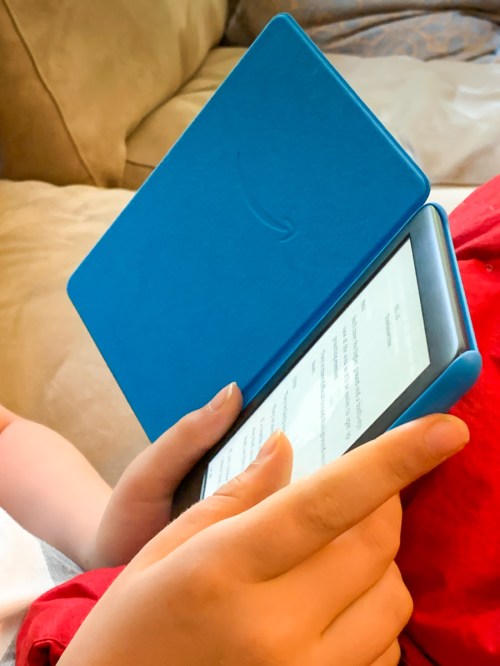
Amazon offers the Kindle Kids Edition. It’s a 10th generation Kindle, bundled with a case and a one year subscription to Amazon’s FreeTime Unlimited app, which houses thousands of kid-friendly books for our son to read. (The Kindle also comes with a 2-year repair warrantee.)

It’s all packaged as a ‘worry-free’ reading solution for the kids.
(Fingers crossed.)
$109.99 on Amazon

Click.

Testing the Limits of FreeTime Unlimited
Our son was absolutely delighted when I walked up to him this past weekend and revealed the box from behind my back. I had already set up the Kindle and tethered it to my existing Amazon Prime account (easy to do).

He opened up the magnetic cover and smiled. His first gleeful words were, “It’s like a little iPad.”

I wanted to reply that it was actually his ‘anti-iPad,’ but I allowed him his tech glow.

Then, he began looking up some of his favorite books. FreeTime Unlimited may offer thousands of titles, but some of his usual suspects weren’t there.

He suddenly got quiet. I could sense an enthusiasm leak. So I said, “I can add in additional e-books from other sources.”

He responded, “Oh…. phew!”
And then his general state of excitement resumed.

My boy found a cherished book from his physical library days. He immediately downloaded it and began reading.

Success? I think so! Except…

The Road to Kindle from OverDrive
Downloading books onto a Kindle from other sources isn’t actually a snap. But it’s not impossible either.

The first place I needed access to was the same e-book collection from our local library that the ‘Libby’ app had been feeding our iPad. (Otherwise, our iPad would still remain as his legacy book-reading platform.)

The good news is Libby is owned by the OverDrive website, which is an alternate access point to your local library’s e-book collection. They are just separate ways to access the same content.

Admittedly, Libby is a one-stop book-borrowing experience for the iPad. OverDrive takes a little more work behind the scenes before new titles can magically appear on your child’s Kindle.

But if you need to do it, here are the steps to borrow an e-book from OverDrive and then transfer it over to your Kindle:

  • Log into your OverDrive account
  • Find your e-book
  • Click “Read now with Kindle”
    (That takes you to an Amazon page listing your e-book. There’s a yellow box on the top right that says, “Get Library Book.” Under that box, there’s a white drop-down box that says, “Deliver to: (your Name’s) Kindle.”)
  • Then, click on the yellow box

Finally, go to your Amazon Parent Dashboard (parents.amazon.com) to load the e-book into your Kindle’s FreeTime Unlimited app.

  • Click on (Name) Settings on the bottom
  • Click on ‘Add Content’
  • Click on ‘Books’
  • Click on the button on the right side of the book’s name
    (The sliding button then turns orange.)

Now, your new e-book will pop up to read in FreeTime Unlimited.
(Finally!)

No, these steps do not exactly replicate a streamlined e-book borrowing experience, but it does work. And I think it’s a big deal to be able to feed our Kindle with other library content when FreeTime Unlimited shows it’s inevitable limitations.

Unlimited Summer Reading
Of course, you can buy any book you want on a Kindle, but in the beginning of this technical relationship, I’m interested in simply replicated the same ‘borrowing’ experience we had in the days when libraries were physically open.

There are so many limitations to this summer due to COVID-19. Thankfully, with the help of our new Kindle, our son’s access to books will not be impacted. He can continue to read to his heart’s content.

As for how much summer screen time he should have… well, that’s now a separate conversation. And separate from the Kindle.

Let all summer reading continue!