At Home with Tech

Unlock the power of all your technology and learn how to master your photography, computers and smartphone.

Category: Technology

How to Decide which Lifetouch School Picture Package is Best for You

Buying School Picture Day photos doesn’t have to feel complicated. Here’s how I determined what to order…

Our son is in fifth grade, and I’ve been faithfully ordering Lifetouch School Picture Day photos for years. Each time, I pledge to only buy what I really need. Invariably, I realize there are compromises to be made that have necessarily increased the price point. This year is no different. But this time, I think I got it right.

At the end of the day, all I really want is a digital file of my boy’s school portrait. I can then print additional photos at home. I don’t need Lifetouch’s more expensive prints. (Although I do understand that’s the foundation of its business model.)

Also, the photo’s background needs to reflect that this is a school photo and display my son’s elementary school grade. Otherwise, it’s really just another generic posed photo which holds little value for me. The photo has to clearly be his school photo. (I’ve got plenty others.)

If you have a similar perspective, here are my suggestions on how to get the best deal when ordering your Lifetouch photos (assuming there’s still a school picture day scheduled in your neck of the woods during this year so affected by COVID-19).

Order the Basic Package
I really don’t want all of the extra prints that are part of the more expensive packages. (A few prints are just fine.)

I’m looking for the one digital file with the correct background. (And my son’s class photo would be nice too.)

The good news is the Basic Package gives you:

  • 1 8×10
  • 2 5×7
  • the class picture (size unknown)
  • and the digital file! (available as a download via Shutterfly)

All that costs $14.99.
(That’s a much better price point than the forty bucks I’ve been spending in previous years.)

BUT…

You only get access to the generic background with the Basic Package.

Then, Add to the Basic Package
There is a workaround, but it’s an analog solution…
(shudder)

You can add on an extra printed photo to your package and then choose the background you really want for that additional print.

The next step is to simply digitize this physical photo when it shows up. (Scan it or take a picture of the picture.)

Then, you’ve finally got what you wanted in the first place. No, your digital copy won’t look as perfect as the original photo file, but if you order an 8×10, your scanned version should be fine for most uses.

And the price for that extra 8×10?

  • $14.99

So add that to the original $14.99 Basic Package for a new new total of $29.98 (plus tax).

Consider the Plus Package
If you don’t want to go through the trouble of MacGyvering your purchase to save money, your next choice is to go with the Plus Package for $44.99. That officially unlocks the option to choose your own background(s), and it also provides a whole lot more prints that you may or may not want. (In this smartphone age, does anyone even use 2×3 wallet photos anymore?)
Here’s what you get:

  • 1 -8×10
  • 4 -5×7
  • 2- 3×5
  • 8 -2×3 Wallets
  • the class picture
  • and the digital images via Shutterfly

Plus, you get the name and grade on all prints and basic retouching.
(I’d already have the grade as part of the background. As for the photo-retouching… I think that’s unnecessary for kids.)

Barrett’s 2020 Lifetouch School Picture Day Purchase
There are a couple of other packages that offer additional combinations of physical prints, but that didn’t move the needle for me.

I kept my focus on Basic vs. Plus. And it boiled down to this:

  • Spend $15 more for the Plus Package to easily choose your photo backgrounds (and get more prints)
  • Or keep it ‘Basic’ and order the extra 8×10 print with the right background. And then scan that print.

I took a look at my past purchases, and I’ve always gone Plus.

But I have a confession to make. I have a cabinet at home filled with photos that have yet to find a final destination (album or frame). In it, there’s a folder containing years of Lifetouch prints I’ve never used. There were just too many. It’s a painful reminder that I never needed all of those photos in the Plus plans.

Sure, spending a little more for the Plus Package provides all of the ordering flexibility you’ll want. But if you don’t use what you buy, that’s not good value.

So, I decided to keep it basic this year:

  • The Basic Plan for $14.99
  • Plus the extra 8×10 print for another $14.99 with the background that says 5th Grade

Click.

Buy What You Need
Future Barrett might laugh at me for going through all of this effort to save $15. But Future Barrett might also nod approvingly at my ability to finally get the equation right for my actual needs.

I think that’s called progress.
How I Listen to SiriusXM at Home

The sounds of your SiriusXM Satellite Radio subscription don’t have to be silenced, because you’re stuck at home. Here’s how I moved my SiriusXM stations from my car to my Sonos speakers…

I’m not driving nearly as much these days, because I’m fortunate to be able to work at home during these challenging times. While I don’t miss all of that traffic on I-95, I must admit that I actually do miss the visceral experience of driving.

  • That sensation of movement
  • Acceleration
  • Controlling the machine

I also miss listening to my SiriusXM Satellite Radio stations while driving
my Toyota RAV4.

I always considered my satellite radio subscription a luxury. But I rationalized its relatively expensive cost through daily use. When my car began hanging out next to my garage as a new norm, my SiriusXM value equation disintegrated.

Bringing SiriusXM Home
But of course, SiriusXM does offer the opportunity to stream its channels in your home. So, I decided it was time to do exactly that. But I didn’t want to spend more money on additional hardware.

The good news is there are a variety of ways to bring your SiriusXM subscription to your existing devices. The most direct approach is to listen on your computer, or through SiriusXM’s smartphone app.

Instead, my preference was to connect via my Wi-Fi speakers. (You may recall that I’ve been enjoying my Sonos devices.)

So here’s how I connected my SiriusXM stations to my Sonos wireless speakers at home.

SiriusXM on Sonos Play:1
First, I brought my SiriusXM world into my iPhone’s Sonos app, which controls my older Play:1 Sonos speakers. (They’re not voice-enabled.)

Here’s how to do that:

  • Open your Sonos app
  • Tap ‘Settings’ on the bottom right
  • Under ‘Music & Content’ tap ‘Add a Service’
  • Search and choose ‘SiriusXM’
  • Log in

You’re done!

SiriusXM on Sonos One Using Alexa
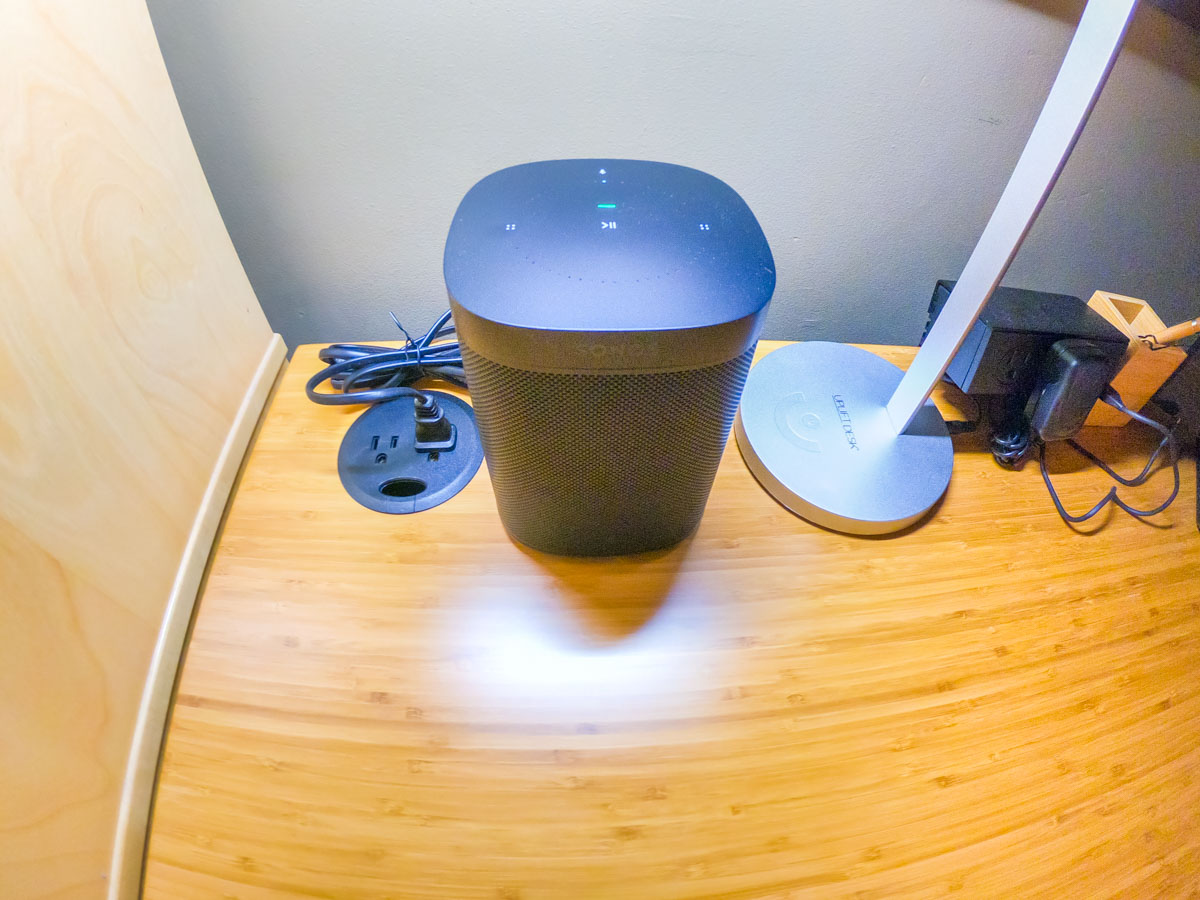
Next, I focused on connecting my Alexa-enabled Sonos One smart speaker.

To empower Alexa to play SiriusXM via voice command, you have to ‘enable the skill’ and link to your SiriusXM account.

Alexa sent me easy instructions via my Alexa iOS app.
(She’s so helpful.)

Keeping Up with the Times
While researching this little audio project, I realized there are actually numerous ways to bring SiriusXM into other devices in your home, including Apple TV, Google Nest speakers and Roku.

The SiriusXM value equation can easily be restored. It’s just about adjusting your mindset that SiriusXM is not only for car use.

That said, do I actually need satellite radio at home? There are already plenty of ways to stream other radio and music sources.

(pause)

Well, I hope that one day in the not too distant future, I’ll be spending at least a little more time in my car. Until then, I feel so much better knowing that I’m not burning money by entirely ignoring my SiriusXM subscription.

Control Restored
As I write this, I’ve got the sounds of SiriusXM gently playing in the background on my Sonos One speaker. Alexa awaits my next voice request for a station change.

I’m at home. And now, so is my SiriusXM subscription.

One more component in my life I’ve got back under control.

I’ll take it.

Why It’s Time to Focus on the Details

What I discovered on my hike with my family led me to realize how to better handle the stress so many of us are feeling these days…

“You can’t see the forest for the trees.” That’s what someone might tell you when you don’t see the big picture. But I think much of today’s global outlook is so daunting that it might make sense to take a little pleasure in the smaller details you could be missing while COVID-19 dominates our collective.

This past weekend, my family and I took a hike through Ward Pound Ridge Reservation in Pound Ridge, New York. There’s nothing like taking a brisk walk on a fall day during foliage season. Unfortunately, we found the forested terrain past its peak colors, and disappointingly, many of the leaves were already on the ground.

But that’s not my headline. That’s because I decided to take another look and focus in on the detail.  I pulled out my Panasonic Lumix LX10 camera and adjusted it to manual focus. And then it was time to get close. Really close.

You know what? There was plenty of color. Everywhere. It was usually hidden amongst the muted browns. But it was there. Color was everywhere in a forest of browning foliage decay. And so I started snapping away.

Winter is coming, and this could be an especially tough one. But that doesn’t have to be the only outlook. I think in stressful times like these, it’s especially important not to lose track of some of the happier details that may matter more than you know.

And discovering warm color in the middle of a cold forest on a gray day is one way to keep a balanced perspective… so you can also continue to see the forest for the trees.