
All I Want is to Have my Peace of Mind and Cloud Storage

It’s time to fly your data to the Cloud. Now boarding at Gate B9… all your precious files selected for Cloud storage!
Okay, Cloud.
Show me your stuff.
I need a bulletproof digital storage solution.
Why?
I’ve got a wonderful two-year-old son.
And he’s proudly running about the house like a Tasmanian devil.
My home tech is afraid.
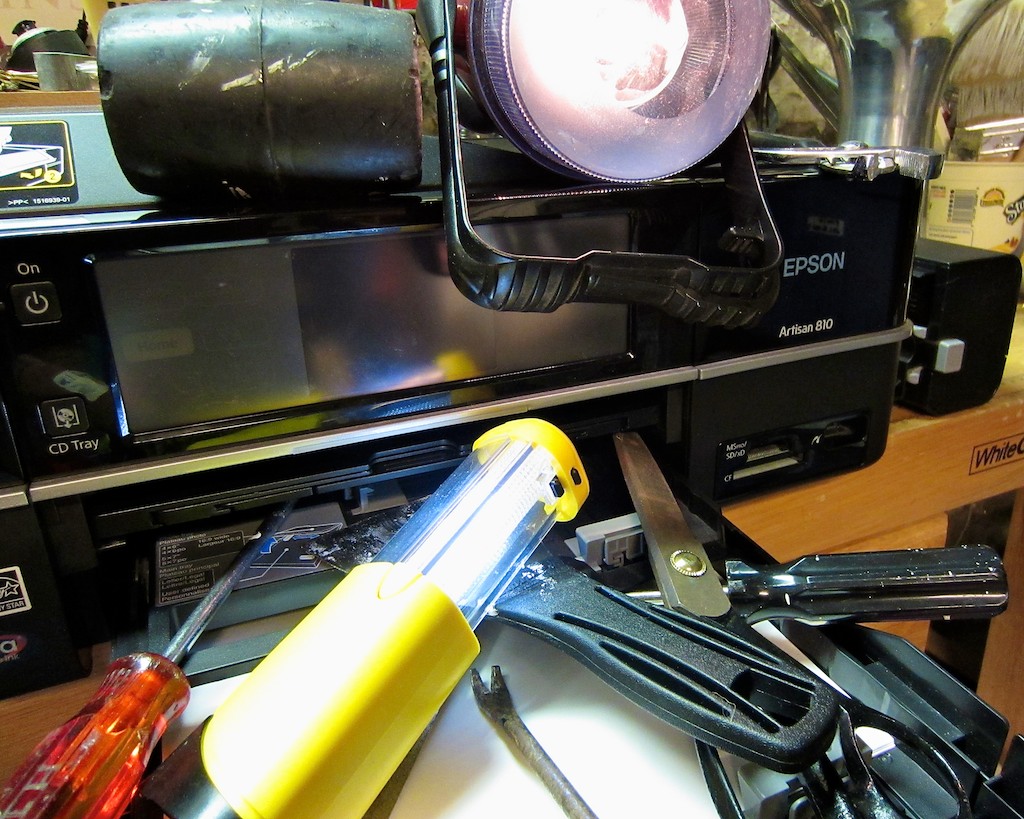
He took down my sturdy Epson printer in 3.7 seconds with a shiny penny.
And he loves to climb.
(Anyone know of a good indoor rock-climbing program for toddlers?)
Nothing is safe.
I worry about my iMac.
Yes, I back it up with Apple’s Time Machine and an external drive,
but really… So what?
Nothing is totally safe…especially in close proximity to a toddler.
These days, everyone is opining about the magic of the Cloud, and how you can safely and cheaply store all your digital files there.
So, problem solved?
This is what I have to say to the Cloud-
Put up or shut up.
Bring it on!
Archive the Family Photos and Videos
I began this project with the singular goal of simply backing up two massive sets of files on my iMac:
- My always-growing home video archive
- And my bulging photo collection, which lives in Apple’s Aperture (the beefier cousin to iPhoto)
I figured in the unlikely scenario of total calamity, I would at least have these precious memories safely backed up to the Cloud.
(Where nothing could ever go wrong.)
Who Gets to Go in the Life Boat?
But when you consider what digital content you absolutely can’t lose, the issue gets cloudier.
My life merged with my home computer sometime around Y2K.
Since then, most everything that’s happened to me has some digital footprint on my computer. Unless you’re a Luddite, you’re probably in the same boat.
Think about it.
Remnants of the past decade of your life live all over your computer’s hard drive.
Talk about baggage.
Pop quiz:
If you woke up one morning, and a voice said you had to leave home forever, and you had one hour to take only what you could carry, would you be ready?
Well, if you’d been dutifully doing your annual spring-cleaning, you might be up to the task.
Well, have you?
I think the same story goes for many personal computers out there
…and their flawed users.
How organized is all the data on your computer?
If you had to immediately select just 10% of your content to save, would you know where to start?
I certainly wouldn’t.
Now is every megabyte of my digital life absolutely critical to save for posterity?
I don’t think so.
Remember, my plan was just to back up my videos, photos and home movies.
All the unused footage I left on the cutting room floor could go, right?
The problem is, I’ve fallen a tad behind in my home editing.
My boy is almost two-and-a-half, and I’m still working on some of his precious video moments from last year.
Now that’s an entirely separate problem, but you can see where I’m going.
Forget the spring-cleaning analogy.
Life is messy.
Your computer follows your life.
Get used to it.
So where does that leave you?
You’re gonna need a bigger boat.
Mind-Numbing Number of Cloud Solutions
There are plenty of companies out there in the cloud storage business.
You even can even pick up some free storage from some of them, but you’ll hit a cap quickly.
Free Cloud Storage:
- Dropbox – 2 GB(up to 16 GB via referrals)
- Google Drive – 5 GB
- Amazon Cloud Drive – 5 GB
- Apple’s iCloud – 5 GB (or 25GB for legacy MobileMe users till September 30, 2013)
- Microsoft SkyDrive – 7 GB
The best free deal out there I’ve found is 50 gigs from MediaFire.
The only catch is the per file limit is 200 megs, which severely limits video archiving.
But none of these free choices will handle the storage needs of a long-term media file archiving plan.
Fifty Bucks Can Save Your Digital World
At the $50/year price point though, things start to get interesting-
$50 – $100 Plans:
- SugarSync – 30 GB for $49.99/year
- Microsoft SkyDrive – 100 GB for $50/year
- Mozy – 50 GB for $71.88/year
- SafeSync – 50 GB for $89.95/year
- iCloud – 55GB for $100/year
For the uber-organized individual, this could be enough storage to do the job.
Affordable Unlimited Storage Plans?!
There are also a few companies out there offering unlimited Cloud storage at similar price points.
What?! Unlimited? That sounds crazy!
Yes, it seems counter intuitive, but the all-you-can-eat plans are far more economical.
These loss leader deals are baked into full service back-up strategies as opposed to a simple Cloud rental. They work much like Time Machine.
Set it and forget it, and they’re automatically updating your files in the background to Cloud servers.
Here are some popular ones I uncovered for both Macs and PCs:
Unlimited Storage Plans:
- CrashPlan+ Unlimited – $49.99/year (or $139.99/4 years if you’re ready for a long term commitment)
- BackBlaze – $50/year
- Carbonite – $59/year
- LiveDrive – $79.95/year
- YouSendIt – $149/year
I’m not sure how these companies pull a profit with this pricing, but they must know what they’re doing.
Unlimited Storage is Hard to Beat
So for me, it really came down to two choices:
- Rent 50 GB or 100 GB for long term archiving for something under $100/year
- Or buy an unlimited back up Cloud plan for the same amount or less
You do the math.
But as wonderful as these unlimited plans appeared, I didn’t really want the complication of downloading some third-party software and then have it running in the background, syncing files 24/7 on my computer for the next…
Well, forever.
Forced to Choose
But, I realized if I chose a limited Cloud storage plan,
I’d find myself with sort of a digital Sophie’s Choice.
With that scenario, I’d be forced to take the time to select which precious files get rescued.
And that process would require me to undertake the dreaded decade’s worth of digital spring-cleaning. And how much time does that take?
I don’t know.
Because I pressed the button that says,
“Don’t worry about it. You’ve got unlimited back up.”
Yep, it’s all going up to the Cloud.
CrashPlan+ Unlimited or Bust
So I made my move and pulled the trigger with a company called Code 42 Software.
I chose their CrashPlan+ Unlimited one-year plan with downloadable software and a convenient desktop interface.
In addition to receiving universally good reviews, CrashPlan’s value proposition was really compelling.
Plus, a recent CNET post pointed me to a particularly good CrashPlan promotion.
When you read it, you’ll notice you may not meet the one requirement to get the deal, but CNET recommends you still go for it.
So do I.
(The key word I’m not mentioning here rhymes with tree.
We’ll speak no more of this.)
The Cloud’s Achilles’ Heel
CrashPlan’s software download and set-up were super simple.
(My concerns were unfounded.)
I was ready to begin backing up in ten minutes.
But as I sat staring at CrashPlan’s control panel to confirm the selection of my files to encrypt and send to the Cloud, I remembered one problem inherent with using the Cloud:
It’s the limitation of your own network’s upload/download speeds.
You’re never going to come close to the speed of transferring your files to a physical drive via a FireWire or USB cable.
And then I viewed CrashPlan’s time prediction to complete the job.
It said, “Time to backup – 39 days.”
(I’m not kidding.)
I have close to a terabyte of data, because of all the video I’ve collected over the years.
And this assumes my computer is awake 24/7.
I opened my movies folder and realized I had 519 gigs of video waiting to blast off.
And that month-long estimate is at a 2.1Mbps upload speed.
(Individual mileage may vary.)
Good Things Come to Those Who Wait
So my brilliant plan had one big hiccup.
My data isn’t getting to the Cloud until sometime next month.
I hope Mr. Disaster isn’t waiting around the corner.
For those who don’t have the patience, there’s a shortcut.
CrashPlan offers a service called “Seeding.”
For $125, they’ll send you a one-terabyte hard drive in the mail. You put your massive files on it and mail it back. Then, they’ll load it up to your Cloud account within five to ten days.
Snail mail beating the speed of the Internet?
How wonderfully analog.
I considered the seeding solution but decided I should probably attack the real problem and finally face some digital spring-cleaning.
So I committed a precious hour of my free time.
(Parenthood and work consume much of the rest.)
I organized a portion of my video and photo files and brought my digital mountain down to 572 GB and only 25 days of uploading.
Not a bad return on a one-hour investment.
(Maybe there is something to this quaint custom called ‘organization.’)
Unlimited Peace of Mind?
I wanted peace of mind, and I got a ‘set it and forget it’ solution.
That fits the bill, right?
But you can never just set it and forget it.
You can’t just pack up your digital mess and ship it to the Cloud every year.
No matter how much the cost of digital storage continues to drop, any attic is only so big.
I think I’ll try to extend my “Digi-Org” to keep my Cloud files in check.
So today, I got a really good deal. But that’s only for the next 365 days.
What’s my future cost to maintain a personal terabyte in the Cloud?
How about ten terabytes?
Sure the sky’s the limit, but it’s going to cost you!
I originally imagined I would simply rent some Cloud space for years to come and create my little digital archive, kind of like a safety deposit box.
It would seem that’s still an idea slightly ahead of its time.
Plus, you’ve got to wonder which companies are going to be around in the upcoming decades. (no disrespect intended)
But the expectation that you’ll never have to move your archive to a different provider is probably unrealistic.
28 Days Later
So how do I like CrashPlan?
I’ll let you know next month.
(As I write this, I’m only 29.6 GB into the upload. 542.3 GB to go…)
For now, I’ve got Time Machine and my external G-Tech backup drive watching my digital back.
As if my own fears surrounding the safety of my home media files aren’t enough, don’t forget the world apocalypse is just around the corner.
(The Mayan Calendar Ends on December 21st.)
Well, look on the bright side.
The planet may be gone, but all my critical data will be living safely in the Cloud.

 At Home with Tech