At Home with Tech

Unlock the power of all your technology and learn how to master your photography, computers and smartphone.

I Am a Road Warrior

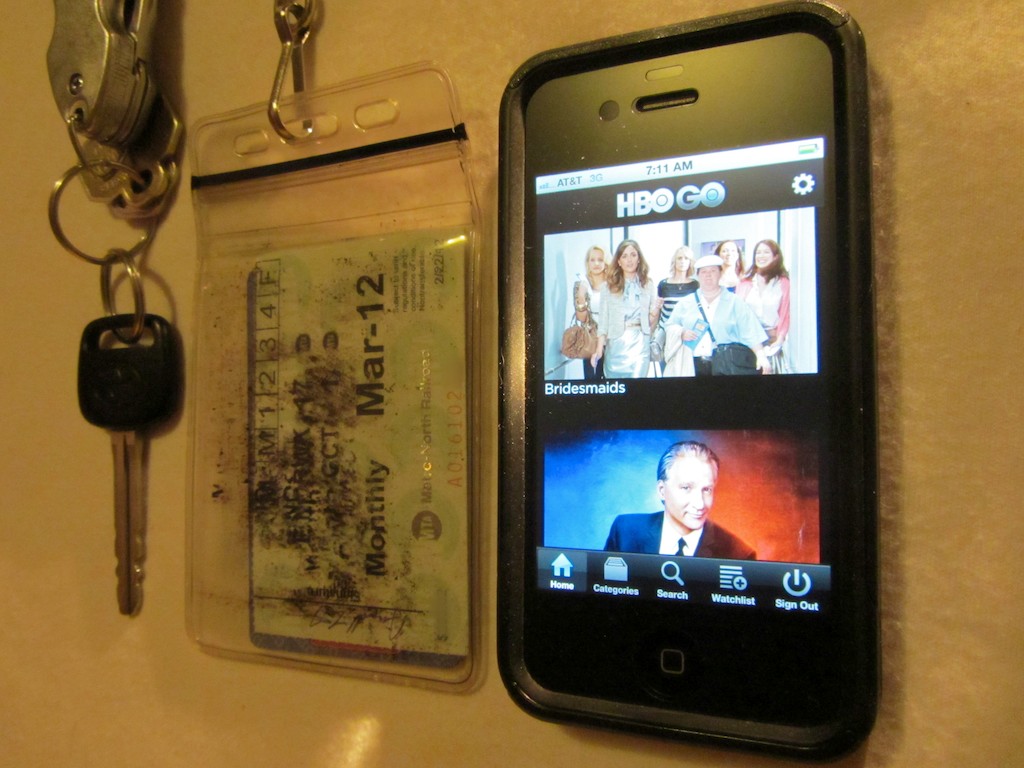
My essential gear stands ready for the morning commute. All systems are go!

I can see the technology police in my rear view mirror.
They’re never far behind.

Take heed of this story, which reminds me of man’s failed journey
back to the moon.
Dramatic advances in technology have not made returning there any easier.
Let me explain…

Before Thunderdome
I am a road warrior.
Or to be more precise, a Metro-North train commuter.

Let’s just say once upon a time I was cast out of paradise. And I now have a daily eighty minute work-commute to New York City.

Not that I’m complaining. When I board the packed train every morning, I walk past commuters with even longer commutes. But I can’t avoid the reality that my nights are now shorter because of my daily trek.

As a result, my 42” Plasma TV is mostly dark on weeknights.
My pride and joy from three years ago no longer serves up the majority of my media consumption.

What’s a healthy, red-blooded American TV viewer to do?

The silver lining to a long commute is converting the two hours of uninterrupted train void into something useful. Some people read. Others sleep.  I like to catch up on the TV I’m no longer watching at home.

How does that work, exactly, as I nimbly sit between two other commuters, (in the dreaded center seat) traveling seventy miles an hour on track three?

Maybe there’s an app for that. But I’m getting ahead of myself.

In the ‘Preapplenary’ Dinosaur Era, without the conveniences of smartphone tech, I had it all figured it all out. Back then, I was moving my TV recordings like magic for mobile consumption onto my little DVD player.

My favorite TV shows were captured by my Panasonic DVR/DVD recorder. The shows were recorded first to its hard drive, and then transferred via a built-in, high-speed process to re-recordable DVDs (how environmentally friendly of me). Within fifteen minutes or so, I could prep six hours of mobile TV to take with me for the week on the train. No computer required.

I took my nimble Panasonic 7” DVD player that fit comfortably in my soft briefcase, and when I set myself up in my train seat complete with Bose noise cancelling headsets, people looked at me like I had invented cold fusion.

I was a mobile tech god, and feeling very much invincible.

Wrath of the Titans
Technology is supposed to make your life easier. And here I was, happily keeping up with all my favorite shows. What could be better?

Technology is always evolving.
And sometimes that can be a problem, when everything is already perfect.
Especially when there’s business profit on the line.

One rainy day a couple years ago, it was clear I had angered the technology gods, and a whole bunch of their lawyers.

First, Panasonic and other manufacturers of TV recorders with hard drives suddenly stopped making them.
“No more demand for the product,” they said.
I say, “All that free media copying. Very bad. You should be buying it. “

DVD recorders (sans DVR) were allowed to keep living, but I found their usefulness limited. You’re forced to constantly pay attention to how much space is left on a DVD and then swap it out every six hours. Or else your last-episode-of-the-season recording doesn’t happen. It’s back to the nightmare days of programming your old VCR. What a pain!

The killer blow came via my friendly cable company.
Cablevision, like all patriotic American companies, has a right to protect its product from being stolen. So they, like other cable companies, had been scrambling many of their channels to prevent people from illegally sampling all the programming goodness without renting a cable box. I have no problem with that.

The spigot began closing, and one day, my Panasonic DVR/DVD recorder just saw blue. Blue on every channel. Nothing but blue.

Yeah, I was blue. And a whole lot of other colors.
It wasn’t like I was trying to steal anything. I was paying Cablevision a pretty penny every month. But I was breaking the law.

You may ask, “Why not just have my recorder drink from the free digital broadcast stream in the sky?”
I’ve got bad reception at home. D’oh!

Wait a minute! I also had a built in DVR in my cable box! Couldn’t I still legally transfer my shows to my blue brick? Sure. But there’s a catch-
It’s real time transfer. No more high speed. That old technology is now illegal.

That slowed down the DVD transfer from fifteen minutes to six hours!
What commuter has time for that?

So after my glorious and free media age of agility, all my recorded media became imprisoned safely and legally back at home in my cable box.

What’s a road warrior to do?

I hate admitting this, but my solution was to simply lick my wounds and go cold turkey on my TV shows. Instead, I decided to focus on all the movies I was missing at the local multiplex. (As a new parent, I hear this is typical.)
As I was already a Netflix subscriber, I loaded up my movie cue and began packing the red envelope as a part of my standard travel kit.

Digital Xanadu
Now don’t get me wrong. Technology hasn’t abandoned the mobile viewer. Not one bit. There are plenty of options available today to facilitate mobile media viewing.

The problem is each solution has an added cost associated with it.
And I’d prefer not to pay for my TV shows a second time just to watch them outside the immediate vicinity of my home entertainment center.
I feel once is plenty, thank you very much.

All this said, here are some of your choices:

iTunes
This is what you’re supposed to do. It’s easy. It works. It’s fast. Perfect.
Of course, you’re paying $1.99 or $2.99 (HD) a pop for an episode of your favorite TV series. (Apple used to rent out episodes, but
they killed that option last summer.)
Yes, I’ve bought TV episodes via iTunes and quickly transferred the content to my iPhone, but I don’t fancy the idea of owning lots of memory-heavy episodes I only intend to watch once.

DVD Box Sets
You can always buy DVD box sets of your favorite TV series. But waiting months later to watch the most recent season brings new meaning to the concept of patience. Plus water cooler chat will ruin most of the good stuff before you get to it.

TiVo
I really want to buy a TiVo box.
(The prices have really come down, starting at $150, plus the $15 monthly service plan.) But I don’t own one precisely because all of its content can’t be easily transferred for portable viewing. Once upon a time, TiVo made their boxes with a DVD recorder built in. No more. Remember, that’s illegal.

Now, they’ve got something ‘better.’
It’s the one-two-three TivoToGo service, which allows you to transfer your TV recordings from a network-connected TiVo to your computer via TiVo Desktop Software. Then you compress the files for your smartphone via a program called Toast. Finally, you upload the file to your portable device.

“Yoi, Ishta Nem!”
(My mother would utter this phrase learned from her Hungarian relatives for times of complete frustration.)

So TiVo has taken my two-minute solution and created a several hour process. Ludicrous!

EyeTV HD
This is a little $200 DVR that bridges your cable box to your Mac, where you can watch and convert programming to iTunes. This seems relatively straight forward, but I’m still not too psyched to be using my computer as a prep station to route my TV shows to my iPhone. That’s still more work than I want to put in.
Pass.

YouTube
Yes, I know it’s built into my iPhone, and yes I’ve successfully watched its short form programming while on the train. But I never considered the 3G stream would hold up for 30 or 60 minutes. That said…

HBO GO
I tried a new service this week that a reader let me know had finally come to Cablevision subscribers- HBO GO.
All that HBO programming I never have time to watch. On demand. On my iPhone. Would full episodes really work over 3G? On a moving train, passing through black holes of cell phone coverage.

It did!

Now, it wasn’t perfect, and the picture did stall occasionally, requiring me to reload. But I am still very impressed.

Wow. This feels like a game changer. And it doesn’t cost any more!
(You have to already be an HBO subscriber.)

Slingbox
Now that I’ve realized 3G streaming while commuting actually works (mostly), I have a renewed interest in a box that’s been around for a few years called Slingbox.
This $180 device connects to your cable box or DVD recorder and then to your home network, creating a video stream to the web. Like a virtual universal remote, it can control your recorded programming (or live TV) for display on your mobile device via a download called SlingPlayer Mobile. ($30) There’s also a HD version of the box, but I’m not sure I’d want/need HD with 3G.

It seems almost too good to be true. And the product isn’t something I hear about a lot. Nor are retailers like Best Buy pushing it. So this device clearly hasn’t gone mainstream yet. (no pun intended)
But it’s gotten decent reviews. Maybe… just maybe, this could be my magic bullet.
I may just have to try this out one day soon.
Stay tuned…

The Dream Stream Won’t be Forever Free
It’s still sinking in. So now I don’t have to take my shows with me? They’re always out there waiting for me?  There’s even a Hulu Plus app?!
(yes, subscription required)

I know my newly realized mobile media dream solution has one fatal flaw. And I’ll soon be on the wrong side of the law again. I’ll be sucking too much bandwidth out of my all-you-can-eat data plan from AT&T Wireless. Their newer data plans already have caps, after which hefty charges are assigned to your monthly bill (ticket).

I know it’s just a matter of time before it suddenly becomes a technology crime to stream like this for free. My iPhone’s portal is gonna get locked down, and they’re throwin’ away the key. No doubt about it.

Until then, I’ve decided to make the most of it. I should commute like there’s no tomorrow! Maybe even sport a new iPad with Retina Display and 4G LTE.

Riding the speeding train with my full cup.
Drunk with the satisfaction that for now, technology has once again made my life just a little bit better.

Drink. Drink, like there’s no tomorrow!

Your Shoebox VS. The Cloud

Old Shoebox Tech saved this 114-year-old photo of my great-grandfather.

I work with a few colleagues who are fond of conspiracy theories. It seems like a fun hobby for them. (To each his own.) They enjoy pointing out unsubstantiated facts that suggest a bumpy ride ahead. And they’re loving the whole 2012 thing.

While I’m not planning to move to a desert island any time soon, it does remind me about my own little worse case scenarios.

Here is one that occasionally keeps me up at night, especially after my toddler bangs on my computer keyboard a bit, while I’m trying to use it!

What if you woke up the next day to realize you’ve lost your complete digital family photo collection?
Not one picture from the 21st century.

The Shoebox
This nightmare didn’t existed in the old analog days.

Worse case scenario- the shoebox.

My parents had some family pictures from the ‘40s and ‘50s in a shoebox stuffed in the back of the closet.  Sure, the box got lost for years. But it wasn’t going anywhere. This practice borders on archival neglect, but it worked just fine.  Yes, these precious photos are a little faded and could be in better shape, but they’ve weathered the decades intact.  Most importantly, they still exist.

I was a little more organized than the shoebox strategy in my non-digital years. I developed my film, ordered the prints, and put my favorite photos in albums, which sit proudly on a shelf.

Then Y2K hit, and digital photography came to the masses. The computer meltdown we feared never appeared on 1/1/01, but I believe the legacy of that expected digital doomsday is alive and well today.

Back It Up
I think I snapped my last photo on film sometime in 2001.  Without negatives, I knew to back up the photo files and I did so with decent regularity.  (Remember Zip disks and how awesome it was that they could store a whopping 250 megs?!)

Then came CD storage, external hard drive back up, and consumer friendly tools like Time Machine.

Photo Shangri-La
For the next decade, technology offered amazing ways to share your pics. From email and online sharing to your smartphone and digital photo frame, the options were many. Today, your photos have no boundaries. What could be better than that?

So remember, all of your photos sit on your computer and are hopefully safely backed up. Maybe you’re using Apple’s Photo Stream for your most recent 1000 pictures.
And your favorites are also floating around digitally based on how you’ve decided to share them.

Where are most of your pictures not living?

On photo paper.

“Hold on,” you say in protest. You can print a photo any time you want.

Photo printing is available online or at the CVS down the street. You can get your photos in a day or an hour. The archaic practice of bringing in a roll of film for 3-5 day rush-developing is long gone.

But wait, there’s more…

The Double-Edged Sword of the Home Photo Printer
Doesn’t everyone have a printer now that can print a decent photo? Yes, I know ink cartridges are insanely expensive and clog up if you don’t use them every third day, but if you want, you can create a great hard copy of any of the thousands of pictures you’ve taken since the turn of the century…
… in 78 seconds.

Bam!  Isn’t technology wonderful?!

OK… here comes the big question:
How many hard copies of your digital photos do you actually possess?

Could you fit them all in a shoebox?

That’s the problem!
There are no more hard copies.
And here’s the ultimate irony- There is an inverse relationship between how easy it is to create a digital photo print and the number of times you’ve actually made one.

I’m sure there’s a bunch of you out there who would say,
“Good riddance. Who needs useless hard copies?”
They’re redundant and expensive. The digital versions are free and always accessible. You can back them up to the Cloud… to Flickr… they exist everywhere. They are infinitely backed up. Your priceless photos couldn’t be safer.

I hear a knock-knock at the door.
My conspiracy friends have come by for dinner.

Your Photo Library’s’ Last Meal?
Let’s review the menu…

The Obligatory Appetizer – You Eat Too Much.
People take too many pictures.
Once you buy the memory card, you’re set for infinity. Then it’s all free.
Some of these shots are great. Many are good. Plenty are just okay.
Chances are you’re holding onto all of them. Who’s got time to delete the marginal shots?

The Scary Main Course – Got any TUMS?
Your best photos are getting lost in the quagmire of your photo glut.
Unless you can devote some serious time on a regular basis to organizing your photos, many of the ones that really matter will eventually be lost, like that email that disappears behind your next 500 messages. Time is your enemy.

Yes, there’s the instant gratification of posting pictures on your Facebook page or Flickr account.
Yes, they’ll always be there, (maybe).
But no, the problem isn’t solved.
Over time, your virtual photo archive will just gell into a costly, unviewable mess. And with all your thousands of pics, the Cloud doesn’t stay free for long.

Plus, nobody wants to be subjected to all these pictures, and without some organization, neither will you.

The Healthy Dessert – Your Meal is Saved!
I say, “Sign Up Here to Get Organized!”
Print an annual photo book of your life.

Let’s face it. Every photo is not worth existing in corporeal form. But I think it’s critical to print out your favorite photos every year. Sure, you can do it the old-fashioned way by placing hard copies into an album, but I shudder at the time suck. (Anyone out there still doing scrapbooks?)

The simple solution is a photo book constructed via the Web.
It’s the perfect marriage of new tech and old-fashioned wisdom.

There are lots of services that let you build a photo book right from your computer. These gorgeous, coffee table-ready books aren’t cheap, and that’s actually a good thing. It forces you to be selective as to which photos to include. Remember, nobody wants to be overwhelmed with too many pictures.   And don’t be lured into creating lots of full-page images.
You quickly burn through pages that way.

Here are a couple options:

Apple’s Photo Books
It’s super convenient, because it’s integrated into Apple’s iPhoto and Aperture, and you’ve got immediate access to all your pictures without having to upload them.
The cost starts at $29.99 for a 20 page 8.5” x 11” hardcover book and 99 cents for each additional page up to 100.
This is the service I use. And for full disclosure, I’ve pushed up to that 100-page limit for my annual books. (Like you, I take a lot of photos in a year!)

Shutterfly
The 8” x 11” hard cover photo book starts at $34.99. Each additional page is $1 with a 101-page limit.

So there you have it!  Go activate your own micro publishing empire!
Each year, spend a little time and create one of these books.
It’s really a no brainer.

The Unexpected Aperitif – The Goodness Continues
But wait. There’s more! Through this process, you’ve also digitally collected your best-of-the-best pictures for the year. Take those files, burn a few disks, upload them to the Cloud, and maybe even throw them on a thumb drive for safe keeping.

And where are you going to put that thumb drive?
Here’s a thought…  Got a shoebox?

The IT Guy is in the Doghouse


Let’s take a little test.  Does any of this sound familiar?

“Honey, our home network is down… again.  Why can’t you fix it so it doesn’t keep happening?”

The phone rings. Your parent is on the other line.
“My printer isn’t working. Can you press a few buttons and make it work again?”

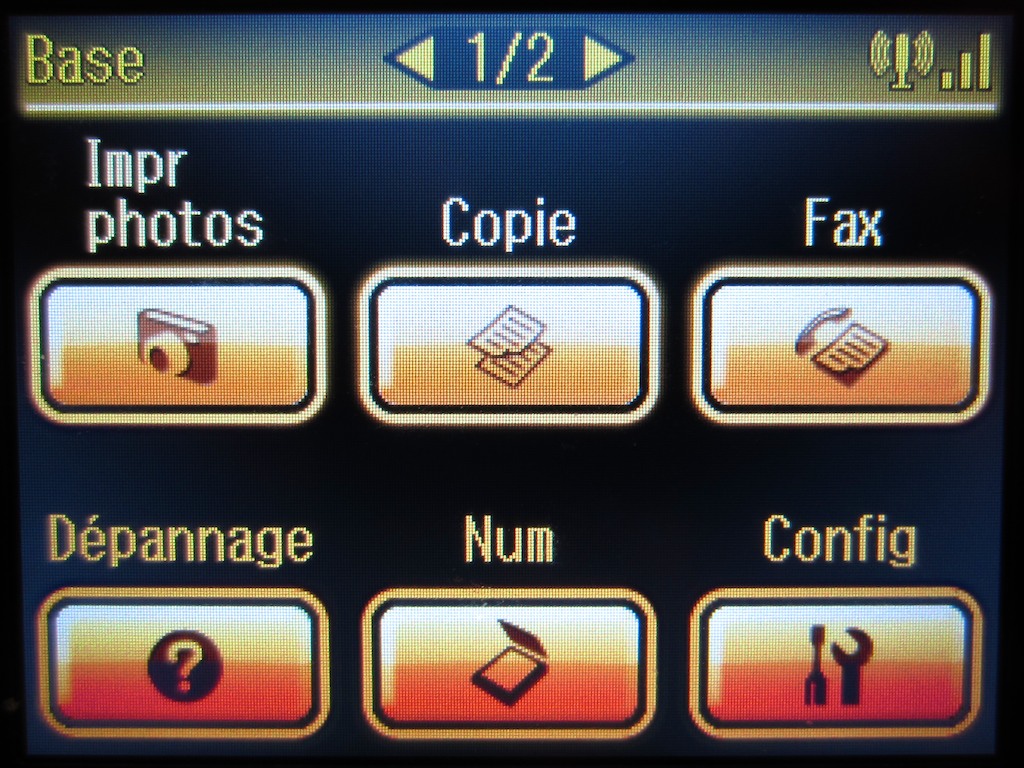
Speaking of computer printers, I turned on my Epson the other day, and found the front LED menu items now glowing in French.  I turned around and my two year old was gleaming at his crowning accomplishment of the day. He had discovered a menu subdirectory I didn’t even know existed!  C’est impossible!

If any of this rings a bell, don’t deny what you know to be true. Embrace it.
You are tech support for your family.

The likely reality is you’re no tech expert. You probably know just a little more than everyone else related to you.
That may not be saying much, but you’re it. You’re what stands between the blissed-out 21st century family and tech anarchy. The thankless job is yours. Own it.

Here are a few tips I’ve found helpful to keeping tech peace on the home front.

Use Remote Access via iChat
My father just turned 79, and he works hard to keep up with technology just like the rest of his generation. The good news is he’s always been into gadgets and early tech. So he was ready for digital living.  In the 80’s, he had the first TV watch from Casio. How cool is that? (It didn’t really work, but I guess that was never the point.)

He was an early Apple adopter before Apple ruled the world. He loves his cell phone. And he does a pretty good job driving his iMac today.
When he does get himself into a little computer pickle, I’ve found that doing screen sharing via iChat is an amazing tool for me to diagnose problems and make the fixes remotely from the comfort of my own desk. No house call required.

I know the videophone thing has been around since the ‘60’s, but now with iChat or Skype, the fact that I can check in and see my Dad whenever I want on my computer screen still seems nothing short of magic.

Your Tech is Only as Strong as its Weakest Link
When my father got his iMac, I suggested he pass on the Bluetooth keyboard and mouse. I love these wireless tools for my own computer, but it’s easy to forget they occasionally need to be re-linked to the computer without reason. Lose the weak link. It’s a worried phone call to you late at night waiting to happen.

Don’t Try to Win the Battle with Older Tech
This is when you really question whether you should be in the family tech support game. You know you have to figure the darn thing out. And it’s driving you crazy. Just because it’s a few years old and no longer playing nicely with your newer tech is no reason to retire it early.

Yes it is.

I know. That’s admitting some level of failure on your part. But the ‘fam’ doesn’t really care about threats to your geek god self-image. They just want the tech in their lives to work. And remember, that’s your problem.

So for the past six years, I’ve been very satisfied with my old Airport Extreme Base Station, which creates the happy glow of my home’s wireless network. The only problem was ever week or two the network went down. Inexplicably. But I realized the simply fix was a quick reboot of the base station. And I just did that by unplugging the Apple unit and then plugging it back in again. A 10-second operation, tops. I theorized the problem evolved from some growing incompatibility with my cable modem. No biggie. I thought.

Long ago, I subscribed to the fortune cookie philosophy of
‘Home tech is imperfect.  Just enjoy that it works.’

Occasionally, my wife would mention the issue in a casual way. I thought more as a point of curiosity. Perhaps an intellectual exercise.
So I didn’t think much of it.
I know I couldn’t cure the glitch, but I could quickly treat it.
Problem solved. Or so I thought.

The fact that the glitch continued… and with growing frequency by some accounts… revealed the truth.  Casual comments evolved and morphed into frustrated reminders.

One night, it was made very clear to me.
The IT guy was now in the doghouse.

So I did some research and confirmed that back in 2009, Apple had upgraded their wireless base stations from the older 802.11g network standard to the newer and faster 802.11n dual band technology

Better range. Less interference. It’s the new thing. In fact, now, it’s already the standard. The cure was there, waiting for me.

Get with it!

So I did. Bought it online, installed it in no time, and voila… no more network problems.  Our home network is humming again.

Why?  I really don’t know.

It just works again.

The official word from ‘BL Tech Support’ is “Product has reached end-of-life status. Replacement ordered and installed. Please fill out the satisfaction survey.”

I confess it’s a pricey choice to simply buy new technology to solve your tech ills, but I rationalized it by saying I had already gotten my money’s worth on my wicked old base station.

More importantly, my wife is happy. She thinks I’m a tech god again.
Harmony has been restored.

Anybody want to buy a perfectly good old Airport Extreme Base Station?