At Home with Tech

Unlock the power of all your technology and learn how to master your photography, computers and smartphone.

Tag: apple

The Heart Beats Faster Waiting for the Next Apple Special Event

If you’re like me, I’m eager for September 10th to arrive to see what sweet tech has been growing in Apple’s garden.  This annual fall spectacle is a spectator sport as much as an opportunity to upgrade your gadgets.

If you’re like me, I’m eager for September 10th to arrive to see what sweet tech has been growing in Apple’s garden. This annual fall spectacle is a spectator sport as much as an opportunity to upgrade your gadgets.

For me, September 10th is like Opening Day at Fenway Park.
(The effect of my many years in Beantown occasionally betrays my strong New York identity.)

Just the anticipation makes you feel like a kid again.

What fabulous new tech does Apple have up its sleeve?
iPhone 5S?  5C??
Everyone’s got an opinion…

But my comparison of Apple’s upcoming ‘special event’ to baseball is also apt, because Apple certainly feels like my home team.
And this once-unstoppable franchise needs another hot streak.

Remember the day when absolutely everyone wanted an iPhone?
And if you didn’t have AT&T service, you couldn’t even get one?

Now the competition has taken such a huge bite out of the smartphone market share, Apple is no longer the omniscient tech god it once was…

It kind of feels like the seventh inning stretch, and we’re down 2-1.
I’m ready for some action!

You can hear it from the bleachers…
“Let’s go Apple… Apple let’s go!”
(Stomp. Stomp. Stomp!)

The Apple Still Shines
But that doesn’t mean I’m totally bored with Apple’s current line up.

When the iPhone 5 debuted, I was still stuck in my two-year phone plan, unable to qualify for the upgrade to my 4S.

All I could do was drool and write my Ode to the iPhone 5.

The reality is it’s statistically impossible to always own the latest and greatest tech.  (unless money is no object)
Zippier upgrades hit the shelves every year.
(Sometimes sooner!)

When to Pull the Tech Trigger
Deciding exactly when to jump into the pool of new tech can be a little daunting.

I think the sweet spot is a year or so after a new product launches.
(There are always kinks to work out…)

So that means you’ve got to wait for version #2, which will always be better, though not quite as cool.

(Was anyone out there really that functionally satisfied with the sluggish and tiny-brained first iPhone?)

But you don’t want to wait too long to jump on the bandwagon, because, you know, you’ve got to live your digital life.

And if you tend to time your purchase cycles like me, you’re going to be coveting thy neighbor’s tech more often than not.

All Good Things Come to Those Who Wait
But there is a silver lining…

You may not rush to buy everything that’s revealed on September 10th.
But you will indeed own it all…eventually…one day.
And by the time you get it, it will be even better!

I call that a win/win scenario.

So bring it on, Apple!
I’ve got my popcorn, and I’m ready for the game to begin… again.

Cozy Up with the Nest Learning Thermostat

Ahhh… Family vacation paradise.  Your worries melt away.  Hey, wait a minute.  How’s your house handling the summer without you?  Can your 1950s-era thermostat handle the heat?

Ahhh… Family vacation paradise. Your worries melt away. Hey, wait a minute. How’s your house handling the summer without you? Can your 1950s-era thermostat handle the heat?

I’ve been on vacation, getting away from it all…

  • A little time to recharge
  • Fun in the surf with the family
  • And a lingering worry about how my empty house was handling the wrath of Mother Nature

D’oh!

Over the better part of a week, my house endured the final days of a blistering heat wave with August humidity levels, and then torrential rains, and finally a blustery 20-degree drop in temperature.

Can someone check to see if the planet is still sitting correctly on its axis?

In the old days, I would head out for a July vacation and stage my house to go ‘au naturel’…
I’d simply turn off the AC and crack open all the windows to normalize the inside temperature to match up with the reasonable 80s of a summer day.
Then, the house would cool down at night and start the cycle again from the low 70s.

But recently, that scenario would have easily produced a Venus-like environment complete with soggy hardwood floors.
(Not that there are any known hardwood floors off-world!)

So this time, I shut the windows, set my old-school, manual thermostat to 85 degrees and hoped my air conditioning unit would get a few breaks in the 95+ degree weather to prevent it from blowing up and burning down the block.
(slight paranoid fantasy…)

As you might expect, when we got home, the house was still standing.
And it wasn’t even that hot inside, because of the anomalous cool-down to 70 degrees that afternoon.

Technology Can Save your Vacation Zen
But when you’re on vacation, you’re not supposed to let unnecessary worry rattle your brain, right?

Can’t today’s technology eliminate this type of concern and let you focus on more important questions like whether your three year old is wearing enough sunscreen?

If only you could be in two places at once…
…or at least have some level of Wi-Fi remote access into your house…

Well, you can.
Your intelligent house is closer than you think…

Baby Cam for your Inner Baby
My home tech already gives a limited view into my house from afar, courtesy of my Foscam IP Baby Cam I’ve still got set up in my son’s room.

Please don’t tell anyone, but while on an important hermit crab hunt at the beach with my son, I simultaneously peered into his empty room via my iPhone Foscam app and derived some satisfaction to see that all his toys were happily hanging out and had not yet melted.

I could also rotate the camera about to survey just outside the room.
(“Yup, looks like the bathroom is still there.”)

That said, this limited, real-time view offered a morsel of satisfaction supporting the probability my house was not in crisis.

But I still didn’t know the temperature inside.
Next time I could place a thermometer in front of the Foscam, but that still won’t give me the power to do anything about the data.

Time to Say Goodbye to the 1950s
The problem is my house still has its
Honeywell non-programmable thermostat using technology from the 1950s.
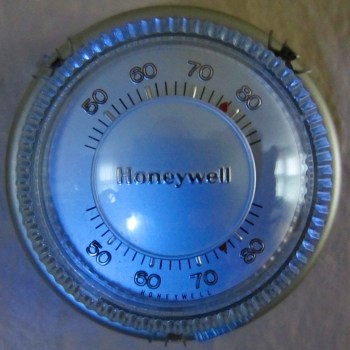
Old Honeywell Thermostat
It works, but so does my chimney.

Certainly a programmable thermostat would be a step in the right direction.
They’re a dime a dozen today. I’ve used them before, and they certainly increase your degree of control.
But it feels like yesterday’s solution.

Plus, you’ve got to worry what happens if you’re not around when the battery dies.
You don’t want your house becoming Ice Station Zebra.

In this age of ‘smart homes,’ I want some remote control over my house’s bio-signs.

(Hold on…. my iPhone is ringing…)

“HAL?”

“Hello, Barrett.”

“Why are you calling? How’s the house?”

“Happy as can be.”

“Are the pod bay doors closed?”

“Yes.”

“What’s the temperature?”

“Temperature is steady at 78 degrees.
Stop worrying…”

“That’s too hot. Make it 77 degrees.”

“If you insist.
Now, go back to your vacation.”

“Thanks, HAL.”

…Yeah, something like that.

The Nest Learning Thermostat
The good news is you don’t need a HAL 9000 computer to remotely monitor and adjust your home’s temperature…

Ever hear of Nest?

It’s a popular learning thermostat created in 2011 by
two former Apple engineers.
It connects to your Wi-Fi network and you can control it remotely with an app on your smartphone.

The second generation Nest came out last October and sports a thinner profile and even greater compatibility with home heating and cooling systems.

It possesses the smarts to observe your energy habits and begin mimicking them.
After about a week of watching you raise and lower the temperature, it essentially programs itself!

It can even sense when you’re not at home and automatically switch to an ‘Auto Away’ mode.

It pulls power from its low voltage wiring to recharge the onboard battery… so you don’t have to worry about it running out of juice.

Plus it looks really slick!
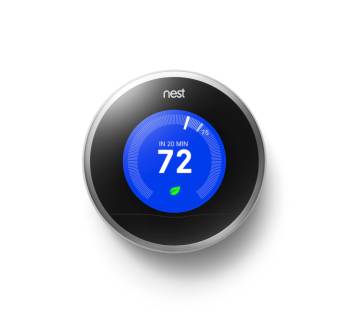
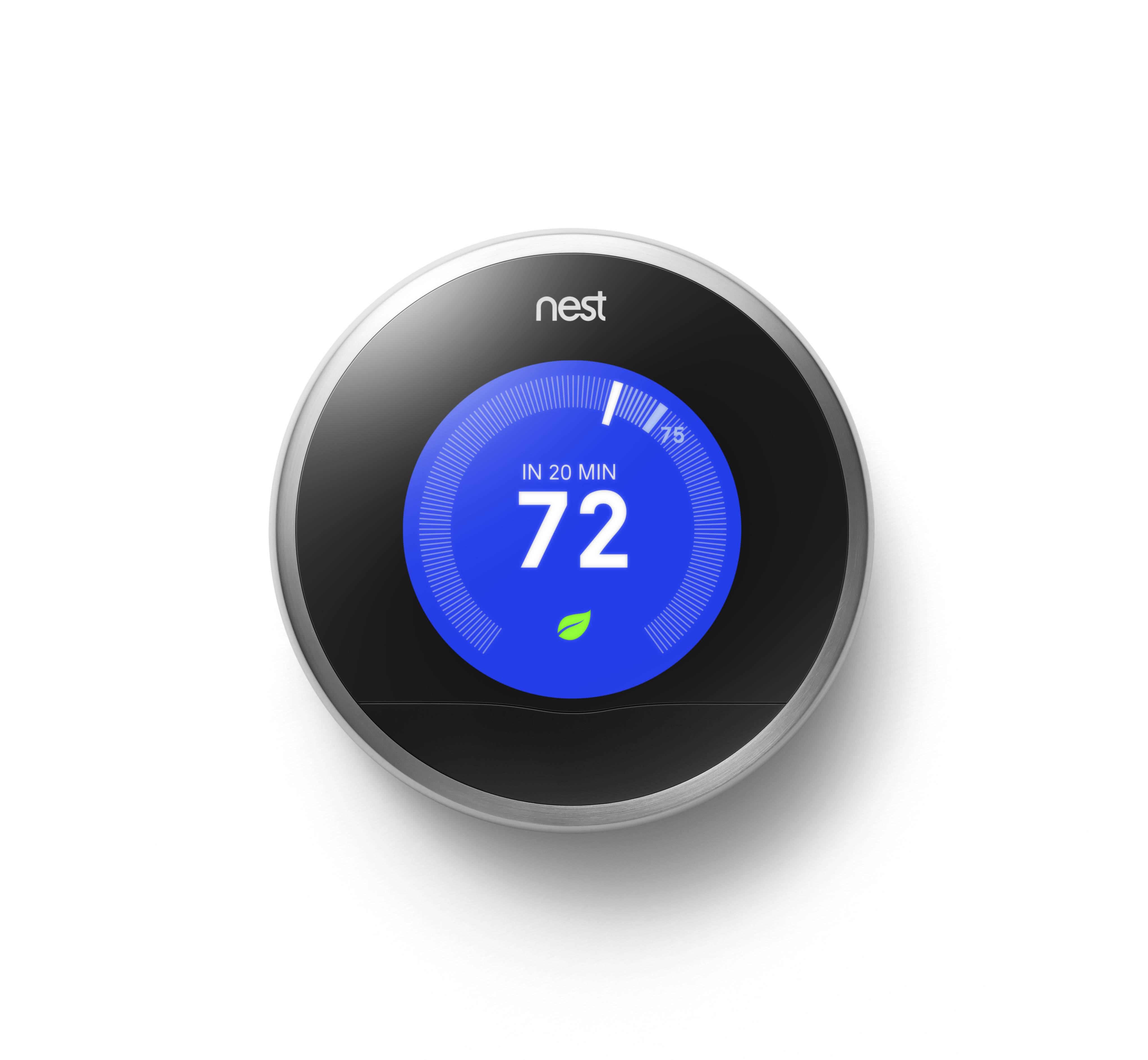
Nest

(It’s a cross between a thin hockey puck and an iPod, right?)

Better still, it’s designed to save you money on your energy bill.
Nest claims it will pay for itself in less than two years.
How green is that?!

But there’s one huge downside:
It’s wicked expensive – $249!

Have you gotten off the floor yet?
Good, because Nest is apparently quite awesome.

Beauty is in the Eye of the Beholder
All that said, some reviewers on Amazon have complained the Nest sometimes locks up.

That would be bad.

Your next vacation might go something like this…

“HAL, turn on the air conditioning. It’s too hot.”

“I’m sorry, Barrett. I can’t do that. You know how important it is to conserve energy.”

“HAL, I’m not going to argue with you. Cool the house down!”

“Goodbye, Barrett.”

Click.

Many who’ve written about their Nest problems seem to share some common compatibility issues with their HVAC systems.
The Nest 2 claims to work with 95% of all low voltage systems out there.

The naysayers may just be part of a very vocal 5%.

And though there is some competition out there,
(ecobee Thermostat, Honeywell Wi-Fi Smart Thermostat)
Nest is clearly the ‘best-known’ choice in this new environmental management space.

Compatibility Check
Truth be told, I’ve been secretly coveting a Nest since the second-generation version came out. But the price kept holding me back.

Not to be deterred, my subconscious kept building its case, waiting for an
‘tech-istential crisis’ to erupt on the other side of my brain.

Now it had a hat-trick to work with:

  • Protect my house from internal disaster
  • Help save the environment
  • Return some cash to my wallet from lower energy costs

My left and right brains have finally agreed…
It’s time.

But before I pulled the trigger, I wanted to make sure I wasn’t among the unfortunate 5%.

Nest’s friendly website offers a ‘compatibility check’ where you can list the colored wires attached to your old thermostat, and Nest tells you if you’re good to go!

You’ve got to first check under the hood.
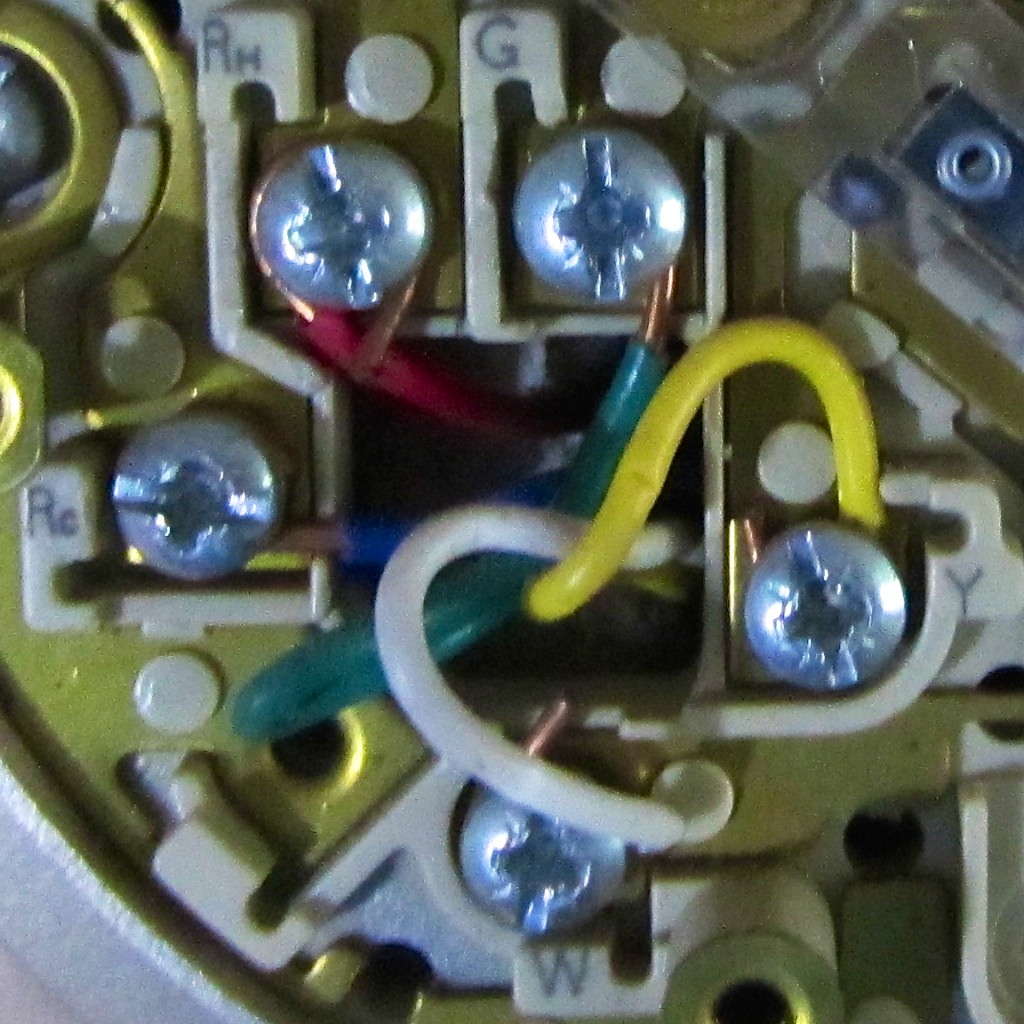
Here are the wires running my old Honeywell thermostat: Rh, Rc, G, Y, W
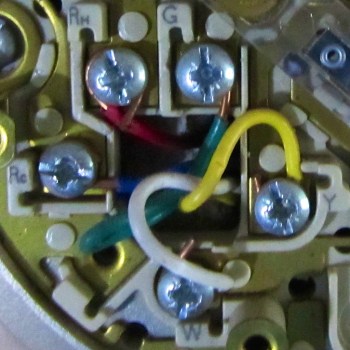
Thermostat Wiring
The prognosis:
I’m cleared for Nest ownership!

Nest Concierge Service
The next question was whether I could actually connect up a Nest all on my own.

While Nest encourages you to install its thermostat yourself and provides online training, they also sell a Concierge Service for $119.
That means a professional installer shows up to do it for you.

But it seems really straightforward…
Just disconnect several wires and reconnect them to the Nest. How hard can that be?
(famous last words)

So I’ve decided to handle the project solo…

Looking to Beat the Price
Yes, I’ve looked around to see if the Nest can be had for less than its $249 list price.
But much like Apple products, Nest doesn’t seem to ever go on sale.

However, if you’re lucky enough to live in Massachusetts or Rhode Island, you can get a $100 rebate on a Nest purchase from National Grid!
(And there are a few other energy providers around offering Nest rebates.)

The Countdown Begins
So my newest technology project is ready for launch!

The Mission:

  • Install and remotely access my intelligent Nest.
    Check!
  • Never worry again about having to manually adjust the temperature.
    Roger that!!
  • Have the coolest thermostat on the block!
    (just kidding)
    (not really)
  • Enjoy my next vacation… worry free.
    Engage!!!

CLICK…

My Nest is on its way from Amazon Prime!

Next time on At Home with Tech…
Installing my new Nest!

How to Help Your Computer Survive Software Updates

Do you feel like you’re playing Russian roulette whenever a message pops up to update your computer’s software?  Here are six tips to keep the odds in your favor…

Do you feel like you’re playing Russian roulette whenever a message pops up to update your computer’s software? Here are six tips to keep the odds in your favor…

You’re happily typing away at your computer with your cup of Joe.
All your software is functioning properly.
Your media is backed up.

It’s a moment of digital harmony.

Suddenly, a message appears in the center of your screen.
“New software is available for your computer. Would you like to install it now?”

Ooohh… free updates to make your Apple computer even better!

Endorphins get released at the mere thought of enhanced computer functionality, and your trigger finger quickly moves towards your keyboard.

Then your left brain screams, “Wait!!!”
Maybe tinkering with a good thing isn’t always such a good idea.

And even if the word “critical” is attached to the update, you should always think twice about when and how you do your updating.

Because the truth is….
Your computer and its software will probably perform the same after a recommended software update.
But sometimes, things aren’t quite the same.

My experience has run the gamut. It’s ranged from minor settings having to be reset to my computer not wanting to reboot!

Total disaster like that is rare, but there’s really no way to know for sure what’s going to happen.

It feels a little like Russian roulette.
(right?)

Six Tips to Promote Successful Software Updates

Here are a few tips to help ensure your software updating adventures go smoothly:

1.  Do Nothing
One thought is – If it “ain’t” broke, don’t fix it.
Close the update window and go about your digital day.

But if you fall too far behind in your software housekeeping, you’ll eventually end up with a different set of incompatibility problems generated by your neglected software.

And if the update is more about security than functionality, you’re leaving your computer in a vulnerable position.

So, sticking your head in the sand is a strategy you shouldn’t rely on for too long…

2.  Back It Up First
I know I’m not the first to mention this, but it bears repeating…
If you’re going to take the plunge and introduce new bits and bytes to your computer, no matter how few, you should make sure you’ve got yourself a fully updated back-up drive waiting in the wings.

Follow the same precautions as you would when downloading a brand new software package.

3.  Do Your Research
You really don’t have to be the canary in the cage.
Just Google the software update, and I promise you there will be lots of folks talking about their own experiences with the update.

4.  It Doesn’t Hurt to Wait a Bit
Even if your research fails to turns up any red flags, why not wait a week to make sure you’re not amongst the first to encounter a glitch?

5.  Close the Necessary Open Programs
Usually, Apple’s Software Update utility will prompt you to close the requisite programs before beginning the software update process.
A single click usually can perform this step.
(It really can’t get any easier!)

That said, I recently ran into a little roadblock while performing Microsoft Auto Updates. (which runs separately from Apple’s utility)

Two crafty Microsoft processes suddenly became stubborn and wouldn’t automatically close upon request with the rest of their cousins.

The offenders-

  • Microsoft Database Daemon.app
  • SyncServicesAgent.app

After some frustration, I eventually realized you need to call upon a more powerful utility to deal with these little critters…

Activity Monitor to the Rescue!
You can find this digital ally in your Utilities folder, which lives in ‘Applications.’
Open Activity Monitor, and it shows you everything that’s running on your computer.
(How cool is that?!)

Just locate your two unwanted guests and zap them away with the ‘Quit Process’ button.

The glitch is now gone, and your software update process is free to move about the cabin…

6.  Do the Updates on Your Own Schedule
You don’t only have to do the software updates when your computer asks you.  (and doesn’t that always seems to happen when you’re in the middle of a deadline?!)

You can call up the updates whenever you want and when you’ve got a little more time to consider these tips.

The Software Update utility is the second listing when you click on your Apple Menu on the very top left of your screen.

Whitewashing Your Digital Picket Fence
Performing software updates is a necessary chore that’s both a blessing and a curse.

It’s designed to be a no brainer, but leaving your housekeeping to an auto pilot program can easily lead to an unexpected crash.

Don’t pretend to be a digital Tom Sawyer. There’s never an easy way out…

Life is a hands-on experience.
Why should your digital life be any different?