At Home with Tech

Unlock the power of all your technology and learn how to master your photography, computers and smartphone.

Tag: Bluetooth

Do You Need a Bluetooth Desk Clock?

You’re probably wondering, “What’s a Bluetooth clock?” Heck, I’m sure some of you are asking why would anyone even need a clock on a desk anymore. But hold on… The trick is this clock can connect to your smartphone…

You’re probably wondering, “What’s a Bluetooth clock?” Heck, I’m sure some of you are asking why would anyone even need a clock on a desk anymore. But hold on… The trick is this clock can connect to your smartphone…

I didn’t realize it, but clocks are an endangered species. To be more specific… desk clocks with digital displays have just about disappeared.

“Poppycock,” you say?

Take a look around… the time is proudly displayed everywhere.
(So where’s the conspiracy?)

Clocks are engineered into all of your tech… on your smartphone… your computer… your DVR…your stove… your car… and of course, on your watch.

And even on your cable set top box.

But time keeping as a singular function in a little box that sits on your desk or shelf doesn’t exist anymore. Maybe there’s no market for it, because that functionality is already baked into just about everything else you own.

The one exception is a clock with the old-time hands. There are still plenty of those around. Unfortunately, I usually want to know exactly what time it is, and a digital readout is more precise.

I Don’t Know What Time It Is
Remember that cable box I returned…?
(Argh….)

You’ll recall the one feature I’ve been missing from that silly box isn’t the TV programming… It’s the network-controlled digital time display!
(That bleeping clock!)

Without that constant glow of numbers, nobody knows what time it is in my home office anymore.

When you walk in, it’s like a time bubble. And that’s not so great when you’re rushing to get dressed in the morning and trying to catch the next train into the city.

So I decided it was time to buy a simple replacement clock for my office.
How hard could that be…?

Would you believe… impossible?

They Don’t Make Clocks Anymore
Sure, there are plenty of radio-controlled atomic clocks out there, which will supposedly stay in step down to the second.
(As long as they can sense that low-frequency signal from
NIST Radio Station WWVB)

The problem is these clocks’ displays are cluttered with so many other readouts… day… date… hygrometer… and temperature.

I don’t want all of that!

If you’re looking for an unobtrusive atomic clock with a digital readout that only shows the time…. I challenge you to find one!

So now what?

Near Miss
Well, I loosened up my criteria a bit.

I figured maybe I could give up the atomic piece and reset the clock every so often if I could locate the right form factor.

I came close with this Marathon LED clock for $39.95 on Amazon.
It’s technically an alarm clock, but happily, it just shows the time and not the alarm setting. Its bright display is simple and clear, and the clock’s form is sleek.

The only problem is reviewers have complained about the blinking colon between the numbers. And as I planned to place my replacement clock near my little office HDTV, I think that would also be an annoyance for me.

Pass.

Hello, Marathon!
The good news is Marathon makes plenty of other digital display clocks!

  • Some are atomic.
  • Some aren’t.
  • And others are…

…Bluetooth.

What?

Yes, Bluetooth-controlled.

The trick is you can pair these clocks with a companion app on your smartphone to sync the time and other functions via Bluetooth.

Huh.
That sounds pretty cool.

The only downside is these Bluetooth models also display the day and date, which I was trying to avoid.

Sticker Shock
There’s another downside… price. These Bluetooth clocks ranges from $80-$125 on Marathon’s website.

The good news is Amazon has it for less. A lot less…

I zeroed in on the $100 Marathon CL800001GH Bluetooth Panoramic Clock System in brushed graphic… for $29.00 on Amazon.

My iPhone could keep it in perfect step, and my time woes would be over.

I know… Fifty bucks is still a pretty penny to pay for a simple clock that sits in your office. I’m sure most of you would save the Ulysses S. Grant and suggest I just grow up and put my watch on.

Yeah.
(sigh)

Please don’t judge….

Click.

More than a Clock
The package arrived swiftly via Amazon Prime, and I eagerly opened it up.
What did I find…?

Well, first off, the ‘panoramic’ model I bought was a little large for my needs.
It’s fine, but bigger than I expected.
(6”x 9”)

The Marathon Watch Company does make a smaller version for $39.95.
(But I wasn’t as keen on this ‘tabletop’ model, because it looks more like an alarm clock with white and orange bars on top.)

My sleeker panoramic model is technically a ‘wall clock,’ though I didn’t know that until I discovered that detail on the box when it showed up.

All this said, my model works well enough as a desk clock, because it also sports a handy kickstand.

I skimmed the instructions, which reviewed the special sauce that the “Bluetooth Smart” technology provides…

  • Multiple alarms
  • Countdown timer
  • Temperature and humidity with historical chart on the app
  • Battery status
    (No, the clock doesn’t plug into an outlet.)

But the main attraction:
“Auto time synchronization with your mobile network through your mobile device”

The Magic of a Bluetooth Clock
First, you’ve got to download the Marathon Clock app for your smartphone or iPad:

The name of the app in the Apple App Store or Google Play is “Clock System.” (That’s actually not in the instructions.)
I figured it out by going to marathonbluetooth.com…
(Which the instructions do tell you to visit.)

Then, I paired the clock to my iPhone just like you do with any Bluetooth device.
(There’s a Bluetooth button on the back of the clock to press.)
Marathon iOS Clock System App


And that’s it.

Bingo… The precise time from my mobile network popped onto the clock.

Sweet!

So whenever my iPhone comes within range… Sync!
Well…not quite.

Yes, the Bluetooth automatically connects, but after a few trial runs, it looks like you’ve got to navigate into the app for the syncing process to begin.
Marathon iOS App Time Syncing


Not terrible.

The Verdict
A few other thoughts…

-There’s no backlight for the clock’s display. So optimally, you should position the clock where another light source can reflect off of it.

-This Marathon also has a blinking colon between the numbers, but because of the clock’s size, I didn’t end up placing it near my TV.
(So problem solved there)

-The countdown timer is really interesting…
Marathon iOS App Countdown Timer


It might have some future application when it comes to managing how much time is left for my son’s ‘screen-time’ activities.

-I’ve got to say the temperature and humidity tracker on the app is the niftiest feature, although I’m not sure why I’d need to chart my home office’s comfort index.
Marathon iOS App Tracking Temperature


-Ultimately, it’s okay that the clock’s screen has a minor reference to the date and day of week.
(While I usually know what day it is, I sometimes have to check the date… So having it there is kind of helpful.)

Do You Really Need One of These?
Yes, fifty bucks is still a little steep for a digital clock.
(I imagine you can find a stripped-down cousin on the bottom of a Cracker Jack box.)

But this Marathon clock certainly has lots of tricks up its sleeve.
(Not that I was specifically looking for most of them.)

And it does sync to network time.
(That’s really cool… admittedly in a geeky sort of way.)

Happily, I’ve popped my home office’s time bubble.
(I’m finally free to move forward in this dimension’s timeline.)

Tick tock.

Time to Buy a Portable Bluetooth Speaker

Do I own a Bluetooth speaker? Not yet. Do I need one? Absolutely! Which one should I buy? Let’s find out…

Do I own a Bluetooth speaker? Not yet. Do I need one? Absolutely! Which one should I buy? Let’s find out…

I’m not a big fan of Bluetooth tech.
Not yet.

I never really got into those tiny Bluetooth headsets for your mobile phone.
(Sure, they were cool when Lt. Uhura wore one on the Starship Enterprise. Now that they’re real… not so much.)

My first meaningful Bluetooth experience was with my first iMac’s mouse and keyboard.

I was so excited by the concept…

  • A clear desk without wires or clutter
  • Only the iMac
  • Just like in the commercials

Well, I quickly realized it would take more than the loss of a two wires to clean up my home workspace.
My desk is eternally populated with note-pad stickies attached to every inch of clear surface!
(If you know of a support group, please let me know!)

And then I faced the reality that you have to keep changing out batteries to maintain the Bluetooth fantasy.
Worse still, you need to occasionally trouble shoot a failed Bluetooth connection when you boot up your Mac.

Typically, the solution is manually reconnecting the Bluetooth device with your mouse. But how do you do that when it’s your Bluetooth mouse on the fritz?!
Years ago, I bought an old-school wired mouse as a back-up solution.

I proactively addressed the problem with my current iMac by acquiring both a Magic Mouse and Magic Trackpad.
That way, when one Bluetooth device goes out, the other one can come to its rescue.
Very symbiotic, don’t you think?

So let’s just say I haven’t been wowed by Bluetooth.
Not yet…

Realizing the Universal Wisdom of Bluetooth
Last weekend my family and I were attending a little barbecue event at a friend’s house. Kids were running about and spraying each other with two garden hoses. (My son somehow managed to stay dry, yet remain in the action.)
Some of the parents were marveling the hearty vegetable garden.
Others were enjoying a cold drink.

Where was I?
Staring at a ‘mini’ black monolith, suspended by thin strings in a living room window.

I wanted to touch it.
I felt it held the answers to the universe.
The host walked up, and he handed me an animal femur to throw high into the air.
(no he didn’t)

But he did explain I was looking at his new battery-driven, portable
Jawbone Jambox Bluetooth Speaker.
It had been paired with an iPhone, resting not far away.
No wires…other than the occasional power cable to charge up its battery.

Not only was it born to project beautiful tunes via the iPhone, but it also does double duty as a speakerphone. (It even has its own microphone.)

Interesting…
I moved closer to the Monolith.
Contact.
I felt my brain growing…

The Search for Sweet Music in Every Room
My new knowledge quickly began percolating towards solving one of my home tech projects:
Bringing music (back) into every room in my house.

Once upon a time, I could just pop a radio or stereo into a few rooms, tune them to my favorite station, and presto, I had a whole-house music solution!

Actually, I don’t need music in every single room, but it would be nice to cover the major zones.
I’ve fallen a bit behind since terrestrial radio tech has become so passé.
(I don’t think I’ve turned one on at home in a year!)

My Grounded AirPort Express
I’ve tried using a few Apple AirPort Express units around the house to wirelessly connect up a few speakers to simulate the same effect using iTunes and music streaming. But I’ve encountered mixed results.

  • Sometimes, the AirPort Express units need to be rebooted.
  • Occasionally, I’ve experienced scratchy interference generated by some other selfish device like a microwave.
    (The fact that my Express units are the older ‘802.11g’ variety and not the newer ‘802.11n’ may have something to do with this problem.)
  • Plus, you’ve got to boot up a computer and then iTunes to get the music going. That’s never quite as fast as clicking a knob or pressing a stereo ‘on’ button.

It’s just not been a quick ‘set it and forget it’ solution.

Sure, I know you can hard wire your house for audio…but I don’t have the appetite for such a major project right now.

But if I can’t have music in every room I walk into, maybe the solution is to bring the music with me into whatever room I happen to be in…

…via Bluetooth!
(cue the angelic chorus)

So Many Choices!
Buy a portable Bluetooth speaker and then move it wherever you need it.
(Yeah, that’s the ticket.)

So I began my research, and it was at this point I felt a bit like Rip Van Winkle.
Portable Bluetooth speakers are hardly a new item.
They’ve been around for a few years; the Jambox was a sensation back in 2010.

But now, there’s a veritable army of them out there to choose from.
This year’s CES was filled with them.

Many of the newer ones are designed for outdoor rugged-on-the-road or at-the-beach use.

The good news is my durability requirements are slightly less ambitious…
(That said, I do have a three year old!)

Let the Shopping Begin…

So which Bluetooth speaker to buy?
I went online to see if I could identify a cyber consensus.
And a few trends began to emerge…

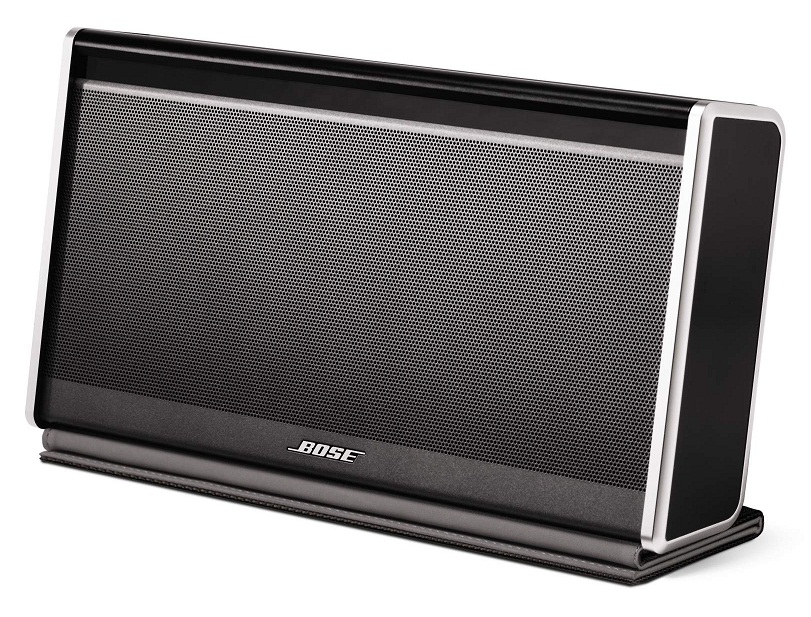
Bose SoundLink Bluetooth Mobile Speaker II

Bose SoundLink Bluetooth Mobile Speaker II
Everyone seems to agree that the
Bose SoundLink Bluetooth Mobile Speaker II is the best one out there.
But it’s wicked expensive at $299.

There’s also Bose’s brand new SoundLink Mini Bluetooth Speaker at $199.
It starts shipping on July 1, and the initial buzz is strong.
(When was the last time Bose didn’t come up with a product that was amazing, but overpriced?)

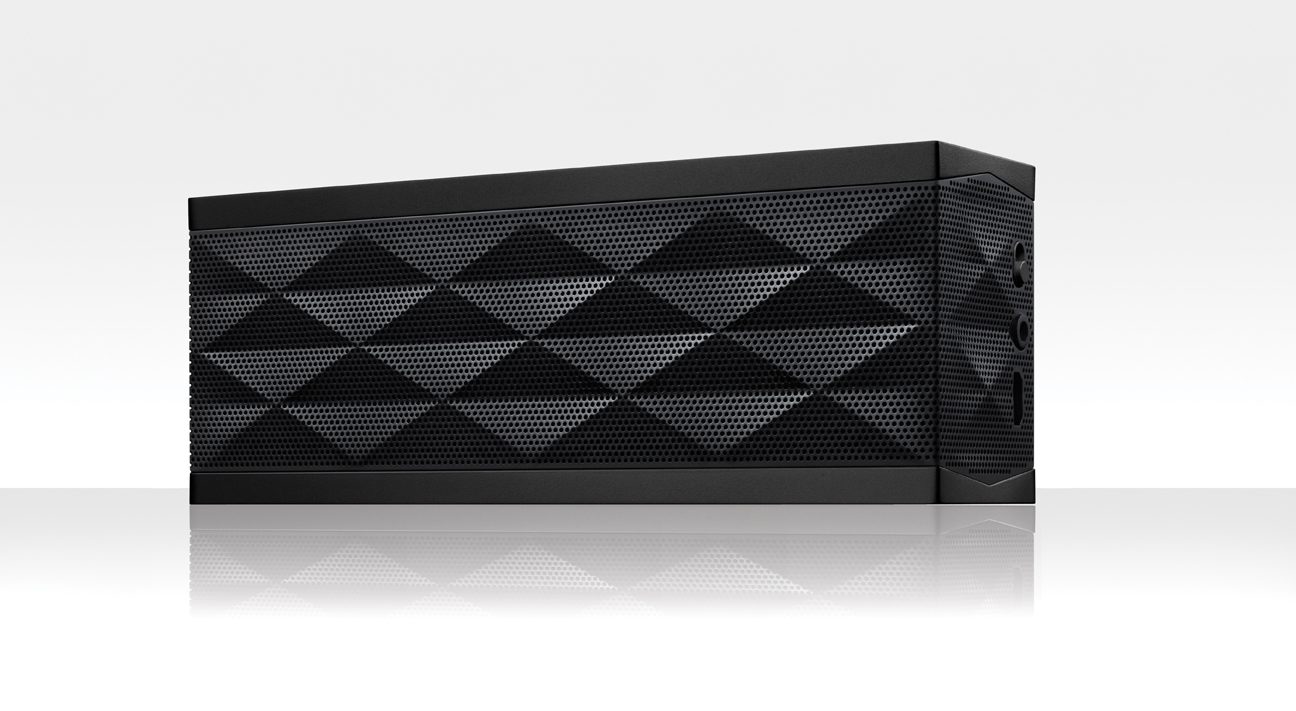
Jawbone Jambox

Jawbone Jambox
Compared to today’s competition, the Jawbone Jambox is still a strong contender, but isn’t as universally adored as it once was. It’s also considered too expensive at its base price of $180, considering the cost/value analysis of the competition.
(You can pick it up from Amazon for only $129.79)

There’s also the Jambox’s newer and larger cousin, the Jawbone Big Jambox.
The reviews say it’s…yes, bigger and better.
But it’s added power comes at a cost…$299.00.
($272.33 on Amazon.)

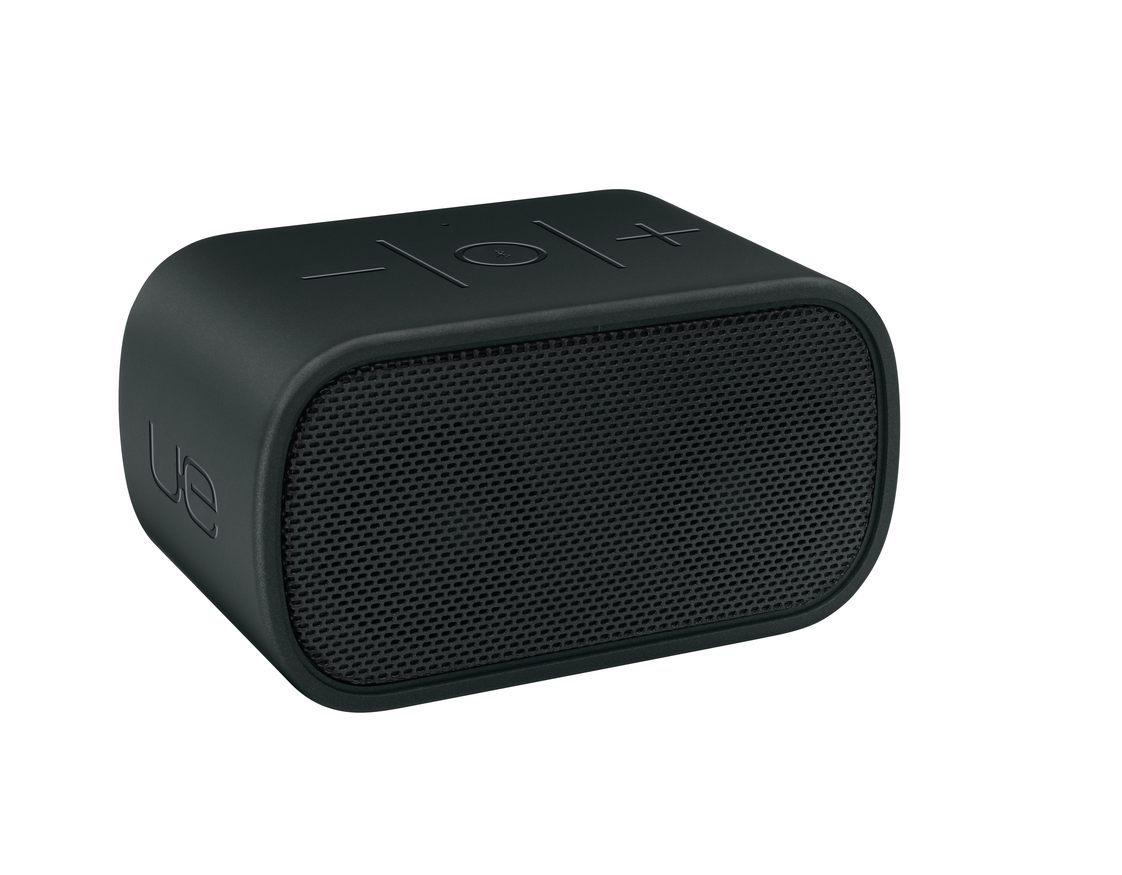
Logitech UE Mobile Boombox

Logitech UE Mobile Boombox
The Logitech UE Mobile Boombox hits the sweet spot.
It’s only $100 and gets great reviews-

This is the closest I’ve come to finding online consensus for anything in quite a while…

How Low Can You Go?
A hundred smackers isn’t an unbreakable baseline.
You’ve got a plethora of choices in the sub-$100 arena too.
And cheap does not equal bad.

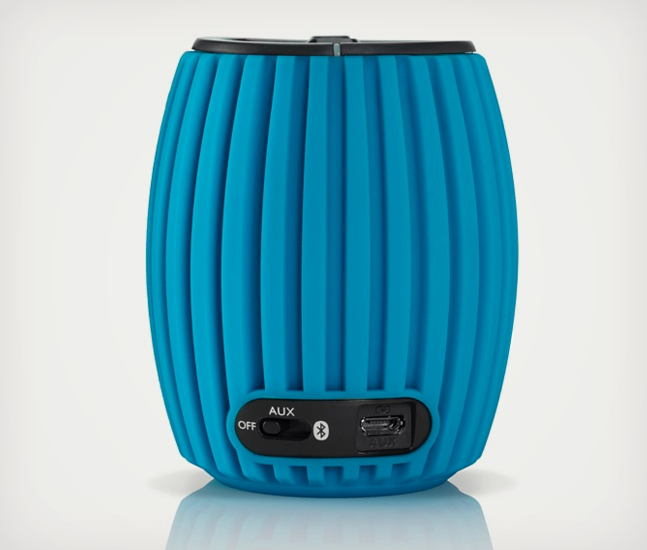
Philips SoundShooter Wireless

Philips SoundShooter Wireless
One example is the Philips SoundShooter Wireless, which garners positive reviews considering its $50 price tag. ($46.86 on Amazon)
(Plus, you know how much I’m into Philips these days with their cool LED light bulbs.)

It can’t match the more expensive competition, but reviews like CNET’s say it’s surprisingly good…

Any Color of the Rainbow?
Henry Ford was famous for allegedly saying that people could have any color of his 1909 Model T car they wanted… so long as it was black.
Bose follows the same philosophy, and the basic black works just fine for me.
(Actually, the $299 Bose also comes in silver and white.)

But I should mention the other companies above have an explosion of colors to offer the more colorful mindset.

And the Winner Is…
So it’s hard to go wrong these days buying a Bluetooth portable speaker.
Whether you spend $50 or $300, you’re going to get a device that blasts out your tunes and doubles as a speaker phone to boot!

As a bonus, Bluetooth speakers can also give more audio oomph to the visuals on your laptop or iPad.

You can debate the sound quality and battery life of each speaker… but essentially the job is going to get done.

Drum roll please…
Yesterday, I pulled the trigger on the Logitech UE Mobile Boombox.
It strikes the perfect balance between price and quality.

Got it from Amazon Prime for $98.95.
(Today, it’s listed for $97.94.  D’oh!)

It’s already in the mail, but if you’ve got your own recommendations, I’m listening…
(I could always return the Logitech…)

Either way, I’m hopeful this singular sound solution will soon be bringing the music back into my life.

I’ve joined the Bluetooth generation.
(Yay, Barrett.)

But does this mean since I’ve finally embraced Bluetooth tech, it’s now doomed to near obsolescence?

Not yet…