
Six Reasons to Buy Another Car GPS
This is what happens when you drop your car’s GPS navigation unit on the pavement. The cracked glass is the least of its problems. So now what…?
I’m on the record proclaiming that I’d given up on my car’s old Garmin GPS a while back, when smartphone apps developed their own talking directions. With my iPhone Maps app and Google Maps app, why would you need anything else?
Truth be told, I secretly kept using my Garmin Nuvi, which my wife and I spontaneously named “Jane” quite a few years ago. Sure we’ve more recently also been using our smartphone map apps, but our GPS Jane remained a constant presence while we were driving in my RAV4.
I found it helpful to see the digital road ahead, and Jane often offered a second opinion on the best way to go.
(I’m not saying it ended up being the faster way.)
So I didn’t actually retire Jane like I said I would. Instead, I left the Nuvi on my car’s dash with an upgraded Garmin friction mount that magically prevented it from sliding about.
Jane still worked well enough…
Until fate finally intervened.
Last week, I somehow pulled Jane’s power cable with my briefcase as I stepped out of my car. Jane went flying out of my driver door and… smash… onto the pavement.
Yep. And that finally ended the relationship.
(A big crack was now front and center.)
When I plugged Jane back in, her typing interface no longer worked. Sure, the navigation was still functional, but I could no longer set a destination.
(And that’s no way to travel through life.)
So now what?
It was time to replace Jane with something newer. But with what….?
Time to Buy Another GPS
Can you believe I’ve decided to go with another GPS navigation unit?
I bet you’re thinking that doesn’t make any sense at all.
I didn’t think so either.
But here are six reasons why…
#1
It Takes Too Long to Power and Mount Your Phone
No, I’m not ready to go it alone with just my iPhone and it’s native Maps app or the Google Maps app. Sure, both of these apps work great in the car, and for many are GPS killers. But the truth is I’ve realized I prefer having a dedicated device set up in the car.
(Assuming your car doesn’t have its own built-in GPS)
Otherwise, you’ve got to take out your smartphone… Plug it in for power… (unless you’re okay draining the battery) Attach it to its dash mount… and then open up the appropriate app.
That probably ends up taking only about a minute to do… But several times a day? Then multiply that by a week… you’re at close to thirty minutes now. Now look at the monthly commitment… two hours.
Annually, that becomes a whopping 24 hours.
(Seriously)
Yes, you’d spend a whole day of your life over the next year plugging in your smartphone into your car to handle GPS duty.
No, thank you.
#2
Multitasking between Different Dialogues is Confusing
I say just let your phone be your phone. It’s already working hard for you in the car. Don’t give it too much to do.
When you’re paying attention to which exit to take on the highway, you don’t want the same device to handle a phone call from your spouse regarding what to pick up for dinner that night. The audio exchange can get a little confusing as the app interrupts your conversation with its audible directions.
(Then who knows what dinner’s going to look like!)
The same dynamic occurs if you’re playing music on your smartphone and your Maps app is trying to talk to you. While that doesn’t create the same confusion, it can really mess up the best parts of any song you’re trying to enjoy…
#3
Multitasking between Different Visuals is Usually Impossible
A similar problem occurs with you’re sharing your GPS’ screen real estate. When a call comes in, that ‘next turn’ prompt disappears!
(And so may your chance to get to that meeting on time!)
#4
Your Smartphone Can’t Tell You Where to Go if You Lose Your Signal Bars
So if you venture out into the middle of nowhere, you might find yourself stuck in the middle of nowhere scrambling to find that old map you threw in the trunk years ago.
GPS units that use satellite reception are more reliable in this regard. Period.
#5
Using Your Smartphone to Navigate Eats into Your Data Plan
While that’s not a problem for me, (I’ve held onto an old all-you-can-eat plan from AT&T) most folks have to worry about that.
I say why not use your precious data elsewhere…?
#6
Available HUD displays are More Fiction than Fact
I really thought this was my next step…
Head Up Displays (HUDs) project driving directions
right onto your windshield.
How cool is that?
But when I started shopping around, there really wasn’t anything out there other than glorified reflector systems for your smartphone. And I really wasn’t into mounting my iPhone onto the back of my dash. (See reason #1.)
Garmin came out with a HUD device a few years back, but the interface just isn’t as robust as a typical GPS unit.
Navdy is a HUD in development that looks really cool. But as far as I can tell, it’s not on the market yet.
If someone knows of a real-life Head Up Display unit that’s out there, please let me know…
Assuming you can actually find a HUD (at an affordable price point), yes, it’s cool that the display shows up on your windshield. That can certainly help maintain your focus on the road ahead. But driving with a dedicated car GPS mounted in front of you also approximates the same experience.
The Shopping Begins
So as I’ve already suggested, I’ve come full circle. It’s time to buy another GPS navigation unit.
Which way to go?
I’ll let you know… Next time on At Home with Tech
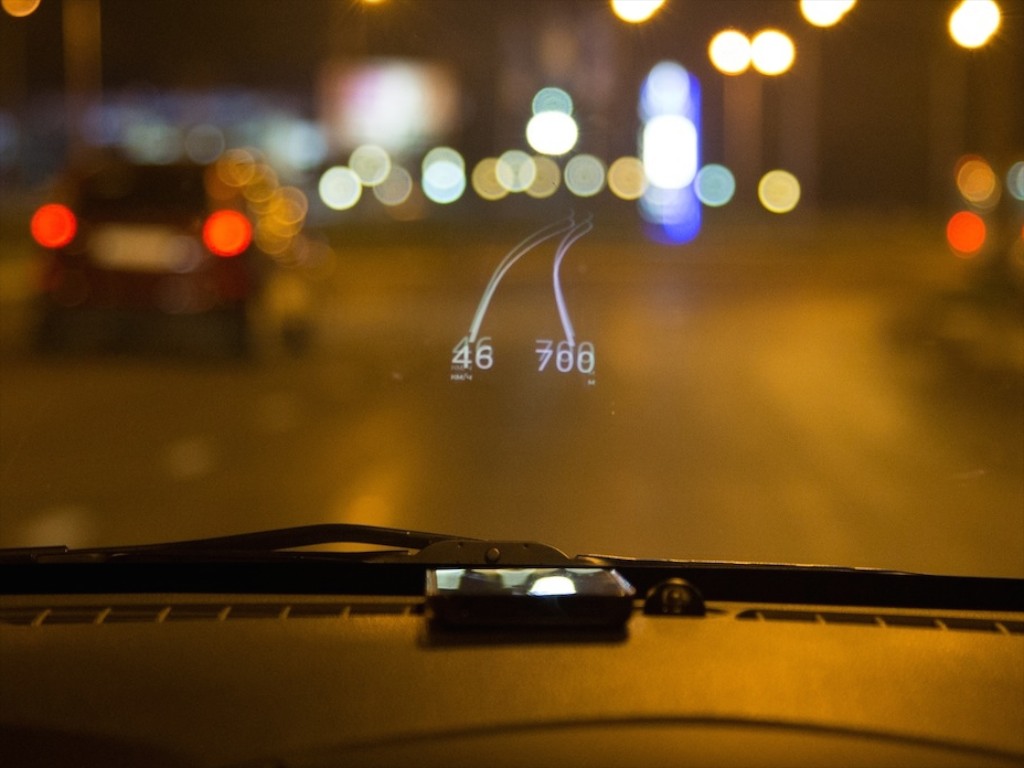
 If you were wondering who makes a full-on, separate HUD device…. ITEQ makes one.
 At Home with Tech