At Home with Tech

Unlock the power of all your technology and learn how to master your photography, computers and smartphone.

Tag: home videos

It’s Time for your 15 Seconds of Fame with Video on Instagram
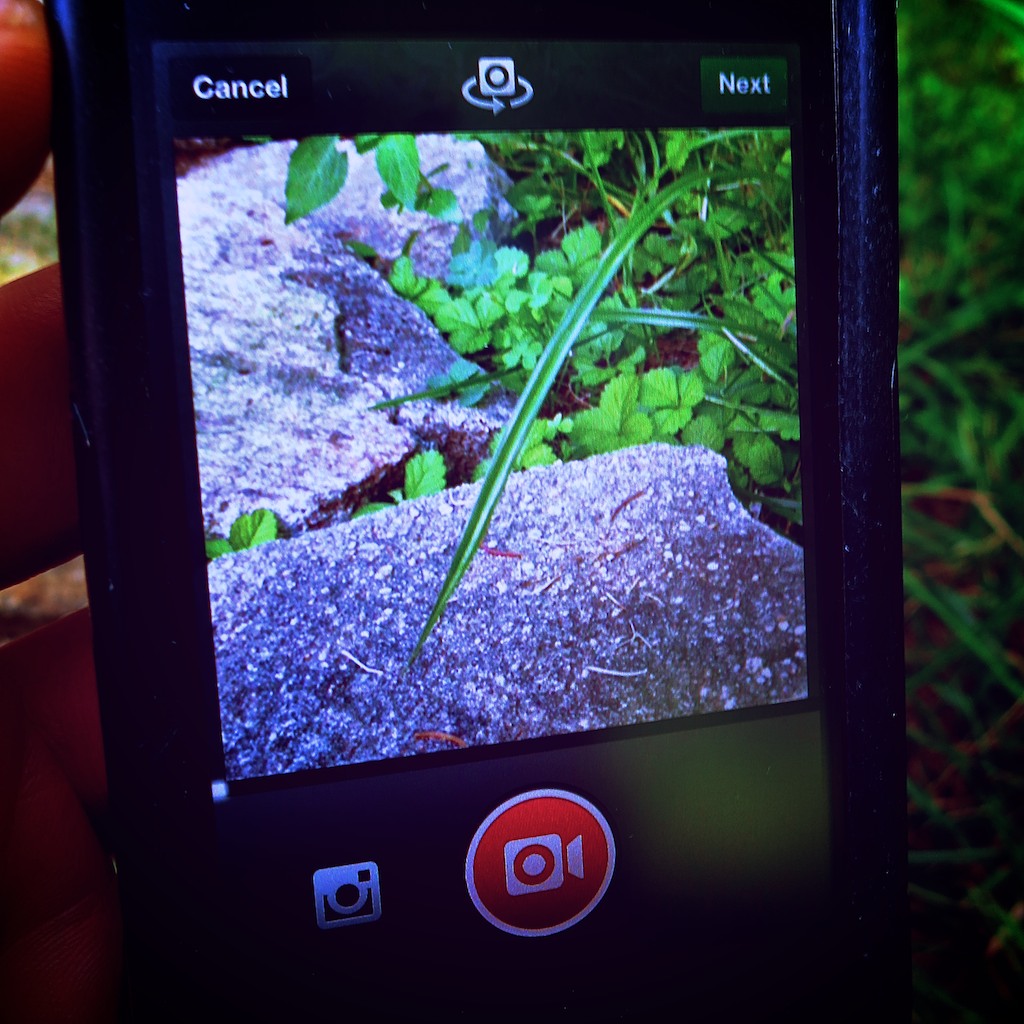
Now there’s a new way to watch a blade of grass grow.  If you can record it in 15 seconds using Instagram, you just might be on to something!

Now there’s a new way to watch a blade of grass grow. If you can record it within 15 seconds using Instagram, you just might be on to something!

Let me begin with a confession:
I have not been an avid Instagram user.

Any photo I choose to share is the result of a rigorous screening process.
It represents the very best of the many (mediocre) pictures I capture.

The idea of snapping a low-quality shot (640 x 640 pixels), further ruining it with a cookie-cutter filter, and then immediately sharing it with your public is not what I’m usually comfortable with.

But 130 million Instagram users must be on to something…
And I’ve got to admit, I’ve often wondered how such spontaneity can create such cool-looking photos…

As a status update, an artful Instagram photo can be so much more interesting than text…

Video on Instagram Comes to Town
Now there’s Video on Instagram to help you ‘capture and share the world’s moments.’

Following in the footsteps of Twitter’s Vine, Facebook’s Instagram created its own video functionality on June 20.

Once you download the app update to your phone, (the newest version, 4.0.2 was released on July 5) you can share 15 seconds of Instagram video almost as fast as it takes to snap a ‘selfie.’

Suddenly I’ve taken note…

Eliminate the Burden of Video Editing
Today, my home video production workflow is a labored one, inspired by what I’ve learned through my professional multimedia life.

Time consuming post-production dominates every piece of home video I share.

The workflow is complex:

  • Shoot video clip(s) using one of my Canon digital cameras
  • Download the QuickTime file(s) to my iMac
  • Import them into Final Cut Pro X
  • Choose the best clips and trim them as needed
  • Put them in the correct order
  • Add in a few dissolves and a fade to black
  • Export the final movie
  • Upload it to Vimeo to share
  • Compress the master movie file to email it
  • Transcode another version for my iPhone

Sure, I can simply shoot a quick video to share right on my iPhone.
But you can’t string multiple clips together this way.

Now, Video on Instagram says you can forget about the chore of editing…

You simply self-edit as you record each clip for your 15-second movie.
If you don’t like the last clip you shot, you can delete it and re-record it.
(And if you don’t want to use up all 15 seconds, that’s just fine.)

As an added bonus, Instagram even offers you image stabilization to smooth out all those shaky shots!

Documenting the Cup of Joe
One morning last week, I found myself in the kitchen staring at the digital clock on the stove. The time glowed 4:50am.
The fact I was up earlier than many of the birds outside was the cascading result of my three year old stirring at 4:30am.

He went back to sleep, but not before rousing the cat, who then began to meow for his breakfast at the foot of the stairs.
Ignoring my feline was not an option, because he doesn’t give up easily.

So there I was in the kitchen, trying to enjoy my predicament.
What could I do with all these found extra minutes?

I decided to take Instagram out for a spin.
And it was time to make some coffee.

Click – Shot the clock.
Click – Captured the drip, drip, drip.
Click – Poured some coffee into my favorite mug

Done!

It’s no masterpiece, but my test Instagram video was done in a snap.
I’ve got to admit, the speed and simplicity make this a pretty compelling tool.
And if you want to add in one of 13 new video filters, go to town!

There’s Never a Silver Bullet
But the Web is already a flutter with people complaining about Instagram videos.

Some Instagram users simply don’t want the purity of their photo feeds polluted by instrusive videos.

Others are warning that Instagram videos suck up huge amounts of memory in your smart phone’s cache.

But the biggest concern out there is that Instagram users won’t make compelling videos the way they’ve been creating cool photos.

Critics are concerned they’re going to be bored more often than not, even with just 15 seconds of content to watch.

Gizmodo points out the “clumsy banality of amateur video.”

Jenna Wortham in her New York Times Digital Diary wrote that she didn’t like the Instagram video moments she recently captured at a Brooklyn rooftop picnic.

I think everyone out there is coming to terms with the hard reality of video:
It’s difficult to capture the perfect moment on the fly and equally challenging to stage one.

There’s usually no shortcut to creating good videos.
Click, Click, Click might be fast and convenient, but it can’t guarantee perfection.

It’s important to understand you normally need to capture lots of moments to find a few good ones.
That’s why editing software exists.

Video on Instagram has its uses.
It’s just not a panacea for all your video needs.

Vine – Less is More?
There are other apps out there that offer similar tools.
Since January, Vine has been the poster child for this young art.

But Vine’s 6-second shooting limit is way too restrictive for me.
It may be an interesting artistic exercise to see what you can create in such a short length, but I don’t feel it’s as useful a video tool as Instagram to help document your life.

On the up side, I think the time limitation of Vine inherently forces more preparation, which can lead to better results.

How Many People Does It Take to Create a Video?
I’ve got to admit… I’m feeling a fair amount of schadenfreude.
Here’s the thing…

I’m truly excited about the ease of using Video on Instagram.

Simultaneously, I’m psyched about all the doubt recently expressed about the general population having the ability to create engaging 15-second videos.

Not so long ago, common wisdom suggested anyone could create a video…
The democratization of digital media over the past decade gave most everyone the tools to become their own filmmaker.

But it’s come at a cost.

The rules surrounding solid filmmaking…

  • Good lighting
  • Clean audio
  • Well-framed composition
  • Steady shots
  • Tight timing

Unfortunately, it’s all been compromised.

People don’t care so much anymore what something looks or sounds like, as long as the content is engaging.

And if it’s ‘real,’ that’s sometimes enough to hold your attention.
But not always…

A gussied-up square photo with extreme saturation gradation might hold your attention for a couple seconds…

But you can’t make that lipstick-on-a-pig trick last for 15 seconds, or even 6.

Unless, you happen to shoot a little video of Godzilla out for a morning stroll, you’ve actually got to do some work to create a video that anyone outside your closest circle would want to watch.

That’s why a 15-second commercial on TV can cost millions of dollars to create.

The 6 O’Clock News – Brought to You by the Fourth Grade?
I know that self-generated content is all the rage these days, and everyone’s doing it. (especially the younger generations)
But your precocious ten-year-old nephew can’t really replace the entire media production landscape with his iPhone and iMovie.

In the end, videos hubs like YouTube, Vine and now Instagram are constant reminders of the inherent limitations of user-generated video content on the Web.

Anyone can create a video for the entire world to watch, but it usually takes a small army of professionals to create, distribute, and market content to successfully reach a fraction of that.

Sure, you may have just recorded the next viral video sensation on your smartphone.
But that kind of lightning doesn’t strike too often.

This reality is revealing the buried truth that a video’s success often requires a little love from the ‘experts’ with a few years of experience generating visual content.

That’s a happy realization supporting job security for professionals who create digital content for a living…

And that’s also good news for my three-year-old budding photographer who may want to one day pursue a career as a digital journalist.

Give Video on Instagram a Chance
So where does all of this video analysis leave us…?

Is Video on Instagram a good development?
I say, “Yes!”

Does creating a compelling video take time and effort?
Yes, again!

Will the simplicity of Video on Instagram revolutionize the way people share their lives with video?

We’re all supposed to get our 15 minutes of fame, right?
15 seconds shouldn’t be that hard to find.

Stay tuned…

Eight Steps to Better Home Video Production

Once upon a time, you were pretty special if you shot and edited video as a hobby. The gear was expensive. The technology was limited. And it was hard to do a good job. It was truly a labor of love.
(I can only imagine how difficult it was during my father’s generation, shooting home movies with Super 8 film.)

Today, all that’s changed.
Shooting a video is as easy as turning on the kitchen faucet.
Every camera and smartphone you buy has HD video capability.

And who needs to edit anymore?
If your device has web connectivity, just upload a clip instantly to your favorite social media site.

Bam!
You’re done.

So it’s no surprise that home-generated content is gushing like a geyser into YouTube every day.

Technology has democratized the video medium.
Even my toddler knows how to shoot a video.
(Just push the red button.)

The Red Button
It’s amazing that pressing the record button is now really all you need to know.

But maybe you’d like to create a video that doesn’t look like my toddler shot it.  Sure, there are tried-and-true production tips to follow, but today, most everyone has thrown the rulebook out the window.

‘Experts’ say today it’s all about the content.
Nobody cares if the shot’s a tad shaky and out of focus.
A little cinema vérité is good for the soul.
If it’s funny… or compelling… or goes viral, who cares what it looks like?!

That said…
There are still people who have this crazy notion to create a more professional-looking product.

I’m one of the few, because of my background in video production.
I can’t not try for the perfect shot.

Last night at dinner, I watched my toddler help himself to two huge servings of greens out of our big salad bowl, using oversized wooden spoons.
I whipped out my pocket camera and started shooting, but missed a good portion of the moment.

I stood there in anticipation of round two.
He usually likes to repeat new accomplishments.
(What toddler wouldn’t want to keep piling it on?)
He grinned at me as I pointed the camera at him.
Nothing.

I said, “Would you like to give yourself more salad?”
His smile broadened, because he knew what I was doing.
“No!!” He chirped with glee.
I would have to be satisfied with the ‘one-take’ moment.

..but I digress.

The Eight Steps To Improving Your Home Video Production

In what appears like a natural backlash to the ‘anything goes’ video mindset,
some of my friends are suddenly more serious about creating better videos.
(for both personal and professional use)

Here are a few production tips and shortcuts, as well as some home-grown suggested purchases to amp up the quality of your little cinematic masterpieces.

1.  Pocket camera or DSLR?
Either will get the job done from a visual standpoint, unless for artistic reasons you need the better lens on a DSLR.
The question is which camera gives you the best audio?
If you plug in an external microphone, that choice will easily give you cleaner sound.
But unless you’re using a newer DSLR, you probably don’t have an audio input on your camera to connect your microphone.
So in that case, just go with the better onboard camera mic.

2.  Audio
As I just said, using an external microphone will get you the best audio.
But don’t worry if you can’t do it.
Just keep your camera close to your subject and make sure there’s not a lot of extraneous noise about.
(example: toddler singing “Take Me Out To The Ball Game” in the hallway)

3.  Tripod
Unless your video is an action-oriented vignette with lots of movement,
please use a tripod.
I know many people don’t, but trust me… your video will look better if your camera isn’t bouncing about in your hand.
You can pick up a little desk tripod for less than twenty bucks.
(I’m partial to Joby Gorillapods.)

4.  Lighting
This is a really big issue to keep in mind…

Always keep the main light in front of you.
If you’re inside and there’s a window behind your subject, that will create a giant bright spot.
(That’s bad.)
((Move your shot away from the window.))

Beware of shadows.
If you’re just using an overhead light, that scenario will create deep shadows under your subject’s eyes.
(That’s also bad.)
((Remember, keep the light in front of your subject!))

If you want to get fancy, move your front-facing light source off to the side a bit.
This will create a soft shadow on one side of the face.
(That’s usually a good thing.)
Totally even lighting can look flat.

The good news is your lighting source doesn’t have to be high-end professional gear.
All consumer cameras today do much better in low light than their analog ancestors. That said, you’ve got to give your camera some light to work with. Otherwise, your image will look noisy as your camera struggles to compensate.

A garden-variety bright light bulb with decent white diffusion is a good place to start. But remember to keep your lighting ‘soft.’ No spot lights, please.
(I picked up a simple $14.99 lamp from Bed Bath & Beyond.)

Another option is to use the natural light from that window I just told you to keep out of your shot.
(which means flipping your set-up, so the window is in front of your subject)

Finally, don’t combine both indoor and outside light.
It’s like ‘crossing the streams’ in the movie “Ghostbusters”
Without going into a much longer discussion, just know that using both light sources will confuse your camera and mess up the colors in your shot.

5.  Background
If you’re shooting a talking head, you’ve got to choose something for your background that’s appropriate to the topic.
While inside your home, you should select a neutral space that’s not overly busy.
A messy bookcase is not a good example.
(unless you’re talking about messy bookcases)
An easy solution around this problem is to buy a large roll of paper for your background.
(Think of it as the ultimate in neutral!)
I bought a five-foot roll of white paper for $22.50 to obscure an otherwise unattractive home office shot.

6.  Teleprompter
For most people, talking naturally, clearly and concisely to the camera is not an easy task.
Instead of struggling through multiple takes till you get it right, I suggest writing down what you want to say and then using a tool used by both TV pros and politicians alike… a teleprompter!

Now, I know professional teleprompter systems cost thousands of dollars, but don’t despair.

If you’ve got an iPad, you’re only a few dollars away from owning your very first teleprompter.

There are numerous software choices available in Apple’s App Store.
I invested $2.99 on Quick Teleprompter.

There are more expensive options out there as well as a few free ones.
But shouldn’t you always have to spend a few bucks on good utility or business app?
(‘Free’ makes me wonder what the catch is.)

‘Quick Teleprompter’ gets the job done just fine!

There is one caveat to this particular production shortcut…
The way $2.99 and an iPad get you a working teleprompter is by placing your iPad just underneath your camera and then reading your script near the top of the iPad screen.
(This technique reduces the distance between the words and the camera lens.)

It’s a critical issue, because the further your eyes are from the camera’s lens, the more obvious it is you’re reading a script.
(It’s also annoying to watch someone when they’re not talking directly to the camera.)

Professional teleprompters use glass and mirror systems that place the script directly in front of the camera’s lens. So viewers always feels you’re looking right at them, and most don’t even realize you’re reading.

All this said, the iPad teleprompter solution works reasonably well, as long as you don’t forget to keep your eyes as close to the camera lens as possible.

7.  Length
This is easy.
Just keep your video short.
Assume the entire world has a very short attention span.
It does…
(So you’re likely going to need to do some editing.)

8.  Content
If you’re the star of your show, you’ll need to demonstrate some interest in your topic… and don’t overdo it. Just be yourself.
And if you can enjoy yourself a bit, all the better.
I guarantee your audience will pick up on your good vibes.

Practice Makes Perfect
Like most anything else, you’ll learn by doing.
And a $44 production budget shouldn’t burst your bank account!

Here’s your shopping list:
Gorrllia Pod Tripod -$18.25
Quick Teleprompter – $2.99
White Seamless Roll – $22.50

Now get to work…

Lights, Camera, Action!