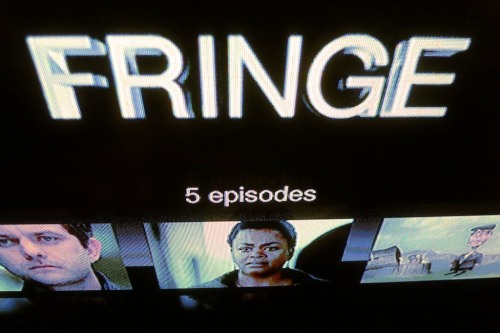
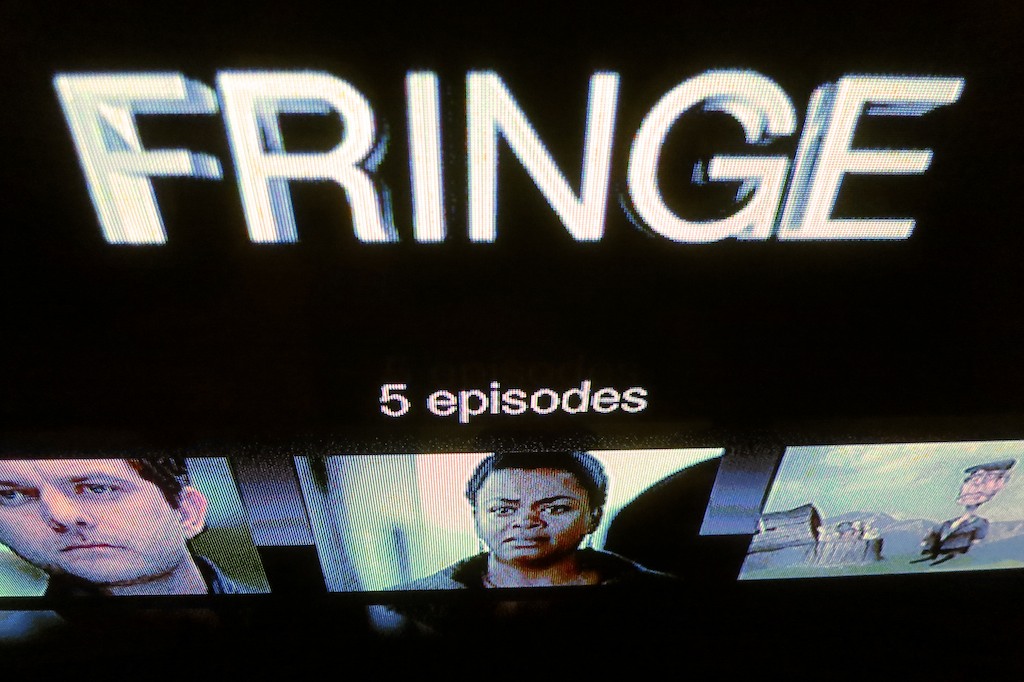
Don’t ask why Fox only gives you five streaming episodes of “Fringe” to watch on Hulu Plus. Just consider it another unexplained Fringe event.
New Year’s Resolution #479:
(been a busy week)
Catch up on my favorite television shows I’ve neglected watching.
Always on the Fringe of “Fringe”
One series I’ve stuck with over the past four years is “Fringe.”
Created by J.J. Abrams who brought us “Lost,” this series, inspired by
“The X Files,” has also taken its time unveiling its complex truths.
It’s really been a roller coaster ride since last season.
I barely understood the confusing ‘altered universe’ as opposed to the cool ‘alternate universe.’ (the slickest part of the show to date)
Still, I’ve wanted to hang in through this fifth and already jarring final season.
Don’t Blink
Once upon a time, I was exceptionally diligent in time shifting my broadcast/cable viewing through my trusty DVR.
But I’ve been running out of memory of late.
(as has my DVR)
Plus, I haven’t been consuming enough episodes to relieve my DVR’s bulging hard drive.
(Life is busy!)
And as with “Fringe,” as soon as you miss an episode or two of your favorite TV show these days, you’re stuck.
Many series evolve a common storyline across multiple episodes.
So it’s difficult to jump back in even if you’ve been briefly absent.
Spend a Doubloon on iTunes
One catch-up solution is to simply suck it up and pay for the missed episodes on iTunes.
Two or three bucks per episode (SD or HD) isn’t a terrible loss, but shelling out anything really annoys me.
I know I could have had it for free, if I were only a bit more organized with my media management.
Hulu to the Rescue
Another option is to take advantage of the fact that many series stream some of their episodes for free on the networks’ websites or on Hulu.
Hulu has been around since 2008.
It’s a joint venture between NBCUniversal, Fox, and Disney/ABC with free programming from over 410 content companies.
I’ve found Hulu a great convenience for my emergency catch-up viewing as well as quickly checking out popular clips from shows like
“Saturday Night Live.”
Last year, I took advantage of this ad-supported streaming lifeline to keep up with “Fringe.”
Unfortunately, this season, I quickly fell too far behind the five-episode streaming limit imposed by Fox. So Hulu wasn’t able to help.
And then I had an epiphany.
What about Hulu Plus?
All the Fuss with Hulu Plus
Free is always nice, but the paid subscription model of Hulu Plus gives you ‘more.’
And that’s what I needed! (I thought.)
Hulu Plus launched in 2010 and hosts over three million subscribers, more than doubling its membership over the past year.
(It’s currently available only in the U.S. and Japan.)
There are five reasons to go with Hulu Plus:
- The big hook with Hulu Plus is “generally,” you can watch the entire current season of a TV series.
(plus multiple episode or full back-season content from many TV shows)
- With Hulu Plus, you can now stream content beyond your computer to devices like Apple TV and Roku.
So this returns your viewing experience to the big screen in your living room.
- Hulu Plus also works with mobile devices like your iPad.
And you can also use the same subscription for your multiple devices.
(but only one simultaneous stream at a time, please)
- Hulu Plus streams in HD, when available.
(Hulu only gives you SD.)
- And there are movies too.
That said, there’s a clear consensus out there you shouldn’t go to Hulu Plus for its flicks.
Stick with Netflix for that.
The enhanced Hulu Plus costs $7.99/month. (There are still ads.)
On the upside, they give you the first week for free.
(Happy New Year!)
Stormy Waters Ahead
All these ‘enhancements’ and incentives to go Plus is clearly a marketing power play, but I suppose everyone’s got to make a buck.
The more successful Hulu Plus becomes, the more disruptive it will be to the traditional broadcast/cable revenue model.
And that could spell future trouble for Hulu.
(Fast and Slate have been discussing that side of the story recently…)
And the newest indicator that Hulu’s non-traditional approach has really irritated its media giant owners is the big news from January 4th that both
Hulu CEO Jason Kilar and CTO Rich Tom are resigning.
That’s quite a shake up!
Netflix Streaming – The Sacrificial Lamb
So I really needed to resolve my micro-conundrum sometime before Fringe signs off!
But should I be buying into yet another scheme to pay for free TV?
And then I thought about Netflix Streaming and how difficult it’s been recently to find a good movie for both my wife and me to watch together.
And coincidentally, that’s also $7.99/month.
Time for a swap? Why not?!
(I’ll still keep my Netflix DVD plan.)
Click.
Hello Hulu Plus!
And just like that, I had my first month for free.
(I half expected Alec Baldwin to swing by and congratulate me.)
My Digital Quest Became a Fringe Event
After signing up, I immediately went to the “Fringe” page on Hulu Plus to begin my catch-up journey through season 5.
Suddenly, time slowed to a halt as my eyes struggled to look beyond the five listed episodes. My eyes were frozen!
Was there an alien force preventing me from viewing my prize?
No, there simply weren’t any more episodes on the page.
Only the same five episodes already available for free on Hulu.
“KHAAAAANNN!!!!!”
What’s the point of paying for Hulu Plus to have access to the complete current season of a series if it was never there to begin with?
(Maybe the Observers from “Fringe” have secretly taken over Hulu.)
Generally…
Remember when I mentioned earlier that Hulu Plus is supposed to give you the entire current season of a show to date?
I included that pesky little word- ‘generally.’
Not ‘always.’
Hulu’s website says-
“For most major network series available on our service, Hulu Plus offers every episode of the current season.”
‘Most’ is also not the same as ‘always.’
So like my mother always told me, you should always read the fine print.
Buyer beware.
All right. So I had a little bad luck on my first try.
There are hundreds of other series to choose from.
“Revolution” is Mostly Dark
I’ve also wanted to start watching NBC’s “Revolution,” which has generated some great buzz this season.
So I quickly navigated to that page.
Nope.
All the lights weren’t on there either.
Yep…
Just the last five episodes.
Uh huh.
Can’t Get to “Sesame Street”
My wife and I have been thinking it’s time to introduce our boy to the wonders of “Sesame Street.”
Perfect.
Click.
Full episodes? Hold on there, cowboy.
You can watch some short clips, but that’s it.
Nice.
Three Strikes?
But it’s not all bad news for Hulu Plus.
- CBS Joins the Party
CBS has been a notable holdout since Hulu launched, but beginning this month, that logjam has finally been broken with a freshly inked deal.
Look to see more CBS programming on Hulu Plus over the next few months.
And it should be noted that all this new goodness is apparently not coming to the free Hulu service.
(surprised?)
- Fox Throws Plus a Bone
Fox has its own set of arbitrary rules that hold back new episodes on Hulu for eight days. (unless you’re a DISH, Verizon, or Cable One subscriber)
Hulu Plus unlocks it for you the day after air!
Digital Smorgasbord
Hulu Plus has a lot going for it, but it’s limited by some really frustrating, quirky rules.
There’s no way to know for sure what you’re able to watch until you actually look for it.
(Even all of the content on Hulu is not always available on Hulu Plus because of licensing limitations.)
The Truth for $5.98
So after a frustrating trip down yet another digital rabbit hole, I’m back where I started.
Well, the truth has always been out there.
It just costs $5.98 and a slap to my pride.
Yep… It’s iTunes.
I just have to buy the freaking two episodes of “Fringe” on iTunes, and I’ll immediately be back within the cozy five-episode Hulu Plus bubble!
Click. Click.
Done.
(sigh)
Can We Fix it? Yes We Can!
So that’s the end to my disappointing and brief Hulu Plus journey.
Well, not exactly.
I’ve got the free month.
Why not use it!?
So I’ve been taking Hulu Plus out for a test drive.
It’s only been a few days, but there are already some promising developments:
The Dysfunction of “Modern Family” Works Great
Last week, my wife and I happily watched a couple of episodes of “Modern Family.”
This series isn’t available on Netflix Streaming, and I gave up on the Netflix DVD we received, because holding onto half a season’s worth of episodes backed up the flow of other Netflix DVDs standing by to ship.
“Bob the Builder” Fixed It
Big Bird will have to wait, but “Bob The Builder” has quickly become a huge hit with my son.
I fired up this toddler-friendly series onto my Apple MacBook Pro laptop, and my boy now happily sits with me at my desk watching Bob, Wendy, Rolley, Dizzy, Scoop, Lofty, and Muck, while I’m putting the finishing touches onto my blog’s next post on my iMac.
Suddenly, I’ve found myself very close to Digital Zen.
How unexpected.
Stay Tuned
So the jury is still out.
If Hulu Plus continues to help me and my family find and watch our ever-growing backlog of TV episodes, maybe there’s room for a little more Plus in our digital lives.
Just like watching “Fringe,” it’s been confusing and not without frustration.
But it has also offered up some rewards.
I’ll continue to “observe.”

 At Home with Tech