At Home with Tech

Unlock the power of all your technology and learn how to master your photography, computers and smartphone.

Tag: smartphone

How to Annoy 100 Train Commuters with Your iPhone
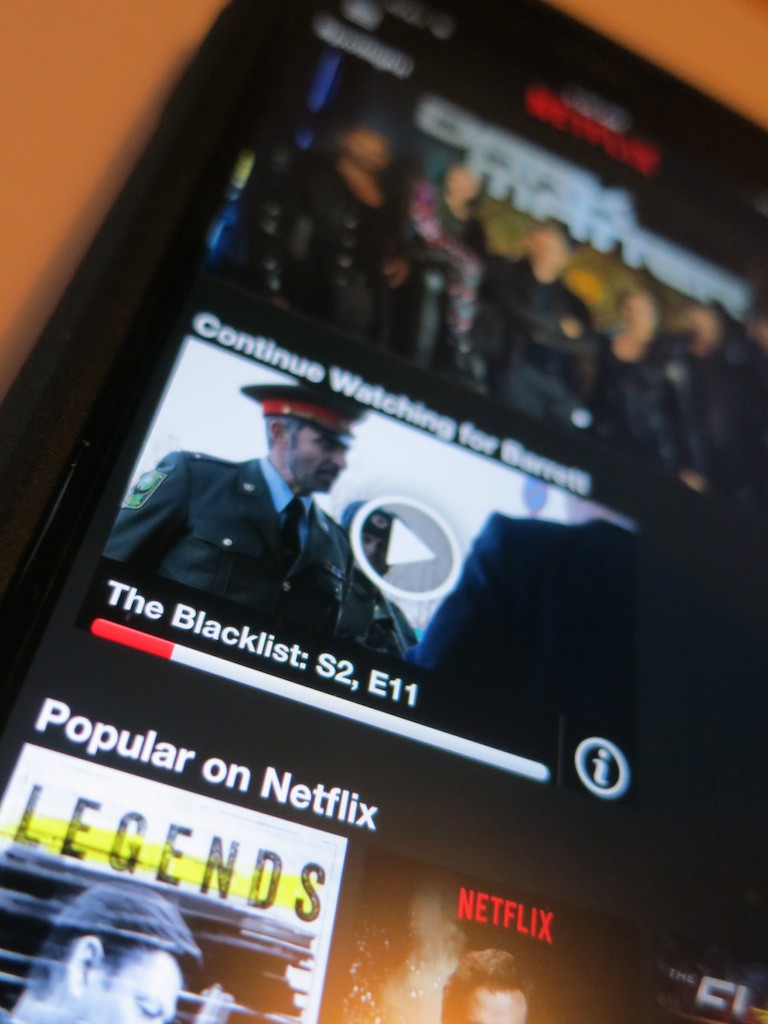
If you think you’re always in your own private bubble while streaming TV shows on the morning train, you might be in for a rude awakening when you invoke a commuter uprising… against you.

If you think you’re always in your own private bubble while streaming TV shows on the morning train, you might be in for a rude awakening when you invoke a commuter uprising… against you.

Warning: Never stream “The Blacklist” on Netflix while riding the train during your morning commute… Not without first checking in with Apple.

Let me explain my cautionary tale…

A few weeks back, I was doing exactly that on my Metro North train ride to New York City. Remember, I’m a Road Warrior, at least I pretend to be while riding the train.

So I had my trusty iPhone 6 Plus tuned into season 2 of “The Blacklist.”
My Apple EarPods were firmly in place…

If you’re a fan of the James Spader TV spy series, you know it’s a pretty noisy show. Lots of loud explosions as our heroes try to capture the bad guy…

Major Audio Malfunction
In the middle of watching a tussle with the evil Luther Braxton, played by the great Ron Perlman, my seatmate tapped me on my shoulder. I paused the stream, extracted my left Apple EarPod, and turned to face this stranger.

“I can hear your show.”

“What?”

“Your TV show is playing too loud.”

I looked down at my iPhone.

“How is that possible? I’m wearing earphones.”

“I can still hear it.” It’s really loud.”

I paused in ongoing disbelief.

Then, the commuter on the other side of my offended seatmate leaned forward and joined the conversation.

“Yes, I think the entire car can hear it. It’s blaring! Everyone can hear it. Really!!”

She nodded.

He nodded.

I began to nod… in disbelief.
I had become ‘that guy.’ How embarrassing…

So of course I apologized and promised to lower the audio level, which I did. But several times during the rest of my commute, I pulled out one or both of the EarPods to listen for any escaping audio.

I heard nothing. My earphones weren’t projecting anything, contrary to crowd consensus.

Confused as to where the leak was coming from, I cranked the level back to ‘eleven.’

Nada.

Hmmm… Then I realized for the sound level to be that offensive, the EarPods couldn’t possibly have been the culprit. Somehow, the iPhone’s onboard speaker must have been activated.

Then, it hit me… ‘Lint-gate!’

Pocket Lint is Evil
A few weeks back, I realized the exposed holes in the bottom my iPhone were slowly being filled up by pocket lint through normal wear and tear.

The tell was I couldn’t get a secure lightning connection to charge my iPhone anymore. That’s when I realized I had the lint problem. So I took matters into my own hands, grabbed a pin and started scooping out pocket lint from both the lightning port and the earphone jack.

Problem solved…. Or so I thought.

I assume you know the phrase, “Don’t try this at home.”

Clearly, I hadn’t extracted enough of the lint from the audio jack and the 3.5mm plug was being blocked from making a secure fit. And as a result, the iPhone’s speaker took over… even though my earphones were still operating.

While that scenario suggested the possibility of a technical glitch I couldn’t confirm, I figured where there’s smoke, there’s usually fire.

Then I remembered a friend had mentioned after reading my original pocket lint post that the same problem had happened to him. His solution was to take his iPhone to the Apple Store. The Genius he spoke with used a tiny ‘vacuum-cleaner-like’ tool to do the fix.

Huh.

iPhone to Surgery… Stat!
So when my train arrived at Grand Central Terminal, I hoofed it to the Apple Store, which was conveniently located only a few steps away from Track 18.

I checked in… told my sad tale of how “The Blacklist” had disrupted an entire train car filled with annoyed commuters… and I was quickly scheduled to see an Apple Genius.

When my Genius arrived, I repeated my story, handed over my iPhone, and then she rushed it away to the back room.

Five minutes later, she reappeared and confirmed that my iPhone had still been clogged with plenty of pocket lint.

But no more.

She handed back my iPhone with a big smile.
(No charge)

I asked if there was a better way to take care of this nuisance at home. She suggested using a paper clip instead of a pin, because the larger circumference of the point could grab more lint.

But really… I knew my solution moving forward.

Cleared for Duty
Can you think of any personal tech you regularly rely on more than your smartphone?

Exactly.

I say everyone should schedule an annual ‘De-linting’ iPhone Check Up with the Apple Store.

Your fellow train commuters will thank you, and you won’t end up on anyone’s Blacklist!

Starving to Stay Connected while Feasting on Smartphone Tech

How difficult is it to understand this?  It’s only a problem if the smiley face shows up instead as the letter ‘J.’  But this could be the least of your smartphone problems when it comes to keeping you feeling comfortably connected to the rest of your life. Especially when you’re away on a trip…

How difficult is it to understand this? It’s only a problem if the smiley face shows up instead as the letter ‘J.’ But this could be the least of your smartphone problems when it comes to keeping you feeling comfortably connected to the rest of your life. Especially when you’re away on a trip…

8:26pm…

“Hello?”

“It’s Barrett.”

“Who?”

“Your husband!”

“I can barely hear you.”

“We just landed.”

“What?”

“Jus w ntd you kno tha I can’t  m do mak ak   fo bap   rit.
…I’ll tell you more later.”

“What?”

“Bye.”

Click

Deep down, we all know the wonders of technology are only as good as the weakest link.

It wasn’t that long ago when mobile phones freed us from our homebound communications tether.
(But those sky high cost-per-minute charges… ouch!)

Eventually, the business model matured and then truly blossomed when phones morphed into email and texting machines.

Today, smartphones connect us in ways unimaginable only a few years back.
That you can talk with and sometimes see your loved ones from almost anywhere is two parsecs shy of science fiction.

Welcome to the World of Words
As smartphones developed each new trick, that capability quickly became the dominant one.

As a result, the near lost art of writing is experiencing an amazing renaissance.
It’s the new normal.
Why would you endure the rigors of a phone call when you can ‘more easily’ email or text someone?

It’s like we’ve already abandoned using the smartphone as a simple voice tool.

Ring, Ring
That said, I have long been a stubborn proponent of the seemingly old fashioned practice of calling up someone instead of forwarding along a bunch of alphanumeric characters and butchered words.

Plus, emotional context is inevitably absent throughout the act of texting.
Though the use of emoticons does help.

And think of all that incessant back and forth of an email chain, often over the course of hours. You’d likely arrive at the same facts as with a one-minute phone conversation.

And remember, your more highly evolved smartphone is not as limited as your grandfather’s Ma Bell indestructible monster. With mobile video enabled technologies like Skype and Apple’s FaceTime, you can enjoy the purity of non-verbal communication cues to help you stay totally in sync with your phone buddy. It’s almost like being in the same room.

Why wouldn’t you want to reach out and touch someone?

What Did You Just Say?
Well, if you don’t have access to a strong connection, that value proposition falls apart pretty quickly…

I’m sure I don’t have to tell you how frustrating it is having a conversation with someone on a spotty cell connection.
Understanding one out of every three words just doesn’t cut it.
And adding video into the equation is immediately hopeless.
You get the first video frame or two, and that’s about it.
Then the call crashes.

Conversely, getting a simple text out into the ether over a mediocre connection feels downright glorious.

Keep it simple. Get it done.
The pleasantries can wait till next time…

In Search of Clarity of Communication on the Go
I’ve just returned from a short business trip to Charlotte, and I clearly stretched the limits of parts of AT&T’s cell phone network in North Carolina.

While waiting at the airport gate, I tried accessing
the voodoo of a Skype video call to watch my son open up a present.

I got about 30 seconds in, and the call tanked.
(though I did get a chance to see a few of his shouts of delight!)

So sure… you’re supposed to have a Wi-Fi connection for optimal Skype results, and I was working it with a mere three bars of signal.
(FaceTime doesn’t even try to operate without Wi-Fi.)
That it connected at all is probably a miracle.

But I also had trouble successfully reaching out
via simple voice communication.
When you can’t hear all of what your wife is saying over a few minute stretch, that quickly becomes a problem.
You can only intuit so much.
And you can only say, “what?” so many times.

So sure, one time I was travelling in the car rental shuttle bus, and my wife was driving down Route 95.
Maybe I should be satisfied the call worked as well as it did.

The Frustration-Free Moment
Our nationwide cellular networks still have their holes, even in metropolitan areas.
And calling from inside thick tall buildings or moving metal cars doesn’t help much.

The truth is… smartphones can’t yet mimic the magic of a Starfleet communicator on the prescient ‘Star Trek.’
(You can’t really have a crystal clear conversation from inside a Horta’s cave with your starship in standard orbit above Janus IV.)

There are limits…

So when my plane landed back at LaGuardia airport, I texted my wife instead of going for a quick phone chat from inside the cabin.

She texted back a question about a contractor’s phone number. I pulled up the contact on my iPhone and texted it to her.

When I received back a happy face emoticon 30 seconds later, I felt this rush of happiness.

After a series of generally splotchy phone connections to my family during my trip, I had finally found some Tech Zen:

  • Simplicity
  • Clarity
  • Accuracy

In this instance there was no need for a call.
Even if my iPhone had access to a strong signal, it would likely be marred by the competing sounds of the plane’s engines blended with the loud, nasally passenger in row 12B.

And trying for a video call…?
Forget about it!

Just because you can access the wonders of your tech, doesn’t mean you should.
Especially if your experience isn’t going to be so wondrous.

Just the Facts, Ma’am!
So finally, I’ve seen the light.
When you’re on the go, texting is the clear leader for straightforward communication.
(as long as you’re not driving!)

When you just care about getting the facts across, it takes all the frustration out of the equation.

Sure… you’ll lose all the personal touches of a phone call.
But how hard is it to interpret a smiley face emoticon?

Well, that is until it shows up as a letter ‘J.’

Agent J
Even the clarity of written communication is not totally immune to misinterpretation.

One morning, while on my trip, one of my colleagues walked over to me with a worried look as he stared at his iPhone. He explained that recently he had been receiving messages that ended mysteriously with an uppercase ‘J.’

He thought it was code for some kind of newfangled valediction.

I had no idea. So we took the question to the rest of the room, which included representation across several generations.
Nobody else had a clue either.

I half expected a Man in Black to walk up with the explanation before he pulled out his neuralyzer.

But we successfully Googled it instead.

Get this… The ‘J’ apparently originated as a smiley face.
But then it got lost in translation on its way to his smartphone.

Some mail clients get confused by a 🙂
and simply replace it by a ‘J’ instead.
It’s something about a smiley becoming an upper case ‘J’ in the ‘Winding’ character world.

Weird.

My Mind to Your Mind
So really, there’s no foolproof way to ensure 100% accuracy when communicating with someone from any distance beyond 4-6 feet.
After that, all bets are off.

Technology can help through the precision of ‘word delivery’ to your phone, but only up to a point. It’s ironic that in a world overflowing with communications technologies, we often feel more disconnected than ever.

Until we master the Vulcan Mind Meld, we’ll have to struggle along as best we can.

J

Comfort Data to Feed Your Vacation Zen

What's it going to take to make your next vacation as carefree as a three year old experiences it?  Well, you'll need a little tech at your side to maintain a small but steady stream of ‘Comfort Data.’

What’s it going to take to make your next vacation as carefree as a three year old experiences it? Well, you’ll need a little tech at your side to maintain a small but steady stream of ‘Comfort Data.’

As we’ve arrived at the unofficial end of summer, I think it fitting to conclude my season-long investigation on the nexus between:

  • House
  • Weather
  • Home tech
  • and my blood pressure!

Consider this…
You take one last look at your house as you drive away on your late-summer vacation.
You’ve staged your home for low-occupancy use.
(The cats will hopefully use the time to catch up on some sleep…)

But your castle is essentially on its own.
Who knows what tomorrow will bring…
Natural disaster. Power outage. Alien attack.

As you turn the corner towards your relaxing journey, you smile at your family and secretly wonder if you will ever see your house again… in one piece.
(A slightly catastrophic perspective… but don’t tell me the thought has never crossed your mind.)

Are you enjoying your Vacation Zen yet?

Your Tech Always Comes Along for the Ride
Disconnecting from your daily routine is the foundation of recharging yourself on vacation. And that usually means putting down the work BlackBerry and personal smartphone.
But hey, how many of you spend zero time with your iPhone or Droid while soaking up your summer sun?

Exactly.
You’re not disconnected at all.
And you like it that way…

  • Send that text
  • Update your Facebook page
  • Make the phone call

The digital ‘wish you were here’ moments fly off your digits.

So if you continue to keep in touch with every part of your life, why can’t you use the same tech to monitor your house’s life signs?

Well, of course you can…

Comfort Data
I’m back from more beach R&R, and I’m happy to report my house is still in one piece.
(I know you’d be worried for me.)
More importantly, I didn’t have to wait to get home to arrive at this conclusion.  I received enough ‘Comfort Data’ via my iPhone along the way.

I’ve been enjoying the benefits of having made my house a ‘wee bit’ smarter.
Now it shares its vital signs wherever I go.

And this ongoing evolution helped to make this vacation more relaxing than my earlier summer jaunt…

Let’s review my three tech muses that now feed my Comfort Data stream…

Nest – Keeping It Cool
Recently, I installed a Nest Learning Thermostat to give me remote access to my home’s HVAC system.
This vacation was the perfect opportunity to see if my pricey investment was worth it.

Each beach morning, I sat down with my cup of Joe, reflecting a bit while the early sun illuminated the calm water, and then I opened up the Nest app on my iPhone to confirm my house was as temperate as my current surroundings.

(All my windows were closed at home to avoid the possibility of wind-swept rain damage. But that choice also removed the opportunity for my house to breath in all that chilly late-summer night air.
So my Nest really needed to keep things cool without running my AC 24/7.)

The Nest app powered up and showed me the current temperature in my living room. It knew I was away, because it didn’t sense any movement.
(Apparently, its software algorithms can filter out cats.)
Nest was holding the temperature steady just under my ‘Auto-Away’ setting.

Sweet!

Leaving Eyes Behind with Your Foscam
So Nest can make you Lord of the Temperature, but you’re still blind to everything else happening at home.
Well, not exactly…
Remember that Foscam IP baby monitor camera I installed last year…?

  • I walked it downstairs before the trip, so I could take a remote peek at the homestead while building sandcastles with my son
  • I also moved a digital thermometer next to the Foscam so the IP camera could visually confirm my Nest was behaving

This back-up temperature check gave me additional peace of mind to know the cats were comfortable and getting their beauty sleep.

One time, as I was having some fun remotely panning the Foscam about the room, I spotted one of my two felines studying the sudden movement.

I immediately froze the camera so as not to incite more interest and a direct encounter.
(My Foscam didn’t have the optional ‘anti-cat force field’ installed.)

Finally, the simple fact I could successfully monitor the happy status of my Foscam confirmed my home was still getting juice from the street.

Dark Sky Looks for Trouble Overhead
So if you were wondering… no, I wasn’t continuously preoccupied with my offsite tech throughout my vacation.

There was plenty of room left to apply the power of tech to my present environment…

I was forced to navigate a dodgy weather day at the beach, and I really needed some hyper-local weather forecasting.

My friend suggested I try a weather app called Dark Sky, which was created by a couple of cool-looking dudes via
a successful Kickstarter campaign.
(The name sounds like a bad sci-fi movie on late night TV.)

This app’s trick is to take real-time data from the National Weather Service, pair it with your specific location and offer you an accurate rain report for the next hour right where you are.

I downloaded Dark Sky from iTunes for $3.99 and gave it its first test drive the final morning of our trip as I was packing up the car with all our family gear.

The clouds looked a little ominous, and of course, I was curious to see if I’d be schlepping out all our gear in the rain…

I asked Dark Sky…
‘All clear for the next hour!’

So I took my time.

Ten minutes later, the droplets began bouncing off my head.
D’oh!

To be fair, it only rained for the next five minutes, and then it stopped.
The rest of the day’s precipitation held off till later that afternoon as per the forecast.
(An errant rain cloud in need of a diaper change?)

Clearly this rain predictor app wasn’t completely infallible, but it wasn’t entirely wrong either.

I gave it another try last week during lunch at work. I needed to run an errand, and it was pouring out. Dark Sky displayed there was no end to the storm for the next hour.
So I dashed out after waiting as long as I could.

As I made my return protected by my trusty Tumi umbrella, the heavy rain subsided to a drizzle.
While waiting for a red light on Sixth Avenue to change, I felt curious what Dark Sky had to say…

It was ready to impress and let me know we were in a window of drizzle for the next ten minutes.
(eerily accurate)

Okay, this app wasn’t so bad after all…

It’s Getting Chilly Already
So there you have it… my summer… made a bit more relaxing through the power of home tech.

Yes, it’s always a little sad when you have to say hello to September.

But the good news is you can keep some of that summer glow with you
year round with all your Comfort Data.

You’re going to need it…
Old Man Winter isn’t that far off!