At Home with Tech

Unlock the power of all your technology and learn how to master your photography, computers and smartphone.

Tag: Staples

Where can You Recycle Old Batteries?

Do you have a battery-disposal problem too? It’s time to stop stashing your spent batteries in old coffee mugs. Here’s what I did.

Old batteries are a problem. You can’t just throw them out in the trash. That’s killing the planet. You’ve got to properly recycle them. (More on that in a moment.)

One way to minimize the problem is to reduce the number of batteries you actually need to dispose of each year. You can do that by converting over to rechargeable batteries.

Time to Buy Rechargeable Batteries
I’ve been slowly traveling this conversion journey to rechargeable power, and I’ve been going with the Eneloop Pro rechargeable battery brand made by Panasonic.

It’s not been an inexpensive initiative.

Plus, you need a dedicated charger.

So, it’s something of an investment to get started.

But it’s the right thing to do, and eventually, the battery conversion process will be complete. The stress on your wallet will end, though you do need to eventually replace a recyclable battery.
(This process is not unlike the incandescent/LED lightbulb conversion exercise from a decade back.)

So, when it’s time to recycle a spent battery, where should you go to properly get rid of it? (recyclable or not)

Recycle at the Town Dump
I think most cities and towns have recycling stations or events for this need. For me, this has not been an effortless experience. Whenever I drive over to my city’s DPW dump, I feel like I’ve been transported to a post-apocalyptic Road Warrior market.

Everyone is always very nice, but I’m overwhelmed by the overall experience of mass disposal that’s often accompanied by piercing sounds of crushed metals being hauled away by hulking machines.

Sure, you can drop off your batteries there for recycling, but the process always seems to be a bit different every time I go. Often, I hand my bag of old batteries over to the Overlord of the Dump who’s there to ensure compliance (or doom you to Thunderdome if you don’t follow the rules).

He’s been great, but I do feel like if there’s ever a power struggle in ‘Bartertown,’ the new Overlord may be less obliging. (Years ago, I brought batteries over to a different Overlord. He picked through them, found 3 tiny lithium-ion batteries, and promptly charged me ten bucks for them.

Yep, visiting the dump is always something of an experience.

Bring your Batteries to Staples
Last week, I was reviewing emails at my desk over my morning cup of Joe, and a marketing message from Staples caught my eye.

It said, “New! Recycle your old batteries.”

Really?

Apparently, Staples is in the recycling business and gladly takes your batteries (including Lithium-ion) and lots of old tech. Here’s the list.

There’s a Staples store right down the street from our house. So, I grabbed my current pile of old batteries I stash in an old coffee mug and headed over to test drive this new battery recycling solution.

That was Easy
Not to steal their branded-marketing phrase, but yes, that was easy.

I walked into Staples, headed over to the register counter and asked how I could recycle my bag of old batteries. The woman at the register asked me to hand over the bag and treated the transaction like I was buying an item. I even received points on my Staples account.
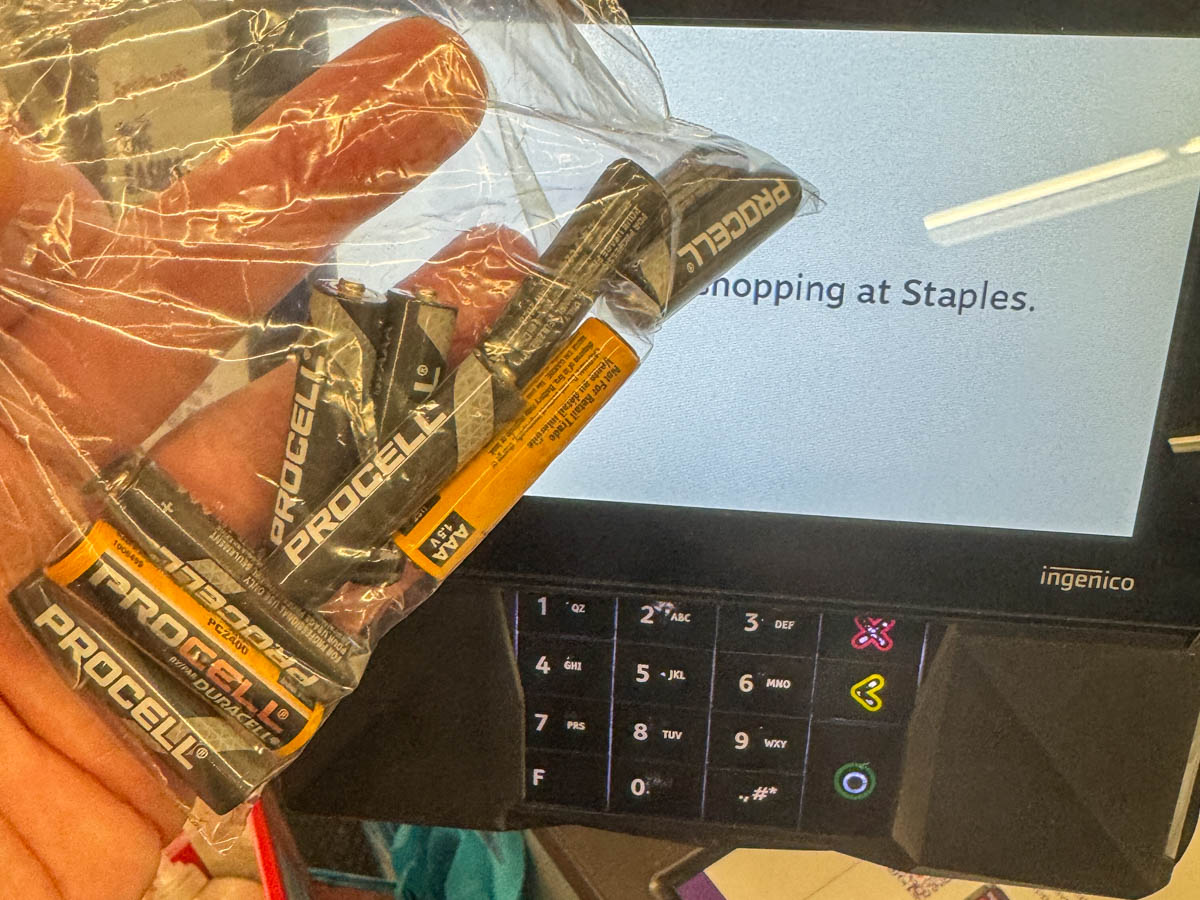
Remarkable.

So, in the words of the Mandalorian, “This is the way.”

Every Day should be Earth Day
If we’re to lead more responsible lives in collectively caring for our planet, it’s important that there are some clear (and hopefully easy) ways to accomplish that.

I’m pleased to report that Eneloop and Staples have helped me solve my battery-recycling challenge.

Ten Tech Tips You’ve Missed

Want to jump start your personal tech engine? Here are ten ways to tune up your life with all that pesky technology you’ve got to deal with…

Want to jump start your personal tech engine? Here are ten ways to tune up your life with all that pesky technology you’ve got to deal with…

At Home with Tech is designed to provide a regular stream of tech tips to help you navigate your busy day to day. Unfortunately, I know that life can sometimes get in the way of this blog’s information exchange.

But don’t worry…

I’ve reviewed ten of my best ‘how-to’ tech tips that might have fallen off of your radar and repackaged the links here for easy consumption.
(Your smartphone, computer, digital camera, email, and home printer will all thank you!)

Enjoy…

#1
How to Never Pay for Your Printer Ink Cartridges

#2
How to Help Your Computer Survive Software Updates

#3
How to Reanimate a Dead Eye in Your Photo

#4
How to Handle a Lost Email

#5
How to Find Parking Salvation with PayByPhone

#6
How to Take More Vacation with Less Tech

#7
How to Bypass a Frozen Ticket Touchscreen

#8
How to Boost Your Smartphone’s Signal Strength

#9
How to Give Your HDTV More HDMI Inputs

#10
How Your Email Can Help Group-Think Succeed

“Bonus Tip!”
(If you liked the photo above…)
How to Make a Photomosaic

My New Apple TV is Worthy of the Force

How do you create this imaginative screen saver for your TV? You just hand over your pictures and let your Apple TV do the rest…

How do you create this imaginative screen saver for your TV? You just hand over your pictures and let your Apple TV do the rest…

Star Wars…
The new Apple TV…
And my favorite TV screensaver.

These three forces recently collided to create something of a tech crisis in my life.

Before taking my wife to see Episode 7, I wanted to offer her a little refresher on Luke, Han, Leia, Darth and the old gang. So I went looking for my copy of Episode 4, but I realized I’d never purchased a digital version of any of the Star Wars’ flicks.
(I know… A huge gap!)

I did locate a forgotten VHS copy, but trying to watch that would require its own MacGyver project getting the old tape to play on my HDTV. I wondered why I still had the archaic tape lying around to begin with. Perhaps this version represented the original cut where ‘Greedo didn’t shoot first.’

Anyway… I threw it back in a drawer for another time.
(Decade?)

Another Problem with the Hyperdrive Engine
So I summoned iTunes on my iMac and figured a swift HD download of “Star Wars: A New Hope” would quickly fill the gap.
(I know that purists would insist on purchasing the Blu-ray version… But I just didn’t have enough time to buy a physical copy.)

Click.

Then, I synced the 1977 classic to my old Apple TV and waited (not so patiently) for the Force to appear.

Nothing happened.
I repeated the sequence.
…Nope.
(And that’s when I began having a really bad feeling…)

So I did a little online research and was painfully reminded that my first generation Apple TV can’t play full HD 1080p videos.

Only the inferior 720p flavor.

And today, all of Apple’s HD movies in iTunes are 1080p.

D’oh!
(Clearly I hadn’t bought a movie for my old Apple TV in a while…)

Always in Motion is the Future
Yes, I failed to mention earlier that I’m still trying to keep alive the original Apple TV. Part of my rationale for trying to forestall its obsolescence was due to its clever screensaver mode that can download and then rotate hundreds of your photos into a dynamic scrolling collage.

Forget all of the movies, TV shows and home videos that Apple TV was built to handle.
With my first generation Apple TV, I could generate my own personalized living photo collage onto my HDTV that showed up via Apple TV’s screensaver.

I was concerned when later version Apple TVs came out without an internal hard drive that they wouldn’t be able to perform the same trick…

Hello Generation Four
Sure, the fourth generation Apple TV has so much more capability…

  • Siri functionality
  • Streaming service apps
  • Game apps
  • HBO and Showtime without a cable or satellite subscription
  • A newly designed remote

But I was laser focused on that screensaver capability. Could the new Apple TV do it?!
(And I’m not talking about the new cinematic screensaver, which displays nifty aerial videos of different cities.)

But without a way to play 1080p videos on my Apple TV, it was clear it was finally time for me to take a leap of faith and go for the upgrade…

Discover This
Of course I missed the holiday shopping discounts that were originally offered by some retailers on Apple’s new streaming device. But I had a little trick up my sleeve… I was able to generate my own personal discount…

I simply dipped into some cash back dollars I earned by using my Discover Card.

And then I stretched them a little further by redeeming them for Staples’ gift cards.
Staples will give you a $25 gift card for only twenty bucks!

A few of these go a long way to dropping the $199 price of the 64GB Apple TV.

Hello, staples.com…

CLICK!

Memory Management
So yes, I’ve just become the proud owner of a new Apple TV. I went with the beefier model as opposed to the 32GB version, which was only $50 less.
(I usually supersize it if the upgrade cost is reasonable.)

And yes… The Apple TV 4 has a hard drive.
(Flash memory, as in the past two models)

But the increased storage capacity is there to handle the apps and content you’ll be using in the moment. Not necessarily to download and store for keeps. So the Apple TV essentially decides what content to keep locally. Humans not required.

But the big change from my old Apple TV is you don’t sync content from your computer… You sync it from the cloud via your iTunes and iCloud accounts.

Drum Roll, Please
And is my favorite screensaver still there…?

YES!

The only difference is you’ve got to transfer your photos up to your iCloud account and Photo Streams for your Apple TV to access them.
(As opposed to syncing the photos directly from your computer)

Phew…

Doubling Down on Star Wars
For a time, I’ve again brought tech balance back to the Lester household.

  • My wife got a crash course on the ways of the Force via Episode 4.
  • And then we both enjoyed Star Wars…The Next Generation.
    (Though I must admit I walked out with a little knot in my stomach… similar to how I felt at the end of “The Empire Strikes Back.” That’s not so terrible as Episode 5 is widely considered the best of the series. But I didn’t fully appreciate that reality until three years later. I imagine I’ll feel better again when Episode 8 comes out in 2017.)
  • Moving forward, with our new Apple TV, we’ll watch all six legacy films.
    (Yes, I couldn’t resist the discounted price on buying the complete bundle.)

Jedi Training
I’m sure some of you are scoffing at my questionable decision to bring Episodes 1-3 into our home media library. Who could possibly want to watch them?

Well, my five-year-old son will one day have to decide for himself.
(He’s still a little young to watch the movies, but I’m thinking of introducing him one day soon to “The Clone Wars” cartoon series as a primer.)

Every Jedi in training has to choose his or her own path. If we’ve learned anything from Star Wars over the past decades, we must accept that difficult truth.

May the Force be with you, my son.