At Home with Tech

Unlock the power of all your technology and learn how to master your photography, computers and smartphone.

My iPhone’s Logic Board Error
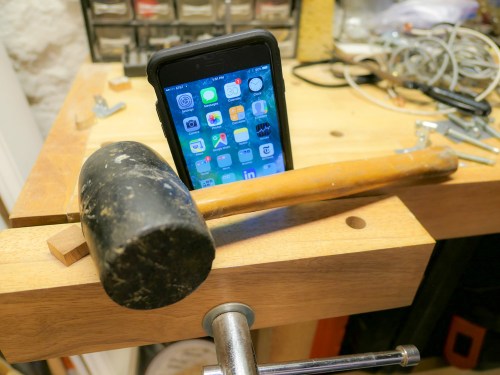
What are you supposed to do when you wake, but your smartphone doesn’t? It’s that thin gray line… when good tech goes bad!

It’s 5:15am. My iPhone’s rise-and-shine alarm begins to ring. I reach over to tap the screen. I tap it again. This time I open my eyes and tap three times more.
Nothing.

Huh?

My iPhone 6 Plus’ screen has become positively unresponsive.

Good morning, Barrett…

Clear the Cache
A few minutes later I trick my digital companion into compliance by clicking the home button a couple times and rebooting. (I forget the exact sequence.)
But clearly something is wrong as the ‘issue’ repeats itself twice more over the next couple of hours.

So I jump in my car and whisk my iPhone to the Apple Store for an emergency check up with an Apple Genius. The first thing she asks me is if I’ve done a ‘hard reboot’ by simultaneously clicking the home button and the sleep/wake button.

“That will clear out the cache, which can really build up over time,” she explains.

“Uh… no,” I respond sheepishly.

She proceeds to do that and a few moments later, my iPhone comes back to life as if nothing was ever wrong.

“Let me do some diagnostics, just in case,” she offers.

Another few minutes pass, and everything looks great on the report.
My iPhone is a picture of perfect health.

The Genius hands my iPhone back to me.

The Thin Gray Line
I look at my device.
Huh.

Then I remember something else.

“You know… there was one other thing…
Once, when the screen was frozen, I noticed a thin gray line shimmering on the very top of the screen.”

“A thin gray line?”

“Yes… at the very top.”

“Oh.”
(pause)

“Is that not a good thing.”

“No, it’s not.”

“What does that gray line mean?”

“It’s a documented sign of a logic board error.”

“Logic board error? That’s bad, right?”

“Yes… that’s bad.”

“But it only happened once. Could it happen again?”

The Genius looked at me. I already knew the answer.
When tech begins to malfunction, of course the problem can or will eventually come back. It’s just a matter of when.

Logic Board Blues
So I really can’t have a smartphone with a glitchy logic board.
That’s not going to work.

I’m planning on upgrading to the iPhone 8 when it’s released. But that’s an eternity when you’ve got an unhealthy iPhone. I see no viable option to just ‘wait it out…’

I turn to the Genius. “What are my choices?”

Her eyes squint a bit as she thinks. “What I can do is give you a new iPhone 6 Plus with the same specs as your old one for the same cost as a screen replacement.”

“And how much is that?”

“One hundred and fifty dollars.”

It’s Going to Cost You
What choice did I really have? Sure, it’s a band-aid solution… and you might recall, I replaced the battery on my naughty iPhone a few months back.
And that cost eighty bucks!

You might say the collective $230 would be better spent on a newer iPhone 7. But in a sense, I’d be buying into newer (though not more advanced) tech… The Genius explained that my new iPhone 6 Plus was built out of new and refurbished parts and came with a 90-day warrantee.

“Okay… let’s do it.”

“Good… So have you done a full back up of your old iPhone? You’ll have to re-sync everything to the new one.”

Thousands and Thousands… of Photos
Okay… so this is a little bit of a touchy subject for me…

I’ve been syncing all of my important iPhone data to iCloud like Mail, Contacts and Calendar. But I haven’t been using iCloud for a full back up.

I’ve got thousands of photos on my iPhone, which I’ve collected over the years.
(The basic 5GB of iCloud storage couldn’t handle that.)

And I’ve felt I haven’t needed to pay for more iCloud storage, because I’ve been religious about archiving my iPhone photos to my iMac… originally into Aperture, and now into Lightroom.
(I’ve also been archiving my iPhone’s video files onto my iMac.)

So I’ve been saving all of my phone’s media elsewhere.

There Are No Shortcuts
Separately, I’ve properly backed up my iPhone to my iMac via iTunes.
But… not recently.
(Bad Barrett)

Still, I know I’ve got all my media plus the old back up. I’m thinking I can confidently hand my iPhone over to Apple… never to see it again.

The Genius looks at me. “You don’t seem certain.”

“No, I’m good.”

“You sure?”

“Yes.”

So she unboxes the shiny replacement and slips my old iPhone’s SIM card into the new iPhone.

And that was it.

I must have suddenly turned pale, because the Genius says, “Do you want me to help you restore your data from iCloud?”

“Yes, please.”
(I don’t do this every day.)

So I stay in the Apple Store for another fifteen minutes, and she guides my next steps to ensure my new iPhone properly downloads all of my iCloud data.

I thank her and leave behind my old iPhone… and all of its photos forever.
(The device’s memory gets wiped and usable parts recycled.)

Rebuild and Improve
When I return home, I have a little more work to do. Since I’m not doing a full restore from a back up, I have to download my apps again and sign into them.
(A full back up solution of course would be better next time.)

The good news is I take the opportunity to only re-download the apps I’ve actually been using. And then I organize them on the screen in way that makes more sense.
(Like organizing your sock drawer… when do you ever make time to do that?!)

And then I tap on the photos app…
Nothing.

Of course, all of my thousands of photos are not on this iPhone.

Well… not exactly…

iCloud Photo Sharing
Over the years, I’ve been organizing all of my best photos into shared photo albums in iCloud. So all of the pictures that really matter to me… have already popped back into their respective shared albums on my new iPhone.

And then I had my Aha Moment…

These iCloud photo albums are now where I always go when I want to show someone a picture on my iPhone. I haven’t been going back and searching for a pic in my ‘Camera Roll.’

How many times have you waited for friends to show you photos on their smartphones, and then they have to swipe through hundreds (thousands?) of locally-stored pics to find the right ones?

I gave up that embarrassing practice a long time ago…

So really… why would you need to carry around your past decade’s worth of disorganized photos locally on your iPhone?
…As long as you’ve backed them up… you don’t!

Plus, without all of those photos bogging down an iPhone… it suddenly recovers a whole lot more local memory for other uses.
(Nice!)

Make Sure the Sun Still Rises
This all points back to the bottom line that you shouldn’t get too attached to any particular iPhone or the data it houses locally.

It’s always all about backing up and properly organizing your data and files… elsewhere.

Because eventually… all good tech goes bad.
Even your trusty iPhone.

How to Prep Your Tech for a Vacation to Europe

The last thing you want when you’re on vacation is frustration with your tech. Either you leave it all at home and go off the grid or do some easy prep…

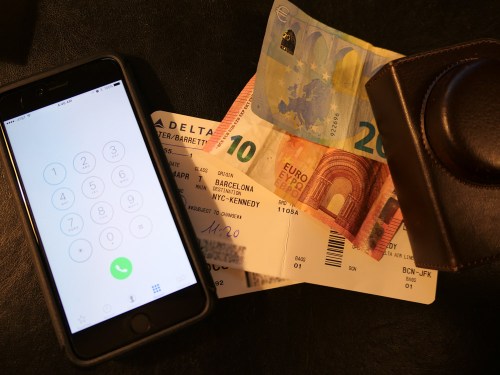
Bon Dia! My family and I are back from our little trip to Barcelona, and as you might expect, I ran across a few learnings that might be useful for your next holiday overseas…

Eight Tech Tips to Make Your Tech Work For You in Spain

1.
Before You Leave, Download Media for Local Viewing on Your iPad
I discovered that certain streaming video services didn’t work overseas. Amazon Prime Video failed the test. But Netflix worked like a champ! Before we left and without knowing which apps would work for sure, I downloaded a few episodes of my son’s current favorite video series… Amazon’s “Gortimer Gibbons Life on Normal Street.”
(My hedge paid off.)

2.
Not All Streaming Music Apps will Work Either
Pretty much the same story as video apps. Pandora choked in Barcelona, but Amazon Music worked just fine.
(I brought along my portable Logitech Bluetooth speaker to stream some local tunes during my morning coffee.)

3.
Avoid 3% Currency Conversion Fee When You Use Your Credit Card
The way to do that is pay in ‘Dollars’ instead of ‘Euros.’ I found that many of my MasterCard transactions in Barcelona offered the choice. You just have to tap the ‘Dollars’ option on the mobile terminal when it’s offered. (And sometimes for some reason, it wasn’t.)
Thank you, Mastercard for the suggestion.
(I had called customer service before I left to let Mastercard know I would be using the card in Barcelona.)

4.
Don’t Forget to Bring Your Earphones Onboard for Airplane Screen Time
I think by now… most planes that offer seatback monitor viewing are outfitted to use standard mini audio jacks. So your EarPods will work just fine. In fact, they’re a far superior option than using the free earbuds the airlines hand out with your free drink and snack.
(Actually, Delta fed us very nicely… and the stewardess also gave our son his very own Delta wings!)

5.
Clear Up Space on Your Smartphone for Vacation Photos and Videos
One quick way to find large files to remove is to delete a movie or two you’ve previously downloaded from the cloud.
(You can always reload them later.)
You really don’t want to run out of room on your smartphone when you’re snapping that amazing photo of la Sagrada Familia.


6.
Take an Extra Memory Card for Your Camera
If you also carry a separate camera beyond the one in your smartphone, (good for you!) the same rules apply as above. You don’t want your camera to run out of space either! Better yet… treat yourself and start with a brand new memory card! You’ve spent how much on your plane tickets? I say add an extra twenty bucks into your budget for a fresh flash card!

7.
Bring Portable Power to Keep Your Mobile Gear Going
Why risk it? Power stick for your smartphone. Extra battery for your camera. It’s a practical move but also designed to relieve stress. You’re on vacation… right?!

8.
Don’t Forget to Get Your Smartphone an International Plan Before You Leave
If you don’t, your next mobile bill is going to shock you. Alternatively, I don’t recommend hobbling your smartphone and only using the occasional free Wi-Fi hotspot to check in with your world. Again… you’re on vacation! Enjoy your smartphone if you want. Give it full access and stay connected.
(I signed up for the International Day Pass plan for $10/day from @AT&T.)

Release Your Photos!
And when you get back from your big trip, I’ve got one more suggestion for you…

Start sharing your pictures!
(People don’t care about last year’s vacation!)

How to Pay Less and Get More Out of Your Cell Phone Plan

Do you feel you’re paying too much for your monthly smartphone usage for what you’re getting? Maybe it’s time to more closely review your plan…

Here are two clues you’re probably spending too much on your mobile bill… Either you haven’t chosen a fresh deal lately. Or you just opted into a shiny-new plan, and then you inexplicably get more perks for free.
(Like… how often does that happen?)

Here’s a cautionary tale where I tripped over both scenarios…

Data Limits are a Drag
For years, I’ve been holding for dear life onto my legacy unlimited wireless plan from AT&T. Not that I use all that much data…

I do stream the occasional video while I’m commuting on the train to
New York City.
(Netflix/Amazon Prime Video)

But I’m not risking the integrity of the entire wireless network!

I just like the idea of not having to worry about data limits. And when unlimited plans went out of vogue some years back, I clutched to mine even tighter.

Time zipped by, and I thought I still had the deal of the century.

Unlimited Data Plans are Back
But a funny thing happened. I recently spotted some advertising from the competition about new unlimited plans. Huh!
(What’s old is apparently new again.)

Then I realized my legacy plan was no longer such an unbeatable deal…

International Day Pass
I stumbled upon this unsettling realization when I temporarily upgraded my iPhone’s plan to help it operate overseas during my family’s vacation to Barcelona.

In preparation for a lot of Gaudi and a little Cava in Spain, I called 611 on my iPhone to contact customer service and find out about my international-use options.

I quickly realized the best move was to add AT&T’s “International Day Pass” plan to my account for just ten bucks a day. This offering gives you free calling and texting and mirrors the same data plan as you have at home.

For me, that’s a far better deal that AT&T’s older “Passport Gold” plan, which costs a whopping $120/month, plus 35 cents/minute calling, plus a paltry 800 MB for the month. And then 15 cents per MB of overage.
(Ugh.)

So I thought I had the perfect solution…

AT&T Unlimited Plus Wireless Plan
But then the operator told me my existing unlimited data wireless plan was “too old” to ‘accept’ the International Day Pass feature.

What?!

She explained I would have to upgrade to one of AT&T’s newer plans.

I defiantly proclaimed that I wasn’t willing to give up my cherished unlimited data flow.

But then she said the oddest thing…
“What about upgrading to one of our new unlimited data plans that will work with the International Day Pass feature?”

What?!!

“Yes, we just started offering them.”

“It’s really unlimited data… like my legacy plan?”

“Yes.”

“No catches?”

“No, sir.”

“Wow.”

“And our new AT&T Unlimited Plus wireless plan is forty dollars less expensive per month than your old plan.”

“It’s cheaper?”

“And that’s with the wireless hot spot feature.”

“I get the hot spot option too for my iPhone?”
(That’s always an à la carte add on.)

“Yes, sir.”

Still in consumer shock, I finally agreed to let my legacy plan go and entered the less expensive present of wireless phone plans.

But the story doesn’t end there…

Hello HBO Streaming!
A week later, while on vacation in sunny Barcelona, I received a text from AT&T telling me I would also be receiving HBO streaming for free, because I had so wisely joined the new Unlimited Plus club.
(The text didn’t really affirm my consumer prowess… but it’s how I felt.)

Clearly, I had bought into a higher-level tier plan. Deep down, I knew I didn’t really need to take the full boat. But I was paying less per month than I had been. So it still felt like a really good deal.
(Plus, I’ve been meaning to catch up on some HBO programming.)

I’d say you can confidently place me in the column of happy AT&T customers!

Your Old Deal Stinks
The moral of the story is you just need to pay attention when it comes to using consumer tech.
(Buying at a good price is often just the beginning of the journey.)

Is your wireless plan really the latest and greatest?
(Yesterday’s deal never lasts forever, even if the monthly costs do!)

Yes… sometimes it makes sense to hold onto a feature that gets discontinued… but usually the rule of thumb is both tech and tech usage get less expensive over time.

There’s always a better deal waiting around the corner…

So go find it!