At Home with Tech

Unlock the power of all your technology and learn how to master your photography, computers and smartphone.

In Search of Power

When going away on a camping trip, don’t forget to pack some portable power. Otherwise, your tech will quickly go dark…

When going away on a camping trip, don’t forget to pack some portable power. Otherwise, your tech will quickly go dark…

If you haven’t figured it out yet, I crave power. Pure power. And sustainable power.
Okay… not absolute power…
I’m just talking about the energy needed to power my lowly, but hungry tech.
(What did you think I meant?)

A big part of my story to date has been figuring out how to keep my iPhone going after it runs through a full charge.

And to be fair, my iPhone 6 Plus can get through a busy day on one charge. But I’m the kind of nervous tech guy who starts to worry once my smartphone dips below 20%.

So I typically want some extra juice nearby…
…just in case.
(My son used to prefer a juice box or two.)

Power Sticks
A couple of years back, I picked up an Innergie PocketCell, which is essentially a power stick the size of a pack of gum. It has 3,000mAh of power, which isn’t bad, because an iPhone 6 Plus requires 2915mAh for a full charge.
Today, I’m partial to Anker, which makes the PowerCore 10,000, packing a really big punch.
($24.99 on Amazon Prime)

Swag Power
And if you’re not into dropping any money on a power stick right now, you might be able to find one for free. They’re popular these days as giveaways… Though usually with less power.
(I came across one recently with 2600mAh.)

iPhone Case with Built-in Battery
Another good idea is to pick up a Mophie Juice Pack Plus, which is a smartphone case with a battery baked into it.
The 2,600 mAh model that wraps around the current iPhone 6 Plus costs $99.95.
(I had a Mophie for my old iPhone 4S, but I’ve held out so far with my 6 Plus due to size concerns.)

Preparing for the Family Camping Trip
All these cool power solutions go a long way towards feeding your smartphone the necessary extra energy it might need.

But then I had a new challenge.
Go where no Barrett has gone before…

  • Two nights of family camping.
    (Which meant three days away with my iPhone, camera, and my wife’s iPhone…and no power)

I needed to bring a more powerful and flexible solution to ensure I would stay on the grid….

Goal Zero Sherpa 50
Goal Zero makes a variety of portable, solar and battery-driven power solutions.
I came across the Sherpa 50 Power Pack at REI, a rare moment of brick and mortar shopping for me.

The Sherpa 50 carries 5200mAh of power, which isn’t quite as beefy as the newer Innergie. But the Sherpa is more flexible. And even though it’s not as slim as a stick of gum, it’s only 1.2 lbs and is smaller than your typical paperback book.

  • It’s got a USB port to plug in your iPhone
  • An onboard flashlight
  • A separate output to power laptops… its big selling point
    (Though not for Macs)
  • A 12v cable that powers a tent light… the ‘Light-A-Life 350’
    (Which came bundled in the REI box)
  • And a 100W AC inverter to charge up any other gear you may have
    (Also bundled in the REI box)

It goes for $179.95 on Amazon Prime.

Field Test
On our camping trip’s second night, I proudly broke out my new Sherpa 50. After sunset, I easily illuminated our tent with the Goal Zero light.
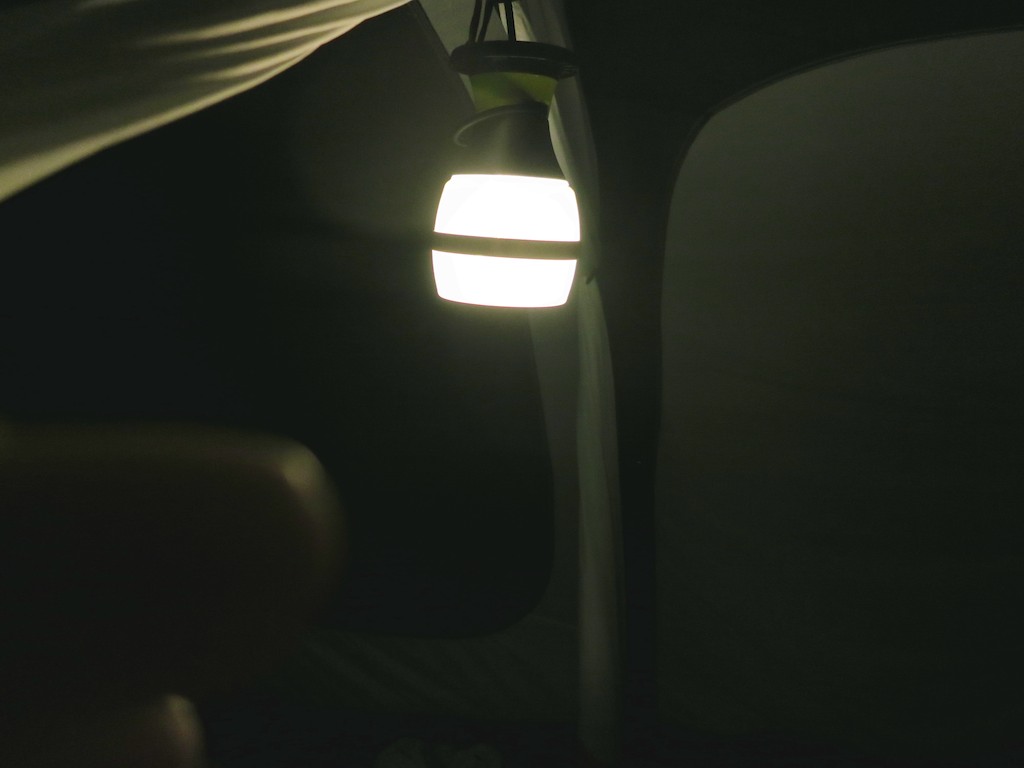
Goal Zero Light-A-Life 350 in Action


And as my family turned in for the night, I plugged in my iPhone to the Sherpa 50 and began charging it up from 36%.
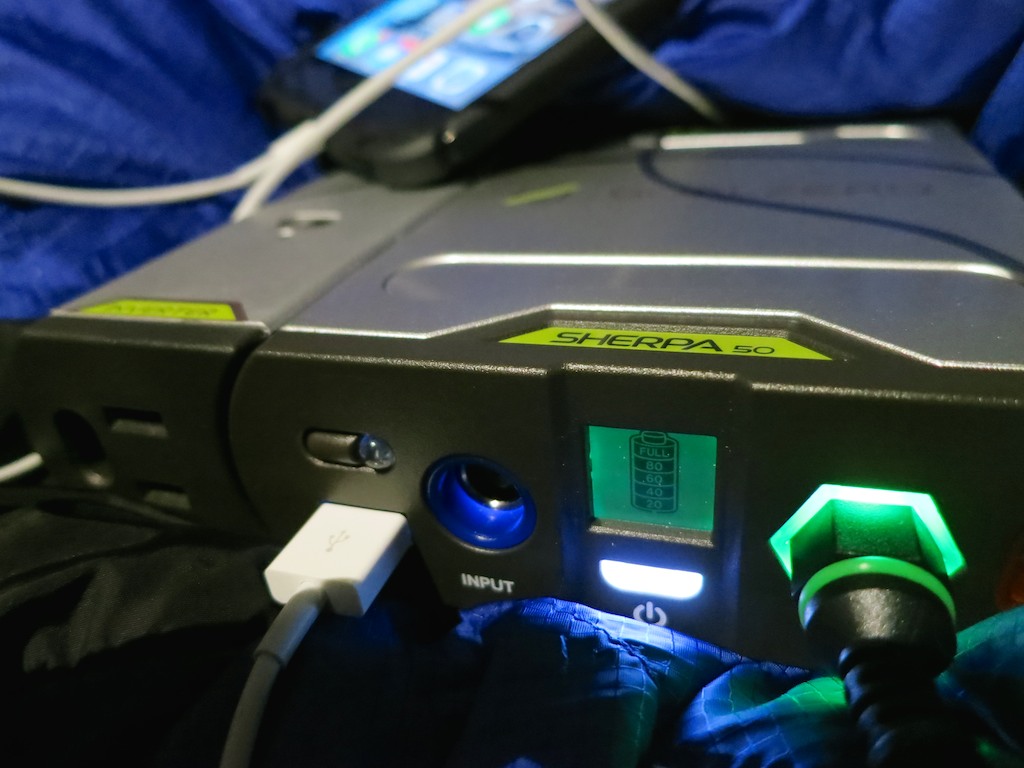
Sherpa 50 in action


I turned off the light and felt ‘Tech Zen’ surge throughout my body.
And then I drifted off to sleep…

The next morning, I awoke and immediately turned to my iPhone.

47%.

What?!

I picked up my Sherpa 50.
(Yes, it had been fully charged.)
Perhaps it had somehow prematurely turned off.

Nope.
It was totally dead.
Well, not entirely. The universal empty-battery signal still blinked momentarily when I pushed the power button.
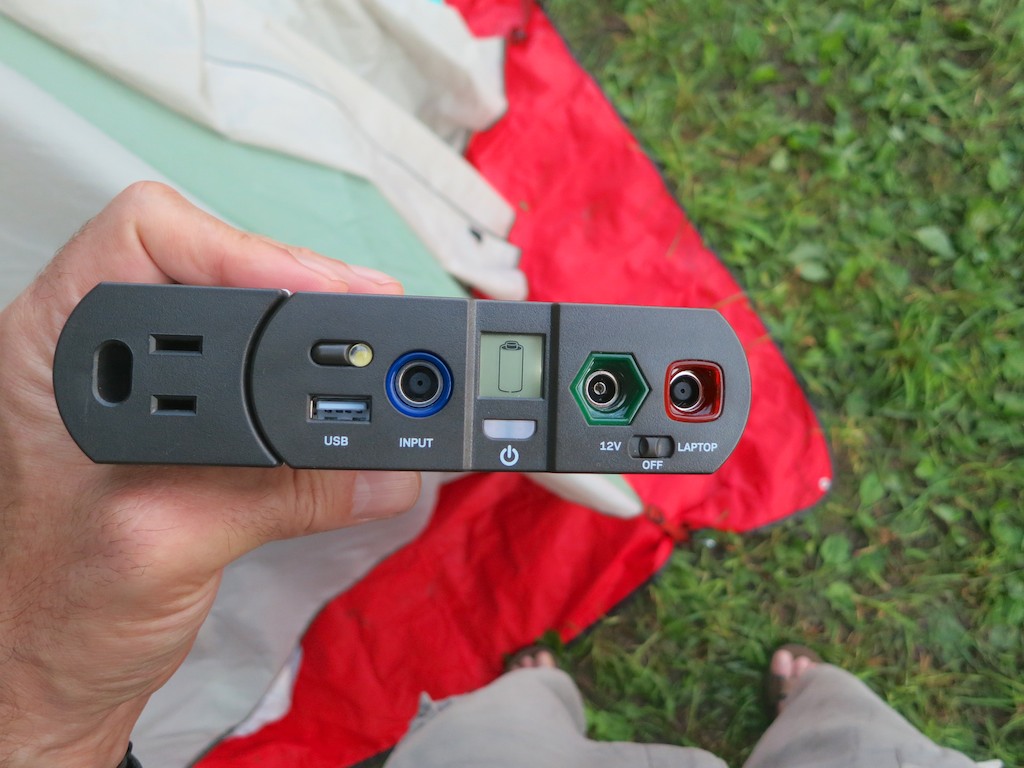
Dead Sherpa 50 battery


After a couple hours of light and an 11% boost to my iPhone, my new Sherpa 50 had promptly failed me.
(It’s rated to charge a smartphone seven times!)

Innergie to the Rescue
As I realized my ‘dire’ predicament, I took three deep breaths and turned to my back up plan… My old Innergie PowerCell.
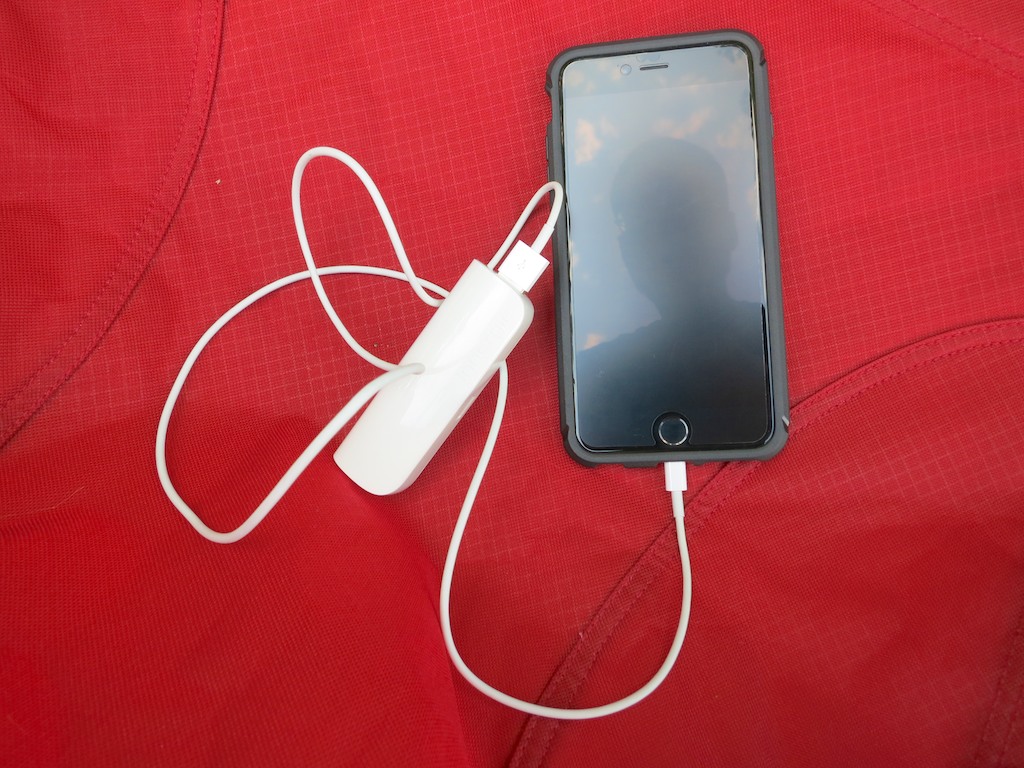
Innergie to the rescue


I attached it to my iPhone, and a little over an hour later; I was back to full charge.
(The Innergie was exhausted, but it had done its job.)

Then, I assigned my ‘swag’ power stick to rescue my wife’s limping iPhone battery.

By the time breakfast at the tent was finished, we were prepared to face the day with our tech.
(Good thing I had an extra camera battery… )

REI is Your Friend
REI is well known for standing by its products. That’s important, because I’ll be certainly returning my faulty Sherpa 50.

The good news is my family camping trip was a big success…. Even if I didn’t have all the power I thought I’d need.

Perhaps that’s just Mother Nature reminding me that technology can’t always tame the wild. And also that 47% should be plenty enough to get through your day in the great outdoors…

Message received.

The Summertime Secret to a Happy Home

Are summer humidity levels getting you down and creating less than ideal sleeping conditions for your family? Knowing when to crank up the air conditioning at night can make all the difference, and a good indoor/outdoor home weather station can really help…

Are summer humidity levels getting you down and creating less than ideal sleeping conditions for your family? Knowing when to crank up the air conditioning at night can make all the difference, and a good indoor/outdoor home weather station can really help…

How hard is it to know the temperature in your immediate vicinity? Arguably, not that difficult… Thermometers haven’t been cutting edge for four hundred years; and even today, smartphone weather apps are a dime a dozen.
(And when was the last time you checked with your local TV weatherperson?)

At home, your HVAC thermostat handles the job perfectly fine, whether you’ve got an old school version from the ‘50’s or a slick new Nest thermostat.

I Hate Humidity
But during the summertime, temperature is only half of the story. Humidity completes the equation, and I’ve got to tell you that humidity has always been my personal kryptonite.

I can usually handle the heat, but humidity levels during the dog days of summer make my life utterly miserable.

So while at home, I always want it to be less humid inside than on the other side of my open windows. Of course, that’s going to be practically impossible if my windows are open. So at some point, you’ve got to close them and turn on the air conditioning.

Yes, this is all about when to turn on the air conditioning….

Air Conditioning Roulette
This may not seem like a problem to some… But for my family, there’s a fine line between letting in the cool summer breezes at night, which will often chill down your bedrooms to create a comfy sleeping zone, and spreading about a more humid cocktail of outdoor air, which will envelop everyone to ensure a restless night.

And if you err on the side of caution and always run the AC, you’re going to likely create a cranky family that shivers through the wee hours of some summer nights.
(Guilty)

In Search of Four Numbers
To figure out my summer-long challenge of whether or not to invite in the outside weather…
I need to know four numbers:

  • Indoor temperature and humidity
  • Outdoor temperature and humidity

That’s it.

And it doesn’t hurt to have a little tech on your side to generate the necessary data. But I’m not talking about the kind of expensive gear that weather enthusiasts use to predict and measure the weather.
($100-$300 and up)

I just want to keep it simple.
Just the four numbers, please…

Goodbye Brookstone
I successfully used a Brookstone indoor/outdoor digital thermometer over the past seven years or so. It had an outside weather sensor tethered to the main unit, which lived on the outside of one my windows. Unfortunately, the unit finally froze up on me last week and wouldn’t reboot when I changed the batteries…

Goodbye Old Brookstone Thermometer


So it was time to search for a new Lester Weather Station!

Time to Shop
As I did my online research, I paid special attention to stay away from options that didn’t include both indoor and outdoor humidity levels. Some devices skimped and only evaluated one location.

To get all four numbers, you’ve got to spend somewhere close to the $50 zone…

Too Cool for Me

I eventually focused on Oregon Scientific, which offers a wide selection of digital thermometers.

Oregon Scientific’s newest line is the Weather@Home series, which has a built-in Bluetooth transmitter. That allows you to create a connection to your smartphone for monitoring your personal weather conditions from your mobile screen.

I think this would be a fine choice, but unfortunately, I would never use the Bluetooth functionality.
(Shocking as it may seem, I don’t need my iPhone to tell me the temperature and humidity levels in my home office, when I’m there… sitting right next to the thermometer display.)

My Runner-Up Choice

I then took a detour and looked at the competition from La Crosse Technology:

This one employs a nifty color LCD display, which really makes the unit pop.
(It could easily be at home on the bridge of the Starship Enterprise.)

As cool as it looks, it’s also kind of obtrusive. I don’t want it dominating my entire home office with its bright glow. I just want to know how humid it is…

Plus, all of that ‘display bling’ requires you to plug it in, which can be inconvenient. A battery-driven unit gives you more flexibility as to where to place it…

And the Winner Is…

So I returned my focus back to Oregon Scientific and finally found exactly what I was looking for:

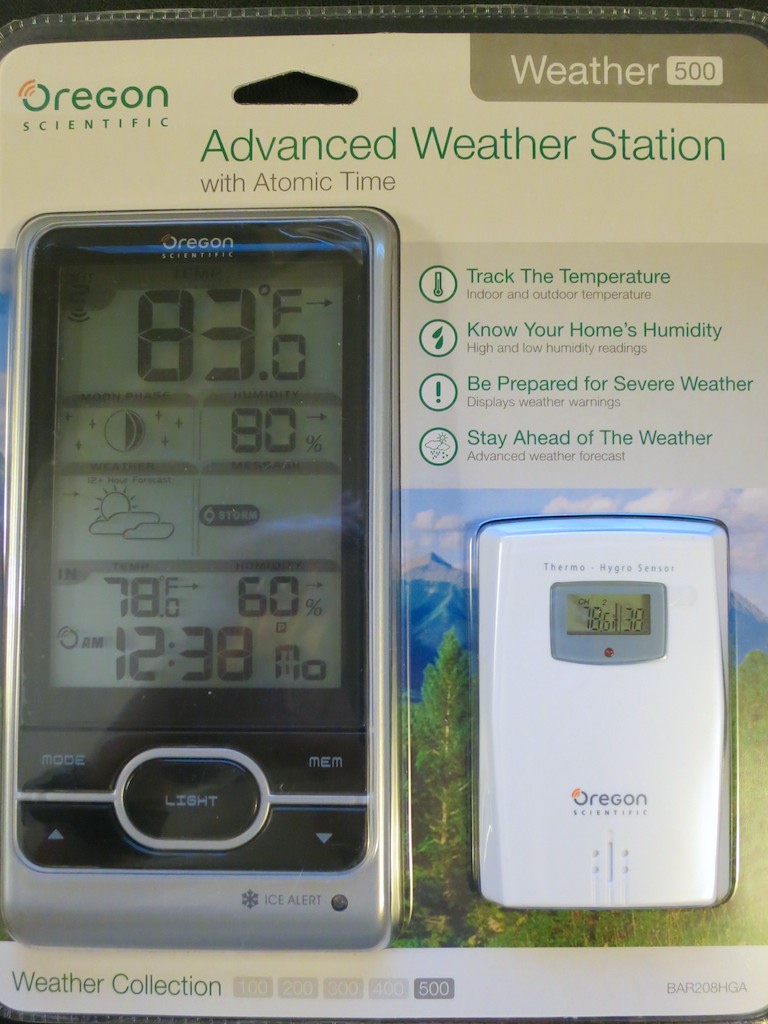
Oregon Scientific Weather Station 500


At Oregon Scientific’s website, this ‘Weather 500’ is listed under its ‘Classic Weather Station’ category. So that probably makes it something of an ‘Oldie, but Goodie.’
And that’s just fine by me…

Remember, I just want the four numbers. It doesn’t need to communicate with the International Space Station!

That said, you also get 75% accurate weather forecast (they say), moon phase, ice alert and atomic clock displays.

The main unit is powered by three AA batteries and its companion sensor requires two AAA batteries.  You can also purchase two additional sensors, if you’re interested in conditions elsewhere around your home.

Click.

Stability Regained
Mankind can’t control the weather yet, but here At Home With Tech, I’m happy to report, I have once again regained control of the temperature and humidity levels in my little kingdom.

Psst… It’s my secret to maintaining a happy home during summertime stickiness.
Pay it forward…

You Won’t Believe Why this iPhone Battery Died

If your iPhone can’t hold a charge anymore, you might want to check out one more possible solution before you throw in the towel…

If your iPhone can’t hold a charge anymore, you might want to check out one more possible solution before you throw in the towel…

My wife’s iPhone 6 Plus suddenly had battery problems. Big problems. Purchased online right after I got my own 6 Plus, her iPhone is not even ten-months old. But suddenly it couldn’t get through half a day without burning through a full charge. And believe me, she’s no smartphone power user… so that wasn’t the problem.

Warning: Low Battery
So the IT Guy proceeded to take some standard steps to eliminate known battery-drain culprits on her ailing smartphone:

  • I closed all the unnecessary open apps.
  • I turned off Bluetooth.
  • Also switched off Wi-Fi.
  • I then let the phone drain down all the way and then fully powered it back up to make sure the battery wasn’t experiencing any memory issues.

No improvement.

I was resigned to the likely reality I needed to take a trip to the Apple Store for surgery and a new battery.
(Fortunately, we always buy AppleCare coverage. Plus, our lazy iPhone was still covered on its base one-year warrantee. So my projected pain was more about inconvenience than cost…)

Hiding in Plain Sight
I decided to take another look and lifted the device out of my wife’s purse. The iPhone’s screen was already glowing, and the whole unit was pretty warm… as if it had been lit up for a while.

That’s odd.
It must have just gotten knocked around inside the purse when I picked it up, and the home button had accidentally been squeezed.

That night, I walked by the phone. It was sitting idly on my wife’s night table.
Its screen was illuminated… again.

I stopped.
Wait a minute… I was sure my wife hadn’t just been using it.
She was downstairs.

Hmmm… this couldn’t be a coincidence.
Could it be possible this iPhone was stuck in some kind of ‘always-shine’ mode?

Illumination
So I walked back, sat down and picked up the iPhone to drill down into its settings:

  • General
  • Auto-Lock

And do you know what I found?
Its Auto-Lock setting that determines when the screen shuts off automatically was set to…“Never!!”

WHOAH!!!
(How did that happen?)
(Of course, any iPhone 6 Plus would quickly lose its juice if its screen had been instructed to always remain on…)

So I switched the setting back to ‘five minutes,’ which I find is to be a reasonable amount of time to let your iPhone radiate while momentarily unattended.

Problem solved!

Well, not entirely…
My wife hadn’t adjusted this configuration. And it would seem almost impossible to accidentally make the change.

It was a conundrum for both of us.

Better AppleCare+
Of course the good news is my wife’s iPhone battery is just fine. No Apple Genius appointment needed at the Apple Store.

Another piece of good news for iPhone batteries throughout the known universe is Apple has just improved its AppleCare+ warrantee coverage.

Previously, AppleCare+ would only replace your battery if it couldn’t hold a 50% charge. Now, if your battery can’t get past 80%, AppleCare’s got you covered.
(That’s a pretty sweet upgrade for iPhones, iPads and MacBooks.)

Your Skynet has Arrived
The bad news…?
How the iPhone’s Auto-Lock setting got bumped to infinity mode will remain an unsolved mystery in the Lester family.
Case closed…

Is this ‘freakish’ tech tale really as much of a shocker as my post’s headline suggest? Well, consider it a cautionary account, as we all rely more heavily on technology to live our lives.

You can laugh at sci-fi sagas like “Terminator: Genisys” for being a bit ludicrous. But you can’t deny it’s always a problem when your tech goes rogue.

Pray it’s never intentional.
That could really ruin your day…