At Home with Tech

Unlock the power of all your technology and learn how to master your photography, computers and smartphone.

Category: apple

Why Memories May Demand Intense Colors in your Autumn Photos

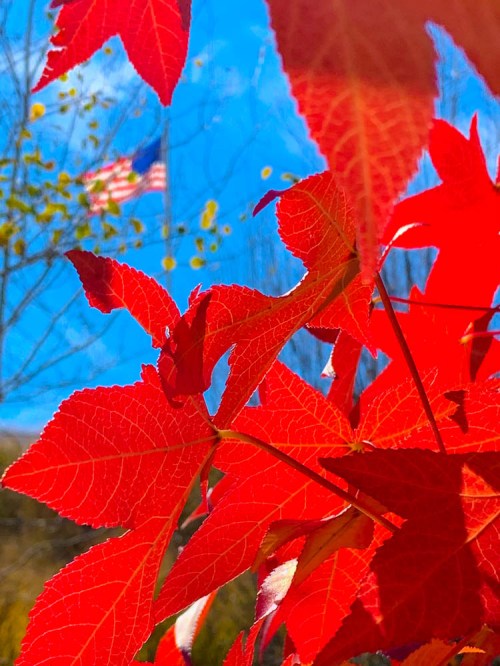
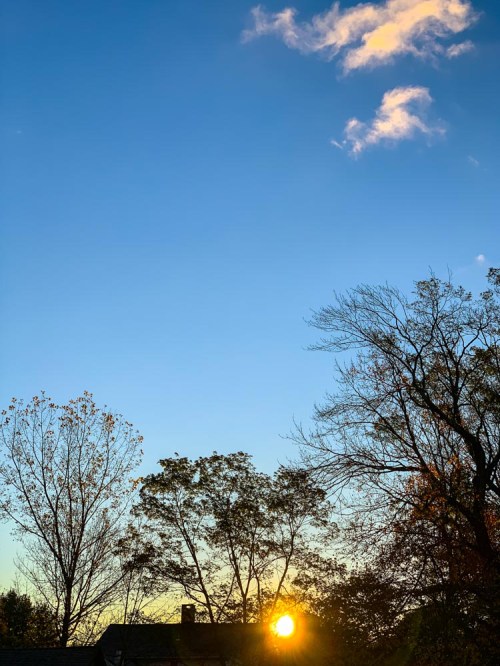
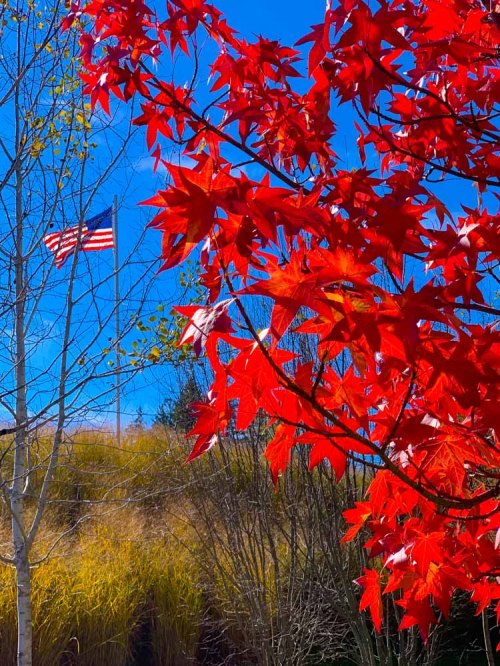
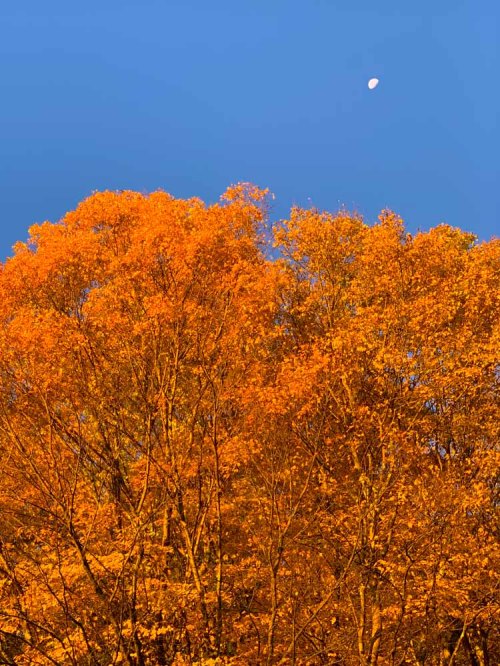
After I snapped a few pictures of the fall foliage in New England, I found myself unconsciously pushing the colors to the max when I edited these photos. I think I may know why…

There’s something intoxicating about my memories from autumns long gone. I feel in one way or another, they’re connected to the intense colors that surround the fall season in New England. I was up in Litchfield County in Connecticut this past weekend, and I was surrounded by all of the peak foliage. And as I drove, I felt transported back in time to my high school years as a young student at the Hotchkiss School in Lakeville, CT.

The color of the leaves. The sunlight poring through them. The brisk fall air. It was a reality-bending experience.

And of course, I snapped a few nature pictures with my iPhone XS Max in an attempt to capture that feeling.

But when I reviewed my photos later, they lacked the truly deep colors and dreamlike quality that my mind had created to reflect that time in my life.

As I worked through the photos in Adobe Lightroom, I found myself unconsciously pushing the color index. I made the reds of the leaves redder, and the blue fall sky even bluer. I wasn’t happy until the colors almost began dripping off of my computer screen.

I created a series of images that I don’t think you’d actually find anywhere in New England today, but they still feel entirely real to me. The forced colors connected me back to another time in my life that clearly still speaks to me today.

Using Color to Connect to your Past
What is reality anyway? The present may be easier to quantify, but the past is always in flux, because of how we remember… or choose to remember it.

Memory has its own set of rules, and today… I simply followed that direction without really understanding it.

And if that means pushing the colors to an intensity beyond nature’s capability, then I’ve given myself permission to do exactly that.

If you ever experience a similar impulse, I highly recommend you give it a try…

How to Take a Great Family Selfie without a Selfie Stick

If you love using your selfie stick, please allow me this opportunity to show you another way to the perfect family photo…

I don’t know about you, but the idea of using a selfie stick freaks me out. Having to attach your expensive smartphone onto a fragile grip mount and then extending it way beyond your reach on a long pole… all in the name of being able to snap a good selfie is downright frightening.

Sure, you might get a good photo out of it, but there could be other consequences if the unexpected happens. What if you lose control of your selfie stick, and your smartphone falls from ten feet up? I bet you’re assuming I’m talking about the shattering impact on an unforgiving cement surface. Not necessarily…

During our recent vacation to Niagara Falls, I observed scores of selfie sticks in action and extended over what I would consider a no-fly zone… the Niagara River! You’ve got to believe that over the years, there have been at least a few unfortunate smartphones that have taken the plunge over the Falls after capturing the perfect selfie…

Now, lots of folks love using their selfie sticks. And I grant that I may be in the minority on this topic. But if I may, I’d like to offer a few other ways to generate a great group family photo without using a selfie stick…

Ask a Stranger
First off, you may not actually have to take a selfie. It should go without saying that it’s okay to ask a stranger to take your photo. You can also simultaneously offer to take their photo as a reciprocal gesture.
(Chances are you’re not the only one who’d like to take advantage of a photographic opportunity.)

And assuming the stranger can frame the shot and get everyone’s eyes open, it should be a pretty good picture, simply because it’ll likely be wide enough to reveal the background.
(Where you are is always an important part of any group photo.)

I find most strangers actually err by not zooming in enough or walking forward. But that’s okay, because you can crop the shot later.

Use a Wider Lens
If nobody else is around, and you’re on your own, the trick is to make sure you’re using a camera with a wide enough lens. It needs to be able to see your entire family when you stretch out your arm to attempt the selfie.
(My Panasonic Lumix LX10 has a zoom lens that starts at 24mm, which is perfect to capture my family and me. I’ve also successfully jammed eight people into my Lumix selfies, but it’s a snug shot.)

Not all cameras and smartphones use lenses that wide. So, you’ve got to pay attention to this detail. (I understand the iPhone 11 has a wider front-facing camera for horizontal group selfies.)

Don’t Look at the Screen
Of course, it really helps if you can actually see what your selfie is going to look like. This isn’t a problem when using a smartphone, because the front screen is always right there. But if you’re holding a standalone camera, it’s much better if its rear screen can flip up for you to see.

Either way, you’ve got to instruct everyone to not look at the screen, but at the lens. Otherwise, you’ll capture this odd moment of your family looking someone distracted. They’ll be sort of looking at the lens, but not really.

Don’t Forget the Basics
Once you’ve figured out how to get your whole family framed in the shot, here are a few more tips to get the best selfie possible-

  • Always snap several photos.
    (That helps ensure someone isn’t blinking at the wrong moment.)
  • Try to make sure there’s enough light hitting you from the front to keep you well lit.
  • Avoid harsh, direct sunlight that’s sure to make someone in your shot squint in pain.
  • Frame the shot to include the key parts of your environment.

Granted, you may not be able to architect your shot to include all of these factors. If you’ve got to compromise, don’t give up the ‘where.’
(When you’re at Niagara Falls, you’d better show some water in the background!)

Finally, taking a good selfie with any camera takes practice. So, you’ve got some homework to do if you’re using a new camera.

Maintain Control
The most important point is you don’t have to use a selfie stick to get the shot you want. You could choose to rely on the kindness of strangers, or you may need to stretch your arm out to the edge of its sockets…

But your smartphone will remain firmly within your sphere of influence.