At Home with Tech

Unlock the power of all your technology and learn how to master your photography, computers and smartphone.

Category: family

Gift Ideas for Your Geeky Husband

If you’re out of time to figure out what to buy your partner for that special day, don’t panic. I’ve got a few ideas that could help save your universe…

I admit it can be a challenge buying a gift for a geeky partner. Unless you’re nerding out with him on the exact gear he’s coveting, it’s probably too big a gamble to blindly choose an expensive piece of tech.
(“You bought me which model?!!”)

So, I recommend you look at accessories to support his existing gear…

It’s not the amount you spend… it’s the thoughtfulness, right?
(Besides, tech accessories are not always so inexpensive.)

I should probably admit at this point that I’m not writing this post for entirely altruistic reasons. You see, I might have a birthday coming up. So, yes, I’m targeting these suggestions to a certain family member…

Let’s begin…

Tame His Earphone’s Chaotic Jumble
If your husband is still living in a wired earphone world, he really needs an “easy wrap” solution. Otherwise the cable becomes a tangled mess, especially if it’s traveling along with his smartphone. One solution:

This little pocket organizer is a tiny, squeezable snapspring-closing pouch made out of canvas and cotton. It’s perfect for a pair of ‘EarPods’ or earbuds on the go…

Yes, this may be a bit too basic a choice as a gift, but it does say, “I understand your quirky, geeky needs.”

Create a New Look for His Apple Watch
I’ve been slowly warming to the idea that my Space Gray Aluminum Apple Watch Series 4 is designed to easily handle an endless supply of different watch bands. Apple essentially created a new product market to accessorize its watch, and thousands of third-party choices have also materialized over the past few years.

I’ve been happily wearing the original Black Sport Band that came with my Apple Watch, but I also feel that I should probably also own a leather strap that’s a little less sporty….

You can find any number of inexpensive leather choices on Amazon for not much more than ten bucks.

Alternately, Apple sells its leather bands for $149.
Beyond the sticker shock, Apple’s color choices are a little radical.
(I was thinking about a more traditional brown or black…)

I then came upon the ‘Nomad’ brand, which is known for its quality leather products…

Nomad’s ‘Traditional’ strap has a little more heft than Nomad’s other strap designs.

While I like this bulkier ‘Traditional’ look, that also makes it a little more expensive.

Alternately, there’s the flatter Nomad ‘Modern’ Strap.

Amazon has the brown leather version for $59.97.

As one of only a few accessories that men typically switch up, I think splurging occasionally on a great watch band is well within normal parameters.

And I don’t think there’s anything inconsistent with being both geeky and a little fashionable at the same time.

Feed His Never-ending Need for Portable Storage
If you’re still finding yourself stuck in your quest for the perfect gift, you can always go with the tech equivalent of “buying him a tie.”

But I guarantee he’ll like this option much better…
(And who wears ties anymore?)

What not buy him a stylish portable hard drive?

Look, everyone who carries the ‘geek’ or ‘nerd’ identity card needs more storage for their files. And if they don’t now, they will soon enough…

You really can’t go wrong here…

I’m a big fan of portable drives made by G-Technology, which are targeted at Mac users.

No, buying your partner a portable hard drive isn’t the most creative or romantic choice, but in a pinch, it will get the job done.

You can get more inspired next time…

Decode His List of Geeky Gift Ideas
I know this is hardly an expansive list, but you’ve got to start somewhere. I hope it’s a useful beginning to your own decision-making process.
(Any other gift ideas out there for geeky husbands? Please share!)

And on the opposite side of this equation, there’s nothing wrong with leaving a few bread crumbs that lead to your own gift preferences…

Guilty as charged.
(Happy birthday to me.)
Try This Fix to End Spam Robocalls on Your iPhone

It’s time to take more control of who gets access to you on your iPhone and when. Here’s how to set up what I call a modified “Do Not Disturb” strategy…

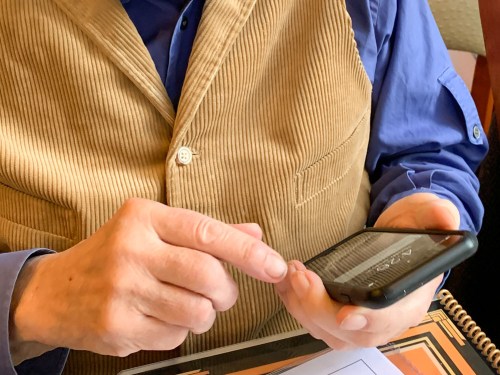
My 85-year-old father says to me that he’s receiving strange calls from different countries around the world. When he answers… no one’s there.

Of course, I tell my dad that these repeated annoyances are called spam robocalls that most every cell phone owner is troubled by. I explain that he should simply avoid answering them, and hopefully they will stop.

He protests that there has to be a more effective solution. But I just don’t want to go down the rabbit hole of suggesting a spam-blocker app, which I have yet to attempt for myself.

We move on to another topic of conversation, but I’m left with residual unease over the topic. I, too am enduring disruptive spam calls…

And in that moment, I resolve to attempt a dramatic solution for myself…

Do Not Disturb!
This fix to stop spam calls is admittedly overkill, because it also limits access to your iPhone for any legitimate calls trying to get through.

You simply activate your iPhone’s “Do Not Disturb” setting.

Some people call it the nuclear option, because what’s the point of having a phone if nobody can call you?!

Well, the answer lies in the details…

After checking out the different options for the “Do Not Disturb” setting, I realized there’s actually a way to let your phone still be a phone.

And instead of hiding from the world, you can end up feeling like you have a whole lot more control of it.

Here’s why…

Wean Yourself from the Buzz
Spam calls aren’t the only distraction your iPhone and Apple Watch serve up throughout your day. There are any number of other ‘notifications’ that your apps provide, which are accompanied by a ping or buzz. The cumulative result of checking these in-the-moment updates can really suck away at your productivity and distract from where you should be focusing.

But it feels so good, receiving all of those little nuggets of information, right? You’re so up to date!

If this is the baseline of your reality, taking all of that away might create something of a withdrawal response, because you’re no longer getting instantaneous access to new information, even though you’ve opted in.

So, that was me.
And that’s why I had never silenced my chatty apps or activated “Do Not Disturb” on my iPhone.

But you don’t really have to forgo all of that incoming communication from the outside world. You just need to direct its flow more intentionally…

Create Your New Rulebook
The trick is to modify the settings in your iPhone to create a new and more enlightened rulebook that says, “Do not disturb me… sometimes,” or more accurately…” do not disturb me…unless you really know who it Is.”

Here’s how you do that:

  • Tap your Settings icon
  • Tap “Do Not Disturb” (with the crescent moon)
  • Activate the “Do Not Disturb” green slider on the top
  • Under the “Silence” option, tap “While iPhone is Locked”
  • Next to the “Allow Calls From” option, select “All Contacts”


That’s it.

Now, what you’ve done is to tell your iPhone to allow calls from all of your contacts. Anyone else will have to leave a voicemail. If you’re like me, unless you know who’s calling you, you’re not going to answer the call anyway for fear it’s spam. So, all of this isn’t so big a change.

And taking this step effectively shuts down all of those horrible spam robocalls.

Learn to Look for Your Texts
What is a big change is all of your texts and app notifications also get blocked. Yes, even the text is from someone in your Contacts.

But those texts haven’t gone anywhere. They’re simply waiting for you to find them. And you can easily do that just by activating your iPhone’s screen.

The “Silence… While iPhone is Locked” subsetting means that when your device is unlocked, all of the messaging that’s waiting for you pops up.

So, functionally, you just need to check for your messages. And of course how quickly you get your texts relies on how often you check. No, you don’t want be pulling out your iPhone every two minutes. That looks a little crazy. And it is a bit crazy.

That said, if you also own an Apple Watch and you still feel compelled, you can mask your insanity by choosing the Messages icon as one of your Apple Watch’s complications. If a text comes through, the little icon will display “1 Unread.”

Looking at your Apple Watch every two minutes is slightly more socially appropriate, although you’ll look like you’re always in a rush.

If you know you’re waiting for an important text, you can also temporarily turn off “Do Not Disturb” in your iPhone’s Control Center.

Just tap the crescent moon.

Modified Do Not Disturb
This modified “Do Not Disturb” strategy will stop those evil spam calls. And you’ll have no more interruptions, unless someone in your Contacts calls you.
(You can also narrow that list of who ‘gets through’ by choosing “Favorites” or a particular “Group” as opposed to “All Contacts.”)

And if you want see what other messaging comes your way, just check every so often.
It’s not that bad, really…

I’ve just done it.

The Trade-off
No, it’s not a perfect solution. When my wife or a friend texts me, I’m not longer getting instantaneous notification. Their calls still get through, but I have to look at my Apple Watch or iPhone to see if there’s a new text waiting for me.
(And that could cause a 15-minute delay, which is an eternity for someone looking for a text response.)

If I could make a recommendation to Apple, it would be to modify “Do Not Disturb” to allow texts from people in your Contacts to get through… just like phone calls.

But again, if you know you’re waiting for an important piece of news or a text, just temporarily turn off your “Do Not Disturb” mode.

Take Control!
If you’re still thinking about my dad, yes, I suggested all of this to him, but he thought it was too draconian. Shutting out the outside world, even in a modified way can be a hard step to take. He said he’d be happier just enduring the ringing. Maybe he’ll reconsider in the future…

As for me, I’ve got to say it feels great blocking all of those spam robocalls and receiving texts and notifications ‘on demand.’

I’m no longer unnecessarily interrupted throughout my day by technology that’s designed to make my life better.

Too many want too much of my attention.

“Do Not Disturb.”

You should try it.

Try This Instead of Revealing Your Wi-Fi Password to Friends

If you feel like you’re divulging something secret when a guest asks for your home Wi-Fi password, well… you are. You may think you only have two choices in how to respond, but, in fact, there is a third option…

How many times has a guest in your home asked you for the password to your Wi-Fi network? And how many times have you coughed it up? If you’re like me, that’s usually a one-to-one relationship, right?

And when I haven’t, let me tell you, the response always creates an awkward moment.

I call it the ‘Wi-Fi Faux Pas.’

It’s simply a little rude to refuse someone access to your internet connection for their smartphone. What are they really going to do with it that’s so nefarious?

The answer is… probably nothing, but you don’t really know what could come from the password travelling forever on that mobile device. And over time, and depending how many friends and acquaintances come to visit, your private Wi-Fi password will get entered into more and more smartphones that you don’t control.

How does that feel?

One choice in trying to stem that flow is to simply say that you forgot your Wi-Fi password. I must admit I’ve done that. The irony, of course, is that I actually do sometimes forget the password… especially when I need to log into my own network.
(Don’t worry. I’ve got it written down on a fraying piece of paper.)

The Solution to Keep Your Party Happy
So, why have I really become the ‘Wi-Fi Grinch…?’

Inviting in an ever-growing number of mobile devices to feed off of your Wi-Fi bubble must carry its risks. I don’t really know the cumulative negative effect on my Wi-Fi network security. And yes, I worry about it. There’s a lot of scary news out there about internet security.

And changing my Wi-Fi password every so often as a precaution is time consuming with so much tech in my ‘connected home.’
(In fact, it’s a major project, even to remember all of my hungry IoT devices that will need reconnecting!)

There’s got to be another way to address this issue.
Well, there is!

…Create a guest Wi-Fi network.

Guest Wi-Fi for Your Visitors!
I was so excited when I upgraded my old Apple Airport Extreme to the Netgear Orbi RBK50 mesh Wi-Fi router ($298.97 on Amazon) and then realized I had the option to create a guest Wi-Fi network. My guest Wi-Fi would live right alongside my main web bubble.

That sounds useful, right?

Being able to create another access point with a different login password that I could easily change (once and done) was the perfect solution to my ‘Wi-Fi Grinchness.’

So, I quickly set up my guest network on the Orbi app on my iPhone, and I was in business and ready to handle “the question.”

I’ve got to admit it does feel a bit like I’m running my own B&B, but I certainly feel much more comfortable now sharing my guest network password along with crudités.

Etiquette problem solved.

No More ‘Wi-Fi Faux Pas’
At the end of the day, I’m not so sure my home Wi-Fi network is technically any more or less secure with the addition of my guest Wi-Fi.

My online research turned up several heated Orbi conversations about the guest network option led by clearly knowledgeable IT types. They all expressed different concerns… all of which included geeky details I couldn’t follow.
(The essence of the threads question how ‘separate’ the guest network is from the main network.)

For me, the giant leap forward is to simply hand out a separate password to my guests. I know that’s just scratching the surface when it comes to truly maintaining a secure network, but it’s an important start.

And for now, I’m also avoiding the ‘Wi-Fi Faux Pas’ with my family and friends.

My visitors are happy.
I’m less nervous.

Let the party continue…