At Home with Tech

Unlock the power of all your technology and learn how to master your photography, computers and smartphone.

Category: family

How to Hold onto Your Best Summer Memories

Don’t let those great summer memories go. Sure, you’ll remember them, but you’ve probably also got some digital documentation as well. That’s the key. Here’s what I did…

Summer’s over. Deal with it. But don’t move on… not yet. Now’s the time to review, organize and archive all of the great summer photos and videos you captured. Like me, you probably haven’t had the time to organize your summer memories, because you’ve been living them!

The best way to hold onto all of those great memories is to properly share them:

  • Email or text a few of the very best to your family and friends
  • Share them on your social media accounts
  • Print out a couple of photos for your desk at work
  • Add them to your digital Wi-Fi cloud photo frame in your living room
    (I use Nixplay frames)
  • Make a hard-copy photo album from your go-to online service
    (I use Blurb)
  • Add your favorite photo to the background of your smartphone screen
    So, when someone asks how your summer was… you have that perfect image at the tip of your fingertips. You then turn your phone around, and your summer recap story can begin!

And remember, nobody wants to hear about your summer adventures when the leaves start to fall. That time is now.

So, in the spirt of not only doing what I say, but also doing what I do…
Here’s my summer recap in five photos and five videos…

Watching the Summer Solstice Sunset from Griffith Observatory
Seeing the Space Shuttle Endeavor at the California Science Center

Experiencing July 4th Fireworks at Calf Pasture Beach in Norwalk, CT

Riding the Port Jefferson Ferry
Port Jefferson Ferry

Fishing in Peconic, NY


Boogie Boarding at the Peconic Shore
Boogie Boarding at Peconic Shore

Picking Blueberries at Bhavana Blueberry Farm in Southold, NY

Picking Blueberries at Bhavana Farm

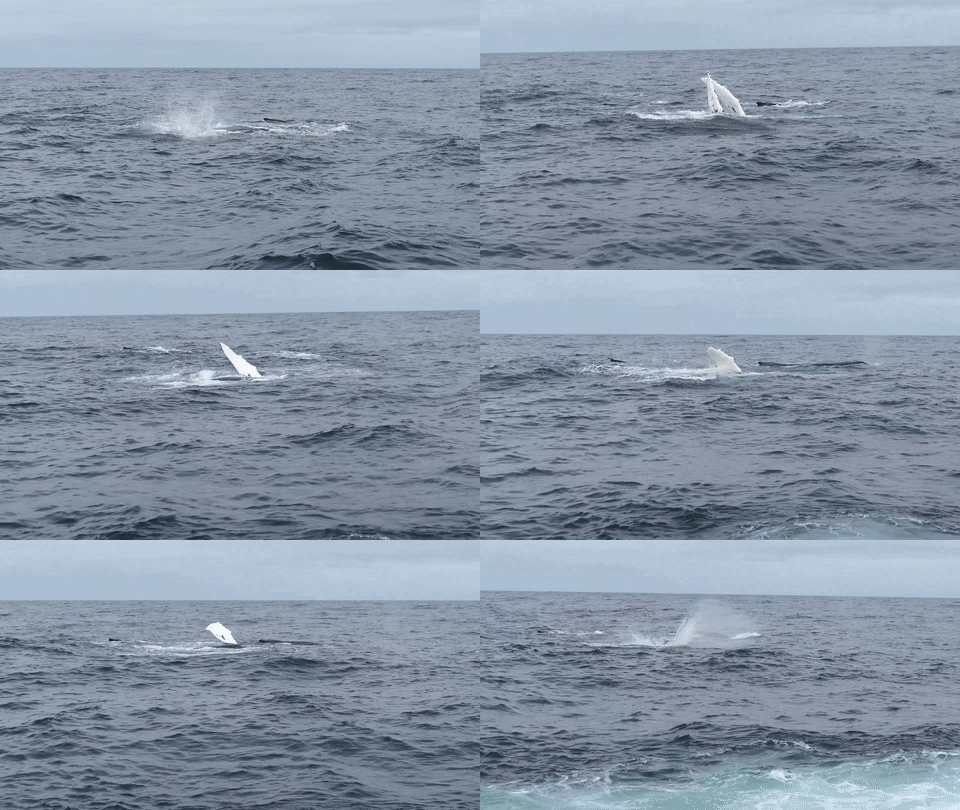
Spotting Humpback Whales off Cape Cod from the Hyannis Whale Watcher

Humpback Whales off Cape Cod

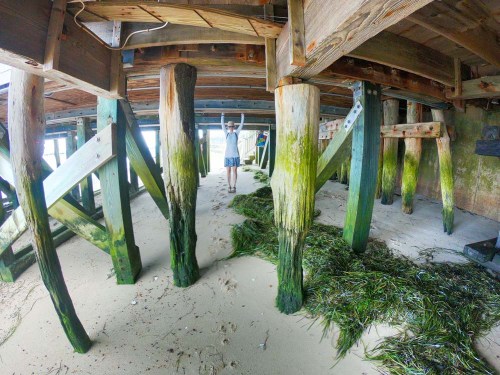
Swimming Underwater at Joshua’s Pond in Osterville, NY

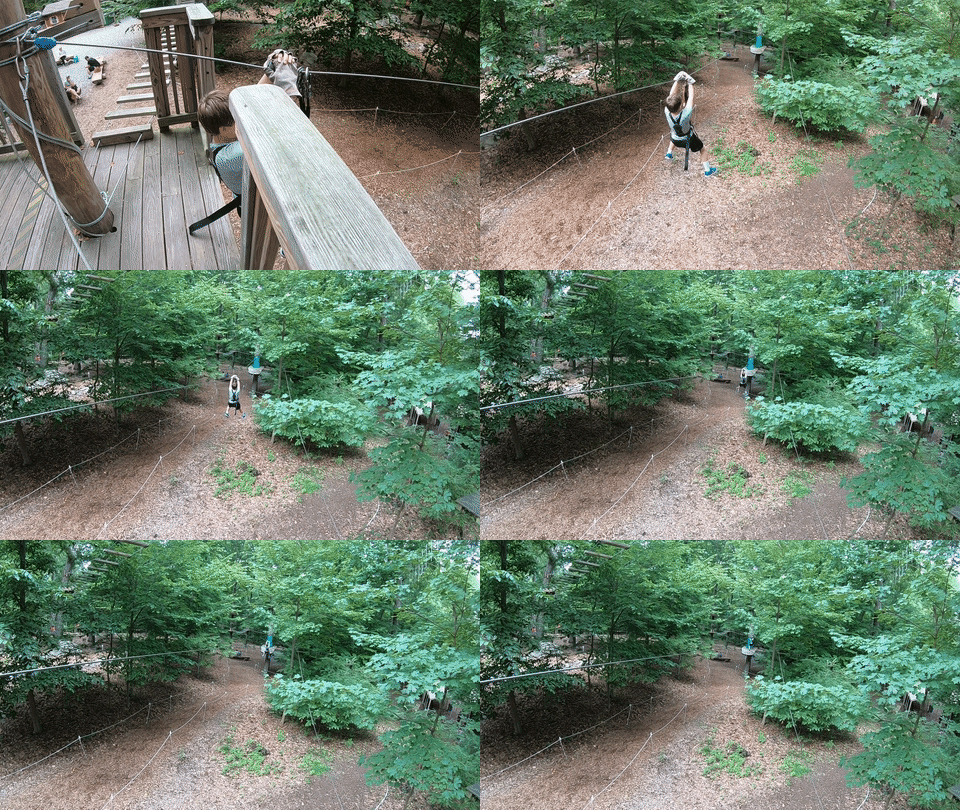
Ziplining at The Adventure Park at the Discovery Museum in Bridgeport, CT
Ziplining at Discovery Adventure Park

Share Your Summer Memories Now!
…And how was your summer?

4 Ways to Get the Most Out of Your GoPro

I’ve enjoyed carrying my GoPro around in my pocket on vacation to capture the moments my other cameras wouldn’t be ready for. Here are a few tips I’ve discovered to help ensure your GoPro gets it done!

I recently returned from a week’s vacation on Cape Cod where I put my new GoPro HERO6 Black to work documenting my family’s beach and lake adventures. I especially enjoyed capturing my 8-year-old boy underwater.



But there was one problem…
A crack somehow showed up on the back LCD screen!
(There was no moment of impact that I was aware of.)

Previously, I had attached a plastic screen protector to the LCD in anticipation of this kind of unsettling moment.

The question was whether the top-to-bottom crack was on the plastic protector…
…or on the screen.
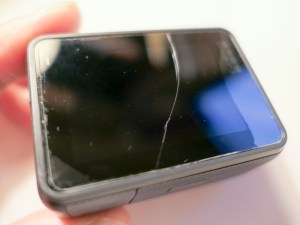



Phew!

Protect Your LCD
I think it clearly makes sense that if you’re going to put your GoPro in harm’s way, you have to give it some additional ‘armor.’
(They’re not tanks.)

I originally went with a lens and LCD protection kit made by GoPole. It comes with a lens cap and two clear covers for the lens and LCD. These near-invisible shields are made out of ‘shatterproof, tempered glass.’

But, clearly, they’re not ‘crack proof.’

Not that anything is… but I still decided to choose a different manufacturer for my second attempt at GoPro protection.

I landed on a similar kit made by Deyard.
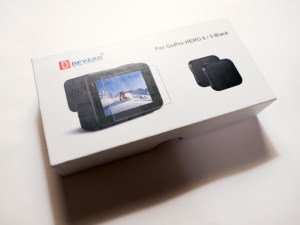


It’s received good reviews on Amazon and costs less than half of the GoPole kit. Plus, it comes with two sets of screen and lens protectors and two lens caps.

$8.99 on Amazon
Click.
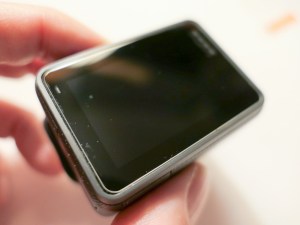


The Deyard protection plan may not necessarily be any better than GoPole’s. The fact that there are backup items in the Deyard kit perhaps reflects the reality that any screen protector is not impervious to in-the-field abuse.

As for having multiple lens caps… that’s a super idea, because lens caps have their own special way of disappearing…

If you want to avoid risking unnecessary damage to the glass on your GoPro, you’ll probably need to spend a few bucks every so often replacing these protectors, no matter which manufacturer you go with…

Minimize Ghosting by Turning Off HDR
In a portion of my vacation photos showing people, I ran into the problem of ghosting, where certain body parts displayed echoes. It was as if my GoPro had trouble locking in the action.



It’s so weird, because this happened in bright sunlight where most cameras don’t have this kind of problem.

So, I had originally turned on the HDR mode when I set up my GoPro. I figured… “Why not?”
HDR quickly takes several photos at different exposures and stitches them all together to create the best image possible.

But that extended sequence can lead to the ghosting problem… which makes total sense.

So, turn off HDR if you’re having issues freezing the action in your GoPro photos.
(And don’t forget to hold the camera steady!)

If you continue to use HDR, you’ve also got to pay attention to whether you’re moving!

Did I mention you might want to turn off HDR?

Keep People Towards the Center of Your Shot
I’ve previously mentioned my infatuation with my GoPro’s wide angle lens and how it reveals so much more of an image’s story.

The challenge is keeping your subjects out of the distorted fringes of the wide angle. Otherwise, they’ll look like aliens with warped heads.

This can be especially challenging when you’re snapping a photo with multiple people crammed in. Those on the ends will be at risk.

The good news is the wide angle lens should naturally provide plenty of safe space around everyone in your shot unless you intentionally try to fill the frame by walking up really close.

Even if you’re going for a group selfie, you should be fine as long as you keep the shot centered.

Download a QuikStory Video
I’ve also talked about how impressed I am with GoPro’s QuikStories video-editing smartphone app, which quickly throws together and shares a short music video using your GoPro’s action videos and photos.

The only glitch you may experience when sending out web links of your Quikstories to your family and friends is that they may not know how to ‘save’ them.

Your videos will play back online embedded in a GoPro web page, which I believe will eventually disappear when you delete the specific QuikStory project from your smartphone.

So, the web link is not forever…
Some folks may want to save your video file for their ‘happiness’ archive.

To do that, they need to click on three really tiny dots on the bottom right of the page with the video. Doing that will reveal the download option.

Not that all of your GoPro QuikStories are forever masterpieces… but it could be important for someone to know how to save one of them…

The Human Factor Still Matters
My GoPro HERO6 Black has proven it has many tricks up its sleeve. But like any piece of tech, it’s not magic.
(Nor indestructible)

A little human care and operating knowledge can really make all the difference when you take it on your next family adventure!


Use these Batteries in Your Nest Protect or Else

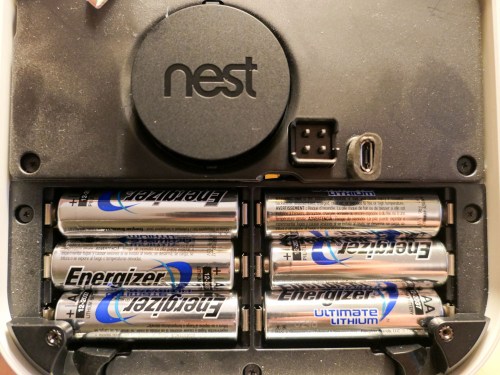
If you own a Nest Protect, you should pay attention to this picture. You’ll be needing to remember a particular detail to replicate in the future…

I needed to replace my Nest Protect’s batteries after the smoke and carbon monoxide alarm warned me it was time. I know that’s hardly a compelling start to a story, but what I discovered after I opened up the battery compartment’s door was rather surprising…

I found a big warning directing me to install one… and only one type of battery-
Energizer’s Ultimate Lithium L91 AA…

or else.

The Risk of Using Duracells Instead of Energizer Ultimate Lithiums
If I chose to install a less powerful battery, my human error would be “harmful to the smoke/CO alarm operation.”

All right then… I didn’t want to anger my Nest Protect. Nor did I want it to fail during an emergency. I took a look in my battery box for Energizer L91’s. And no, I didn’t have any.

So, I immediately went to Amazon Prime to order some L91’s.

But my Nest Protect was in its mind-melting chirping stage. So I had to either disable it for a couple of days or swap in some Duracell batteries I had on hand until the L91’s arrived.

I decided on the Duracells.

But I was worried that somehow the potentially ‘harmful’ Duracells would ‘destroy’ my Nest Protect. Perhaps less powerful batteries would simply not work as long.

It was only going to be for two days. So, I gave it a shot…

And guess what…?

The Duracell batteries worked just fine for the 48 hours.

Then, I replaced them with six Energizer L91’s.
My family was protected.

And life goes on.

Better be Prepared
If you own a Nest Protect, you might want to keep a package of Energizer Ultimate Lithium L91 AA batteries on hand so you don’t have to make “life-threatening” batteries choices like me.

But, what’s the deal with being able to use only one type of battery?
Are they so much more powerful?

Energizer Ultimate Lithiums are the Best Battery Out There?
Energizer claims that their Ultimate Lithiums are the world’s longest lasting battery in “high-tech devices.” And I haven’t found anything online to definitely dispute that claim.

So, apparently Nest Protect needs a serious battery to keep it going over the long haul. Will a ‘weaker’ model actual ‘harm’ the unit? I don’t think so… but perhaps other batteries would prevent the Nest Protect from operating properly over time.

I don’t think it’s the kind of rule you really want to question…

Obey Google’s Nest Protect instructions and use Energizer Ultimate Lithiums…

Let’s move on.