At Home with Tech

Unlock the power of all your technology and learn how to master your photography, computers and smartphone.

Category: Tech Fixes

Upgrading the Chandelier from Hell

One of these bulbs is not like the other. One of these bulbs just doesn’t belong… The good news is my father’s fifty-year-old chandelier has just entered the 21st century… invigorated with LED bulb tech.

One of these bulbs is not like the other. One of these bulbs just doesn’t belong… The good news is my father’s fifty-year-old chandelier has just entered the 21st century… invigorated with LED bulb tech.

For 50 years, the chandelier in my father’s dining room has been chewing up light bulbs. Year after year… Decade after decade…
It’s like the Guardian of Forever on “Star Trek.” Sitting there… as time streams about it, causing its fourteen bulbs to randomly fizzle.

Poof!
As a boy, I always felt like a day wouldn’t go by when one of these old school incandescent bulbs blew out.

In the chandelier’s early years, my parents happily fed it with a fresh supply of tiny candelabra bulbs. But recently, I’ve taken over the responsibility to maintain this relic.

My dad is quick to whip out his cell phone and call me every time one of the little 15-watt flames burns out…!
(Not that I mind coming by for dinner after I screw in a light bulb or two for him… He’s not quite nimble enough at 82 to climb the stepladder to reach the chandelier.)

And this is not the only electronic antique still hard at work in his apartment…
For example, the Sony cassette player from his ancient sound system was just fixed for the billionth time. Actually, the repair shop gave him a new ‘used’ unit instead of attempting to rebuild the old monster.
(Why a repair shop had a working cassette player hanging around is beyond me. But I digress…)

Time to Upgrade
I’d say over the last half century, the Lester family has literally screwed in over 2,600 bulbs into this freaking chandelier.
(That’s an average of one bulb a week for fifty years.)
Last week, I finally decided I’ve had enough…

It was time to make a change and find a more permanent lighting solution for the dining room.

The fix?
Upgrade to LED bulbs!
You know I have a soft spot for shiny LED tech.
(Plus, these bulbs last for years…)

Unfortunately, as I started to shop around on Amazon, I realized there wasn’t a lot of choice out there for this kind of replacement bulb. Though frustratingly fragile, little candelabra incandescent bulbs with their tiny bases are actually quite elegant. Their simplicity is difficult to replicate with the additional guts baked into the LED structure.

The closest I found in form factor was GE’s Energy Smart Bent Tip LED.
But this handsome replacement costs $15.21 per bulb!

That’s a huge jump in price from the standard GE incandescent 12 pack we’ve been buying. The short-lived beasties are easy to forgive when they net out at just over a buck a bulb.

As I pondered the value proposition of an expensive LED bulb replacement program, I thought I heard the evil song of the ‘incandescent bulb sirens.’ It gently compelled me to continue throwing dollar bills at our chandelier from hell.

But I remained undeterred in my mission…

An Eighteen-Year Fix
I eventually came upon this more affordable LED solution:

The TCP 3 watt non-dimmable bulb
It’s $11.99 for a six-pack.
We’re talking two bucks a bulb.
That’s still a big jump in price compared to Thomas Edison tech.
But it’s a ‘permanent’ fix.
(These LEDs are rated for an eighteen-year life span. When my father hits 100, I’ll buy him more bulbs for his birthday!)

Click.

Problem solved, right?

Not quite…

The Show is About to Begin
This particular LED’s form factor is different from the its incandescent cousin:

  • It doesn’t have a matching bent tip.
  • It’s built with a stubby, white base.
  • And it doesn’t dim.
    (Which isn’t a problem for my dad’s on/off chandelier)

So these TCP LEDs don’t really match the old bulbs…
…At all!!

After I considered the obvious discrepancy, I had a solution…

I decided to simply ignore the problem and rationalize it as a transitionary limitation! One day soon, my replacement program will be complete, and uniformity will be restored throughout the chandelier.

One remaining question:
Would my father actually buy into my evil plan to fuse LED tech onto his 1965 chandelier?
(No, I didn’t tell him I was about to create a ‘Franken-Lamp!’)

Fast forward to the moment of truth as I screwed in the first LED bulb…

It’s Alive!
I stepped back and looked at the ugly duckling.
Its light quality matched the others.
But who was I kidding…? It still stuck out.
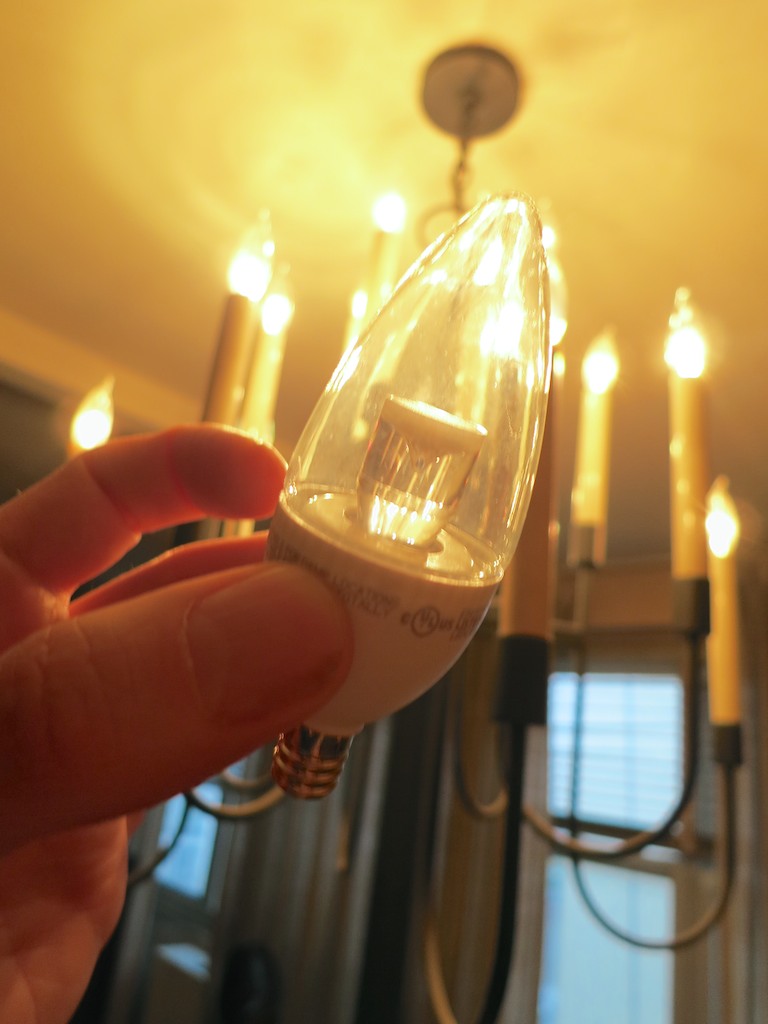
The Ugly Duckling LED


Oooh… maybe this wasn’t such a good idea after all.

I turned to my father.
He looked up.
I listened for a response…

“Good. Let’s get some dinner.”
And then he walked away to get his coat…

Did I mention my dad’s vision isn’t quite 20/20 anymore?

Hey… he’s happy.
I’m happy.
The planet is happy. (We’re saving energy with LEDs.)

Our Guardian of Forever is set to shine bright through 2033…

Problem solved.
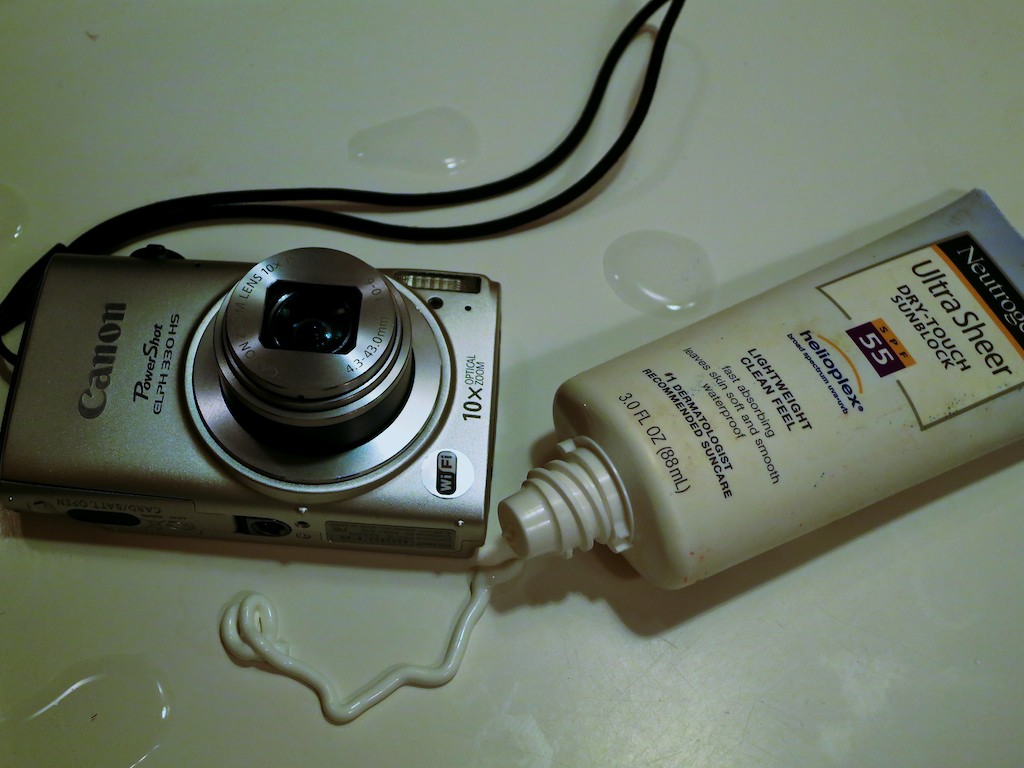
Five Reasons to Protect Your Tech from Summer Fun

‘Fun in the sun’ is not a phrase fit for most of your gadgets.  If you’re not careful, the punishing summertime elements can really do a doozy on your tech…

‘Fun in the sun’ is not a phrase fit for most of your gadgets. If you’re not careful, the punishing summertime elements can really do a doozy on your tech…

Hello, summer!  It’s finally time to kick back, soak up some rays, and drain down some of that banked vacation time. Of course you’re planning on bringing all of your favorite tech with you, right?

Before you do, you might want to remind yourself that your tech gear can be as delicate as your skin without any SPF protection…

Here are five pieces of Kryptonite your tech has to contend with…

#1
Sunlight
Direct sunlight can be a real problem for your camera lens…

  • Strong sunlight facing your subject can wash out or over expose your shot.
  • Sun from the rear can make your subject’s face look too dark.

Softer light or shade is usually easier for your camera lens to handle.
(Or just hope for a cloudy day)

#2
The Beach
The beach is an especially dangerous place for your camera…

And I’m not just talking about that large body of water.
(I once saw a friend’s DSLR camera lens accidentally drop into a lake, because it wasn’t securely locked into place on its camera body. Oops!)

It’s the sand.
Those tiny granules can really kill your tech.
Even a single poorly placed speck of sand wedged into a retractable camera lens can immobilize your camera from ever taking another shot.

One simple solution is to use a waterproof camera without an exposed lens…

#3
Heat
Don’t overheat your tech… as in… don’t leave it in your car at high noon.
Enough said.

#4
Summer Fun
Just having a good time in the great outdoors can spell doom for your tech.
‘Cause if you’re not paying attention… Whoops… Plop…. Crack.
(That’s the sound of your camera or smartphone shattering on the sidewalk.)

#5
Travel Can Be a Losing Proposition
Let’s face it. It can be hard to keep track of all your stuff when you’re on vacation.
But if you leave a pair of socks behind or a t-shirt, that’s not such a big deal. If any of your tech doesn’t it make it back, that’s obviously a much bigger problem.

My solution: Don’t bring it!
If you don’t absolutely need it, I say you can do without…

And that goes for your car too.
Because when you least expect it, a wild turkey will fly into it!
(Yes, it’s happened to me.)

So you might want to consider becoming a public transportation Weekend Road Warrior.

The Terminator Vs. WALL-E
Look, I know this cautionary musing is mostly common sense.

And in fact, your fancy tech can actually enhance summertime fun… or at least feed you with lots of ‘comfort data.’

Heck, a solar-charging watch actually thrives during the summer months!

But the truth is your tech isn’t built like the Terminator.
If you want it to be back for your next summertime mission, you’d better start treating it like your own WALL-E.

Even though your gadgets don’t need to outlast all robotics on the planet, it also wouldn’t hurt to give your tech everlasting love….

How to Get Rid of a Pop-Up Virus

Your computer is infected. Now what? Don’t mess around! You need help... Perhaps it’s time to call upon ClamXav?

Your computer is infected. Now what? Don’t mess around! You need help… Perhaps it’s time to call upon ClamXav?

Last week, my wife’s MacBook Pro laptop became infected with a pop-up virus. Every time she opened up a web page in Safari, a pop-up message took over promoting something called ‘pcsupportapplication.com.’ Of course, as bad as things clearly were, clicking on it would only make things worse.

The good news is my wife did not click on the evil message. Instead, she brought her ailing Apple computer to the resident IT Guy in the household.

The bad news is this IT Guy didn’t know what to do…
(Even though long gone were the days when Apple computers were ‘impervious’ to computer viruses.)

Don’t Try This at Home
So I Googled this nasty adware….or malware… or whatever you want to call it.
And I didn’t find any mainstream posts on what exactly to do about it. And the ones I saw suggested complicated solutions I was not prepared to embark upon.

I was woefully unprepared to fight this battle.
And I knew it.

It was time to throw a little money at the problem and call in the big guns.
(This wasn’t the time to worry about my pride.)

Pay for a Little Genius
So I brought the laptop to my local Apple Authorized Service Provider down the street.
(Exceptionally convenient)

The nice repair lady at the front desk told me this kind of problem was unfortunately very common, but the store had access to ‘specialized’ software they could use to attack the problem and root out the invader.

And how much would it cost me for their ‘Adware & Malware Scan and Removal’ service?
$49.50
(That’s all?)

Please proceed!!

ClamXav to the Rescue
When I returned to see if the operation was a success, I walked up nervously to the counter to check on the status of the patient.
(pause)

…The computer doctor walked in from the back room.
She was all smiles.

And the cure was easier than she thought it would be.
She first updated the OS on my wife’s computer….
….and the problem magically disappeared.

So yes, I felt a little egg slipping down my face, because that’s what the home IT Guy is supposed to do. And in fact, I was a couple of updates behind on the laptop.
(Guilty as charged)

The good news is the helpful digital doc had also installed a few optional extras onto the laptop…

Most importantly, she had downloaded a free virus scanner from Apple’s App Store called ClamXav.
When she activated the utility, it identified seven threats lurking in the computer, and then it promptly removed them.
(Sweet!)

She handed me back the cured machine, and I skipped a few steps as I went happily on my way, just in time to return my wife’s computer on Mother’s Day.

Human Error
So it’s a happy ending, right?
It is…

Though it’s also true that had I been more diligent and performed software updates more regularly, the problem might never had cropped up.

And sure, now I’ve got ClamXav to protect the computer. But maybe I should have found and used that utility myself. It’s been available for years…

The fact is this IT Guy didn’t really need to fork out fifty clams.
But that’s a perspective in hindsight.
In the murkiness of uncertainty, I would do the exact same thing again…

Why risk it?!

Dodging Digital Bullets
So the IT Guy needs a little tech support every now and then. I can own that…

The learning here is the simple reminder that the health of your computer is fragile. Just like life, disaster can strike at any moment.
Be prepared…

And if a few bucks put your computer back on its feet along with a little extra protection, I’d call that money well spent.

Peace.