At Home with Tech

Unlock the power of all your technology and learn how to master your photography, computers and smartphone.

Category: Tech Fixes

How to Brighten Up the Holidays For an Octogenarian
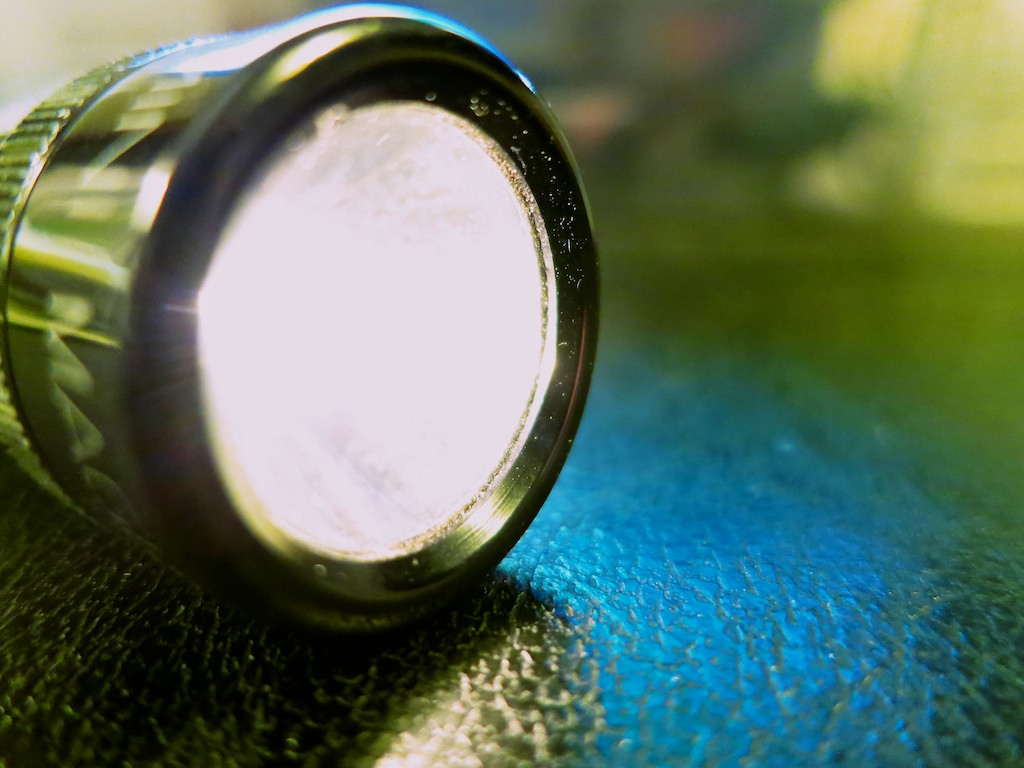
All flashlights are not created equal. Especially, if you want to feel cool using one of them. And particularly if you’re my father. Move over MagLite, I’ve got some holiday shopping to do…

All flashlights are not created equal. Especially, if you want to feel cool using one of them. And particularly if you’re my father. Move over MagLite, I’ve got some holiday shopping to do…

For years, my father owned a cool flashlight like the ones you see on any number of detective shows on TV. You know… the compact, but amazingly powerful torch you grip over your left shoulder while you extend your weapon in your right hand as you inch towards the hidden bad guy.

He had this CSI-like black flashlight (smaller) and loved walking around at home assuming the ‘shoulder pose’ with his police-grade tool.

It was harmless fun, except for what I thought were sky-high maintenance costs. It needed an expensive battery (CR123a) that is stumpier than a standard AA. And two of these little power cells can cost more than many flashlights out there.

Plus, the whole unit only operated at full blast for about an hour.
No wonder it’s so hard fighting crime in the dark these days…
All a thug needs to do to slip away is wait for a few flashlight batteries to drain down.
(I expect real law enforcement uses higher-end gear.)

Every time my father used his impressive but short-lived beacon, I felt a sense of ‘tech queasiness,’ because even though he was proud of his cool tech, I knew there had to be any number of more efficient choices out there.

But he was happy. So I didn’t say anything.

The Light that Failed
And then one day about a year ago, his flashlight wouldn’t power up.
And the problem wasn’t the battery or the bulb.
(No tech lasts forever.)

I wasn’t there when it happened, but I’m sure there was a significant disturbance in the Force my father follows.
(It didn’t hit me.)

But I noticed it when I came by for dinner one Thursday night and I saw another flashlight sitting on the kitchen counter.
It was nothing special, but it was perfectly fine. Except that I knew it wasn’t.

“What’s this?” I asked with a concern that surprised me.
He pretended to be unaffected by the loss and his entirely unimpressive replacement.

But I knew a cool flashlight held the same significance for him as one of my own geeky tech gadgets… my Logitech UE Mobile Boombox or
my Renny Bluetooth Home Ringer.

Time for Action
I’ve been thinking about this story for months.
I’m not really sure why.
Maybe it’s because my father is 81 years old…

He’s doing okay… but still.
The light is fading a bit.

My father sometimes talks about getting older, and how it’s the little things in life that make more of a difference to him.

So I decided it was time to brighten up his holidays.

Exploring a New World of Flashlights
I took a look online to see what modern technology has done to today’s flashlights.

First off, LED tech dominates. And then I realized there’s an entire line of ‘high performance’ or ‘tactical’ flashlights that people who are really serious about their light buy. And the price tags are serious too. I’m talking over $100.
Sometimes way into the hundreds.

I’m serious, but not that serious.
(My father doesn’t need to light up an entire cornfield during a new moon.)

I just want something better than a $6 Eveready Economy flashlight from Staples and a little slicker than the standard mini MagLite.

Remember, half of the equation here is finding a piece of gear that is somewhat over the top but not ludicrous.

How Many ‘Lumens’ Do You Need?
One big question is how much light does the flashlight need to throw if the flashlight isn’t normally leaving the house. One variable in the equation is the number of lumens it generates. Some ‘experts’ say under 100 lumens is fine. Others say you need two-three hundred lumens or more.

REI has a good write up on other issues to consider when choosing a flashlight.

And yes, if you’re wondering, there are seemingly hundreds of choices out there…

The Research Begins
I centered my attention on a few manufacturers and decided to focus my spend to around fifty bucks.

Here’s what I found:

  • Olympia AD220
    $46.94 on Amazon
    220 Lumens
    (Two CR123a rechargeable batteries)
    210 Lumens
    (One CR123a battery)
  • Fenix LD22
    $55.95 on Amazon
    215 Lumens
    (Two AA batteries)
  • Fenix E25
    $50.95 on Amazon
    260 Lumens
    (Two AA batteries)
  • Klarus RS16 Rechargeable LED Flashlight
    $65.95 on Amazon
    380 Lumens
    (16340 Rechargeable battery and onboard magnetic charging port!)

These flashlights all have multiple brightness settings, which allow you to regulate your lighting needs, but the Klarus RD16 really tickled my fancy, because it’s so easy to recharge.

Click.

Yes I broke through my price point a bit with the Klarus, but hey… this completely solves the problem of having to fiddle with batteries!

Klarus Makes the Holidays Look Bright
I don’t know if there’s another Octogenarian out there who would care to get a silly flashlight for the holidays, but I know my Dad is going to love this one.

I think we can all agree… the Klarus will be an illuminating gift!

Choosing a New iPad Air 2 Case

If you find yourself forced into an iPad upgrade, you’d better protect your investment with a cozy case. Especially if tiny hands will be using it…

If you find yourself forced into an iPad upgrade, you’d better protect your investment with a cozy case. Especially if tiny hands will be using it…

I’m still trying to come to terms with Gray Thursday destroying Thanksgiving in America. I didn’t really understand what had happened until I tried buying a new iPad Air 2 early on Black Friday.

Target, which I discovered never closed after it opened up on Thanksgiving, had been sold out of the iPad I wanted for twelve hours. I wasn’t even close!
(What ever happened to giving Americans time to enjoy their Thanksgiving dinner?!)

I felt lucky with the runner-up deal that was still available at Best Buy. I came home a nearly defeated shopping warrior.
(It wasn’t pretty.)
But then again, I had a new iPad in hand….

Time to Retire iPad 1
If you’re wondering why all the effort… it’s because I’m still using an iPad 1. Yes, the world’s original tablet still has a heartbeat at the Lester house,
(believe it or not) but it was really time for a refresh.

Mostly, I needed to buy the new iPad because even though the old one is still functioning, nothing much living in it can survive anymore. Many of the apps we use have upgraded themselves, requiring newer iOS software, which the iPad wasn’t built to digest.

Things really got bad when our favorite Disney Junior app upgraded itself, and Disney spontaneously killed off the old one residing in our iPad.

My own “Junior” had a really hard time understanding why the app didn’t work anymore.
(I simply said it was broken, but that didn’t stop him from tapping on the icon every so often and sighing wistfully…)

So I took my licking as a tardy Black Friday shopper, but I’ve successfully upgraded the Lester household back into current iPad technology.

Protect Your iPad or Else
An iPad is a significant investment, one that you’ve got to protect. My four-year-old son has been really careful using our first iPad, but you’ve got to plan for a fall or two…

I picked up AppleCare separately, even though Best Buy pushed me hard to go with the Geek Squad protection plan.

Now, it was time to give the new iPad some additional cover…

There’s an entire cottage industry of iPad cases out there to choose between.
Of course, you can go with the premium Apple offering…
Apple’s Smart Case sells for a hefty $79.

Not that I wouldn’t drop another eighty bucks to protect my overall investment. However, when I checked out a Smart Case at an Apple Store, I wasn’t entirely impressed. It was fine… but since I wasn’t convinced it was that much better than the competition, I figured I should look around a bit more.

Believe me, the resulting exercise was yet another rabbit hole into too much choice. The options range from $10 to over $100 for covers that come with their own keyboards.

But I felt I only needed something relatively basic…
I found lots of good reviews for the iPad cases that Devicewear makes.

I checked out the ‘Ridge’ that goes for $45.
(Amazon has it for $27.)

It’s got a nice ‘vegan’ leather exterior and supports the automatic sleep/wake iPad function when you open and close the cover.
I decided this case from Devicewear was a no brainer…

Click.

(Any other suggestions out there?)

iPad Air 2 Ready for the Holidays
As I write this with the sun rising on a cold Sunday morning, my boy is still valiantly sticking with the old iPad as it struggles to stream Sesame Street off of its website.

As for me, I’m happily streaming a little holiday spirit knowing that soon, he will be at home with new ‘protected’ tech.

How to Find iTunes Extras on Your iPhone

If you can satisfy three conditions, you just might find a surprise in your Videos folder the next time you click on an iTunes movie.

If you can satisfy three conditions, you just might find a surprise in your Videos folder the next time you click on an iTunes movie.

So while perusing my new iPhone 6 Plus, I stumbled onto what I thought was a rip in the fabric of the space/time continuum…

I took a look in my movies folder and randomly clicked on “Star Trek into Darkness.”  I had loaded the iTunes movie file months ago after purchasing the Blu-ray Disc, which came with the free digital download.

For me, that was the sweet spot… to have mobile access to the flick and also own all the Blu-ray extras.

I casually waited for my screen to load, half expecting something to look a little different in iOS 8. And guess what, something very different appeared.

It was an entirely unfamiliar interface, complete with a menu and extra content selections. What was this strange new experience I had encountered?
It was as if I were peering into an iPhone from an alternate universe.

In fact, iTunes Extras had loaded onto my iPhone.
I spotted the deleted scenes…!
I saw the long list of unwatched documentaries….

All this new content had magically appeared on my iPhone…
How was this all possible?!

I looked up and around me as if I were guilty of some crime.
This must be what it feels like to win the lottery.
(a little)

I cautiously slipped the iPhone back in my pocket and continued on with my afternoon…

Easy Come, Easy Go…
The next day, while on my train ride to work, I decided to explore all that new content I had found.

I eagerly clicked on the movie icon…
But this time, iTunes Extra wasn’t there. None of it. The extras had vanished.
Just the movie remained…

Khan!!!!

For a moment, I questioned my own reality. Which viewing experience was the real one?

The Recipe to Watch iTunes Extras on Your iPhone
That night, I went home to crack the mystery.
And the answer comes in the form of a recipe…

You need the following ingredients to serve up iTunes Extra content onto your iPhone or iPad:

And that points to the fact you need to stream iTunes Extras.

So the missing piece while I was on the train was Wi-Fi.
Trying to stream iTunes Extras on a cellular network won’t work.

Holding Onto the Extras
So yes, Apple has given you this little gift, assuming you’ve purchased your content in HD.
But you can only look. You don’t own the files.

In this situation, though, the limitation was not debilitating.
And I can still have my digital cake and eat it too…
Remember, I also own the Blu-ray Disc!

And considering the iTunes file came as a free digital download to begin with, in this particular space and time… I’m feeling like one happy customer!

Thank you, iTunes…