At Home with Tech

Unlock the power of all your technology and learn how to master your photography, computers and smartphone.

Category: Tech Fixes

Five Tips to Not Lose Your Tech While Traveling

You don’t have to stash your personal tech in a barrel at Niagara Falls to risk losing it while traveling. If you’re not careful, there’s plenty of opportunity to part with your gadgets along the way.

You don’t have to stash your personal tech in a barrel at Niagara Falls to risk losing it while traveling. If you’re not careful, there’s plenty of opportunity to part with your gadgets along the way.

I was in Buffalo last week on a work-related video project.
(Yes, it was snowing in Buffalo.)

On the last day, we drove to Niagara Falls to get some beauty shots.
I must say the American Falls looked especially beautiful half frozen.
(The Horseshoe Falls was mostly obscured in fog.)

We also spent some time in town doing some additional videotaping.
The frozen urban environment didn’t feel quite as quaint with steady snowfall and a stiff wind confronting us.

So between shots, we ducked inside a building to warm up while we planned our next move.

And we broke a cardinal video production rule.
We left a piece of our gear outside unattended.

No, it wasn’t anything really expensive, like the camera.

It was a lowly wooden Apple Box.
No, not an apple fruit box… though it does look like one.
(And no, it’s not some Apple computer packaging either!)

It’s simply a sturdy wooden box.
More like a little platform, it’s used to position someone or something up a few inches.
(A couple inches can make all the difference when you’re looking to tweak a shot!)

Our inside huddle lasted only four minutes.
But when we emerged, the Apple Box was gone.

D’OH!!

We looked at each other uneasily, as we were also guilty of breaking a really basic rule our mothers had taught us decades earlier.

Then, an innocent bystander walked up and said he had seen the perp pick up the clipped item.

And he pointed in the direction the thief was walking.
He also mentioned it looked like the guy was part of group of five or so.

By this point, they were a few blocks away, just out of my visual range.

We each considered the situation.
To me, it was clear running after our bandit wasn’t the right move.
It seemed risky. We could run into a confrontation with a superior force.

The look on other faces suggested a similar conclusion.

But our consensus was not unanimous.

One bold soul jumped to action.
Declaring the rest of us wimps, our hero launched a rescue mission.
Our fasted vehicle powered up, and it roared off in hot pursuit.

The rest of us stared for a moment, flecks of snow falling on our gaping jaws.

I eventually jumped in my car and brought up the rear.
By the time I arrived, the incursion was over.

The Apple Box had been rescued.

The opposition had not been five muscular men.
It was just one older gentleman, who had fallen on hard times and innocently picked up an item he thought had been abandoned.

It was just a matter of confronting the truth of the moment.
The retrieval ended up being an easy one.

Boy, did I have egg on my face.
And I didn’t hear the end of it for the rest of the trip!

Odds Are Some of Your Tech Won’t Make It Back
Let’s face it. Losing your gear on the road is surprisingly easy to do.
You may not be dumb enough to leave it on the street while you talk about where to go for lunch.
But there are plenty of ways to inadvertently part with your expensive gadgets and their accessories.

  • Secondary Smartphone
    Many of us are forced to juggle more than one smartphone for work and home.
    If that’s the case, you may not be paying as much attention to the secondary unit while on a trip.
    (Like if you’re on vacation and not looking at your work BlackBerry very often)
    That scenario can easily lead you to miss the unfortunate fact your smartphone has suddenly gone MIA.
  • Chargers and Power Cables
    How many times have you left behind your smartphone charger or laptop power cable plugged into the outlet under the desk in your hotel room?
  • Lens Cap
    And if your DSLR’s lens cap is not tethered to your camera’s lens, it’s constantly pulling a Houdini, right?

You Won’t Lose It If You Don’t Have It
My simple advice is just don’t take any tech you can do without.

Much like over packing clothing for a trip, we also have a tendency to travel with too many gadgets.

Don’t take that laptop if a tablet will do.
Don’t take the tablet if your smartphone can handle the job.

Sure, many hotel rooms are now equipped with mini safes.
And laptops are small enough these days to jam into these tiny vaults.

But then you’ve got to remember to clear out the safe before you leave.
(And no matter what, isn’t it always a rush?)

Maybe you won’t forget the laptop, but what’s hidden behind it might get missed with a hurried exit plan.
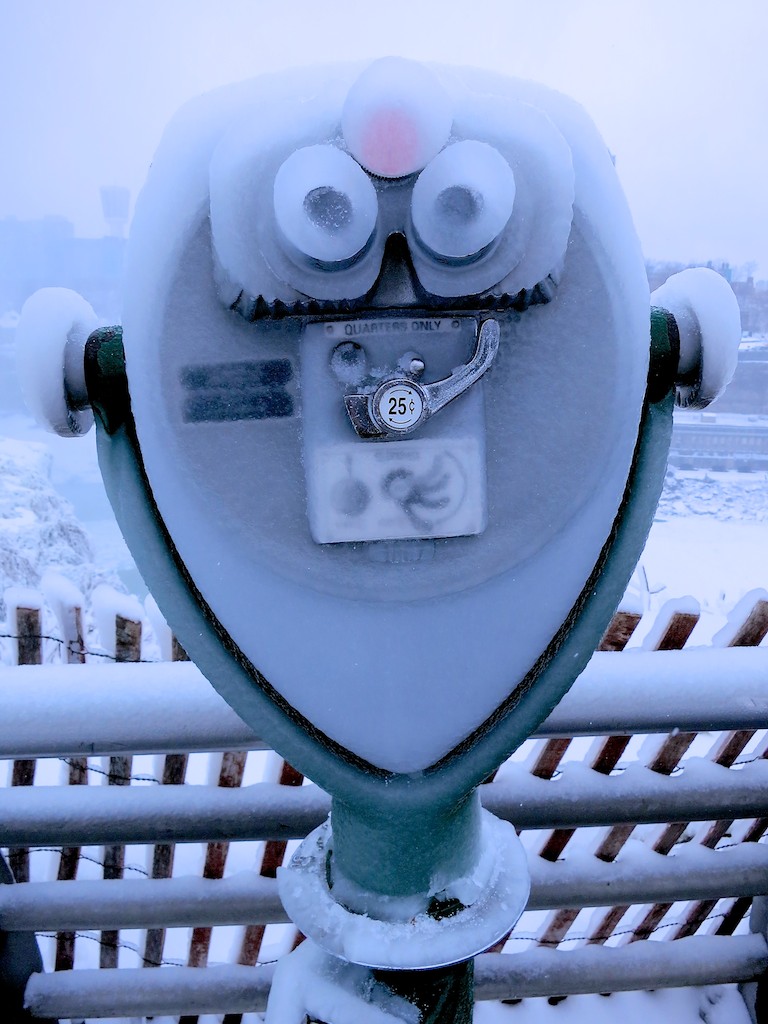
Don’t let your view freeze up trying to keep track of your tech while on the road!

Don’t let your view freeze up trying to keep track of your tech while on the road!

Five Ways to Hold onto Your Tech on the Road
But if you absolutely must bring it, here are five tips to help you increase the odds you’ll come home with all your precious tech gear and accessories-

1.  Protect Your Smartphone like ‘Renegade’ or ‘Trailblazer’
The Secret Service has code names for its presidents.
(Renegade for Obama and Trailblazer for George W)

Yes, you can lockdown your smartphone with a code.

Yes, you can track it.
(Up to a point)

Yes, you can remotely wipe the memory.
(The Secret Service can’t do that yet. Right?)

Yes, you can even change all your passwords just to be totally safe.

But you really shouldn’t need to act like a Secret Service agent to protect your smartphone.

I know this is obvious, but I say treat your smartphone like your wallet.
People do lose their wallets, but usually you can devote enough brainpower to maintaining track of it, right?

Bad things happen, but a little vigilance can go a long way to keep your smartphone at your side.

Enough said.

2. Use the Right Carry-On Bag
Keep your tech with you at all times.
Assume an 800-pound gorilla will be jumping on your stowed luggage.

So bring a carry-on bag with distinct compartments and keep each piece of tech in its designated position. Then take a moment to memorize where everything belongs.
That way, you’ll be able to quickly scan if all your digital tools are in their rightful place.

3.  Have Power in a Pinch
It’s always nice to bring a little backup power in your bag, while you’re going about your day. That way, you don’t have to worry about where you’ll be juicing your smartphone next.

More importantly, that also means you’re not putting any of your kit and kaboodle at risk of being left behind, while your charging up behind enemy lines.

These days you can store a power stick that’s not much larger than a pack of gum.

4.  Keep Your Pockets Light at Security
When going through airport security, it’s always such a fire drill to get everything back on your body before rushing to the gate.

Reposition as much digital paraphernalia as you can into your carry-on bag.

5.  Watch Your Laptop Like a Hawk After the X-ray Machine
I’m not talking so much about someone stealing your laptop from its bin while you’re putting your shoes back on. I’m referring to simply protecting it from being harmed.

During my Buffalo trip, I watched in horror as a bin holding a laptop rolled out of the X-ray machine conveyer belt. It got squeezed by a bin jam ahead of it, and then it veered off the rollers, dumping the laptop onto the cold, unforgiving cement surface below.

No, the poor laptop didn’t bust into multiple pieces,
but I’m not so sure how solid its guts were after that kind of spill.

Try to position your laptop bin so it comes out of the X-ray machine soon after you’ve crossed passed through your own X-ray body scan experience.

That way you’ll be close by to rescue your laptop if a bin jam becomes imminent.

Bonus Tip: ID Your Gear
Sometimes, no matter what you do, fate still intervenes.
So when you end up losing a gadget like your tablet or eBook-reader on a plane, in your hotel room, or after a solo lunch at a restaurant… what do you do then?

Well, you’d better leave a trail for someone to find you.
(Like simply taping a business card inside your new iPad case)

If your gear is in lockdown mode, there’s no way for anyone to know it’s yours.
Sure they can do some sleuthing based on your reserved plane seat or hotel room record, but would you want to leave your gadget’s future in the hands of an Inspector Clouseau?

Get That Tech Back Yourself!
And if all else fails, and you’ve accidentally just left some tech behind, make sure you can sprint four hundred yards or have access to some really fast wheels.

It’s been known to work!

That Bad Photo You Took May Be Your Best Yet

You may not know it, but some of your best photos are slipping through the cracks.  Maybe they first struck you as flawed or you didn’t recognize their hidden value.  Time to recognize your ugly ducklings!

You may not know it, but some of your best photos are slipping through the cracks. Maybe they first struck you as flawed or you didn’t recognize their hidden value. Time to recognize your ugly ducklings!

“A picture is worth a thousand words.”
We all know that saying.

But I‘m sure there’s a qualifier buried in the manual of sayings.
“The photo has to be pretty good!”

I know of two strategies to take a great photo:

  1. Have a good eye and follow the rules of photography.
  2. Just shoot lots of pictures and pray one or two come out right!

I’m no professional photographer.
So I mostly subscribe to the second plan.
When you take as many photos as I do, you’re bound to come up with a few winners here and there.
It’s simply the law of averages.

And it’s easy to pick your best photos, because they immediately stand out.

So the inverse to this equation means you’re inevitably creating a mountain of mediocre pictures along the way.
(which fortunately carries no cost in this digital era other than to your pride)

Stop! Don’t Delete That Bad Photo Yet!!
Yes, no one else should ever see your losers.
But you should also spend a little time thinking out of the box about what constitutes a great photo…

Before you mark your failed photographic attempts for your trash bin, you might want to take another look through a different lens.

You may have missed a hidden gem or at least one worth five hundred words!

Beauty Is in the Eye of the Beholder
I’m often guilty of being too narrowly focused on how I set up a photo.
I usually go for the “Say Cheese!” right-down-the-middle shot.
It’s the easy way out.

Sure, I also try for those more ‘natural’ moments, but with a speedy toddler around, it’s hard to get a crisp image.
(even with my new DSLR lens and Canon S100)

What’s the exact definition of a great photo, anyway?
I suppose a blurry blob is a worthy image if that’s what you’re going for.
(or if it’s ‘first contact’ with a friendly alien)

You don’t always have to be shooting for mass appeal.
Sometimes a photo can be a success if it connects with just one person!

If a bad picture can still evoke a positive response, well then…
Who cares what it really looks like, right?!

One of my favorite recent bad pictures is the first shot my son took when he was eighteen months old. His thumb covered most of the lens, but it’s still a masterpiece to me!

Make Room on the Podium for Second Place
And what about all your photos that are pretty good shots, but still fall short?
They don’t get to cross the finish line, either.

I’ve talked before about being ruthless when rating your photos to separate the wheat from the chaff.

But maybe there’s hope for your runner-ups, if you give them a little special sauce and take them in a different direction.

Winning Bad Photos

I present to you some of my best bad family photos….
(and some home-grown tips I’ve figured out along the way)

Embrace the Blur!
A little motion-induced blur can enhance a photo and capture the energy of the moment.

The Spinning Game

My friend mostly froze this wonderful moment while I was spinning my son last summer on vacation. I love it. Who cares if it’s a little blurry?

My friend mostly froze this wonderful moment while I was spinning my son last summer on vacation. I love it. Who cares if it’s a little blurry?


Black and White Likes the Soft Shot

Often, if I have an otherwise great shot, but it’s a little soft, I turn it to black and white. To my eyes, a black and white image is more forgiving of a bit of blur.
Plus, my friends then think I’m so artsy!

On Hike

This slightly soft shot of my wife and son pondering the pond’s beauty works much better in black and white.

This slightly soft shot of my wife and son pondering the pond’s beauty works much better in black and white.

Hanging at the Gym

This one totally failed to freeze the action. But in black and white, it really doesn’t matter so much!

This one totally failed to freeze the action. But in black and white, it really doesn’t matter so much!


Turn the Photo on Its Head

Sometimes the picture just looks better upside down.

An Average Library Moment

Nothing wrong with this one, but it’s not one of the winners.

Nothing wrong with this one, but it’s not one of the winners.


A Good Book Can Turn Your World Upside Down

Turning it upside down gives it the special sauce it needs!

Turning it upside down gives it the special sauce it needs!


It’s the Action that Matters

Capturing movement can be difficult, but sometimes it presents itself when you least expect it.

Climbing Driveway Snow Summit

After the big snowstorm last month, I wanted to get a head-on shot of my son climbing the snow. But he wouldn’t wait for me to get ahead of him. All I could get off was this one from the back. The summit shot works, right?

After the big snowstorm last month, I wanted to get a head-on shot of my son climbing the snow. But he wouldn’t wait for me to get ahead of him. All I could get off was this one from the back. The summit shot works, right?


Keep Zooming

Sometimes you don’t get the chance to get in close enough when you’re taking the shot. As long as you’ve got enough pixels to spare, crop your photo to feature what you really want!

Swimming Pool Peekaboo

This is a cute shot of my son drying off after swim class, but you can’t really see his face.

This is a cute shot of my son drying off after swim class, but you can’t really see his face.

The Eye

But the peekaboo eye is really what’s happening here!

But the peekaboo eye is really what’s happening here!


Let the Camera Find its Own Moment

Even if the focus ends up on the wrong part of the picture, that mistake can still create its own magic.

Speeding Down Slide

This one is all about my son’s hair going twenty miles per hour down the slide!

This one is all about my son’s hair going twenty miles per hour down the slide!


Nobody Cares What It Looks Like

Just like all the masterpiece toddler drawings you’ve got hung up on your refrigerator, when he takes his own first snapshots, they’re gold!

Self-Portrait at 18 Months

My son’s first self-portrait. Need I say more?

My son’s first self-portrait. Need I say more?


From Ugly Duckling to Swan

Once upon a time, I might have passed by or deleted these photos altogether, not recognizing their potential.

As you can see, it’s always worth giving your average or failed photos a second look.
You never know what underdog you’ll discover…

I’m rooting for all your ugly ducklings to get the attention they truly deserve!

The Secret iPhone Setting to Save Your Emails to iCloud

A proud member of the Silent Generation enjoys a Vietnamese coffee with his baby boomer son.  What controversial topic will the boomer be defending today?  Emails are better than faxes.  (shocking!)

A proud member of the Silent Generation enjoys a Vietnamese coffee with his baby boomer son. What controversial topic will the boomer be defending today? Emails are better than faxes. (shocking!)

My father and I often go out to dinner on Thursday nights.
Usually, he hasn’t even put down the menu when he’s already got some important proclamation to make.
Last week, it had to do with his home tech.

He lowers the daily specials menu insert and out of the blue says to me,
“A fax is much better than email!”

I look at him.

“Come on Dad… really?
Sending an email is so much easier.”

“But a fax gives you a hard copy confirmation,” he replies.
“You have proof it’s been received. An email can get lost.”

“Dad…” I scoff…. “Emails don’t get lost.”

He stares with the assured look of an almost octogenarian.

I try not to roll my eyes as he tries to out-tech-talk me.

But even though my father may not be totally up to speed on current home tech, he does know a thing or two.
(Last week, he’d somehow heard about the latest Apple iWatch rumor before I did.)

Sure, he’s usually biased towards technology from the ‘good old days.’
(He still talks about the wonders of the telegram and the McCormick Reaper.)
And he’s certainly not comfortable with figuring out every tech upgrade that comes along.
But his opinion as a tech consumer is as relevant as anyone’s.

He sometimes quotes me a supposed German saying his father taught him-
Too soon, Old.
Too late, Smart.

And I’m old enough now to begin to recognize how true that is!

Dad Has a Point
Even though my father’s fax machine is wicked old tech, it’s still hanging onto its relevance.
You can’t dispute that gripping a fax report confirmation sheet still gives you a little chill of happiness.
It’s your analog security blanket.

The down side is your successfully sent fax may still never get read.
It may forever be buried in some basket brimming with unread faxes.
But you can remain heartened by the fact it still exists in corporeal form.
That’s got to count for something, right?

But come on Dad!
All of this is so yesterday.
(It’s a dated issue from twenty years ago!)

Email is how the world mostly communicates now, Dad.
Heck, even this is a decade-old conversation.
Maybe we should be talking about how texting is killing email.

Here’s what my father would simply say,
“With a fax, I’ve got my confirmation sheet.
What do you get when you send an email?”

And my dad has a point.

If You Send an Email and Nobody Gets It, Did It Ever Exist?
I recently sent out an email on my iPhone using my iCloud account.

A couple days passed, and I didn’t get a response.

Not that this kind of thing is so rare.
Some people take their time getting back to you.

So I sent a follow up email, also through my iPhone.

No bounce back.
Just nothing…

Then I got paranoid.
Did I dream sending the emails?

I suddenly wanted some proof…

In Search of Proof
So how do you know if any of your emails actually get to where they’re supposed to go?

Well, if you see a copy of your email message in your computer’s email program or your webmail account, you’ve got some evidence.

Of course, there’s any number of dangers confronting your fragile email while on its journey.
(Sometimes you’ll get a bounce back report if your email doesn’t make it. Sometimes not.)

But you really can’t protect your email once its leaves the nest.
All you can do is try to make sure it blasts off successfully.

And much like a fax confirmation page, a saved copy of your email message can offer some comfort.

So I sat down at my iMac to confirm my two emails were also showing up in my email program’s ‘Sent Items’ folder.
(I use Microsoft Outlook for Mac 2011, which I recently upgraded to from Entourage.)

I took a look, and my two emails in question…
…were…not…there.
(gulp)

But I didn’t panic.
(not yet)

So I did a little research into the email settings on my iPhone.

By Default, Your iPhone Doesn’t Save Your Sent Emails to iCloud
Did you know you’ve actually got to tell your iPhone to save your sent iCloud emails to Apple’s mighty mail server?

What?!
(yes)

Otherwise, your iPhone retains your only copy!
(It’s your iCloud account’s default setting.)

So unless you’ve been inclined to check out every iCloud nuance buried in your iPhone’s settings, there’s likely no secondary evidence your emails have ever made it out of your iPhone.

(The small brown paper bag is behind you. Continue reading after you’ve stopped hyperventilating!)

The Secret Setting to Save Your Emails to iCloud
Better?
Okay, here’s the simple fix:
The correct setting is buried seven levels down, deep in the IOS 6 Settings App dungeon.

First, click the Settings icon.
Then begin your multi-level journey down the this rabbit hole by clicking-

  1. Mail, Contacts, Calendars
  2. “Your iCloud email account”
  3. Account (at the top)
  4. Advanced- Mail (at the bottom)
  5. Advanced (at the bottom)
  6. Mailbox Behaviors- Sent Items

You’ve finally arrived at your destination.
You’ll see ‘On the Server’
Here is where you’ll need to check off a specific folder for your email to go in the iCloud mail server.
iPhone email settings

I selected “Sent Items,” which seemed like the obvious choice.

Then, I drafted a test email, and voila!
Ping.
There it was, also on the mail server.

PROOF!!
(I feel so much better.)

Apple makes it so easy to save everything else to iCloud.
Why not your emails?
It probably has to do with Apple’s iCloud storage limits
Remember, every saved email counts against your iCloud storage limit.

Too Many Email Addresses Clog Up Your Brain
You might be wondering how come it took me this long to realize I wasn’t saving my emails to iCloud?
I think it’s partly because I hadn’t thought to track down one of my emails lately.

And what further masked the problem is the complication of my multiple email accounts…

  • I’ve passively collected them over the years:
  • Apple gave me one when I bought my first iMac
  • Then another when I bought my old laptop
  • My Optimum service offered me its own branded email
  • Plus, who doesn’t have an extra Gmail or Yahoo address?
  • And the obligatory address for emails you don’t really want to go to die

At first I thought it was great having several email accounts.
I developed a logic years back on how I would use each account.
(Then I forgot what it was.)

The truth is I don’t send out iCloud emails with my iPhone too often.
So I just hadn’t run into the problem yet.

Read Receipt?
I’m sure someone out there is thinking, “If Barrett is so concerned about his emails, why not send them with the ‘Read Receipt’ setting activated?”

Well, I stopped using that Big Brother functionality in Outlook a long time ago, because I felt it was intrusive.
And both Apple’s Mail and Outlook for Mac don’t support it anyway.

Cancel Fax Vs. Email Smackdown
Dad, I can’t claim my emails are any more bulletproof than your faxes.
But at as long as I strong-arm my iPhone into saving my emails to the mail server, I feel my backup plan equals the value of your fax confirmation page.

Beyond that, there’s no way either technology can guarantee a recipient will receive your important communication, let alone read it.

Dessert?

But my father is never one to let one of our debates end in a draw.
I think I know what he would say…

“Telegram!”

(Ugh)

“Check, please!”