At Home with Tech

Unlock the power of all your technology and learn how to master your photography, computers and smartphone.

Category: Tech How To

How to Permanently Elevate your Laptop to Create a Better Zoom Shot

Do you suffer from ‘ceiling shot syndrome’ when using your laptop for video conference meetings? This solution will fix the problem.

If you’re Zooming all day from your laptop on your desk, your computer’s little webcam is probably looking up at you during your video conference meetings. That’s not good, because it’s an unflattering shot. The telltale sign of your up-angle live stream is when your viewers can see your ceiling behind your head instead of a wall.

I like to refer to that unfortunate webcam positioning as ‘ceiling shot syndrome.’

One way to fix the problem is to pile some books under your laptop to help elevate your webcam. Then, it will be able to point at you more horizontally. But that unstable solution is hardly a permanent fix.

It may be time to create a consistent and steady platform for your laptop’s webcam to see you at eye level.

Levitate your Laptop with a Desk Stand
Of course, a standing desk can do the trick. But if your laptop is stuck on a standard desktop, you need another way to bring your laptop up a foot or so.

The solution is to add an adjustable-height laptop desk stand to your home office equation.

It’s important to find a stand that will reposition your laptop’s webcam high enough to meet your face. So, get a ruler and measure from your desk’s surface up.

In my own research, I found three choices that provide more height than most stands out there:

The Right Design
All three have a similar Z-frame design with a relatively compact base, a tilt-forward surface and an expandable mid-section. I like this design, because it gives you flexibility on how high you can position your laptop. And it doesn’t make a massive footprint on your desk.

Plus, it’s nice that they all can fold up for portability and storage.

They all have received really good reviews. So how do you choose? Well, I simply went with the lowest price.

It’s the Nulaxy.

Click.

Say Goodbye to Ceiling Shot Syndrome
Over the past fifteen months, I’ve been using an old printer stand that I’ve had for years. Its sturdy but clunky design appears inspired by 1940s technology. The bigger problem was that it was only able to elevate my laptop a mere six inches.

So, my printer stand was never quite able to succeed in its new mission. And though it gave my laptop some height, I still suffered from ceiling shot syndrome. (Yes, I admit it.)

My Nulaxy will be a big improvement, as the stand will more than double my laptop’s elevation.
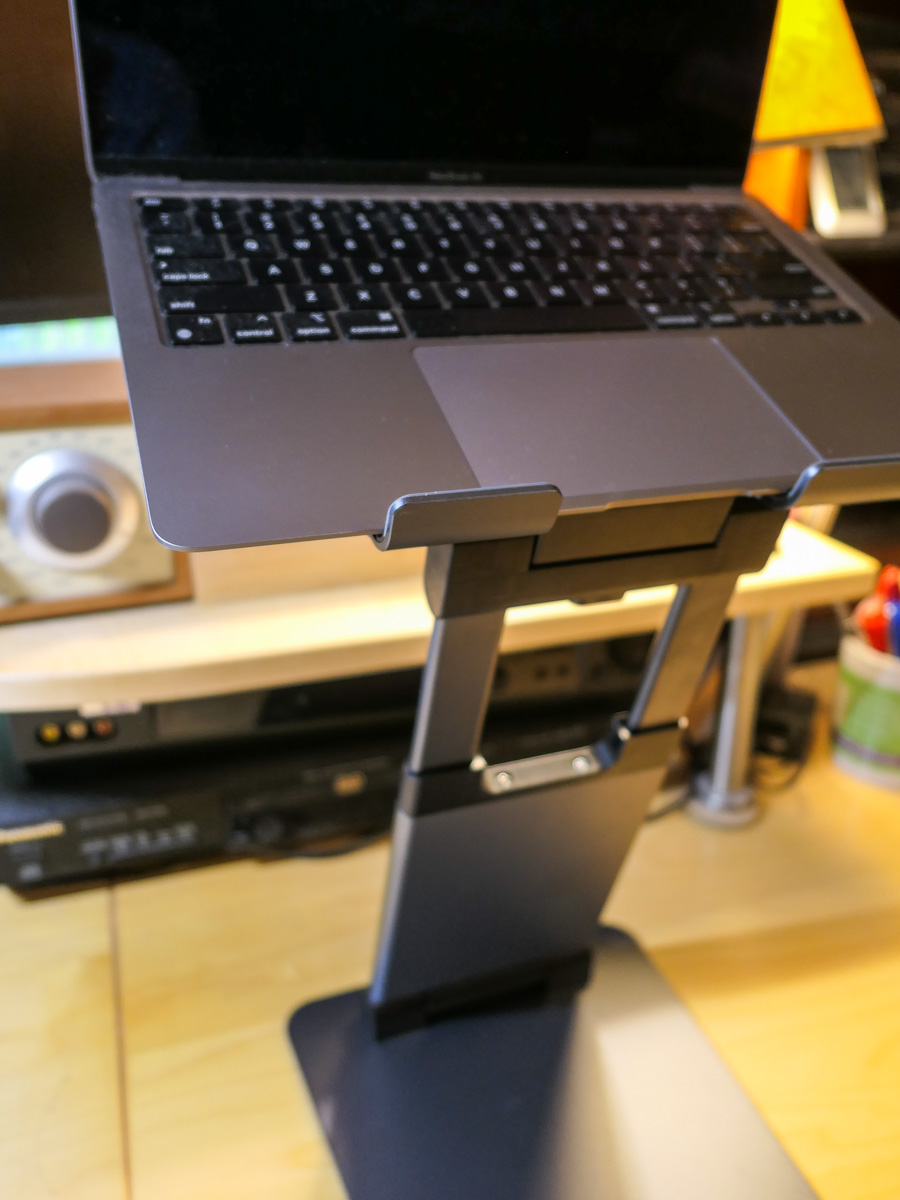
It’s always important to be able to look at someone eye to eye… and on a level plane. With the right stand for your laptop, it’s much easier to do that during your Zoom meetings.

A Poem for Dads on Mother’s Day

Photo collages are ideal for creating the perfect holiday card. Here’s how to do it all at home with a poem for easy reference.

What have you been doing with those thousands of family photos you’ve collected over the past years? Posting a few on Instagram or Facebook? That’s great. But what about all of the others?

Well, you can create annual photo books that will capture hundreds of your favorite photos. Those photo books should last through the century (actual mileage may vary). But that’s always a huge project to pull off.

Tackling a smaller version where you’re collecting only 15-20 images is clearly more manageable. How about applying that towards a “photo collage?!”
(Light bulb moment)

Photo collages are perfect for holidays or any occasion to give a physical card.

You just load your photos into a template. (Lots of photo websites like Shutterfly offer this.) You can pay them to print your card, or you can take a screenshot and instantly print out the photo collage card yourself. (That’s what I do.)

In honor of all mothers (and one in particular), here’s my little poem for fathers that doubles as an emergency instruction manual.

Instructions for Fathers on Mother’s Day

That day has arrived
When dads should applaud

With a pile of gifts
Though we are so flawed

But time is fleeting
Delays mute your plans

Amazon is late
Your wish is now sans

You are on your own
Just laptop and pics

A photo collage
That could be the fix

The story is there
For you to now share

You’ve got the photos
For you to declare

Websites will help you
To do this cool trick

Just load it all in
A template is slick

Then print out your card
It’s easy as pie

You’re back in the game
It’s okay to cry

Stuff doesn’t matter
It’s the life you share

Your collage reflects
Each day that you care

Say Happy Mom’s Day
For all that you are

This photo collage
Shows you are my star

A Tale of Three Headsets to Get through Fifth Grade

If you’re concerned about getting the right headset for virtual learning that will help protect your child’s hearing, you’re not alone. Here are the results of my shopping journey to date.

It’s not like my son has never worn a headset before. But over the past year of Zooms and virtual learning, our fifth grader has seemingly had one fused to his head. (Haven’t we all?)

And I’ve been concerned about the level of audio streaming into his ears. Is it too loud? What about the risk of long-term hearing loss?

So I’ve wanted him to wear a headset with volume-limiting capabilities. And I’ve got to tell you, strangely, there’s not a lot of choices out there.

POWMEE is for Younger Kids
I originally landed on a pair of POWMEE P10 Kids Headphones with a built-in microphone on the cord.

The POWMEE worked well, and they were only ten bucks. But the headphones were a little tight on his head. Four months later, they gave out. That may not seem like a long time, but I imagine the designers didn’t assume so many hours of daily use and cable twisting by little hands.

When I realized the POWMEE were small, I immediately initiated a new search to find a bigger headset designed for tween/teen heads.

Even fewer options with volume limiting capabilities exist for that age group. I suppose the idea is a real buzzkill from a marketing perspective.

PuroGamer Barely Got out of the Box
I finally landed on the PuroGamer Volume Limited Gaming Headset, which is targeted for teens. I bought it for $29.99 on Amazon, although it’s now gone up in price.

I got it and threw the box in the back of the closet. I knew the PuroGamer could be called to action at any time.

And the day came when boy my walked into my home office to see me. He had a stricken look on his face. Had Old Yeller gone to the doggy pasture in the clouds? (Actually we have a cat.) Nope. His POWMEE had died.

When I instantly pulled out the replacement, his shock and instant glee were priceless. (I felt like a hero.) And off he scampered with his PuroGamer.

But I didn’t have much time to take my parental victory lap.

The PuroGamer lasted about 2 weeks before the sound in one ear started to fizzle. (The USB connector gave out shortly after that.)

The cable was seemingly the culprit. It couldn’t handle all of the bending and ‘action’ a child will likely offer. Perhaps a gaming teenager wouldn’t give the PuroGamer cable the same workout?

Maybe the fault was mine getting the PuroGamer for a ten year old. Or perhaps I’m just making excuses, and the PuroGamer should be more durable.

Either way, it was back to the drawing board.

Time for an Adult Headset
I eventually decided my mistake had been limiting my search to headsets designed just for kids and teens. It was time to look for adult headsets.

Yes, shopping in the adult aisle is inevitably going to cost more. But I’ve already crossed that line for his sneakers and summer sandals. (He’s growing up fast!)

And unfortunately, technology for kids is often marred with inferior gear that won’t hold up. Yes, it may be cheaper, but you get what you pay for.

I’m certainly seeing that now.

Go with What You Know
As I puzzled over how to attack this new shopping challenge, I took a look at what I had fused to my own skull throughout much of my work day.

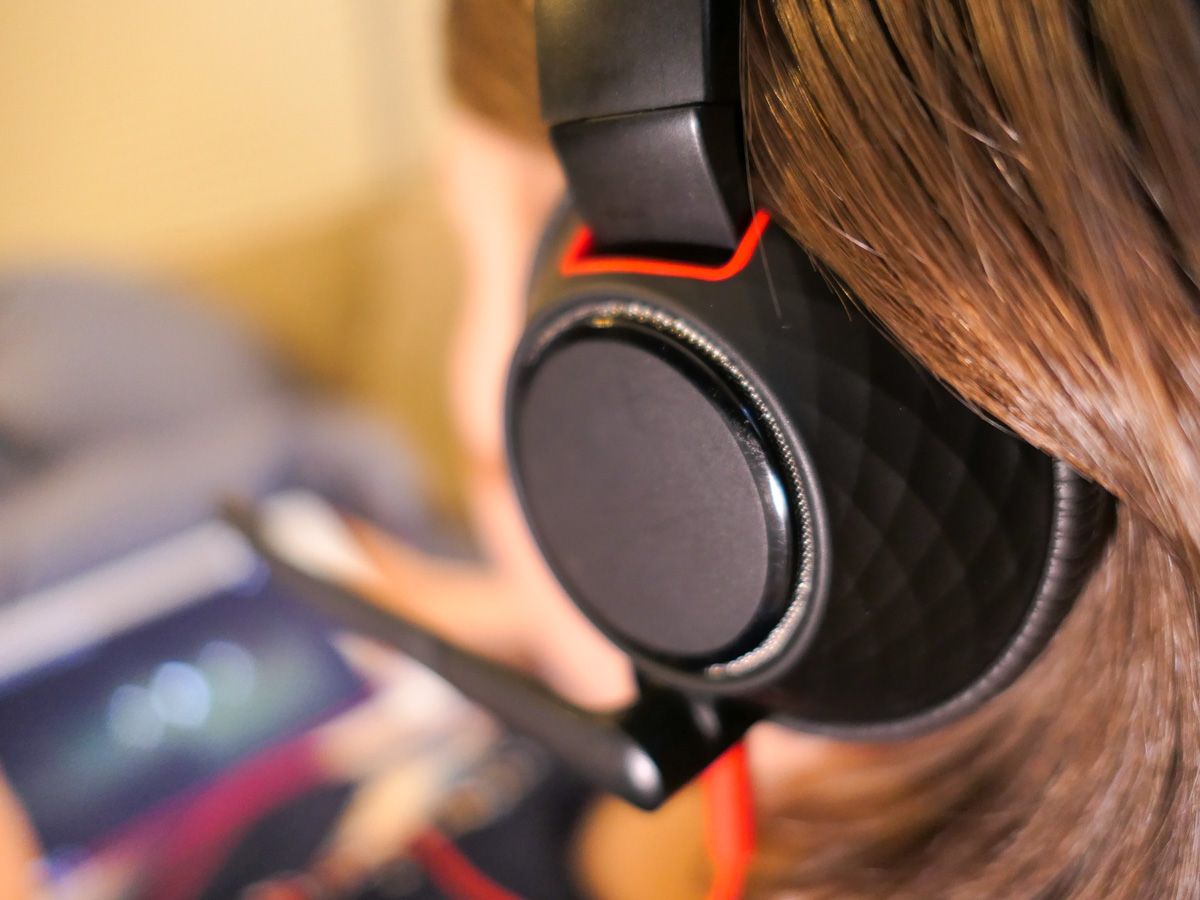
I was wearing a Plantronics (Poly) Blackwire C5210T single-ear headset.

My Blackwire headset had been great. It was comfortable, and sported two interface options. (3.5mm and USB connectors)

Like father, like son?

Another Blackwire
So I Googled the Blackwire headset and looked at the specs. And guess what?

Yes, it’s got built-in hearing protection. I didn’t even know!
(The SoundGuard DIGTAL technology protects against sound levels over 118 dBA, and Time-Weighted Average prevents average daily noise exposure from exceeding 85 dBA.)

There’s also a dual-ear design that would be perfect for my son.

Before I made my decision, I called my boy over to try on my headset. Within seconds, I saw that big smile.

Research complete.
Click.

If at First You don’t Succeed
Yes… this headset purchase was expensive. But sometimes you’ve got pay for what you really need. (And by the way, I purposely avoided going down a Bluetooth headset rabbit hole.)

It’s been almost a month, and my boy’s Blackwire headset has been holding up. (Fingers crossed.)

No, I’m not especially excited that it’s taken three headsets to get him through fifth grade, but if that’s the biggest technical glitch through this year of virtual learning, I’ll take it!

More importantly, I’m trying to do what I can to protect his hearing.