At Home with Tech

Unlock the power of all your technology and learn how to master your photography, computers and smartphone.

Category: Tech in the News

Is Star Trek: Picard Any Good?

If you were hoping that “Star Trek: The Next Generation” would get the band back together one day, you’ll be disappointed with what “Picard” has to offer. Instead, this series takes Picard in a new direction. Here are my thoughts on this new course.

“Star Trek: Picard” has arrived, and as a life-long “Star Trek” fan, I should be ecstatic with not one but two new “Star Trek” series to watch on CBS All Access.

Well, not exactly. But I do keep paying money to stream them. So, that says something right there.

I’m also not so annoyed that the producers keep messing with the original formula for “Star Trek.” I respect the need for “Star Trek” to evolve.

That said, since “Star Trek: Discovery” premiered, I think it’s also become clear to the producers when they have strayed too far from the source material. I feel the second “Star Trek: Discovery” season was more enjoyable than the first due to the ongoing presence of Captain Pike, played so well by Anson Mount. It was the perfect way to connect that series back to familiar territory.

The Picard Maneuver
The producers have clearly used the same tactic in creating their newest “Star Trek” series. What better way to anchor this one than center it around Jean-Luc Picard, played by the great Patrick Stewart?

The story follows Captain Picard fourteen years later, after his retirement from Starfleet under complicated circumstances. He’s down… but not out.

Of course, there’s an important reason why he feels compelled to leave his family’s vineyard and come out of retirement, and the Romulans seem to be at the center of the problem. There’s also a Borg cube. (Enough said.)

For me, the fact that the writers have picked up from the plots of 2002’s “Star Trek: Nemesis” and J.J. Abrams’ 2009 “Star Trek” is compelling, but I’m not sure if other more casual “Trek” viewers will find that same narrative pull.

Not “The Next Generation”
If there’s any doubt, you should know that “Picard” is absolutely not Season 8 of “Star Trek: The Next Generation.” There’s an entirely different cast of characters in this series, although some legacy characters do show up from time to time.
(Data is in the first episode. Don’t worry about how. It’s explained.)

My favorite new character is Laris, played by Orla Brady, a Romulan former intelligence operative and current employee at Picard’s vineyard. In these early episodes, she’s essentially serving as Picard’s Number One. (His dog holds the official name.)

Even though the writers seem hell-bent on continuing to use four-letter words in their scripts including the f-bomb, Brady is the first Star Trek actor to actually pull it off with a sense of style.

Taking Time to Get to Warp Speed
So far, the producers of “Picard” have performed a successful narrative balancing act by giving Trekies what they want with plenty of Easter eggs, while not making the whole experience feel like you’re a nerd attending a “Star Trek” convention.

After watching the first two episodes, I do need to admit that the series is taking some time to set itself up. It’s not exactly slow, but I’d prefer that the plot move more quickly beyond what I already know from watching the promos for the series.

But in case there’s any doubt, I’m in. I do plan to watch the rest of the season. In fact, I’m already more invested in “Picard” than in the upcoming “Star Trek: Discovery” season 3, which is seemingly rebooting itself… again.

An Inclusive Viewing Universe?
With the current movie series sputtering to a halt, the future of “Star Trek” is currently in the hands of “Picard” and “Discovery.”

I do continue to wonder about the audience that CBS is trying to attract. Sure, there are still old-time Trekies out there who will pay CBS All Access to watch, but what about the next generation of viewers?

Sure, bringing Jean-Luc Picard back is a huge hook for “Star Trek: TNG” fans, but there’s been an eighteen-year gap here. That’s an eternity to recapture a viewer’s attention.

I think it’s also fair to say that “Star Trek” hasn’t maintained the same cultural gravity as the “Star Wars” universe.

Plus, kids can’t join this party due to the bad language that’s sprinkled into the scripts.

So, that might leave a relatively narrow segment of the viewing population who will rush to sign up for “Star Trek: Picard.”

We’re Just Getting Started
Still, for those who are already predisposed, I’m here to report that “Picard” is certainly ‘engaging’ enough to spend time with. (You thought I wouldn’t get to that pun?)

With the exception of the original 1966-1969 series, new “Star Trek” shows have often had uneven early episodes, including “The Next Generation.”

And when viewing “Picard” though that lens, I’m actually quite excited to see what comes next…

Let’s make it so!

Three Ways to Massively Improve the Quality of Your Family Video Shots

I’ve got three big tips that will help jump-start your action videos of your family members...

Let’s face it. Few of us would mind if Steven Spielberg showed up with his camera crew to immortalize our next family event. All of that talent poured into the visual capture would undoubtedly generate amazing imagery. (I don’t care how disruptive a large film crew would be!)

Unfortunately, I know that scenario is also a fantasy. But instead of dreaming about how you might improve your home videos, I’ve got three ways to upgrade your video talents to the next level…

#1
Steady Does It

Shaky jumps and bumps created by an unsteady hand are sure signs of amateur video. The good news is technology is making it easier for you these days to create steadier shots, especially when covering action.

Digital stabilization is now common in consumer camera tech, but a real game changer is consumer-grade ‘gimbals.’ These are 3-axis stabilized handheld devices.

You can mount your smartphones to these stabilizers to create silky-smooth cinematic videos.

DJI makes the Osmo Mobile 3.
$119.00 on Amazon Prime

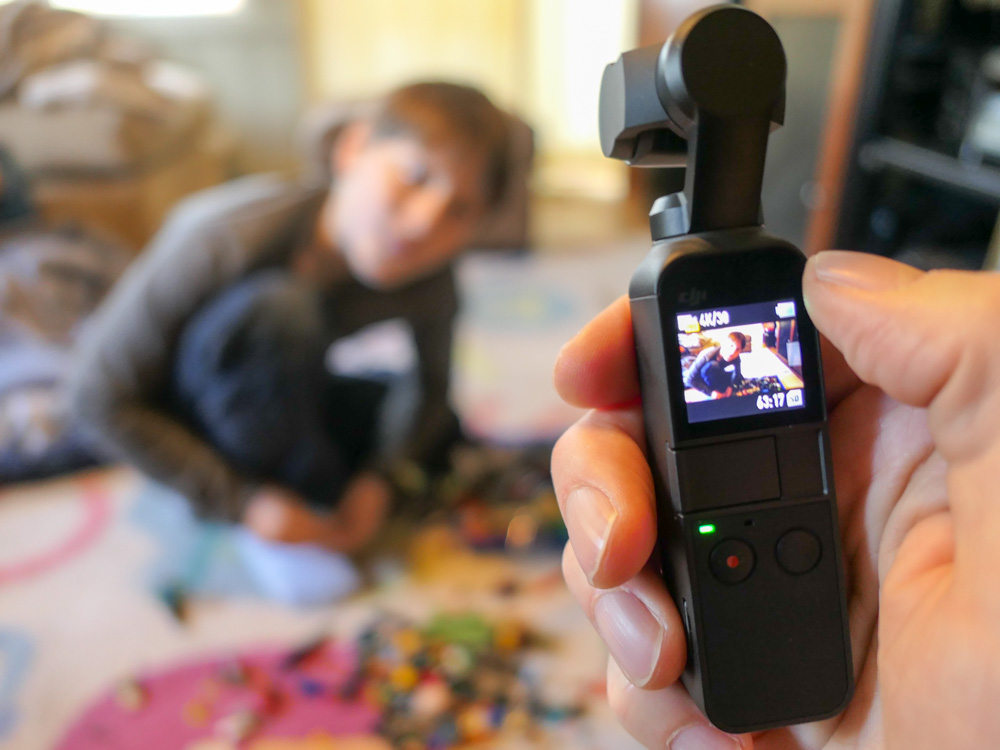
Or you can go with the DJI Osmo Pocket, which is a tiny, all-in-one camera/gimbal that can create amazingly smooth action from the palm of your hand.
$349 on Amazon Prime

I use the Osmo Pocket, and it maximizes many video opportunities to keep up with my active nine-year-old son.

#2
Slow It Down

I know I’ve recently taken a deep dive into the value of shooting in slow motion, but I think the point bears repeating.

When not overused, slow motion video can really add emotional impact to your video storytelling. It can also help you extend a significant visual moment which goes by too quickly. 

All you need to do is shoot at a higher frame-rate. Today’s smartphones are entirely capable to handle this trick with a tap of a setting. 

If you’re not already a slow-motion believer, just give it a try. You’ll see what I mean.

#3
Let There Be Light!

Sure, you can buy expensive gear to help shoot in low light, and the results can be strikingly beautiful. But why confront this difficult challenge if you don’t have to? 

Instead, simply look for every opportunity to record in good light. Either take advantage of the outdoors or a well-lit room. Simply avoid those infamous backlight problems that come from bright windows or the sun in the background. 

And always remember to keep the brightest light in front of your subject!

Show and Tell

Here’s an example of these three tips in action… I used my DJI Osmo Pocket to ‘smoothly’ document my son’s participation in a community fun run on a bright, cold weekend morning.

I recorded these clips at 60 frames per second and then slowed the motion down a bit while editing them in Final Cut Pro X on my iMac. I added in a little rhythm from Apple’s GarageBand and threw in some white flashes to finish off the sequence.

Put It All Together

Steady, slow and the use of lots of light will help you take a significant step forward as the family videographer. 

(I believe my post’s title says, “massive.” I’ll stand by that.)

If you incorporate these strategies when capturing action, you can create clips that will turn lots of heads.

All right, maybe just a few… but I expect the ones that matter to you!

My Favorite Feature in iOS 13

If you hate spam robocalls as much as I do, you’ll be happy to learn Apple has provided a better defense in iOS 13…

I expect this iOS 13 tweak is not on top of anyone else’s list, but it’s quickly become a game changer for me when using my iPhone.

First, some background…
Earlier this year, I activated the ‘Do Not Disturb’ setting on my iPhone in an attempt to stop spam robocallers from interrupting my life.
(This setting still allowed calls from my ‘contacts’ to get through.)

But the big problem I found with this setting was there were still plenty of times when my iPhone was not in its Do Not Disturb mode, because I was using it. And whenever my iPhone was on, it was no longer locked down.
(I had decided not to engage the Do Not Disturb… ‘Always’ mode, because that was too restrictive. I’d never see any incoming texts!)

So of course, those moments when my iPhone was awake presented a crack in its defenses…

Invariably, I would be interrupted by a robocall when I was using an app on my iPhone. And I couldn’t just decline the rogue call for fear that any manual response would somehow trigger even more unwanted calls in the future. So, I’d sit there for twenty seconds while the call rang out. And then I’d continue along, having lost twenty seconds I’d never get back.

That stinks, right?

Silence Unknown Callers
I imagine this annoying problem has also happened to enough iOS designers at Apple over the past year. And so they’ve created a better defense for it in iOS 13.

It’s a setting called ‘Silence Unknown Callers,’ and here’s how you turn it on…

  • Tap Settings
  • Tap Phone
  • Slide on Silence Unknown Callers

Apple describes this setting as “Calls from unknown numbers will be silenced, sent to voicemail, and displayed on the Recents list. Incoming calls will continue to ring from people in your contacts, recent outgoing calls, and Siri Suggestions.”

So, the huge change here is when a call from an unknown number comes in while you’re using your iPhone, the call doesn’t take over your device other than a momentary drop down notification about the unknown call.

More ‘Good’ Calls Get Through
With this feature in place, I no longer needed to keep the draconian ‘Do Not Disturb’ mode on.

The ‘Silence Unknown Callers’ setting is much more flexible, because it lets through numbers that you’ve used before but may not yet be listed in your contacts.
(So, if you make a one-off phone call but also expect a return call, now your iPhone won’t immediately send it to voice mail.)

Hailing Frequencies are Open
Of course, the real solution to handling spam robocalls is not how to best avoid them, but how to stop them from happening in the first place!

But until then, I’m pleased that Apple has helped me keep my generally ‘silenced’ iPhone more available to receiving legitimate calls from my own little universe.

It just takes sliding on the right setting!