At Home with Tech

Unlock the power of all your technology and learn how to master your photography, computers and smartphone.

Category: Tech in the News

Why Star Trek: Strange New Worlds is So Good

Another “Star Trek” series? Yep! And this is the one we’ve been waiting for. Here’s my review…

I’ve been a “Star Trek” fan since I was a kid, when I watched reruns of the original series. (My mom would often organize dinner with my dad around me watching Kirk, Spock and Bones at 6pm on WPIX.)

I’ve stuck with the entire Trek universe across all of these decades, and I’ve generally enjoyed every iteration.

Born from “Discovery”
“Star Trek: Discovery” has been the main “Trek” property over the past few years. It’s felt heavy at times and has gone through narrative course corrections in each of its seasons.

Honestly, it’s been a bit too dark and stiff for me. Universal destruction is always just around the corner. Yes, the writers keep adding lines about how the crew is family and how much they love each other. Yes, there’s a lot of hugging and tears. But, I just don’t feel it. Not really.

When a younger Starship Enterprise showed up in season 2 with Captain Christopher Pike, played by Anson Mount, the positive change in energy was dramatic. Sure, it was a gamble giving us another Spock, played by Ethan Peck, but it worked. Plus, we saw Pike’s bold Number One, played by Rebecca Romijn. And instantly, I wanted the storytelling to stay with this younger pre-Kirk Enterprise.

And clearly, I was not alone.

Hit It
Now, we’ve got “Star Trek: Strange New Worlds,” a new series on Paramount+, which follows the voyages of the Enterprise in the decade before Kirk took over. If you’re a Trekkie, you know that Captain Pike and his crew were introduced in “The Cage,” the first pilot for “Star Trek” way back in 1965. (That footage was eventually repurposed in the two-part “Star Trek” episode “The Menagerie.”)

After watching the first two episodes of “Strange New Worlds,” I’m happy to say that this series perfectly captures the energy and fun of the original show.

Yes, fun.
Saving the galaxy used to be fun, right?

There are lots of complementary elements that are helping this new series to hum at warp.

The Strong Cast
Though Pike is now (minor spoiler alert) burdened by knowing his future, Anson Mount continues to give us a compelling Starfleet captain who’s collaborative, funny and also a tad irreverent.

The writers are quickly focusing on exploring the supporting cast. We’ve already got a nice sense of Nurse Chapel played by Jess Bush, and the second episode focuses on Cadet Uhura played by Celia Rose Gooding.

The producers have taken some creative license to update these younger versions of these famous characters, and it’s all for the better. I’m not going to hold the producers to perfectly reflect every detail of the original “Star Trek.”

Better Special Effects
The same goes for the Enterprise. Yes, it’s the same ship, but there are subtle differences on the outside and major enhancements on the bridge. And thanks to modern CGI effects, this ship can really fly. And I cannot tell you (Geek alert!) how much fun it is to watch the Enterprise in action.

The more advanced special effects are a welcome improvement.

Back to the Future
“Strange New Worlds” also benefits from a healthy dose of nostalgia. Sure, there’s a lot of runway for the missions of this previously unexplored crew, but everything feels so familiar and immediately comfortable. The communicators, the tricorders, the transporter beams, and all of those techie sounds… you know all of them!

“Star Trek” series have spent decades trying to differentiate themselves from the original show. “Strange New Worlds” doesn’t need to. These are actually the first chapters of the same Enterprise story.

It’s refreshing that we again get to see the Federation during its peak years, when everything seemed possible.

No More F-Bombs
And I am so happy that this is again TV-PG Star Trek, void of all that unnecessary bad language and occasional F-bombs that have plagued “Discovery” and “Picard.”

“Star Trek” doesn’t need to be so dark and “edgy” to connect with it’s 2022 audience. I think especially these days, we need a reminder that being bright and optimistic is achievable.

I’m looking forward to inviting my 12-year-old son to watch “Strange New Worlds” with me. (He’s not yet connected with “Star Trek” the way he has with Marvel and “Star Wars.”)

Time to Enjoy
No, it’s not groundbreaking “Trek,” but it’s not trying to be. “Strange New Worlds” still succeeds on many levels. It firmly represents “Star Trek’s” core, gives us a great Captain Pike (Thank you, Anson Mount), and most of all… it’s simply refreshing.

And fun.

It’s exactly what we need.
5 Easy Ways to Upgrade your Zoom Video

If you want to look and sound better during your next Zoom meeting, don’t forget these simple best practices to present yourself in the best possible light.

It’s been over two years since Zoom saved us from pandemic isolation. Sort of. Yes, Zoom and other video conferencing platforms have been lifelines to our outside world over these many months. As life is evolving to a new normal, ‘hybrid’ is now clearly a part of that equation. That means the need to Zoom isn’t going away.

As remarkable as Zoom has been, I think everyone is exhausted. We’re cranky. We may know how to do a good Zoom. But we don’t want to. No. We don’t want to make that extra effort. Not anymore.

If you can hear my voice on Zoom, that’s enough. You don’t need to see me. And if for some reason I forget to turn off my camera, don’t expect much. If only half of my head is in the shot, that’s more than enough. If my bright window is dominating the image and obscuring my face, get used to it. It’s still me. Besides what I have to say is all that matters.

Is this perspective resonating right now? If so, I get it. You’re sick of having to show up for your close up. You didn’t sign up for this.

I know.

But let me offer this gentle reminder…

Zoom can Help You Stay Connected
Practicing good Zoom etiquette is worth it. If you want to show up in your life, then you do want to show up for your close up. It matters. If you want a seat at the table, then you’ve got to show up at the virtual table.

Turn on your webcam and follow these five best practices:

1.
Illuminate your Face
You should be facing the window… not the other way around. Please want to actually see you. Not your silhouette.

2.
Turn Off your Ceiling Light
You may think your ceiling light fixture is helping. It probably isn’t. Not if it’s directly over your head. That’s because it’s shining light down on top of you instead of in front of your face. That creates incredibly unflattering shadows. I don’t think you’re trying to audition for the next zombie movie. So turn off that ceiling light and flick on your desk lamp instead.

3.
Elevate your Webcam
Your webcam should never look up at your chin. If your shot features your ceiling, you need to raise your camera to a more perpendicular angle with your face. Simply elevate your laptop with a few books.

4.
Reduce the Headroom in your Shot
Headroom is the amount of space between the top of your head and the top of your Zoom box. I can almost guarantee that you’ve got too much headroom. There should only be a little gap. Please, tilt down your webcam. Your viewers want to see more of you, not more of your wall.

5.
Wear your Headset or Earbuds
Sure, your computer’s onboard microphone will work, but it’s too far away from your mouth to provide crisp audio. Instead, the audio has that far-away feel. That’s because the microphone is far away. Your headset mic sounds so much better. Please wear it. If you’re concerned about how your headset looks on you, then wear your earbuds or AirPods. The audio sounds that much better. Really.

Don’t Forget to Smile
Life presents unexpected twists and turns. It can be really rough. The headlines are getting any easier to consume. I know it’s sometimes hard to pull it together. But your Zooms don’t have to reflect the imbalance you may feel.

If you take a little extra effort to follow these video-conference best practices, you can better present your best self.

And if you’re doing that, I expect you’ll feel better too.

Why It may be Time to Upgrade your Webcam

If you still look like a shadow of your true self in Zoom meetings, you should consider using a more powerful camera.

It’s fair to say we’ll be needing our webcams, well… forever. If video conference meetings from home weren’t already part of our daily lives before the pandemic, well, now they certainly are. And no matter what the future holds, virtual meetings are here to stay.

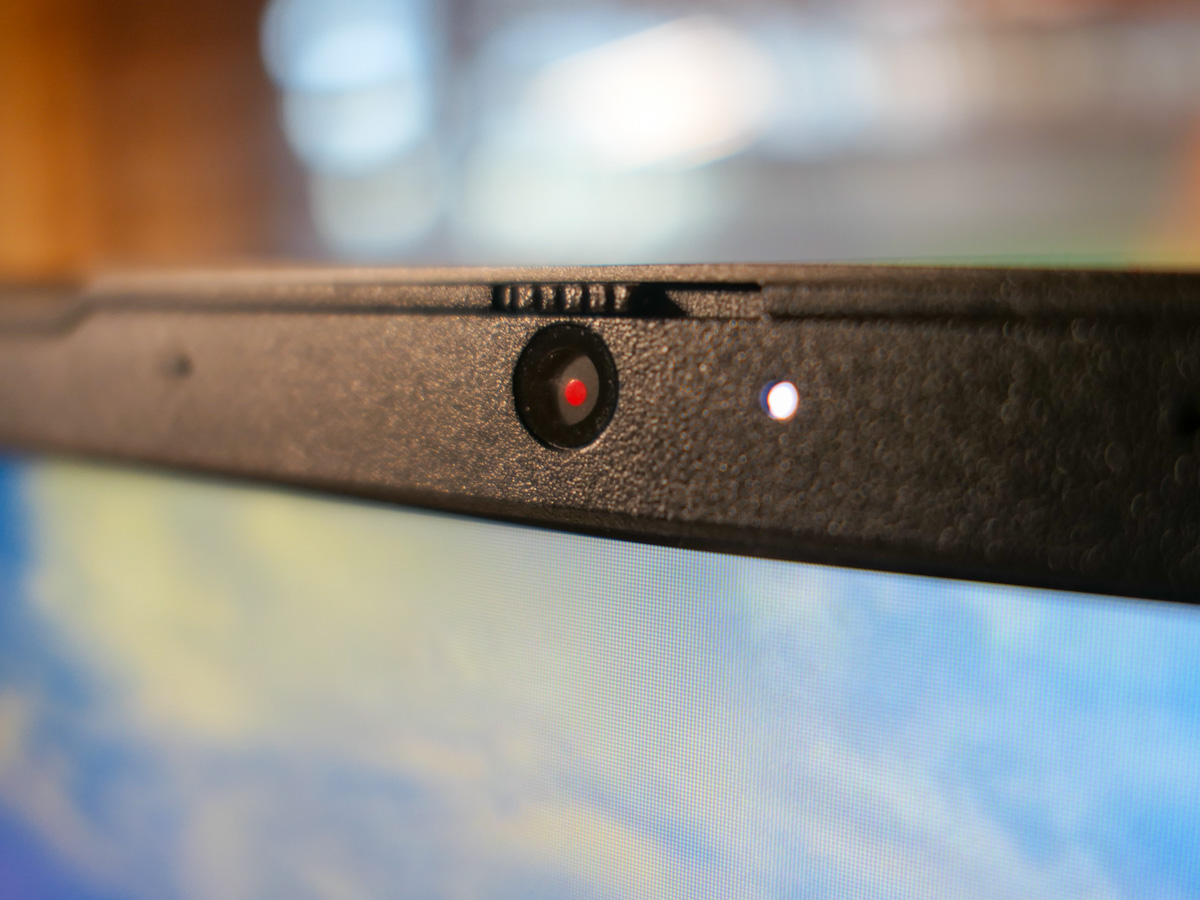
We’ve had two years to figure out how to set up a decent Zoom shot. If you’re still not happy with it, the problem may be your computer’s mediocre webcam. If so, it’s time to upgrade and buy a dedicated external USB camera for your computer.

Can Another Camera You Own do the Job?
But before you start shopping for a new webcam, make sure you don’t already own another device that you can repurpose such as a camcorder or DSLR-style camera.

You just need to make sure that your higher-end camera can offer a ‘clean’ video output via a HDMI connector. Then you’ll need a HDMI to USB converter like the ‘Cam Link 4K’ to integrate the video feed into your computer.

My New Lumix GH5 II
Recently, I bought myself a Panasonic Lumix GH5 II
with a Panasonic 12-35 mm/f2.8 II lens.
(“Why Barrett, you shouldn’t have!”)

And of course, I immediately wanted to jack this Micro Four Thirds, mirrorless camera into my iMac to see what would happen.

Sure, using a higher-end camera with a serious lens as a basic webcam is way overkill, but it works just fine. And the look is beautiful. In fact, it’s ridiculous.

The webcam on my iMac is perfectly adequate, but when I changed over to my GH5 II, the visual difference was dramatic.

Don’t Buy More than You Need
Now, I’m not saying you should run out and spend ten times the cost of a typical webcam to upgrade your Zoom look.

But if you’ve already got a more powerful camera that can also be used as a webcam, then why not? (Previously, I had been repurposing my old GoPro as a webcam via my Cam Link 4K.)

Your Desk will get Messy
Now here comes the big disclaimer…

Yes, integrating a ‘real’ camera into your desktop computer or laptop will creating an amazing image, but functionally, the process is not elegant. You’ve got to put a tripod on your desk and position it right next to your computer screen, so you’re not looking too far off camera when you take a peek at the other folks in your Zoom window.

Then, you’ve got the HDMI and power cables coiling in front of your screen to contend with. It’s a mess. (You start to feel like a battery person trapped in “The Matrix,” even though the cables aren’t actually coming out of your body.)

Even attaching a tiny new webcam to your laptop involves an extra cable and a webcam mount, and it takes a couple more steps every time you prepare for a video conference. Plus, you’ve got to adjust your webcam and test your shot to make sure you’re framed correctly.

That’s takes work… sometimes a lot of work. One might say it’s an absurd effort. And for what?

Nothing beats the ease of simply clicking on ‘join’ and letting your integrated webcam do its job. Whatever your viewers see, they see. If you’re only partially in the shot, that’s better than nothing, right?

What’s so bad with that approach? (And if you really feel that way, please continue taking your blue pills. Your next Zoom meeting in the Matrix is in ten minutes!)

Can You See Me Now?
Frankensteining any camera into your computer is a bit messy… sometimes very messy. But the good news is it’s not really that complicated.

Do you still make an effort to put on a nice shirt for your Zoom meetings, and have you spent more than a few minutes trying to adjust the lighting on your face? Are you still unsatisfied with your shot?

If so, then you’re a prime candidate to consider upgrading your webcam. (And if you’re already in the market for a nice camera to handle your photography and video projects, you can free two birds with one key, like I did.)

I expect you will not be disappointed with your decision to improve your Zoom look. It’s actually a great New Year’s resolution, and one that you’ll continue reaping benefits from throughout the entire year!