At Home with Tech

Unlock the power of all your technology and learn how to master your photography, computers and smartphone.

Category: Tech Trends

YouSendIt is Gone. Should You Hightail It?

It looks like name recognition wasn’t that valuable an asset for YouSendIt. To stay relevant, they upgraded their mission, their name… and their pricing! Should you find another web link creation service?

It looks like name recognition wasn’t that valuable an asset for YouSendIt. To stay relevant, they upgraded their mission, their name… and their pricing! Should you find another web link creation service?

It’s darn impossible to send out a video via email attachment these days, because of how large video files have become.
(Everything is HD… on its way to 4K!)

Sure, you might be able to get a really short clip through, without blowing up your email program.
But anything more than a couple minutes worth of content…you can forget it.

Yes, there’s the magic bullet of file compression, but that’s an added step and a story for another day…

Instead of attaching a cripplingly large video into your email,
one solution is to include a web link that your recipients can click on.
They’ll be directed to a web page that hosts your video and then downloads your file.
Before you know it, they’re happily* watching the video from their desktop!
(*Blogger not responsible for actual download speed experience!)

Downloadable Video Links Vs. Streaming
In this golden digital age of easy-upload and stream websites like YouTube and Vimeo, you might question the very need for a service that downloads your video first before you can watch it.
And if you’re feeling a little twitchy about privacy and want to keep the video away from the public eye, simply password-protect your video page.

But in the video creation/collaboration business, there are usually multiple drafts of a video before the final version crosses the finish line.

A good method for offsite collaboration on these kinds of projects is via downloadable links.

Plus, if you simply want a video to get from Point A to Point B, streaming it isn’t going to get the job done. You’ve still got to download it!

Goodbye YouSendIt
If you’ve ever downloaded a video file from a web link, there’s a good chance the link was generated by a company called YouSendIt.
They’ve been around since 2004 and currently have over 40 million users.
This month alone, they’ve shared more than 100 million files.
Impressive.
(“Most impressive.”)

But if you haven’t heard, you’ll never get a link from YouSendIt ever again.
Don’t panic. The friendly folks from YouSendIt are still there.
They’ve just been going through an identity crisis of sorts, and they’ve “rebranded” themselves.

YouSendIt is now ‘Hightail.’
Surprise…!

Hello Hightail
Yes, it was a surprise to me too.
An email from them would have been nice…

Everyone knew what a YouSendIt link was…
(It was almost a verb unto itself.)

Now a ‘Hightail’ link?
(They seem very excited by their new name. I’ll leave it at that.)

They claim their business model needed to change, as there are dozens of competing choices clouding their future.

To survive, they have to grow beyond a simple file-sharing service.
Today, it’s all about being a collaboration and file management tool.

I get all that.

The Cost of Progress
I just want to know if their shiny new kitchen can still brew a simple cup of coffee.

Today, I just want to make my video links.
Drum roll, please…

Yes, you still can, but there have been some ‘modifications’ to their subscription plans.
(oh?)

My existing YouSendIt Pro account plan cost me $49.99/year.
(They were running a deal when I renewed it…)

The Pro plan gave me a maximum sharable file size of 2 GB with 5GB of total available storage.
That’s plenty for what I need.

Both YouSendIt’s old free plan and Hightail’s no-cost ‘Lite’ plan give you just 2 GB of storage.
But the killer with this free deal remains the per-file size limit…
Only 50 MB.
That doesn’t get you very far with video.

Hightail’s value proposition is its new Professional plan which offers you unlimited Cloud storage for all your files.
That’s a real wake-up call to the competition.
(And you can still share files up to 2 GB.)

But all this goodness is going to cost you $159.99/year.
That’s a chunk of change.
And a lot more than I’d prefer to pay.

Is Free Really a Deal?
There are so many free ways to send out links these days.
So why pay anything?

Well, call me old school, l but I still subscribe to the concept that you get what you pay for.

If sending out a video link is really important, then you might want to use a company you know with a good track record.
And you may have to pay something for the privilege.

The question is how much…
I‘ve been willing to pay $50/year for peace of mind, but three times that?!

For the record, I’ve been completely satisfied with YouSendIt, and I’m sure Hightail will be equally wonderful…

I just don’t want to spend $160.
(Especially when the onward march of tech innovation is supposed to decrease pricing!)

So what now?
Time to shop around and look at the competition…

Starving with Too Much Choice
As I considered the cluttered landscape offering to help me create my links,
I quickly grew frustrated with all the choices.

Others have already gone through this lengthy exercise:

Google Drive
Yes, Google Drive keeps popping up everywhere, and it’s free.
Plus, they give you 15 GB, which is hard to beat.
But it’s a service that requires you to download yet more software onto your computer.
(ugh)

Dropbox
That said, I realized I’ve got Dropbox on my desktop.
And I’m already happily creating links with them.
(Dropbox gives you 2 GB for free…and a little more when you get friends to join.)

So, problem solved… right?

Sort of…

I’d Like the Burger Deluxe, Please
I’ve realized I enjoy some of the cushier bells and whistles I had with YouSendIt.

  • You can set the link’s life span from a few days to a few months
  • It’s also nice to have the option to see when your file has been viewed

Adobe SendNow
Then I found Adobe SendNow.
They do all that and more for only $20 a year.

  • Maximum file size of 2 GB
  • Maximum storage of 20 GB

Sweet!

And Adobe is no mom-and-pop operation.
(What can I say… I like a well-known brand.)

Put your Jackson to work, and problem solved!

Hightail it or Hightail it?
So is it time to leave Hightail?
I think so.

I’ve still got more time on my legacy YouSendIt plan.
But if Hightail can’t get more competitive against Adobe SendNow or another similarly featured service, (any other suggestions?)

…I’m hightailing it elsewhere!
Driving with Your Smartphone on GPS Duty

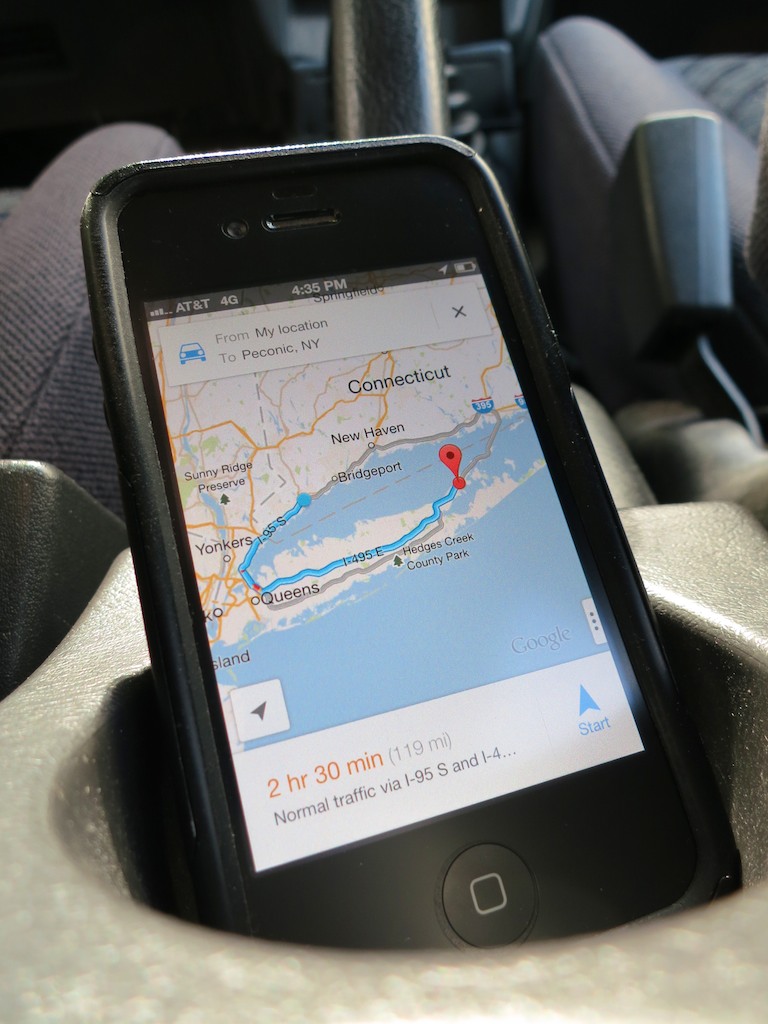
Don’t let another road trip go by with your smartphone sliding about the car as its GPS app shouts out turn-by-turn directions. Mount it onto your dash!

Don’t let another road trip go by with your smartphone sliding about the car as its GPS app shouts out turn-by-turn directions. Mount it onto your dash!

A year ago, I officially broke up with ‘Jane,’ my portable GPS device.

On route to the family summer vacation on the North Fork of Long Island, my iPhone’s native Maps app bested Jane.
(my old Garmin Nuvi 760)
I had mixed feelings, but it was clearly time to move on to newer and better tech, even though my Maps app couldn’t talk to me like Jane.

But Google Maps’ voice turn-by-turn navigation iOS app was just around the corner.
And so was Apple’s, even though ‘Mappelgate’ gave Google Maps the edge.

I’ve spent time with both on the road over the past year, and it’s been a wonderful ride.

GPS will Provide Directions for Food and a Battery Charge…
So why would anyone buy a Garmin or TomTom GPS anymore?
Apparently, I’m not the only one asking this question…
This year, Garmin predicts a sales drop of 20% in its car GPS devices.

It’s easy to understand why the personal navigation market for vehicle dashboards is in decline.

The Stability of My Old Flame
All this said, it’s now a year later, and I must admit…
Jane still comes along for the ride from time to time.

What could she possibly offer to warrant this nostalgic gesture?

Well, in the car, she’s usually more stable than my iPhone.
(Jane has a windshield mount, while my iPhone still slides about untethered.)

I’ve just never got around to buying a holder for my iPhone.
It’s usually positioned head first in the cup holder or maybe slipping about the passenger seat.

Hardly a secure or safe solution.
(for either of us)

Sure, you can rely on your iPhone’s voice navigation alone, but a properly positioned visual aid is always nice, right?

So with the summer driving season upon us, I’ve decided it’s time to fully move my iPhone and its GPS apps into the driver’s seat.
(I mean navigator’s seat. The ‘driving’ app is probably not far off!)

Suction Sucks
As I began my shopping search, I shied away from windshield-suction mounting systems.
That’s what Jane has been using.
And to be honest, she’s fallen down more times than I’d like to admit.
(My wife and I have become quite skilled playing a little game of catch the bouncing GPS…)

Jane has been bounced around so many times, I don’t really worry about her anymore.
But I’m not as willing to expose my precious iPhone to the same dangers.

Windshield Vs. Dashboard Mount
Come to think of it, a suction mounting solution on the dashboard isn’t much better.
Sure, it’s a shorter distance to the floor if your smartphone comes loose, but any air time for your phone is a bad idea.

A dashboard mounting solution is clearly the way to go, but with something more reliable than suction.

How Super is Super Adhesive?
So you can buy a glue-mounted holder for your dashboard.
But how long will an adhesive last?
You can reengineer the manufacturer’s design and superglue the mount, but that plan has its obvious drawbacks…

Choosing Between Mind-Numbing Number of Choices
Even after eliminating the above options, you’re still left with a paralyzing number of offerings.

That said, I did find some online consensus about a few dashboard mounts:

Kenu’s Airframe
This minimalist solution simply clips to one of your car’s air vents.
One concern I have is all that hot air assaulting your device during the winter months.

That can’t be good…

ProClip
This product is for folks who don’t have a problem doing after-market modifications to their cars.
To install one of these holders, you’ve got to do surgery to your dash that’s not unlike rib spreading for open-heart surgery.
You slide plastic mounts into existing dash crevices and then create enough of an opening to install the mount’s base.

When you’re done, you’ve got a permanent appendage jutting out of your dash…

Ram Mounts
These guys seem really serious about getting the job done right.
They handle solutions ranging from kayaks to planes.
But you’ve got to have enough patience to figure out their website to build your specific mount.

If building your own Terminator from scratch is your cup of tea, go for it…

The Bean Bag Makes a Comeback?
The more I looked, the more frustrated I became.
I just wanted something simple that works…

  • Buy it with one click
  • Set it and forget it
  • Drive…

How hard could that be?
The solution doesn’t have to be cutting edge.

Something like when you rent a portable GPS unit at Hertz, and they hand you a clunky bean-bag base.
That monstrosity magically never slides off the dash, no matter how hard you floor it, right?

Wait a minute!!!

The Great and Powerful Amazon
So there are plenty of $20-ish bean-bag mounts on Amazon.

  • Engadget recommends this Arkon Dashboard Mount for $16.37
    (It gets some mixed reviews, because it still uses a suction mount to the bean-bag base!)
  • Naztech has one for $24.41 with a similar split on opinions
  • USA Gear’s doesn’t do any better on its ratings ($19.99)

Without consensus, I kept looking…

Then, I came across a very highly-rated
Garmin Portable Friction Mount for my old Garmin Nuvi.
(Nostalgic sigh… )

Before I clicked away, an Amazon algorithm made a startling recommendation…

It showed me an iPhone cradle that attaches easily to the Garmin Portable Friction Mount.

It’s like Amazon was saying to me,
“Barrett, you can have your cake and eat it too!”
(The one friction mount would work with both my iPhone and Garmin.)

The Amazon Voodoo Continues…
Further down the page, I noticed a newer version of Garmin’s Portable Friction Mount.
(Also favorably reviewed, and Amazon was running a deal that throws in a Garmin Nuvi case for less than the friction mount costs by itself!)

This one wasn’t a bean bag.
It was a sleeker unit and had a sticky, rubber pad bottom designed for ongoing reuse.

I opened up a new Safari window.
Hello, CNET?
Yep… they liked it.

$17.99 for the friction mount + $13.95 for the iPhone attachment = $31.94
Hmmm…

Breaking Up is Hard to Do
As I considered my choices, I mentioned my little research project to my wife.
She was excited to further activate her iPhone and curious what I was going to do with Jane now that she was retiring…

Well, there’s always Craigslist or eBay…

But I’ve got to admit, I’ve grown accustomed to her face.
And two years ago, I bought my GPS Jane the gift of lifetime map updates…

If only I had spent the fifteen minutes I needed to figure out how to keep Jane from popping off her mount a year ago, we might not be in this predicament.

Think.
Think. Think. Think…

(Light bulb pops on!)
(though dimly)
Use both GPS Jane and the iPhone!!

How does this piece of twisted logic strike you?…

  • Scenario 1:
    If your iPhone is strapped in for GPS duty on a long family road trip and you’re in the passenger’s seat, you’re cut off from the world.
    Sure, you can answer a call in speaker mode, but that’s about it.
    (No texting for you!!!)
    If GPS Jane is still there to play navigator for those several hours, you’ve got your iPhone back!
  • Scenario 2:
    On a quickie trip, your iPhone can do the navigation, and Jane can stay home.

Are you buying it?
I just did…

Click. Click.
Done!

Let the summer road trips begin!!
Time to start packing…

It’s Time for your 15 Seconds of Fame with Video on Instagram

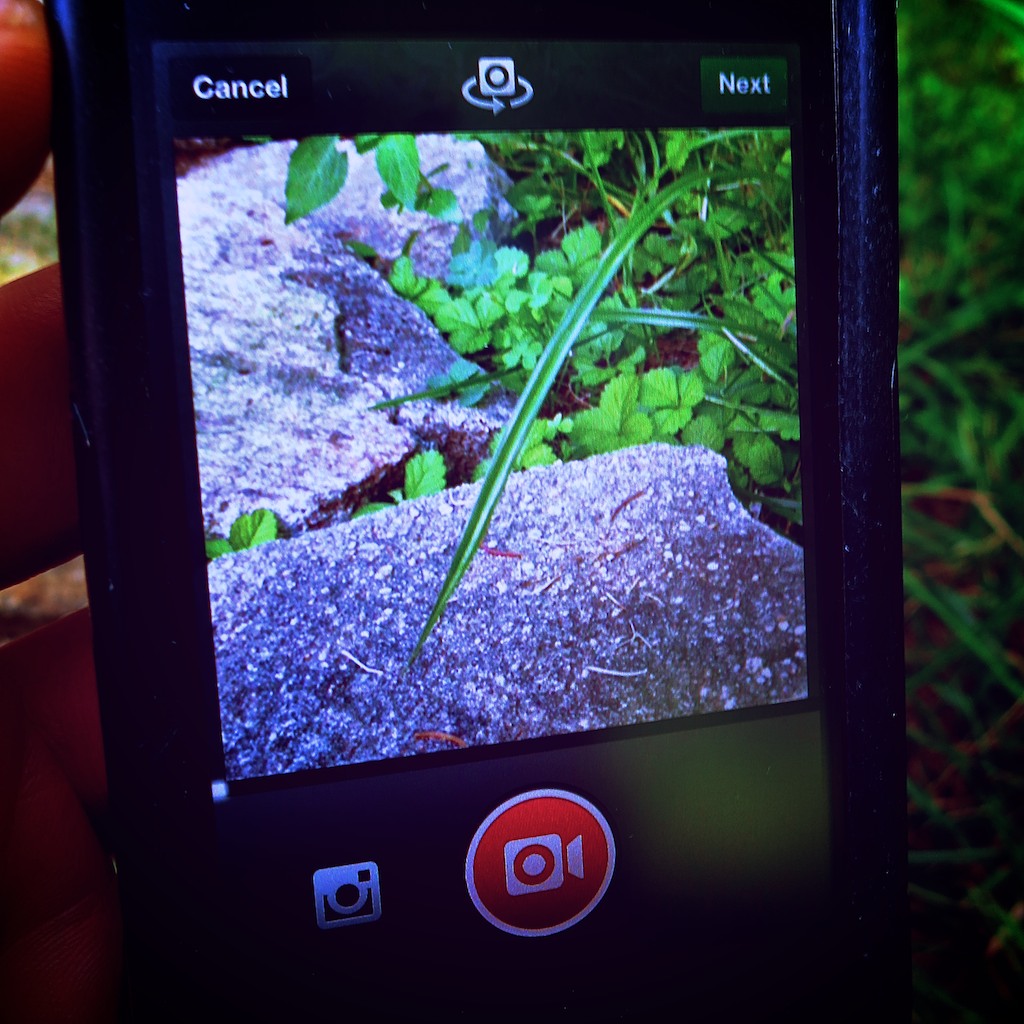
Now there’s a new way to watch a blade of grass grow.  If you can record it in 15 seconds using Instagram, you just might be on to something!

Now there’s a new way to watch a blade of grass grow. If you can record it within 15 seconds using Instagram, you just might be on to something!

Let me begin with a confession:
I have not been an avid Instagram user.

Any photo I choose to share is the result of a rigorous screening process.
It represents the very best of the many (mediocre) pictures I capture.

The idea of snapping a low-quality shot (640 x 640 pixels), further ruining it with a cookie-cutter filter, and then immediately sharing it with your public is not what I’m usually comfortable with.

But 130 million Instagram users must be on to something…
And I’ve got to admit, I’ve often wondered how such spontaneity can create such cool-looking photos…

As a status update, an artful Instagram photo can be so much more interesting than text…

Video on Instagram Comes to Town
Now there’s Video on Instagram to help you ‘capture and share the world’s moments.’

Following in the footsteps of Twitter’s Vine, Facebook’s Instagram created its own video functionality on June 20.

Once you download the app update to your phone, (the newest version, 4.0.2 was released on July 5) you can share 15 seconds of Instagram video almost as fast as it takes to snap a ‘selfie.’

Suddenly I’ve taken note…

Eliminate the Burden of Video Editing
Today, my home video production workflow is a labored one, inspired by what I’ve learned through my professional multimedia life.

Time consuming post-production dominates every piece of home video I share.

The workflow is complex:

  • Shoot video clip(s) using one of my Canon digital cameras
  • Download the QuickTime file(s) to my iMac
  • Import them into Final Cut Pro X
  • Choose the best clips and trim them as needed
  • Put them in the correct order
  • Add in a few dissolves and a fade to black
  • Export the final movie
  • Upload it to Vimeo to share
  • Compress the master movie file to email it
  • Transcode another version for my iPhone

Sure, I can simply shoot a quick video to share right on my iPhone.
But you can’t string multiple clips together this way.

Now, Video on Instagram says you can forget about the chore of editing…

You simply self-edit as you record each clip for your 15-second movie.
If you don’t like the last clip you shot, you can delete it and re-record it.
(And if you don’t want to use up all 15 seconds, that’s just fine.)

As an added bonus, Instagram even offers you image stabilization to smooth out all those shaky shots!

Documenting the Cup of Joe
One morning last week, I found myself in the kitchen staring at the digital clock on the stove. The time glowed 4:50am.
The fact I was up earlier than many of the birds outside was the cascading result of my three year old stirring at 4:30am.

He went back to sleep, but not before rousing the cat, who then began to meow for his breakfast at the foot of the stairs.
Ignoring my feline was not an option, because he doesn’t give up easily.

So there I was in the kitchen, trying to enjoy my predicament.
What could I do with all these found extra minutes?

I decided to take Instagram out for a spin.
And it was time to make some coffee.

Click – Shot the clock.
Click – Captured the drip, drip, drip.
Click – Poured some coffee into my favorite mug

Done!

It’s no masterpiece, but my test Instagram video was done in a snap.
I’ve got to admit, the speed and simplicity make this a pretty compelling tool.
And if you want to add in one of 13 new video filters, go to town!

There’s Never a Silver Bullet
But the Web is already a flutter with people complaining about Instagram videos.

Some Instagram users simply don’t want the purity of their photo feeds polluted by instrusive videos.

Others are warning that Instagram videos suck up huge amounts of memory in your smart phone’s cache.

But the biggest concern out there is that Instagram users won’t make compelling videos the way they’ve been creating cool photos.

Critics are concerned they’re going to be bored more often than not, even with just 15 seconds of content to watch.

Gizmodo points out the “clumsy banality of amateur video.”

Jenna Wortham in her New York Times Digital Diary wrote that she didn’t like the Instagram video moments she recently captured at a Brooklyn rooftop picnic.

I think everyone out there is coming to terms with the hard reality of video:
It’s difficult to capture the perfect moment on the fly and equally challenging to stage one.

There’s usually no shortcut to creating good videos.
Click, Click, Click might be fast and convenient, but it can’t guarantee perfection.

It’s important to understand you normally need to capture lots of moments to find a few good ones.
That’s why editing software exists.

Video on Instagram has its uses.
It’s just not a panacea for all your video needs.

Vine – Less is More?
There are other apps out there that offer similar tools.
Since January, Vine has been the poster child for this young art.

But Vine’s 6-second shooting limit is way too restrictive for me.
It may be an interesting artistic exercise to see what you can create in such a short length, but I don’t feel it’s as useful a video tool as Instagram to help document your life.

On the up side, I think the time limitation of Vine inherently forces more preparation, which can lead to better results.

How Many People Does It Take to Create a Video?
I’ve got to admit… I’m feeling a fair amount of schadenfreude.
Here’s the thing…

I’m truly excited about the ease of using Video on Instagram.

Simultaneously, I’m psyched about all the doubt recently expressed about the general population having the ability to create engaging 15-second videos.

Not so long ago, common wisdom suggested anyone could create a video…
The democratization of digital media over the past decade gave most everyone the tools to become their own filmmaker.

But it’s come at a cost.

The rules surrounding solid filmmaking…

  • Good lighting
  • Clean audio
  • Well-framed composition
  • Steady shots
  • Tight timing

Unfortunately, it’s all been compromised.

People don’t care so much anymore what something looks or sounds like, as long as the content is engaging.

And if it’s ‘real,’ that’s sometimes enough to hold your attention.
But not always…

A gussied-up square photo with extreme saturation gradation might hold your attention for a couple seconds…

But you can’t make that lipstick-on-a-pig trick last for 15 seconds, or even 6.

Unless, you happen to shoot a little video of Godzilla out for a morning stroll, you’ve actually got to do some work to create a video that anyone outside your closest circle would want to watch.

That’s why a 15-second commercial on TV can cost millions of dollars to create.

The 6 O’Clock News – Brought to You by the Fourth Grade?
I know that self-generated content is all the rage these days, and everyone’s doing it. (especially the younger generations)
But your precocious ten-year-old nephew can’t really replace the entire media production landscape with his iPhone and iMovie.

In the end, videos hubs like YouTube, Vine and now Instagram are constant reminders of the inherent limitations of user-generated video content on the Web.

Anyone can create a video for the entire world to watch, but it usually takes a small army of professionals to create, distribute, and market content to successfully reach a fraction of that.

Sure, you may have just recorded the next viral video sensation on your smartphone.
But that kind of lightning doesn’t strike too often.

This reality is revealing the buried truth that a video’s success often requires a little love from the ‘experts’ with a few years of experience generating visual content.

That’s a happy realization supporting job security for professionals who create digital content for a living…

And that’s also good news for my three-year-old budding photographer who may want to one day pursue a career as a digital journalist.

Give Video on Instagram a Chance
So where does all of this video analysis leave us…?

Is Video on Instagram a good development?
I say, “Yes!”

Does creating a compelling video take time and effort?
Yes, again!

Will the simplicity of Video on Instagram revolutionize the way people share their lives with video?

We’re all supposed to get our 15 minutes of fame, right?
15 seconds shouldn’t be that hard to find.

Stay tuned…