At Home with Tech

Unlock the power of all your technology and learn how to master your photography, computers and smartphone.

Category: Tech Trends

Open Letter to My Generation – Social Media Is Good

Circa 1972.  Boy Barrett thinks to himself, “Hey, I’ve got a great idea… Forty one years from now, why don’t I reconnect with all my friends from third grade?!”

Circa 1972. Boy Barrett thinks to himself, “Hey, I’ve got a great idea… Forty one years from now, why don’t I reconnect with all my friends from third grade?!”

I’m a baby.
A baby of a generation of babies.
Baby boomers.
And I’m among the youngest of the generation of baby boomers.
But I’m not feeling especially youthful at the moment.

I’m approaching a significant numeric milestone in my chronology.
And as many people probably handle this milestone, I’ve been spending some time taking stock of my life.
(Is that what they mean by a mid-life crisis?)

You start thinking about all the people you’ve known.
All your friends.
And those friends you’ve lost touch with.
The ones you’ve left behind.
Often for no particular good reason.
Life just got in the way…

If only you had another chance.

But wait a minute! You do!!
Technology and social media can give you exactly that, right?

Social Media to the Rescue
We all know social media can easily help you to stay connected.
It doesn’t matter whether it’s via Facebook for your friends or with LinkedIn for your business colleagues.
(Not to mention a whole host of other choices out there)

But sometimes the magic of social media can offer you so much more…

One morning last week, I was on LinkedIn, and a friendly face popped up in the suggestions corner as someone I might know.

Know him I did.
A former colleague and friend from what seemed like a lifetime ago when I was up in Boston. Twelve years ago, in fact…

But there he was again, right in front of me.
But we had lost touch, and I didn’t have his new contact info.

No problem.
I clicked the connect button.

By the end afternoon, we had reconnected, shared contact info and had a memorable catch-up call. We even made plans to see each other the next time he’s in New York City.

But there would be no Facebook contact.
No.
“He doesn’t do that.

And for what may seem surprising to the more than one billion Facebook users in the world, he’s not alone.
Especially for those of my generation.

Where Are You Now?
Two years ago, a long-lost first cousin found me on Facebook. One click led to another, which set up an amazing face-to-face reunion.

But all searches don’t end with the ‘Oprah ending.’

I spent a little time recently looking up a few friends from my childhood days.
But they were nowhere in sight.

Sadly, I must also report I’ve got two more first cousins to find.
They’re on the other side of my family, and yes they happen to be older than me.
I’ve Googled them and searched high and low on Facebook and LinkedIn.
But alas they remain missing.

It shouldn’t be that hard to find someone anymore, right?
They’re probably out there… somewhere!
(Unless, they’re doing their best to remain off the social media grid.)

So more and more, I’m not surprised when I don’t find someone of my generation through social media.

Fact Check with the Social Media Stats
At first glance, the statistics don’t support my assertion:

According to a 2012 Pingdom report,

  • 65% of Facebook users are at least 35 years old…
  • and that percentage jumps to 79% for LinkedIn users
  • The average Facebook user is 40.5 years old
  • The average LinkedIn user is 44.2 years old

So what’s the problem?
It seems clear a majority of Facebook/LinkedIn users are graying
(Ahem…slightly).
But that doesn’t speak at all to the population not using social media.

According to a 2012 Pew Research Center survey,

  • Only 56% of Americans age 50-64 use Facebook

The participation numbers get far worse on LinkedIn:

  • Only 25% of 30-49 year olds are on LinkedIn
  • And that number drops to 22% for the 50-64 age group

Another consideration is gender.
Pingdom says Facebook’s gender distribution favors women 60%- 40%.
(The split is more even on LinkedIn.)

So the stats suddenly don’t look so rosy for baby boomers.
46% of my generation isn’t on Facebook, and even fewer men.

These numbers fall right in line with my empirical evidence.

Facebook Maybe…
I’ve run into former classmates at reunions and asked them to connect on Facebook.
They wince and reply, “Oh, I don’t do Facebook.
I’m not comfortable putting all my private information out there for the world to see.”

All right. So everyone knows, you shouldn’t be putting anything on Facebook you wouldn’t want the entire universe to see till the end of time.
So what’s the problem?
(You’re old enough to know how to handle this Pandora’s box.)

Yes, there are other avenues to find a former classmate beyond social media sites.
You can always look through your school’s online directory for their email address, but your friend may not be there either.

Even if you do find your friend, maybe you’re a little embarrassed, because you’ve let things ‘slip.’ (over the past few decades)
Sometimes, it’s hard to attempt a direct hello after all those years.
‘Friending’ may be easier as a ‘toe in the water’ approach.

Do You Really Exist If You’re Not Online?
Seems like a no-brainer to want to create and manage your online identity these days.

Like it or not, every day, your identity is being influenced by your virtual life.
I believe that relationship will only continue to grow.

If you don’t exist online, what does that say about the brick-and-mortar you?

Ignorance Is Bliss
But I think if you’re of a certain age, you’ve lived long enough without an online identity, and may feel like you really don’t need it.

You’re happy with your current pool of friends.
No need to power up your Laptop Time Machine to look backwards for former friendships.

But you’re not getting the upside potential…
Not so long ago, I didn’t ‘get it’ either.

I took to LinkedIn first, because its business and networking focus seemed clear.

I joined Facebook with the rest of the general population, but didn’t initially participate, because I didn’t think I’d care about everyone’s every thought.
Then I started to enjoy all those innocuous little data points.

But it was social media’s whole reconnection potential that really blew me away.
Friends I worked with 20 years ago.
High school friends from 32 years ago
Elementary school friends from 35 years ago!
And my lovely cousin, who I remember playing with when I was five years old.

The younger generations will never experience this phenomenon of re-forging decades-old connections via social media, because they’ve been ‘connected’ since childhood.

We boomers own this little social media phenomenon of ‘extreme-reconnect syndrome.’
And it’s a wonderful thing.

Call To Action!
So it’s time to embrace social media and take advantage of what it offers.
And selfishly, I must admit I’d like to find a few more of my old friends out there.

So get with it!

Sing the Happy Birthday Song
Social media is about sharing your life… just like you always do with friends.
And that fosters the organic development of connections.
Even if you prefer a more private existence, I bet you’ll find some value in this ‘passing fad.’

Everyone’s got something to say, share, or tweet. Something others will enjoy simply knowing.

On your birthday, do you neglect to share that detail with everyone you run into?

It’s okay to spread the news. I give you permission.
(Because I know you really want to.)

Here… let me show you how…

Hey, readers!
My 50th birthday is on February 12th!!
And I’m happy for the world to know!!!

Happy Birthday to me.
Happy Birthday, dear Barrett the blogger,
Happy Birthday to me!

See?
I feel like a kid again…

Don’t be afraid to jump into the pool.
The water’s warm!

Thunderbolt or USB 3.0? Making the Choice.

Both Thunderbolt and USB 3.0 are faster than FireWire. So which way should you go when buying your next external hard drive? Let the shopping begin!

Both Thunderbolt and USB 3.0 are faster than FireWire. So which way should you go when buying your next external hard drive? Let the shopping begin!

I talked last time about the inevitable need to buy bigger external hard drives to handle the growing beast of media files you’re creating. Now, when you head to the store to upgrade your external storage, you’ll need to decide between two connection choices…

  • Thunderbolt
  • USB 3.0

Thunderbolt_logo

Thunderbolt is Apple’s blazing fast multifunction port that came out in 2011. (developed by Intel)

This format bundles data, video, audio, and power all together in one connection.
(That’s a lot of punch!)
Thunderbolt also supports high-resolution displays.
(Yes, of course there’s an Apple Thunderbolt Display!)

Thunderbolt is up to 12 times faster than the old FireWire 800.
(and up to 20 times faster than USB 2.0)

Thunderbolt Vs. USB 3.0
Sure, you can still buy a FireWire drive, but that’s really burying your head in the sand. You’ll want to be buying into the future, right?

So which way do you go?
Let’s take a look at how the two choices stack up:

Speed

  • Thunderbolt’s transfer speed is 10 Gbps
  • USB 3.0 is 5 Gbps
  • FireWire 800 drags by comparison at 800 Mbps
  • And USB 2.0 crawls along at only 480 Mbps

Actual performance may vary, depending on the speed of the drive you’re using.
Drives spin at either 7200rpm or 5400rpm. (rotations per minute)
7200 rpm is preferable for editing video.

(Faster SSD drives are a conversation for another day.
Drool.
Cha Ching!)

Watt Transfer
What?
No… watt.

  • Thunderbolt feeds up to 10 watts of power to peripherals
  • USB 3.0 only carries 4.8 watts

Daisy Chaining

  • Thunderbolt – Yes (up to 6)
  • USB 3.0 – Not really (need a USB hub)

Backwards Compatibility
Even if your current computer doesn’t have either port, no problem:

Achilles’ Heel

  • Thunderbolt is still wicked expensive
  • USB 3.0 transfers data in packet bursts vs. a continue stream. This could interfere with smooth video editing.

(More on both these points in a moment)

Thunderbolt Dominates. But…
Clearly, Thunderbolt has the advantage over USB 3.0.
But do you really NEED Thunderbolt?

If you’re an early adopter, sure.
But for most uses, you probably don’t.…
Not yet.

That said, you might be in the ‘future proof your tech’ camp.

G-Technology
Remember how much I gushed last time about G-Technology?
Well, their Thunderbolt drives are a little expensive….

Ouch!

Can’t Decide? LaCie Says You Don’t Have To!
LaCie is at the head of the pack with a robust fleet of Thunderbolt drive options.
(Maybe I shouldn’t have given them such a hard time.)

A great option is the LaCie d2 6 TB Thunderbolt 3 and USB 3.1 External Drive.
This drive combines both Thunderbolt 3 and USB 3.1, and gives you a healthy
6 terabytes of storage.

The price on Amazon: $349.94
(Remember… It’s 6 TB.)

Get Your Head Out of the Cloud
So how much are you willing to spend?
Unless you’re making a serious technology investment/upgrade,
you’re probably used to drawing the line somewhere south of $300 right?
(I know… you’re saying $200!!)

So that limit only leaves you with budget portable Thunderbolt drives out there that spin at a slower 5400 rpm.

Achilles 3.0 Wins Most of His Battles
But why all the stress over paying too much for Thunderbolt tech if you feel you really don’t need it?

For much of what you do on your computer, including basic home video editing, USB 3.0 will be just fine. And you shouldn’t really run into problems with the limitations of the dreaded ‘USB data burst’ syndrome.

When you move up to more demanding HD video workflows with higher data rates and multi-cam angles, then the Thunderbolt choice becomes clear.

Until then, let’s see how much softer USB 3.0 is on your wallet:

USB 3.0

USB 3.0 – The Drive for Tech Austerity

G-Technology offers its G-DRIVE USB 3.0

And you can easily drop lower than these already more manageable price points with other manufacturers.

USB 3.0 – Now and Not Forever
The choice is clear.
Go buy yourself a bigger external drive with USB 3.0.

Now don’t get me wrong.
I’m happy to live in the Thunderbolt world.
(That tech is clearly better than USB 3.0.)

Okay… are you already having USB 3.0 buyer’s remorse?
Don’t think of it as the budget-minded runner-up.
The upgrade from FireWire to USB 3.0 drives was such a huge step forward,
It’ll make you feel like you’ve bought a Flux Capacitor.

And if you still can’t make a decision, or if you want your cake and eat it too,
thank you LaCie for taking care of business!
(Will you ever forgive me, LaCie, mon amour?)

You’re Going to Need a Bigger External Hard Drive

Even if you have faith your hard drives can withstand the forces of fate, they’ll eventually weaken under the load of all those home videos you’re shooting.

Even if you have faith your hard drives can withstand the forces of fate, they’ll eventually weaken under the load of all those home videos you’re shooting.

I was at Staples recently, trying to handle a work-related emergency that required the immediate acquisition of a 2 terabyte external hard drive for a video project.

It was such a crisis, I didn’t have the time to schlep to the nearest Apple Store to pick up one of my preferred brands of hard drives. (more on that later)

But I figured the Easy Button shouldn’t be too hard to find.

I just needed a drive to transport some extremely large video files.
The drive wasn’t destined for workhorse service in an edit suite.
So I figured most any brand would probably do.

I mean, most new drives should work for at least a few days, right?
(Heck, they should last for a few years!)
This drive needed to live for twenty-four hours.

After that, it could self-destruct into a gelatinous mass of green ooze.
(It would still be forever known as the drive that saved my project.)

But I couldn’t bring myself to simply grab any drive off the shelf and join the charge of the Light Brigade.

I’ve got the mutant ‘shopping-for-tech’ gene hard-wired into my ‘techdentity.’
So it forced me to review my options in a quick but orderly attempt to identify the best drive available.

Penny Wise and Pound Foolish
I stared through the locked panes of impenetrable plexiglass, guarding the legions of hard drive boxes. I struggled to read the fine print.
(Like when you’re shopping for jewelry… The price tag always frustratingly turned just out of view!)

Then I noticed a guy in his 30’s standing next to me, staring at the same pane of plexi as he gripped a frayed sales circular.

We both spent a few minutes in silent solidarity, confused by the choices in front of us.

He finally picked out a box after Cerberus came by and opened the locked fortress. My fellow nerd held up his new box and stared at it.
I looked at him. He looked at me.

“What do you think?” he asked.

It was a 500 GB drive.

“Why such a small drive?” I responded.

“Well, it’s on sale.”

“You can get a drive four times the size for just a little bit more.”

“I don’t need much. I’ve just got some photos to store.
And this one is on sale. What do you think?”

I didn’t know what to say, because explaining the facts usually takes more than a few minutes when it comes to At Home with Tech.
(inside joke)

He continued his confessional.
“My wife sent me out to get a hard drive, and I’m not sure which one to buy.”

I really felt for the fellow.
He was the family IT guy, and he didn’t even know it.

I smiled and nodded.
“You’ll be fine.”
There was nothing more to do.

He returned the smile, unconsciously recognizing our ‘IT Guy Solidarity’ and walked away.

Like Greek Mythology, All Stories Don’t Have Happy Endings
I hope my friend had good luck with his tiny drive when he got home.
However, I suspect it will eventually turn into a Medusa when it runs out of storage space.
No one ever has just a ‘few’ photos to back up.
(If that were all he really had to worry about, a $9.99 thumb drive would have done very nicely.)

As for me, I made my selection between two lesser known drive manufacturers used by Apple geeks, and then sped off on my rescue mission.

I delivered my precious package in time, but there was one little problem.
Hades must have tried it out first and then returned it.

My shining drive was dead right out of the box.
When plugged in, it was just a hockey puck.
(seriously)

Fortunately, my project ended up surviving this little setback.
It’s a long story, but fate simply gave me a pass that day.
(deus ex machina)

And Staples provided a refund on the hockey puck too.
(I declined the replacement offer.)

One Way or Another, You Will Pay
So what can we learn from these two connected tales of tech woe?
Well, I think we can glean two truths:

  1. Don’t mess around when it comes to buying hard drives to back up your precious digital content. All drives are not created equal.
  2. And don’t think you’re doing yourself a favor saving twenty bucks for a drive on sale. If its storage capacity is so small, nobody else probably wants it.  In time, neither will you.

Video – There’s the Rub
My friend doesn’t know it yet, but he really should have supersized his purchase.
Sure, his 500 GB drive will handle lots of photos, but I predict there will also be some home videos to back up in his future.

Come on…
Everyone takes digital home videos these days.
Smartphones. Digital cameras. Camcorders… they’re everywhere!
I bet one day soon you’ll find a device that can record video in the bottom of a cereal box!!

Even if you only occasionally take videos on your iPhone or Samsung Galaxy, it’s just a matter of time till you’ll need a big hard drive to store them on.

Video files are huge!
And most home tech gadgets today can shoot video in glorious HD.
A short 4K video clip can easily grow larger than 1 gigabyte.

Whenever I shoot some video, I usually shoot several clips ranging from one to three minutes each.
For example:

  • My boy is doing something cute
  • My father tells a story from the old days
  • A family event requires a little documenting

That’s 3 GB right there.
Easy.

A sub-terabyte external hard drive just isn’t going to cut it for long.
You do the math.

“Wait a minute!” you say.
“My computer’s hard drive has plenty of memory to handle my videos.
Why all the fuss?”

Yes, but you’ve got to back them up somewhere, right?
(You do back up your computer’s hard drive. Hmmm?)

Barrett’s Home Tech Rule #1:

No matter how big your external hard drive is right now, you’re always going to need a larger one.

G-Technology or LaCie?
Even though we’re all locked in an inevitable hard drive upgrade cycle, it still makes sense to buy the best drive you can afford.

You don’t want to wake up one day, and all your precious home videos and photos are suddenly trapped in a hockey puck.

There’s no shortage of opinion out there on the best hard drives to buy.
For me, the main criteria for a good hard drive is reliability.

I started buying LaCie hard drives years ago.
I never had one crash on me.
(though one did start acting kind of funky)
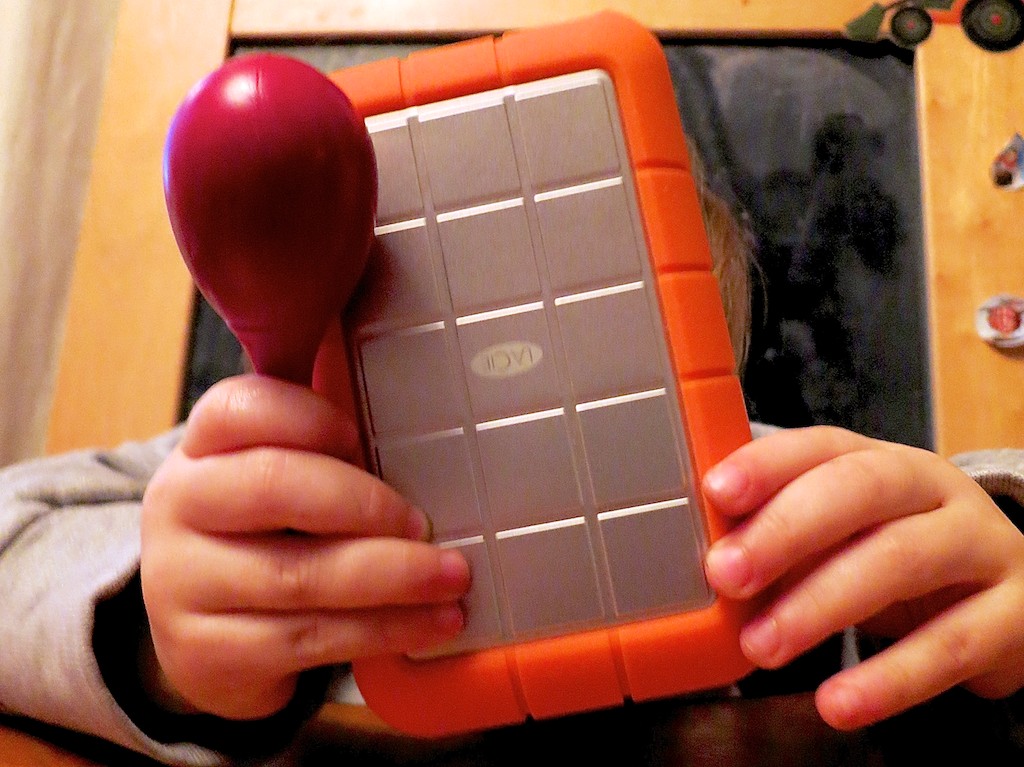
I still happily use my portable LaCie “Rugged” drive with its telltale orange rubber bumper.

But enough video editors I’ve spoken with over the years have shared their LaCie horror stories. Plus the web is filled with angry LaCie owners.

That said, since every hard drive has its own unknown expiration date, you’ll find ugly stories about every drive manufacturer.

Then, I heard a lot of good press on a company called
G-Technology.
Their G-Tech drives are more expensive than LaCie’s, but the consensus
(if one can call it that) is they’re better.
So I made the switch.

Since then I’ve been a G-Tech man.
And I’ve been very happy.

I own a 6 TB G-DRIVE for my Time Machine backups and a G-RAID to store and edit all my home video files.

RAID Drives
Though every hard drive will eventually die on you one day, there’s one general exception.

They’re called RAID drives, which stands for ‘redundant array of independent disks.’
A RAID is essentially one big hard drive made up of linked, smaller disks.

If one of the hard drives in your RAID fails, the others have enough redundant data to maintain the integrity of all your files.
The downside to this solution is it shrinks the effective size of your hard drive with all that duplicated data.

So your overall hard drive ‘unit’ can theoretically live forever.
(Assuming you replace the expired individual drives)

There are many complicated ways a RAID drive can be formatted or ‘striped.’

The one essential rule to remember is RAID 0 doesn’t provide any back up security.
It does give your drive a big performance boost for video editing, but that’s not what we’re looking for right now.

You’ll need at least a RAID 1.
For more detail on RAID technology, this is a good article from Gizmodo.

Be forewarned…
RAID drives are a lot more expensive.
(Are you sitting down?)

The G-Technology 8 TB G-RAID with Thunderbolt 3 (with two drives)
goes for $599 on Amazon.

Ouch!!

But if you could afford it, wouldn’t you pay more for a little peace of mind on the home tech front?

You Don’t Always Need a Bigger Piggy Bank
Of course not everyone will jump at the opportunity to drop six hundred clams on their home video projects.
You could easily go to Staples and buy a basic 8 TB drive for only $199.99.
But it’s an apples and oranges comparison.

The good news is the ongoing forward march of technology makes heartier hard drives cheaper by the day.

Plus, you may never need a RAID.
I needed to raid my piggy bank to buy a RAID, specifically because I wanted it to safely house my ever-bulging collection of HD home video clips.
They would otherwise max out my iMac’s hard drive.

If you’re able to simply store all your video files on your computer’s internal drive and only need a Time Machine back-up drive,
I recommend G-Technology’s ‘G-DRIVE.”

You can pick up a 6 TB G-DRIVE USB 3.0 for just $169.98 on Amazon.

Now, that’s not so painful, is it?

Release the Kraken!
These days, there are any number of ways to summon the wrath of the tech titans.
A hockey puck could be the least of your problems.

If Perseus were around today, I bet he’d have a large G-Tech drive in his bag of tricks.