At Home with Tech

Unlock the power of all your technology and learn how to master your photography, computers and smartphone.

Why “Star Trek: Discovery” and “The Orville” are Tearing a Hole in My Mind and Wallet

I’ve been a Trekkie all of my life. Here’s a photo of me as a teenager sitting in a replica U.S.S. Enterprise captain’s chair at the 1976 New York City Star Trek Convention. Does this demonstration of core-level nerdiness qualify me decades later to offer my first impressions of “Star Trek: Discovery” and “The Orville?” You bet it does!

I feel like I’ve entered a sci-fi nexus. A place where I can clearly see a warped “Star Trek” from my past and a newly phased, slightly alternate-reality version for the future.

A little confused? So am I.
(Though not entirely displeased)

All right everyone… go find your Spock ears and put them on. This is going to get a little geeky…

Two New Versions of “Star Trek”
It may feel like blasphemy to tinker with the old “Star Trek” some of us grew up with. But as I’m sure you’re aware, two new “Star Trek” based sci-fi series have almost simultaneously arrived after twelve years without new Star Trek episodes on television.

After what seems like an eternity of preproduction, “Star Trek: Discovery” has finally premiered. But it doesn’t entirely own the new-Trek conversation, because Seth MacFarlane’s irreverent “The Orville,” actually beat “Discovery” to the premiere punch by a couple of weeks.

“The Orville” isn’t technically a “Star Trek” series, but it’s clearly paying homage to the original show and “The Next Generation” while also trying to have a lot of fun with the format.

“Star Trek: Discovery” has chosen a darker and grittier path than any of its predecessors, one seemingly inspired by the “Battlestar Galactica” reboot. Starring Sonequa Martin-Green, “Discovery” works hard to remind us it’s “Star Trek.” In the pilot episode, you’ll see a front-and-center shot of what looks like Kirk’s original phaser. Starship doors slide open with the familiar swish. And the gurgles and chirps on the U.S.S. Shenzhou’s bridge come from the same infrastructure as the bridge of the U.S.S. Enterprise.

Yet, it’s clear that as a series, “Discovery” is a new version of “Star Trek.”

And while “The Orville” isn’t “Star Trek,” in so many ways… it is.
The ship. The bridge. The uniforms. Everything.
The special effects are even good.

Science Fiction for 2017
Both new series are intentionally being disruptive. One is dark.
The other is trying to be funny.

And it is that so bad?
Who said a “Star Trek” series had to be exactly like earlier versions? If you believe that, you can be sure you’d never see another “Star Trek” series ever again.

Hey, Trekkies… Grow up!
Life changes. Entertainment changes. “Star Trek” changes.

Unless you simultaneously resurrect and spoof the old format as Seth MacFarlane has done. As a life-long Trekkie, I’ve been wincing at some of the bits in the first two episodes of “The Orville.” Whether MacFarlane can successfully tap into “Star Trek” nostalgia and then skewer it in the same script will be determined as his series gets a few more episodes in under its belt.

One Trekkie’s Opinion
So, do I like “Star Trek: Discovery?”

It’s really too early to tell. It’s clearly got some big ambitions. The sets and special effects are beautiful, but I haven’t yet been drawn in emotionally, other than to mourn the loss of what I was hoping would be a long-time character.

Sure, I could quibble over how accurately the producers have inserted this series into the official Trek timeline. Should there be force fields that protect destroyed hull plating on a ship that predates the NCC-1701? That kind of tech didn’t start to show up until the Enterprise-D.
Right?
(The new “Star Trek” movies displayed advanced levels of tech… but that’s from an alternate timeline… so anything goes.)

But I know if I get stuck babbling like this, I’m missing the big picture.

Sticker Shock
The big question is whether I am going to start paying for my Trek moving forward.
(Except for the pilot, you can only watch the rest of the series by streaming it on CBS All Access for a monthly cost of $5.99. New episodes are available Sundays at 8:30pm)

As much as I hate the idea of it, yes… I’m in.
Of course, I am.

It’s worth mentioning that “The Orville” on Fox is free to watch with regular commercials. Or you can stream it on Fox.com with only one commercial up front.
(As long as you ‘interact’ with the sponsor’s ad)

A Federation Universe without Commercials
So, I signed up to join the CBS Borg collective using the downloaded app on my Apple TV.
(Make it so!)

Now here comes the illogical part…
I’ve actually decided to pay CBS more than I have to for my “Star Trek: Discovery.”
(What?!)

There’s a second plan offered when you sign up online.
It’s the ‘commercial-free’ plan.

Yep, there’s a four-dollar monthly surcharge to lose the commercials.
So that gooses the price tag up to ten bucks a month.

And why exactly did I decide to throw away money every month?
Well, I figured I’m already paying for my “Star Trek.” I just know how I’d feel being forced to also watch commercials as well.
(There really shouldn’t be commercials in the $5.99 plan either, but I’m not ready to argue economics with CBS.)

So, all in… the price tag comes to $2.50 per “Discovery” episode.
(That’s assuming I don’t take advantage of any other programming on CBS All Access… which is substantial.)

Value Add
There’s actually one possible game changer available on CBS All Access that would help to soften the sticker shock for me.
You get your live, local CBS feed.
(In over 150 U.S. markets)

Now, that’s interesting…

Because as I continue to consider how to cut the cable cord without losing programming that I want, having access to live CBS news, sports and special events is a huge benefit.

Hmmm… Let me think a bit more about that.

Discovery Vs. Orville
If you’ve been expecting me to choose one of these series over the other, spoiler alert… I’m not. As much as they’re both based on the same origin material, they’re entirely different.

Yes, while it’s odd to see two “Star Trek” shows running simultaneously, that’s not unprecedented.
(“Next Generation” and “Deep Space Nine”)

And while it’s early for both series, I do think “Discovery” has a better chance of ongoing success if it can convince enough viewers to pay for the privilege.

“The Orville” relies on a simplicity in television storytelling that’s rather retro these days. And I don’t know if the occasional humor shtick is going to work out.
(Though “Galaxy Quest” and “Spaceballs” did just fine going for the funny bone.)
But at the end of the day, the series will have to decide if it’s a sit-com, a dramedy or just more relaxed sci-fi.

But one thing’s for sure… “The Orville” has heart. Lots of heart.

It reminds me of that sense of optimism and awe that flooded me when I was a young boy watching my first “Star Trek” episodes. I clearly remember that feeling.

Engage!
Even though I’m all grown up now, I yearn for a “Star Trek” to do that again for me, whether the branded name is in the title or not.

Because I’m still a kid at heart…

…I’ll be watching.

Best Ways to Quickly Compress a Video File

Video files are notoriously large. Now with HD and 4K… whoa! If you’re editing your home movies on your computer, you’ll quickly realize your final masterpiece is going to need some squeezing before you can share it. Here’s how…

If you happen to find yourself hyperventilating while trying to compress a video file, this post should offer you a shortcut to the finish line. The key word in today’s title is quickly. To be clear… For those of you who practice the craft at the professional level, I guarantee you know more about this task than I do, and I’ll let you lead the way on what is actually ‘best.’

This space is reserved for everyone else on planet Earth who may have shot or edited a family video into an extraordinarily-large file. And then you need to magically shrink the size to email the file or post it somewhere online.

And, I’ll be working in an Apple ecosystem on my 2017 iMac.

Still here?
All right then.
After that rather lengthy disclaimer, let’s begin…

It Was a Dark and Stormy Night…of Editing
The universe of video file compression can be unpredictable and sometimes stormy. It’s a place where even pros can encounter stiff winds. It’s also something of an art form that I guarantee you don’t want to explore if you don’t have to.

So, here are a few simple solutions to easily chop down your video file size…

Final Cut Pro X
If you want access to a more advanced editing tool, you’ll want to invest in Apple’s Final Cut Pro X, which costs $299.99. Sure, that’s a hefty investment, but a fraction of the cost of what Pro editing software used to run.
(Professional editors – Please hold your boos about FCPX.
Hey, you’re not even supposed to be here!)

Final Cut Pro X also offers you some decent file compression choices when it’s time to export your video. Here’s how to find them:

  • First go to ‘File’
  • Then ‘Share’
  • And ‘Master File’

Then select your Video Codec:

  • ‘H.264 for Faster Encoding’ or ‘H.264 for Better Quality’
    (‘Faster’ usually creates a smaller file.)

Then, select ‘Computer’ under ‘Format’
And choose your resolution:

  • 1920 x 1080
  • 1280 x 720
  • 960 x 540
  • 854 x 480

Of course, the smaller the resolution, the smaller the resulting file size.

If you want to shrink it more, I think you’re out of luck.
Unless…

Apple Compressor
…Unless you also buy Compressor, Apple’s separate file-compressing software.

This is FCPX’s companion ($49.99) that’s designed to create just about any size or flavor of video file you’ll ever think of.
(Plus, it can create multiple versions as one job.)

You can bring the resolution down to whatever you want.
(With some practice)
Plus, you’ll quickly see there’s a prebaked option that creates a wicked-small file.
(428 x 240)

Compressor is probably more than you need, but for fifty bucks, you’ll never complain about this topic again.

The Cost for Getting It Done ‘the Right Way’
So, for a total of $350, you’re set to edit, encode and compress like a professional.
(Sure, there are pros out there who walked away from Final Cut Pro platform after the 2011 FCPX redesign made it unrecognizable to long-time fans of FCP7. But others made the transition and have been satisfied with the ongoing free upgrades FCPX has received over the years.)

But you need not worry about this particular controversy as FCPX is plenty powerful for all of your personal editing/compression needs.
(It is for me!)

I should also mention that if you’re spending some money, there are great non-Apple options out there to consider like Adobe Premiere Pro CC and Adobe Media Encoder CC.

But what if you’d really prefer not to invest any money at all to get the job done?
Are there free options?
There are sure are!
(Though you won’t have as much flexibility.)

QuickTime Player
You can shrink your video file in the QuickTime Player application just by creating a new version with different settings:

  • Go to ‘File’
  • Then, ‘Export’
  • And click on ‘480P’
    (That’s the smallest file size option. It actually squeezed a test MOV file for me down to 640 x 360.)

iMovie
Using Apple’s iMovie editing software is another great choice.
Once you get your video file into the program-

  • Go to ‘File’
  • ‘Share’
  • ‘Resolution 540p 60’
  • ‘Quality: Low’
  • ‘Compress: Faster’

iMovie was able to create a smaller file size than QuickTime by automatically reducing the data rate.
(Yes, that’s another variable. No, don’t ask.)

And iMovie was also able to beat QuickTime at the compression game while still keeping the frame size a little larger.
(It’s really nice when your friends and family don’t need a magnifying glass to watch one of your videos.)

Getting the Job Done for Free
So, if you have to choose between QuickTime and iMovie as the free applications that Apple gives you, iMovie is the better choice.

That said, QuickTime is the easier choice.
(Unless you’ve already been editing your video in iMovie.)

Tech Inner Peace
If you’re beginning to get the feeling that there are no truly ‘simple’ solutions in the video editing and compression world, congratulations… You’ve begun your journey to knowing what you’re talking about.

But the really good news is you don’t have to feel like an amateur either when playing in this pond of complexity.

If you want to spend some money to get the job done… good choice.
If you want to MacGyver the solution for free, Apple gives you tools for that too.

And if you’ve got some other ideas to offer, do share!
…Like creating and sharing an animated GIF from your video.

Hold your applause.
Applause

All right, don’t.

Don’t Ask My Mommy. Ask Google.

How are you supposed to survive in a computerized world? If you’re a seven year old, ask a computer… of course! If this gives you a little agita as an adult human being in the real world, you might want to read on…

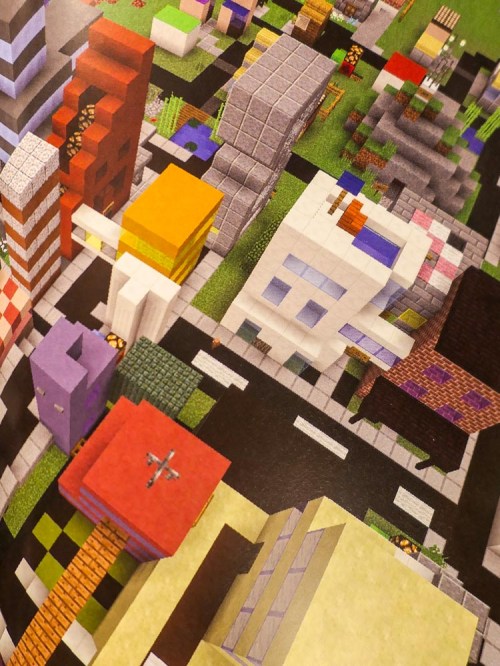
So, my wife and I were visiting another family’s house to pick up our seven-year-old son from his play date the other day. The adults were chatting a bit before the handover as the kids wrapped up their activity, which happened to be playing Minecraft, a popular videogame where you create your own worlds.

Then I noticed the kids ran into some kind of challenge in the game, and this is what I overheard…

Human child #1:
“How do you build the portal to the End in Minecraft?”

Human child #2:
“I don’t think my mommy knows how to do that…”

Human child #1:
“Don’t ask my mommy. Ask Google Home. Maybe… Siri.”
(They didn’t have an Alexa in this particular home. But I don’t want to leave Amazon out of the conversation.)

A.I. Always has an Answer
All right. Let’s pause right there to discuss the significance of this interchange. A couple of seven-year old-boys have decided to bypass their parents (moms) and go right to today’s A.I. to solve their problem.

Hey, it’s not like I don’t Google questions all of the time at my computer, but I was a little shocked at how flesh and blood parents were suddenly and completely eliminated from the equation.

Now granted, in this particular situation, these adults wouldn’t have known how to get to the ‘End.’ So, you’ve got to give the kids some points for their instincts.
(That night, after Googling ‘the End,’ I learned that it’s the third and final dimension in Minecraft.)

Okay… the kids were trying to figure out a shortcut to the end of the game.
(Is that cheating? Or is it simply being innovative… like beating the Kobayashi Maru test?)

Anyway…

Google Home couldn’t articulate a useful answer, but the young hackers-in-training got some traction with Siri on the resident iPad. Siri opened up a wikiHow page for them, which held some key details.

Apparently, getting to the End requires you first to go to the Nether.
(I have no idea what I’m talking about.)

The Lesson of the Journey
Guess what… their little online research project worked! The wikiHow page contained instructions on how to build a portal to the Nether, which the kids promptly executed.

I heard… “OMG… we’re going to the End! This is so great!!”

For the record, their progress halted at the Nether. The map to the End remained out of reach. But my son was super excited by the prospect that they were moving in the right direction.
(He really loves exploring this vast digital world. He also enjoys reading Minecraft adventures in physical books and looking through how-to-build Minecraft books.)

Discounted Daddy
To be honest, I felt a little schadenfreude to observe their quest for the End not end in total success.

Because as a parent of a seven year old, I thought Daddy was still perceived as all knowing. Did you notice that neither boy even mentioned his father during the tech query?

No… I didn’t have the answer. And I don’t think the other daddy would have had it either… without Googling a bit.
(That said, he’s very much at home with his tech.)

And no… this is not a gender thing about why the kids bypassed their daddies.
It’s a species thing about why the human adults were circumvented to quickly get to preferred artificial intelligence.

And that seven year olds already expects today’s A.I. to be able to correctly answer any question.

What’s the Truth?
Okay, Daddy…
I suddenly realize this is going to require some immediate focus as a parent.

Because even though yes… there’s an answer to any question you pose to a search engine, there’s actually a thousand answers, if not more.

As an adult, it’s your job to figure out the ‘truth’ on any number of topics.
(And that’s harder today than ever.)

And that’s going to remain an ongoing challenge for every human for the foreseeable future.

For an elementary school-aged child who can now simply project a question into a room, and an A.I. enabled speaker immediately responds, that’s a resource that really needs some adult-level perspective.

Otherwise we won’t have to wait until advanced artificial intelligence or the singularity arrives for humans to hand over all of the keys to knowledge and independent understanding.

Wow.
I’ve got some work to do.

Daddy (human) is on it.