At Home with Tech

Unlock the power of all your technology and learn how to master your photography, computers and smartphone.

My Toddler, the Photographer!

“Say Cheese!” My son works the moment in his crib photographing his favorite animals!

“Say Cheese!” My son works the moment in his crib photographing his favorite animals!

It’s official.
My son is a chip off the old block.

He’s been at home with tech for some time now.
But yesterday, it was like watching him walk again for the first time…

New Life for an old iPhone
My toddler is a month away from becoming a preschooler, but it’s been almost a year since he mastered the intuitive interface of my old iPhone 3GS, which I repurposed into a garden-variety iPod after I upgraded to the 4S.

It was great giving the 3GS a new challenge instead of simply retiring it or slapping into a speaker dock as a music conduit.

I was also less concerned about placing expensive tech in the hands of my major minor, because it was now old tech.

Not that I want him to flush the iPhone down the toilet, but if it drops a few times, I won’t have heart palpitations.

And he’s been remarkably careful handling the device.
(so far!)

I originally downloaded a few age appropriate games for him to enjoy…

His current favorite is Tozzle, which is a great little puzzle game I highly recommend.

Unlocking the Wonders of an iPhone… All Over Again
He usually prefers the interactive multimedia experience over old-fashioned passive television or a Disney Junior video streamed off their website.

He’s also figured out how to access the camera functionality of the iPhone.
Over the past few months, he’s mostly enjoyed just listening to the camera click away, as he presses the record icon, taking countless blobby pictures.

Separately, he’s also been watching me take thousands of family photos over the past couple of years.
(I’m not exaggerating)

As parents know, there’s plenty of brain development going on in toddlers that you don’t immediately see.
Their eyes and ears are absorbing and categorizing everything!
And then one day, they do something remarkable which demonstrates their massive cognitive processing.

Yesterday was one of those days.

The Next Ansel Adams?
My boy was happily sitting on the rug playing with the iPhone.

I was nearby, listening to the telltale audio cues as he meandered from game to game.

Then, I heard the distinct clicking sounds of the iPhone in camera mode.
Nothing unusual…

Then, I heard a new sequence of sounds:

“Click.”
“Giggle. Giggle.”
(Little feet shuffling.)

“Click.”
“Giggle. Giggle. Giggle.”
(Little more feet shuffling.)

Hmmm…
I walked over to check things out.

He was taking pictures.
Pictures of objects and toys.
Photos of images that were clearly pleasing him.
Images that held ‘meaning.’
And they were good photos!

What?!
My son was suddenly a photographer!!

Then he turned to me and said,
“Dada, would you take picture of me?”

He handed me the iPhone, and I snapped a shot.
He stared at the camera with the most natural expression he’s ever intentionally offered a lens.

Click.

His hand reached out.
“Can I see?”

I turned the screen around.

It was a super picture.
He looked quite pleased.

But it was more than just the pleasure of him reviewing his own picture.

Our little artist…

Did the fact I’ve been taking pictures around him for three years influence the development of his newly found interest?
I hope so.

The Photo Gallery is Open
I’m so proud of him.
So impressed that I’m devoting this post to sharing this early work of his.
It’s always cool to be reminded of perspective from a young mind…

Now, I know he’s not the first toddler in the world to snap a photo.
And I’m not pretending he’s some kind of photographic prodigy.
Well… you can be the judge. Let me know what you think!

First, a little disclaimer-
I came up with the accompanying captions, though they were ‘inspired’ by him.
And I added in a little color enhancement of my own, trying not to affect the artistic integrity of my son’s work.

So let’s begin!

My Feet

My Feet

My Paints

My Paints

Pillows Are Soft

Pillows are Soft

Dada, Who Are Talking To?

Dada, Who Are (You) Talking To?

Grapes are Yummy

Grapes are Yummy

The Stairs

The Stairs

Don't Fall Down the Stairs!

Don’t Fall Down the Stairs!

The Wall is Flat

The Wall is Flat

Can You Touch the Sky?

Can You Touch the Sky?

My Feet on My Rug

My Feet on my Rug

Dada's Hand

Dada’s Hand

Funny Faucet

Funny Faucet

My Animals

My Animals

Light is On

Light is On

Red Means Stop and...

Red Means Stop and…

...Green Means Go

…Green Means Go

Don't Close the Door

Don’t Close the Door

Animals Sleep in my Crib

Animals Sleep in my Crib

Say Cheese!
So there you have it!
My son, the photographer.
(I like the sound of it!)

But if you happen to shout “Say Cheese” within his earshot,
I’ve got a quick reminder for you…
You’d better have some cheese to share.

Taking pictures is fun.
But…Cheese?

Yum!

My son the photographer

I’ve Got the Power: Buying the Right Portable Generator

Worried about how to power your personal Skynet, Matrix or HAL during a blackout? Time to flip a switch and generate some watts!

Worried about how to power your personal Skynet, Matrix or HAL during a blackout? Time to flip a switch and generate some watts!

Power.

Lately, I’ve been obsessed with power.
No, not the megalomaniac kind.

The type that powers your personal tech.

Feed Me!!
My tech is always hungry.

I’ve got my handy Anker portable charger for my portable tech when I’m on the road.

I’ve got multiple UPS battery backups for my home office gear.

I always feel a dull ache whenever I watch my toddler play with my arsenal of flashlights. Another emergency light source draining away…

I own multiple rechargeable batteries, and I always throw a twenty pack of AA’s into my cart whenever I’m at Staples.

I read Facebook with envy when I see one of my friends installing solar panels on his roof.

What’s going on that I crave so much reserve power to keep the digital wheels turning?

It’s like worrying about never having enough to eat…
I’m always feeling like the orphaned Oliver.

“Please sir, may I have some more?”

Like it or not, AC and DC energy is the food to sustain your digital life.

It’s Gettin’… It’s Gettin’
It’s Gettin’ Kinda Hectic!
Certainly last fall’s Hurricane Sandy was a huge wake up call.
It decimated the Northeast and knocked out power for weeks.

Mother nature reminded us how fragile our power grid can be.

Get a Portable Generator!
When Sandy blew by, my house went dark for the better part of a week.
The inside temperature dropped into the low forties.

But I was lucky.
My family and I escaped and stayed over with friends who own a portable generator.
It kept their house fully operational.

Sure, there was heat and hot water.
But I quickly turned my attention elsewhere-

  • Internet access- Check.
  • Charging stations for portable devices- All you can eat.
  • TV- Yup!

It was like living in an alternate reality bubble.

The only clue we weren’t in Kansas anymore was the hum of the portable generator sitting in the driveway.

By the end of that week, it was crystal clear what I needed to protect the House of Lester…

It’s taken me five months to follow up on that decision, but I’ve finally taken the first step.

Ring. Ring…
Mr. Electrician, I have a job for you!
So before you can actually use a portable generator to power your house,
you need to do some electrical work.
(which is why it’s not a good idea to delay making the call until
The Weather Channel starts tracking the next planet-killing storm)

There’s the right way and the wrong way to handle the electrical challenge…

Option 1: Reverse the Polarity in Your Warp Drive Engine
Certain intrepid souls with some electrical skills have been known to do their own electrical jury-rigging.
It’s called ‘backfeeding,’ which refers to connecting power from the generator directly back into a house outlet.

This is extremely dangerous, and the web is filled with warnings about how you can electrocute yourself and others down your power grid.

I’m generally not into death and mayhem. And I don’t fancy myself an electrical MacGyver. So I passed on the backfeeding idea.

Option 2- Manual Transfer Switch
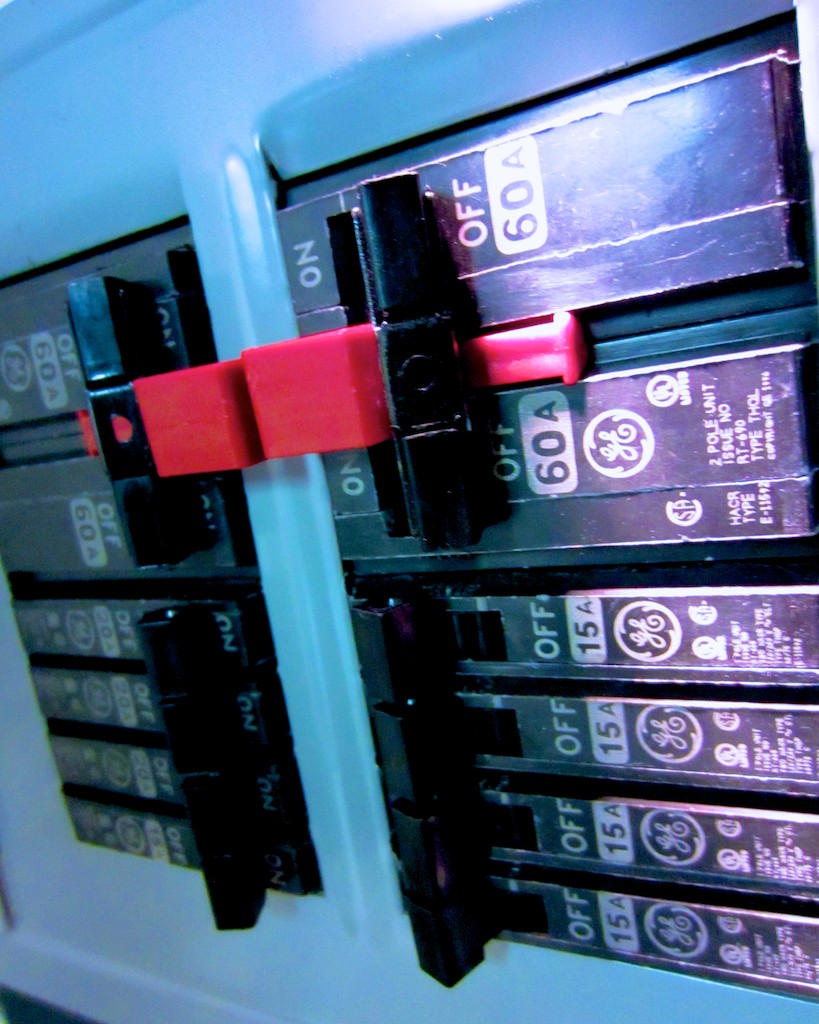
Hire an electrician to properly install a manual transfer switch next to your house’s electrical panel.
And that’s what I just did last week!

This additional power panel allows you to safely use and switch between your power sources.

My electrician also ran a weather resistant 30-amp plug to the outside of my house for the generator.
(Safety tip: The portable generator can’t be positioned too close to your house or you’ll risk carbon monoxide poisoning. That would be bad, especially after you went to all that effort not to blow things up.)

The whole shebang is not inexpensive.
I spent over $1,000, doing it the right way with my electrician.
But you do what you’ve got to do.
(The idea is to survive the power outage, right?)

So my house is finally ready for action.
Time to buy the portable generator!

How Much Power Do You Need?
Some portable generators are beefier than others, and yes, you pay more for the extra watts.
How much do you really need?
5,000-6000 watts should be sufficient to handle most of your home’s basic needs.
(My friend’s generator offers a healthy 6,000 running watts.)

Sure, you can permanently install a permanent home standby generator in your backyard, but that kind of project comes at a much higher price point.

Which Brand?
Of course, there are lots of brands to choose between.
Consumer Reports likes Troy-Bilt, Honda and Generac.
My electrician let me know he’s also partial to the Generac line of generators.
So I focused on that company.

Fuel?
There are two main fuel source options to choose between…

Gas
The portable generator market today is flooded with gas generators.
Yet, everyone I’ve talked with agrees gas generators have several major drawbacks.

  1. When the power goes out, lots of gas stations close
  2. The remaining gas stations have long lines
  3. You’ve got to store many gallons in your house to keep the generator going.
  4. Gas is flammable
  5. Gas goes bad quickly

Sign me up?
Not so fast…

Liquid Propane
Yes, it’s like what you use to run your gas grill.
There aren’t many LP portable generators out there, but my informal survey suggests they’re the superior choice.

  1. Easier to store propane tanks long term
  2. LP generators are more energy efficient
  3. It’s safer

My friend is a strong liquid propane proponent and he quickly convinced me of the wisdom of LP.

Thank you, Sensei.

Which Liquid Propane Portable Generator?
You can buy my friend’s Sportsman GEN7000LP portable generator on Amazon for $1,000.
It’s clearly a solid choice.
(6,000 running watts. 7,000 surge watts.)

But after doing my own due diligence, I like the brand-new Generac LP5500.

Generac talks about its ‘breakthrough’ research bringing propane generators to the market.

In 2011, they successfully experimented with their small LP generator (LP3250).
Now they’ve built a larger version, the new LP5500 (model #6001), which will start shipping in the next few weeks.

The Brand New Generac LP5500 Propane Powered Portable Generator

The brand new Generac LP5500 propane powered portable generator is here!

It offers 5,500 running watts and 6,850 starting/surge watts.
The going price around the web is $800.

It’s a relatively small unit with room in the back to hold your LP tank. It has two cushy wheels for easy transport, and it’s powerful enough to play in the big leagues with its competition.

Consumer Reports recently posted a video report from the 2013 Home Show featuring the introduction of the LP5500.
Their video provides a great visual overview of this model.

So even though I normally like to wait to read multiple customer reviews before making a decision, I’ve already got a gut feeling that this yet-to-be-released generator is the one for me.

Where to Buy It?
Again, as of this post, the LP5500 isn’t in stores yet, but websites are already selling it as a backordered item. They suggest they’ll have it sometime in April.

The next super storm could be around the corner, so I’m feeling it’s a wise choice to pull the trigger now and get in line for this one.

My electrician suggested buying from an online company called Norwall.
But they’re not listing my Generac yet.
Bummer.

Another online retailer, Electric Generators Direct has it listed and backordered for amost a month.
I called them to check them out, and the representative I spoke with seemed very nice.
But I don’t know the company.
Next…

Amazon’s got it.
But the page lists a shipping ETA from 1-3 months.
Pass!

Then I noticed this week Home Depot has the LP5500 on its website.
(but not in stores)
Backordered only for another week.
Ships 3-6 days after that.

Everyone knows Home Depot!
BINGO!!

The Right Choice?
So I’m planning on doing the deal with Home Depot.
But before I buy my orange Generac, I thought I’d first share my own research through this post and ask if anyone out there wants to challenge my decision on the LP5500.

Really, it’s less of a decision than an educated guess.

I should also mention a major reason I’m not taking the proven path by going with my friend’s larger Sportsman is I’m simply looking for a more compact unit to store.

Slave to My Machines
So now, I’m moonlighting as my own power company to ensure the survival of my tech beyond a regional or global blackout.

I feel like I’ve entered “The Matrix.”

Maybe I should just connect the plug into the back of my skull to feed my electronics, like in the movie.
No, that won’t work. Not enough juice…
(need a bigger brain)

That’s why the entire human race had to be enslaved to power the endless whims of technology.

Things are much different in real life…
(really?)

I wish you a successful and safe journey in your search for your own watts!

Soon I’ll be able to scream at the top of my lungs…
“I’ve Got the Power!!”

Five Tips to Not Lose Your Tech While Traveling

You don’t have to stash your personal tech in a barrel at Niagara Falls to risk losing it while traveling. If you’re not careful, there’s plenty of opportunity to part with your gadgets along the way.

You don’t have to stash your personal tech in a barrel at Niagara Falls to risk losing it while traveling. If you’re not careful, there’s plenty of opportunity to part with your gadgets along the way.

I was in Buffalo last week on a work-related video project.
(Yes, it was snowing in Buffalo.)

On the last day, we drove to Niagara Falls to get some beauty shots.
I must say the American Falls looked especially beautiful half frozen.
(The Horseshoe Falls was mostly obscured in fog.)

We also spent some time in town doing some additional videotaping.
The frozen urban environment didn’t feel quite as quaint with steady snowfall and a stiff wind confronting us.

So between shots, we ducked inside a building to warm up while we planned our next move.

And we broke a cardinal video production rule.
We left a piece of our gear outside unattended.

No, it wasn’t anything really expensive, like the camera.

It was a lowly wooden Apple Box.
No, not an apple fruit box… though it does look like one.
(And no, it’s not some Apple computer packaging either!)

It’s simply a sturdy wooden box.
More like a little platform, it’s used to position someone or something up a few inches.
(A couple inches can make all the difference when you’re looking to tweak a shot!)

Our inside huddle lasted only four minutes.
But when we emerged, the Apple Box was gone.

D’OH!!

We looked at each other uneasily, as we were also guilty of breaking a really basic rule our mothers had taught us decades earlier.

Then, an innocent bystander walked up and said he had seen the perp pick up the clipped item.

And he pointed in the direction the thief was walking.
He also mentioned it looked like the guy was part of group of five or so.

By this point, they were a few blocks away, just out of my visual range.

We each considered the situation.
To me, it was clear running after our bandit wasn’t the right move.
It seemed risky. We could run into a confrontation with a superior force.

The look on other faces suggested a similar conclusion.

But our consensus was not unanimous.

One bold soul jumped to action.
Declaring the rest of us wimps, our hero launched a rescue mission.
Our fasted vehicle powered up, and it roared off in hot pursuit.

The rest of us stared for a moment, flecks of snow falling on our gaping jaws.

I eventually jumped in my car and brought up the rear.
By the time I arrived, the incursion was over.

The Apple Box had been rescued.

The opposition had not been five muscular men.
It was just one older gentleman, who had fallen on hard times and innocently picked up an item he thought had been abandoned.

It was just a matter of confronting the truth of the moment.
The retrieval ended up being an easy one.

Boy, did I have egg on my face.
And I didn’t hear the end of it for the rest of the trip!

Odds Are Some of Your Tech Won’t Make It Back
Let’s face it. Losing your gear on the road is surprisingly easy to do.
You may not be dumb enough to leave it on the street while you talk about where to go for lunch.
But there are plenty of ways to inadvertently part with your expensive gadgets and their accessories.

  • Secondary Smartphone
    Many of us are forced to juggle more than one smartphone for work and home.
    If that’s the case, you may not be paying as much attention to the secondary unit while on a trip.
    (Like if you’re on vacation and not looking at your work BlackBerry very often)
    That scenario can easily lead you to miss the unfortunate fact your smartphone has suddenly gone MIA.
  • Chargers and Power Cables
    How many times have you left behind your smartphone charger or laptop power cable plugged into the outlet under the desk in your hotel room?
  • Lens Cap
    And if your DSLR’s lens cap is not tethered to your camera’s lens, it’s constantly pulling a Houdini, right?

You Won’t Lose It If You Don’t Have It
My simple advice is just don’t take any tech you can do without.

Much like over packing clothing for a trip, we also have a tendency to travel with too many gadgets.

Don’t take that laptop if a tablet will do.
Don’t take the tablet if your smartphone can handle the job.

Sure, many hotel rooms are now equipped with mini safes.
And laptops are small enough these days to jam into these tiny vaults.

But then you’ve got to remember to clear out the safe before you leave.
(And no matter what, isn’t it always a rush?)

Maybe you won’t forget the laptop, but what’s hidden behind it might get missed with a hurried exit plan.

Don’t let your view freeze up trying to keep track of your tech while on the road!

Don’t let your view freeze up trying to keep track of your tech while on the road!

Five Ways to Hold onto Your Tech on the Road
But if you absolutely must bring it, here are five tips to help you increase the odds you’ll come home with all your precious tech gear and accessories-

1.  Protect Your Smartphone like ‘Renegade’ or ‘Trailblazer’
The Secret Service has code names for its presidents.
(Renegade for Obama and Trailblazer for George W)

Yes, you can lockdown your smartphone with a code.

Yes, you can track it.
(Up to a point)

Yes, you can remotely wipe the memory.
(The Secret Service can’t do that yet. Right?)

Yes, you can even change all your passwords just to be totally safe.

But you really shouldn’t need to act like a Secret Service agent to protect your smartphone.

I know this is obvious, but I say treat your smartphone like your wallet.
People do lose their wallets, but usually you can devote enough brainpower to maintaining track of it, right?

Bad things happen, but a little vigilance can go a long way to keep your smartphone at your side.

Enough said.

2. Use the Right Carry-On Bag
Keep your tech with you at all times.
Assume an 800-pound gorilla will be jumping on your stowed luggage.

So bring a carry-on bag with distinct compartments and keep each piece of tech in its designated position. Then take a moment to memorize where everything belongs.
That way, you’ll be able to quickly scan if all your digital tools are in their rightful place.

3.  Have Power in a Pinch
It’s always nice to bring a little backup power in your bag, while you’re going about your day. That way, you don’t have to worry about where you’ll be juicing your smartphone next.

More importantly, that also means you’re not putting any of your kit and kaboodle at risk of being left behind, while your charging up behind enemy lines.

These days you can store a power stick that’s not much larger than a pack of gum.

4.  Keep Your Pockets Light at Security
When going through airport security, it’s always such a fire drill to get everything back on your body before rushing to the gate.

Reposition as much digital paraphernalia as you can into your carry-on bag.

5.  Watch Your Laptop Like a Hawk After the X-ray Machine
I’m not talking so much about someone stealing your laptop from its bin while you’re putting your shoes back on. I’m referring to simply protecting it from being harmed.

During my Buffalo trip, I watched in horror as a bin holding a laptop rolled out of the X-ray machine conveyer belt. It got squeezed by a bin jam ahead of it, and then it veered off the rollers, dumping the laptop onto the cold, unforgiving cement surface below.

No, the poor laptop didn’t bust into multiple pieces,
but I’m not so sure how solid its guts were after that kind of spill.

Try to position your laptop bin so it comes out of the X-ray machine soon after you’ve crossed passed through your own X-ray body scan experience.

That way you’ll be close by to rescue your laptop if a bin jam becomes imminent.

Bonus Tip: ID Your Gear
Sometimes, no matter what you do, fate still intervenes.
So when you end up losing a gadget like your tablet or eBook-reader on a plane, in your hotel room, or after a solo lunch at a restaurant… what do you do then?

Well, you’d better leave a trail for someone to find you.
(Like simply taping a business card inside your new iPad case)

If your gear is in lockdown mode, there’s no way for anyone to know it’s yours.
Sure they can do some sleuthing based on your reserved plane seat or hotel room record, but would you want to leave your gadget’s future in the hands of an Inspector Clouseau?

Get That Tech Back Yourself!
And if all else fails, and you’ve accidentally just left some tech behind, make sure you can sprint four hundred yards or have access to some really fast wheels.

It’s been known to work!