At Home with Tech

Unlock the power of all your technology and learn how to master your photography, computers and smartphone.

Tag: Amazon

Where’s My Remote Control?!

Pop Quiz: Is this a photo of a alien sculpture on Mars or the power button on my useless Blue-ray player?  It seems if you lose the Blu-ray player’s remote with its magical ‘Enter’ button, you can’t run movies anymore.  Now what are you supposed to do…?

Pop Quiz: Is this a photo of a alien sculpture on Mars or the power button on my useless Blue-ray player? It seems if you lose the Blu-ray player’s remote with its magical ‘Enter’ button, you can’t run movies anymore. Now what are you supposed to do…?

It’s Saturday night.

Our three-year-old son has gone to sleep early, cozied up with his favorite Octonauts toys.

Downstairs, my wife looks at the clock, turns to me,, and she smiles.
She suggests… we may just have enough time to watch a Netflix movie.

We usually don’t get this opportunity, because we don’t want to risk going to bed too late…
Our little lad’s internal clock does not yet recognize the weekend, and his morning wake-up schedule is almost as dependable as an atomic clock.

I expect other parents will appreciate the difficulty finding enough time to consume an entire movie together without planning a formal ‘date night’ out.
(Let’s just say it’s been a while for us since we’ve tried this trick at home.)

Activate Movie Night
I rush over to the dormant media center, my pride and joy.
I swiftly open up the cabinet in the TV stand housing my four-year-old Samsung Blu-ray player (BD-P3600).

It’s quite dark inside, but there’s clearly a noticeable layer of dust accumulated on top of the Blu-ray unit.

Moon dust on Blu-ray player

Actual photo of my Blu-ray player’s surface

The shrouded device patiently awaits like Star Trek’s Guardian of Forever.

I luckily have a Netflix Blu-ray disk on hand that I think both of us will enjoy.
(Beasts of the Southern Wild)

Netflix Streaming isn’t an option, as it simply takes too much time to sift through to quickly find a good movie.

My wife sits down on the couch, and I pop the disk into the player.

Hollywood, We Have a Problem!
I reach up, and my hand misses its target.

Where’s the remote?

I quickly survey all the surfaces in the immediate vicinity.
The remote for the Blu-ray player is nowhere in site.

That’s really annoying…

I assure my wife it’s just an inconvenience.
Surely, the player will operate sufficiently from its onboard controls.

I get through the obligatory movie previews on the Blu-ray disk, and finally get to the “Play Movie” icon on the main menu screen.

I press the play button on the top of the device to begin our little Cinema Paradiso.

Nothing.

Then, I tap the ‘Next’ button.
Nada.

I frantically press all the available onboard buttons.
But there’s no matching ‘Enter’ button, which the missing remote possesses.

Nothing can kick our movie into gear…

I turn to my wife.

Uh… I think movie night is cancelled.

But she is not so easily deterred.
She suggests we do some catch-up ‘Mad Men’ viewing on our always-ready cable DVR.

And so we successfully switch to Plan B…

Eating Humble Tech Pie
So, hanging with Don Draper really wasn’t such a bad back-up plan, but I’ve got to admit I felt like a mad man for the rest of the night.

The IT Guy had failed at the most basic of tech tasks.
How embarrassing.
(Sure, I could blame the disappearance on my little adventurer asleep upstairs, but it really doesn’t matter how the remote vanished…)

I was also rather annoyed with the stunning realization that my missing remote could completely hobble the ongoing functionality of my Blu-ray player.
(Whose genius engineering idea was that?)

Why even have a play button on the unit, if it can’t get you past the main menu?!

Brain Replacement, STAT!
So now what?

I had a giant hockey puck under my TV that wouldn’t function without its missing remote brain.

And I don’t often get the opportunity to enjoy a joint movie night at home while my three-year-old snores upstairs.

So I pledged right there that next time, I’d better be prepared!

I had four choices to consider:

  • Find the missing remote
  • Replace the Samsung remote
  • Buy a universal remote
  • Purchase a brand new Blu-ray player

1.  Send Out the Rescue Party
I’ve gradually faced a new reality over the past year living with my son:

Things disappear.

  • Sometimes we find them.
  • Sometimes we don’t, and I chalk up the missing items to the mysteries of the universe.
  • Occasionally, the objects suddenly reappear, but often months later.

I carefully considered the odds,
and then I called off the full-house search…

2.  Replace the Remote
Fat chance, right?

Where would you even you go to buy a replacement remote for a discontinued model?
(more on this in a moment….)

3.  Go Universal
Universal remotes have been around forever.
I’ve owned my fair share over the years.
But they eventually get old and have trouble playing with the newer gear you eventually buy.

Fact Check: Currently, the Lester household is without a universal remote.

I am not proud to admit this, but I use five remotes to control the TV, cable box, Roku, Apple TV, and my formerly functioning Blu-ray player.

For some strange reason, my wife says this set up is a tad confusing.
I’m not sure I understand why.
(kidding)

I suppose the upside is whenever we lose a remote, my entire media display zone isn’t completely crippled…

I admit we’re due for a new universal remote.
I just haven’t gotten around to it…

So you might conclude this would be the perfect time for me to pick up a universal remote and regain control of our lobotomized Blu-ray player.

4.  Go Crazy and Start Over
Our disposable tech culture would say-
Just throw the problem in the trash and buy a shiny new one…

So let’s consider the option of picking up a new Blu-ray player…

Remember how much Blu-ray players cost just a few years ago?
This technology has really matured…
Now, it’s relative chump change!
(Too bad, Blu-ray disks are still so expensive…)

All this said, we’re still talking about replacing an old top-of-the-line model with a new bargain-basement afterthought. While it functionally meets my need, it’s not quite an apples-to-apples replacement option.

Is It my Birthday?!
So remember the ‘crazy’ option of simply replacing the remote?
What are the odds I’d find an exact duplicate of my four-year-old remote?

  • 1 in 100?
  • 1 in 5 trillion?

Guess what…?
Take the odds.

Amazon indeed has the replacement remote!
It’s the ‘Samsung Remote Control AK59-00104K’
for only $12.10 plus $4.95 shipping.
(No Amazon Prime is offered, but the vast majority of reviews were wicked positive…)

$17.05 to put my next movie night back on track?

Click.
(Amazon to the rescue!)

The Conundrum of Blu-ray’s Future
Sure, there’s nothing wrong with taking advantage of a little bad luck and upgrading your Blu-ray player for far less than your original investment.

But the fact that my current unit sports that unsightly layer of moon dusk is a clue to how much I’ve actually used it over the past couple of years.

You can blame this trend on my new-daddy schedule, but it probably also points to the stiff competition offered today from streaming technologies..
Plus, you know I’ve been consuming much of my media as a Road Warrior.

It all points to the basic question:
Do you even need a Blu-ray player anymore?
(That’s an especially painful question considering the prices I’ve been paying for my Blu-ray movies.)

So if 17 bucks can buy me a reprieve on an answer, I say that’s money well spent!

The Power of ‘Enter’
My ‘rescue’ remote arrived in the mail last week and its powerful ‘Enter’ button immediately reactivated my sidelined Blu-ray player.

The rescue remote arrives

Then I looked around the room to see if I was alone. There were no prying eyes lurking in the corner to observe my next little precaution…

I hid my new remote control away from my little Ethan Hunt.
(and where I hopefully won’t forget where its located)

Movie night at the Lester household is again open for business!

Popcorn for all!
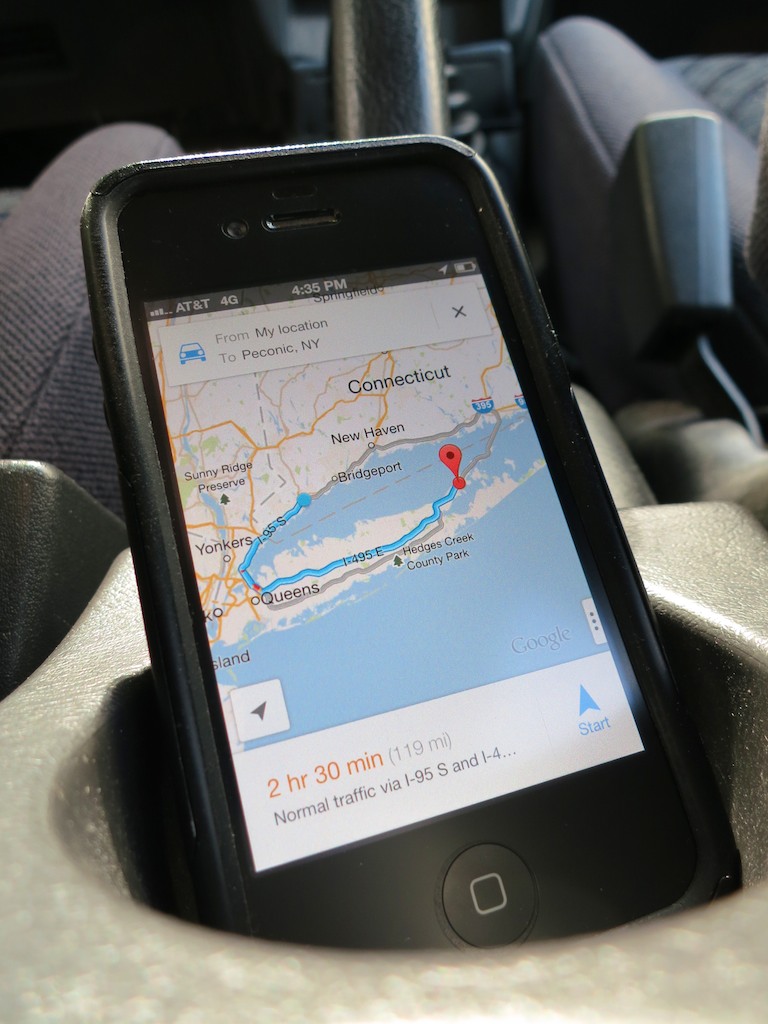
Driving with Your Smartphone on GPS Duty

Don’t let another road trip go by with your smartphone sliding about the car as its GPS app shouts out turn-by-turn directions. Mount it onto your dash!

Don’t let another road trip go by with your smartphone sliding about the car as its GPS app shouts out turn-by-turn directions. Mount it onto your dash!

A year ago, I officially broke up with ‘Jane,’ my portable GPS device.

On route to the family summer vacation on the North Fork of Long Island, my iPhone’s native Maps app bested Jane.
(my old Garmin Nuvi 760)
I had mixed feelings, but it was clearly time to move on to newer and better tech, even though my Maps app couldn’t talk to me like Jane.

But Google Maps’ voice turn-by-turn navigation iOS app was just around the corner.
And so was Apple’s, even though ‘Mappelgate’ gave Google Maps the edge.

I’ve spent time with both on the road over the past year, and it’s been a wonderful ride.

GPS will Provide Directions for Food and a Battery Charge…
So why would anyone buy a Garmin or TomTom GPS anymore?
Apparently, I’m not the only one asking this question…
This year, Garmin predicts a sales drop of 20% in its car GPS devices.

It’s easy to understand why the personal navigation market for vehicle dashboards is in decline.

The Stability of My Old Flame
All this said, it’s now a year later, and I must admit…
Jane still comes along for the ride from time to time.

What could she possibly offer to warrant this nostalgic gesture?

Well, in the car, she’s usually more stable than my iPhone.
(Jane has a windshield mount, while my iPhone still slides about untethered.)

I’ve just never got around to buying a holder for my iPhone.
It’s usually positioned head first in the cup holder or maybe slipping about the passenger seat.

Hardly a secure or safe solution.
(for either of us)

Sure, you can rely on your iPhone’s voice navigation alone, but a properly positioned visual aid is always nice, right?

So with the summer driving season upon us, I’ve decided it’s time to fully move my iPhone and its GPS apps into the driver’s seat.
(I mean navigator’s seat. The ‘driving’ app is probably not far off!)

Suction Sucks
As I began my shopping search, I shied away from windshield-suction mounting systems.
That’s what Jane has been using.
And to be honest, she’s fallen down more times than I’d like to admit.
(My wife and I have become quite skilled playing a little game of catch the bouncing GPS…)

Jane has been bounced around so many times, I don’t really worry about her anymore.
But I’m not as willing to expose my precious iPhone to the same dangers.

Windshield Vs. Dashboard Mount
Come to think of it, a suction mounting solution on the dashboard isn’t much better.
Sure, it’s a shorter distance to the floor if your smartphone comes loose, but any air time for your phone is a bad idea.

A dashboard mounting solution is clearly the way to go, but with something more reliable than suction.

How Super is Super Adhesive?
So you can buy a glue-mounted holder for your dashboard.
But how long will an adhesive last?
You can reengineer the manufacturer’s design and superglue the mount, but that plan has its obvious drawbacks…

Choosing Between Mind-Numbing Number of Choices
Even after eliminating the above options, you’re still left with a paralyzing number of offerings.

That said, I did find some online consensus about a few dashboard mounts:

Kenu’s Airframe
This minimalist solution simply clips to one of your car’s air vents.
One concern I have is all that hot air assaulting your device during the winter months.

That can’t be good…

ProClip
This product is for folks who don’t have a problem doing after-market modifications to their cars.
To install one of these holders, you’ve got to do surgery to your dash that’s not unlike rib spreading for open-heart surgery.
You slide plastic mounts into existing dash crevices and then create enough of an opening to install the mount’s base.

When you’re done, you’ve got a permanent appendage jutting out of your dash…

Ram Mounts
These guys seem really serious about getting the job done right.
They handle solutions ranging from kayaks to planes.
But you’ve got to have enough patience to figure out their website to build your specific mount.

If building your own Terminator from scratch is your cup of tea, go for it…

The Bean Bag Makes a Comeback?
The more I looked, the more frustrated I became.
I just wanted something simple that works…

  • Buy it with one click
  • Set it and forget it
  • Drive…

How hard could that be?
The solution doesn’t have to be cutting edge.

Something like when you rent a portable GPS unit at Hertz, and they hand you a clunky bean-bag base.
That monstrosity magically never slides off the dash, no matter how hard you floor it, right?

Wait a minute!!!

The Great and Powerful Amazon
So there are plenty of $20-ish bean-bag mounts on Amazon.

  • Engadget recommends this Arkon Dashboard Mount for $16.37
    (It gets some mixed reviews, because it still uses a suction mount to the bean-bag base!)
  • Naztech has one for $24.41 with a similar split on opinions
  • USA Gear’s doesn’t do any better on its ratings ($19.99)

Without consensus, I kept looking…

Then, I came across a very highly-rated
Garmin Portable Friction Mount for my old Garmin Nuvi.
(Nostalgic sigh… )

Before I clicked away, an Amazon algorithm made a startling recommendation…

It showed me an iPhone cradle that attaches easily to the Garmin Portable Friction Mount.

It’s like Amazon was saying to me,
“Barrett, you can have your cake and eat it too!”
(The one friction mount would work with both my iPhone and Garmin.)

The Amazon Voodoo Continues…
Further down the page, I noticed a newer version of Garmin’s Portable Friction Mount.
(Also favorably reviewed, and Amazon was running a deal that throws in a Garmin Nuvi case for less than the friction mount costs by itself!)

This one wasn’t a bean bag.
It was a sleeker unit and had a sticky, rubber pad bottom designed for ongoing reuse.

I opened up a new Safari window.
Hello, CNET?
Yep… they liked it.

$17.99 for the friction mount + $13.95 for the iPhone attachment = $31.94
Hmmm…

Breaking Up is Hard to Do
As I considered my choices, I mentioned my little research project to my wife.
She was excited to further activate her iPhone and curious what I was going to do with Jane now that she was retiring…

Well, there’s always Craigslist or eBay…

But I’ve got to admit, I’ve grown accustomed to her face.
And two years ago, I bought my GPS Jane the gift of lifetime map updates…

If only I had spent the fifteen minutes I needed to figure out how to keep Jane from popping off her mount a year ago, we might not be in this predicament.

Think.
Think. Think. Think…

(Light bulb pops on!)
(though dimly)
Use both GPS Jane and the iPhone!!

How does this piece of twisted logic strike you?…

  • Scenario 1:
    If your iPhone is strapped in for GPS duty on a long family road trip and you’re in the passenger’s seat, you’re cut off from the world.
    Sure, you can answer a call in speaker mode, but that’s about it.
    (No texting for you!!!)
    If GPS Jane is still there to play navigator for those several hours, you’ve got your iPhone back!
  • Scenario 2:
    On a quickie trip, your iPhone can do the navigation, and Jane can stay home.

Are you buying it?
I just did…

Click. Click.
Done!

Let the summer road trips begin!!
Time to start packing…

Time to Buy a Portable Bluetooth Speaker

Do I own a Bluetooth speaker? Not yet. Do I need one? Absolutely! Which one should I buy? Let’s find out…

Do I own a Bluetooth speaker? Not yet. Do I need one? Absolutely! Which one should I buy? Let’s find out…

I’m not a big fan of Bluetooth tech.
Not yet.

I never really got into those tiny Bluetooth headsets for your mobile phone.
(Sure, they were cool when Lt. Uhura wore one on the Starship Enterprise. Now that they’re real… not so much.)

My first meaningful Bluetooth experience was with my first iMac’s mouse and keyboard.

I was so excited by the concept…

  • A clear desk without wires or clutter
  • Only the iMac
  • Just like in the commercials

Well, I quickly realized it would take more than the loss of a two wires to clean up my home workspace.
My desk is eternally populated with note-pad stickies attached to every inch of clear surface!
(If you know of a support group, please let me know!)

And then I faced the reality that you have to keep changing out batteries to maintain the Bluetooth fantasy.
Worse still, you need to occasionally trouble shoot a failed Bluetooth connection when you boot up your Mac.

Typically, the solution is manually reconnecting the Bluetooth device with your mouse. But how do you do that when it’s your Bluetooth mouse on the fritz?!
Years ago, I bought an old-school wired mouse as a back-up solution.

I proactively addressed the problem with my current iMac by acquiring both a Magic Mouse and Magic Trackpad.
That way, when one Bluetooth device goes out, the other one can come to its rescue.
Very symbiotic, don’t you think?

So let’s just say I haven’t been wowed by Bluetooth.
Not yet…

Realizing the Universal Wisdom of Bluetooth
Last weekend my family and I were attending a little barbecue event at a friend’s house. Kids were running about and spraying each other with two garden hoses. (My son somehow managed to stay dry, yet remain in the action.)
Some of the parents were marveling the hearty vegetable garden.
Others were enjoying a cold drink.

Where was I?
Staring at a ‘mini’ black monolith, suspended by thin strings in a living room window.

I wanted to touch it.
I felt it held the answers to the universe.
The host walked up, and he handed me an animal femur to throw high into the air.
(no he didn’t)

But he did explain I was looking at his new battery-driven, portable
Jawbone Jambox Bluetooth Speaker.
It had been paired with an iPhone, resting not far away.
No wires…other than the occasional power cable to charge up its battery.

Not only was it born to project beautiful tunes via the iPhone, but it also does double duty as a speakerphone. (It even has its own microphone.)

Interesting…
I moved closer to the Monolith.
Contact.
I felt my brain growing…

The Search for Sweet Music in Every Room
My new knowledge quickly began percolating towards solving one of my home tech projects:
Bringing music (back) into every room in my house.

Once upon a time, I could just pop a radio or stereo into a few rooms, tune them to my favorite station, and presto, I had a whole-house music solution!

Actually, I don’t need music in every single room, but it would be nice to cover the major zones.
I’ve fallen a bit behind since terrestrial radio tech has become so passé.
(I don’t think I’ve turned one on at home in a year!)

My Grounded AirPort Express
I’ve tried using a few Apple AirPort Express units around the house to wirelessly connect up a few speakers to simulate the same effect using iTunes and music streaming. But I’ve encountered mixed results.

  • Sometimes, the AirPort Express units need to be rebooted.
  • Occasionally, I’ve experienced scratchy interference generated by some other selfish device like a microwave.
    (The fact that my Express units are the older ‘802.11g’ variety and not the newer ‘802.11n’ may have something to do with this problem.)
  • Plus, you’ve got to boot up a computer and then iTunes to get the music going. That’s never quite as fast as clicking a knob or pressing a stereo ‘on’ button.

It’s just not been a quick ‘set it and forget it’ solution.

Sure, I know you can hard wire your house for audio…but I don’t have the appetite for such a major project right now.

But if I can’t have music in every room I walk into, maybe the solution is to bring the music with me into whatever room I happen to be in…

…via Bluetooth!
(cue the angelic chorus)

So Many Choices!
Buy a portable Bluetooth speaker and then move it wherever you need it.
(Yeah, that’s the ticket.)

So I began my research, and it was at this point I felt a bit like Rip Van Winkle.
Portable Bluetooth speakers are hardly a new item.
They’ve been around for a few years; the Jambox was a sensation back in 2010.

But now, there’s a veritable army of them out there to choose from.
This year’s CES was filled with them.

Many of the newer ones are designed for outdoor rugged-on-the-road or at-the-beach use.

The good news is my durability requirements are slightly less ambitious…
(That said, I do have a three year old!)

Let the Shopping Begin…

So which Bluetooth speaker to buy?
I went online to see if I could identify a cyber consensus.
And a few trends began to emerge…

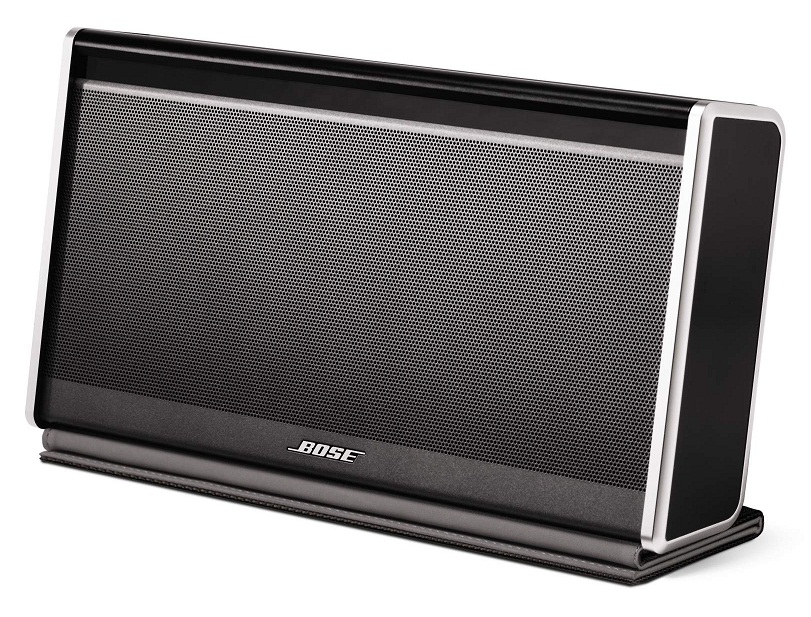
Bose SoundLink Bluetooth Mobile Speaker II

Bose SoundLink Bluetooth Mobile Speaker II
Everyone seems to agree that the
Bose SoundLink Bluetooth Mobile Speaker II is the best one out there.
But it’s wicked expensive at $299.

There’s also Bose’s brand new SoundLink Mini Bluetooth Speaker at $199.
It starts shipping on July 1, and the initial buzz is strong.
(When was the last time Bose didn’t come up with a product that was amazing, but overpriced?)

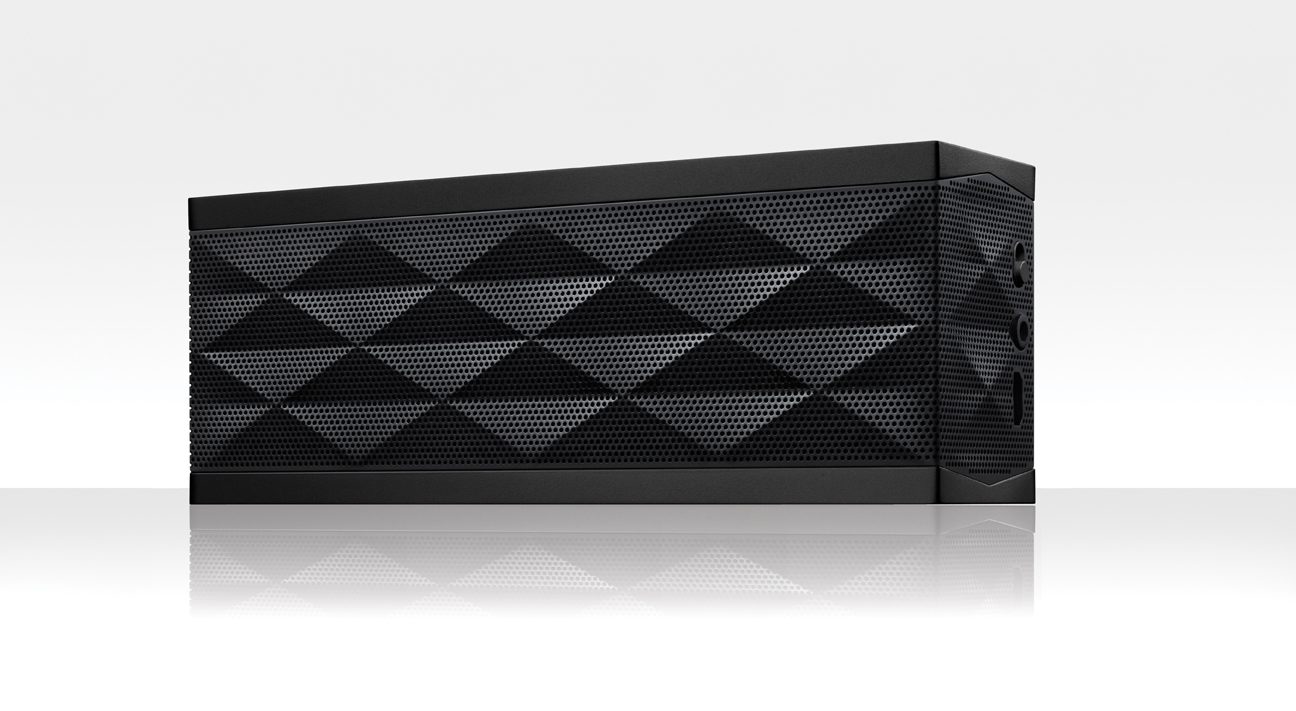
Jawbone Jambox

Jawbone Jambox
Compared to today’s competition, the Jawbone Jambox is still a strong contender, but isn’t as universally adored as it once was. It’s also considered too expensive at its base price of $180, considering the cost/value analysis of the competition.
(You can pick it up from Amazon for only $129.79)

There’s also the Jambox’s newer and larger cousin, the Jawbone Big Jambox.
The reviews say it’s…yes, bigger and better.
But it’s added power comes at a cost…$299.00.
($272.33 on Amazon.)

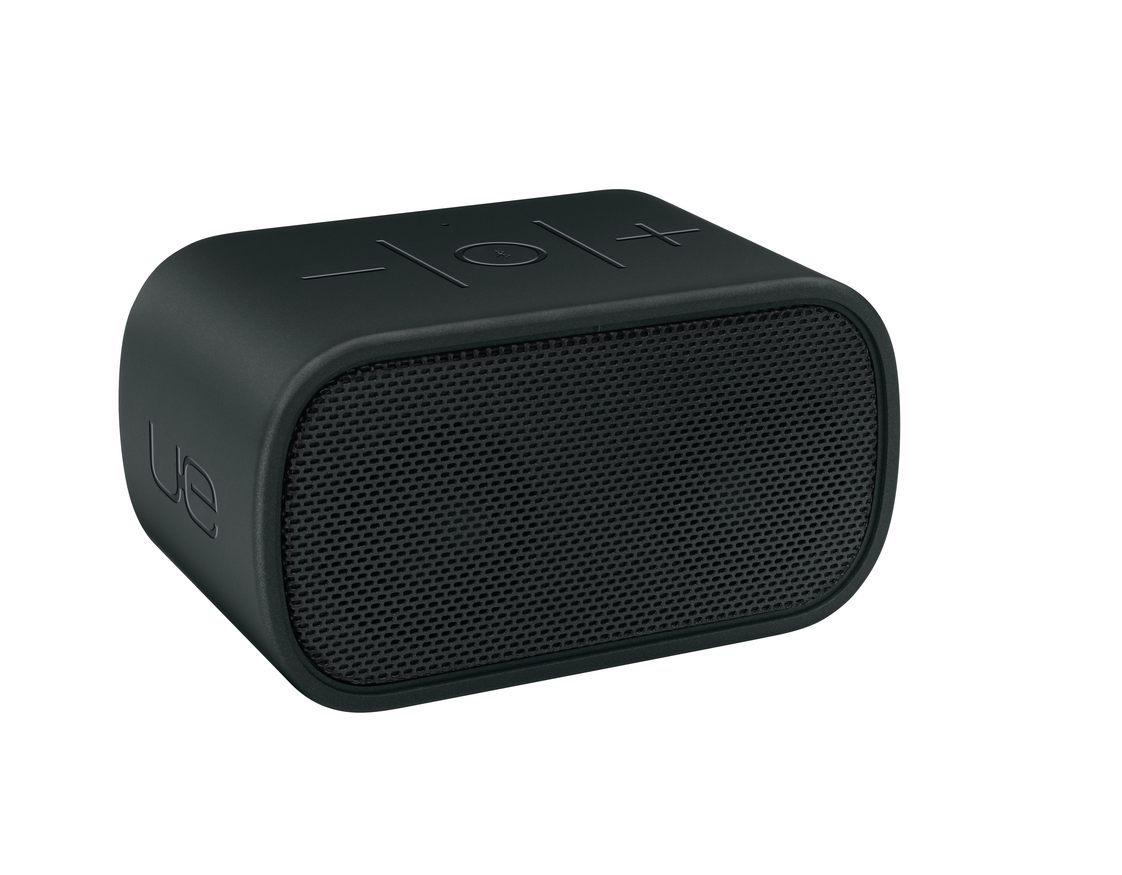
Logitech UE Mobile Boombox

Logitech UE Mobile Boombox
The Logitech UE Mobile Boombox hits the sweet spot.
It’s only $100 and gets great reviews-

This is the closest I’ve come to finding online consensus for anything in quite a while…

How Low Can You Go?
A hundred smackers isn’t an unbreakable baseline.
You’ve got a plethora of choices in the sub-$100 arena too.
And cheap does not equal bad.

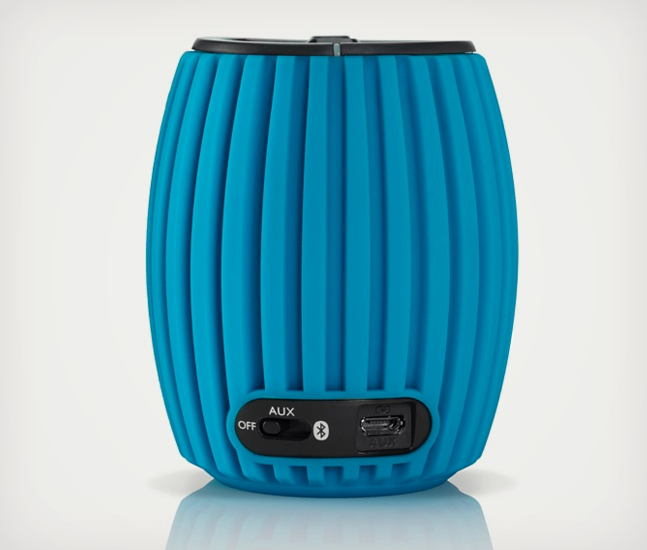
Philips SoundShooter Wireless

Philips SoundShooter Wireless
One example is the Philips SoundShooter Wireless, which garners positive reviews considering its $50 price tag. ($46.86 on Amazon)
(Plus, you know how much I’m into Philips these days with their cool LED light bulbs.)

It can’t match the more expensive competition, but reviews like CNET’s say it’s surprisingly good…

Any Color of the Rainbow?
Henry Ford was famous for allegedly saying that people could have any color of his 1909 Model T car they wanted… so long as it was black.
Bose follows the same philosophy, and the basic black works just fine for me.
(Actually, the $299 Bose also comes in silver and white.)

But I should mention the other companies above have an explosion of colors to offer the more colorful mindset.

And the Winner Is…
So it’s hard to go wrong these days buying a Bluetooth portable speaker.
Whether you spend $50 or $300, you’re going to get a device that blasts out your tunes and doubles as a speaker phone to boot!

As a bonus, Bluetooth speakers can also give more audio oomph to the visuals on your laptop or iPad.

You can debate the sound quality and battery life of each speaker… but essentially the job is going to get done.

Drum roll please…
Yesterday, I pulled the trigger on the Logitech UE Mobile Boombox.
It strikes the perfect balance between price and quality.

Got it from Amazon Prime for $98.95.
(Today, it’s listed for $97.94.  D’oh!)

It’s already in the mail, but if you’ve got your own recommendations, I’m listening…
(I could always return the Logitech…)

Either way, I’m hopeful this singular sound solution will soon be bringing the music back into my life.

I’ve joined the Bluetooth generation.
(Yay, Barrett.)

But does this mean since I’ve finally embraced Bluetooth tech, it’s now doomed to near obsolescence?

Not yet…