At Home with Tech

It’s not as complicated as it looks. Tech tips for your life.

Tag: GoPro

Hiking the Harding Icefield Trail in Alaska

One destination during our Backroads’ vacation was Kenai Fjords National Park where we hiked next to the spectacular Exit Glacier. I used a dependable trick to help me frame my camera shots…

My family and I have returned from our bucket-list vacation to Alaska, and as you might expect, it was an absolutely transformative experience.

First off, let me answer your first question. No… my wife, 13-year-old son and I did not take a cruise. We took a less conventional route and signed up for a really fun Backroads adventure, featuring a healthy dose of hiking, biking and kayaking. We also boarded a small cruising vessel to explore part of Prince William Sound.

Our trip began in Anchorage and across six days, we traversed the rugged terrain with two other families and three Backroads’ leaders.

Our Itinerary
Alaska is a massive state, and we were only able to explore a small sliver… the magical Kenai Peninsula.
Our Backroads’ van transported us to Girdwood, Whittier, Seward and Homer. For context on the distances, our return ride back to Anchorage took around five hours.

We also scheduled a day on the front end and two at the back for our own family time and a high-octane experience that involved strapping ourselves into a tiny Cessna plane for a up close and personal view of several glaciers.

Weather Conditions

The weather during our Backroads’ itinerary was perfect. (We were expecting at least a bit of rain.) The crisp August temperatures ranged from high the 40s in the mornings to the low 60s in the afternoons (colder on top of mountains). Perfect for me!

Yes, it was a rustic trip, but we stayed in nice lodging and ate in great restaurants. (I mostly focused on consuming fresh local salmon and halibut. Yum!)

My Camera Gear for Alaska
There’s a lot to unpack from our amazing experience, but I’ll begin today with sharing a few more photos. Of course, I brought along my camera gear to capture Alaska’s natural beauty, such as this sunset I snapped while we were staying in the Resurrection River Valley.

I was mindful to keep my ‘rig’ light. I had my GoPro HERO11 Black for the wide vista shots and I carried my compact Panasonic Lumix ZS200D, which sports a 15x zoom lens (24-360 mm) when I needed more reach. Both lived in a small fanny pack that was strapped to my waist the entire trip.

I even pulled out my iPhone when I needed to quickly capture a fleeting moment (like a Moose quickly passing by).

Photo Tip: Frame Context into your Shots

My biggest challenge was capturing the scope and scale of everything I saw. One solution I used was to include foreground elements in my scenic shots. This provides context for the background’s enormity. Whenever I spotted people in the distance, I knew those moments would be my best opportunities.

This visual tactic was especially useful when we visited Kenai Fjords National Park on Day 3 and did a hike up the Harding Icefield Trail (3,512-foot elevation) next to Exit Glacier.
Along the way, we spotted another group of hikers who were walking literally on Exit Glacier! Thankfully, this was not part of our Backroads’ route, but it did make for a great photo opportunity!

At the top of our own hike (on solid ground), we looked out over the front part of the spectacular Harding Icefield (over 900 square miles).

Regaining Perspective

Our journey up to this top of the world was both inspiring and humbling, as we are clearly just little specks in this vista of reality. But I’m still honored to be a tiny piece of it all. It’s an important reminder that anyone can benefit from.

I pondered this as I began my descent, and I wondered what revelations the next days would bring.

Our Backroads’ adventure was not yet finished…
Be Careful what You Say Around your Tech

When your voice-activated tech misbehaves, the problem may be caused by something you said. Here’s a fix to consider.

I’ve just put my old GoPro to work as a webcam, tethered to my PC laptop that I’m using for my job. Wearing my MacGyver hat, I easily connected the GoPro to my computer with an Elgato Cam Link 4K video converter. This adapter can transform many cameras with a HDMI output into a simple USB webcam.

I prefer my GoPro’s shot to my laptop’s built-in webcam, because the GoPro offers a wider-angle view. That framing gives me more room to use my body language when I talk to colleagues on Zoom. And I’ve found that can help me better connect with people I’ve never met in person.

But there was a problem.

Who’s Controlling your GoPro?
A couple days into its new mission as a webcam, my GoPro inexplicably began glitching out. One day it magically kicked into video mode and began recording my conversation. The next morning, it snapped a burst of pictures during a Zoom meeting. Its little blinking red light was the dead giveaway that there was a gremlin in the system.

Or was there?

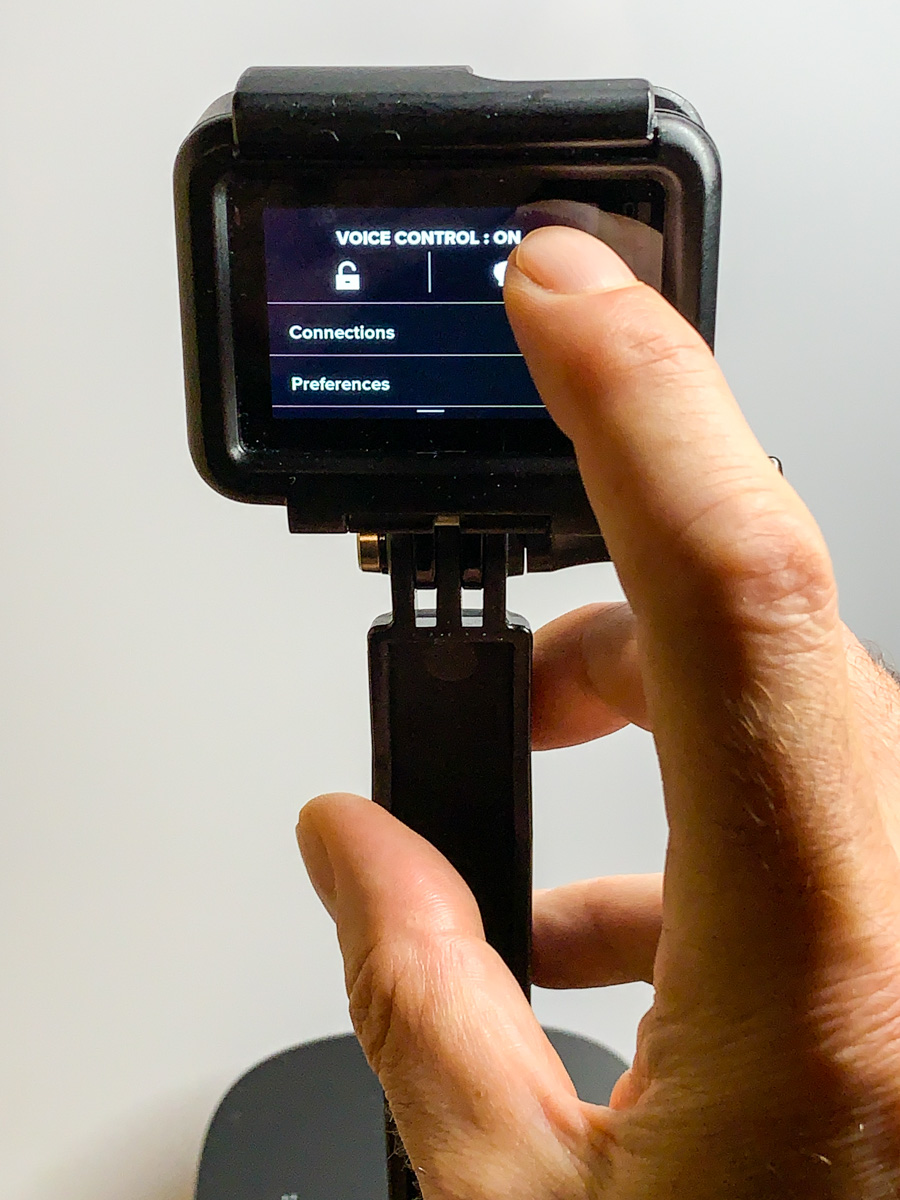
I put on my diagnostic lab coat to see if there might be a GoPro setting that was causing the problem. I first upgraded the GoPro’s operating system and then poked around the menu. I eventually came to the voice control option. It was set to ‘on.’

Hmmm….

Is your GoPro Simply Following Orders?
“GoPro, take a photo!”

That’s the fun phrase my eleven-year-old son and I love to blurt out when taking GoPro selfie shots during weekend hikes with friends.

Yes… my GoPro can be voice activated. And it has been reliably obedient for selfie shots during our weekend hiking adventures.

So why wouldn’t its audio parlor trick also be in play during its weekday duties? Of course my GoPro was listening to me during my Zoom meetings! I must have said something that resembled, “GoPro start recording,” or “GoPro shoot burst.”

After my big ‘aha,’ I simply deactivated my GoPro’s voice-control mode, and thankfully, my GoPro started behaving again.

Problem solved.

But my reestablished tech Zen was short lived.

What Did You Say?
Uncovering my mistake brought up a larger question. How much of my tech is always listening to me, and how often is it misinterpreting my words and reacting in ways that it shouldn’t?

My Alexa-enabled Sonos speaker in my home office occasionally interrupts me when I’m on the phone or doing a Zoom meeting, because it thinks it heard me summon it. I usually shrug it off and shake my head, both slightly amused and a tad irritated.

Even Siri on my Apple Watch has awkwardly tried to jump into my conversations.

User Error
I’m not exactly sure what to make of all this, except to accept that voice-activated tech can sometimes react in ways we don’t want. Its skills may be imperfect. But then again, so are humans. That combination can easily lead to unexpected and imperfect results.

As more components of our smart homes begin to possess voice control, it will become increasingly important not to forget what we’ve set up to listen to our lives. (And I’m not talking about the whole privacy question. We’ll leave that topic for another day.)

Sure, it’s cool to control your surroundings with your voice. That said, I hope you talk clearly and remember the right command phrases. It would be a shame if your future tech misinterprets your intent and ruins your day… or worse.

But don’t worry. It’s probably just ‘user error.’

Time for an upgrade?

My Favorite Photos from our Maine Vacation

I used a couple of guidelines to help me spot my favorite images during our road trip to Acadia National Park. And here’s the result…

What did my family and I do this year for a pandemic-influenced summer vacation? We drove to Maine, camped in Deer Isle and hiked in Acadia National Park. It was a spectacular experience.

Bringing the right tech to complement our camping gear was an important step to keep us on the grid. Here’s my checklist to make sure you bring enough portable power.

Of course I snapped a number of photos along the way. I was really struck by Maine’s rocky topography. (That created some really cool contrast in my shots.) And depending on the weather, Maine’s shoreline imagery vacillated between bright beauty and eerie fog.

We happened to spend a fair amount of time driving during low tide. And those moments revealed a damp, almost alien-like, brown and green rocky landscape… begging to be photographed.

Keep your Shots Wide

I quickly found that using a camera or a smartphone with a wide-angle lens is critical, especially if you like to take family selfies at the summit of a hike. That’s because you’ll want to capture enough of the environment around you in the shot to show where you are. (I used my GoPro for that.)

Tight shots can be great, but I feel this type of vacation photography is all about the wide. If you hope to capture a fraction of that feeling you get when you look around after you’ve climbed a thousand feet up, you’ll want to focus your camera wide. (And the same goes even if you’re walking on a beach.)

Let the Natural Beauty Tell the Story

So, here are some of my favorite shots from our trip to Acadia National Park and Deer Isle. I hope you like them!