At Home with Tech

Unlock the power of all your technology and learn how to master your photography, computers and smartphone.

Tag: iPhone 6 Plus camera

How to Battle Blurry Photos with a Fast Prime Lens

Why is everything crystal clear in this picture except for my son?  The problem is my young bowler is the only part of the image moving quickly!  A faster camera lens could have frozen this action shot.

Why is everything crystal clear in this picture except for my son? The problem is my young bowler is the only part of the image moving quickly! A faster camera lens could have frozen this action shot.

It’s hard to believe it, but my son is almost five years old, and I’ve probably taken at least 5,000 pictures of him so far. I think 4,598 of them have been blurry.
(I exaggerate only slightly.)

He just moves too darned fast. With the exception of his first year when he wasn’t that mobile, he has proven too swift for my inadequate photo arsenal to keep up.

So I know that anybody can take a decent picture outdoors with lots of light to support an average camera lens. But as any amateur photographer has probably realized, unwanted blur usually has to do with indoor or low-light situations. That’s the Achilles’ heel for many consumer-grade lenses, which are too slow to freeze all the action in their line of sight.

Sure, you can throw some flash on your subject, but that strategy has its own set of limitations. If you want to capture the beauty of a moment in natural light, you may not want to ruin it with an obnoxious flash.

Of course, the simple solution is to buy more expensive gear.
(Isn’t it always?)
But as you start to look at your options, it quickly becomes an expensive proposition. A good zoom lens can cost you $1,000 or more…

But we’re getting ahead of ourselves. You’ve got to start somewhere…

Begin the Journey to Snapping Sharper Photos
Five years ago, I bought my Canon DSLR knowing I needed more than a point and shoot camera to get the job done.
(It’s the EOS Rebel T1i, which has since been superseded by five newer versions. The Canon T6i has just been announced.)

I picked up two ‘kit’ lenses, which were packaged with the camera body as part of a holiday sale. One was an 18-55mm zoom. The other was a 55-250mm zoom.

I found the super zoom to be relatively useless in freezing action. I liked the basic zoom better. It enabled a significant jump in the general quality of my pictures over my Canon PowerShot Elphs, but it also had trouble in low light.

The reason was neither were high-end lenses. Specifically, they weren’t very ‘fast.’ The 18-55mm had a maximum aperture of f/3.5-5.6, while the 55-250mm was only an f/4-5.6.

To capture the action, you need a faster lens with a larger maximum aperture and lower ‘f’ number. Fast lenses let in more light, allowing you to use quicker shutter speeds to freeze any motion in front of you.

But of course, they cost a whole lot more than a couple hundred dollars.
(Which is what the kit lenses go for)

Discover Prime
Fast-forward two years…
I was struggling over how to proceed forward with my increasingly expensive hobby, when a friend, who was a professional photographer, suggested I buy a ‘prime’ lens. A prime is a lens with one fixed focal length, which means it doesn’t zoom.

The quality of these lenses is typically quite high. They’re fast, and their cost… by comparison with fast zoom lenses…is a steal.

So I decided to try out a prime as a cost-efficient next step on my journey to photographic enlightenment.

50mm Prime
I just had to figure out the focal length I wanted…
I was concerned about having enough reach without a zoom.
(I didn’t want my photo subjects to look like tiny dots…)

My friend suggested a 50mm lens as a good starter prime.
So I bought the Canon EF 50mm f/1.4 USM Lens.
(It’s currently $399 at B&H Photo. But if you wait for the next Canon rebate, you can knock off $50 or so…)

When I popped on the 50mm, I immediately saw the benefits of its speed.
However, I found its reach to be a bit too tight when trying snap a photo of my boy from only a few feet away.

With the ‘cropped’ sensor of my Canon Rebel, (and I assume all entry-level DSLR bodies) its framing was 1.6x tighter than what you’d see using the same lens on a more expensive full-frame DSLR body. As a result, I always found myself stepping back as far as I could to get the shot I wanted.

I became frustrated with the results, and eventually left my DSLR at home in favor of my less bulky pocket cameras. Then, my powerful iPhone 6 Plus showed up, which takes a pretty good picture all on its own.

It was like I had dropped out of Photography 101 and was just winging it again. But I knew I needed to get back on the digital horse and find another prime lens that wouldn’t make the world seem so crowded…

35mm Prime
So I’ve been doing more research and recently came to the conclusion that a 35mm prime should give me the extra ‘room’ I want…

For Canon DSLR owners, it’s the Canon EF 35mm f/2 IS USM.
Unfortunately, it’s a pricy prime that goes for $599.
(You can almost buy a brand new DSLR body for that price!)

I then came across a review from Ken Rockwell about the previous generation 35mm Canon lens.
(The Canon EF 35mm f/2)
He loved it, suggesting it was almost as good as the current version and half the price. Unfortunately, this older lens has been discontinued.
But he mentioned you can still find it for sale in the used camera market.

A new browser window later, I found one at B&H Photo for just $249.
(lucky)

How Solid is a Used Lens?
The question was whether I should gamble on a used lens? B&H rated this lens as a ‘9,’ which is two points shy of looking like new. So it’s not going to win a beauty contest. But the lens is still supposed to work, right?

One comforting factor that continued to lead me towards the uncharted waters of the ‘used market’ is the fact that B&H Photo offers a 90 day warrantee on its used photo equipment.

I figured the lens is either going to function properly out of the box or it won’t.

Click.

So that’s the end of this chapter in my quest to become a better photographer.
My new (used) 35mm lens comes in the mail next week…

In Search of a Faster Zoom Lens
But this is not the end of the story…
You can’t really live your life shooting only with primes.
(My son will be in the next county by the time I switch lenses.)

The question here is the proper lens upgrade path for any amateur photographer aspiring to be something more. I know the endgame is to have a few really great lenses. Every professional photographer I know talks proudly about his or her arsenal of ‘glass.’

But I’m not hoping to become the next Ansel Adams. I just want snap better pictures of Junior in action.

Sure, I know my camera body is due for an upgrade.
(Hello, T6i?)
But I also know that one day soon, I should also spend some serious dough on a fast zoom. I just need to feel confident about the choice.

Anyone have any suggestions…?
Why iPhone Slow-Motion Videos Need the iMovie App

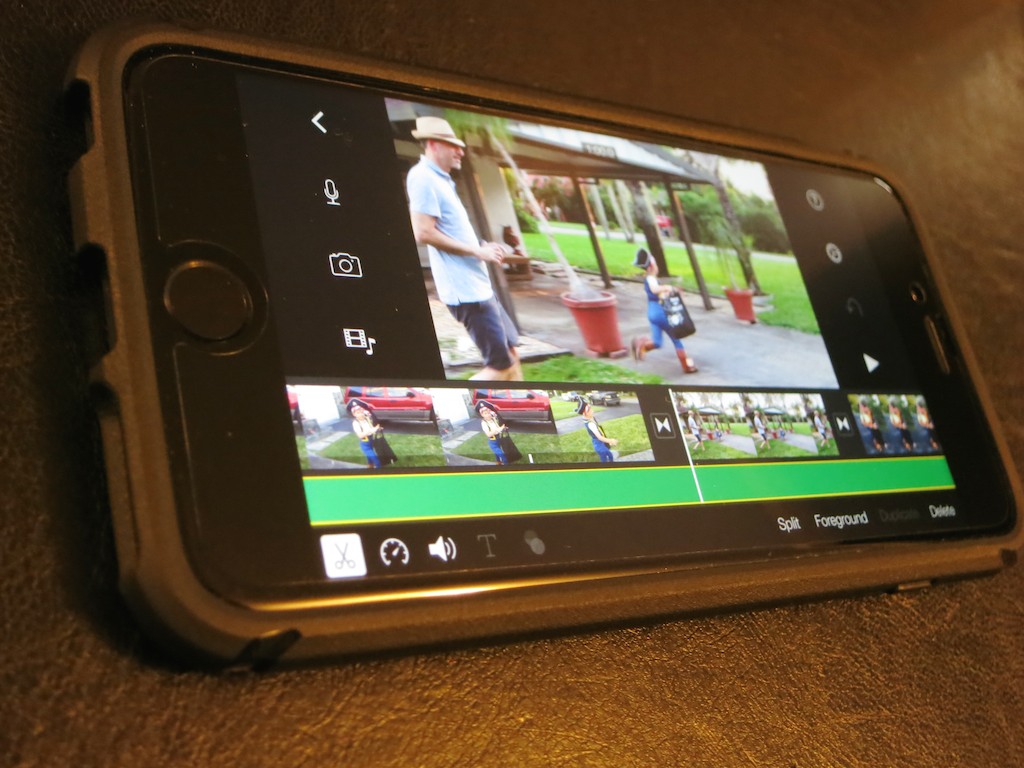
iMovie on your iPhone can lock in that selected area of slow motion you want to keep from that otherwise boring slo-mo clip you just shot.

iMovie on your iPhone can lock in that selected area of slow motion you want to keep from that otherwise boring slo-mo clip you just shot.

When iMovie came out as an app, I scoffed at what I believed was a preposterous idea that complicated video editing software could successfully be shrunk into an iPhone. I come from a world of multi-core, decked-out computer monsters that often ‘render’ their imagery overnight to crank out their completed videos on deadline.

I viewed the iMove app as little more than a toy.

Then, Apple gave it to me for free as part of my new iPhone 6 Plus purchase.

So I had it.
But I would not open it.

Then, I discovered the wonders of my iPhone’s slow motion video capture capabilities.

And I was especially taken with my iPhone’s ability to isolate a particular portion of a slo-mo clip and then only play that part back in slow motion.
(The rest runs normally.)

Some may consider this little more than a parlor trick, but I really like it…

Now, you can utilize slow motion only when a particular moment needs it.
(Because a long and boring slow motion clip is pretty painful to endure!)

How to Lock In Selected Slo-Mo
But there was a problem…
I couldn’t export the clip to my iMac and retain the selected slow motion.
Yes, my computer accepted the clip recorded at 240 frames per second.
Yes, QuickTime offered me the choice to play the clip either at normal speed or in slow motion on my Mac.
But the ‘selected slo-mo’ clip I had created in my iPhone had vanished.
That metadata didn’t make it through the transfer…

Sure, I could recreate the effect on my computer with editing software, but that’s doing the work all over again!

The question was how to lock in all that work before doing the export…

iMovie is Cooler Than You Think
So I looked again at the iMovie app on my iPhone.
(I think it winked at me…)

I opened it up…did a quick tour…and imported the clip in question.
Yep, it played back just the way I liked it…

Cool.

Then I realized I could simply export the clip out of iMovie in its native resolution to lock in the selected slow-motion moment.
You can save it right back to your Camera Roll or to iTunes. AirDrop is another option…

Using iMovie in this way is indeed an extra step…. But it’s not that arduous.
And it solved my dilemma!

Then, did I lightly touch ‘export’ and chalk up another minor victory for humans co-existing with their tech?

Not quite yet…

Taking iMovie Out for a Halloween Test Drive
I decided to continue my journey down the tech rabbit hole…

The clip in question was one of three I had recorded of my son having fun on Halloween night as a pirate. All three had been shot in slow motion…more as part of an experiment than anything else.

I performed some selected slow-motion tweaks on the other two clips, then brought them into iMovie as well. I quickly drizzled some dissolves between the clips, imported a Halloween night photo for the top of the video and blended in a Ken Burns’ zoom/pan.
Then I typed in an opening title, selected a pre-existing iMovie ditty for a background music track, and faded the ending to black.

Huh.

It was twenty minutes later.
(much of that was looking at the app for the first time)

…And I had easily created this cool little video.

The Evolution of Video Editing
So I am happy to report you can teach an old dog new tricks.

No, I’m not going to forget about using uber-powerful Mac Pros in favor of the iMovie app on your iPhone.
But indeed, I finally recognize there’s a lot you can do on the fly editing short videos on your iPhone or iPad.
(And another reason I’m happy I supersized it to the iPhone 6 Plus.)

If I’m not the last human on earth to have this epiphany… you should know you’re carrying a legitimate video editing station in your pocket right now.
(And it also makes phone calls.)

Unbelievable…

My Canon Elph is Angry at My iPhone 6 Plus

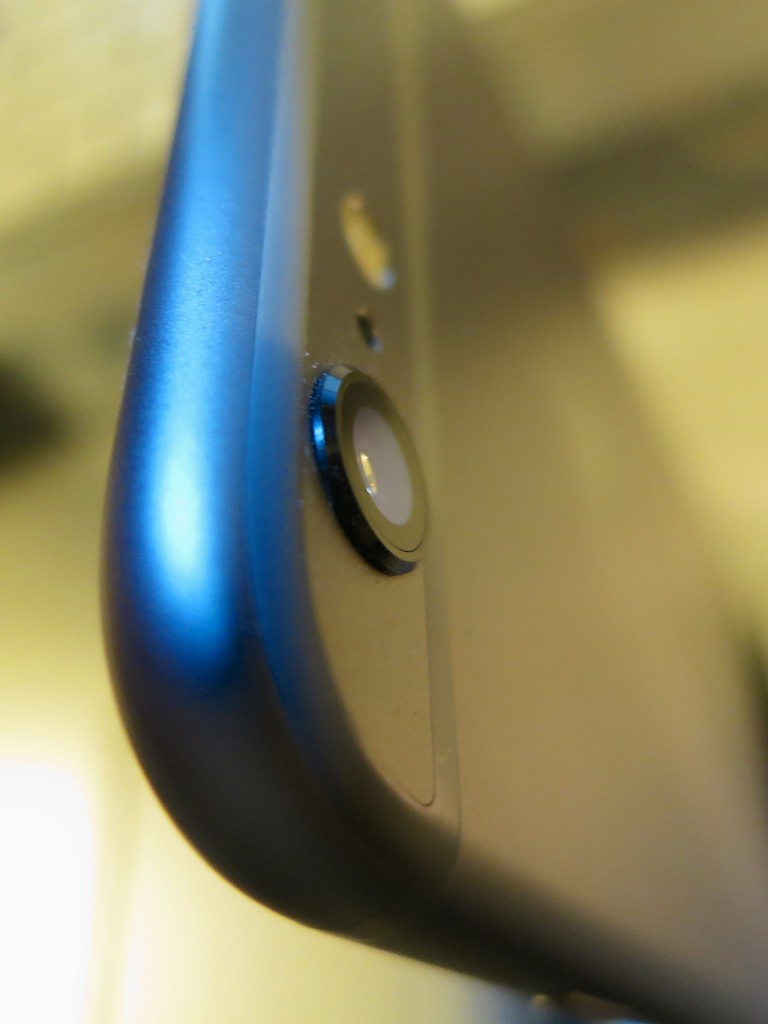
Is this a camera on the new iPhone or a phone on a new camera? The answer: Yes.  This ‘good enough’ camera lens attached the new iPhone 6 Plus is going to be a compact-camera killer.

Is this a camera on the new iPhone or a phone on a new camera? The answer: Yes. This ‘good enough’ camera lens attached the new iPhone 6 Plus is going to be a compact-camera killer.

I went on a short business trip to San Francisco last week and decided to leave my little Canon PowerShot Elph camera at home. I figured the few shots I might take could be handled by the tiny camera baked into my new iPhone 6 Plus.

After years of my total support for using ‘real’ cameras instead of phones to handle point and shoot needs… now, you might ask why I’m favoring a more limited smartphone camera over your typical PowerShot, which boasts a more powerful lens and sensor.

You could be muttering “sacrilege!” under your breath.
Or perhaps you’re saying, “It’s about time he figured this out.”

Either way, I was finally facing the same decision tree that millions have been considering since smartphones started sporting cameras.

Time to Break Up with My Canon Elph?
Up until now, I’ve remained completely loyal to the fact that better cameras take better pictures. And as it’s often hard enough to take a decent photo with the best of gear, why stack the odds against you with a more limited camera system.

You’ve got to admit, smartphone photography can’t possibly be as good as the real deal.

But it’s been getting better…

And remember, I held onto my iPhone 4S throughout the 5 and 5S years. So I didn’t experience the photo shooting improvements in those iPhones.

Fast forward to today…

This Smartphone’s Camera is Good Enough…
Guess what…?
The photos I shot in California with my iPhone 6 Plus looked pretty darn good.
Sure, its camera isn’t perfect…

  • No, the iPhone’s LED flash isn’t that powerful to give you enough fill to combat strong back light.
  • No, you still can’t zoom in without cropping out pixels.
  • No, you can’t easily play with depth of field. (not that I’ve figured out yet)
  • No, it’s not as sharp in low-light situations.

But under relatively non-challenging, photo-taking conditions… it does the job just fine!

Lots of Baked-In Tricks
Plus…

  • It can shoot time-lapse movies.
  • It records movies in slow motion at 240 frames per second.
    (None of my Canon cameras can do that!)
  • And I’ve really started to enjoy taking panorama photos.
    (which I know has been available for a while via iOS upgrades)
  • It has optical image stabilization.

And I can do basic photo editing/cropping right in the iPhone and then email or text the photo out. Again, this is not a new functionality… but it’s more useful now, because the photos are starting from a better place… I don’t have to do as much voodoo in Aperture to get these pictures ready for prime time.

Simply pointed out of my descending plane’s window, the camera on my iPhone 6 Plus was able to capture this cool nighttime moment over Manhattan as we broke through the clouds.

Simply pointed out of my descending plane’s window, the camera on my iPhone 6 Plus was able to capture this cool nighttime moment over Manhattan as we broke through the clouds.


You’ve Always Got a Camera in Your Pocket

Still better in so many ways, compact point and shoot cameras are downright boring by comparison.

No… I’m not throwing away my Canon collection anytime soon, but it seems clear to me that the more advanced camera on my iPhone 6 Plus can easily serve as a back up camera when I find myself unexpectedly needing one.

And to be honest, it can really start to take on some of my official photo taking needs when I’m just going for a few casual shots.

Time to Write the Obit?
Does my revelation (however late in the game) confirm a problem for Canon or Nikon… and other camera makers in the compact point and shoot market?
(DSLRs are still clearly superior.)

As it turns out, it does.
Last year, there was a 45% drop in compact camera shipments.
Whoah!! That suggests a huge problem.

Will compact digital cameras go the way of the deceased Flip camcorder and follow the trend of ‘good enough’ beats the need to carry around a second device?

How many of you have already abandoned your old digital cameras in favor of the space-saving, one-device solution for your pocket?

Evolve or Else!
It’s a grim picture for point and shoot cameras and for the few who still want to use them. But look on the bright side…

Now, you can refocus your available dollars on purchasing that more expensive DSLR or lens you’ve been coveting…

Hello, Canon 7D Mark II!