
Six Boring Tech Gifts They’ll Love Getting

This could very possibly be the worst list of gift ideas you’ll ever read. But I believe these five ugly ducklings will bring a smile to anyone’s face.
While everyone looks for the latest and greatest tech gifts to buy, I’m thinking you should take a few moments and consider the opposite side of that equation.
Don’t give your friends and loved ones what they want.
Get them what they really need… even if they don’t know it!
And sometimes, it might be a duplicate of what they’ve already got!
But get this… they’ll still thank you for it!
Worried that your gifts are boring?
I say stop worrying!
These could be the six-best uninspired tech gifts you’ll ever give…
#1
Smartphone Wall Charger
How many times a week does someone run up to you in a panic and ask if you’ve got a smartphone charger to use for a few minutes?
Exactly.
I’m not sure what that says about our high-tech society, but apparently much of our tech-enabled planet is always about eleven minutes away from running out of juice…
I’m sure most of your friends would be very pleased to have an extra smartphone wall charger to leave at work.
(So their device doesn’t have to take a mid-afternoon siesta)
Anker can sweeten the deal with a 2-port USB wall charger…

- The Anker PowerPort 2 – $11.99 on Amazon
(Not a bad price, considering the iPhone USB Power Adapter goes for $19.00)
#2
Portable Power
Or perhaps consider a portable battery charger to get for that someone special.
They can carry it around whenever their mobile tech needs a little pick me up.
(I know… how romantic)

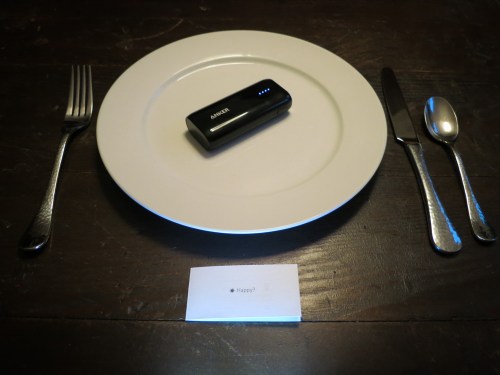
- Recently I bought the Anker Astro E1 5200mAh charger for my father.
It’s $15.99 on Amazon. - I also recommend a short AmazonBasics Apple-certified Lightning to USB cable to connect the Astro E1 to your smartphone. (The Anker doesn’t come with one.)
That’s $5.99 on Amazon.
#3
Extra Memory for Your Camera
How about a spare SD card for a camera?
(Don’t you always need one of these at exactly the wrong time?)

- I just picked up an extra SanDisk Extreme 32GB SDHC UHS-1 Card.
$10.62 on Amazon
When Martians land in your backyard, your family should be ready to capture the moment!
#4
Portable Storage
Some people can never have enough shoes.
Others like to collect memorabilia.
I prefer lots of storage opportunities for my media. Remember, if a digital photo file or home video doesn’t live in at least two or three separate devices/locations, it essentially doesn’t exist.
(I know… that’s deep Tech-Zen to consider)
So I say there’s always a use for another portable drive.

- G-Technology makes some awesome drives.
I recommend the G-Technology 4TB G-Drive Mobile USB-C – $129.95.
Sure, that may seem a little pricey spending almost $200 on a portable drive.
But wait a minute…
That’s less than two Franklins for three whopping terabytes!
After that, I think you’re done.
It’s a no brainer when it comes to having enough storage in one device.
#5
Rechargeable Electric Toothbrush
I recently had to retire my old Oral-B electric toothbrush, because its non-replaceable battery couldn’t hold a charge anymore.
When I reviewed the newer Oral-B options online, I was overwhelmed with all of the choices. After a little research, I focused on these two models:
- Oral-B Pro 3000
$68.44 on Amazon - Oral-B Pro 5000
$75.00 on Amazon
The reviews I read zeroed in on the ‘3000’ model as offering the best Oral-B brushing experience without all of the frills and cost of higher-end models.
That said, the ‘5000’ model is actually about the same price on Amazon.
(It was originally more expensive…)
And it’s got a longer-lasting battery and a battery indicator that gives you a better sense how much energy is left…
(Note… I’m not specifically interested in its Bluetooth functionality that can connect to an app on your smartphone… I just want to brush my teeth… not make it a big fitness-tracking project!)
So I bought the Oral-B Pro 5000, and it’s been great.

Yeah, I know it’s just a toothbrush… and who would ever think of buying someone a electric toothbrush as a present?
Just offering ideas.
Trying to be helpful.
Let’s move on…
#6
Seltzer Maker
I have a confession to make…
I am officially overwhelmed by all of the empty seltzer bottles and cans at home. My family just loves seltzer!
(Especially our six-year-old son)
The by-product of all of this consumption is all of the recycling of plastic bottles and metal cans. And that requires ongoing trips to the supermarket to visit the picky recycling machines… Which may… or may not… accept your offerings.
(Sometimes you’ve got the wrong ‘brands.’ Other times, the labels are damaged beyond recognition. Occasionally, the machines just say “NO”… for no good reason.)
I say it’s time to stop the madness and just make your own seltzer.
(No more seltzer can/bottle-recycling hassle… Plus it’s good for the environment. And it’s cheaper in the long run.)
When I checked out SodaStream, there were seemingly a zillion models to choose from.
(I hate that.)
But the SodaStream ‘Fizzi’ appears to be the go-to model. It’s sold with a CO2 carbonator, which you can replace with a new one when it runs out of gas. And it comes with a reusable BPA-free plastic bottle…

- SodaStream Fizzi Kit
$93.07 on Amazon
Make someone happy with some bubbly water.
There are worse things you could do!
The Secret to Good Gift Giving
Whether you’ve got twenty bucks to spend or two hundred, there’s a boring tech gift you can give that shows how much you care.
It’s not about the razzle-dazzle.
It’s about supporting the day-to-day.
‘Cause a lot of life is about getting through the day… hopefully with a little smile on your face.
And tech is supposed to make that a little easier.
If you can support that simple equation, however uninspired, you’re going to be a rock star.

 At Home with Tech