At Home with Tech

Unlock the power of all your technology and learn how to master your photography, computers and smartphone.

Tag: iPhone

How to Find iTunes Extras on Your iPhone

If you can satisfy three conditions, you just might find a surprise in your Videos folder the next time you click on an iTunes movie.

If you can satisfy three conditions, you just might find a surprise in your Videos folder the next time you click on an iTunes movie.

So while perusing my new iPhone 6 Plus, I stumbled onto what I thought was a rip in the fabric of the space/time continuum…

I took a look in my movies folder and randomly clicked on “Star Trek into Darkness.”  I had loaded the iTunes movie file months ago after purchasing the Blu-ray Disc, which came with the free digital download.

For me, that was the sweet spot… to have mobile access to the flick and also own all the Blu-ray extras.

I casually waited for my screen to load, half expecting something to look a little different in iOS 8. And guess what, something very different appeared.

It was an entirely unfamiliar interface, complete with a menu and extra content selections. What was this strange new experience I had encountered?
It was as if I were peering into an iPhone from an alternate universe.

In fact, iTunes Extras had loaded onto my iPhone.
I spotted the deleted scenes…!
I saw the long list of unwatched documentaries….

All this new content had magically appeared on my iPhone…
How was this all possible?!

I looked up and around me as if I were guilty of some crime.
This must be what it feels like to win the lottery.
(a little)

I cautiously slipped the iPhone back in my pocket and continued on with my afternoon…

Easy Come, Easy Go…
The next day, while on my train ride to work, I decided to explore all that new content I had found.

I eagerly clicked on the movie icon…
But this time, iTunes Extra wasn’t there. None of it. The extras had vanished.
Just the movie remained…

Khan!!!!

For a moment, I questioned my own reality. Which viewing experience was the real one?

The Recipe to Watch iTunes Extras on Your iPhone
That night, I went home to crack the mystery.
And the answer comes in the form of a recipe…

You need the following ingredients to serve up iTunes Extra content onto your iPhone or iPad:

And that points to the fact you need to stream iTunes Extras.

So the missing piece while I was on the train was Wi-Fi.
Trying to stream iTunes Extras on a cellular network won’t work.

Holding Onto the Extras
So yes, Apple has given you this little gift, assuming you’ve purchased your content in HD.
But you can only look. You don’t own the files.

In this situation, though, the limitation was not debilitating.
And I can still have my digital cake and eat it too…
Remember, I also own the Blu-ray Disc!

And considering the iTunes file came as a free digital download to begin with, in this particular space and time… I’m feeling like one happy customer!

Thank you, iTunes…
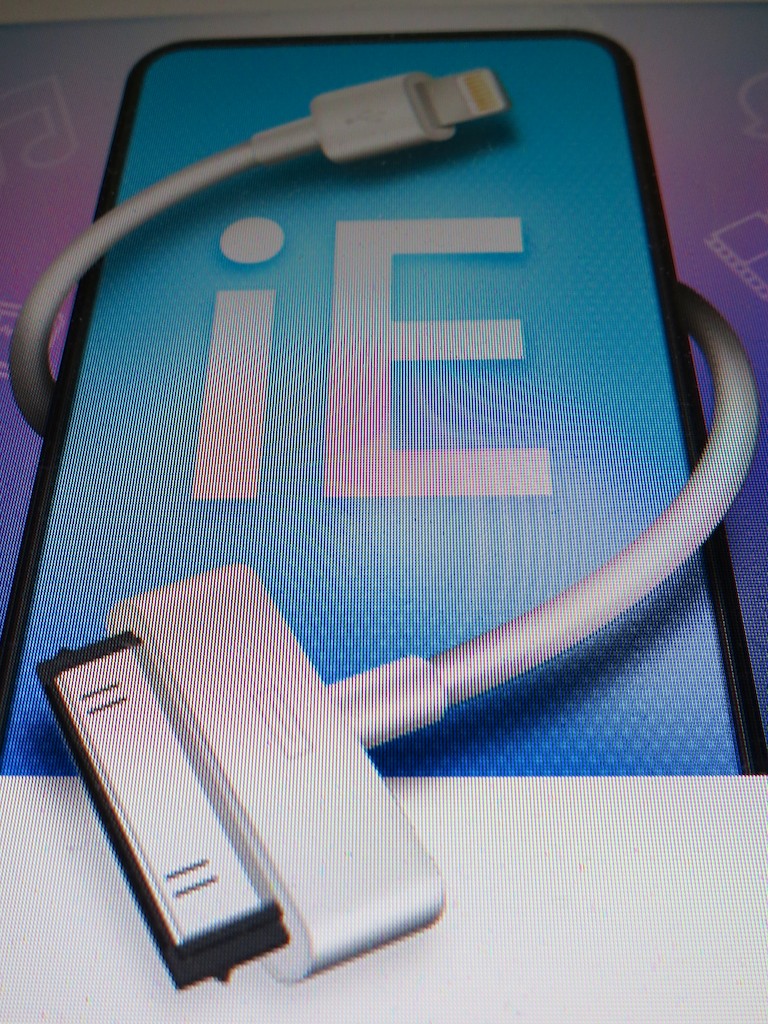
Saving the Sounds of Your Precious Voicemails

Are you tired of staring at your iPhone’s visual voicemails and wondering how to easily rescue them for your family history archiving needs?  You can MacGyver them out, but iExplorer has a better solution for you!

Are you tired of staring at your iPhone’s visual voicemails and wondering how to easily rescue them for your family history archiving needs? You can MacGyver them out, but iExplorer has a better solution for you!

My wife recently received her iPhone 6 Plus from UPS with great joy…
I bought it online a few hours after my 3am adventure to be among the first to preorder one.

So as a result, her Plus arrived a couple weeks after mine did.
(Actually, a few days earlier than Apple promised)

But this second Lester Plus was purchased in a much more civilized manner…
(No lengthy 3am digital dance during the first hours the new iPhone was ‘available.’)  It was just another calm 6:30am online transaction. Apple’s website was fully functioning by then, and I even had my cup of Joe within arm’s reach.

It was a snap and easily worth the extra wait for my wife’s iPhone to show up…
(I just didn’t want to chase stock availability and long lines for the next few months.)

Your Phone is a Time Machine
But before we activated my our second Plus, of course there were a few digital house-cleaning matters to attend to…

  • We eliminated the apps she wasn’t using any more on her old iPhone 4
  • Then deleted old voice mails, audio files and any mediocre photos
  • And did a full backup of her old iPhone’s data via iTunes
    (We’d use that backup to inject into her Plus.)

While going through some of the older media, we came across a few audio files that we definitely wanted to hold onto.
They were the sounds of our son my wife recorded when he was just a baby!
(carried over from her original iPhone 3GS)

Other precious moments to save were more recent voicemails from our now four-year-old ‘little man.’

And though the switchover to a new smartphone is supposed to be seamless, you really don’t want to play around with your priceless digital memories.
Especially around Halloween, you never know what horrors will appear
(or disappear)…

So I decided I’d better export those particular audio files before initiating the iPhone upgrade.

The Easy Way or The Hard Way?
Backing up the audio recordings was easy. They sync natively to iTunes.
But the voicemails were a different story. There’s no obvious way to save voicemails out of an iPhone’s visual voicemail ecosystem.

I’ve looked at this problem before and analyzed
three different ways to rescue iPhone voicemails.

During my initial research, I touched on third-party software to crack the voicemail code, but didn’t fully focus my attentions there, because I felt you shouldn’t have to pay someone else to release your own voicemails.

And the two do-it-yourself solutions suffered from the major problem of being really slow.

Now, as a father and a busy guy overall, I think I finally acknowledge that a faster solution is worth a few bucks.

iExplorer to the Rescue
So after a little more Googling, I took a closer look at iExplorer, a robust utility that allows you to easily export your files and media from your iPhone or iPad.
And yes, it also gives you easy access to those important voicemails and text messages you want to save…

So I proceeded to pony up $35 and downloaded the desktop software.

I plugged in my wife’s old iPhone…
Bam!
There were the voicemails we wanted.
Click.
Now, they’re in a new folder on my computer!
Click.
Next, I initiated a Time Machine backup.

And our precious voicemail files were speedily saved and backed up.
That was easy…

Now, to the task of activating my wife’s iPhone 6 Plus…!

Only Now, at the End, Do You Understand…
So is thirty-five bucks too much to shell out for a computer functionality you think should be free?

Yes, it’s a pretty penny, especially when you’re used to dropping only 99 cents on a new app.

But how much did you just spend on that new iPhone?
And look at all that time iExplorer just saved you.
And isn’t the price of dinner worth ensuring the safety of these priceless digital additions to your family history archive?

As my dad likes to say,
(which his father told him)
“You don’t get old for nothing!”

Thirty-five clams?
I’d pay twice as much…!

Ode to iPhone 6 Plus

I opened up the box cradling my preordered iPhone 6 Plus, turned it on and then activated the giant monster.  Finally, I put it in my front pocket (barely) and decided… It’s time to write some poetry!

I opened up the box cradling my preordered iPhone 6 Plus, turned it on and then activated the giant monster. Finally, I put it in my front pocket (barely) and decided… It’s time to write some poetry!

First, there was my sad Ode to iPhone 5.
Then came the mournful Ode to the End of BlackBerry.
And now, in what has become my annual contribution to tech poetry,
(…is there such a thing?)
I present my next ‘poem.’
(and it’s a bit more upbeat…)

Plus

You are so large
Your face so bright
I can’t believe
My very sight

I’ve been waiting
For oh, so long
My old 4S
Its sheen long gone

Starting from China
I’ve tracked your journey
Alaska to the east coast
The plane flies in a hurry

I have chosen you
I own a phablet
You’re kind of awkward
But you’re no bandit

Will you really bend?
I imagine you can
But why would I think
You’re as tough as batman?

You are not perfect
I do understand
What tech is so strong
Life’s force to withstand?

iOS 8 glitches
I should expect a few
Just wait a couple weeks
Updates will make you new

Once just a phone
For my mobile convenience
Now I carry
The power of near sentience

A gadget from Star Trek
Can help you feel clever
But there is no ‘Corbomite’ here
No Guardian of Forever

Still, I will protect you
You are my only friend*
Your screen displays my world
Oh, you can never end!**

For a moment in life
I’m cutting edge and cool
It’s only good timing***
Because I sometimes drool****

So is my Plus a must?
It really does dazzle
I am now so pumped up
Thanks to mighty Apple

*I needed the extra two beats. I’ve got a couple of friends.
** Feel free, as long as AppleCare is fully in force.
***Yes, I was the first geek to bring it to the staff meeting last week.
****Another rhyming requirement. Okay… I may drool a wee bit in my sleep.