At Home with Tech

Unlock the power of all your technology and learn how to master your photography, computers and smartphone.

Tag: vacation

More Vacation with Less Tech
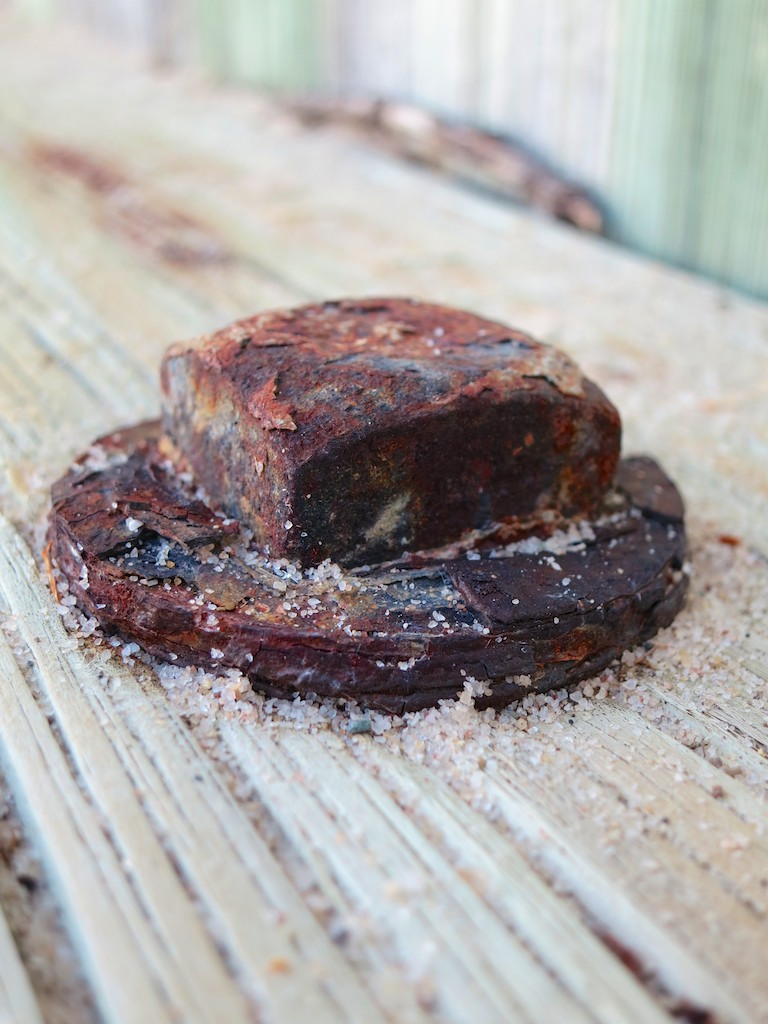
For once, the rusted nut I found wasn't the one in my head. Although my noggin did slide into vacation mode about six hours earlier than I would have preferred...

For once, the rusted nut I found wasn’t the one in my head. Although my noggin did slide into vacation mode about six hours earlier than I would have preferred…

I’m just back from a ‘relaxing’ family beach vacation at a cottage in the North Fork of Long Island… And let me just quickly admit that along with my favorite pair of flip-flops, I accidentally left most of my tech smarts at home.
(It doesn’t help when you pack your tech at the last minute, and you’ve got a ferry to catch!)

Not to pass the buck, but some bad Tech Karma also played a role in what was to come next…

Movie Night Cancelled
I brought along our brand new Apple Lightning Digital AV Adapter to conveniently stream videos from my iPhone onto the cottage’s resident HDTV. But it ended up being an older TV without an HDMI output. So my plan to project videos onto a big screen for a larger crowd was foiled…

No Rocking the House
Then, I realized I had forgotten to bring my portable Bluetooth speaker (Logitech UE Mobile Boombox) to stream Pandora tunes off of my iPhone.
(D’oh!)

That said, the house did have one of those formerly-cool clock radios with an iPhone dock, but again, it was an older model with the old 30-pin connector…not the current Lightning connection my iPhone 6 Plus uses.
(Foiled again!)

Dangerous Beach Exposure
I also forgot to bring my son’s cheap, but waterproof ‘family’ COOLPIX S32 Nikon camera to use on the beach.
(When a typical pocket camera with a motor-driven zoom lens gets exposed to a sandy environment, it can get destroyed by a single grain of sand jamming into the wrong spot.)

Instead, I threw caution to the wind and brought along my aging Canon S100 advanced point and shoot.
(On the upside, it survived and took much better pics than the tough but mediocre Nikon ever could.)

I should also admit my iPhone 6 Plus satisfactorily handled its share of beach-time photo taking… The camera functionality was amazingly zippy, which was useful when my five year old brought over the latest hermit crab he just caught!
(But I was careful not to go too close to the water with my iPhone… An accidental drop in the drink would have really ruined the day!)

Home Alone
Even though my limited vacation brain and a touch of bad luck sidelined a bit of fun, all of my smart-home gear thankfully remained fully on duty. Back at the homestead, this tech did a stellar job keeping me informed that our home was indeed comfortable without any resident humans.

Nest Thermostat Keeps Its Cool
I’m always conflicted about whether to leave the windows open or closed before leaving on a late August vacation. Warm days and cool nights can be a perfect combination for a few open windows to successfully ventilate your house. But if a thunderstorm rolls through, those open windows will welcome in some damaging moisture you’re not around to wipe up…

And if you decide to batten down the hatches, you have to choose between letting your house get all hot and humid without air conditioning or running your AC and feel like you’re throwing money out the (closed) window…

Unless…

With my smart Nest Learning Thermostat, I was able to monitor my house’s internal temperature on my iPhone and remotely turn on the AC at night for a couple of hours if I felt my home needed it.
Sure, any programmable ‘dumb’ thermostat can handle that directive, but I’ve got to admit that having the flexibility to manually control the AC from the Nest app on my iPhone felt amazing.

Nest Connect Glows Green
My Nest app also showed me the happy ‘green circle’ status of my Nest Connect smoke detector. So I was pretty sure my house wasn’t burning down in my absence…

Foscam Camera Keeps Track
And while we’re talking about managing a few ‘irrational’ fears while vacationing…
Remember that Foscam Wi-Fi BabyCam I installed when my now kindergarten-bound boy was just a wee lad in his crib? Well, I’ve given my Foscam a new mission…

Now, the BabyCam just serves as a resident pair of digital eyes (well, just one) when nobody’s home. The FoscamPro app on my iPhone allows me to quickly take a look about whenever I want.

No, I couldn’t see throughout the entire house while simultaneously viewing the beach sunsets.
(I could if I had multiple Foscam cameras set up.)
But it’s still another data point that my house was remaining healthy all by itself.

Vacation Scoop
So I’m pleased to report my house had a wonderful vacation.
And as for me…?

I’m writing this final paragraph on my last full day away…

  • The sun is rising as I look out over the magical inlet in front of me.
  • The warmth of the sun joins the crisp morning beach air.
  • I’ve got my cup of Joe.

Perfection.
(I have found my Vacation Zen.)

Cup of Beach Joe


And I’m happy to admit there was absolutely no technology connected to the moment above.
…Except for the little detail that I was tapping away on my iPhone…
(D’oh!)

It’s good to know that you can be at home without tech.
(Almost…)
Five Tips to Rescue your Best Summer Family Photos

Your family vacation is over. Now, you’ve got hundreds of photos to organize after you track in sand to your bedroom. Still feeling relaxed? Don’t burst your vacation bubble. It’s time to rescue your best photo memories!

Remember the Star Trek episode titled “The Trouble with Tribbles” where those cute furballs kept replicating like rabbits? Everyone loved them, but those darn tribbles quickly clogged up the Enterprise. At the end of the episode, the tribbles find their way into a poisoned storage bin of quadrotriticale (grain) destined for a hungry human colony. All the tribbles have a big feast and then get a huge stomach ache. (A lot of them actually starve surrounded by all that food, but I guess the AHA wasn’t on the set that day.)

What does this have to do with your digital photo collection from your summer fun?

Here’s today’s cautionary warning:
You too can starve with a computer full of amazing family photos.

The Quadrotriticale Paradox
We all want to share our best vacation moments with family and friends. But I’ve discovered an ironic phenomenon, which I’ll coin the
“Quadrotriticale Paradox.”

It suggests the more vacation pictures you bring home that clog up your computer, the smaller the chance you’ll actually share your best photos.
There is a clear inverse probability.

I just got back from a weeklong family beach vacation.
And I’ve been known to snap a photo or two. This time, it was more like 522.
We shared a beach house with another family. And they had their own ‘photoholic’ who took really great pictures. At the end of the trip, we swapped our respective photos through Dropbox.

Now, I was blessed with 692 photos!
That’s a whole lot of tribbles to manage, even for me.

Where do you start?
Well, many folks just upload their snapshots someplace where people can take a look.

I often watch with envy as some of my friends regularly share their photos on Facebook and other social platforms.
But, honestly, some of the photos seem a little half-baked. Not quite ready for prime time.

But who really cares?!
They’re not submitting their photos to an amateur photo competition.
My friends are successfully sharing their lives in the moment.
That’s the only point, and they’re getting the job done!

But if you’re a photoholic like me, you can’t do that.
Nobody wants to look at hundreds of your vacation photos (especially my dad).

And what about your best photos… your little magic gems?
You know, the ones where people say, “Wow, how did you get that?!”

The Curse of the DSLR
Capturing magic shots of your toddler requires the fine art of snapping away and waiting to get lucky. This is especially true using a DSLR. But you’re inevitably creating an excess of mediocre shots in search of the perfect photo.

So maybe you get fifty gems (not a bad catch).
But they’re all buried under hundreds of inferior versions.

Now what?

Tip #1 – You Must Sift through all your Photos to Find the Gems

There’s No Magic Bullet
You have to go through each photo to choose the best ones. Sorry.
I use a numbering system. 1 through 5.
Both iPhoto and Apple’s Aperture allow you to do this.

Here are my rating rules-

1- Total failure. Give it an immediate appointment with the trash bin.
2- Really bad photo. Trash it unless it’s the only shot of something special.
3- Just okay. Decide whether to trash it another time.
4- Good photo, but there’s a better version of it.
5- The better version or simply a great picture.

Once I’m done with this evaluation, I adjust the photo album to display in an ascending order based on the ratings I’ve just assigned the pictures.

Then, I review the 2’s again just to make sure I wasn’t too harsh before I delete them. Sometimes a few of them get a reprieve and get bumped up to a 3.

Then I move the 1’s and 2’s into the trash, and DELETE!
Your worst photos are now gone forever.
Now it’s time to focus on the pictures you want to show off.
And those are your 5’s.

Tip #2 – You Can’t Share Your Photos if You Lose Them

Preparing for the End of the Mayan Calendar
I occasionally take the 5’s and put them in a folder called “Best of 2012.” That folder is what I use for my end of year photo books as well as my “end of world” photo back-up strategy.

Sure, I’ve got Time Machine on an external Lacie hard drive for my iMac. But when you’re on vacation, does anyone else have nightmares about coming home to some disaster?

So to start my vacation with peace of mind on the photo archiving front, I do a second back up of all the 5’s to another portable hard drive, which I then pop into a small SentrySafe firebox.

I’m not sure if that will protect against an invasion of angry mutant tribbles.
But I always sleep a little sounder my first night away on vacation.
Don’t judge.

Tip #3 – Share Your Photos Quickly

Your Family Photos have an Expiration Date
I’ve learned a painful lesson capturing photos of my toddler over the past two years. Children grow up fast. No one is interested in last month’s photo. They want to see what he did yesterday!

Case in point…

On the Monday after I returned from vacation, I hadn’t yet had time to take the hour needed to do the prep I describe above.
All I could do was quickly choose three pictures that jumped out and print them to show off at the office. (Colleagues want to see!) I figured a few hard copies should cover it. I also downloaded the complete mass (mess) to my iPhone as part of my normal data syncing process.

So I almost got through the day…
But before I headed home, I went to get a haircut.
(I had gotten a little shaggy over vacation.)

As soon as I mentioned the beach trip to my hair stylist, she immediately demanded to see pictures. I warily pulled out my iPhone and flipped to the middle of the 692 where I knew there were a few good shots back to back. I thumbed through them and swiftly made my move to put my iPhone away, hoping I had satisfied her.

Not quite.

Instead, she took the phone out of my hand and kept flipping through what seemed like hundreds of number 3 photos. I was mortified.
These photos weren’t supposed to be seen! They were 3’s!!
Holy frak… that one was a 2!! Stop!!!
Time crawled to a halt.

Finally, she had her fill, and handed back my phone.
She was beaming. “You have such a beautiful family,” she said.
And my haircut continued. Perhaps I had overreacted.

But I decided I wasn’t going to get cornered unprepared again.

Tip #4 – Perfection of Process is Overrated

Throw Out the Handbook
Sometimes, when time is working against you, you’ve got to just get it done.
That means forget about Tip #1.

So that night, still without the requisite hour to whip my photos into shape, I quickly browsed again, found ten more photos, threw them into a folder, and synced them to my iPhone with the original three I had printed out.

The next day, I got pressed twice to give up the goods, but now I was ready. Having the hastily prepped photos ready to display on my iPhone was all it took to satisfy my paparazzi.

The lucky thirteen weren’t necessarily the best of my 692.
But in the moment, they did the job.

I suddenly feel the urge to offer a relevant quote from a movie-
“Fate rarely calls upon us at a moment of our choosing.”
(Transformers: Revenge of the Fallen)

You’re welcome.

I know I’m not saving the universe here, but in my little world…
Mission accomplished!

Tip #5 – Finish the Job and Tame the Beast

Show off your Photo Bling
After the firestorm of immediacy subsides, you may return to your regularly scheduled programming.
(And don’t forget to quickly share the baker’s dozen online or via email.)

So you’ve got your all your 5’s.
Time to buff out the gems to perfection. (color balance, brightness, crop, etc.)
This will take some time. But it’s worth it, because these are the pictures you’ll print and distribute, and use to create your photo books.

Remember, don’t wait too long to share or suffer the consequences of an indifferent audience.

The other downside to delaying this part of your photo organization is you’ll eventually develop such a backlog of pictures you’ll never catch up.
You’re always taking new shots, and the wild of your disorganized photo jungle will continue its creep!

Over the course of time, you’re easily managing many thousands of pictures.
It’s a beast that needs to be kept under control.

Or else.

Now go tame your jungle and hunt down your best summer pictures!

And if you come across a wild tribble or discover a way to stretch the fabric of time, please let me know!

GPS Jane

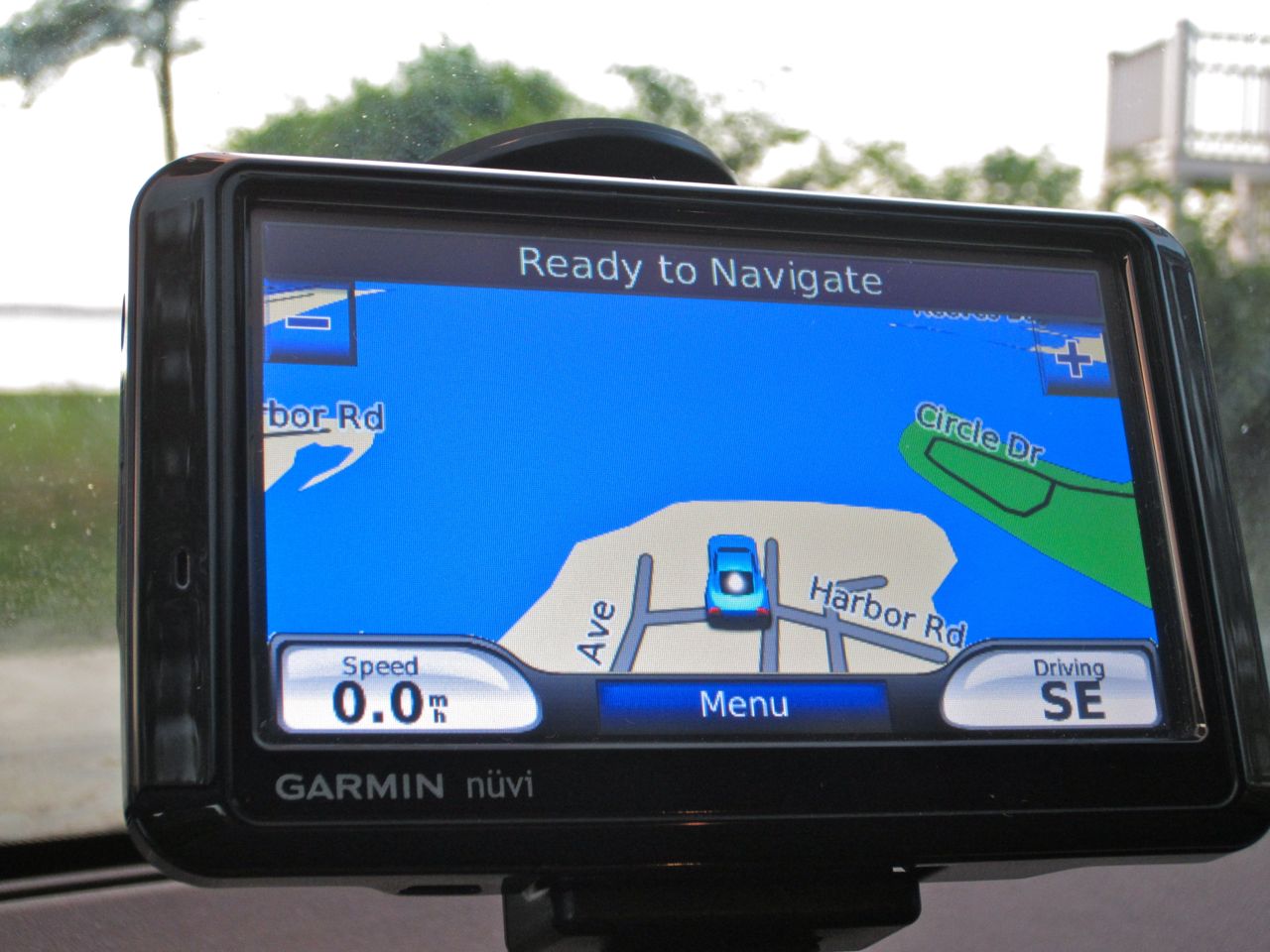
My Garmin Nuvi took my family on a ride getting to our vacation. Then, my iPhone Maps app actually got us there.

The first time my wife and I drove with GPS navigational support was six years ago, while driving in a car rental out in San Francisco.

I should first mention that my wife is the official navigator in the family.
She loves maps and has only gotten lost once (in the woods) in all the time I’ve known her.
It’s probably not going too far to say that I’m moderately to severely geographically challenged. I could get lost driving down a straight highway.

I could blame this unfortunate fact that I grew up in New York City and never drove a car until after college. Good excuse? Well it’s my story, and I’m sticking to it.

Driving around Fog City, I felt like I was in the car of the future. A portable navigation device using GPS (Global Positioning System) technology to take you anywhere you wanted to go. No more worrying how to get there.
I was sold, before I even got into the car.

My wife wasn’t so sure.
I was so charmed I set the device’s voice control to dictate its directions in a smooth female Australian accent.

And then I gave it a name.
Jane.

[My wife joked about “the other woman.”]

The Other Woman
We ended up not following Jane’s directions much that day due to human/computer incompatibility. My wife had her map, and unless she saw the logic of the Aussie hussie, my wife called out an alternate course.

And though we collectively agreed there was little value to this circus show circuit freak, I purchased one within three months. (the Nuvi 760)

The name stuck, and eventually, the two north stars in my life came to some sort of understanding, and Jane became a welcome passenger on most of our big road trips.

Today, even though portable GPS navigation tech is a common consumer tech tool, and of course available in many car models and through our iPhones, we still use our aging Jane quite a lot. The fact that she talks still keeps her ahead of much of the still silent competition, unless you want to buy a costly GPS app for your iPhone.  (That said, I understand Android’s native free navigation capability is pretty awesome.)

And as of May, Garmin has sold over 100 million of its GPS products. So I’m not alone in my devotion to this magic tool that stretches my navigational capability.

Deep down, though, my two navigators still don’t get along.

And much like a bad movie where the “other woman” threatens the lives of a happy couple, I have finally begun to see the errors of my ways with Jane. But is it too late?

The Blind Leading the Blind?
First off, I’ve clearly become overly reliant on Jane.
I take Jane with me down the street to get a quart of milk.
New restaurant in the next town? Too far to risk getting there by myself.
I need my Jane!

And now that Jane has comfortably cemented herself to my life, something strange has begun to happen.
She’s getting lazy.

Her directions are sometimes, well… wrong.
And over time, the problem has gotten worse.
Her directions eventually get me where I want to go, but not always through a shortest route approach.

Yes, I know that road maps need to get updated from time to time, and you’ve also got to refresh your portable GPS unit’s memory with software updates.

About a year ago, I got an email from Garmin offering lifetime software updates for Jane. I took the deal, thinking I would never need to look for another portable navigator ever again.

Cue the ominous movie music…

Jane Takes a Vacation during our Vacation
Last weekend, the Lester family got into the car to kick off our little beach vacation on the North Fork of Long Island.

As usual, Jane was front and center as we headed out.
I type ‘Harbor Road’ into her keypad, but before I can complete my data input, she automatically suggests ‘ Harbour’ without allowing me another option.  She then happily locks in the address but also changes the two-digit house number to a non-related three-digit number.

It’s like the vacation address just doesn’t exist.
Am I in a Twilight Zone episode?
If only…

So I pull out my iPhone and repeat the same exercise to see how the Maps app handles the task.

Problem? What problem?
My iPhone quickly locks into our correct route.
There it is. Harbor Road, on the water.
Not Harbour Road, several blocks inland with an entirely different address.

My wife is driving.
So I have the flexibility to run both devices simultaneously.
A little competition, if you will. (Getting into the spirit of the Olympics.)

Let the Games Begin!
The two wonder machines run neck and neck until the last mile. I knew it would come down to the wire.
Then Jane says calmly, “Turn right.”

But iPhone Maps clearly points, Left!!

This is the moment of truth.
It was time to change the status quo.
I call out, “Take a left…Now!!

Jane proclaims her disapproval at my disobedience.
I firmly repeat my navigational act of anarchy.

My wife complies, and as our car begins its left turn, Jane admits defeat.
I look at her readout and it says, “Recalibrating…”

And in that moment, Jane lost her grip on me.
She eventually regains her composure and finally displays the original address I had wanted all along, as well as our now-correct bearing.

Too late, Jane.

She decides to acknowledge her error in the last minute of our journey?!
I don’t think so. This is the last straw.

I know. Jane and I are bonded together for life. Right?
Lifetime updates with no additional cost.
Doesn’t matter.
It’s time to make a change.

Jane, it’s over.

Let’s Just Remember the Good Times
My change of heart has nothing to do with the recent but separate tech announcements by Google Maps and Apple promoting even greater upcoming capabilities for smartphones. And even more irrelevance for dedicated GPS devices.

Wired has already declared, “The portable GPS device is dead.”

Nope. I’m not just reading the writing on the wall about Jane.
This time, it’s personal.

Where’s the Nearest Flower Shop?
Now I’ve got to woo back the one and only true navigator in my life.

So I decide to write my wife a little note to express the error of my ways and my true regret.

Dear Wife,

I’m sorry I ever doubted your navigational superiority.
Artificial intelligence can never match your keen sense of direction, and your innate capability to drive around a traffic jam, leaving all others in your dust.

I was wrong to ever trust Jane, when you are truly my one and only navigator.

Can you ever forgive me?

Love,

Your Geek

So I close the envelope and look around for my wife.
It’s suddenly way too quiet.
Oh no… She’s gone!

Don’t worry.
She just went shopping with a friend at a local farm stand on the side of the road, five miles away.
I should go find her.

But I don’t really know where she went.
Ummmmm…

Excuse me. I’ve got to go and find Jane.