At Home with Tech

Unlock the power of all your technology and learn how to master your photography, computers and smartphone.

Category: apple

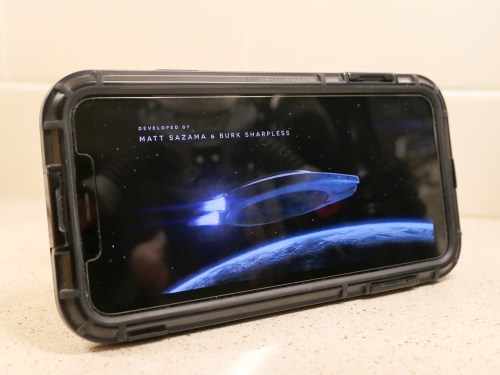
Geeky Parent Review: Netflix’s “Lost in Space” Season 2 has Changed Course

“Lost in Space” is on a journey to becoming more family friendly. The question is whether this hurts the epic Netflix sci-fi series.

Season 2 of Netflix’s “Lost in Space” is better than the first. No question.

Not that season 1 was bad. In fact, I really liked 2018’s 10-episode adventure, which reimagined the classic 1960’s series with a more action-packed, gritty storytelling style.

And in many ways, I felt that season 1 was a solid family-friendly science fiction series to watch with my (then) seven-year-old son.

Season 1’s Challenges
But the first season was filled with any number of ‘challenging’ moments better designed for adults than kids. It was hard to figure out some of the complex characters, and it took time to determine whether they were ‘good’ or ‘bad.’ (And some were left in the gray zone.)

Even though the series is rated PG-TV, a few of the alien encounters in season 1 might be a little too scary for younger kids. Though there wasn’t any serious violence, there were plenty of intense moments involving life and death.

And then, there were a few examples of salty language thrown in that you might not want to expose your kids to. (Episode 9 at 14 minutes was the worst offender.)

All of these factors point to the reality that you’ve really got to watch season 1 of “Lost in Space” with your kids. You’ll also probably want to deconstruct some of the plot elements with them as teachable moments.

Season 2’s Improvements
“Lost in Space” season 2 successfully addresses all of these ‘weaknesses’ as a family-friendly vehicle.

Most of the problems with the Robinsons as a family unit have been worked through, and we’re left with an overachieving A-team that’s more unified in confronting every life-threatening challenge that’s thrown its way. The result is more adrenaline-fueled adventure for the viewer.

Simply put, season 2 has more thrills.

And the cinematic-level special effects continue to dazzle, especially for a TV series.

But this series is not only about the action. The great cast also continues to be a major asset. The actors are consistently solid, embodying both strong male and female characters.

In fact, if you had to pick the dominant character, (which is difficult) it’s Molly Parker’s Maureen Robinson. And Parker Posey’s Dr. Smith continues to mystify and satisfy.

Positive Course Correction
Season 2’s storytelling has also moved towards a simpler structure, which kids will be able to digest more easily. That may not be a positive change for some adult viewers who enjoyed the “Battlestar Galactica” type complexities in season 1. But the enduring ‘heart’ from this “Lost in Space” has always set this sci-fi series on a different, more optimistic course.

As for the salty language issue, the writers have cleaned up their act. There’s nothing of concern to parents in any of these ten new scripts.

While season 2 has simplified its structure, it’s also benefited from any number of continuing story elements, most importantly the idea of growth and evolution that comes from experience.
(Minor spoiler: the Robot changes.)

Figuring Out the Details
The only small beef I have with season 2 is there are certain quick plot twists than are slightly confusing. I think some pivotal moments literally happen too quickly, requiring a 30-second rewind. Others appear part of the ongoing mystery behind the connection between the aliens and the humans.

And there are a few expected payoffs that you don’t get by the end of season 2. I’m sure that’s because some of the cards are being held for season 3, which is clearly set up at the end of the episode 10.

That said, enough gets wrapped up in season 2 that I am satisfied with the overall experience of “Lost in Space” (as opposed to being entirely drained by the end of each of the “Stranger Things” season cliffhangers).

Danger… Friend
“Lost in Space” season 2 is a whole lot of fun to watch for the entire family. As a geeky father, I don’t feel that it’s lost anything by becoming more family friendly. In fact, I believe it has clearly locked its identity in this season.

While “The Mandalorian” on Disney+ has sucked all of air out of sci-fi water-cooler conversations, you may have missed the arrival of this next Robinson family chapter.

Now’s the time to follow its orbit.

Buckle up!

Why Do We Love Slow Motion Video?

Wanting to capture a moment in slow motion is often born from our cultural fascination with the cinematic experience. Better understanding the ‘why’ will help direct your quest for more successful slow-mo shots.

Just about anyone can create slow-motion video clips these days. With a smartphone and a little help from a consumer-grade handheld gimbal or even a little digital image stabilization, it’s not that hard to generate a buttery-smooth cinematic shot… in slow motion.

And if you’re working with more advanced production gear from my world that many in corporate video production are using today, the results can be even more impressive. With a digital cinema camera, fast lens, and the right lighting, you can create amazing slow-motion shots at reasonable price points that were unimaginable five years ago.

But why am I and so many others obsessed in the quest to generate slow motion shots (for both personal and professional use)?

Learning about Slow Motion at the Movies
It’s not like viewing our reality in slow motion is natural. Sure, certain people talk about their surroundings slowing down right before an emergency. But that’s more about cognitively processing versus actually watching something move slowly.

Slow motion is essentially a special effect born out of the technology of movie making.

We only understand slow motion as part of our learned understanding of the cinematic viewing experience. We all grew up watching slow motion at the movies, on TV and now… online.

Slowing Down Sports Action
At a basic level, slow motion is a magical way to visually dissect an important moment that simply happens too quickly. It generates more time for us to actually process what’s happening.

Its use during sports TV coverage is an obvious example. That home run or touchdown is always better shot in slow motion. And the value of slow-mo in televised sports also applies when you shoot your family backyard touch-football highlight.

The Emotional Rush
But I’m often more interested in the use of slow motion as a visual tool that offers an emotional point of view. When a particular moment in a movie suddenly slows down, it often represents an emotional turn in visual storytelling.

And when that slow-motion shot is paired with a low audio rumble or ominous violin strings, experiencing that moment flicks a switch in our brains. We’ve been trained like Pavlov’s dogs to have a conditioned response… in this case, an emotional surge.

You know that feeling, right? The one that sends a tingle down your spine or involuntarily squeezes those muscles behind your ears.

In short, we feel something of a rush.

A great movie moment can easily do that to you. And slow motion is one of the ways to complete that circuit.

As a visual storyteller in my career and also at home as the self-appointed family documentarian, I’m always looking for opportunities to create this kind of moment… that same rush for my viewers.

Slow motion isn’t the only way to get it done. But when strong artistic execution is married with good slow motion and the right narrative moment, it’s undeniably a holy-grail moment for any creative.

Warning!
But if you’re also a digital content creator, I’ve got a warning…

Don’t go crazy with slow-mo. Just like any creative tool, we should have a clear reason to use it and not simply treat it like some kind of cheap trick. Because that’s exactly what it would become.

Plus, pointless slow motion is just… slow.

Also, when considering using a b-roll clip as part of your editing process, don’t slow the clip down simply to extend it to ‘fit’ in your editing timeline gap. (This is possible only if your footage was originally shot at a high frame rate.)

I believe that ‘filling in the gap’ is a misuse of slow motion. It’s never the best way to intentionally use slow-mo… mostly because it’s not intentional… it’s just convenient.

Find the Meaning in your Slow Motion
Barrett Juggles in Slow Motion
Sure, having a little fun with slow motion is fine.

Barrett Walks in Slow Motion
And who isn’t flattered having a ‘hero shot’ of them captured every now and again?

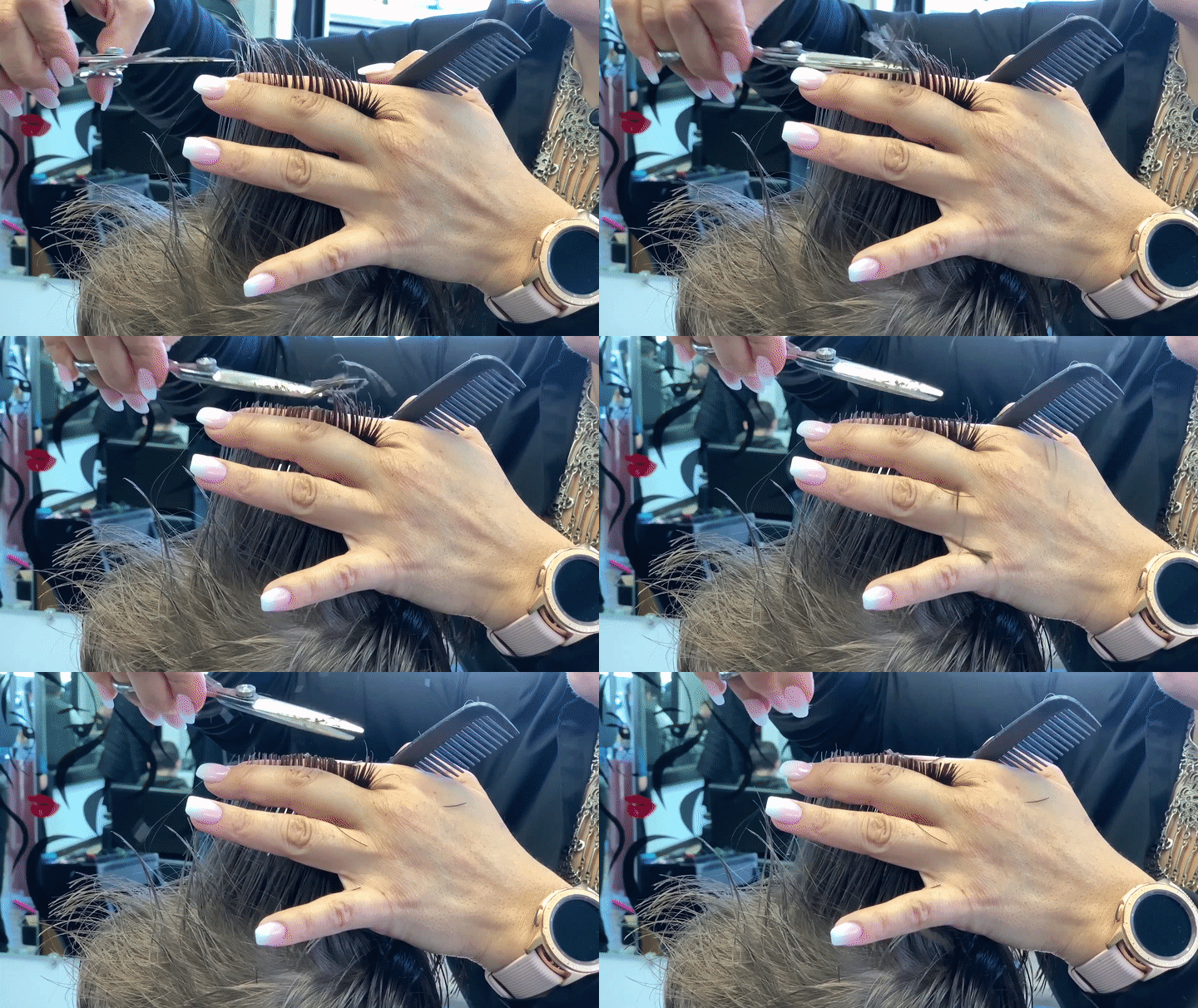
Haircut in Slow Motion
But when we’re offered the opportunity to look for deeper meaning behind slow motion, that’s when it gets interesting.

Where used properly, slow motion will reveal fundamental truths that we may miss at normal speed.

Yes, it’s an entirely unnatural way to experience the world, but one that technology has successfully created for us. The great filmmakers have shown us the visual guidelines for slow motion. Now, with the democratization of slow-mo video creation, it’s up to you and me to respect and apply them.

My Favorite Feature in iOS 13

If you hate spam robocalls as much as I do, you’ll be happy to learn Apple has provided a better defense in iOS 13…

I expect this iOS 13 tweak is not on top of anyone else’s list, but it’s quickly become a game changer for me when using my iPhone.

First, some background…
Earlier this year, I activated the ‘Do Not Disturb’ setting on my iPhone in an attempt to stop spam robocallers from interrupting my life.
(This setting still allowed calls from my ‘contacts’ to get through.)

But the big problem I found with this setting was there were still plenty of times when my iPhone was not in its Do Not Disturb mode, because I was using it. And whenever my iPhone was on, it was no longer locked down.
(I had decided not to engage the Do Not Disturb… ‘Always’ mode, because that was too restrictive. I’d never see any incoming texts!)

So of course, those moments when my iPhone was awake presented a crack in its defenses…

Invariably, I would be interrupted by a robocall when I was using an app on my iPhone. And I couldn’t just decline the rogue call for fear that any manual response would somehow trigger even more unwanted calls in the future. So, I’d sit there for twenty seconds while the call rang out. And then I’d continue along, having lost twenty seconds I’d never get back.

That stinks, right?

Silence Unknown Callers
I imagine this annoying problem has also happened to enough iOS designers at Apple over the past year. And so they’ve created a better defense for it in iOS 13.

It’s a setting called ‘Silence Unknown Callers,’ and here’s how you turn it on…

  • Tap Settings
  • Tap Phone
  • Slide on Silence Unknown Callers

Apple describes this setting as “Calls from unknown numbers will be silenced, sent to voicemail, and displayed on the Recents list. Incoming calls will continue to ring from people in your contacts, recent outgoing calls, and Siri Suggestions.”

So, the huge change here is when a call from an unknown number comes in while you’re using your iPhone, the call doesn’t take over your device other than a momentary drop down notification about the unknown call.

More ‘Good’ Calls Get Through
With this feature in place, I no longer needed to keep the draconian ‘Do Not Disturb’ mode on.

The ‘Silence Unknown Callers’ setting is much more flexible, because it lets through numbers that you’ve used before but may not yet be listed in your contacts.
(So, if you make a one-off phone call but also expect a return call, now your iPhone won’t immediately send it to voice mail.)

Hailing Frequencies are Open
Of course, the real solution to handling spam robocalls is not how to best avoid them, but how to stop them from happening in the first place!

But until then, I’m pleased that Apple has helped me keep my generally ‘silenced’ iPhone more available to receiving legitimate calls from my own little universe.

It just takes sliding on the right setting!