At Home with Tech

Unlock the power of all your technology and learn how to master your photography, computers and smartphone.

Category: Homemade Videos

Release Your Favorite Family Videos Now!

It’s time to get some of those great family video clips out there!  Hiding your son’s reaction to a Yankee home run in an editing folder on your computer is the right strategy, but unfortunately it will not guarantee results.  You’ve got to set your favorite video files free!

It’s time to get some of those great family video clips out there! Hiding your son’s reaction to a Yankee home run in an editing folder on your computer is the right strategy, but unfortunately it will not guarantee results. You’ve got to set your favorite video files free!

Remember everything I said two years ago about organizing and editing all those home video clips you’ve taken with your digital camera?
Remember how I calmly talked about how to regularly create your own series of ongoing family videos to share?

I called the post….
The Beginner’s Guide to Editing Your Camera’s Video Clips
It’s filled with lots of great video editing strategies.

Well if you’re a parent of young children, you can forget about it.
I’m back from four years of parenthood, and I’ve got a new report to share from the front.
There just simply isn’t the time to do all this.

My methodologies work in the lab, but they fall entirely short after real-life testing.

I’ve now got hundreds of family-time clips, sitting in a folder…

  • Unedited
  • Unshared
  • And unloved

And they’ve expired, because nobody cares what my four year old was doing when he was three.

I now understand it’s every daddy in the world for himself.
(mommies too)

And if you, like me, need a little help,
I’ve discovered some new words of advice:

Don’t wait to execute your perfectly cohesive plan before distributing your great video moment.
Just get the fricken clip out!

The One-Clip Wonder
It doesn’t have to be pretty.

If you can trim the front and back of your video file first, more power to you.
It’s best not to be in the middle of a spoken word on the way in and out.
(This is simply accomplished using QuickTime.)

That basic level of file prep is probably all you’re ever going to get to.
(at least in this decade)

You can create the full-blown director’s cut of your four year old’s adventures when you retire or after his college graduation.

I used to scoff at friends who would regularly share their raw smartphone video clips effortlessly from earlier in the day.

How unevolved is that?
No editing?
That’s just lazy!
Simply amateurish!!

Guess what… it’s brilliant.

Practice What You Preach
So in the spirit of my new home video mantra,
I took a look at some video clips I shot during my son’s first trip to Yankee Stadium last month.
New York Vs. Boston.
Oh, yes… it was an awesome game.
(The Bronx Bombers won 7-4.)

These short video snippets from my family’s outing to this classic match up will make quite the fun video.
…If I ever get around to editing it.

But there’s this one especially wonderful eight-second moment I shot after a Yankee home run.
The crowd went wild.
And so did my son.

It’s a shame that this little clip has less than a 50/50 chance of ever being seen.
If only I could release it, unattached to the larger project I envision.

Guess what?
I can!!
To prove my new resolve, I think I’m gonna do it right now…
(You can teach an old dog new tricks…)

So here it is!

I know… It’s not so amazing.
But it’s meaningful to me…
My son watching his first home run at his first baseball game.

I feel so much better having done this.
(One clip down. Nine hundred ninety-nine to go…)

Uncle Sam Wants You… To Edit Your Home Videos
So if I devolve into sharing sporadic and disjointed family video moments
…is that really so bad?

Probably not. I’m just joining the crowd.

And don’t get me wrong… I haven’t entirely given up on my plan to edit together my videos clips the ‘correct way.’
(just mostly)

But seriously, one solution to help accomplish ‘the dream’ is to set aside one day a month and designate it solely as your media management day.
Every other parental responsibility gets put on hold.
(Good luck with that!)

Maybe a new monthly national holiday designated for parental catch up would be a good idea.
That certainly wouldn’t hurt the cause.

Until I find the time I need, I’ve signed up to the a la carte video-sharing plan.
Which means I’ve finally learned to “wing it.”

Better late than never!

13 Tech Tips from 2013

We’ve covered a lot of technology ground this year.
I hope you’re finally feeling a little closer to Tech Zen at home.
If not, don’t despair. It can be a long (never-ending?) journey!
So I’ve got a quick tech review to help you stay ahead of your many demanding gadgets in the year ahead.

Here are my lucky 13 tech tips to remember:

#1
You’re Going to Need a Bigger Hard Drive

LaCie Rugged with Rattle

Even if you have faith your external hard drives can withstand the forces of fate, they’ll eventually buckle under the load of all those home videos you’re shooting.

#2
There’s No Question. USB 3.0 Rocks!

The Choice

Thunderbolt is great. But USB 3.0 is just fine. Both blow FireWire (R.I.P.) away.

#3
Build Your Home TV Studio for $44

My favorite piece for this home-grown tech solution is the $2.99 teleprompter system for your iPad!


#4

That Bad Photo You Took May Be Your Best Yet

The Eye

You may not know it, but some of your best photos are slipping through the cracks. Maybe they first struck you as flawed, or you didn’t recognize their hidden value. Time to recognize your ugly ducklings!

#5
Find Your Neighbors on Nextdoor.com

Nextdoor enters the neighborhood

You can create your own virtual neighborhood based on your real one.
Talk about two worlds colliding!

#6
It’s Time to Buy LED Bulbs

Passing the Torch to Cree

The price is right for this Cree LED bulb. Convert!!

#7
Transcode Your Camera Videos to Windows Media Files
with 
Flip4Mac

When you want to email your child’s birthday party video to grandma, you’ll need the power of Flip4Mac. Then, she’ll be able to watch the magic
candle-blowing moment on her PC.

#8
Create a Shared iCal Calendar for Your Family

Connected and Happy iPhones

Missing a family commitment can be a thing of the past if your family iPhones share a calendar.

#9
Video on Instagram Gives You Your 15 Seconds of Fame

Watching a Blade of Grass Grow

If you can’t muster up 15-seconds worth viewing, you might like Vine instead.
They only offer you six seconds. If that gets too complicated, try taking a photo, and call it a day…

#10
Strap Your Smartphone into Your Car while It’s Doing GPS Duty

iPhone navigating in cup holder

Don’t let another road trip go by with your smartphone sliding about as its GPS app shouts out turn-by-turn directions from the car floor. Mount it onto your dash!

#11
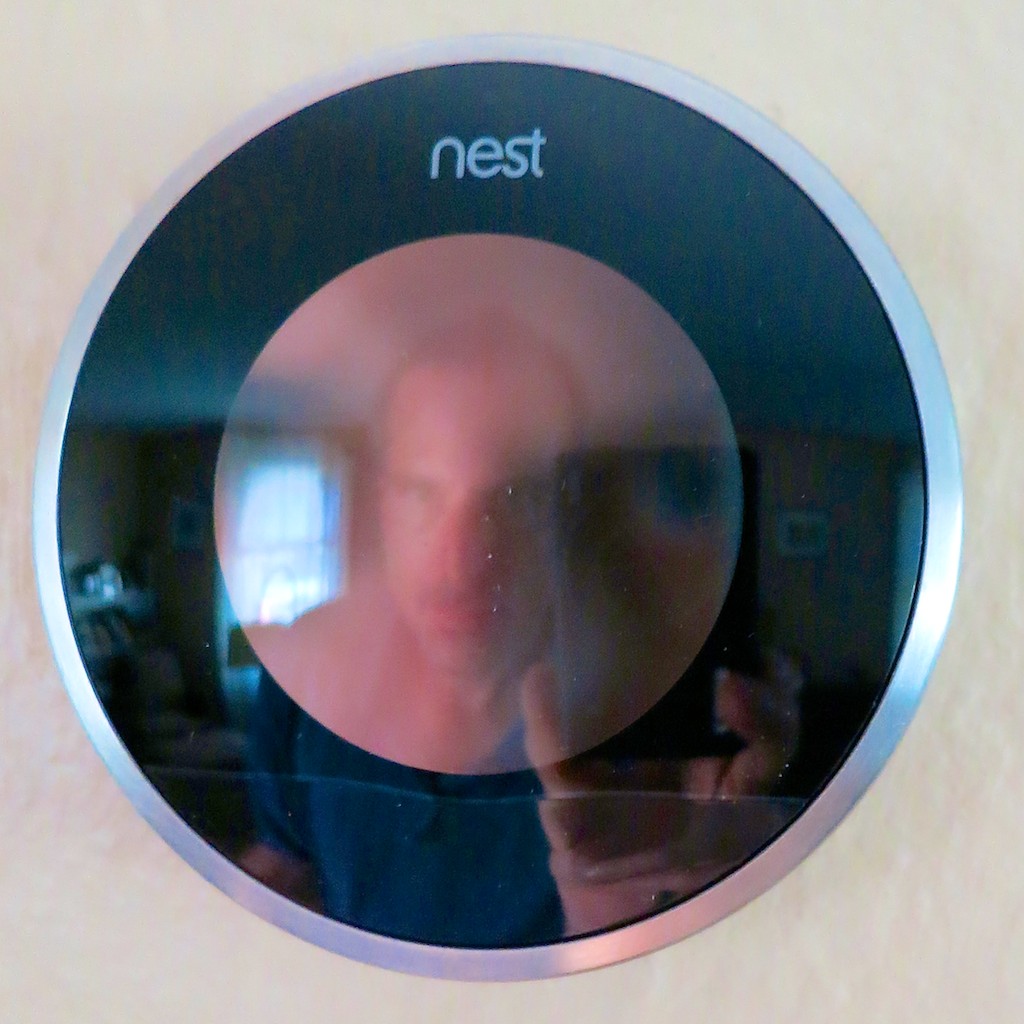
Buy a Nest Learning Thermostat

My Nest and Me

How’s your 1950’s-era thermostat handling the extreme weather? Did you forget to adjust it before you left home today? Wish it were smarter? Well, now it can be…

#12
If You Buy an HD iTunes Movie, You Also Get the SD Version for Free

Movies for the Road

You just need to know how to ask for it. And why would you want the SD copy? Ask your bloated iPhone…

#13
BlackBerry is Toast

BlackBerry on the Floor

You don’t need me to tell you this news, but I really want you to read my little poem about this former giant.


Happy New Year!

Well, there you have it.
Feel free to add your own favorite tech tips from 2013.

(Yes, even I am not a Tech Jedi yet…)

Finally, thank you for visiting At Home with Tech over the past 12 months.
I hope my posts have been of some assistance or at least a bit of amusement.

I look forward to working through a few more of the universe’s many
tech mysteries with you in 2014…

Nanu! Nanu!

The Dilemma of Downloading a YouTube Video

There are worse ways to spend 10 minutes than juggling in Google’s Winter Wonderlab. Plus you get your very own YouTube video to share. But what can you do if you want to immortalize the memory?

There are worse ways to spend 10 minutes than juggling in Google’s Winter Wonderlab. Plus you get your very own YouTube video to share. But what can you do if you want to immortalize the memory?

Should you find yourself with a spare hour in New York City over the holidays, you absolutely must pass through Bryant Park on 42nd and 6th Ave.
There’s the ice skating rink going as well as the pop-up shops and dessert kiosks.  Who knew walking through a park could be so much fun?!

This year, Google has a rather large pop-up presence there, sporting a
‘Winter Wonderlab,’ featuring their Nexus 7 tablets and Chromebooks.

Play. Create. Chill.
In the center of their pop-up store is a high-speed photo studio inside a giant snow globe. In it, they shoot a slow motion video of you with a moving camera on a track. The result is a wicked cool 20-second sequence of you having fun in the globe, surrounded by fake falling snow.
(The actual elapsed recorded action is only about 2 seconds.)


Then, they download the file, and you’re invited to customize your mini movie with music and distribute it via one of their Nexus tablets, conveniently waiting for you in the pop-up store.

The whole point is to get you to say, “Mmmmmm….Nexus tablets.”
And then go buy one.

I’ve got to admit, their marketing tactic was rather compelling.

And I’m also not embarrassed to say I kind of liked my corny little video from their Winter Wonderlab.

The Google folks even provided me with my own URL to call up my cinematic moment, which conveniently lives as a YouTube video, housed in a Google Winter Wonderlab wrapper.

But you can also click on the video itself and call up the original YouTube page where the video lives.
(Remember, Google owns YouTube.)


Can You Keep your Snow Globe Joy Alive Forever?

So there I was watching my video, and I said to myself,
“Gee, wouldn’t it be nice if I could download my silly video to take a look at whenever I wanted?”

Sure I’ve got a link to forward for anyone to watch.
And the link is always there for me, right?
(I don’t think YouTube is going anywhere.)

That said, I suppose it’s an open question how long Google will keep its
Winter Wonderlab open in the digital space.
(Snow globe videos aren’t so hip in July.)

The Dilemma
The problem is you can’t download YouTube videos.
Google understandably doesn’t offer that functionality.
(since they want you to keep giving them plenty of online clicks to feed their advertising model)

So now what?

At this point in the conversation, it’s important to share some legal realities on this point…

YouTube officially frowns on the downloading of their videos through other technologies. This would break their terms of service.
Plus, you don’t own the copyright on someone else’s content.
YouTube does suggest one exception if you are trying to download your own content.

So in this particular case I wanted to download specific imagery of Barrett juggling Styrofoam snowballs.
But I didn’t create the actual content… Google did.

Hmmmm… How gray is that?
(Next question…)

So I’ll simply say I may have considered the following investigative mission.

Think of this as solely a theoretical exercise…

How to Download a YouTube Video
I quickly realized I wasn’t alone in this intellectual query.

There are a whole lot of players out there offering to help you out…

Keepvid.com
But I was interested in finding a quick, ‘relatively’ mainstream solution that didn’t require additional software downloads…

I asked a few friends, (a Gen X and a few Gen Ys)
and they immediately replied…
“KeepVid!”

Seems I’m a little late to the party…

Keepvid.com has actually been around for years…
And after doing a little research, I saw it’s often mentioned as a major player in this space.

KeepVid’s usability is pretty straightforward.
There’s only one annoying pothole to avoid.
Don’t click on the ‘Download’ or ‘Play Now’ buttons on the top of the page.
Those misdirect you to advertisements.

PCWorld has posted this useful ‘how-to video’ on using KeepVid.

A Decision for Another Day?
So there you have it.
Do proceed conscientiously…

And to repeat, this is all simply an exercise of the mind…
A noggin rumination, if you will.

If the Shoe Fits…
That there are effective ways to force video content off a webpage is not a happy reality for many multimedia-hosting websites.
But it should also give you pause…

  • If you upload your own videos to share on these websites…
  • Then set their permissions as non-downloadable…
  • And believe that they are safely ‘not grabbable’

…think again.

If you upload your own multimedia content into the universe, there are always ways for others to get it.
(yeah)

Now, we’ve come full circle.

Enough said.

All right, enough worrying for one post…
Now, go make your own snow globe video and have some fun!