At Home with Tech

Unlock the power of all your technology and learn how to master your photography, computers and smartphone.

Category: Tech in the News

Give your Computer the Gift of Updated Software

“Less than a minute remaining” is the most excruciating message ever invented by software developers. I think the phrase actually makes time slow down. In this moment, your Mavericks OS X upgrade is so close… yet still so far away. Here are three recommended steps to help you get your computer to the finish line…

“Less than a minute remaining” is the most excruciating message ever invented by software developers. I think the phrase actually makes time slow down. In this moment, your Mavericks OS X upgrade is so close… yet still so far away. Here are three recommended steps to help you get your computer to the finish line…

There’s a battle waging deep within your mind.
You may not be aware of it, but subconsciously… it’s always there.

To Update or Not to Update…
Almost every day it seems, your computer prompts you to update its software arsenal.

Some are small updates.
Others are game changers.

But you’ve always got a choice to make.
And the opportunity to update to the latest and greatest carries both a blessing and a curse.

Advantage: Your computer should work better than ever.
You’ve got the best chance for all your software to play nicely on your desktop if every piece is up to date. You generally tend to have problems when you run into ‘compatibility’ issues.

Risk: Your computer ‘blows up.’
Face it… you’re doing brain surgery on your computer.
Sometimes it’s minor.
Occasionally, you’re updating the whole operating system.
Either way, you’re messing with your computer’s noggin.

“It’s Amazing How Productive Doing Nothing Can Be.”
You’ve probably wandered about this thought matrix before:
If it ‘ain’t’ broke, why fix it?
(The above quote from TRON: Legacy says it all.)

And to be frank, the fear of update glitches causing catastrophic computer failure regularly prevents me from going for the update.

And who really ever has ‘the time’ to handle that stressful moment when your computer suddenly goes dark?
(To reduce those odds, it’s always wise to wait a few weeks after significant software updates come out. Let the ‘early adopters’ identify the bugs…)

But sticking your head in the digital sand only works for so long before you realize you’re two operating systems back, and you’ve been fooling yourself that your computer isn’t sluggish.

You can delay your software updates… but only for so long.
The alternative is ultimately computer obsolesce.

Usually something compels you to finally take the plunge on the big software updates.

Finding my Inner Maverick to Upgrade to Mavericks
For me, my Mavericks moment arrived rather suddenly when I tried to update my sluggish Aperture photo editing software, but couldn’t because it required the power of Mavericks.

It was time to welcome in OS X 10.9.
(Buckle up!)

The Saturday Morning Gauntlet
If you’ve got a few spare hours over a weekend to be your computer’s wingman, it’s the perfect opportunity to face this gauntlet together.
(Just make sure an Apple Store is within rescue distance…)

And you’re going to want to nurse your computer through its brain surgery.
So it didn’t hurt when I became housebound this past weekend due to the season’s first snowstorm.

Three Steps to Prepare Your Computer for its Software Update

There are a variety of websites offering step-by-step instructions on how to prepare for an OS upgrade such as.

While they provide an exhaustive list on every step possible to ensure success, it can all become a bit overwhelming.
The complex series of precautions add fuel to the argument of doing nothing at all.

Honestly, I found it too daunting a process to follow every safety suggestion.
(I hope that didn’t anger the tech gods.)

That said, here are three steps I always follow:

  1. Upgrade all your current software via the Software Update utility before taking any big leaps forward.
    (It’s the last time you will use it. In Mavericks, updates are done via the Apple App Store.)
  2. Back everything up on your computer. (Yes, this always bears repeating.)
    I use Time Machine locally with an external hard drive and Backblaze to the Cloud.
  3. Then do some system maintenance in Disk Utility.
    Click on Repair Disk Permissions and Verify Disk to make sure your Mac is healthy enough for its upcoming operation.

Diary of a Nervous Tech Blogger
11:46am: The upgrade begins. Download Mavericks from the App Store.
(Note: I’m working with a 2010 iMac with 2.93 GHz Intel Core i7 processor and 4 GB of RAM.)

12:34pm: Return after snowball fight in my driveway with my three-year-old son. (He wins.)

12:42pm: Official installation begins. Looks like a 44-minute process…
(Go have lunch with the family.)

1:42pm: “Less than one minute remains.”

1:52pm: “Less than one minute remains.”

1:55pm: Look for paper bag to hyperventilate into.

1:59pm: Computer takes pity and moves on to the next screen.

2:15pm: Installation completes. iMac reboots and proudly display’s its new ocean world.
(Apparently ‘galaxies’ are so yesterday.)

2:18pm: Computer complains that I’m missing Java and asks if I want to download the latest version.

“Yes, please.”

2:20pm: Check for more recent software updates for Mavericks.
Only find updates for Mail and iBooks.

2:25pm: Try printing a photo.
-WARNING-
Uh oh! Suddenly, my printer permissions are installed incorrectly!
iMac politely asks if I’d like to fix them.

“Yes, please.”

2:45pm: Successfully upgrade to Aperture 3.5.1.

3:00pm: Blood pressure returns to normal.

The Perfect Gift for the Pseudo Sentient
I’m proud to report that Mavericks has been humming along just fine.
And yes, Aperture does seem to act a little zippier now.
I’d label this little weekend tech project a success.

Half way through the upgrade, I did wonder how my blog post would fare if I had to spend the rest of the weekend trying to breathe life back into my iMac.
Not sure what it would say if my 100th post didn’t make it to the finish line.
(I know life would somehow go on…)

So in this holiday season of giving, why not give a little love to the most important pseudo-sentient entity in your life.

In all the excitement of celebration, just be careful not to spill your cup of Joe on it!

Diary of a Frustrated Black Friday Cyber Shopper

Hitting the malls to purchase your favorite doorbusters is so yesteryear. This time, all I needed was my cup of Joe and my computer. Or so I thought…

Hitting the malls to purchase your favorite doorbusters is so yesteryear. This time, all I needed was my cup of Joe and my computer. Or so I thought…

10:00pm, Thanksgiving evening-
Go to sleep early.
(too much tryptophan)
Must be frosty for Black Friday!

6:00am, Black Friday-
Wake up. Make coffee. Sit down and boot up iMac.

6:10am-
Navigate to Apple’s big one-day sale.
No real discounts anywhere in sight.
Deep sigh…

This year, Apple only offered gift cards towards future Apple Store purchases… Their previous Black Friday discounts were never that great to begin with, but this ‘evolution’ was even less inspiring.

6:30am-
Next stop – Amazon
Review list of Lightning Sales. Nothing electrifies.

Out of frustration I did put an $11 Rayovac ‘head lamp’ into my cart.
(My old geeky REI head-mountable flashlight had stopped working recently.)
It’s useful to have one of these flashlights around when you need an extra directional light source in front of you, and you can’t hold it in your hands.

6:35am-
PING!
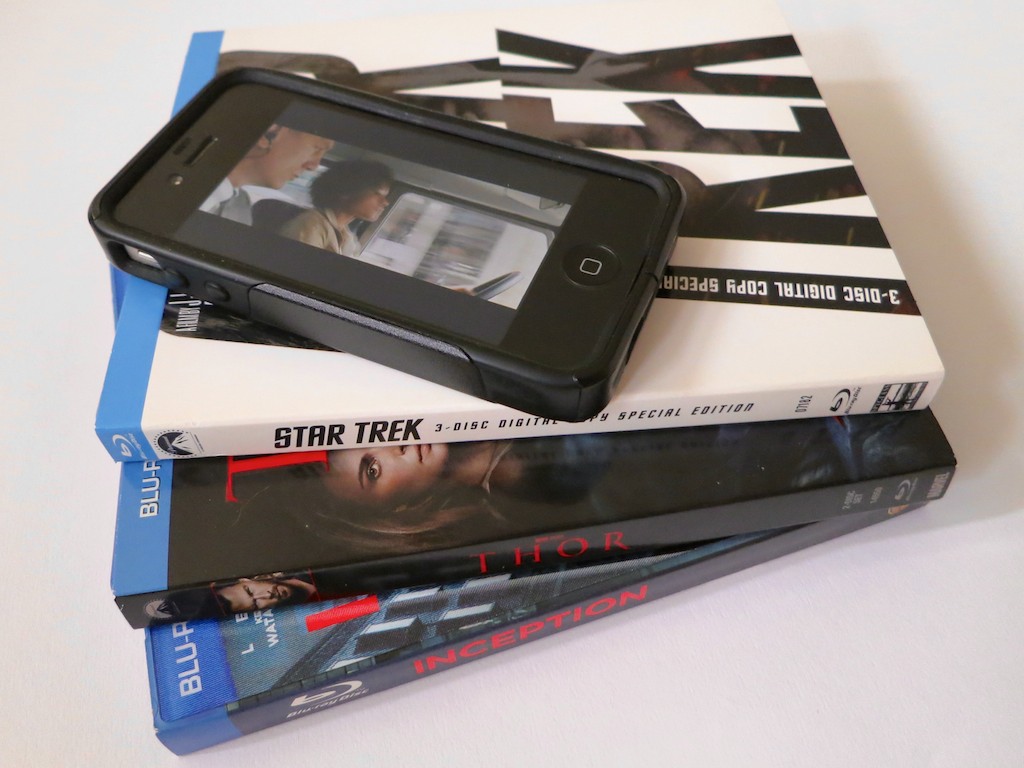
Great deal on a Blu-ray Disc of ‘Star Trek into Darkness’ for just $7.99 on Amazon.
(Complete with digital download for Road Warrior’s iPhone.)

I said to myself, “Make it so!”
But then I noticed a review warning the universe this version didn’t contain enough of the fun bonus material.

6:40am-
Delay purchase.

Up further research, I uncovered a raging Star Trek fan controversy a few months back when four different Blu-ray Disc versions were released to separate retailers.
This sales tactic effectively split up all the extra content outside of the movie itself.  So no one version contained it all.

And Amazon’s Blu-ray package seemed especially lacking…
So I put away my phaser and cancelled the mission.

6:45am-
Rayovac deal on Amazon expires in cart.

6:50am-
Head over to Target.
See the fans’ ‘preferred’ Star Trek Blu-ray version with more goodies.
Only $9!

After I completed my little happy dance, I took a closer look.
The online purchase button was grayed out.
You could only buy it in the store.

KHAAAAAN!!

7:00am-
Little Lester wakes up.

Frustrated with all my shopping roadblocks, I put my computer to sleep and headed off to the family breakfast table…

Hunting and Gathering like our Ancestors
Later that morning, I ventured out of my cyber bubble to do a little brick and mortar shopping, and ironically found my old-school experience much more satisfying.

At Staples, I picked up a 32 GB SanDisk USB Flash Drive for just $10.
(not available online)

And I found a couple of good deals on Thomas Train Set accessories for my three year old at Toys”R”Us.
(also not online)

Yes, I know the day is called Black Friday and not Cyber Monday for a reason.
But I figured with all the cyber creep going on, there really wasn’t much of a difference anymore.

Apparently, the stores still want you to get off your tushies on Friday….
It seemed their best deals were still only available on sight.
(not on site)

Following my shopping adventure in the wild like my ancestors, I headed out to a family lunch gathering.
Additional cyber shopping would have to wait…

The Discount Gift Card Illusion
Later that night, I found one last window of opportunity to distribute some of my hard-earned money back to the Black Friday economy.

A few minutes in, I ran across what I thought was a genius idea:

  • Discount gift cards…for myself!

It was the inspired moment I’d been waiting for all day.

If I couldn’t find any online deals, why not buy discount gift cards to use at those very same stores…?

It’s like engineering your own discounted purchase.
Right?

So I checked out the usual suspects:

They claimed to offer deals up to 35% off store gift cards.
But the harsh reality was the discounts were substantially smaller for the better-known cards I was interested in.

More like 2%-9%.

Yes, that’s technically a savings, but it wasn’t enough of an incentive to keep me interested…
So I chalked up the wasted research to my ongoing education towards tech nirvana and moved on…

Canon to the Rescue
9:00pm-
Wait! There’s a sale on the Canon PowerShot Elph 330 HS!

All along, I’ve been looking for a deal on a small pocket camera for my wife and me.

I’ve used the older Elph 300 and found it to be a fabulous little workhorse of a camera. The Elph 330 has been upgraded with a nifty 10X zoom and has been selling this year at a $179 price point..

And now I saw that Best Buy was selling it for only $129!!
(Including an 8 GB memory card and camera case)

Deal?

Truthfully, I’m not sure how much of a Black Friday moment this was.
Multiple retailers were selling it at the same price point, because Canon was offering the $50 discount.

So the only real deal was how many ‘extras’ the retailers would throw in on top of the Canon mark down.

I did a little more research and noticed that Adorama had a slightly sweeter offer.
They included a larger 16 GB memory card along with the camera case.

So I took the Adorama deal.
Click.

Shopping Endorphins Released
I had finally found my Black Friday moment!
(I would not be denied my annual Black Friday endorphin surge.
Though I have to admit this time around, I had my eyes wide shut.)

Honestly, this annual ‘hunt’ is a lot of work, and I’m not sure if the payoff justified the effort this year.

What does all this say about me?

Coincidentally, The New York Times just ran a Black Friday story
talking about how retail marketers are targeting ‘self-gifters.’

The article identified this shopping group as a ‘special demographic niche’ and then identified a poster child by featuring an ‘incurable self-gifting’ man from North Carolina.

They included a photo of him happily sitting in his living room, working his laptop while his wife stood by.
As I looked at the smile on his face, his hyper-focused eyes looking for bargains…
…he actually appeared a bit maniacal.

Could that be me?

Should I be worried?
(pregnant pause)

I say, “NO!!!”

Look, we all end up buying ourselves things from time to time.
Is it so wrong to buy yourself a gift or two on Black Friday?

And isn’t that the day you’re supposed to find better prices?

Why should all this be such a surprise?

So I’m a self-gifter from time to time…
I know I’m low-hanging fruit.
I’m good with that.

The Truth is Out There
So another disappointing Black Friday has come and gone.
Yes, I bought a cheap flash drive and got a couple train deals for my son.
And, I’m relatively happy with my Canon Elph purchase.

But it’s hard for Black Friday to live up to all the hype.
Especially if you’re not heading out to the malls at 12am to stalk your ‘doorbusters.’
(This year, stores actually opened on Thursday!)

The good news is you get to avoid all that madness if you stay close to home.

And if you can distance yourself a bit, a simple truth permeates through all the holiday advertising Kool-Aid.

The act of pounding the pavement may still be the way retailers reward you on Black Friday.
But finding all your holiday shopping deals is not a one-day sprint.
It never was…

It’s more like a marathon.
You’ve got Cyber Monday,
and then most of December ahead of you.

Take a breath.
Exhale.
Pace yourself.

Then you may find your Tech Zen.

Good luck!
I’ll see you at the finish line.
(or somewhere close!)

The Dilemma of Downloading a YouTube Video

There are worse ways to spend 10 minutes than juggling in Google’s Winter Wonderlab. Plus you get your very own YouTube video to share. But what can you do if you want to immortalize the memory?

There are worse ways to spend 10 minutes than juggling in Google’s Winter Wonderlab. Plus you get your very own YouTube video to share. But what can you do if you want to immortalize the memory?

Should you find yourself with a spare hour in New York City over the holidays, you absolutely must pass through Bryant Park on 42nd and 6th Ave.
There’s the ice skating rink going as well as the pop-up shops and dessert kiosks.  Who knew walking through a park could be so much fun?!

This year, Google has a rather large pop-up presence there, sporting a
‘Winter Wonderlab,’ featuring their Nexus 7 tablets and Chromebooks.

Play. Create. Chill.
In the center of their pop-up store is a high-speed photo studio inside a giant snow globe. In it, they shoot a slow motion video of you with a moving camera on a track. The result is a wicked cool 20-second sequence of you having fun in the globe, surrounded by fake falling snow.
(The actual elapsed recorded action is only about 2 seconds.)


Then, they download the file, and you’re invited to customize your mini movie with music and distribute it via one of their Nexus tablets, conveniently waiting for you in the pop-up store.

The whole point is to get you to say, “Mmmmmm….Nexus tablets.”
And then go buy one.

I’ve got to admit, their marketing tactic was rather compelling.

And I’m also not embarrassed to say I kind of liked my corny little video from their Winter Wonderlab.

The Google folks even provided me with my own URL to call up my cinematic moment, which conveniently lives as a YouTube video, housed in a Google Winter Wonderlab wrapper.

But you can also click on the video itself and call up the original YouTube page where the video lives.
(Remember, Google owns YouTube.)


Can You Keep your Snow Globe Joy Alive Forever?

So there I was watching my video, and I said to myself,
“Gee, wouldn’t it be nice if I could download my silly video to take a look at whenever I wanted?”

Sure I’ve got a link to forward for anyone to watch.
And the link is always there for me, right?
(I don’t think YouTube is going anywhere.)

That said, I suppose it’s an open question how long Google will keep its
Winter Wonderlab open in the digital space.
(Snow globe videos aren’t so hip in July.)

The Dilemma
The problem is you can’t download YouTube videos.
Google understandably doesn’t offer that functionality.
(since they want you to keep giving them plenty of online clicks to feed their advertising model)

So now what?

At this point in the conversation, it’s important to share some legal realities on this point…

YouTube officially frowns on the downloading of their videos through other technologies. This would break their terms of service.
Plus, you don’t own the copyright on someone else’s content.
YouTube does suggest one exception if you are trying to download your own content.

So in this particular case I wanted to download specific imagery of Barrett juggling Styrofoam snowballs.
But I didn’t create the actual content… Google did.

Hmmmm… How gray is that?
(Next question…)

So I’ll simply say I may have considered the following investigative mission.

Think of this as solely a theoretical exercise…

How to Download a YouTube Video
I quickly realized I wasn’t alone in this intellectual query.

There are a whole lot of players out there offering to help you out…

Keepvid.com
But I was interested in finding a quick, ‘relatively’ mainstream solution that didn’t require additional software downloads…

I asked a few friends, (a Gen X and a few Gen Ys)
and they immediately replied…
“KeepVid!”

Seems I’m a little late to the party…

Keepvid.com has actually been around for years…
And after doing a little research, I saw it’s often mentioned as a major player in this space.

KeepVid’s usability is pretty straightforward.
There’s only one annoying pothole to avoid.
Don’t click on the ‘Download’ or ‘Play Now’ buttons on the top of the page.
Those misdirect you to advertisements.

PCWorld has posted this useful ‘how-to video’ on using KeepVid.

A Decision for Another Day?
So there you have it.
Do proceed conscientiously…

And to repeat, this is all simply an exercise of the mind…
A noggin rumination, if you will.

If the Shoe Fits…
That there are effective ways to force video content off a webpage is not a happy reality for many multimedia-hosting websites.
But it should also give you pause…

  • If you upload your own videos to share on these websites…
  • Then set their permissions as non-downloadable…
  • And believe that they are safely ‘not grabbable’

…think again.

If you upload your own multimedia content into the universe, there are always ways for others to get it.
(yeah)

Now, we’ve come full circle.

Enough said.

All right, enough worrying for one post…
Now, go make your own snow globe video and have some fun!