At Home with Tech

Unlock the power of all your technology and learn how to master your photography, computers and smartphone.

Category: Tech in the News

I’ve Got the Power: Buying the Right Portable Generator
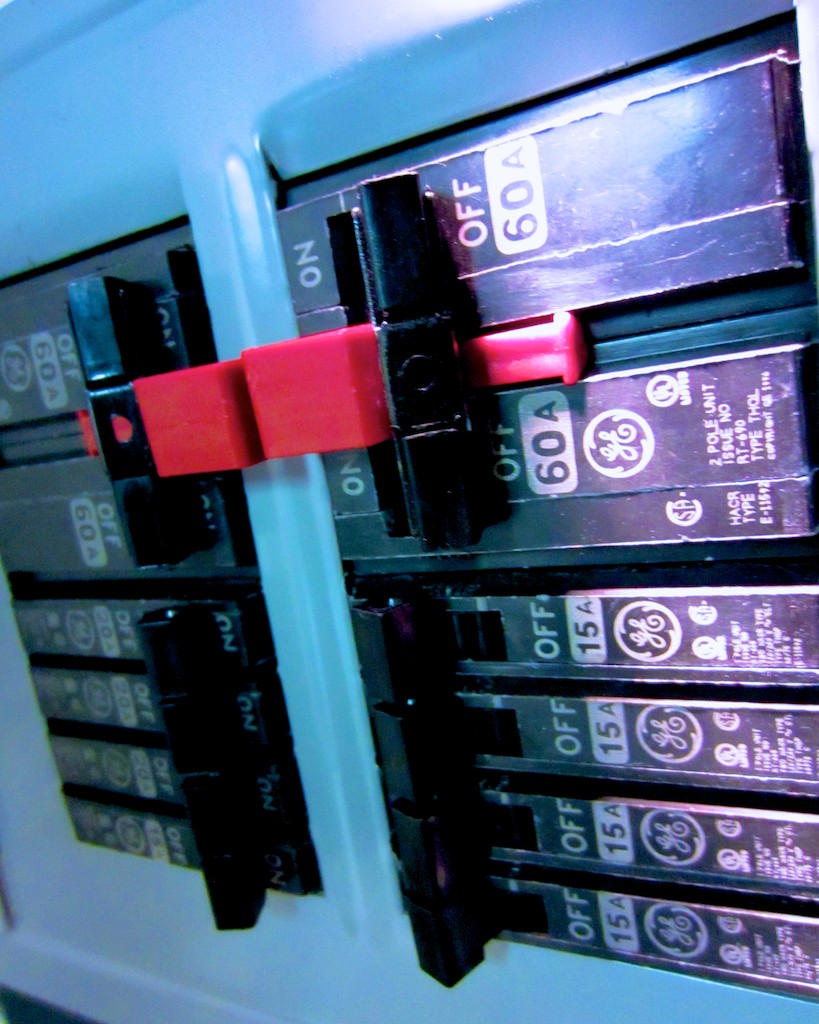
Worried about how to power your personal Skynet, Matrix or HAL during a blackout? Time to flip a switch and generate some watts!

Worried about how to power your personal Skynet, Matrix or HAL during a blackout? Time to flip a switch and generate some watts!

Power.

Lately, I’ve been obsessed with power.
No, not the megalomaniac kind.

The type that powers your personal tech.

Feed Me!!
My tech is always hungry.

I’ve got my handy Anker portable charger for my portable tech when I’m on the road.

I’ve got multiple UPS battery backups for my home office gear.

I always feel a dull ache whenever I watch my toddler play with my arsenal of flashlights. Another emergency light source draining away…

I own multiple rechargeable batteries, and I always throw a twenty pack of AA’s into my cart whenever I’m at Staples.

I read Facebook with envy when I see one of my friends installing solar panels on his roof.

What’s going on that I crave so much reserve power to keep the digital wheels turning?

It’s like worrying about never having enough to eat…
I’m always feeling like the orphaned Oliver.

“Please sir, may I have some more?”

Like it or not, AC and DC energy is the food to sustain your digital life.

It’s Gettin’… It’s Gettin’
It’s Gettin’ Kinda Hectic!
Certainly last fall’s Hurricane Sandy was a huge wake up call.
It decimated the Northeast and knocked out power for weeks.

Mother nature reminded us how fragile our power grid can be.

Get a Portable Generator!
When Sandy blew by, my house went dark for the better part of a week.
The inside temperature dropped into the low forties.

But I was lucky.
My family and I escaped and stayed over with friends who own a portable generator.
It kept their house fully operational.

Sure, there was heat and hot water.
But I quickly turned my attention elsewhere-

  • Internet access- Check.
  • Charging stations for portable devices- All you can eat.
  • TV- Yup!

It was like living in an alternate reality bubble.

The only clue we weren’t in Kansas anymore was the hum of the portable generator sitting in the driveway.

By the end of that week, it was crystal clear what I needed to protect the House of Lester…

It’s taken me five months to follow up on that decision, but I’ve finally taken the first step.

Ring. Ring…
Mr. Electrician, I have a job for you!
So before you can actually use a portable generator to power your house,
you need to do some electrical work.
(which is why it’s not a good idea to delay making the call until
The Weather Channel starts tracking the next planet-killing storm)

There’s the right way and the wrong way to handle the electrical challenge…

Option 1: Reverse the Polarity in Your Warp Drive Engine
Certain intrepid souls with some electrical skills have been known to do their own electrical jury-rigging.
It’s called ‘backfeeding,’ which refers to connecting power from the generator directly back into a house outlet.

This is extremely dangerous, and the web is filled with warnings about how you can electrocute yourself and others down your power grid.

I’m generally not into death and mayhem. And I don’t fancy myself an electrical MacGyver. So I passed on the backfeeding idea.

Option 2- Manual Transfer Switch
Hire an electrician to properly install a manual transfer switch next to your house’s electrical panel.
And that’s what I just did last week!

This additional power panel allows you to safely use and switch between your power sources.

My electrician also ran a weather resistant 30-amp plug to the outside of my house for the generator.
(Safety tip: The portable generator can’t be positioned too close to your house or you’ll risk carbon monoxide poisoning. That would be bad, especially after you went to all that effort not to blow things up.)

The whole shebang is not inexpensive.
I spent over $1,000, doing it the right way with my electrician.
But you do what you’ve got to do.
(The idea is to survive the power outage, right?)

So my house is finally ready for action.
Time to buy the portable generator!

How Much Power Do You Need?
Some portable generators are beefier than others, and yes, you pay more for the extra watts.
How much do you really need?
5,000-6000 watts should be sufficient to handle most of your home’s basic needs.
(My friend’s generator offers a healthy 6,000 running watts.)

Sure, you can permanently install a permanent home standby generator in your backyard, but that kind of project comes at a much higher price point.

Which Brand?
Of course, there are lots of brands to choose between.
Consumer Reports likes Troy-Bilt, Honda and Generac.
My electrician let me know he’s also partial to the Generac line of generators.
So I focused on that company.

Fuel?
There are two main fuel source options to choose between…

Gas
The portable generator market today is flooded with gas generators.
Yet, everyone I’ve talked with agrees gas generators have several major drawbacks.

  1. When the power goes out, lots of gas stations close
  2. The remaining gas stations have long lines
  3. You’ve got to store many gallons in your house to keep the generator going.
  4. Gas is flammable
  5. Gas goes bad quickly

Sign me up?
Not so fast…

Liquid Propane
Yes, it’s like what you use to run your gas grill.
There aren’t many LP portable generators out there, but my informal survey suggests they’re the superior choice.

  1. Easier to store propane tanks long term
  2. LP generators are more energy efficient
  3. It’s safer

My friend is a strong liquid propane proponent and he quickly convinced me of the wisdom of LP.

Thank you, Sensei.

Which Liquid Propane Portable Generator?
You can buy my friend’s Sportsman GEN7000LP portable generator on Amazon for $1,000.
It’s clearly a solid choice.
(6,000 running watts. 7,000 surge watts.)

But after doing my own due diligence, I like the brand-new Generac LP5500.

Generac talks about its ‘breakthrough’ research bringing propane generators to the market.

In 2011, they successfully experimented with their small LP generator (LP3250).
Now they’ve built a larger version, the new LP5500 (model #6001), which will start shipping in the next few weeks.

The Brand New Generac LP5500 Propane Powered Portable Generator

The brand new Generac LP5500 propane powered portable generator is here!

It offers 5,500 running watts and 6,850 starting/surge watts.
The going price around the web is $800.

It’s a relatively small unit with room in the back to hold your LP tank. It has two cushy wheels for easy transport, and it’s powerful enough to play in the big leagues with its competition.

Consumer Reports recently posted a video report from the 2013 Home Show featuring the introduction of the LP5500.
Their video provides a great visual overview of this model.

So even though I normally like to wait to read multiple customer reviews before making a decision, I’ve already got a gut feeling that this yet-to-be-released generator is the one for me.

Where to Buy It?
Again, as of this post, the LP5500 isn’t in stores yet, but websites are already selling it as a backordered item. They suggest they’ll have it sometime in April.

The next super storm could be around the corner, so I’m feeling it’s a wise choice to pull the trigger now and get in line for this one.

My electrician suggested buying from an online company called Norwall.
But they’re not listing my Generac yet.
Bummer.

Another online retailer, Electric Generators Direct has it listed and backordered for amost a month.
I called them to check them out, and the representative I spoke with seemed very nice.
But I don’t know the company.
Next…

Amazon’s got it.
But the page lists a shipping ETA from 1-3 months.
Pass!

Then I noticed this week Home Depot has the LP5500 on its website.
(but not in stores)
Backordered only for another week.
Ships 3-6 days after that.

Everyone knows Home Depot!
BINGO!!

The Right Choice?
So I’m planning on doing the deal with Home Depot.
But before I buy my orange Generac, I thought I’d first share my own research through this post and ask if anyone out there wants to challenge my decision on the LP5500.

Really, it’s less of a decision than an educated guess.

I should also mention a major reason I’m not taking the proven path by going with my friend’s larger Sportsman is I’m simply looking for a more compact unit to store.

Slave to My Machines
So now, I’m moonlighting as my own power company to ensure the survival of my tech beyond a regional or global blackout.

I feel like I’ve entered “The Matrix.”

Maybe I should just connect the plug into the back of my skull to feed my electronics, like in the movie.
No, that won’t work. Not enough juice…
(need a bigger brain)

That’s why the entire human race had to be enslaved to power the endless whims of technology.

Things are much different in real life…
(really?)

I wish you a successful and safe journey in your search for your own watts!

Soon I’ll be able to scream at the top of my lungs…
“I’ve Got the Power!!”
Waiting for the iWatch

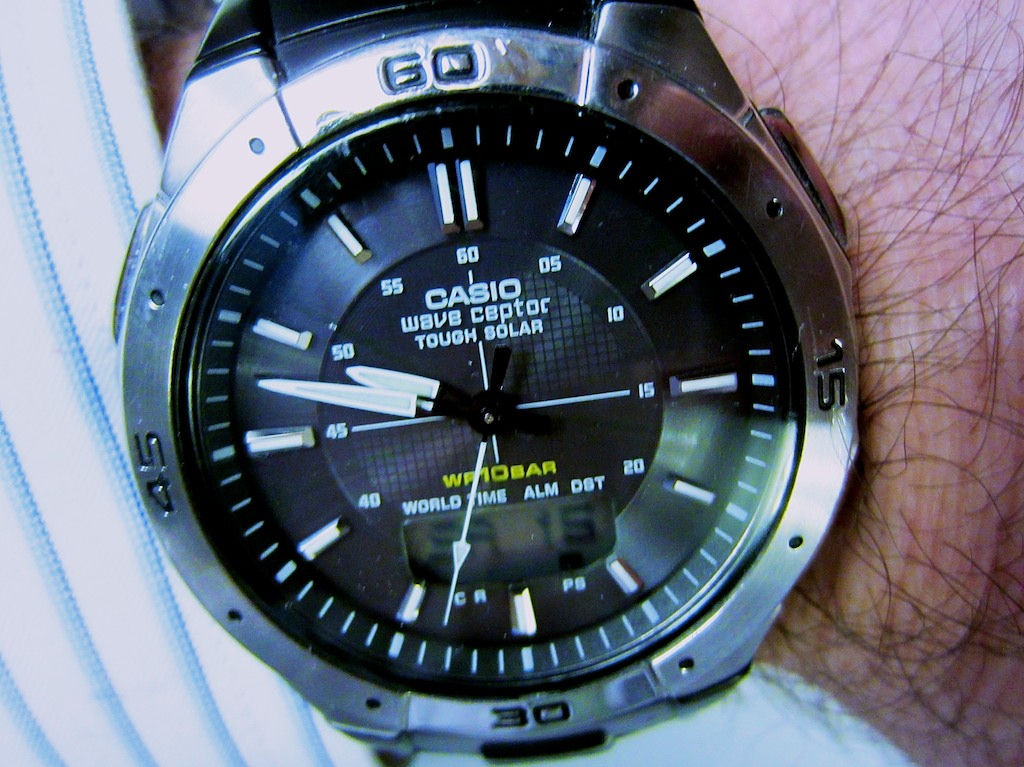
I’m a Casio Man. And it’s been great. (Thanks for the memories.) iWatch? See you later, Casio! My wrist awaits!!

I’m a Casio Man. And it’s been great. (Thanks for the memories.) iWatch? See you later, Casio! My wrist awaits!!

Poor Apple.
They’ve been having such a rough time of late.

It’s like we’re suddenly living in an alternate universe where Google and Samsung are the kings of tech innovation.

Not that Google hasn’t been a force for innovation for quite some time.
But their wearable Google Glass is really making headlines these days.
Soon, everyone may be walking around wearing eyeglasses that make Star Trek’s Geordi La Forge visor look like a clunky carburetor.

And Samsung’s Galaxy smartphone juggernaut has been stealing the spotlight from the iPhone.
(The Galaxy S4 was just announced to much fanfare.)

When was the last time Apple wowed the world with a new product?
(crickets)

Suddenly Apple is so yesterday.
Their stock price has tanked.
The shine is gone.
So it’s over, right?

Not so fast!
(People are so impatient!)

I Still Like Apple
As a typical consumer, I’m happy using their current tech line up.
I don’t always need the next best thing to integrate into my fragile home tech ecosystem.

So I don’t mind if Apple takes a little time with its next product launch.

It’s not like they’ve ever been like… say… Casio.
That company has thrown lots of spaghetti against the wall over the decades to see what sticks.
Yes, I’ve been watching… their watches.

The Watch that Casio Built
I’ve been a Casio watch man my entire adult life.
I bought my first digital wonder watch back in 1980 when I was in high school.

I remember how cool it was having a built-in stop watch and countdown timer on my wrist for critical moments… like when I needed to take a catnap in the library before pulling an all nighter to finish the big term paper.

Casio watches were never that expensive, and their bands wore out long before the guts of the watch. Replacement wristbands were never as stylish as the original…so I found myself upgrading to the next model watch every two years or so.

So I witnessed how Casio kept trying out new ideas for their watches…
They were clearly having fun with their ideas, but some were better than others…

  • Data bank that housed all your phone numbers-
    Great pre-smartphone concept, but it took forever to type in via micro buttons
  • Tone phone dialing-
    You pressed your watch against the phone receiver, and the Casio emitted a fast sequence of tones to trick your phone into thinking you’d dialed the number! Thank you, Mr. Bond!
  • Multiple alarm settings-
    You would never have an excuse be late ever again!
  • Solar charging sensor –
    Eco friendly… But I got tired holding my wrist up to the sun every chance I got to feed my hungry watch!

All right. Some of their ideas were more cool than practical. Others were just down dorky.

But remember, a lot of this was happening while Apple was in it’s own pre 21st century doghouse.

Today, my iPhone has largely taken over everything my Casio watches had ever hoped to do.

The one really useful feature Casio added several years back was their
Wave Ceptor technology, which they have dubbed “Atomic Timekeeping.”

No, your watch is not atomic, but it does connect to the atomic time calibration signal transmitted in Fort Collins, CO.

So theoretically, your Casio watch is always exactly on time.
You never have reset your watch ever again!

But last week, when we passed into daylight savings time, my trusty Casio failed to get the message. It didn’t spring ahead.

And then I had to figure out how to trick it to move forward manually.
Those four buttons on the side of the watch can activate about 3200 setting adjustments.
Unfortunately, changing the time isn’t among the first 700 or so!

The only task I demand of my Casio watch is to simply tell me exactly what time it is.
And at least twice a year, it can’t do that.

Plus it’s hard to see what time it is in the dark.
The old glow tech from the 20th century just doesn’t cut it anymore.

I think I’m done.

Anyone else want to strap some tech to my wrist?

Hello, Apple?

If all the rumors are true, the geniuses at Apple are saying…
“Aha… here’s an opportunity!”

I Want an iWatch
Wearable technology is today’s new tech frontier.

The rumors are flying that Apple’s working on their iWatch.

Bloomberg’s talking about it.

Apple Insider has uncovered some exciting Apple Flex Tech patent filings.

Not that any of this is proof, but you might be slapping on your flexible touchscreen smartwatch sometime soon!

Whether it’s really a smartwatch or just a tethered ‘slap wrap’ display to your other Apple tech, it’s hard to really know.
(though Apple Insider is leaning towards the latter)
But whatever it is, I want it!

The Shine Will Return!
I’ve grown accustomed to wearing tech on my wrist.
Casio isn’t cutting it anymore. They’ve had three decades to get it right.

Apple is really good at taking existing tech that’s rough around the edges and perfecting the user experience.

And sometimes that takes a little time.
That’s okay.

Just don’t take too long, or I might be wearing my new smartwatch on my head in my glasses!!

The Secret iPhone Setting to Save Your Emails to iCloud

A proud member of the Silent Generation enjoys a Vietnamese coffee with his baby boomer son.  What controversial topic will the boomer be defending today?  Emails are better than faxes.  (shocking!)

A proud member of the Silent Generation enjoys a Vietnamese coffee with his baby boomer son. What controversial topic will the boomer be defending today? Emails are better than faxes. (shocking!)

My father and I often go out to dinner on Thursday nights.
Usually, he hasn’t even put down the menu when he’s already got some important proclamation to make.
Last week, it had to do with his home tech.

He lowers the daily specials menu insert and out of the blue says to me,
“A fax is much better than email!”

I look at him.

“Come on Dad… really?
Sending an email is so much easier.”

“But a fax gives you a hard copy confirmation,” he replies.
“You have proof it’s been received. An email can get lost.”

“Dad…” I scoff…. “Emails don’t get lost.”

He stares with the assured look of an almost octogenarian.

I try not to roll my eyes as he tries to out-tech-talk me.

But even though my father may not be totally up to speed on current home tech, he does know a thing or two.
(Last week, he’d somehow heard about the latest Apple iWatch rumor before I did.)

Sure, he’s usually biased towards technology from the ‘good old days.’
(He still talks about the wonders of the telegram and the McCormick Reaper.)
And he’s certainly not comfortable with figuring out every tech upgrade that comes along.
But his opinion as a tech consumer is as relevant as anyone’s.

He sometimes quotes me a supposed German saying his father taught him-
Too soon, Old.
Too late, Smart.

And I’m old enough now to begin to recognize how true that is!

Dad Has a Point
Even though my father’s fax machine is wicked old tech, it’s still hanging onto its relevance.
You can’t dispute that gripping a fax report confirmation sheet still gives you a little chill of happiness.
It’s your analog security blanket.

The down side is your successfully sent fax may still never get read.
It may forever be buried in some basket brimming with unread faxes.
But you can remain heartened by the fact it still exists in corporeal form.
That’s got to count for something, right?

But come on Dad!
All of this is so yesterday.
(It’s a dated issue from twenty years ago!)

Email is how the world mostly communicates now, Dad.
Heck, even this is a decade-old conversation.
Maybe we should be talking about how texting is killing email.

Here’s what my father would simply say,
“With a fax, I’ve got my confirmation sheet.
What do you get when you send an email?”

And my dad has a point.

If You Send an Email and Nobody Gets It, Did It Ever Exist?
I recently sent out an email on my iPhone using my iCloud account.

A couple days passed, and I didn’t get a response.

Not that this kind of thing is so rare.
Some people take their time getting back to you.

So I sent a follow up email, also through my iPhone.

No bounce back.
Just nothing…

Then I got paranoid.
Did I dream sending the emails?

I suddenly wanted some proof…

In Search of Proof
So how do you know if any of your emails actually get to where they’re supposed to go?

Well, if you see a copy of your email message in your computer’s email program or your webmail account, you’ve got some evidence.

Of course, there’s any number of dangers confronting your fragile email while on its journey.
(Sometimes you’ll get a bounce back report if your email doesn’t make it. Sometimes not.)

But you really can’t protect your email once its leaves the nest.
All you can do is try to make sure it blasts off successfully.

And much like a fax confirmation page, a saved copy of your email message can offer some comfort.

So I sat down at my iMac to confirm my two emails were also showing up in my email program’s ‘Sent Items’ folder.
(I use Microsoft Outlook for Mac 2011, which I recently upgraded to from Entourage.)

I took a look, and my two emails in question…
…were…not…there.
(gulp)

But I didn’t panic.
(not yet)

So I did a little research into the email settings on my iPhone.

By Default, Your iPhone Doesn’t Save Your Sent Emails to iCloud
Did you know you’ve actually got to tell your iPhone to save your sent iCloud emails to Apple’s mighty mail server?

What?!
(yes)

Otherwise, your iPhone retains your only copy!
(It’s your iCloud account’s default setting.)

So unless you’ve been inclined to check out every iCloud nuance buried in your iPhone’s settings, there’s likely no secondary evidence your emails have ever made it out of your iPhone.

(The small brown paper bag is behind you. Continue reading after you’ve stopped hyperventilating!)

The Secret Setting to Save Your Emails to iCloud
Better?
Okay, here’s the simple fix:
The correct setting is buried seven levels down, deep in the IOS 6 Settings App dungeon.

First, click the Settings icon.
Then begin your multi-level journey down the this rabbit hole by clicking-

  1. Mail, Contacts, Calendars
  2. “Your iCloud email account”
  3. Account (at the top)
  4. Advanced- Mail (at the bottom)
  5. Advanced (at the bottom)
  6. Mailbox Behaviors- Sent Items

You’ve finally arrived at your destination.
You’ll see ‘On the Server’
Here is where you’ll need to check off a specific folder for your email to go in the iCloud mail server.
iPhone email settings

I selected “Sent Items,” which seemed like the obvious choice.

Then, I drafted a test email, and voila!
Ping.
There it was, also on the mail server.

PROOF!!
(I feel so much better.)

Apple makes it so easy to save everything else to iCloud.
Why not your emails?
It probably has to do with Apple’s iCloud storage limits
Remember, every saved email counts against your iCloud storage limit.

Too Many Email Addresses Clog Up Your Brain
You might be wondering how come it took me this long to realize I wasn’t saving my emails to iCloud?
I think it’s partly because I hadn’t thought to track down one of my emails lately.

And what further masked the problem is the complication of my multiple email accounts…

  • I’ve passively collected them over the years:
  • Apple gave me one when I bought my first iMac
  • Then another when I bought my old laptop
  • My Optimum service offered me its own branded email
  • Plus, who doesn’t have an extra Gmail or Yahoo address?
  • And the obligatory address for emails you don’t really want to go to die

At first I thought it was great having several email accounts.
I developed a logic years back on how I would use each account.
(Then I forgot what it was.)

The truth is I don’t send out iCloud emails with my iPhone too often.
So I just hadn’t run into the problem yet.

Read Receipt?
I’m sure someone out there is thinking, “If Barrett is so concerned about his emails, why not send them with the ‘Read Receipt’ setting activated?”

Well, I stopped using that Big Brother functionality in Outlook a long time ago, because I felt it was intrusive.
And both Apple’s Mail and Outlook for Mac don’t support it anyway.

Cancel Fax Vs. Email Smackdown
Dad, I can’t claim my emails are any more bulletproof than your faxes.
But at as long as I strong-arm my iPhone into saving my emails to the mail server, I feel my backup plan equals the value of your fax confirmation page.

Beyond that, there’s no way either technology can guarantee a recipient will receive your important communication, let alone read it.

Dessert?

But my father is never one to let one of our debates end in a draw.
I think I know what he would say…

“Telegram!”

(Ugh)

“Check, please!”