At Home with Tech

Unlock the power of all your technology and learn how to master your photography, computers and smartphone.

Category: Tech Trends

What The LEGO Ninjago Movie and Star Trek: Discovery Have in Common

As both media properties switch distribution platforms, it’s clear that change is coming. Properly communicating some of those details ahead of schedule is always critical. Otherwise, you’ve got worried fans writing posts like this…

As both media properties switch distribution platforms, it’s clear that change is coming. Properly communicating some of those details ahead of schedule is always critical. Otherwise, you’ve got worried fans writing posts like this…

I just watched “The LEGO Ninjago Movie” trailer online. It’s based on the cartoon TV series about five young ninja warriors and their sensei who battle evil forces.

LEGO movies are seemingly starting to churn out faster than your kid can build a 500-block LEGO fortress. First there was “The LEGO Movie,” which I thought was a super fun family flick. Now, “The LEGO Batman Movie” has just been released to solid reviews, and “Ninjago” comes to theaters in September.

If you like these LEGO movies, (or your kids do) this should all be great news, right? My six-year-old son loves to watch the Ninjago TV series, and I can’t even imagine how excited he’ll get when I reveal there’s a movie version coming out.

But I’m not sure I’m going to tell him.
Well not yet.

And why not?
Well, I’ve identified a little problem in the trailer…

This is Not My Son’s Ninjago Universe
The voices of the animated characters in the movie are voiced by different actors than in the series.

While this might appear to be a subtle change, I’m not so sure I like it.
Plus, the animation design aligns a closer to the LEGO movie universe. Again, not in huge ways, but it’s noticeable.

Now, it’s not the first time a TV series has been changed or ‘upgraded’ as it morphs into a big-time movie. Often there’s a bunch of years between the two… So change is inevitable. But we’re talking about a current cartoon series about to release its seventh season.
(“Hands of Time”)

Shouldn’t the Ninjago transition to movies be a little more seamless?
(And speaking of the seventh season, my boy is extremely eager to know when it’s being released. Any ideas out there?)

Now I get that the producers of the LEGO movies want to create a product that’s distinct from and ‘better’ than its TV counterparts. (Otherwise, why would you choose to spend some serious money to schlep your family to the cinemaplex when you can stream it all for ‘free’ on your iPad.
(With a Netflix subscription)

I get why you’d sign up some big time talent like Jackie Chan to play Sensei Wu to help the marketing team sell more tickets.

“Jackie Chan?! COOL! Let’s go….”

But they’ve messed with my son’s Ninjago universe.

This is ‘another’ Ninjago.
…An alternate reality Ninjago.
…A ‘Kelvin’ Ninjago.

The Needs of the Many
Truthfully, I’m not sure that my son will really care about any of this.
But obviously I do…

Yeah… I think this actually may be more about me.
I‘m not a big fan of gratuitously messing with a formula that already works…

Which is why I’m still concerned with what’s happening with the new “Star Trek: Discovery” series.

Even from the distance as a “once and always Trekie,” I acknowledge that the Star Trek formula needs to continue to evolve as the original blueprints eventually ran out of steam with “Star Trek: Enterprise.”

Yes, the new movie series took some big-time chances to mix things up a bit. But J.J. Abrams successfully rebooted the franchise in a fresh way with its “Kelvin’ alternate timeline, while also respecting the original ‘Prime’ timeline.

“Discovery” is apparently not connected to the new movies in any way.
It reportedly takes place in the pre-Kirk ‘Prime’ timeline.
(Ten years before the original five-year mission.)

Have you got that?
…Because I don’t.

The timeline split off on the day of Kirk’s birth.
Right?

So this assumes the original timeline still exists somewhere… intact.
(Fascinating.)

Hailing Frequencies Are Open
The problem is I still have no sense or feeling about this new Trek.
And it’s launching in May.

Sure there’s casting announcements and some vague plot elements.
(Young Sarek will be a part of the story.)

But the whole kit and kaboodle still feels like a black hole to me.
The marketing machine has given us almost nothing to get us excited about.

Okay….
What I need is a decent trailer to settle me down a bit…
(And something more than concept animation…)

Maybe a few photos with the actors in uniform. Something!
Come on guys!

I know all about “The LEGO Ninjago Movie,” and that’s not coming out until September!

Settle Down, Barrett
It seems clear “Star Trek: Discovery” is going to be somewhat ‘disruptive.’
But I’m a little worried, because it continues to be so quiet.
Like something’s wrong.

The new “In Production” teaser makes me feel slightly better…

But it still doesn’t give much up.
Except a promise to maintain the tradition…

Birthday Wish
Change is inevitable… Whether we’re talking about animated Spinjitzu masters moving to the big screen or some version of the two Federation universes moving back to the small screen.

As a father of a kid and as a kid at heart, all I ask is to simply respect the ‘elemental powers’ that have made both franchises successful.

From there you can’t go wrong…
And your fans will continue to feel like it’s their birthday every time they tune in…

Eight Ways to Face Your Digital Mess

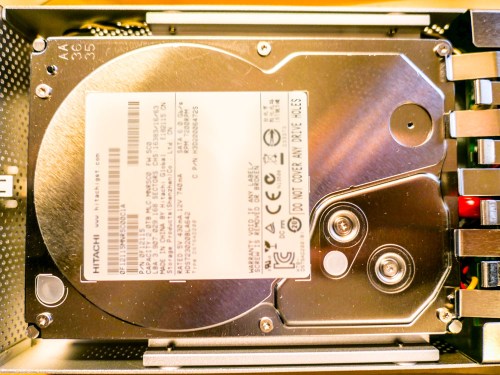
hitachi-hard-drive

Click on your computer’s hard drive and select ‘Get Info.’ If the percentage for remaining space shocks or worries you… (Other negative emotions also apply) Read on!

Is two terabytes enough space to house the digital contents of your family life? (That’s the size of my iMac’s hard drive.) Well, I certainly thought so. I mean… how much space do you really need to capture and archive the important moments?

The truth is your final archived files for posterity probably shouldn’t take up terabytes of space. (How much media do you really want to carry forward into future decades…?)

The real problem is housing all of your raw content that you’re regularly capturing… and then just letting it pile up, because other priorities tend to get in the way of your little personal archiving plan.

The Digital Math Doesn’t Lie
For me, that constant digital flow of incoming family-related media looks something like this:

  • Weekly family photos that document the day to day: 25 pics x 4MB each = 100MB
  • Three video clips a week averaging 90 seconds each: 3 x 400MB = 1.2GB
  • And let’s throw in one larger ‘event’ a month that generates 50 more pics (200MB)
  • Plus, four vacation zones each year that bring in 250 photos and 10 video clips each. (5GB)

Let’s tally that up…
Roughly, we’re talking about taking in 75GB of photos and videos each year… and that’s without even trying.

You can imagine if you add in a few more one-off events and other kinds of files that you’ll also acquire throughout a year, that number can easily jump to 100GB.

But even at that rate, it would take you twenty years to fill up a 2TB hard drive.

What Happened?
But last week, I realized my iMac was almost out of hard drive space.
(Yes, this disturbing moment shouldn’t come as a complete surprise to anyone ‘at home with tech,’ but that’s another story.)

So what was taking up all of that space?!

Before I allowed myself to descend into a ‘digi-tizzy,’ I realized that I am indeed working on my second decade of digital media collection.
(I’ve owned iMacs since 2004.)

Still, twelve years in should only have pushed me to about 60% of my current hard drive’s capacity.
(Also, photo and video file sizes weren’t nearly as large back then in our pre-HD days.)

But the truth is I’ve captured a whole lot more video than my above equation entirely accounts for.
(One example is a family history video project I’ve been doing with my dad over the past few years. He tells great stories, but he certainly takes his time.)

So now, I’ve got to finally deal with it!!!

Time to Help Out Your Computer’s Overstuffed Hard Drive
Sure, I can consider upgrading my computer and simply getting a bigger internal hard drive. But that’s not really the fix. That’s just ignoring the larger problem…

You can offload much of your media inventory to external drives.
(In fact, that’s a best practice anyway when editing video.)

But without an organized plan, that’s not going to be much help when you rediscover the drives a decade later, and you’re confronted with hundreds of unlabeled files.
(Assuming the drives even boots up)

Much like my philosophy when it comes to sharing your photos quickly, you should be regularly going through your video files to organize/edit/share.

But today it’s not about what you should be doing… it’s about what you must do! You may want to check… because much like me, your computer’s hard drive may already be just out of space…

It’s time to do some file organizing/deleting/moving…

Eight Ways to Reclaim Hard Drive Space

#1
Review Your Biggest Files First
You’ll move the needle fastest if you can move/delete some really huge files. So begin your file search there. Addressing those offenders first will have the greatest impact on freeing up hard drive space.
(Obvious, though always worth mentioning!)

#2
Don’t Ignore Your Videos. They Can Sink You!
Pay attention to all of those videos you’ve been capturing with your smartphone and camera. Video files are HUGE! You should label them and regularly move them to an external drive.
(Actually… two drives. Media always needs to live in at least two locations for back up.)

I’m especially partial to drives made by G-Technology.
I’m currently using the G-Drive Mobile USB 3.0 to house my raw family video files.

#3
Clean Up Your Email
Your email can be sucking up a whole lot of space.
(How many messages from long ago are you still hanging on to? I’m embarrassed to reveal my number.)
And lose all of those damn unread marketing messages from companies you willingly gave your email address to.
(And to some you didn’t)

#4
Find and Move Those Emailed Photos
Don’t forget your family and friends are sending you photos too. Don’t let those pics languish, lost in your hundreds of disorganized email messages.
(Thousands?)

#5
Delete the Photos that aren’t ‘Great’
Face it. Most of your photos stink.
(All right… mine do.)

But that’s my secret to success. I take lots of photos and hope that one in a collection is ‘the one.’

So especially if you have a ‘best version’ of a photo sequence… you need to delete the rest!

#6
Reorganize Your Folder Structure
Go back and review all of those folders you’ve created over the years. You’ll be surprised to discover what you left behind, forgotten and just don’t need anymore.

#7
Delete Old Software
Enough said.

#8
Make the Time
You may be asking yourself, “Who’s got time for all of this?”
Exactly.
(I certainly don’t.)

My response: “You don’t have a choice.”

I’m happy to report my computer is on its way to recovery. But it’s going to take some time to fully complete my hard drive review.

The trick is to keep going…every week.
A little at a time…

Clean Up Your Digital Sock Drawer
If these tips feel like I’m telling you to simply clean up your house… you’re right. It is, in fact… your digital house. And life is going to mess it up just like everywhere else.

You’ve got take some time to tidy up every so often.
(And it’s really much bigger than just organizing your sock drawer!)

People don’t move to a bigger house simply because they’ve got too much stuff.
(Do they?)

So you’re left with living in the boundaries of the digital space you’ve got…
…Or one day, you’ll discover that you won’t be able to open the front door.

You can avoid that day if you start right now…

How a Few Photos Will Frame the Story of Your Travels

You know the saying… a picture is worth a thousand words. How you integrate a few key photos into your post-trip conversations can be critical towards charting your saga.

You know the saying… a picture is worth a thousand words. How you integrate a few key photos into your post-trip conversations can be critical towards charting your saga.

The amazing experience of an overseas trip can quickly start to evaporate much like a dream as quickly as the next morning. How are you supposed to lock in all of those great memories and then share them with your family and friends?

Sure, it’s probably not too difficult to relay the major headlines, but what about all of the moments that made your little adventure your own?

I believe that quickly sharing a few photos (and videos) you captured is the best way to lock it all in and help provide the details of your story.

Don’t wait a month to go through your pics and figure out the best ones to share. That’s way too long. People are interested in knowing what just happened to you. Yesterday’s story is old news.
(Yes, even for you)

I say you’ve got a week… max, before your travel photos lose much of their impact in helping you tell your story.

And for those of you who may not be natural storytellers in front of a crowd, your photos can do a lot of the heavy lifting. From there, all you’ve got to do is provide a little more color with your own words…

Seven Days in Thirteen Images
Let’s do a little exercise together to demonstrate how using a little photographic tech can quickly bring your trip to life and easily frame your experience for others…

barrett-lester-in-davosA week ago, I returned from my trip to Davos, Switzerland. I snapped pictures with my new Panasonic DMC-LX10 ‘premium’ compact camera
and my old iPhone 6 Plus.

davos-mountain-view

Those Swiss Alps are really beautiful.

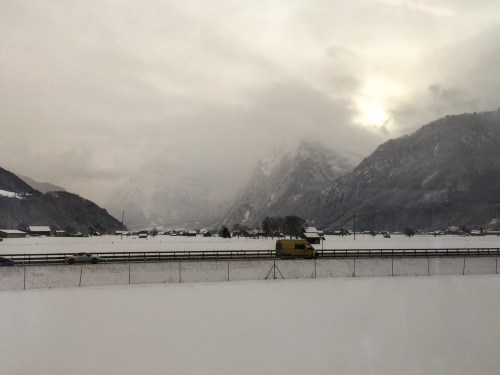
train-ride-to-davosThe train ride from Zurich was a bit surreal.

davos-at-nightDavos is a super cute town.

two-horse-powerSome of the local residents don’t lean heavily on modern tech.

davos-at-dawnIt was wicked cold.
(Like 2 degrees Fahrenheit in the morning)

muesli-yogurtI sampled some of the local cuisine. I made a point to have some Weiner Schnitzel and try the fondue. I really enjoyed muesli yogurt for breakfast.

tiramisuThe tiramisu rocked.
(We also ate some great pizza, which I wouldn’t expect to find in Switzerland.)

swiss-payphone-at-zurich-airportSome of the tech was kind of the same.

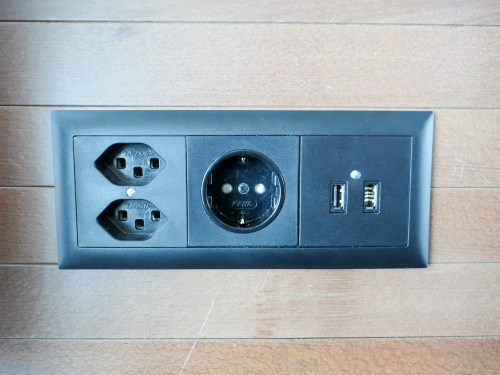
power-outlets-at-zurich-airportOther tech elements were expectedly different.

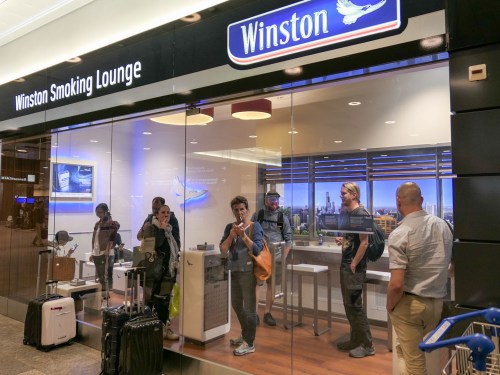
winston-smoking-loungeThey still have smoking lounges?!
(Zurich Airport)

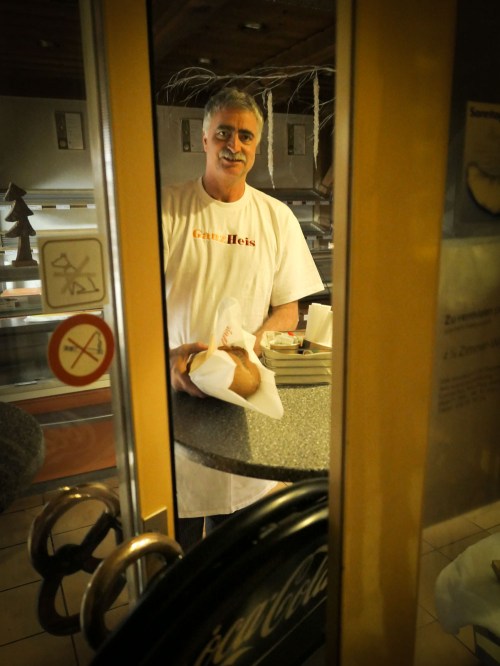
freshly-baked-bread-at-2amWe passed by a closed bakery at 2am and spotted a mustached man in front of a wood-fired oven making bread for the next morning. He spotted us and sold us a hot loaf for three Swiss francs.
(Yum)

Show the Action!

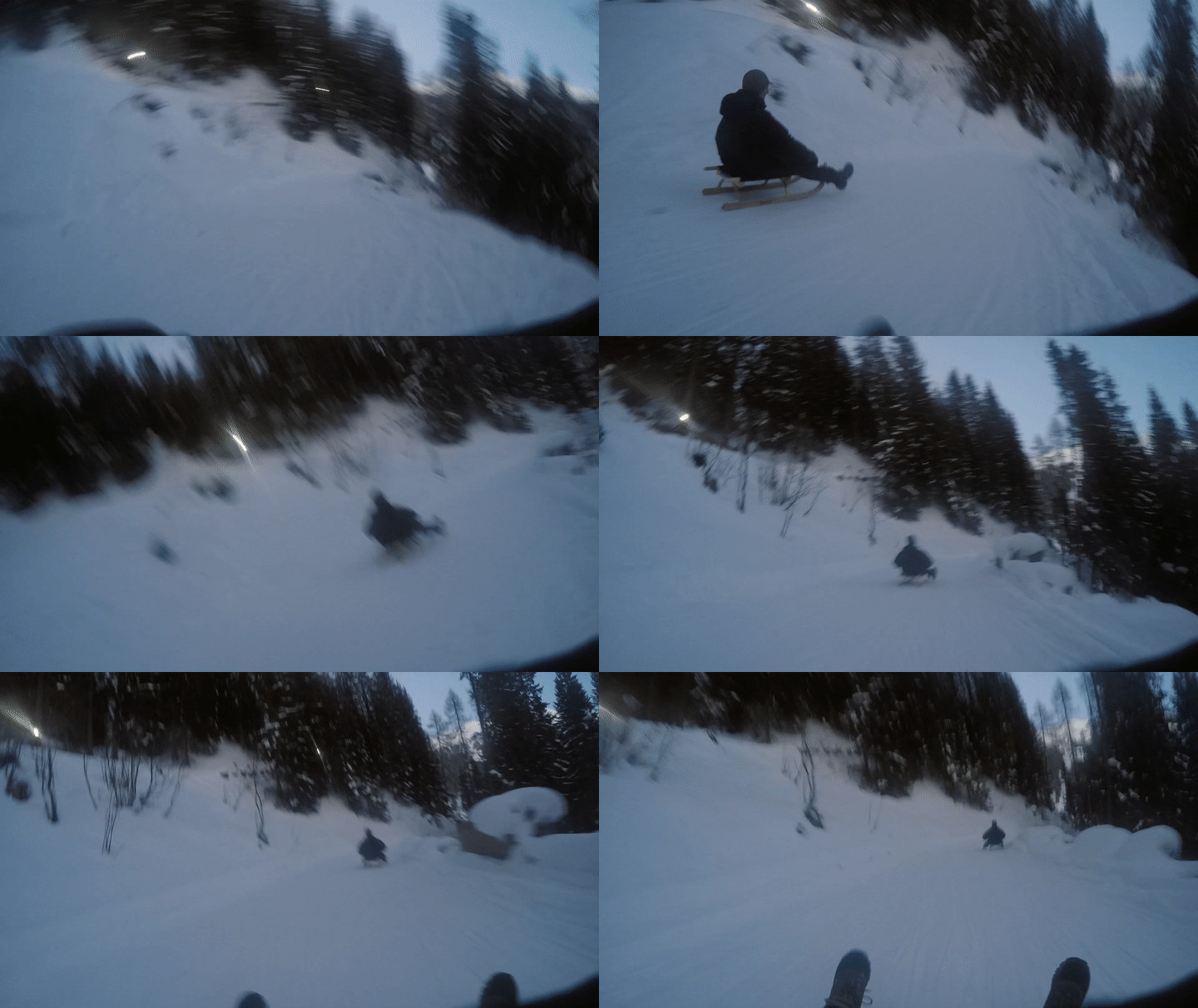
Davos Tobaggan Race

…And after the end of a busy week on the job, we might have squeezed out a few moments to go tobogganing from the top of a mountain.
(Thanks to my friend Ichiro for capturing the GoPro footage.)

When to Know When
After these thirteen images, don’t you now have a decent sense of my experience?

One last piece of advice:
You’ve got to be deliberate when finding these ‘peak moments’ to capture. And be willing to endure a bit of blowback from others around you, who might be moving through these moments at a slightly quicker rate than you are.

That said, it’s always a balancing act.
There’s a time to take your camera out. And the times to put it away.

It’s always nice to capture a memory, but never forget to enjoy the moment!