At Home with Tech

Unlock the power of all your technology and learn how to master your photography, computers and smartphone.

Category: Tech Trends

How Your Email can Help Group-Think Succeed
Would you rather be copied on a group email you don’t care about or left off a cc distribution you really need?  The answer is why you need to perfect the art of group-talk.  Only then can you properly join in group-think!

Would you rather be copied on a group email you don’t care about or left off a cc distribution you really need? The answer is why you need to perfect the art of group-talk. Only then can you properly join in group-think!

Technology can separate us as much as it brings us together.

Yes, it allows us to stay connected no matter how far apart we are.
But the inverse reality is it enables people to drift further and further apart.

How many of you work with colleagues in different cities?
…in multiple time zones?
…or on more than one continent?

Exactly.

The age of the work team strictly defined by four walls is long behind us.

So when you don’t have proximity to help you get the job done,
technology picks up the slack with any number of collaboration tools.

As a result, email has increasingly become a team sport.

Group-Talk
The easiest way to keep everyone connected on a group project is to ‘cc’ the whole team on everything.

It’s overkill. But it’s easy.
And it gets the job done.

As a result, what I will call ‘group-talk’ is the standard way to communicate in so many emails these days.

Detractors would say that this ‘buckshot’ methodology isn’t efficient, because everybody doesn’t need to be included on every email.

A more targeted form of point-to-point email strategy would be more effective.
But that’s more labor intensive to generate.
And who’s got the time to maintain individual contact with 6 of the 10 people on an email chain, when ‘reply all’ will essentially get the same job done.

Sure, you’re wasting the time of the other 40%, but the collateral damage is considered mostly tolerable.

Group-Think
Even though we all feel like we’re drowning in too much email at work, the irony is it’s still not enough.
That’s because using email as your primary communications tool has its limitations.
We all know how difficult it is to interpret the emotion index of cold words on a screen, even with the help of emoticons.

Plus, there’s that annoying baseline tendency to accidentally exclude individuals from your group message. Email writers can unintentionally leave participants off larger email distributions.
If the email train leaves the station, and you’re not on it, you’re in trouble.

So to counter this risk, the logic is to over communicate.
If you’re not certain if someone belongs on your email list,
Add ‘em in!

We’re all trapped in what is effectively an endless series of group cyber discussions.

And often it takes this resulting ‘group-think’ to move the ball down the field.
More and more, we’ve grown reliant on email group-think to get the job done.
(not to be confused with the 1972 ‘groupthink’ term which often gets the team to the wrong place)

Group-Do
I’m sure you’ll remember the Borg from ‘Star Trek: the Next Generation’ who were quite the efficient villains.
That’s because their brains were wirelessly connected allowing them to work together as the perfect team.
Much like a beehive.

Individuality had no place.

Today, we are truly more Borg than we realize…

If a Digital Tree Falls in a Forest…
Say you’ve been given the task of cutting down a digital tree.
And when you’re done, you let out of shriek of victory.
But if nobody’s there to hear it, did you actually accomplish anything at all?

I would say you haven’t.

“But look there,” you might protest.

“There’s the tree. I made it fall! There’s the proof!!”

Doesn’t matter.
If nobody else knows the tree fell, the misperception of an unchanged digital forest will quickly overtake the truth.

The Proof is in the Email
What you need is an email that says the tree fell.

You might jump up and down like my three-year-old boy at the idea that people will not trust your upfront commitment to fell that tree.

If everyone needs an ongoing series of cc reminders that you haven’t spontaneously combusted, leaving your deliverable in ashes…

Isn’t there something wrong?

I would say,
Get over it!!

Join the Team
It’s not that bad.
You just need to learn to embrace the concept of a team sport.
Because after all, you work on a team!

And the more everyone remains connected with the whole, the more effective and efficient individual members will be.

This is not about trust.
(Well, it is. But it’s not only about you.)

You’ve just got to look at the equation from the other side.
And as soon as you do that, you’ll see how messy it is.

If we were really all Borg, things would get much easier, because we would all be working in precise unison and harmony.

But we humans… we’re chaotic beings.
Our creative brains are focused in so many places at once.

We’re unpredictable. Inconsistent. Yet so endearing…
(But I digress…)

Do you think your little tree is the center of everyone else’s galaxy?
Do you believe everyone’s got a lifetime subscription to the Force and will immediately recognize the disturbance in a galaxy without your tree?

Look… You’ve really got to provide your ongoing message of progress.
There’s a lot of noise out there.

A team’s sense of timing moving a group project forward is delicate, because everyone can’t possibly know the exact status of each of the moving parts.

Not unless a meeting provides a momentary snapshot or an email reports it!

If you want the Borg hive to assimilate your accomplishment,
you’d better email it out, loud and clear!

Only then will you have successfully contributed to ‘group-do!’

Email can Make You Clairvoyant
Individual accomplishment is clearly still important, but the efficiency of a Borg-like workflow is hard to dispute, especially when the work team is separated.

It’s really a simple mindset adjustment:

  • Perfect the art of group-talk!

We all need those emails…

And the silver lining is you’ll never have to remember if you’ve told someone what you’ve done….
Nor pester a colleague whether they’ve done it yet.

WE’LL ALL ALREADY KNOW…

Call it ‘cyber clairvoyance.’

Embrace your inner Borg, and join the team.

GoDaddy Says Four Paths to Your Blog is Better than One

Want to corner the market on your blog’s name?  Is .com not good enough for you? Well, GoDaddy is there to help you buy up all the available matching top-level domains.

Want to corner the market on your blog’s name? Is .com not good enough for you? Well, GoDaddy is there to help you buy up all the available matching top-level domains.

The calendar on my iMac recently reminded me it was time to renew the ownership of my blog’s domain name.

All right, then…
Wouldn’t want ‘At Home with Tech’ to suddenly disappear.
(I know you would all feel a disturbance in the Force.)

So I jumped onto GoDaddy to renew my ongoing pledge:

  • To help frustrated citizens live in harmony at home with their sometimes not-so-helpful technologies

Would You Like Fries with That?
I’ve always found shopping on GoDaddy’s website to be something of a circus.
(though I’ve noticed their TV advertising of late has moved back from that cliff)

In every nook and cranny, there’s an attempt to ‘upsell’ you.
(It’s like walking into a department store to buy a pair of shoes and walking out with a bulletproof tuxedo.)

Not that all the bells and whistles for your website aren’t a good thing.
It can just be a bit overwhelming.

That said, I did notice one ‘opportunity’ that peaked my interest.

I was presented with a ‘bundle offer’ that would extend my ownership of the
At Home with Tech name beyond the .com world to other top-level domains. (TLDs)

Now, I could also own the matching .net, .org, and .info suffixes.

And the low, low price for this ‘massive’ jump in web presence beyond my blog’s current .com existence?

  • $17 per year.

Interesting…

So I thought about it a bit.
I already owned the URL I wanted.
And I wasn’t really sure why I needed to corner the market on the name using other suffixes.
(When was the last time you used a .info address?)

The Brand, the Brand, the Brand…
So I called up GoDaddy to see what they had to say about their offer…
I spoke with a very down-to-earth customer service rep and explained my situation.
And even though I knew it was his job to sell more ‘product,’ he gave me a simple, well-balanced answer:

  • It’s all about protecting and building your website’s brand.

You wouldn’t want some other parallel universe ‘Lester Barrett’ blogging about his little tech woes using .org. That would get really confusing.
(And then I’d have to meet him in some Star Trek-like Lazarus/Thunderdome Nexus to work out our differences.)

Also, what happens if the occasional reader gets your URL extension wrong and can’t find his way back to your blog? Owning a broader market of the possible URL suffixes will help her find you.

So theoretically, this $17 investment will increase readership.
And isn’t that the endgame?

Click.

The entire At Home with Tech team immediately held a party to celebrate this important moment of expansion.
(Translation: I went to the kitchen to treat myself to a chocolate chip cookie.)

Then I sat down again at my computer.
Now what…?

How to Forward your New Domains
It was time to forward my new URLs back to
the mothership – athomewithtech.com.
Because at the end of the day, remember, I’m still writing only one blog. I’m not trying to duplicate my content across the new URLs.
(Google spiders actually frown on that kind of practice.)

And I’m not trying to confuse anyone.
(That can happen easily enough on its own when I go off on some tech rift.)

So how exactly do you forward your new domains back to your main one?
Well, I figured GoDaddy should easily be able to easily explain this.
I called GoDaddy back and spoke to an equally friendly customer service rep.
And he explained the simplicity of domain forwarding on GoDaddy’s interface:

  • On the Domains page, select the domains you want to forward
  • Click on Forward
  • And then click on the drop-down Forwarding Domains
  • Type in your main domain name
  • Click on 301 Permanent
  • Click on Forward Only
    (not masking)

And that’s it!
Now, when someone types in .org or .net, it immediately goes to the .com address.
Ta Dah!…

GoDaddy’s website said it may take a few moments for updates to take effect.
My GoDaddy buddy admitted it could take up to 2 hours.
(I liked the honesty.)

Waiting to Eat Valentines Day Cookie

But then I felt like my three-year-old son staring at his Valentine’s Day cookie jammed with M&M’s on top.  I just couldn’t wait that long…

Ten minutes later, I tried on one of my new URLs.

BAM!
There it was!

BAM!! BAM!!!
There were the other two!

Q.E.D.
(Quite Easily Done!)

The More the Merrier
So there you have it.
Or rather, now I’ve got them…
Three more top-level domains to help you find your way to
‘At Home with Tech.’
(should you ever get lost)

And everyone’s happy!

  • GoDaddy is psyched, ‘cause they’ve got more of my money.
  • I’m excited, because I feel I’ve done something good for my blog’s health.
  • And maybe you’re happy too?

Well, two out of three isn’t bad…

Dear NIX, Are Your Cloud Photo Frame Glitches Normal?

Recently I doubted the reliability of this new nixplay Cloud Frame.  But shouldn’t a new tech product be given a second chance to make a good first impression?  “Hello, tech support?”

Recently I doubted the reliability of this new nixplay Cloud Frame. But shouldn’t a new tech product be given a second chance to make a good first impression? “Hello, tech support?”

So I bought a nixplay Wi-Fi Cloud Digital Photo Frame a week ago to display some of my countless unseen family photos at home.

Aside from the NIX’s annoying branding decision to not capitalize the name of the product…(making it somewhat confusing to write about it in a grammatically correct way)
…I had some trouble getting the digital photo frame to work.

The frame should quickly receive its photos from NIX’s cloud once you send them there, but I found that actual performance may vary.

But before shipping the whole kit and kaboodle back to Amazon, I decided to give NIX an opportunity to troubleshoot my mediocre experience.

Help Me, NIX!
So I emailed their tech support team:

  • Subject: I’ve had varying results uploading photos to my nixplay Cloud Frame.
    On my first attempt, the new slideshows didn’t show up in the frame for a couple hours, and then they remained empty until the next day.  It wasn’t until that next afternoon when the photos actually showed up. 

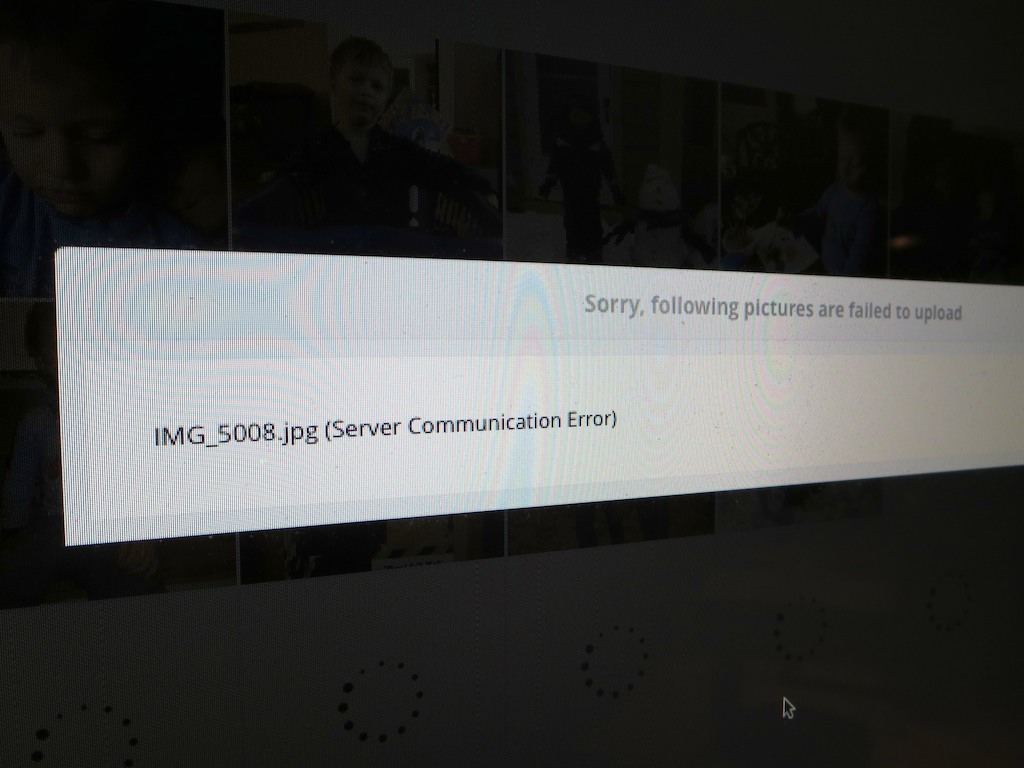
    However, this morning, I uploaded a new slideshow to your cloud, and that one, along with its pictures appeared within minutes on the frame.  Also, every time I upload photos into a new album in your cloud, a few don’t make it, due to ‘server communication error.’ 

    Are these glitches ‘normal?’

nixplay_message submitted

Never on Saturday
Happily, tech support emailed back within a couple of hours.
Yes, they would be willing to talk with me.
At 2:17pm, a friendly nixplay nerd called me up to listen to my troubles.

I reviewed my middling experience with their Cloud Frame.
He zeroed in on the day my problems first occurred.

“Saturday?”

“Yes, Saturday.”

“Last Saturday?”

“Yes, that Saturday.”

“Aha!”
(He didn’t really say that.)

The problem:

  • Nixplay’s servers had an outage on Saturday… the very day I first tested my nixplay Cloud Frame.

Coincidence?… It would seem.
Bad timing?… Absolutely!

Faster than a Black Hole
I asked how long it should take on any other day to upload pictures to the frame.

“Minutes,” he replied.

Oh?

“Minutes,” he repeated.

(That’s less time than it took for a black hole to destroy the planet Vulcan in the recently adjusted Star Trek universe.)

Then he blurted out, “Sometimes even seconds.”

Uh huh.

Well, I guess the ill-timed server outage would explain the problem.

Later, I did a speed test on additional picture uploads to the frame.
His story held up.
It only took about 30 seconds.
(Impressive… most impressive.)

A Failure to Communicate
I then asked my new tech BFF about the ‘server communication error’ messages I’ve consistently received while uploading photos to their cloud, causing a few of them to disappear on their journey.

server communication error

He asked me if I was using Google Chrome as my web browser.
(No, I’m using Safari, thank you very much.)

He explained their platform is optimized for Google Chrome and suggested there might be a coding issue to blame for my Safari problems.

After hearing him say this, I began sensing some secret connection to Google. Perhaps NIX sees a Google-dominated universe powered by Google Chrome and Picasa.
Perhaps there’s more to it. Hard to know…

And there was clearly no sign of Flickr integration anywhere.
(just Picasa, Facebook and Instagram)
When I asked my tech bud about accessing my Flickr albums, he laughed nervously.

Cancel the Nix on the NIX
So I guess my nixplay Cloud Frame is working properly after all.
(It’s NIX’s servers that seem a bit dodgy. I hope that’s not too frequent a problem…)

So I’ve decided to keep my nixplay Cloud Frame.

  • As for the communications errors during photo transfers, I suppose it’s not really that big a deal to re-upload a few pictures. It’s just an extra step.
    (And what tech is totally perfect?)
  • My wife already loves the photos I’ve got rotating onto the frame…
    That’s a big win for the ‘HIG!’ (Home IT Guy)
  • And nixplay’s tech support was speedy and friendly.
    (Thank you NIX!)
  • And don’t forget the frame’s cool motion sensor, which enables the device to turn itself off when you’re not around!

For what it’s worth, I say,
GO FOR IT!

Add in some NIX to your life.
And let the photos flow…