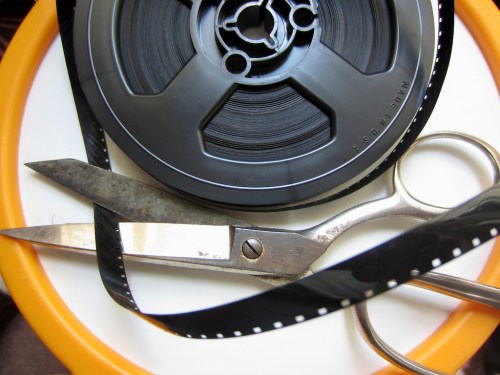
Is Final Cut Pro X sharp enough to erase that evil deal you made to shoot movies on your camera?
If a stranger with a wicked sun burn walked up to you and said you never needed to use your camcorder ever again to record your home movies, you’d take the deal, right?
We all did this a few years back.
The last tape-based camcorder I ever bought was a Sony Mini DV unit back in 2002.
I edited the content by sucking it onto my iMac via FireWire. My editing software was iMovie and then later, Final Cut Pro.
Everything worked just fine, and I was rather chuffed with my little home media studio of the early 21st century.
Then one day, digital cameras started showing up with little red movie record buttons, and everyone suddenly realized you didn’t need tape-based camcorders anymore. Heck, you didn’t even need a camcorder. Cameras could do double duty.
Sure, the video quality wasn’t as good. There were file size limits that restricted how long you could record. And to edit your digital movie files, you had to buy external hard drives to handle the massive movie clip sizes. And the file size problem really exploded when HD recording came into fashion.
You theoretically could save the files forever. But you also had to worry about your hard drives going belly up with all your precious family memories.
(This has occurred to you, hasn’t it?)
But storage, backup, and file corruption concerns aside, I have to admit it’s pretty cool to plug your camera’s little SD card into your computer and watch your movie files quickly transfer over.
So yes, it was a time saver.
Yes, it was easier.
Yes, I liked it way better.
(really)
…BUT
(You knew that was coming.)
There is one problem that nobody ever talked about-
TRANSCODING.
No, not transwarp.
TRANSCODING!
The Deal with the Digital Devil
You must have wondered somewhere along the way how a tiny four gig SD card in a camera could record so much video. Well, it’s called file compression, and that’s your camera’s secret voodoo.
There are a few types of movie recording codecs that perform this tricky task to squeeze your movies small enough to allow them fit onto your camera’s memory card. A few of the more common codecs are H.264, Motion JPEG, and AVCHD.
These highly compressed movie formats create video files that look great when you play them back on your camera or your computer, but you couldn’t edit with them. (That’s buried on page 17 of the contract.)
So what good were these movie files if you couldn’t do anything other than look at them?
The fix here was to reprocess or “transcode” the files into a different video codec that your editing software could actually handle. This meant creating a larger and less compressed duplicate of each movie file that would play nice with your editing software.
Got that?
Just nod your head, and let’s move on.
The Devil is in the Details
As a new daddy, I went about my business editing little movies of my son’s early days by first transcoding every frickin video clip I wanted to edit with.
You can imagine the organization that kind of workflow required.
-Duplicate files.
-External hard drives filling up at triple speed.
-Archiving hell.
I’ll just say my desk at home, let alone my computer’s desktop, does not quite live up to the clean and simple aesthetic of our almost all-digital world.
But you do what you gotta do.
Right?
Was I the only father out there who had a deal with Mephistopheles to make home movies? Nobody else seemed to be talking about it.
(Maybe it’s in the contract. I really never got around to reading mine.)
The Phoenix of Final Cut Pro
A year ago, Apple shocked the digital editing world and killed off its wildly successful Final Cut Pro editing platform. Almost a decade earlier, Final Cut had brought professional non-linear editing to the masses for a fraction of the cost of competing systems.
Then Apple pulled the plug by reinventing Final Cut Pro all over again. The problem is the new version, Final Cut Pro X, is an entirely new program, “built from the ground up.”
It’s not compatible with the old version, Final Cut Pro 7.
(There is no version 8 or 9.)
So you can’t move your old or ongoing editing projects to this new editing platform. Sorry.
I got stuck in the eye of this hurricane, and for the past year I’ve been struggling to decide when to make the transition.
First off, Final Cut Pro X only works on Lion, Apple’s current operating system (and soon to be released Mountain Lion). So I first had to make the Lion upgrade.
Then, there was sooooo much bad press about how inferior this new version of FCP was. Angry editors called it iMovie on steroids. There was a consensus in the professional and semi-professional editing communities that they felt abandoned by this more limited editing platform.
So I wasn’t too eager to jump into the mess.
I’ve got plenty of my own digital messes to clean up!
(plus a few analog ones too)
But Apple kept banging their drum about how much better FCP X really was. They said you simply had to invest a little time to learn the new interface.
But there was one particular FCP X feature that caught my eye.
Apple said you didn’t need to transcode your files anymore.
You could throw just about any video codec at FCP X, and it could work with it.
Bold words.
But still I held off.
Fast forward to our current timeline, and Apple, never standing still, has been busy improving FCP X through multiple software updates.
And there’s a rumor out there that the old FCP 7 platform will cease working with the Mountain Lion OS, coming out later this month.
So I figured it was finally time.
Final Cut Pro X to the Rescue
Last week, I went to Apple’s App Store, which always has a friendly icon waiting eagerly on my iMac’s dock.
I clicked on it and downloaded Apple’s most controversial product since the iPhone 4 ‘Antenna-gate.’ (Remember all that hoopla with the antenna reception problem?)
The time had come to face my digital gauntlet.
I watched my finger make its move to launch Final Cut Pro X.
FCP X quickly sprung to life.
Would the continuity of the Lester family record on video be ensured for eons to come?
(or at least the next couple of years?)
Drum roll please…
Well, of course it worked.
But as I’ve said, the devil is always in the details.
While this is not a product review, let me confirm that FCP X is better and faster in a whole host of ways. It’s also still missing some functionality that was standard with the older version. One example is it takes three steps to blend a transition between two audio tracks instead of the old way, which took one.
I’ll live.
The Big Answer
And what about TRANSCODING?
Remember, Barrett’s holy grail?
Have we forgotten about that already?!
Can Final Cut Pro X edit my native H.264 .MOV files fresh from my Canon SX230 (standard-issue toddler cam) or Canon Elph 300 (in-a-pinch pocket cam)?
Perhaps the question should be,
“Does FCP X WANT to edit with my camera’s native H.264 movie files?”
I don’t think it really does, but it grudgingly will when told to.
FCP X quickly gave me a few opportunities to transcode my imported movies.
Pro Res 422 (a beefy codec) is now FCP X’s default transcoding option.
It was almost like, “Would you like fries with that?”
Clearly Apple’s declaration that ENDS THE ERA OF TRANSCODING has been somewhat exaggerated.
Look, I understand that better ingredients create a tastier pie.
And the same holds true in the digital world. Non-optimized movie files will make FCP X and your Mac work harder. And maybe not all Macs (especially older ones) are up for the task.
But my 2010 iMac is a 2.93 GHz Intel Core i7 with 4 gigs of RAM,
(I’m not bragging) and should be ready for the challenge. Yes?
So I refused all requests to transcode and hit the proverbial red button.
Cue another drum roll…
EUREKA!! It worked!
(And there was much rejoicing in Barrett’s brain.)
Let me proclaim this again loud and clear throughout the land!
I DO NOT NEED TO TRANSCODE MY H.264 .MOV FILES TO EDIT IN FINAL CUT PRO X!
I am free!!
Wait, did I just cut another deal with Beelzebub?
Hmmm. I don’t think so.
So today’s story has a happy ending.
Technology has made my life a little easier.
(Savoring the moment…)
Digital Zen restored.
I am At Home with Tech.
Now please excuse me while I get to work editing my five-month backlog of family videos. I think I’ll be needing to move at transwarp speed to catch up!

 Click.






 At Home with Tech