At Home with Tech

Unlock the power of all your technology and learn how to master your photography, computers and smartphone.

Tag: photography

How to Take Great Photos at Family Events While Still Enjoying the Party
Taking a DSLR Photo

If you’re often too focused taking photos and then forget to enjoy the activity, I can entirely relate. So I’ve got three ways to help you have your cake and eat it too.

So you’ve decided to take on the responsibility of documenting your family get-together with your camera. Well, that decision can really get in the way of your own enjoyment. If you’re like me, you usually show up with a predetermined ‘shot list’ that you absolutely have to get. And I’ve sometimes had to remind myself to be more mindful of the moment and actually pay attention to ‘experiencing’ my family affair as opposed to ‘covering’ it.

To do that, I feel it usually comes down to staying emotionally connected to the action.

Here are three ways to help ensure that happens:

1. Snap Your Shots Early
I find the longer you wait to begin taking photos, the less likely it is that you’ll get the shots you really want, and you’ll quickly begin to stress. So whenever you see a natural moment, you’ve got to go for it. You just can’t wait and hope that another opportunity will magically appear later on.

I used to feel that the appropriate time to ask folks to say “cheese,” or gather everyone together for a group family photo was towards the end of the party.

While that may make sense from a social etiquette perspective, you may find any number of variables that foil your plan. Some people may have already left. Others may be tired and a little cranky. And if you do actually get to take the shot, it had better be perfect with nobody’s eye mid-blink, because there will be no second chances for you.
(If you orchestrate the shot earlier, then there’s still time for a second attempt later on.)

2. Take Lots of Group Selfies
You’ve got to pick the right moment, because suggesting that a ‘conversation pod’ suddenly join you for a group selfie will likely halt things. But once you’ve successfully sold the idea, it can be a really fun group activity, especially if you’ve got to jam a bunch of people into the shot. Yes, it will be entirely imperfect, but the often absurd attempt to squeeze everyone together to fit in the frame is usually a whole lot of fun. I highly recommend trying it, and the resulting goofy shots will pleasantly surprise you.

3. Set a Time Limit
This is where you draw your own line in the sand to ensure that you also get to fully participate in the event. I like to spend 20-30 minutes or so walking about the room to get the shots I want. I quickly review what I’ve got, and then I put my camera or iPhone away.

If another photo opportunity spontaneously self generates, yes, of course you can still snap it. But the important point is you’re not putting any more pressure on yourself to continue on as the family photographer after your self-imposed time limit.

It’s a Balancing Act
Where’s the value in documenting your family event if you don’t really experience it yourself? Sure, you may be contributing to the greater good, but at what cost?

So, go get the photos you want, and don’t forget to add to the life of the party.

Find your balance and enjoy!

Thanksgiving Dinner


Why Memories May Demand Intense Colors in your Autumn Photos

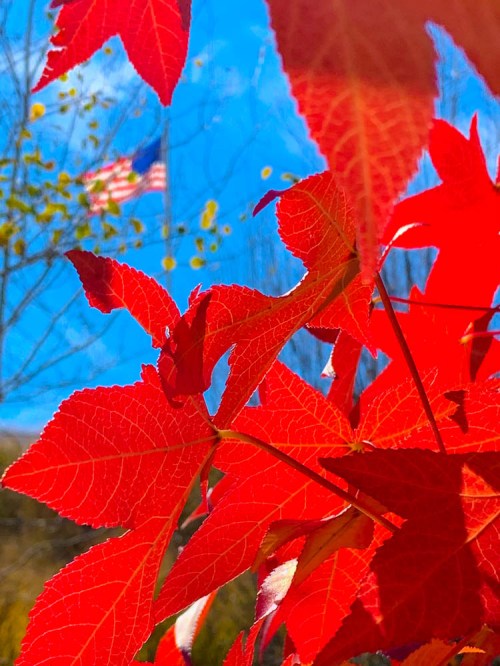
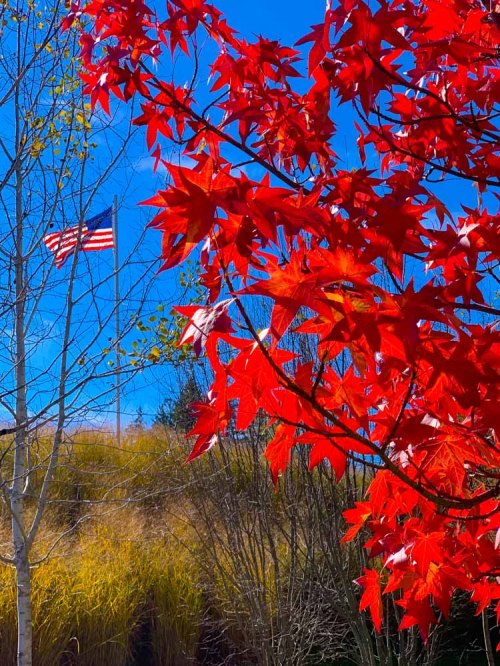
After I snapped a few pictures of the fall foliage in New England, I found myself unconsciously pushing the colors to the max when I edited these photos. I think I may know why…

There’s something intoxicating about my memories from autumns long gone. I feel in one way or another, they’re connected to the intense colors that surround the fall season in New England. I was up in Litchfield County in Connecticut this past weekend, and I was surrounded by all of the peak foliage. And as I drove, I felt transported back in time to my high school years as a young student at the Hotchkiss School in Lakeville, CT.

The color of the leaves. The sunlight poring through them. The brisk fall air. It was a reality-bending experience.

And of course, I snapped a few nature pictures with my iPhone XS Max in an attempt to capture that feeling.

But when I reviewed my photos later, they lacked the truly deep colors and dreamlike quality that my mind had created to reflect that time in my life.

As I worked through the photos in Adobe Lightroom, I found myself unconsciously pushing the color index. I made the reds of the leaves redder, and the blue fall sky even bluer. I wasn’t happy until the colors almost began dripping off of my computer screen.

I created a series of images that I don’t think you’d actually find anywhere in New England today, but they still feel entirely real to me. The forced colors connected me back to another time in my life that clearly still speaks to me today.

Using Color to Connect to your Past
What is reality anyway? The present may be easier to quantify, but the past is always in flux, because of how we remember… or choose to remember it.

Memory has its own set of rules, and today… I simply followed that direction without really understanding it.

And if that means pushing the colors to an intensity beyond nature’s capability, then I’ve given myself permission to do exactly that.

If you ever experience a similar impulse, I highly recommend you give it a try…

The Hidden Problem when your Camera’s Internal Clock is Wrong

Don’t forget to take this important prep step with all of your cameras before your next trip to a different time zone…

It wasn’t that long ago when you had to think about the accuracy of your watch and whether it needed to be adjusted. Most watches used to drift a bit. Remember that?

But now, with smartphones and smartwatches infused into our lives, the need to worry about the precise time has been removed, because they’re all synced to ‘network time.’ So, carrying around ‘time’ has become something of a set it and forget it phenomenon.

But you really shouldn’t ignore how the rest of your tech interfaces with time, even if that tech isn’t designed to operate using it as a primary factor. Because when your gear loses track of time, it can really mess you up in unforeseeable ways…

A perfect example is the internal clock in your digital cameras…

What Time Does your Camera Think It Is?
When I snap photos with my iPhone, they always get a perfect time stamp. It doesn’t matter if it’s Daylight Savings or whether I’m on my family vacation in London. Smartphones always know to adjust to the local time.

But if you’re also using other cameras to take some of your pictures, their internal clocks that you probably set a while back may now be inaccurate. And if you haven’t updated them for Daylight Savings Time (guilty) or the different time zone you’re traveling to (guilty), they will be way off.

So what?

The Importance of Maintaining the Sequence of Time
Well, if you’re shooting photos across a defined period, maintaining the sequence of those pictures may be important, such as the order of activities on a family vacation. Without accurate digital time stamps in your photos, you’re going to be in real trouble when you get home and start to go through and organize your pictures.

If you’re using only one camera, this problem won’t matter, because all of your pictures will be consistently off, and their proper sequence will still be maintained.

But if you’re adding in smartphone pictures too, that’s when the perfection of ‘network time’ can create a huge headache for imperfect humans.

Multiple Camera Time-Stamp Paradox
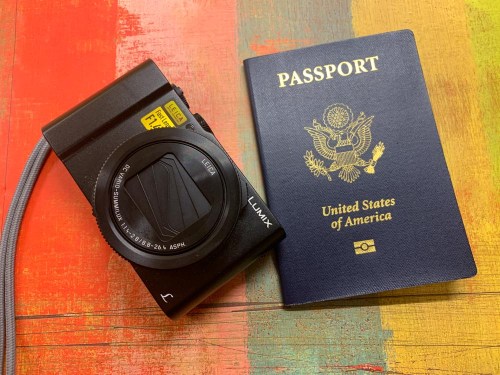
That’s what happened to me after our London vacation from earlier this year. In addition to taking pictures with my iPhone, I also used my GoPro and my Panasonic Lumix LX10.

Granted, my iPhone did a lot of the photographic heavy lifting. But there were moments to use my other gear too.

When I later went through my mountain of vacation pictures in Adobe Lightroom on my iMac, I worked hard to identify a smaller group of show-ready photos. Then, I was horrified to realize that many of them lined up significantly out of sequence. because I simply hadn’t reset the internal camera clocks forward five hours.

I had inadvertently created a ‘multiple camera time-stamp paradox!’

So, what did I have to do to fix the problem?

I needed to go through all of those pictures and manually adjust the capture-time metadata via Lightroom. And believe me, that took time. Time that I didn’t enjoy spending.

Said another way… It was a big waste of my time!
But what was more painful was knowing how unnecessary this stumble was.

Travel Prep Tech Tip
So, here’s a little tech tip before you take your next trip to another time zone…

  • Always adjust your camera’s internal clock to the correct time.
    (And then don’t forget to reset it when you get home!)

Then, when it’s time to display your pictures on your computer or smartphone, they’ll organically remain in the correct order.

Organizing all of your photos throughout life is difficult enough as it is. Don’t make it harder for yourself by accidentally destroying the natural organizing constant of time.