At Home with Tech

Unlock the power of all your technology and learn how to master your photography, computers and smartphone.

Driving with Your Smartphone on GPS Duty
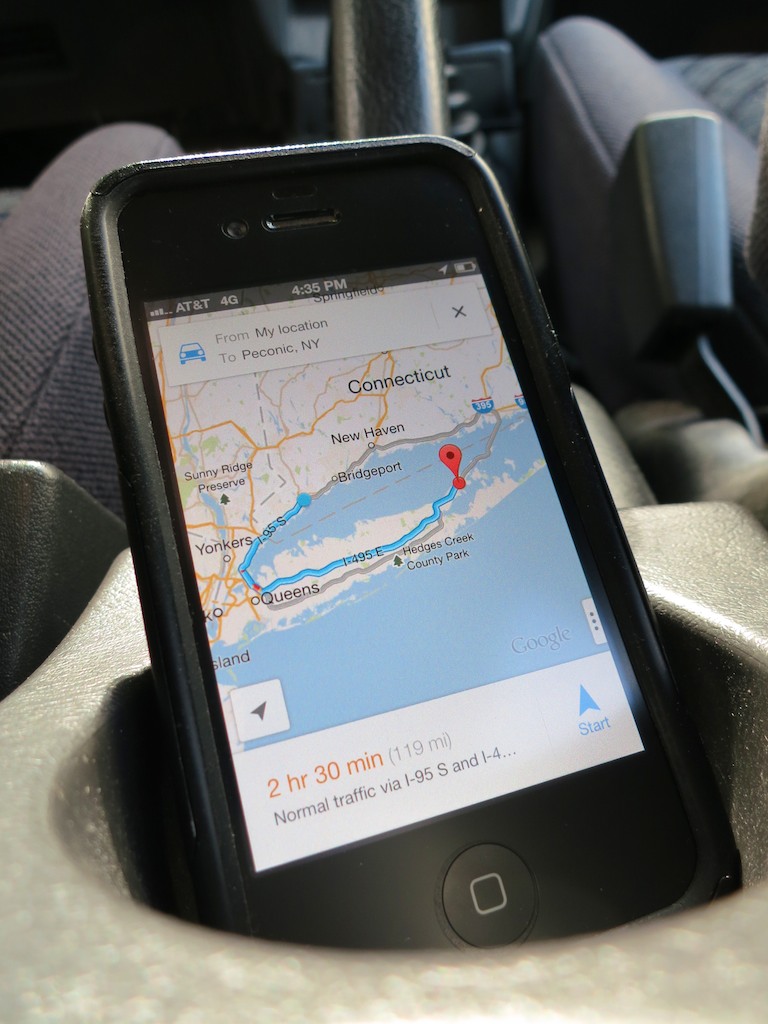
Don’t let another road trip go by with your smartphone sliding about the car as its GPS app shouts out turn-by-turn directions. Mount it onto your dash!

Don’t let another road trip go by with your smartphone sliding about the car as its GPS app shouts out turn-by-turn directions. Mount it onto your dash!

A year ago, I officially broke up with ‘Jane,’ my portable GPS device.

On route to the family summer vacation on the North Fork of Long Island, my iPhone’s native Maps app bested Jane.
(my old Garmin Nuvi 760)
I had mixed feelings, but it was clearly time to move on to newer and better tech, even though my Maps app couldn’t talk to me like Jane.

But Google Maps’ voice turn-by-turn navigation iOS app was just around the corner.
And so was Apple’s, even though ‘Mappelgate’ gave Google Maps the edge.

I’ve spent time with both on the road over the past year, and it’s been a wonderful ride.

GPS will Provide Directions for Food and a Battery Charge…
So why would anyone buy a Garmin or TomTom GPS anymore?
Apparently, I’m not the only one asking this question…
This year, Garmin predicts a sales drop of 20% in its car GPS devices.

It’s easy to understand why the personal navigation market for vehicle dashboards is in decline.

The Stability of My Old Flame
All this said, it’s now a year later, and I must admit…
Jane still comes along for the ride from time to time.

What could she possibly offer to warrant this nostalgic gesture?

Well, in the car, she’s usually more stable than my iPhone.
(Jane has a windshield mount, while my iPhone still slides about untethered.)

I’ve just never got around to buying a holder for my iPhone.
It’s usually positioned head first in the cup holder or maybe slipping about the passenger seat.

Hardly a secure or safe solution.
(for either of us)

Sure, you can rely on your iPhone’s voice navigation alone, but a properly positioned visual aid is always nice, right?

So with the summer driving season upon us, I’ve decided it’s time to fully move my iPhone and its GPS apps into the driver’s seat.
(I mean navigator’s seat. The ‘driving’ app is probably not far off!)

Suction Sucks
As I began my shopping search, I shied away from windshield-suction mounting systems.
That’s what Jane has been using.
And to be honest, she’s fallen down more times than I’d like to admit.
(My wife and I have become quite skilled playing a little game of catch the bouncing GPS…)

Jane has been bounced around so many times, I don’t really worry about her anymore.
But I’m not as willing to expose my precious iPhone to the same dangers.

Windshield Vs. Dashboard Mount
Come to think of it, a suction mounting solution on the dashboard isn’t much better.
Sure, it’s a shorter distance to the floor if your smartphone comes loose, but any air time for your phone is a bad idea.

A dashboard mounting solution is clearly the way to go, but with something more reliable than suction.

How Super is Super Adhesive?
So you can buy a glue-mounted holder for your dashboard.
But how long will an adhesive last?
You can reengineer the manufacturer’s design and superglue the mount, but that plan has its obvious drawbacks…

Choosing Between Mind-Numbing Number of Choices
Even after eliminating the above options, you’re still left with a paralyzing number of offerings.

That said, I did find some online consensus about a few dashboard mounts:

Kenu’s Airframe
This minimalist solution simply clips to one of your car’s air vents.
One concern I have is all that hot air assaulting your device during the winter months.

That can’t be good…

ProClip
This product is for folks who don’t have a problem doing after-market modifications to their cars.
To install one of these holders, you’ve got to do surgery to your dash that’s not unlike rib spreading for open-heart surgery.
You slide plastic mounts into existing dash crevices and then create enough of an opening to install the mount’s base.

When you’re done, you’ve got a permanent appendage jutting out of your dash…

Ram Mounts
These guys seem really serious about getting the job done right.
They handle solutions ranging from kayaks to planes.
But you’ve got to have enough patience to figure out their website to build your specific mount.

If building your own Terminator from scratch is your cup of tea, go for it…

The Bean Bag Makes a Comeback?
The more I looked, the more frustrated I became.
I just wanted something simple that works…

  • Buy it with one click
  • Set it and forget it
  • Drive…

How hard could that be?
The solution doesn’t have to be cutting edge.

Something like when you rent a portable GPS unit at Hertz, and they hand you a clunky bean-bag base.
That monstrosity magically never slides off the dash, no matter how hard you floor it, right?

Wait a minute!!!

The Great and Powerful Amazon
So there are plenty of $20-ish bean-bag mounts on Amazon.

  • Engadget recommends this Arkon Dashboard Mount for $16.37
    (It gets some mixed reviews, because it still uses a suction mount to the bean-bag base!)
  • Naztech has one for $24.41 with a similar split on opinions
  • USA Gear’s doesn’t do any better on its ratings ($19.99)

Without consensus, I kept looking…

Then, I came across a very highly-rated
Garmin Portable Friction Mount for my old Garmin Nuvi.
(Nostalgic sigh… )

Before I clicked away, an Amazon algorithm made a startling recommendation…

It showed me an iPhone cradle that attaches easily to the Garmin Portable Friction Mount.

It’s like Amazon was saying to me,
“Barrett, you can have your cake and eat it too!”
(The one friction mount would work with both my iPhone and Garmin.)

The Amazon Voodoo Continues…
Further down the page, I noticed a newer version of Garmin’s Portable Friction Mount.
(Also favorably reviewed, and Amazon was running a deal that throws in a Garmin Nuvi case for less than the friction mount costs by itself!)

This one wasn’t a bean bag.
It was a sleeker unit and had a sticky, rubber pad bottom designed for ongoing reuse.

I opened up a new Safari window.
Hello, CNET?
Yep… they liked it.

$17.99 for the friction mount + $13.95 for the iPhone attachment = $31.94
Hmmm…

Breaking Up is Hard to Do
As I considered my choices, I mentioned my little research project to my wife.
She was excited to further activate her iPhone and curious what I was going to do with Jane now that she was retiring…

Well, there’s always Craigslist or eBay…

But I’ve got to admit, I’ve grown accustomed to her face.
And two years ago, I bought my GPS Jane the gift of lifetime map updates…

If only I had spent the fifteen minutes I needed to figure out how to keep Jane from popping off her mount a year ago, we might not be in this predicament.

Think.
Think. Think. Think…

(Light bulb pops on!)
(though dimly)
Use both GPS Jane and the iPhone!!

How does this piece of twisted logic strike you?…

  • Scenario 1:
    If your iPhone is strapped in for GPS duty on a long family road trip and you’re in the passenger’s seat, you’re cut off from the world.
    Sure, you can answer a call in speaker mode, but that’s about it.
    (No texting for you!!!)
    If GPS Jane is still there to play navigator for those several hours, you’ve got your iPhone back!
  • Scenario 2:
    On a quickie trip, your iPhone can do the navigation, and Jane can stay home.

Are you buying it?
I just did…

Click. Click.
Done!

Let the summer road trips begin!!
Time to start packing…
It’s Time for your 15 Seconds of Fame with Video on Instagram

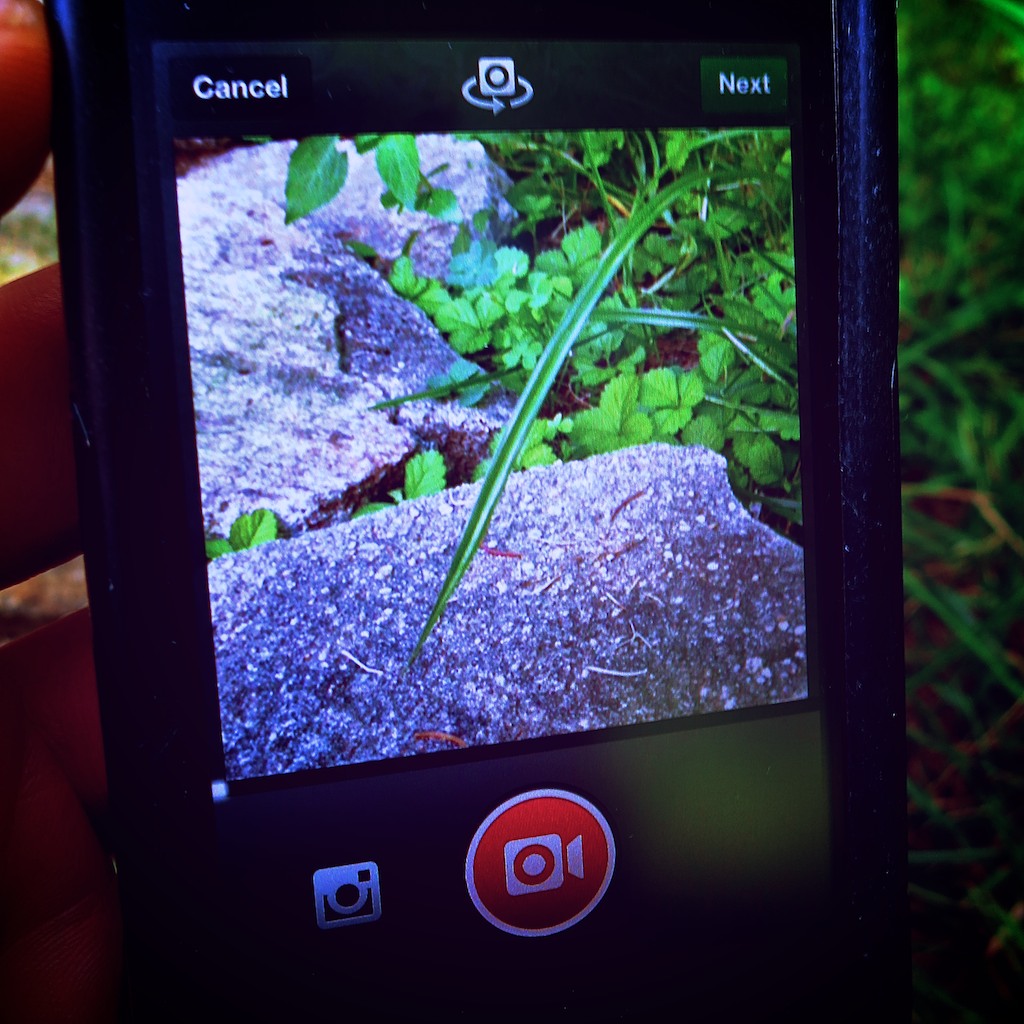
Now there’s a new way to watch a blade of grass grow.  If you can record it in 15 seconds using Instagram, you just might be on to something!

Now there’s a new way to watch a blade of grass grow. If you can record it within 15 seconds using Instagram, you just might be on to something!

Let me begin with a confession:
I have not been an avid Instagram user.

Any photo I choose to share is the result of a rigorous screening process.
It represents the very best of the many (mediocre) pictures I capture.

The idea of snapping a low-quality shot (640 x 640 pixels), further ruining it with a cookie-cutter filter, and then immediately sharing it with your public is not what I’m usually comfortable with.

But 130 million Instagram users must be on to something…
And I’ve got to admit, I’ve often wondered how such spontaneity can create such cool-looking photos…

As a status update, an artful Instagram photo can be so much more interesting than text…

Video on Instagram Comes to Town
Now there’s Video on Instagram to help you ‘capture and share the world’s moments.’

Following in the footsteps of Twitter’s Vine, Facebook’s Instagram created its own video functionality on June 20.

Once you download the app update to your phone, (the newest version, 4.0.2 was released on July 5) you can share 15 seconds of Instagram video almost as fast as it takes to snap a ‘selfie.’

Suddenly I’ve taken note…

Eliminate the Burden of Video Editing
Today, my home video production workflow is a labored one, inspired by what I’ve learned through my professional multimedia life.

Time consuming post-production dominates every piece of home video I share.

The workflow is complex:

  • Shoot video clip(s) using one of my Canon digital cameras
  • Download the QuickTime file(s) to my iMac
  • Import them into Final Cut Pro X
  • Choose the best clips and trim them as needed
  • Put them in the correct order
  • Add in a few dissolves and a fade to black
  • Export the final movie
  • Upload it to Vimeo to share
  • Compress the master movie file to email it
  • Transcode another version for my iPhone

Sure, I can simply shoot a quick video to share right on my iPhone.
But you can’t string multiple clips together this way.

Now, Video on Instagram says you can forget about the chore of editing…

You simply self-edit as you record each clip for your 15-second movie.
If you don’t like the last clip you shot, you can delete it and re-record it.
(And if you don’t want to use up all 15 seconds, that’s just fine.)

As an added bonus, Instagram even offers you image stabilization to smooth out all those shaky shots!

Documenting the Cup of Joe
One morning last week, I found myself in the kitchen staring at the digital clock on the stove. The time glowed 4:50am.
The fact I was up earlier than many of the birds outside was the cascading result of my three year old stirring at 4:30am.

He went back to sleep, but not before rousing the cat, who then began to meow for his breakfast at the foot of the stairs.
Ignoring my feline was not an option, because he doesn’t give up easily.

So there I was in the kitchen, trying to enjoy my predicament.
What could I do with all these found extra minutes?

I decided to take Instagram out for a spin.
And it was time to make some coffee.

Click – Shot the clock.
Click – Captured the drip, drip, drip.
Click – Poured some coffee into my favorite mug

Done!

It’s no masterpiece, but my test Instagram video was done in a snap.
I’ve got to admit, the speed and simplicity make this a pretty compelling tool.
And if you want to add in one of 13 new video filters, go to town!

There’s Never a Silver Bullet
But the Web is already a flutter with people complaining about Instagram videos.

Some Instagram users simply don’t want the purity of their photo feeds polluted by instrusive videos.

Others are warning that Instagram videos suck up huge amounts of memory in your smart phone’s cache.

But the biggest concern out there is that Instagram users won’t make compelling videos the way they’ve been creating cool photos.

Critics are concerned they’re going to be bored more often than not, even with just 15 seconds of content to watch.

Gizmodo points out the “clumsy banality of amateur video.”

Jenna Wortham in her New York Times Digital Diary wrote that she didn’t like the Instagram video moments she recently captured at a Brooklyn rooftop picnic.

I think everyone out there is coming to terms with the hard reality of video:
It’s difficult to capture the perfect moment on the fly and equally challenging to stage one.

There’s usually no shortcut to creating good videos.
Click, Click, Click might be fast and convenient, but it can’t guarantee perfection.

It’s important to understand you normally need to capture lots of moments to find a few good ones.
That’s why editing software exists.

Video on Instagram has its uses.
It’s just not a panacea for all your video needs.

Vine – Less is More?
There are other apps out there that offer similar tools.
Since January, Vine has been the poster child for this young art.

But Vine’s 6-second shooting limit is way too restrictive for me.
It may be an interesting artistic exercise to see what you can create in such a short length, but I don’t feel it’s as useful a video tool as Instagram to help document your life.

On the up side, I think the time limitation of Vine inherently forces more preparation, which can lead to better results.

How Many People Does It Take to Create a Video?
I’ve got to admit… I’m feeling a fair amount of schadenfreude.
Here’s the thing…

I’m truly excited about the ease of using Video on Instagram.

Simultaneously, I’m psyched about all the doubt recently expressed about the general population having the ability to create engaging 15-second videos.

Not so long ago, common wisdom suggested anyone could create a video…
The democratization of digital media over the past decade gave most everyone the tools to become their own filmmaker.

But it’s come at a cost.

The rules surrounding solid filmmaking…

  • Good lighting
  • Clean audio
  • Well-framed composition
  • Steady shots
  • Tight timing

Unfortunately, it’s all been compromised.

People don’t care so much anymore what something looks or sounds like, as long as the content is engaging.

And if it’s ‘real,’ that’s sometimes enough to hold your attention.
But not always…

A gussied-up square photo with extreme saturation gradation might hold your attention for a couple seconds…

But you can’t make that lipstick-on-a-pig trick last for 15 seconds, or even 6.

Unless, you happen to shoot a little video of Godzilla out for a morning stroll, you’ve actually got to do some work to create a video that anyone outside your closest circle would want to watch.

That’s why a 15-second commercial on TV can cost millions of dollars to create.

The 6 O’Clock News – Brought to You by the Fourth Grade?
I know that self-generated content is all the rage these days, and everyone’s doing it. (especially the younger generations)
But your precocious ten-year-old nephew can’t really replace the entire media production landscape with his iPhone and iMovie.

In the end, videos hubs like YouTube, Vine and now Instagram are constant reminders of the inherent limitations of user-generated video content on the Web.

Anyone can create a video for the entire world to watch, but it usually takes a small army of professionals to create, distribute, and market content to successfully reach a fraction of that.

Sure, you may have just recorded the next viral video sensation on your smartphone.
But that kind of lightning doesn’t strike too often.

This reality is revealing the buried truth that a video’s success often requires a little love from the ‘experts’ with a few years of experience generating visual content.

That’s a happy realization supporting job security for professionals who create digital content for a living…

And that’s also good news for my three-year-old budding photographer who may want to one day pursue a career as a digital journalist.

Give Video on Instagram a Chance
So where does all of this video analysis leave us…?

Is Video on Instagram a good development?
I say, “Yes!”

Does creating a compelling video take time and effort?
Yes, again!

Will the simplicity of Video on Instagram revolutionize the way people share their lives with video?

We’re all supposed to get our 15 minutes of fame, right?
15 seconds shouldn’t be that hard to find.

Stay tuned…

Time to Buy a Portable Bluetooth Speaker

Do I own a Bluetooth speaker? Not yet. Do I need one? Absolutely! Which one should I buy? Let’s find out…

Do I own a Bluetooth speaker? Not yet. Do I need one? Absolutely! Which one should I buy? Let’s find out…

I’m not a big fan of Bluetooth tech.
Not yet.

I never really got into those tiny Bluetooth headsets for your mobile phone.
(Sure, they were cool when Lt. Uhura wore one on the Starship Enterprise. Now that they’re real… not so much.)

My first meaningful Bluetooth experience was with my first iMac’s mouse and keyboard.

I was so excited by the concept…

  • A clear desk without wires or clutter
  • Only the iMac
  • Just like in the commercials

Well, I quickly realized it would take more than the loss of a two wires to clean up my home workspace.
My desk is eternally populated with note-pad stickies attached to every inch of clear surface!
(If you know of a support group, please let me know!)

And then I faced the reality that you have to keep changing out batteries to maintain the Bluetooth fantasy.
Worse still, you need to occasionally trouble shoot a failed Bluetooth connection when you boot up your Mac.

Typically, the solution is manually reconnecting the Bluetooth device with your mouse. But how do you do that when it’s your Bluetooth mouse on the fritz?!
Years ago, I bought an old-school wired mouse as a back-up solution.

I proactively addressed the problem with my current iMac by acquiring both a Magic Mouse and Magic Trackpad.
That way, when one Bluetooth device goes out, the other one can come to its rescue.
Very symbiotic, don’t you think?

So let’s just say I haven’t been wowed by Bluetooth.
Not yet…

Realizing the Universal Wisdom of Bluetooth
Last weekend my family and I were attending a little barbecue event at a friend’s house. Kids were running about and spraying each other with two garden hoses. (My son somehow managed to stay dry, yet remain in the action.)
Some of the parents were marveling the hearty vegetable garden.
Others were enjoying a cold drink.

Where was I?
Staring at a ‘mini’ black monolith, suspended by thin strings in a living room window.

I wanted to touch it.
I felt it held the answers to the universe.
The host walked up, and he handed me an animal femur to throw high into the air.
(no he didn’t)

But he did explain I was looking at his new battery-driven, portable
Jawbone Jambox Bluetooth Speaker.
It had been paired with an iPhone, resting not far away.
No wires…other than the occasional power cable to charge up its battery.

Not only was it born to project beautiful tunes via the iPhone, but it also does double duty as a speakerphone. (It even has its own microphone.)

Interesting…
I moved closer to the Monolith.
Contact.
I felt my brain growing…

The Search for Sweet Music in Every Room
My new knowledge quickly began percolating towards solving one of my home tech projects:
Bringing music (back) into every room in my house.

Once upon a time, I could just pop a radio or stereo into a few rooms, tune them to my favorite station, and presto, I had a whole-house music solution!

Actually, I don’t need music in every single room, but it would be nice to cover the major zones.
I’ve fallen a bit behind since terrestrial radio tech has become so passé.
(I don’t think I’ve turned one on at home in a year!)

My Grounded AirPort Express
I’ve tried using a few Apple AirPort Express units around the house to wirelessly connect up a few speakers to simulate the same effect using iTunes and music streaming. But I’ve encountered mixed results.

  • Sometimes, the AirPort Express units need to be rebooted.
  • Occasionally, I’ve experienced scratchy interference generated by some other selfish device like a microwave.
    (The fact that my Express units are the older ‘802.11g’ variety and not the newer ‘802.11n’ may have something to do with this problem.)
  • Plus, you’ve got to boot up a computer and then iTunes to get the music going. That’s never quite as fast as clicking a knob or pressing a stereo ‘on’ button.

It’s just not been a quick ‘set it and forget it’ solution.

Sure, I know you can hard wire your house for audio…but I don’t have the appetite for such a major project right now.

But if I can’t have music in every room I walk into, maybe the solution is to bring the music with me into whatever room I happen to be in…

…via Bluetooth!
(cue the angelic chorus)

So Many Choices!
Buy a portable Bluetooth speaker and then move it wherever you need it.
(Yeah, that’s the ticket.)

So I began my research, and it was at this point I felt a bit like Rip Van Winkle.
Portable Bluetooth speakers are hardly a new item.
They’ve been around for a few years; the Jambox was a sensation back in 2010.

But now, there’s a veritable army of them out there to choose from.
This year’s CES was filled with them.

Many of the newer ones are designed for outdoor rugged-on-the-road or at-the-beach use.

The good news is my durability requirements are slightly less ambitious…
(That said, I do have a three year old!)

Let the Shopping Begin…

So which Bluetooth speaker to buy?
I went online to see if I could identify a cyber consensus.
And a few trends began to emerge…

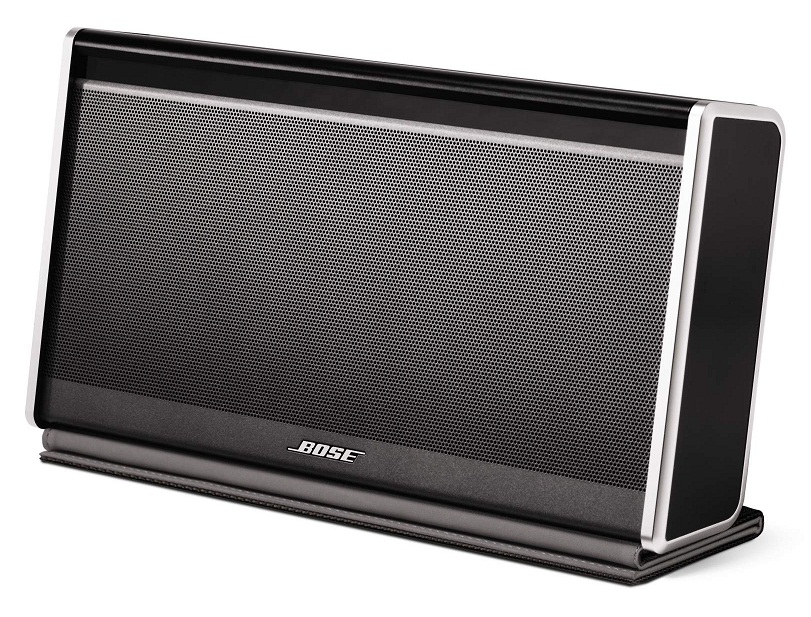
Bose SoundLink Bluetooth Mobile Speaker II

Bose SoundLink Bluetooth Mobile Speaker II
Everyone seems to agree that the
Bose SoundLink Bluetooth Mobile Speaker II is the best one out there.
But it’s wicked expensive at $299.

There’s also Bose’s brand new SoundLink Mini Bluetooth Speaker at $199.
It starts shipping on July 1, and the initial buzz is strong.
(When was the last time Bose didn’t come up with a product that was amazing, but overpriced?)

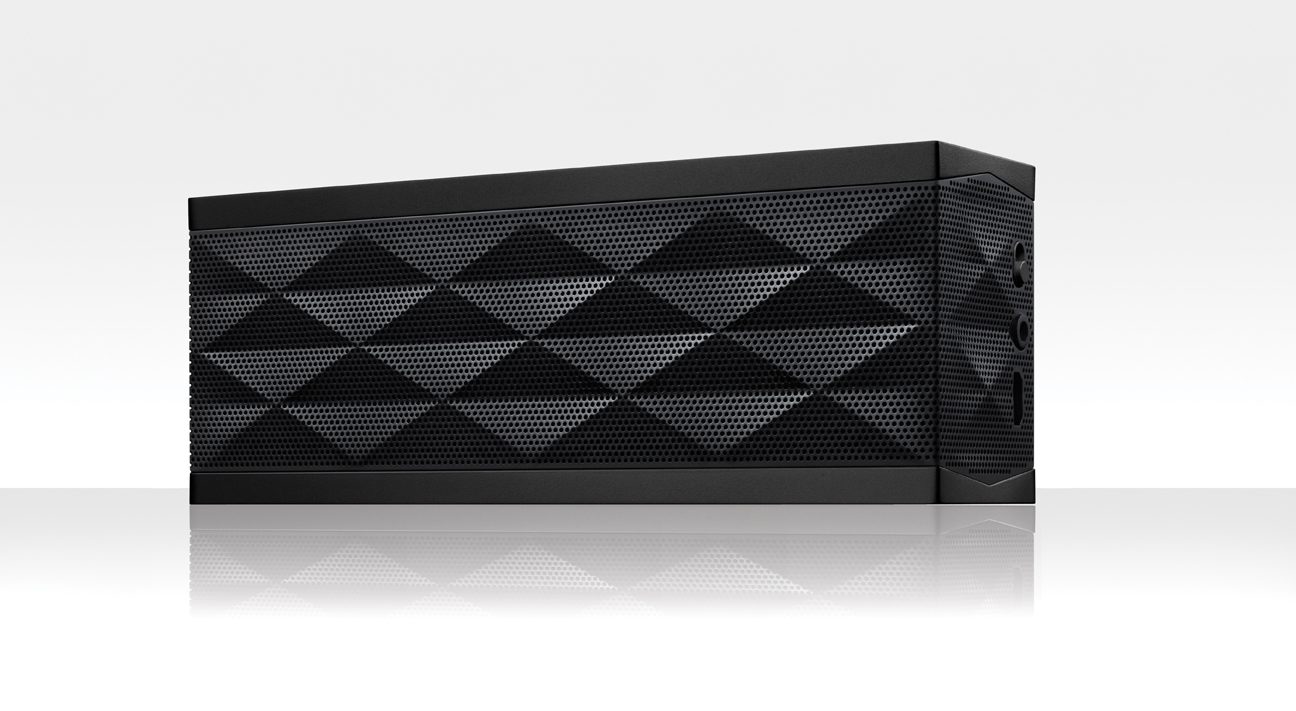
Jawbone Jambox

Jawbone Jambox
Compared to today’s competition, the Jawbone Jambox is still a strong contender, but isn’t as universally adored as it once was. It’s also considered too expensive at its base price of $180, considering the cost/value analysis of the competition.
(You can pick it up from Amazon for only $129.79)

There’s also the Jambox’s newer and larger cousin, the Jawbone Big Jambox.
The reviews say it’s…yes, bigger and better.
But it’s added power comes at a cost…$299.00.
($272.33 on Amazon.)

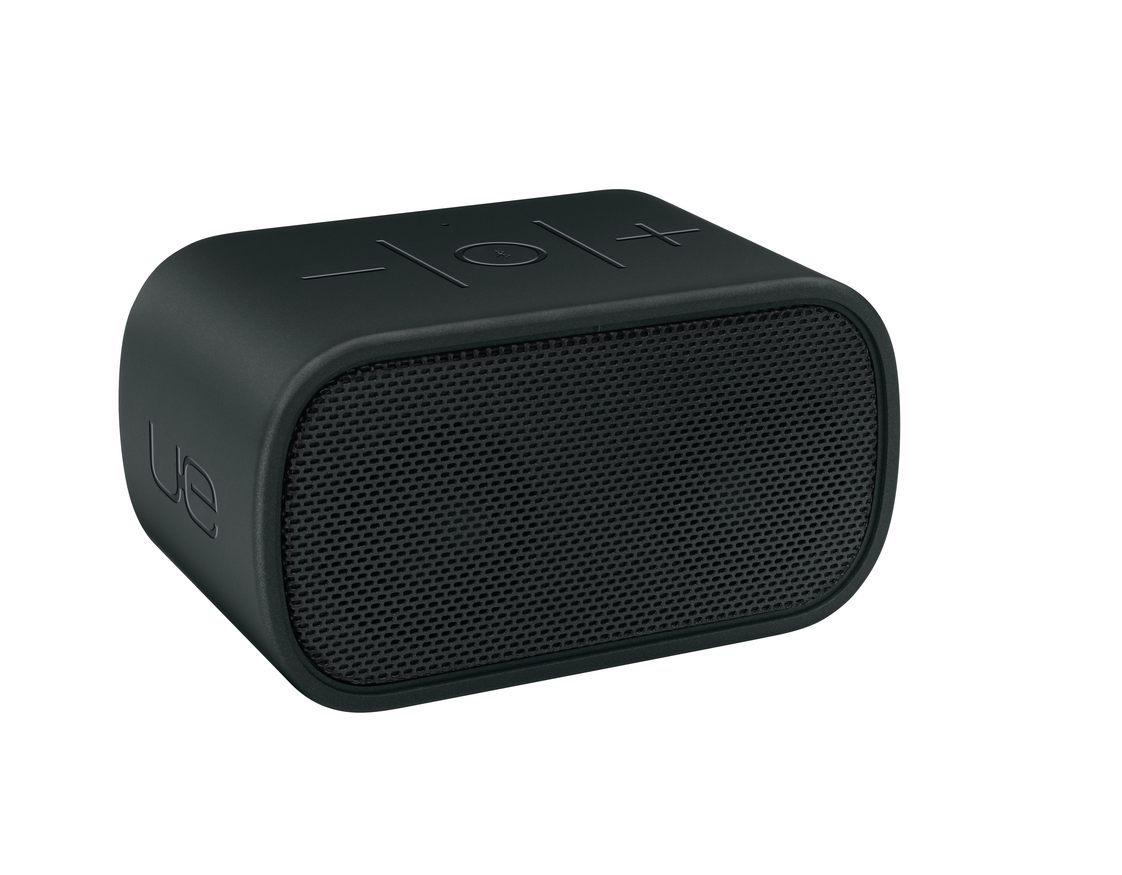
Logitech UE Mobile Boombox

Logitech UE Mobile Boombox
The Logitech UE Mobile Boombox hits the sweet spot.
It’s only $100 and gets great reviews-

This is the closest I’ve come to finding online consensus for anything in quite a while…

How Low Can You Go?
A hundred smackers isn’t an unbreakable baseline.
You’ve got a plethora of choices in the sub-$100 arena too.
And cheap does not equal bad.

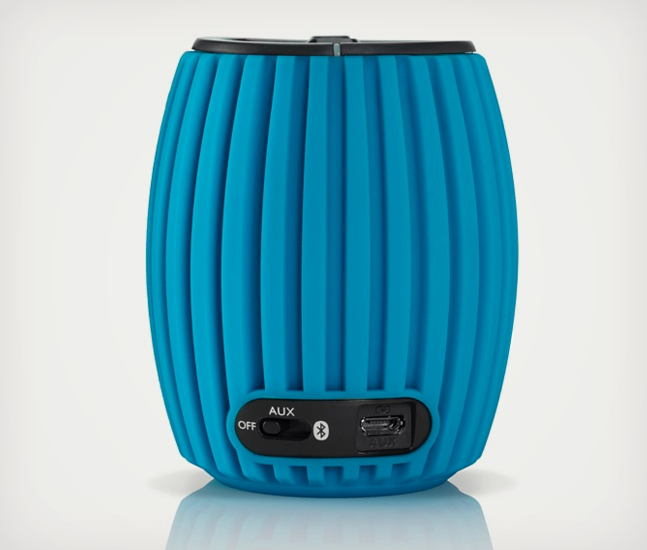
Philips SoundShooter Wireless

Philips SoundShooter Wireless
One example is the Philips SoundShooter Wireless, which garners positive reviews considering its $50 price tag. ($46.86 on Amazon)
(Plus, you know how much I’m into Philips these days with their cool LED light bulbs.)

It can’t match the more expensive competition, but reviews like CNET’s say it’s surprisingly good…

Any Color of the Rainbow?
Henry Ford was famous for allegedly saying that people could have any color of his 1909 Model T car they wanted… so long as it was black.
Bose follows the same philosophy, and the basic black works just fine for me.
(Actually, the $299 Bose also comes in silver and white.)

But I should mention the other companies above have an explosion of colors to offer the more colorful mindset.

And the Winner Is…
So it’s hard to go wrong these days buying a Bluetooth portable speaker.
Whether you spend $50 or $300, you’re going to get a device that blasts out your tunes and doubles as a speaker phone to boot!

As a bonus, Bluetooth speakers can also give more audio oomph to the visuals on your laptop or iPad.

You can debate the sound quality and battery life of each speaker… but essentially the job is going to get done.

Drum roll please…
Yesterday, I pulled the trigger on the Logitech UE Mobile Boombox.
It strikes the perfect balance between price and quality.

Got it from Amazon Prime for $98.95.
(Today, it’s listed for $97.94.  D’oh!)

It’s already in the mail, but if you’ve got your own recommendations, I’m listening…
(I could always return the Logitech…)

Either way, I’m hopeful this singular sound solution will soon be bringing the music back into my life.

I’ve joined the Bluetooth generation.
(Yay, Barrett.)

But does this mean since I’ve finally embraced Bluetooth tech, it’s now doomed to near obsolescence?

Not yet…