At Home with Tech

Unlock the power of all your technology and learn how to master your photography, computers and smartphone.

Tag: apple

Ode to iPhone 7

Your closest Apple Store is never that far away. As you stare, it calls out like the Sirens…”Buy our new iPhone 7. What’s your move? Well, I’ll tell you what I did… I wrote another poem!

Your closest Apple Store is never that far away. As you stare, it calls out like the Sirens…”Buy our new iPhone 7. What’s your move? Well, I’ll tell you what I did… I wrote another poem!

You are simply the best
Your frame so cool and sleek
The magic in your guts
You’re now the one to beat

The camera’s the thing
Plus has even got two
I think it may be time
To send Elph* to the zoo

Old earphone jack is gone
Who cares that it’s lightning
Except when you’re charging
And tunes blare frightening

Still, here’s the solution
AirPods are invented
You can listen and charge
No looking demented

Now water-resistant
That would be great in rain
But don’t test the toilet
That could drive you insane

Jet black is cool and hip
Yet now you’ll have to wait
It may be Thanksgiving
Until it’s near your plate

I really love the Plus
It’s size giant and bold
All should own big phablets
(Be sure your hand can hold)

I am two steps behind
Just the iPhone 6 Plus
Should I buy the 7?
Is it really a must?

A thousand is a lot
Full RAM and Plus for me
Dollars don’t grow on trees
No tech in life is free

A trade-in program, wow!
Apple will give some bucks
To take your old iPhone
You cannot say that sucks

My old iPhone 6 Plus
Can fetch me some* smackers
To help me feel better
When eating my crackers

But I don’t feel the pull
There’s other gear I want
A DSLR lens
That can snap pics to flaunt

Hey, a new Apple Watch!
Don’t have one of them yet
And it’s waterproof too
I would not be upset

The 7 is mighty
That’s an obvious fact
If your iPhone is cracked
Tiny and three steps back

I’ve not pulled the trigger
My 6 Plus is just fine
I’m okay with old bling
I’ll pour myself some wine

So the choice is now yours
I think my move is clear
This phone is not for moi***
I’ll wait another year

*Canon Elph camera
**$225 for an iPhone 6 Plus in good condition with 128GB of RAM
*** Never say never.
How to Use Dropbox on Your iPhone to Listen to Podcasts

If you’re not into iTunes to help transfer a podcast from your computer to your iPhone, then you should think about moving that file up to the cloud where your phone can find it.

If you’re not into iTunes to help transfer a podcast from your computer to your iPhone, then you should think about moving that file up to the cloud where your phone can find it.

My wife recently invited me to listen to an hour-long podcast that she was interested in discussing with me. “An hour?!” I wondered. Where would I fit that into my busy day? The obvious choice eventually percolated to the top of my narrowly focused brain…

Listen on my way to work on my iPhone!

Whether I was driving or commuting on the train, I could consume this content on the go.

Great!
Now the question was how…

Stream It
The podcast lived on a website… so I could simply stream it directly from there. Sure… that’s the easiest way. But when I travelled through dead zones in cell coverage, I’d be stuck.

iTunes is Always There for You…
The podcast creator, having already thought through this limitation, invited its Apple listeners to download the audio file onto their respective Macs. From your computer, you can move the audio file to iTunes and then manually sync your iPhone/iPad with iTunes to move the file over.
(And no… this particular podcast can’t be automatically accessed and downloaded online from iTunes. That, of course, would make it easier…)

The whole ‘transfer in… then transfer out’ process with iTunes on your computer seemed like an unnecessary amount of work, since I was intending to listen to this podcast only once.

Look to the Cloud
Hmmm…
It all felt so yesterday. I immediately thought that a cloud solution should be able to better handle the challenge….

And of course it can!
Here’s how I did it…

Four Steps to Easy Podcast Prep

Dropbox is my personal cloud-sharing solution.
(There are many others out there.)

Step 1
So I downloaded the audio file from the website to my iMac and then simply dragged the file to a new folder I created in Dropbox.

Step 2
Then, I picked up my iPhone and opened up the Dropbox app…
(Can you believe it… the audio file was magically right there!)

I was already at the finish line in two steps, but the file would only stream when I tapped on it. I wanted to listen locally…

Step 3
There’s a ‘Make Available Offline’ option in the Dropbox app.
I tapped that, and Bam!
Now, I was ready to listen, regardless of cell coverage…

Step 4
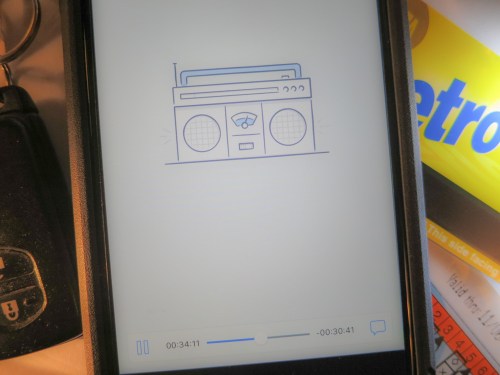
I tapped the ‘downloaded’ file, which I could also access in the ‘Offline’ section, and a Dropbox audio player opened up.

My podcast began to play.

Sweet.

Happy Listening
Again, there’s nothing wrong with moving your podcasts into the iTunes ecosystem. I was just too lazy to take the time to get it there.

Dropping the file into Dropbox was so much quicker.

And that’s more time you can put towards your podcast listening!

10 New Tech Terms to Learn

Prepare to be mystified… I don’t think you’ve heard of these words before. That’s because I’ve made them up. But before you immediately lunge to evaporate this web window, you might find something here you can use…

Prepare to be mystified… I don’t think you’ve heard of these words before. That’s because I’ve made them up. But before you immediately lunge to evaporate this web window, you might find something here you can use…

While writing this blog over the past few years, I’ve taken certain liberties with the English language. Along the way, I’ve manipulated, repurposed or fused together words, acronyms and phrases to boil down the essence of what I’m talking about as a user of technology.
(Or if these words already exist, I’ve warped their meaning for my own Frankensteinian delight.)

I’ve picked ten to offer up for your own use.

Clever, corny or worse?
You decide…

#1
Transitionals
Analog folks who grew up without the Web, but have successfully made the digital transition to social media.
(Source: Laptop Time Machine)

#2
Preapplenary Era
Our lives before Apple and the iPhone.
(Source: I Am a Road Warrior)

#3
Quadrotriticale Paradox*
The more vacation pictures you bring home that clog up your computer, the smaller the chance is you’ll actually share your best photos.
(Source: Five Tips to Rescue your Best Summer Family Photos)

#4
Tronalicious**
That dopamine high that comes from owning cutting-edge tech.
(Source: I Don’t Know Why I Want Ultra HD)

#5
C.D.I. = Core Digital Integrity
Your moral code that limits how much you’ll touch up pictures with your photo-editing software. My bottom line: “Don’t mess with the core integrity of someone’s ongoing image.”
(Source: With Great Power Comes Great Responsibility)

#6
E.R.S. = Extreme-Reconnect Syndrome
Baby boomers’ unique experience of reconnecting with long lost childhood friends through Facebook.
(Source: Open Letter to My Generation – Social Media is Good)

#7
B.T.B. = Beware the Blips
Consumers who feel frustrated and ignored when they want convenience and simplicity when watching purchased media on their home tech. My message to the media moguls: “There are a lot more of us ‘blips’ than you think…”
(Source: Blinded by the UltraViolet Promise in Your New Blu-ray Movie)

#8
Tech Group Think
The search for informational conformity*** when researching new tech to purchase.
(Source: Please Rate This Product…or Else)

#9
Techdentity
Your tech identity index… or how you self identify via different forms of technology.
(Source: My New Area Code Twists my Techdentity)

#10
Techtastrophe
(Isn’t this self evident?****)
(Source: I Don’t Know How to Install my Wireless IP Camera, Part 1)


*If you’re not a “Star Trek” geek, it’s a reference to “The Trouble with Tribbles” episode.

**Yes, I’m referring to “Tron” or “Tron Legacy.”
***You’ll never find unanimous opinion on anything online.
****Perhaps ‘Techtastrophe’ is what I should have titled this blog post!