At Home with Tech

Unlock the power of all your technology and learn how to master your photography, computers and smartphone.

Tag: Backblaze

6 Ways to Protect your Data and Tech at Home

If you’re looking to beef up the reliability of your digital resources, here’s a list of the gear behind my tech.

With so many daily norms shattered as a result of COVID-19, I’ve discovered the act of online holiday shopping to be a comforting activity. Of course, it’s no less frustrating trying to find the actual deals. But that’s always been a part of the challenge, right?

Right now though, what’s most important to me isn’t what shiny new tech to buy. It’s how to make sure the gear I own continues to work properly. And that’s often about the tech behind the tech.

I thought it could be helpful to share some detail on the support gear that helps to keep my tech going every day. This list isn’t about the coolest hardware. It’s simply about what helps maintain order with my tech at home as well as a sense of stability for my (digital) existence. 

It all about protection and reliability.

1. Backup Drive for your Computer

Cloud storage should now be a major player in your backup plan, but having dependable external drives is still a good strategy. I’m a big fan of G-Technology Drives (owned by Western Digital).

The G-Technology 4TB G-Drive USB 3.0 goes for $129.95 on Amazon.

It’s what I use for my iMac’s Time Machine backups.

2. Portable Backup Drive

Yes, I’m sticking with G-Technology for the portable choice. My go-to drive is the G-Drive Mobile USB-C.

The 4 TB version costs $139 on Amazon.

3. Wireless Mesh Router

If you’re like me, your home WiFi is now tasked with supporting multiple family members throughout the day…and in every corner of your home. To help make sure that your WiFi reaches your entire family perimeter, you need a mesh WiFi system in place.

When I replaced my old Apple AirPort Extreme WiFi router, I went with the two-unit RBK50 mesh WiFi system made by Netgear Orbi. Next to my Sonos speaker in the photo above, it costs $295.19 on Amazon.

4. Smartphone Case
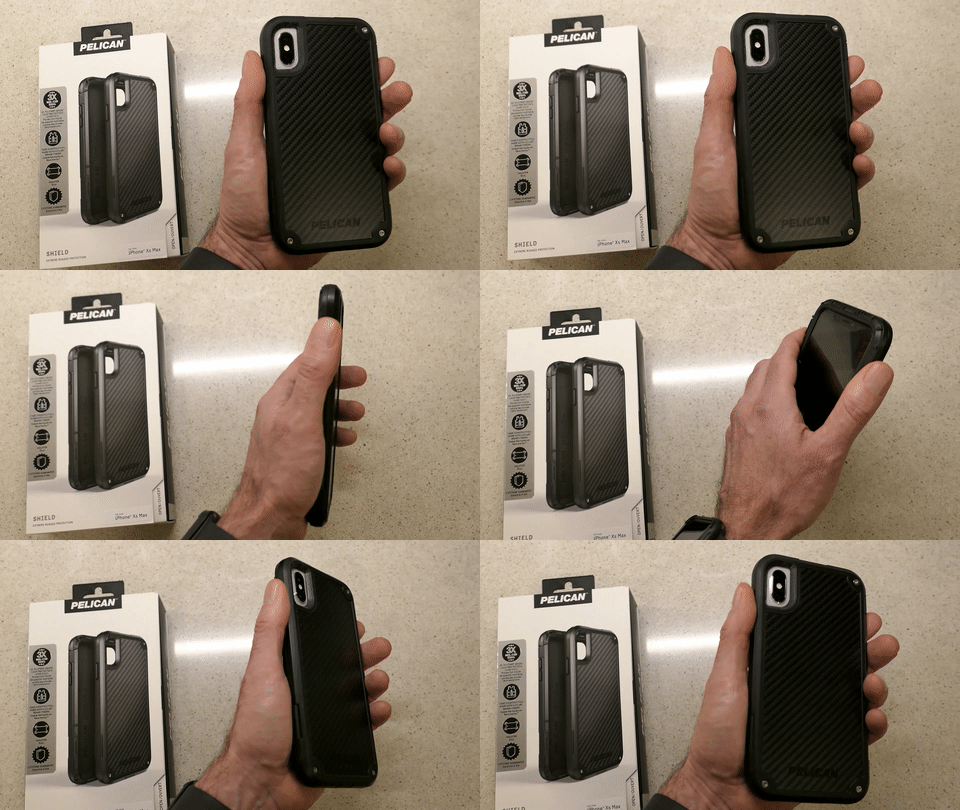
Holding Pelican Shield Case for iPhone XS Max

You really don’t want to deal with a cracked smartphone screen if you can avoid it. I’ve always felt that a solid case is critical to maintaining your smartphone’s structural integrity. 

I’m partial to Pelican cases. The company is best known for its equipment cases that protect gear worth many thousands of dollars. Its smartphone cases are also tough, and the “Shield” model looks like it comes from the alternate universe in the TV series, “Fringe.” 

5. Portable Power Bank for your Smartphone or iPad

You know what happens when one of your portable screens runs out of juice, and a power outlet is nowhere to be found. A little portable power can really save your day.

RAVPower 16,750mAh Power Bank USB External Battery Pack is
$27.99 on Amazon
(This model also comes with a built-in flashlight.)

6. Cloud Backup

I’ve been using Backblaze after CrashPlan broke up with me. So far, so good.

As I mentioned, cloud backup should always be a part of your data protection strategy.

Maintaining Comfort
As we enter this season that promotes comfort and joy, it’s always a useful reminder to have some boring supports in place for your important tech. I’m not sure that will specifically generate joy, but it certainly will maintain comfort.

That’s always on the top of my list.

Essential Tech I Use and Why

Here’s my list of ten technology purchases I’ve made that creates my foundation for living and working in today’s digital world.

I see myself as an everyman (person) who successfully uses his tech (usually) throughout most days in life. I’ve done my research and also have a decent track record on my specific gear choices. While I’m hardly an authority… I’d like to think I offer an informed point of view.

There is also an ever-increasing amount of choice out there, and figuring it all out can be a complete time suck. The ‘best choice’ is an elusive and always-changing equation. So, my strategy has always been to find what works (at a competitive price where possible) and stick to brands that hold up over time.

Most of all: Keep it simple…

If you think that reading about the essential tech I’ve chosen (or covet) for myself might be useful towards your own tech-selection process, then I’ve got a little list to share…

Ten Technology Choices to Help Get You through Your Day

1.  Smartphone

I upgraded from my old iPhone 6 Plus and finally convinced myself there was no need to supersize it to 512GB. So far so good…

2.  iPhone XS Max Case

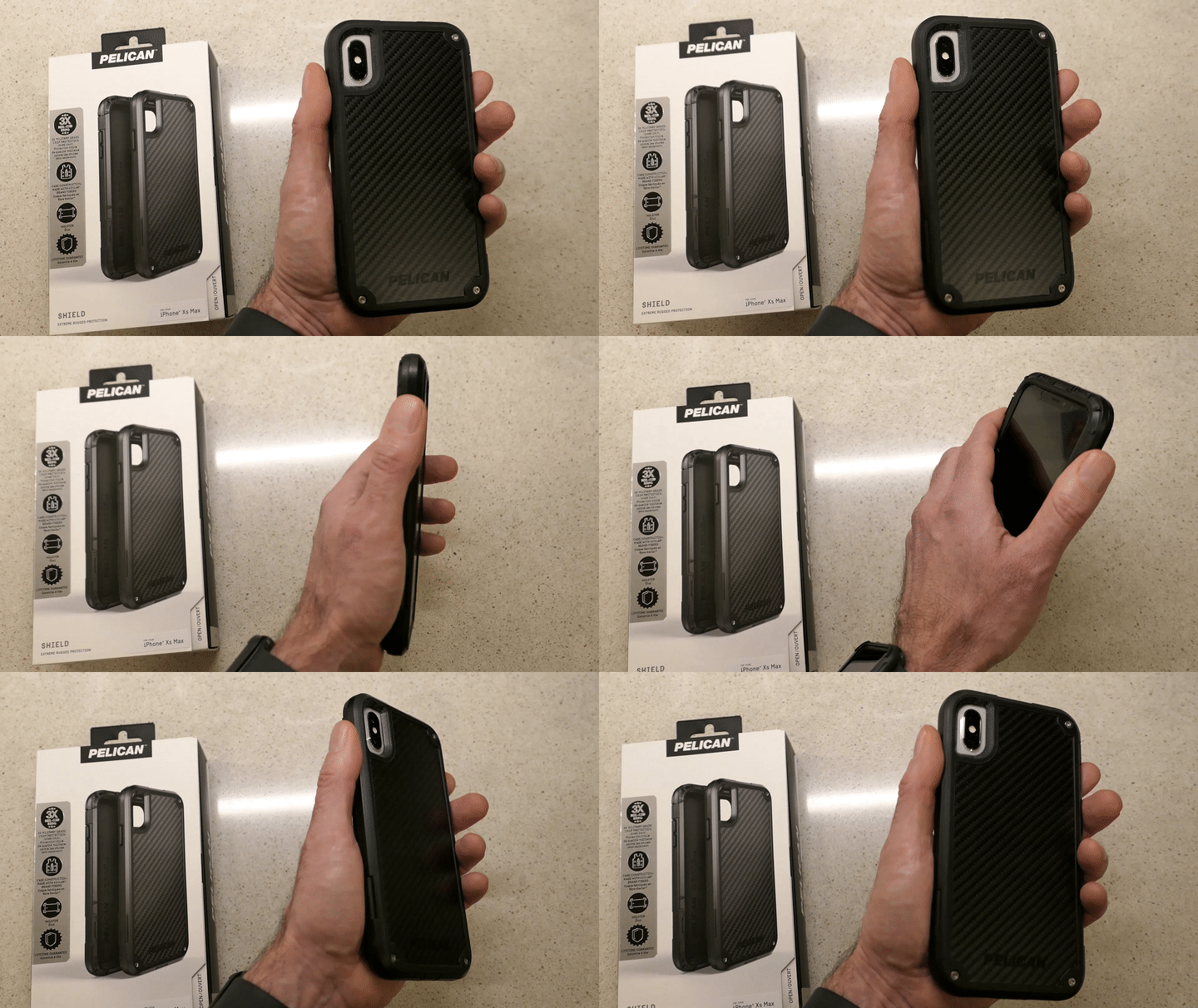
It’s tough and looks like it comes from the alternate universe in the TV series, “Fringe.”

Plus, I like saying it’s made with Kevlar.
Holding My Pelican Shield Case for iPhone XS Max

Enough said.

$41.73 on Amazon Prime

3.  Watch

After three years of self-control, I couldn’t stand not trying one of these out. It was an instant success… Not only have I been loving my Apple Watch, it’s also focused me on ‘getting my steps in.’


And now, I don’t have to think about what watch I’m going to wear tomorrow!

4.  Computer

I began using Macs fifteen years ago due to the advanced multimedia applications, and I never looked back.

Do I feel the need to upgrade to the 2019 model?
Nope. Not yet… I’m doing fine with what I have.

5.  Back-Up Drive for your Computer

I’m a big fan of G-Technology Drives (now owned by Western Digital).

The G-Technology 4TB G-Drive USB 3.0 goes for $129.95 on Amazon Prime.

It’s what I use for my iMac’s Time Machine backups…

6.  Portable Back-Up Drives

  • G-Drive Mobile USB-C

Yes, I’m sticking with G-Technology again…
My go-to choice is the G-Drive Mobile USB-C.

I always grin and shake my head at how digital-storage pricing continues to drop…

7.  Cloud Backup

You do have a cloud backup plan in addition to your local backups, right?

I’ve been using Backblaze after CrashPlan broke up with me.

Offsite backup should always be a part of your strategy…

8.  Premium Point-and-Shoot Camera

Compact cameras that use 1-inch-type sensors can capture better photos than your smartphone…especially in low light.

Being able to freeze that July 4th fireworks moment is priceless!

Yes, these premium compact cameras are expensive, but if you’re serious about capturing great photos without blur and don’t want to carry around a big DSLR, this is the camera category for you…

I use Panasonic’s Lumix DMC-LX10. It’s a couple of years old, but still on the market and now at a discount…
$497.99 on Amazon Prime

I enjoy using my LX10, but If you’d like to know the camera I really covet, and what I’d buy today…
It’s the Sony DSC-RX100 VA… $898 on Amazon Prime.
(No… not the newer VI model. That’s because even though the VA has a smaller zoom, it‘s got a faster lens that can better capture action in low light.)

This is my friend’s new Sony DSC-RX100 VA.

The RX100 series has always seemed to set the gold standard for this category. Yes, it’s expensive, but I think it’s worth it.

9.  Action Camera

I picked up a GoPro last year as a family vacation camera, and I found that it really can enhance your vacation’s fun. A GoPro is small, durable and waterproof… so you can take it to the beach without worrying about a grain of sand crippling a retractable zoom lens. Plus you can snap great underwater shots!

It’s also incredibly fun to use during pool time!

The GoPro HERO7 Black is $343.68 on Amazon Prime.

10.  Wireless Mesh Router

When I replaced my old Apple AirPort Extreme WiFi router, I went with the two-unit mesh WiFi system made by Netgear Orbi.

The Orbi RBK50 (next to my Sonos speaker) costs $279.79 on Amazon Prime.

Mesh WiFi is a game changer… bringing new meaning to the idea of whole-house WiFi.
(I highly recommend it.)

If It Fits Your Budget…
I imagine some of you might be questioning whether all of this gear appropriately belongs on an ‘essential’ list.

While it would certainly be difficult today to operate without a smartphone or computer… does anyone really need the always more-expensive devices made by Apple? Of course not.

But I would also add that there’s value in working within one digital ecosystem. And not that you couldn’t also do that with other brands… but, hey… Apple’s always been a good bet… Period.

And no, you don’t specifically need home WiFi or a GoPro to survive, but I think it’s fair to say they’ve contributed to maintaining a level of digital homeostasis in my life.

That’s a fragile equation and always worth acknowledging… and enjoying when you can.

CrashPlan is Breaking Up with Me

If you prefer the occasional peace of mind as the ‘IT Guy’ at home, well… guess what? Here’s another reason why you might not get that anytime soon. If you’re a CrashPlan customer, you’ve got some work to do…

I’m crushed.

CrashPlan for Home has been wonderful as a Cloud backup solution at home for disaster recovery. We’ve had a great relationship for the past five years. The cost was $60/year for my iMac for unlimited backup. It was pretty much… set it and forget it.

Done.

But recently, I received a little email from Code42’s CrashPlan service. In fact, we were done. CrashPlan is breaking up with me!

The email explained that over the next 18 months, Code42 will exit the consumer market for online backup. Instead, Code42 will focus on its “enterprise and small business segments.”

But I’m only getting three months, because my renewal is coming due.
(Customers get an additional two free months to help with their ‘transition.’)

I guess it was good while it lasted.
(sniff)

So, what are the options?
Whatever, I do, I’m still looking for a long-term relationship.
(I know, I’ve already been burned once. But, you can dream, right?)

CrashPlan for Small Business
As a current CrashPlan customer, I can migrate to the CrashPlan for Small Business plan.
That’s $10 per device each month for 5TB of storage.
So, $120/year for my iMac.
(Double what I was paying)

But, CrashPlan is offering me 75% off for the next 12 months.
That makes it only $30 for the first year.
(Half what I was paying)

Not bad… but remember, I’m looking at the long-term costs.
And I’m not longer getting ‘unlimited’ backup anymore.
Hmmm… That’s okay.
5TB is plenty.

Bottom line: CrashPlan will cost me twice as much moving forward.
(The first-year discount aside)

The Carbonite Choice
Code42 has struck a deal with Carbonite as CrashPlan’s ‘exclusive partner for home users’ with a 50% discount when switching over to Carbonite.
(How ironic that they were competitors once upon a time.)

When I clicked on the link in my Code42 email, I was sent to the following Carbonite offer:

Carbonite Core
It’s for unlimited computers. (Nice!)
With only 250GB of backup (What?!)
And costs 134.99/year (50% off the $269.00 price)
I don’t know if this discount holds after the first year.

You can purchase additional storage in chunks of 100GB
$79.99/100GB (20% off $99.99)

Whoa! This is way more expensive.
Plus, I’m only starting with 250GB? That’s a deal breaker right there!
The ‘unlimited computers’ piece is cool, but there’s not enough storage in the plan to make it worthwhile.

Why is Carbonite in the mix at all? I must be missing something…

Carbonite for Home
So, I went back to Carbonite’s website to look around as a ‘new customer.’

What I found was confusing…
Just showing up as a new customer and not attached to all of my CrashPlan baggage, I found an alternate Carbonite universe…

It’s called Carbonite for Home. And in this universe, you get unlimited backup for one computer in three flavors:

  • Basic for $59.99/year
  • Plus for $74.99/year (on sale from $99.99)
  • Prime for $149.99/year

The differences have to do with the features.
Plus provides external hard drive backup and automatic video backup.
Prime includes a courier recovery service.

The Plus plan seems like it would be the best option for me with its flexibility on including external drives.

Something’s Not Right
If you’re shopping for price, just showing up as a new Carbonite customer gives you the best deal.

But I was still confused why Code42 was giving me such a bum ride with Carbonite.
The Core plan really stinks.

Then, I ran across this TidBITS! article, which mentioned that CrashPlan ‘family’ users were only being offered a discount off of Carbonite’s business plan (Core) as opposed to Carbonite’s ‘Home’ plans.

Did that mean I had a family plan?
No… I checked.

So, was I being offered the wrong discount?

If so, then Carbonite for Home would be an even better deal.
(Assuming the 50% discount held more than the first year)

Looks like I’d have to reach out to Carbonite to investigate.

Rebound Options
So, the way I see it, I’ve got three choices….

  1. Stick with CrashPlan and pay double. ($120/year)
    But remember, “The devil you know…”
    (And only get 5TB vs unlimited… which is actually fine with me.)
  2. Move to Carbonite Plus and pay $75/year.
    (Or try to convince Carbonite to give me the 50% discount off of this plan as a CrashPlan reject)
  3. Start all over and look around for another choice.
    As it turns out, Joe Kissell from The Wirecutter doesn’t like Carbonite for Macs.
    He prefers Backblaze for an Apple ecosystem.
    And Backblaze only costs $50/year.
    (Here’s Backblaze’s invitation to CrashPlan customers.)

Back in the Game
Wow…I thought I was done with all of this.
Guess not.

I’ve got a little time before my CrashPlan breakup is official, and I need to pull the trigger on another choice.

Any relationship advice out there for Cloud backup at home?